
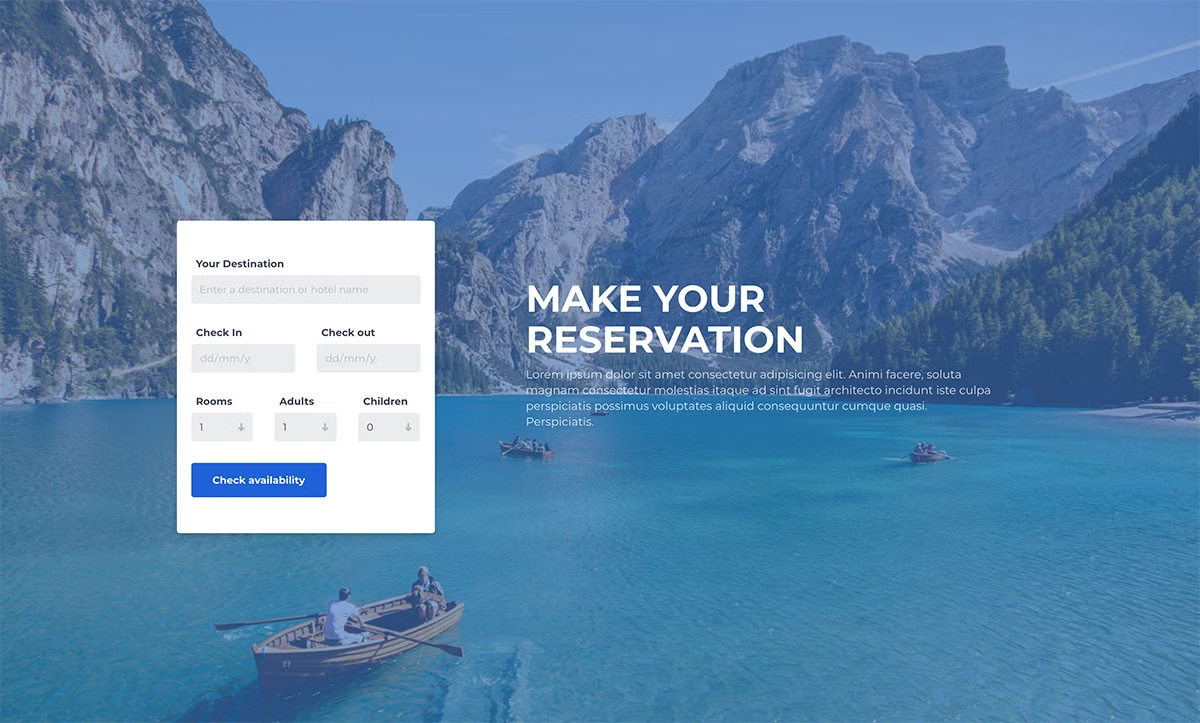
31 Free Booking Form Templates for Websites 2026
These 31 free booking form templates cover hotel and resort reservations, flights, taxis and car rentals, plus ten 2026 appointment forms for clinics, salons, dentists, consultants, garages, spas, tutors, restaurants and pet care. Every one comes with a live demo and a free download.
All of them are Colorlib snippets built as dependency-free HTML, CSS and a few lines of vanilla JavaScript, with no jQuery, Bootstrap files or date-picker plugins. The 20 booking forms in the main list use the browser’s own date fields, so phones get their native calendar, and every form works on its own or inside a Bootstrap 4, 5 or 6 project. They are free for personal and commercial use under CC BY 3.0, as long as you keep the credit link.
Free tool by Colorlib · Form Workbench
Build an appointment request form
Start with the appointment preset, change the fields and match your site’s style. Export the files and an editable backup.
Completely free · No signup · Reopen saved forms
Collects requests through your endpoint. Does not check availability, reserve slots or take payments.
If you run a hotel, taxi, restaurant or any other business website that takes reservations, start with the main list. If you book people into time slots, skip ahead to the appointment forms.
Best Free Booking Form Templates
Below, you can see a wide selection of the best HTML booking forms available for use on any website.
Colorlib Booking Form v1
You already know you are in for a collection of the best free booking form templates. And you can use these for all sorts of intentions!
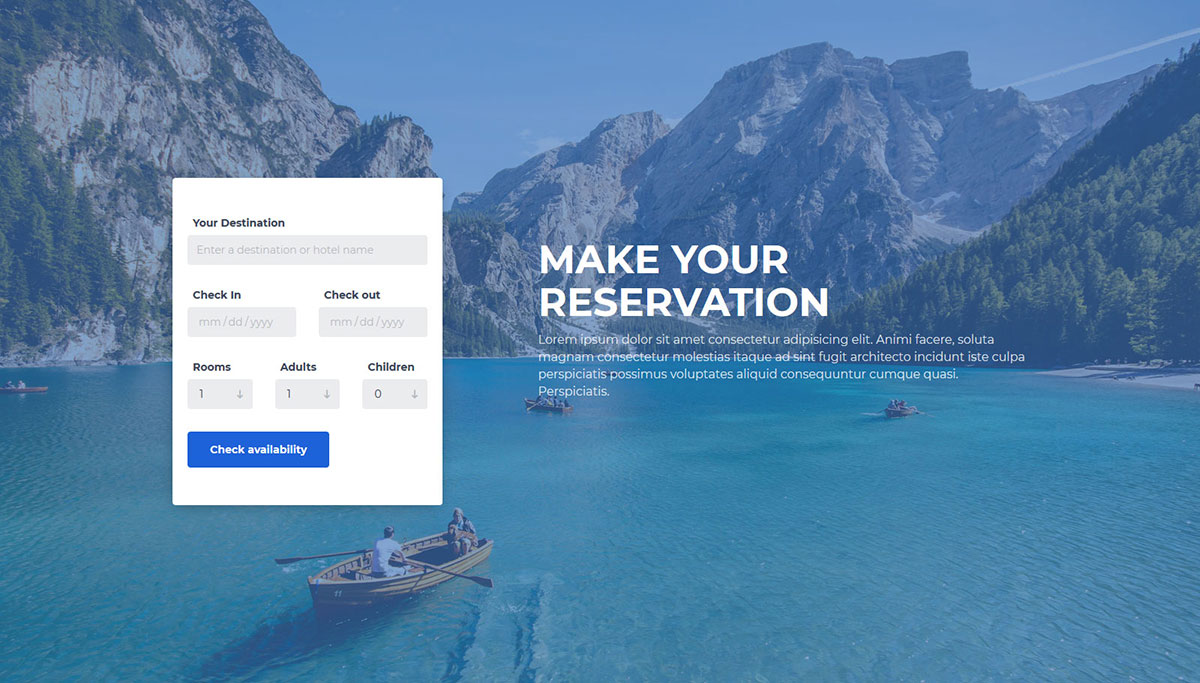
If you own an accommodation-based business, here is a clean, elegant, and modern reservation form. What will spark everyone’s interest is the full-screen image background.
Have the user select the destination, check-in and check-out times, rooms, and the number of adults and children. To some extent, it provides all the necessities while keeping things simple. The check-in and check-out fields use the browser’s own date picker, so phones get their native calendar. And that is precisely how you should approach forms to increase your chances of winning over even more customers.
Colorlib Booking Form v2
As a resort or hotel with a well-thought-out website, you better have a solid booking form on the page. Without one, you may lose all the potential clients who book online.
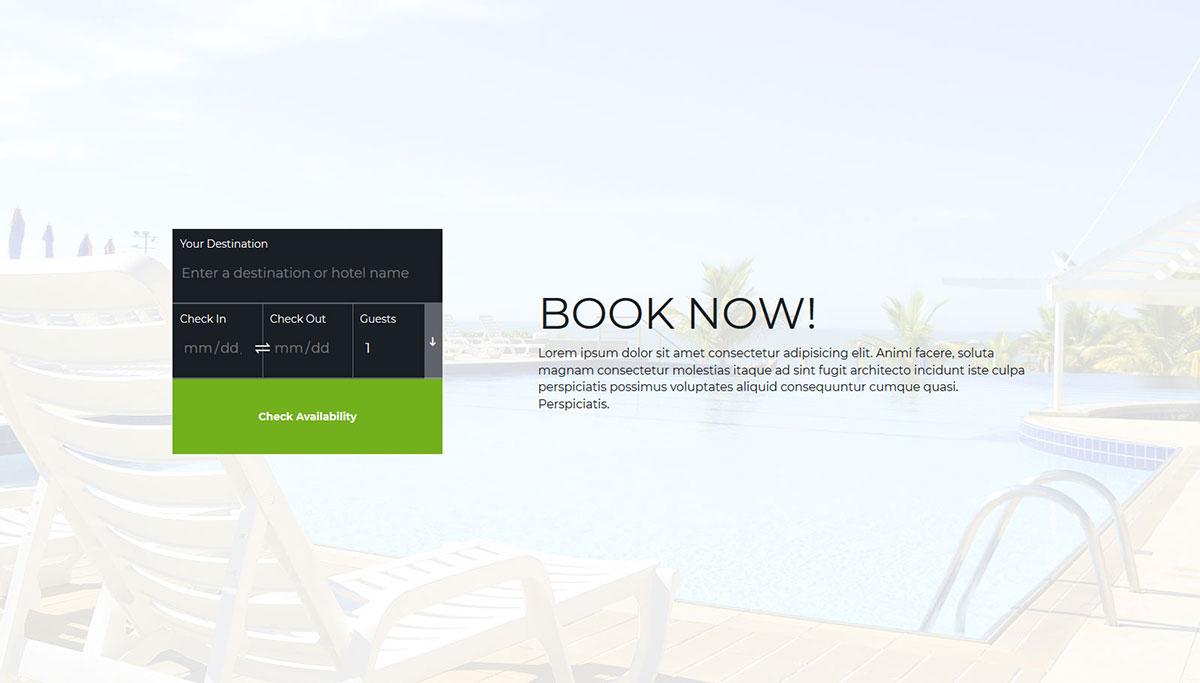
Download this free booking form template and get started immediately. It is a simple-to-use form with a unique design that allows new guests to check room availability.
The background welcomes your imagery to add a sense of exclusivity. On the right side, there is also a space for the title and additional information.
Viewing it from your mobile device will make the form appear even more visually appealing.
Colorlib Booking Form v3
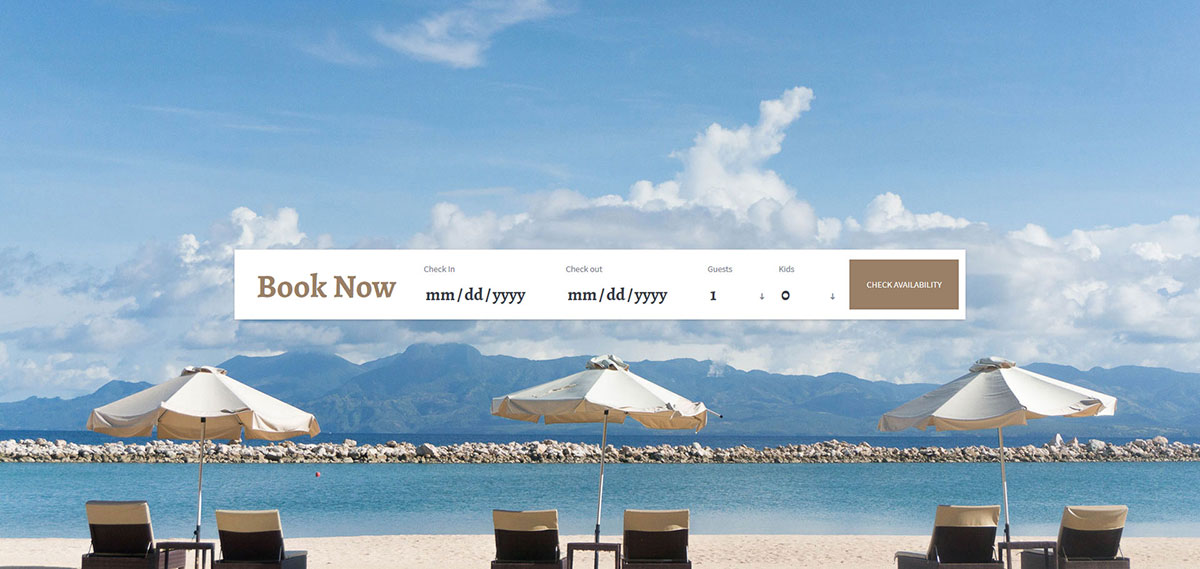
You must cleverly and strategically keep your visitors engaged in every section of your vacation website. Even on the booking page, use a beautiful picture as a background.
With that small action, you can encourage your visitors to visit your location more often. For a clean and sophisticated free booking form template, consider the one we have here.
The free tool you can download right now also complies with all the latest web and tech regulations.
In other words, it is responsive and cross-browser compatible. Add it to your page and help them find the dates that are most convenient for you to visit.
Colorlib Booking Form v4
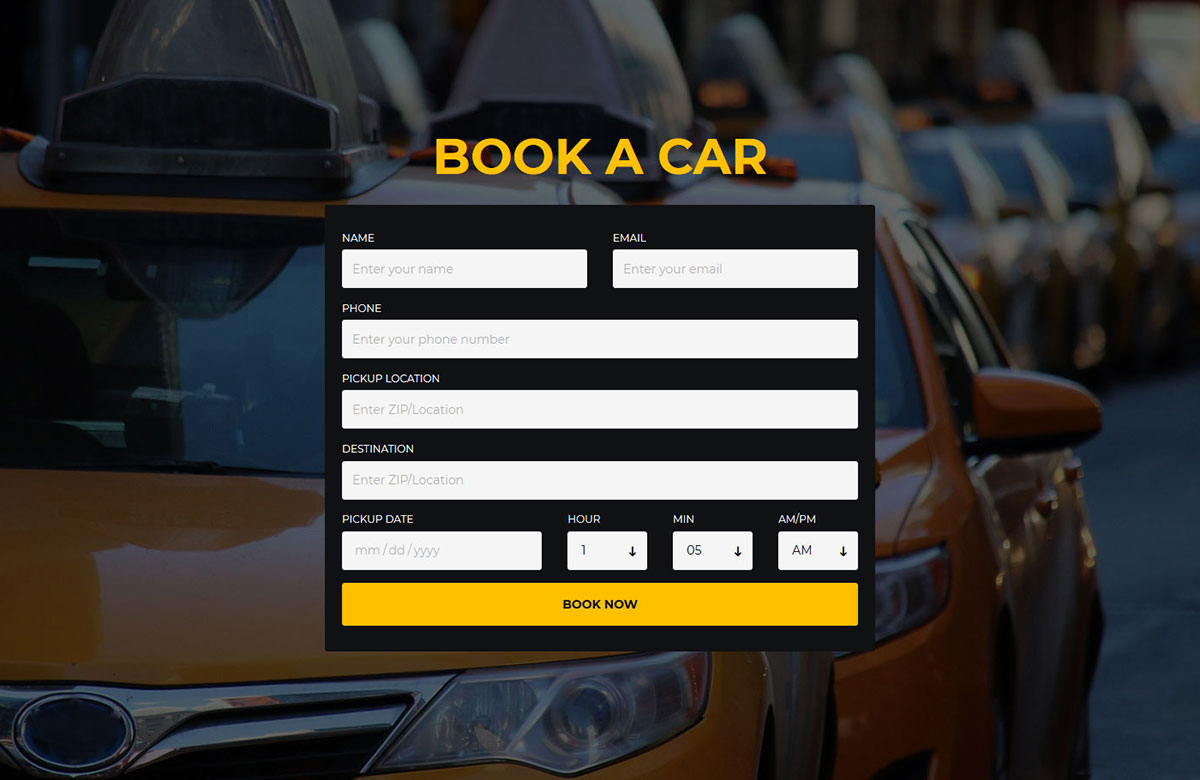
While we are accustomed to seeing booking forms primarily on websites related to accommodation services, other industries also utilize them.
For example, if you offer transportation services, e.g., a taxi firm, here is the ideal booking form. And, of course, it comes entirely free of charge!
Download this stunning and contemporary free template and use it instantly. It features everything you need to help those who need to book a taxi.
Colorlib Booking Form v5
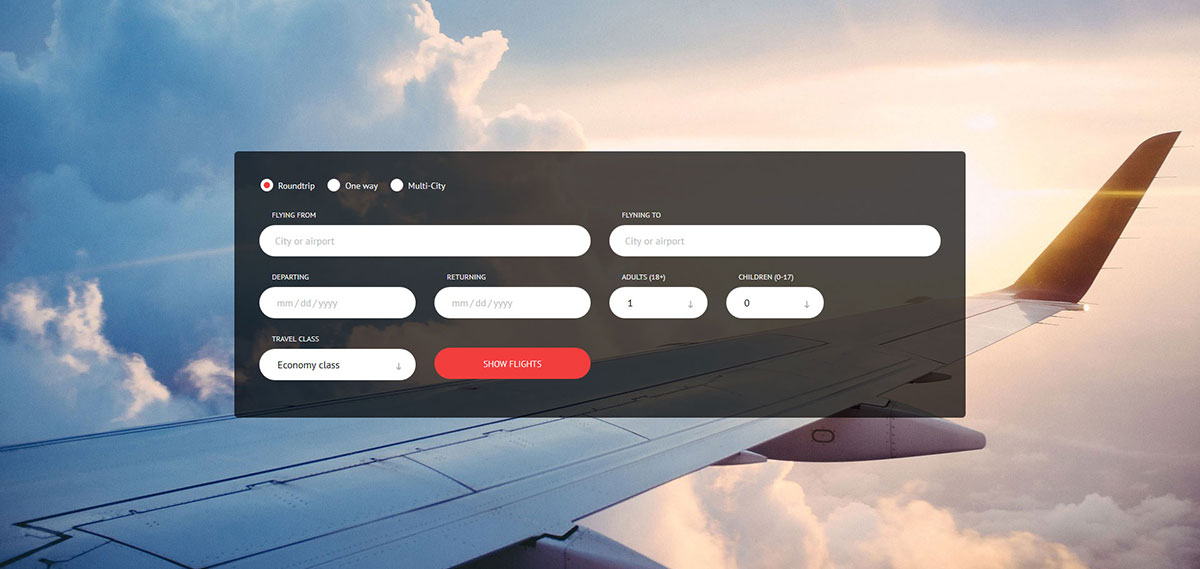
We provide free booking form templates for every industry. However, if you tweak the one you dig slightly, you can use it for something entirely custom.
Even airlines do not miss a neat booking form on their pages.
When you offer your passengers the option of manually booking and finding the most ideal and cost-effective flight for their trip, you have a much greater chance of winning them over.
They can take the time and see what fits their schedule and budget best without rushing it.
Colorlib Booking Form v6
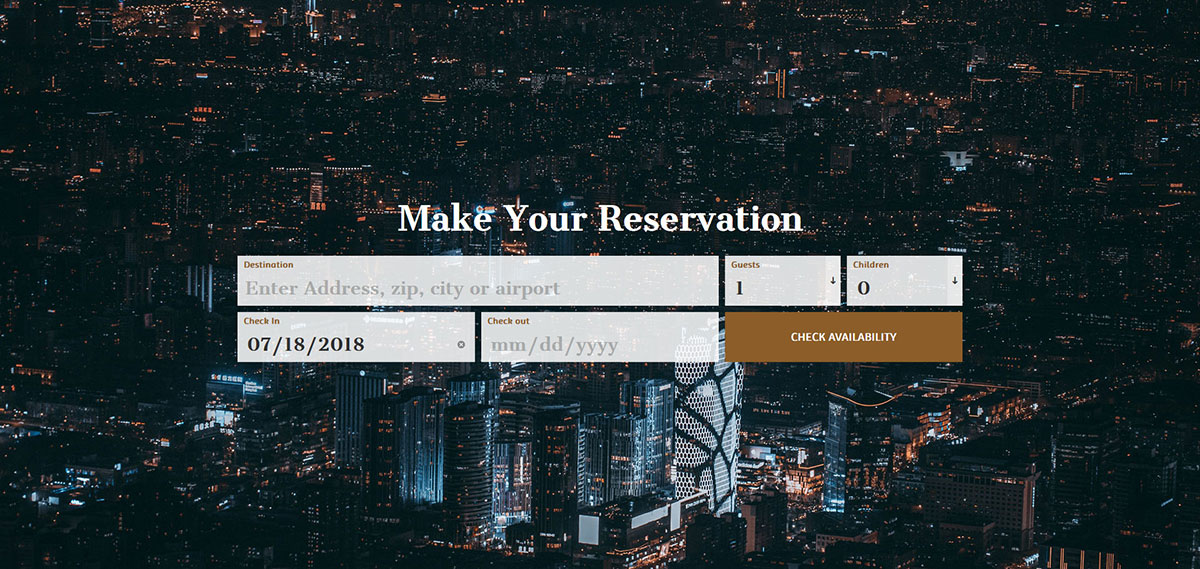
You must ensure that your page’s reservation process is quick and hassle-free. You can only start seeing more people using it and successfully processing their reservations.
Here is a versatile and highly adaptive free booking form template that you can use for various purposes. It is best suited for hotels, motels, and even hostels.
Guests only need to fill in five fields with information and can check availability.
They can repeat the process until they find the best solution for their much-needed trip.
Free tool by Colorlib · Form Workbench
Need an appointment form with different questions?
Customize a form in the browser, test it and download code you can reopen later.
Completely free · No signup · Reopen saved forms
Collects requests through your endpoint. Does not check availability, reserve slots or take payments.
Colorlib Booking Form v7
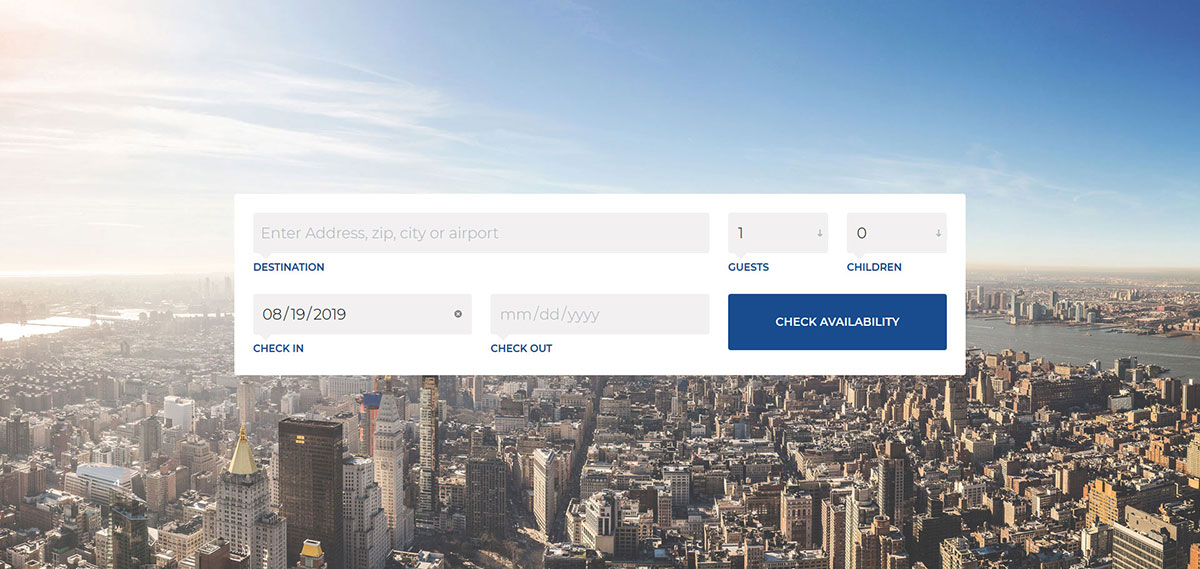
Modern, mobile-ready, optimized, and visually appealing are some of the characteristics of all the free booking form templates on this list.
We always deliver the best tools that save you both time and money. Thus, creating a booking form from scratch is no longer necessary.
You can now download one for free and take it to your advantage. Create a form on your website that allows potential guests to check available dates, enabling them to plan their trip.
And if a form already has a date picker integrated, that’s even better! This one does, and it is the browser’s own, so there is no picker plugin to load.
Colorlib Booking Form v8
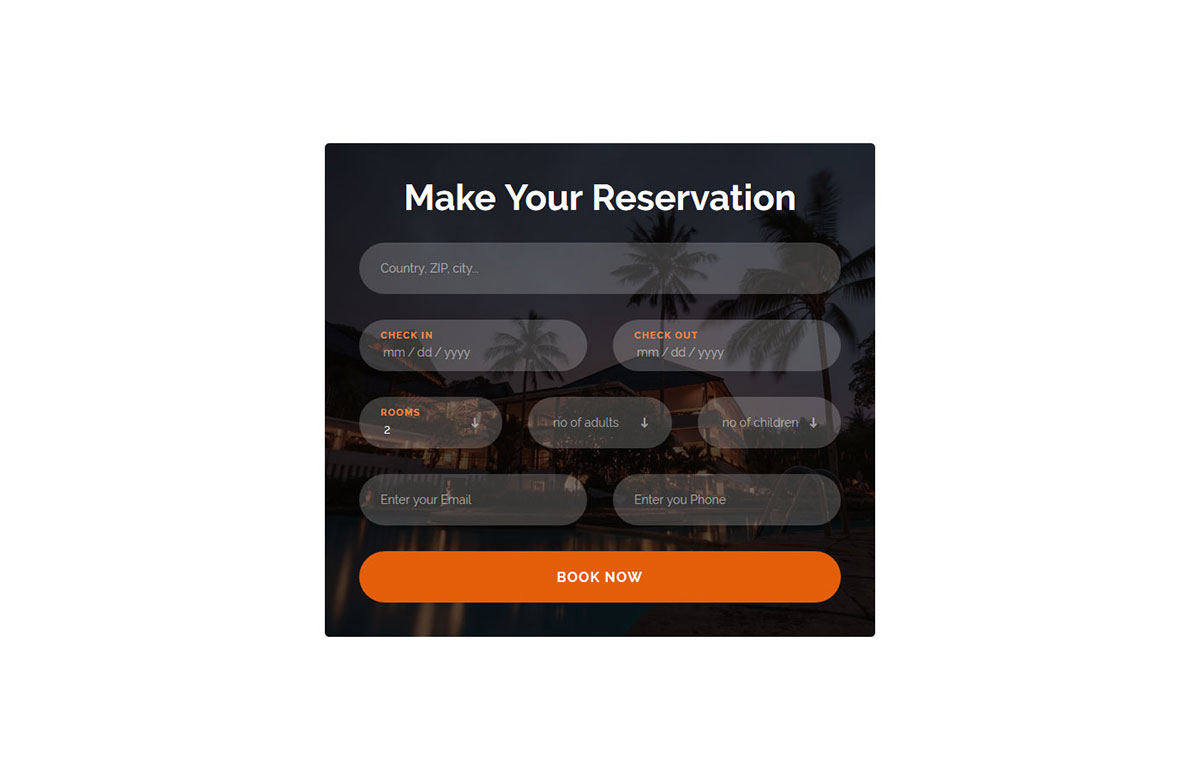
In the past, guests would either need to call you or send you an email to make a reservation. To make a long story short, the organization was off compared to the technology’s current automation.
You can have all your booking in complete order and do not need to do anything manually.
After they complete the booking process, using this amazing template, the software stores their information, and all you need to do is wait for them to come and visit you.
Integrate this stylish booking form into your hotel or luxury resort‘s website and make a lasting impression.
Colorlib Booking Form v9
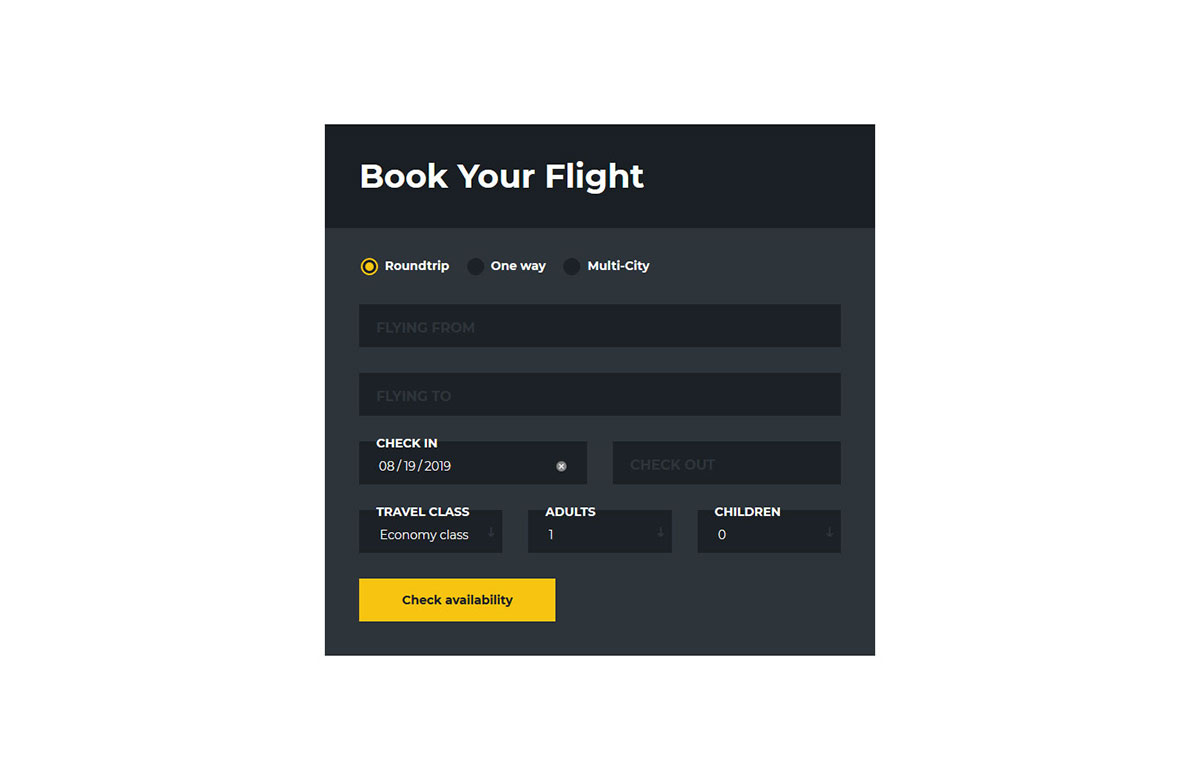
Nowadays, the convenience of booking flights went through the roof. You can even do it from the comfort of your handheld device or on your desktop computer.
Booking is seamless no matter what device you use. To ensure your customers have the same amazing experience on your platform, here is the free booking form template you should not miss.
It features an elegant and dark layout, complemented by a contrasting call-to-action button. Users can select the type of flight they want, the dates, and the number of adults and children. The floating labels are a few lines of vanilla JavaScript, with no library behind them.
Colorlib Booking Form v10
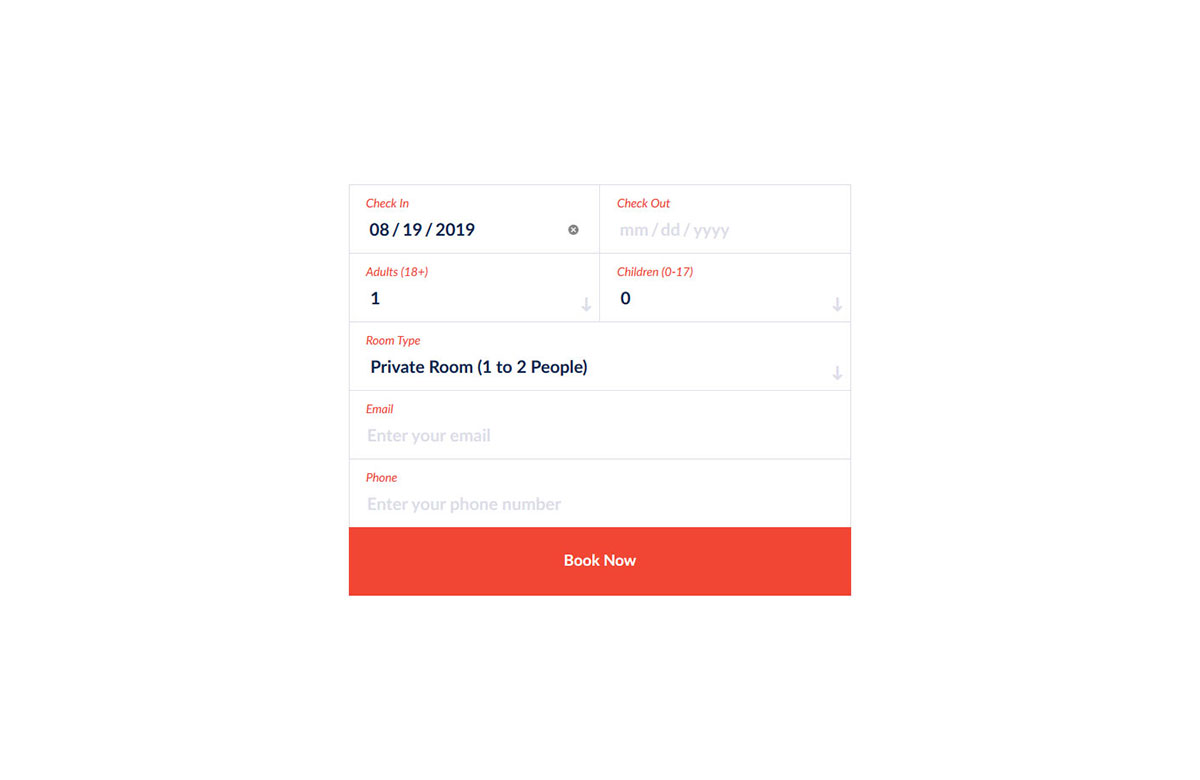
This light and white alternative is the complete opposite of the previous booking form layout. If you are rocking a minimal and modern style website, you should add this form to your page and forget about all the rest.
Whether you are a boutique hotel, a luxury resort, or a motel, your page should feature a booking solution. Without it, you might lose a lot of money.
Nowadays, picking up a phone and dialing a number is no longer as popular as it once was. Make sure you have your booking process fully sorted out online. The whole snippet is a 58 KB download of plain HTML and CSS with no framework files.
Colorlib Booking Form v11
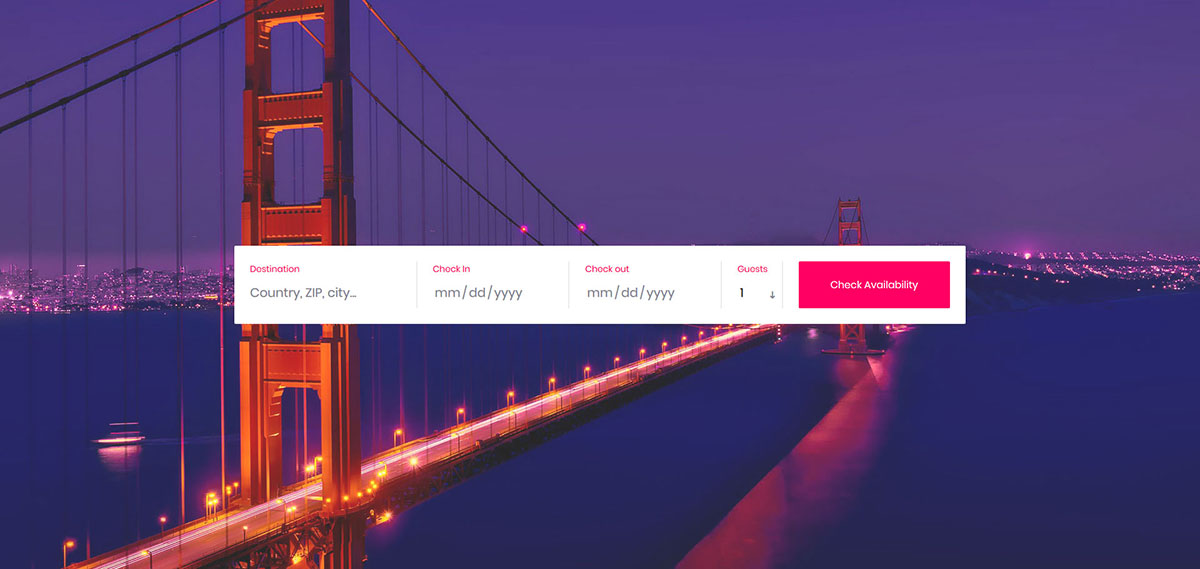
First and foremost, whatever type of business you run, you need to rock the World Wide Web with a banging website. Secondly, if you offer bookings and reservations, a form on your page should cover that part of the business.
No need to answer calls and emails any longer! With a booking form and solid software linked, you can have it 100% automated.
How cool does that sound?
Save yourself time and invest it in the areas of your business that are most important, such as marketing. Get your booking form sorted out today and be forever grateful.
Colorlib Booking Form v12
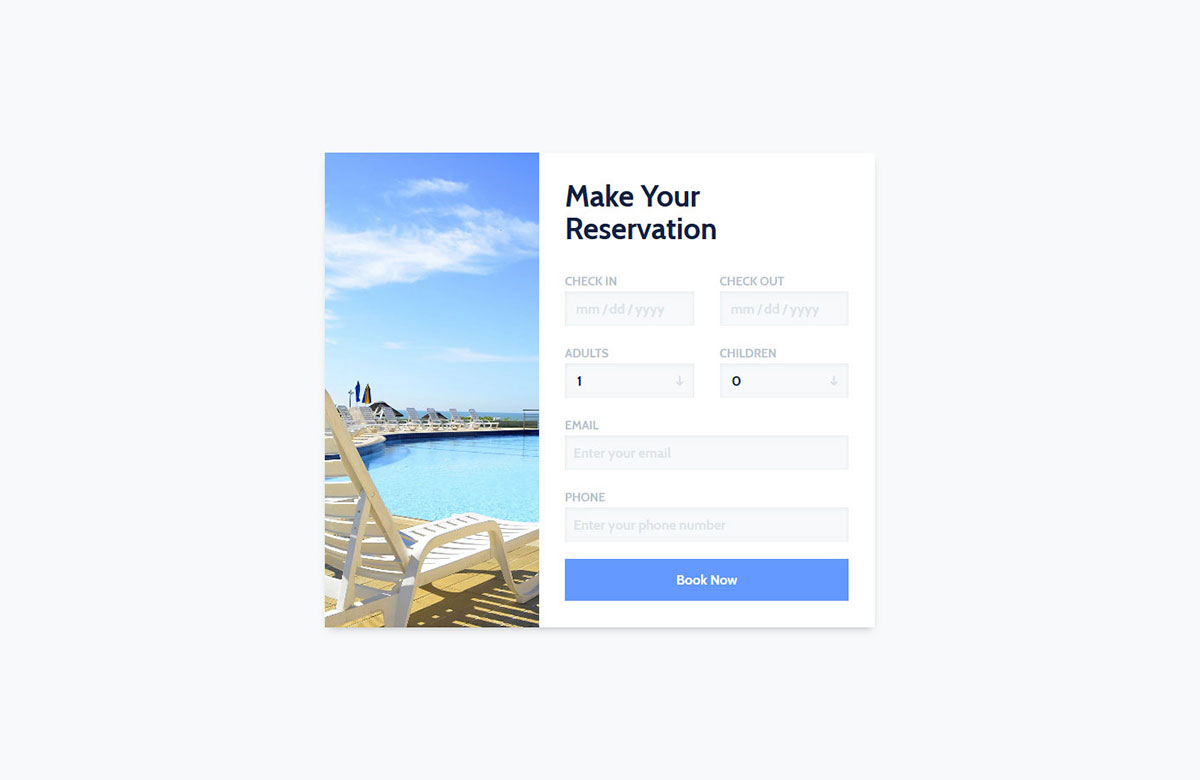
Attach a free booking form template to your page as a pop-up or create an entire page dedicated to booking. Here is a crafty form template that features an image on the right and the fields that need to be filled in on the left.
Attract potential customers to make their reservations quickly and ensure your rooms are fully booked throughout the year.
That is possible if you have a page that perfectly caters to your audience. Of course, the quality of your services is of the utmost importance. Combine the two, and you just won the game.
Colorlib Booking Form v13
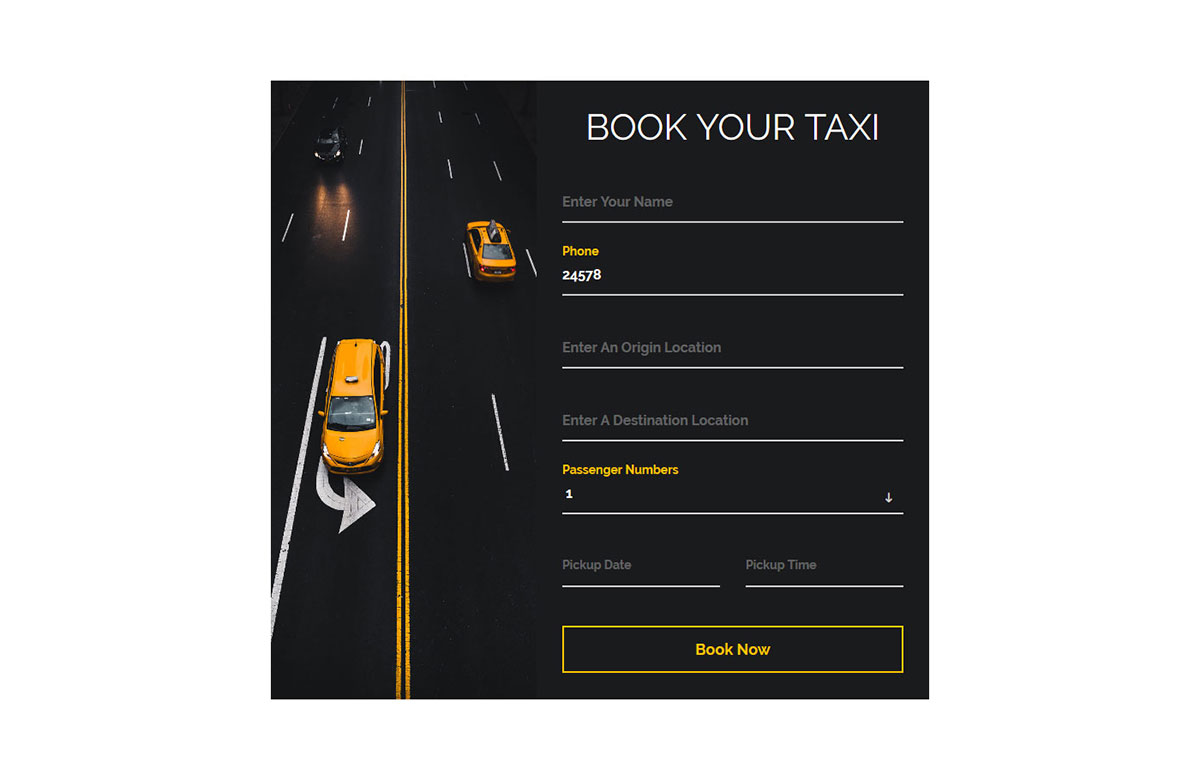
Car rental and taxi companies need to offer online booking options to their clients. The booking process should also work smoothly on mobile devices, allowing users to book on the go.
If you are still figuring out how to get the online booking part of your business sorted out, you came to the right place.
Here is the form template ideal for any company in the mentioned industries. Make sure you download it (yes, for free!) and use it to its full potential.
The date and pickup time fields use the browser’s own pickers, so there is no date-picker plugin to add or load.
Colorlib Booking Form v14
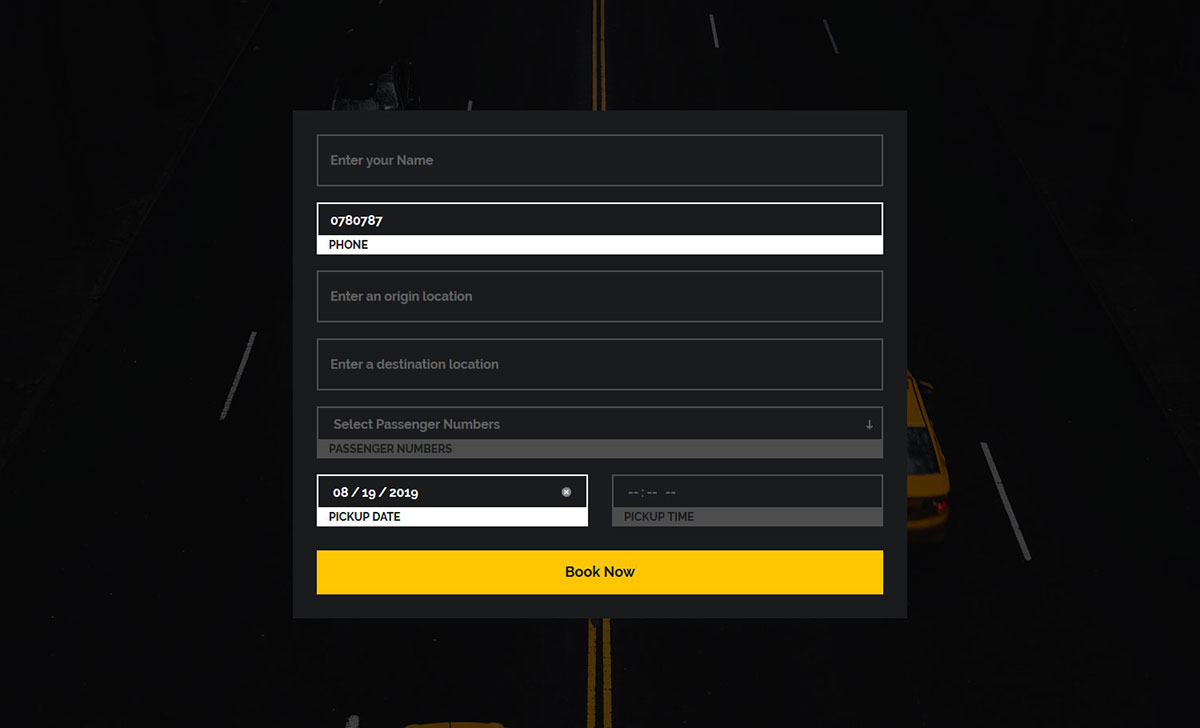
As an alternative to the previous taxi and car rental booking form, we bring you another stylish solution to spark your interest.
Give this form a shot by downloading it now and enriching your current website with a handy addition. Everyone needing your services can go to their smartphones and complete the booking process effortlessly.
The free booking form template features seven fields for adding information, from personal details to the number of passengers and pick-up date and time. Its floating labels need no library, and the date and time fields are the browser’s own.
It is all there, ready and set for you to use out of the box.
Colorlib Booking Form v15
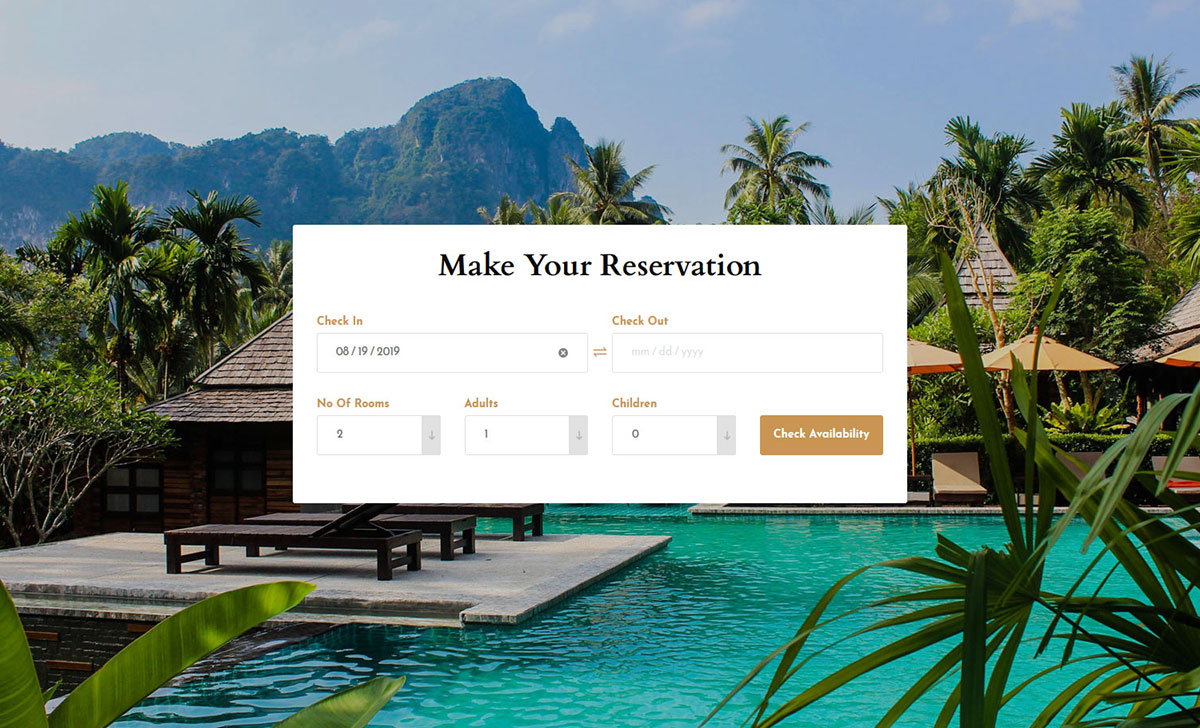
Even if you own just one hotel or a chain of hotels, you can attain your desired goals much quicker with an optimized and high-quality website full of features.
A booking form is one of the most important assets you should sport on your page. The scalability might not be as quick as you originally planned without one.
Additionally, you will have everything organized and tidy with a form, which is especially helpful if you deal with many guests on a daily basis.
Your online platform can work for you when it is stuffed with the right features.
Colorlib Booking Form v16
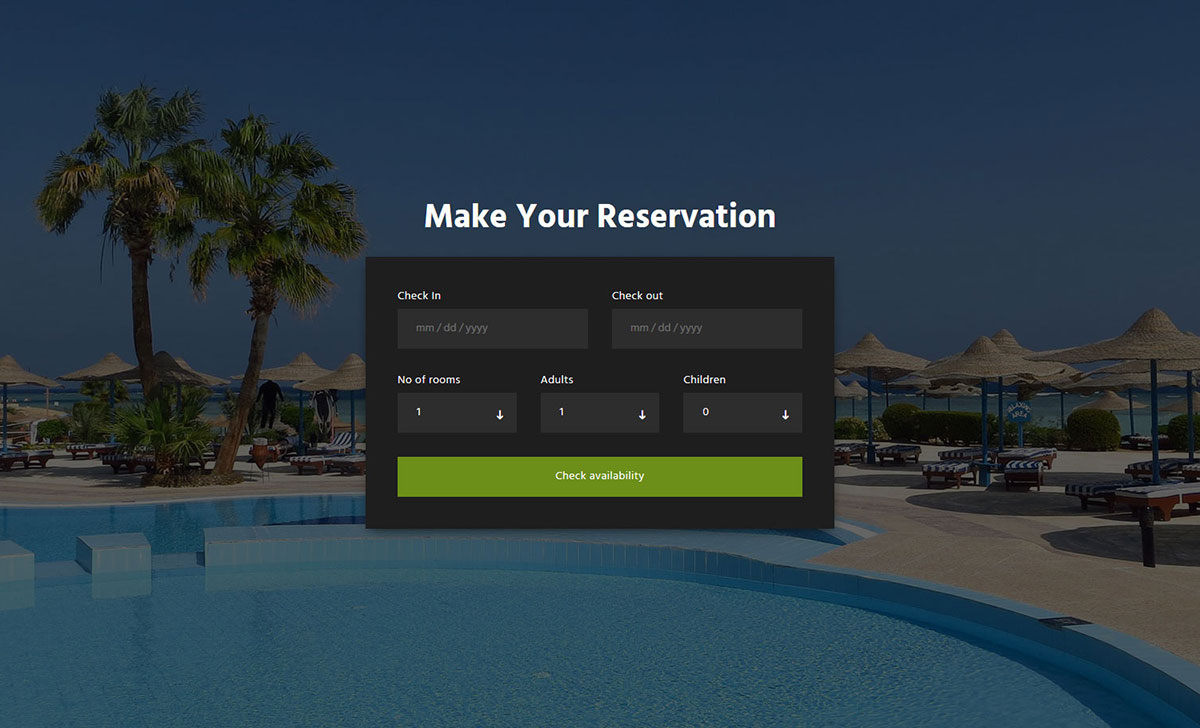
Nowadays, reservations are made without breaking a single sweat. It is a win-win situation for both the website owner and the end user.
Meanwhile, the users can check the available dates multiple times and see what fits their schedule best.
You will be greatly rewarded if you add a booking form to your page and have numerous options to choose from.
One might even fit your needs out of the box, saving you from any additional tweaking you might need to perform.
Colorlib Booking Form v17
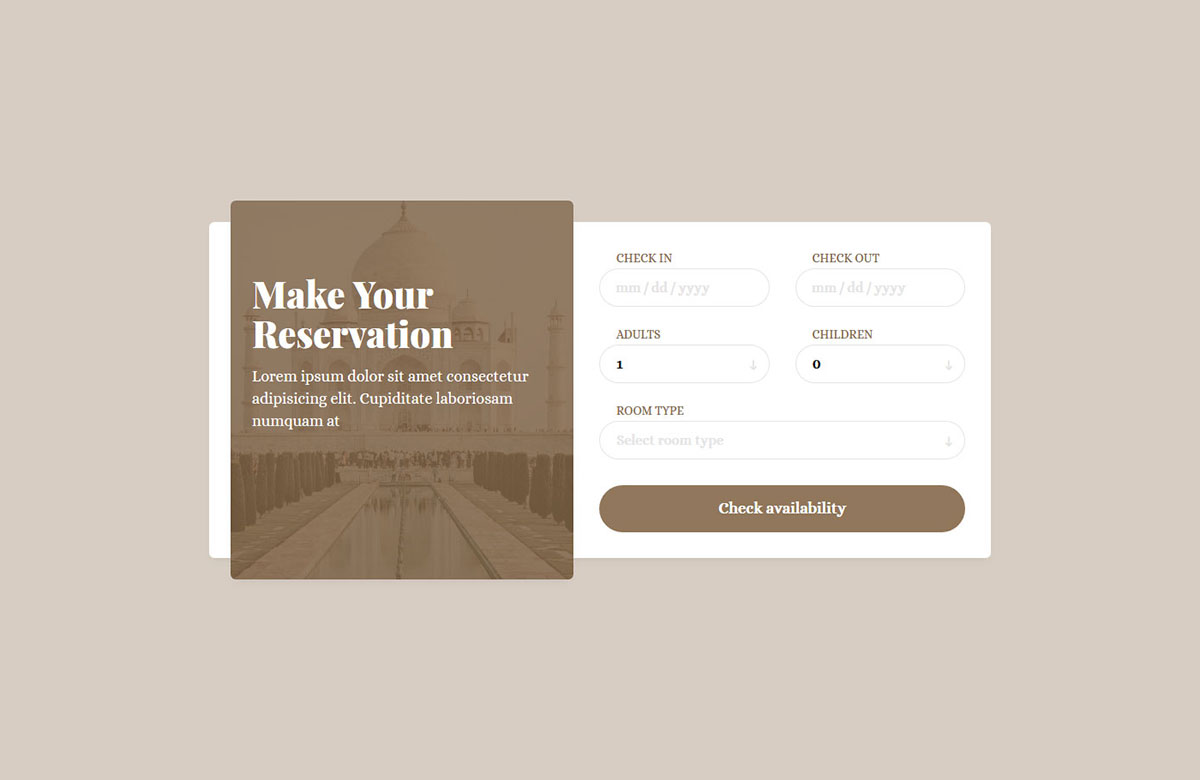
With the flexibility of our booking forms, you can be assured that your users and guests can utilize them regardless of their situation—whether on the go, using their mobile device, or enjoying the comfort of their desktop computers.
You can test it yourself and see how pretty it looks on your handheld gadget.
It is a contemporary and clean-looking free reservation form template that will enhance the performance of your website and make it stand out a mile.
Always ensure that every part of your webspace runs smoothly, at the highest degree, even through the smallest detail.
Colorlib Booking Form v18
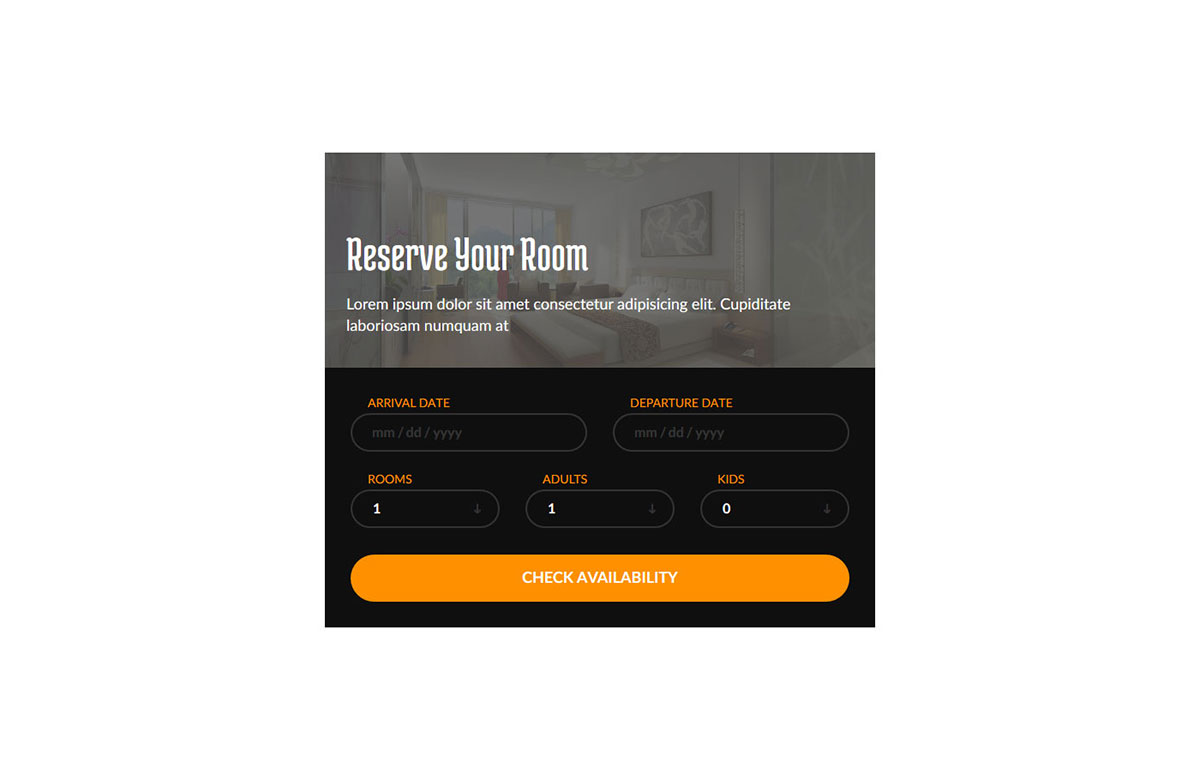
With the wide variety of free booking form templates we offer, everyone can find one that best suits their taste. And if not to a T, you need to know that improving and adjusting the choice form is as easy as pie.
Do what feels right to you and have them make a room reservation online, directly from your hotel’s website.
To make it even more appealing to the eye, add an image and some additional text that persuades them to take action.
Colorlib Booking Form v19
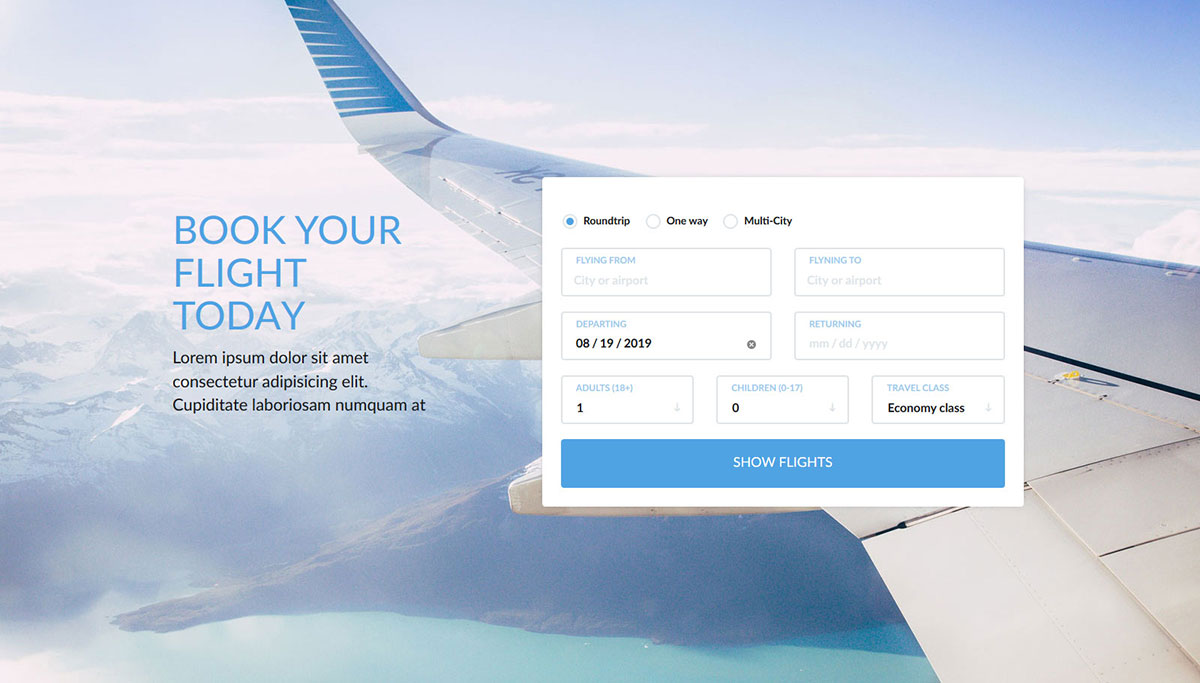
If a neat and well-executed booking form is the last thing you need to add to your page to complete the launching process, we have you covered. We offer a complimentary booking form template for flights, specifically designed for airlines.
The layout features a full-screen image background with a title, text, and form. Every section is designed and developed professionally to ensure the highest user experience.
Potential passengers can choose their destination, time, travel class, number of travelers, and type of journey (one-way, roundtrip, etc.).
Make it follow your branding by changing the colors and finally put it live. It carries its own styles, so it looks the same on a plain page or inside a Bootstrap project.
Colorlib Booking Form v20
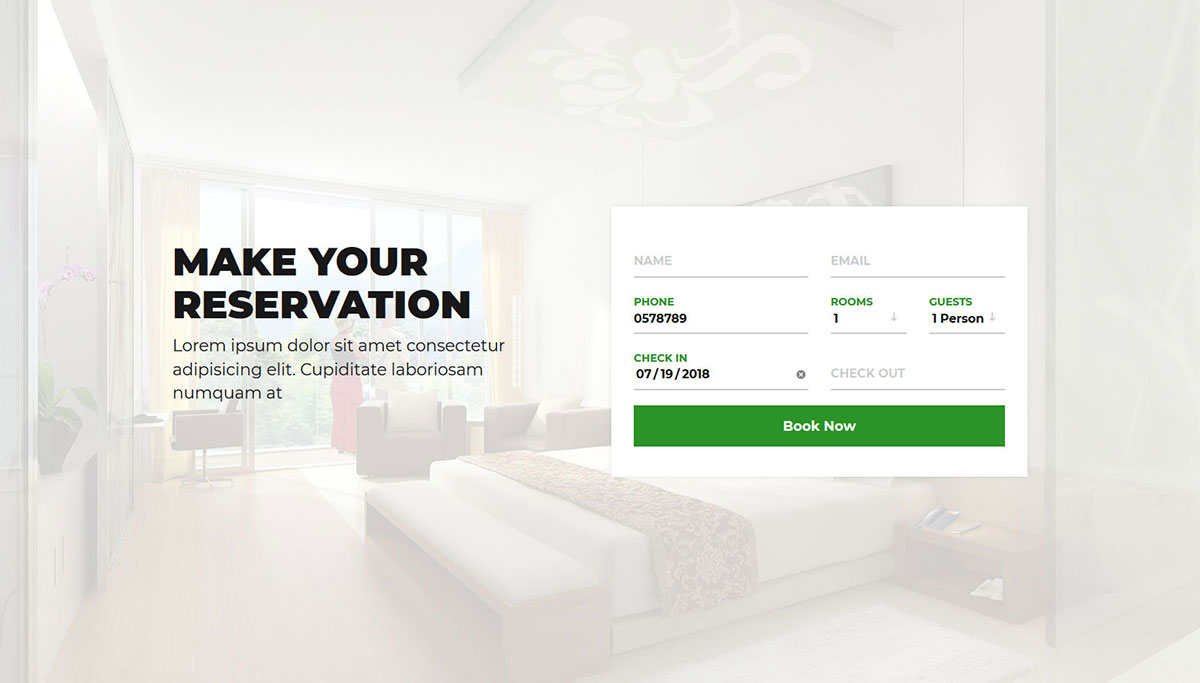
Are you starting a new hotel business or an existing hotel business owner with an outdated web presence? Build a fresh site or breathe new life into your current one with an up-to-date page that includes online booking functionality.
As for the latter, do it in style and fashion with this elegant reservation form. It will surely boost your site’s user experience.
You can use it out of the box as is, or take the extra step to make it precisely match your branding and company requirements.
Do the right thing, since using it is a simple breeze.
Contact Form 3
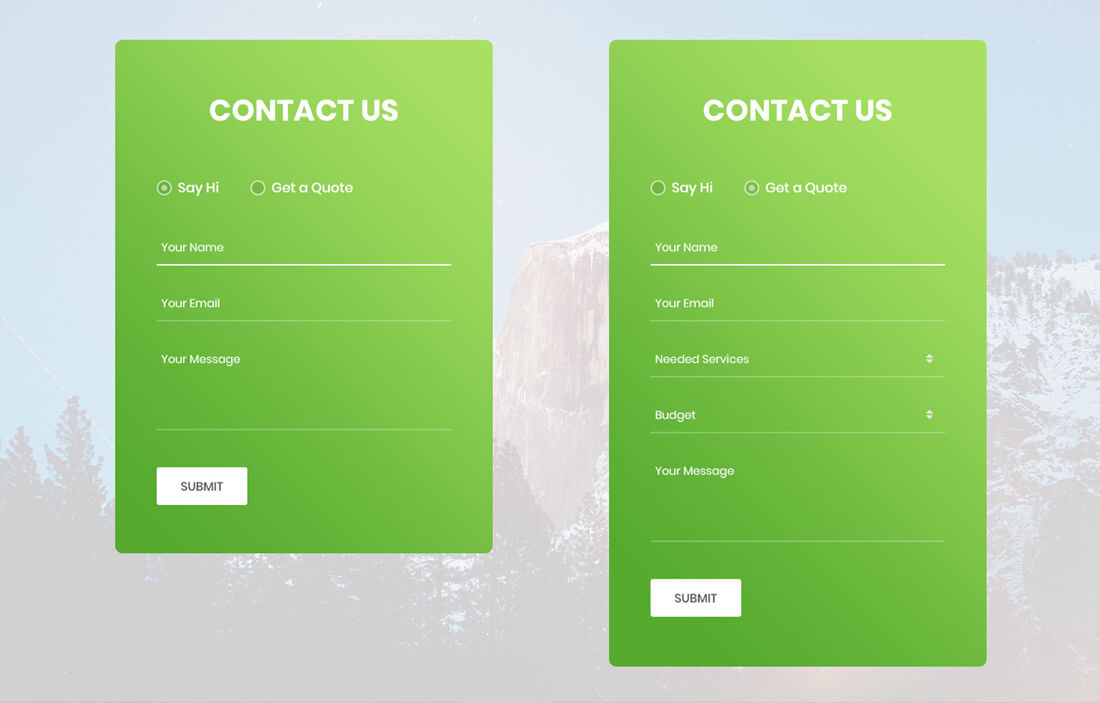
Contact Form 3 is a small contact form template, a gift for you. Yes, something a little different to this list, but the demand is so high that we needed to add it.
It is a full-page contact form template with an image background. You can customize the image. You can download the template and use the code to customize it.
With this template, you receive files such as names and services required, along with a drop-down option, a budget with a drop-down, and a message section.
We have also added neat visual effects to make the template more interactive. The dropdowns are real select menus, and the whole form is plain HTML, CSS and vanilla JavaScript.
Free Colorlib appointment booking forms (2026)
Our 2026 appointment forms, one for each kind of business that takes bookings. Time slots are generated for the chosen date, closed days are refused and totals update as you choose. See all of them in our appointment form templates roundup.
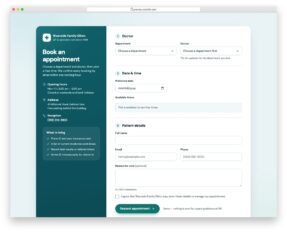
Appointment Form V01: Doctor and clinic appointment request with filtered doctors and time slots
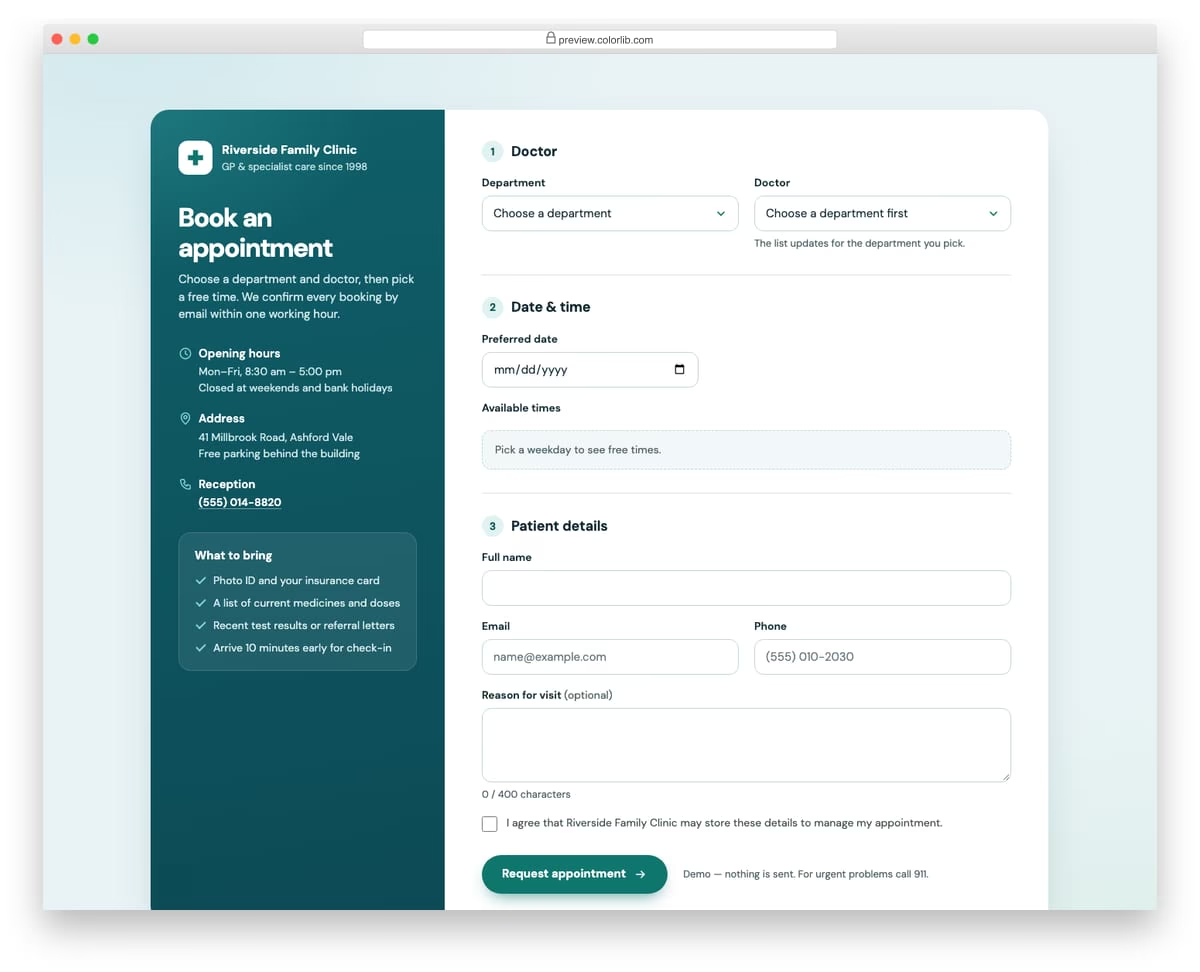
A clinic booking form with a department select that filters the doctor list, a date picker that rejects weekends and a grid of time-slot chips generated for the chosen day. Some slots show as taken and past times are hidden for today. A dark teal side column holds the clinic's hours, address, phone and a short what-to-bring list, and a confirmation panel echoes the doctor, date and time.
Best for: clinics, GP practices and medical centres. Plain HTML and CSS with a few lines of vanilla JavaScript, a 381 KB download, and it works on its own or inside a Bootstrap 4, 5 or 6 project.
Appointment Form V02: Hair salon booking with service cards, stylist choice and live summary
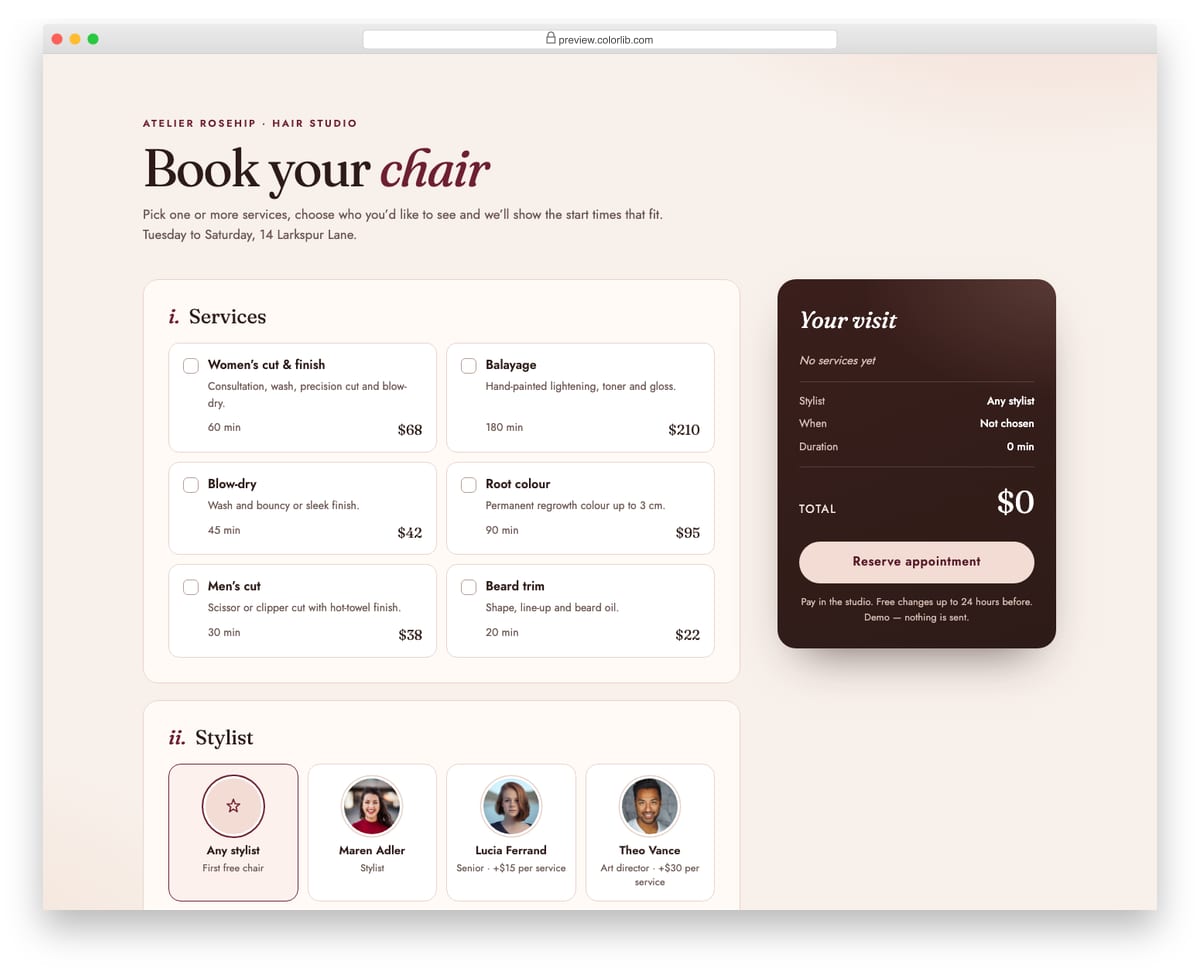
A salon booking form where guests tick one or more services, each with a duration and price, and pick a stylist from photo cards, where senior stylists add a per-service surcharge. Start times are generated for the chosen day so the whole visit fits before closing and around existing bookings. A sticky dark summary panel keeps the running total, total duration and end time in view, and a confirmation card echoes the booking.
Best for: hair salons, barbers and beauty studios. Plain HTML and CSS with a few lines of vanilla JavaScript, a 721 KB download, and it works on its own or inside a Bootstrap 4, 5 or 6 project.
Appointment Form V03: Dental practice request with new and existing patient paths
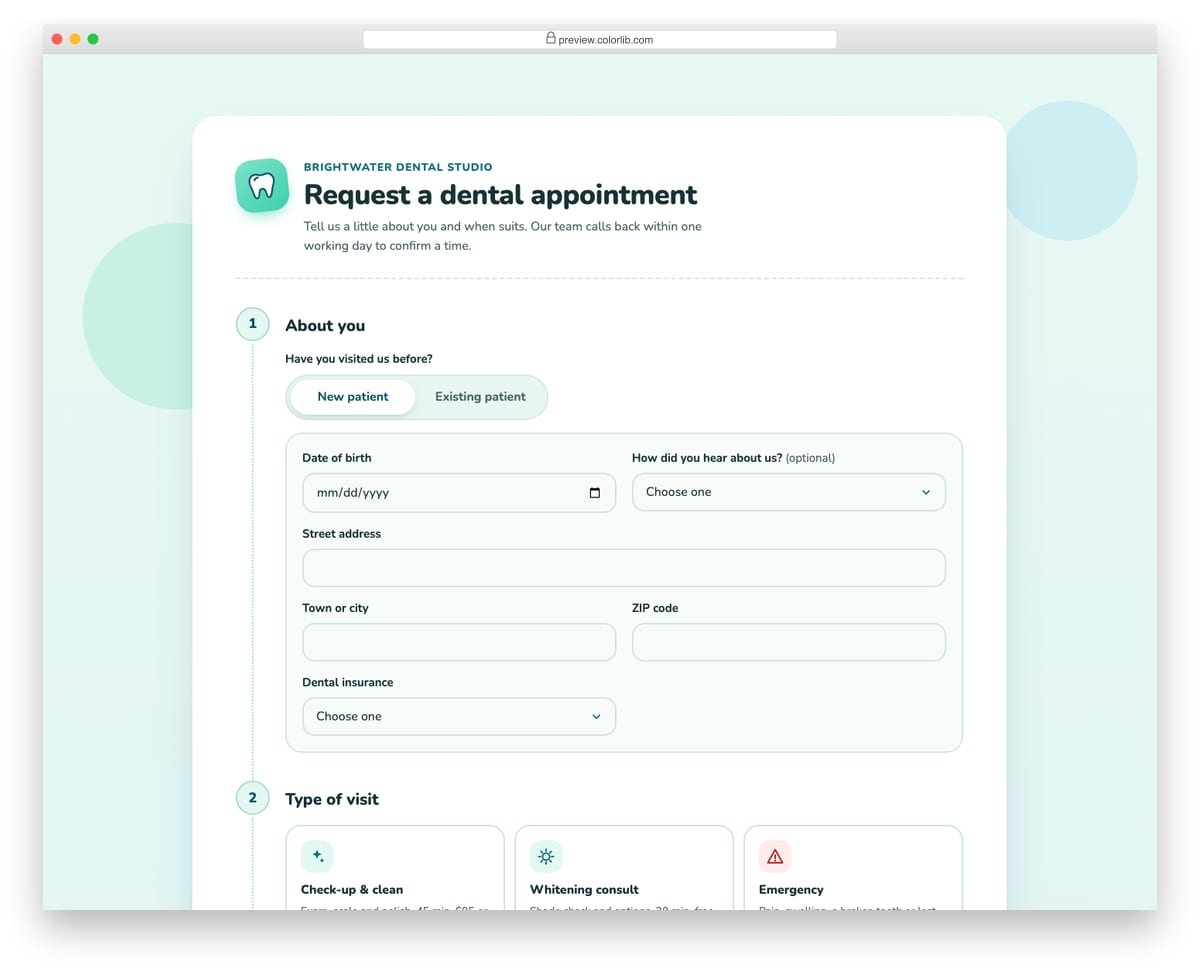
A dental appointment request laid out as four numbered steps on a single rounded card. A segmented New patient / Existing patient control switches between a full registration panel (date of birth, address, insurer and member ID, referral source) and a short record lookup, and hidden fields are disabled so they drop out of validation. Choosing an emergency visit reveals a callout with the practice's urgent phone line, and Sundays are rejected as a preferred date.
Best for: dental practices, orthodontists and small clinics. Plain HTML and CSS with a few lines of vanilla JavaScript, a 306 KB download, and it works on its own or inside a Bootstrap 4, 5 or 6 project.
Appointment Form V04: Consultation call scheduler with month calendar and time-zone conversion
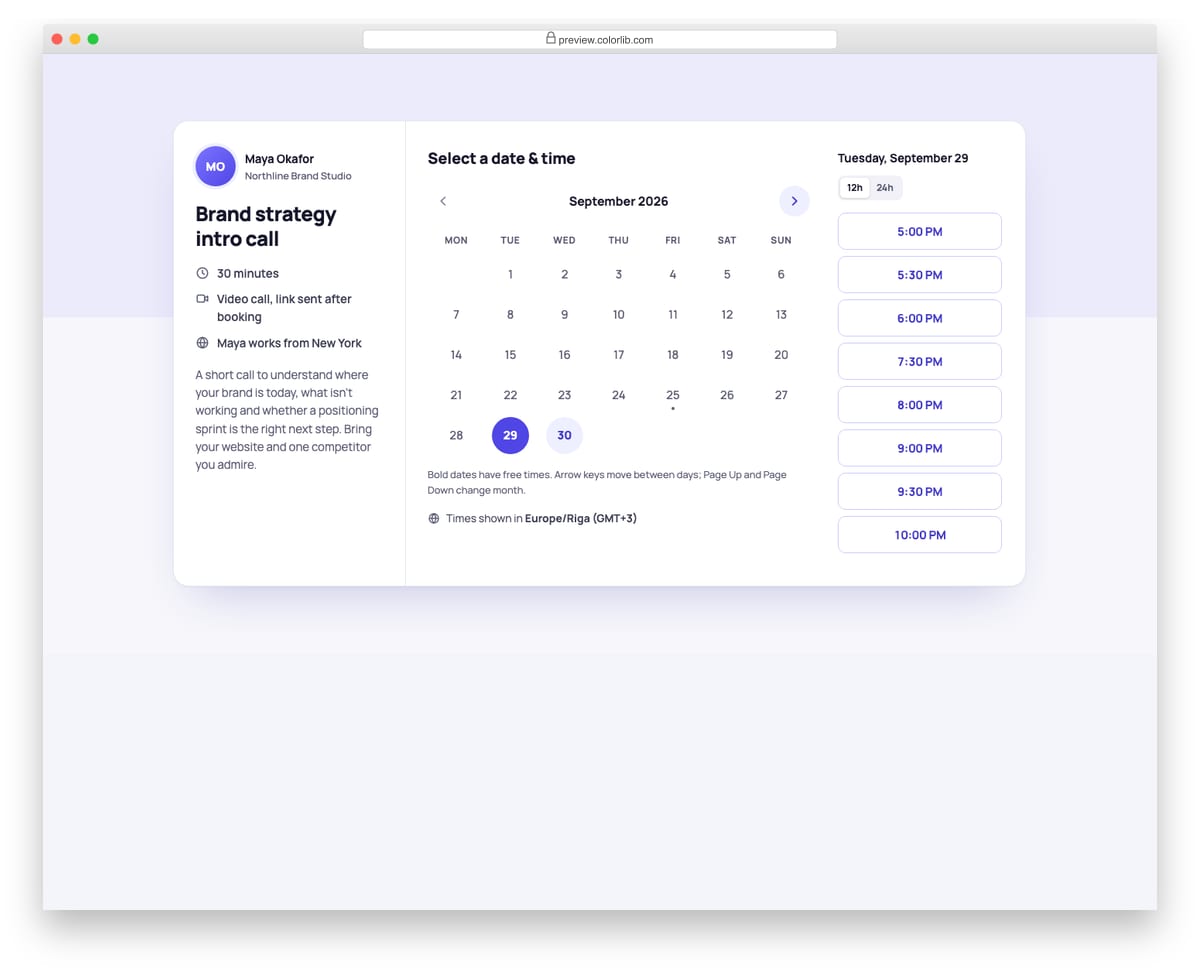
A three-pane scheduler for booking a 30-minute video call: a host panel with the call details, a month calendar built in JavaScript and a list of start times for the chosen day. Slots are defined in the host's New York time zone and shown in the visitor's own zone, detected with Intl, with a 12h/24h switch. Choosing a time leads to a short details step and then a confirmation card with an .ics download.
Best for: consultants, coaches, agencies and sales demo booking. Plain HTML and CSS with a few lines of vanilla JavaScript, a 210 KB download, and it works on its own or inside a Bootstrap 4, 5 or 6 project.
Appointment Form V05: Car service and garage booking with a running work estimate
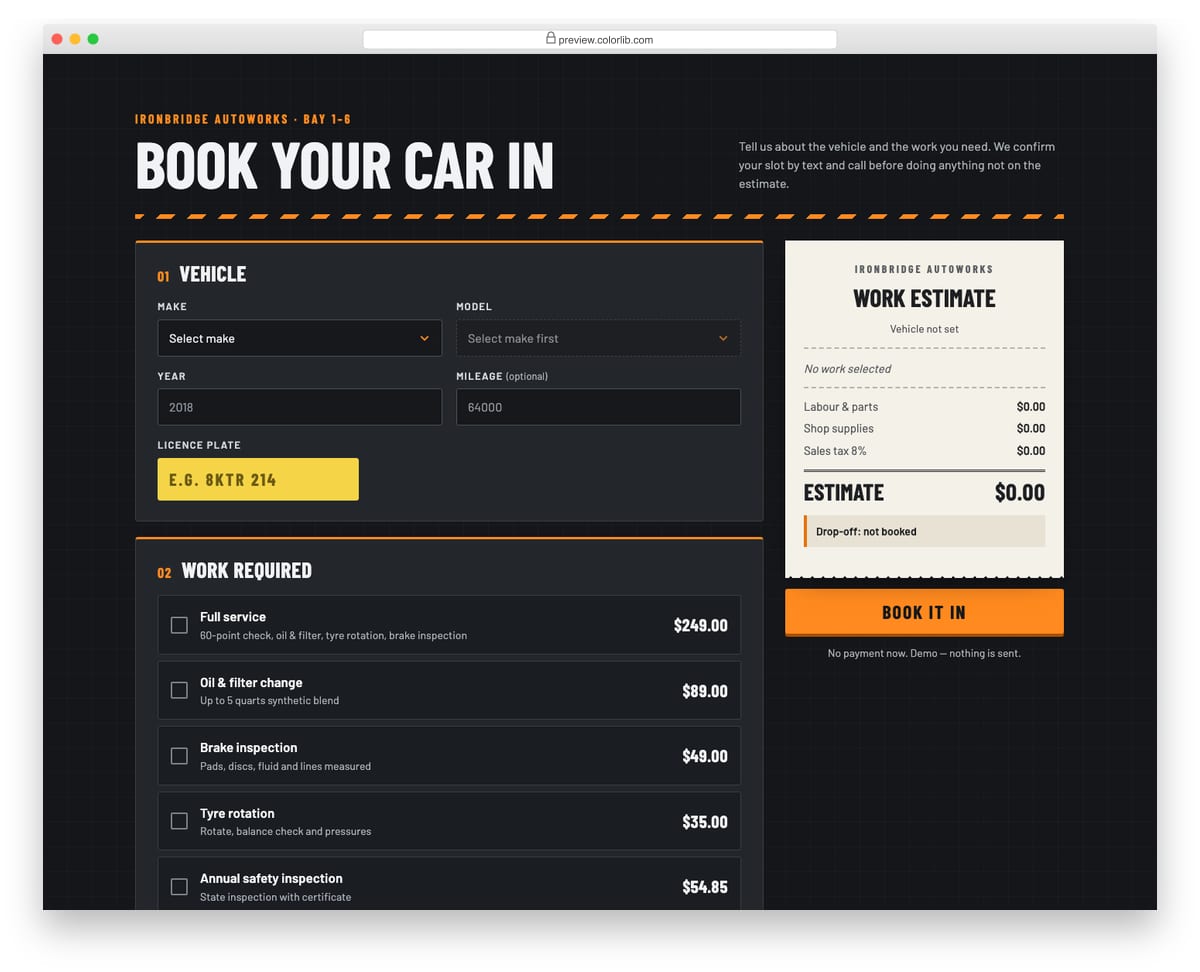
A dark, workshop-style booking form for a car service: make and model selects that filter each other, model year, optional mileage and a licence plate field styled like a plate. Service checkboxes feed a receipt-style estimate with shop supplies and tax, and choosing a full service marks the jobs it already covers as included. Drop-off dates skip Sundays, Saturday offers fewer drop-off times, and requesting a courtesy car shows availability for that day and a required licence confirmation.
Best for: garages, auto repair shops and mobile mechanics. Plain HTML and CSS with a few lines of vanilla JavaScript, a 163 KB download, and it works on its own or inside a Bootstrap 4, 5 or 6 project.
Appointment Form V06: Spa treatment booking with add-ons, live total and gift option
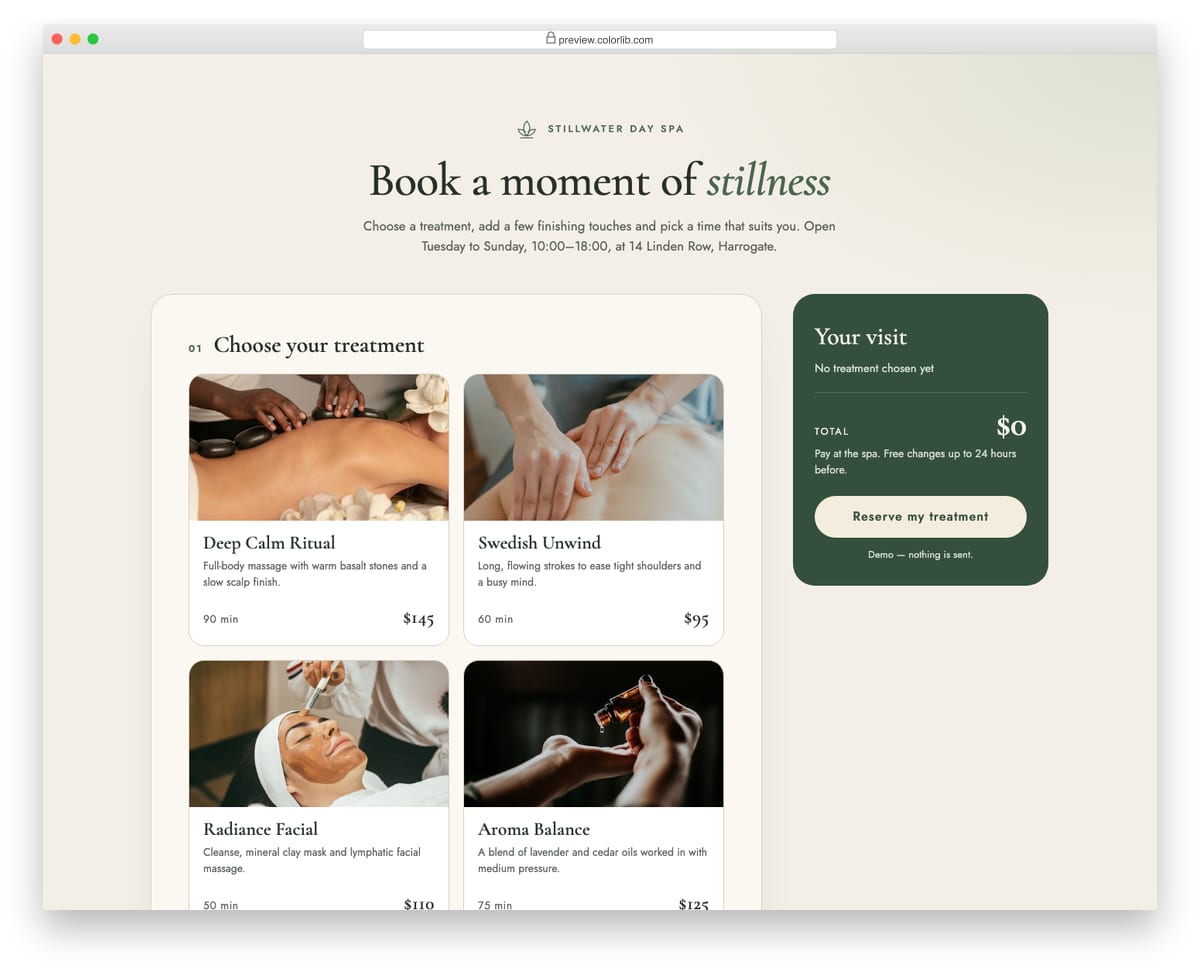
A day-spa booking form where treatments are photo cards showing duration and price, followed by optional add-ons, a date and arrival time, and contact details. A summary panel keeps a running total as treatments and add-ons change. Switching on the gift option reveals recipient name, email, a personal message with a character counter and a send-on date, and those fields are only required while the switch is on.
Best for: spa, massage and wellness studio booking pages. Plain HTML and CSS with a few lines of vanilla JavaScript, a 417 KB download, and it works on its own or inside a Bootstrap 4, 5 or 6 project.
Appointment Form V07: Tutoring lesson booking with weekly repeat and bundle pricing
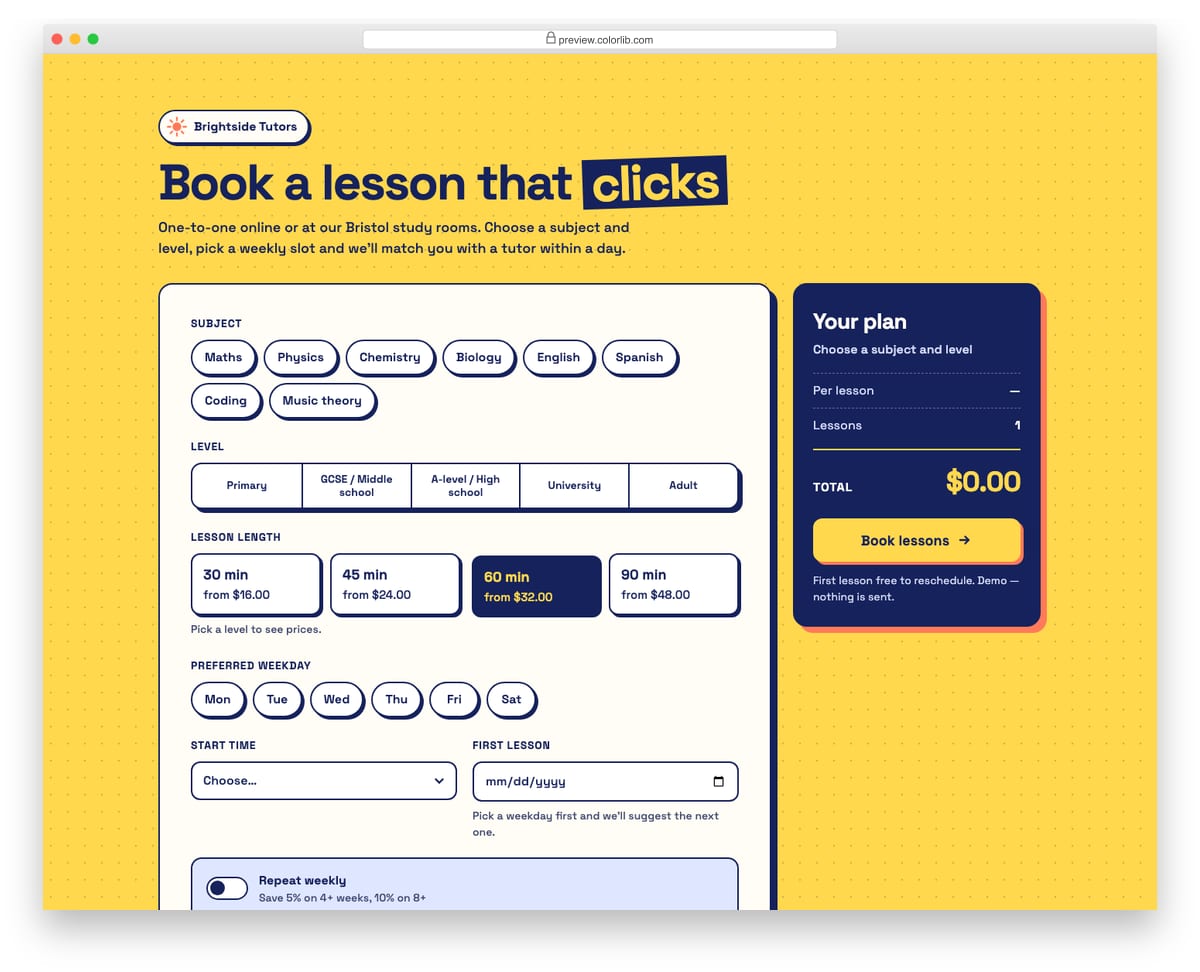
A lesson booking form for a tutoring service with subject chips, a segmented level picker and lesson lengths whose prices follow the chosen level. Choosing a preferred weekday suggests the next matching first-lesson date and keeps the date on that weekday. A repeat-weekly switch reveals a weeks stepper and a preview of every lesson date, and the summary multiplies the per-lesson price by the weeks with a small bundle discount.
Best for: tutoring, music lesson and coaching booking pages. Plain HTML and CSS with a few lines of vanilla JavaScript, a 175 KB download, and it works on its own or inside a Bootstrap 4, 5 or 6 project.
Appointment Form V08: Fine-dining table reservation with time slots and a ticket confirmation
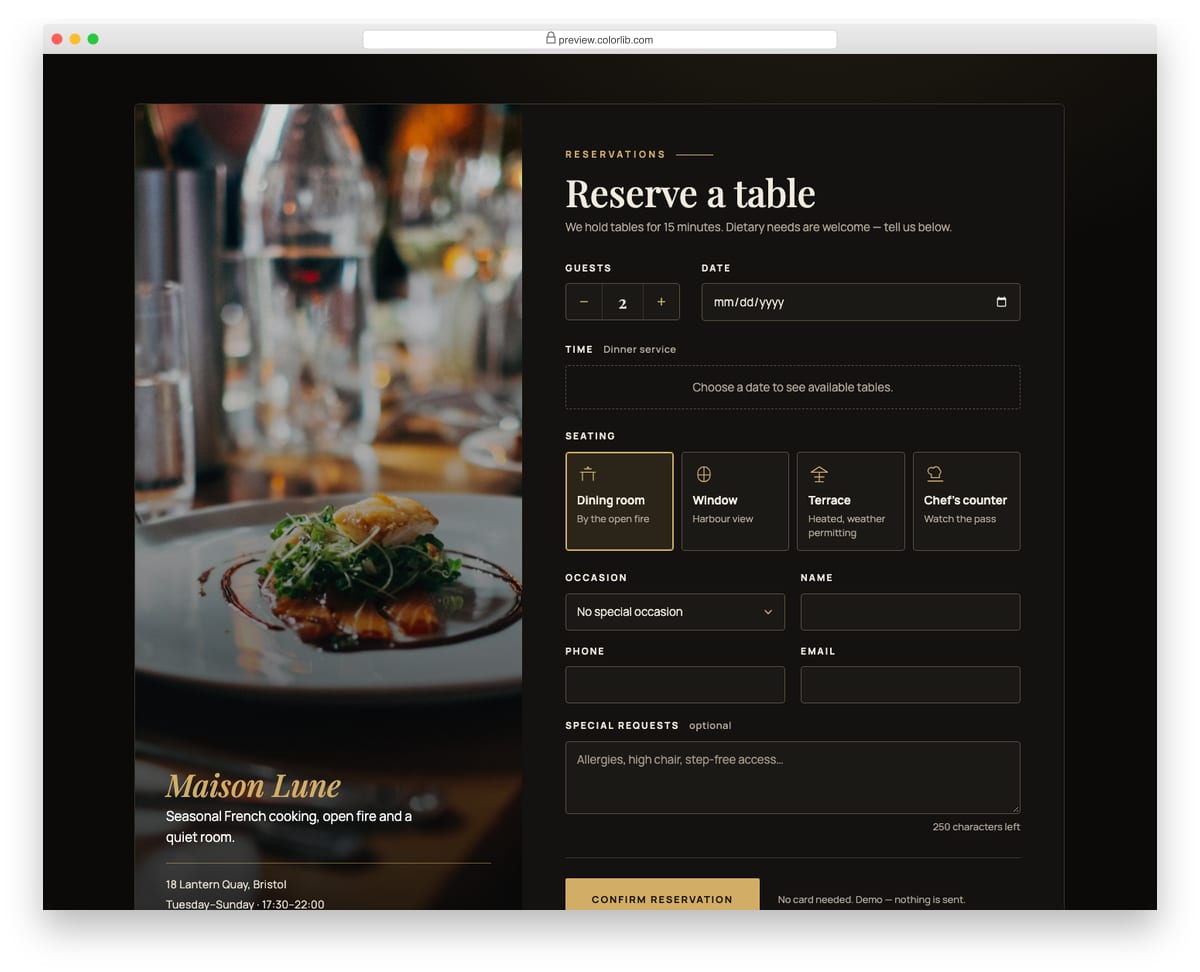
A dark restaurant reservation form with a candle-lit photo panel beside it. Guests set the party size with a stepper, pick a date and then choose from dinner time slots between 17:30 and 22:00, where some slots show as full for each date. Seating is chosen from icon cards, with an occasion menu, special requests with a character counter and contact details. A confirmed booking is shown as a reservation ticket with a reference number.
Best for: restaurant, bistro and wine bar reservation pages. Plain HTML and CSS with a few lines of vanilla JavaScript, a 442 KB download, and it works on its own or inside a Bootstrap 4, 5 or 6 project.
Appointment Form V09: Pet grooming and vet appointment with a vaccination record upload
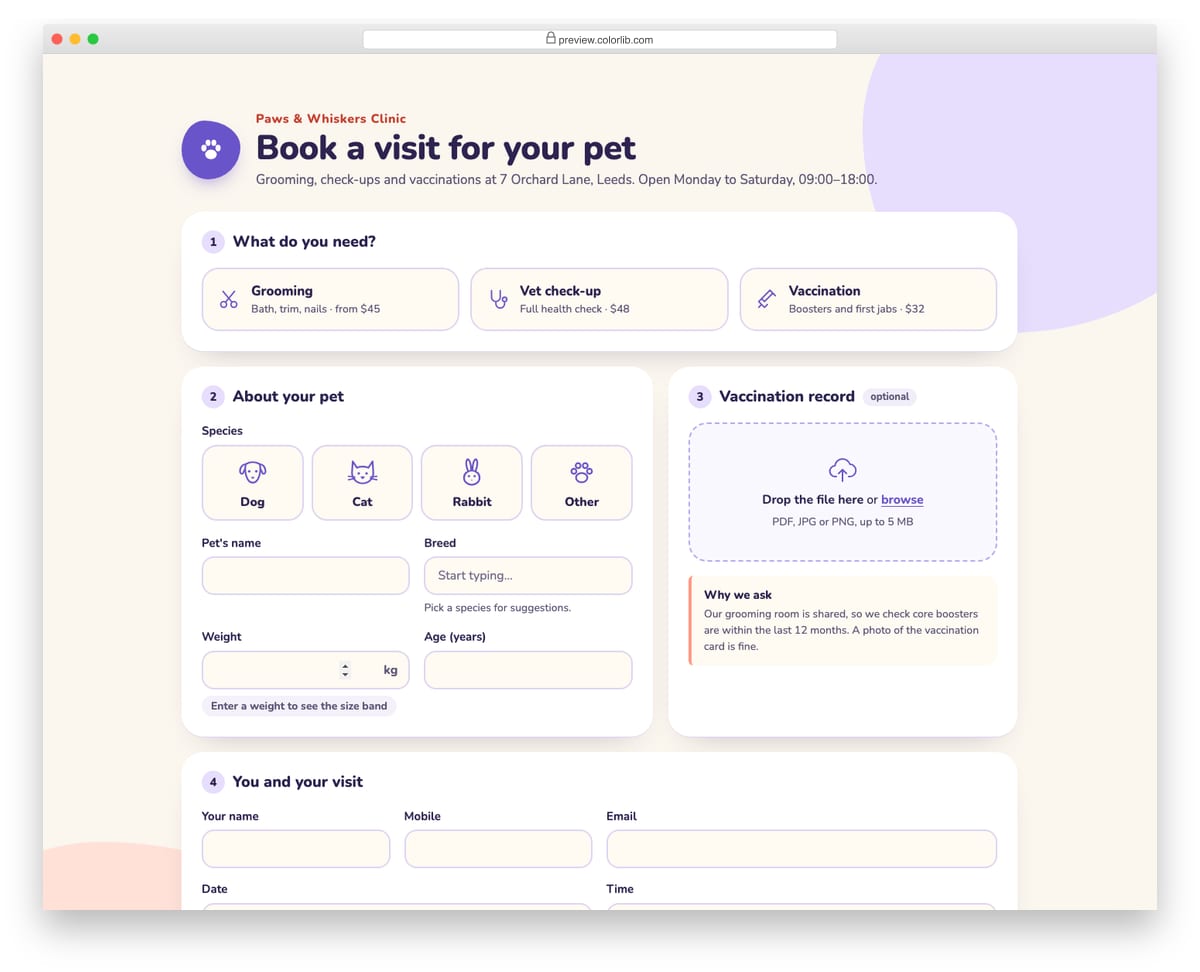
A friendly booking form for a pet clinic that covers grooming, check-ups and vaccinations. Owners pick the species from illustrated cards, get breed suggestions for that species, and see a size band and starting price as they enter the weight. A styled drop zone takes a vaccination record as PDF, JPG or PNG up to 5 MB, shows the chosen file as a removable chip, and is required only when grooming is selected.
Best for: vet clinics, groomers and pet care booking pages. Plain HTML and CSS with a few lines of vanilla JavaScript, a 307 KB download, and it works on its own or inside a Bootstrap 4, 5 or 6 project.
Appointment Form V10: Minimal request-a-callback card
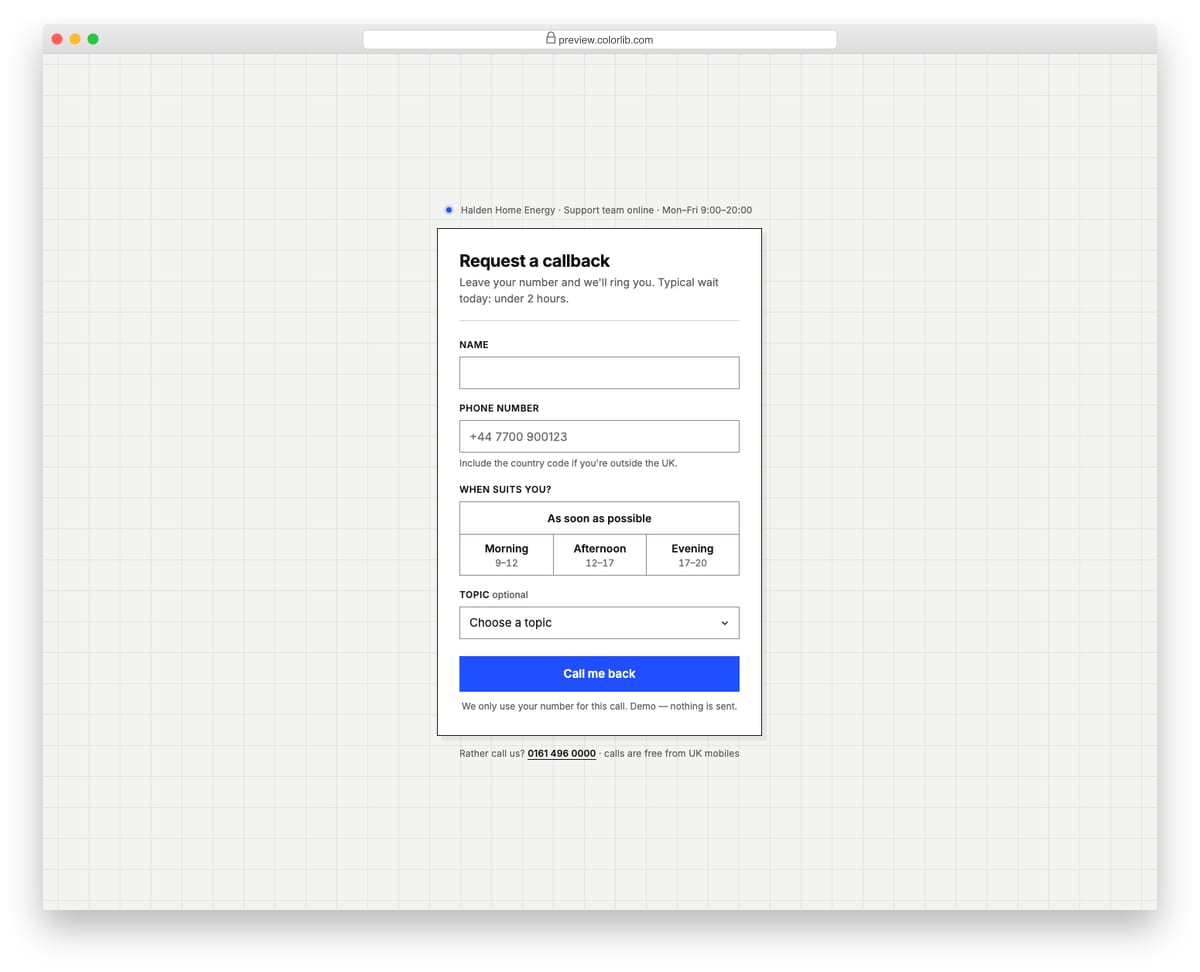
A compact, monochrome callback request card with one blue accent, centred on a faint grid backdrop. It asks for a name, a phone number with a format hint and pattern check, a preferred time window from a segmented control, and an optional topic. The confirmation replaces the form inside the same card and states when the call will come, such as this afternoon or tomorrow morning, based on the current time.
Best for: support, sales and service pages that offer a phone callback. Plain HTML and CSS with a few lines of vanilla JavaScript, a 533 KB download, and it works on its own or inside a Bootstrap 4, 5 or 6 project.
How to choose a booking form template
Match the fields to the booking. Hotels need check-in, check-out and guest numbers, as in Colorlib Booking Form v1. Taxi and car rental forms need a pick-up date and time, as in v13 and v14. Anything booked by the hour needs a time slot, which is what Appointment Forms V01 to V09 are for.
Use the phone’s own pickers. Native date and time inputs open the calendar people already know and need no plugin. Booking Forms v13 and v14 use them for both the date and the pick-up time.
Stop impossible bookings in the form. Refuse closed days and hide slots that have passed. Appointment Form V01 rejects weekends and hides past times for today, and V05 skips Sundays. Check availability again on the server, because two people can pick the same slot at once.
Show the price before the submit button. A running total answers the question most people have before they book. Appointment Forms V02 and V06 keep a live summary beside the form, and V05 builds a work estimate as services are ticked.
Mind time zones for remote bookings. If customers book calls from other countries, show slots in their local time. Appointment Form V04 defines slots in the host’s time zone, converts them to the visitor’s and offers an .ics download on the confirmation card.
Frequently asked questions
Do these booking forms need Bootstrap, jQuery or a date-picker plugin?
No. They are plain HTML and CSS with a few lines of vanilla JavaScript, so they work on any page and keep their design inside a Bootstrap 4, 5 or 6 project. The main-list forms use native date fields; Appointment Form V04 draws its month calendar with a few lines of JavaScript.
Can I use them on a client or commercial website?
Yes. Colorlib snippets are free for personal and commercial use under CC BY 3.0; just keep the credit link.
Do they take real bookings or payments?
No. They are front-end templates: availability, payment and confirmation emails have to come from your back end, a booking system or a form service. Replace the sample time slots with your own calendar data and point the form’s action at the service that stores the booking.
Wrapping up
For a hotel or rental site, start with Colorlib Booking Form v1; for taxis, v13; for anything booked by time slot, Appointment Form V01 or V04, and our appointment form templates roundup has more. If you would rather not wire up HTML yourself, WordPress booking plugins can manage availability and payments for you.
Need a Complete Booking Website Template?
A booking form covers one page. If you are building a whole hotel, resort or guesthouse site, start from a full booking website template instead: it comes with room listings, galleries, rates and a reservation section already laid out, and you can still drop one of the forms above into it.
See our roundup of the best hotel website templates, or browse travel website templates for tour, flight and car rental businesses.

Related Posts
Godd evening,
Pls one question..
Are your form fully working or is necessary customize??
Thanks in advance
Josko
Josko,
These are design templates and they are not going to book anything for you. They are to be used on website or elsewhere but you need a backend for them.