
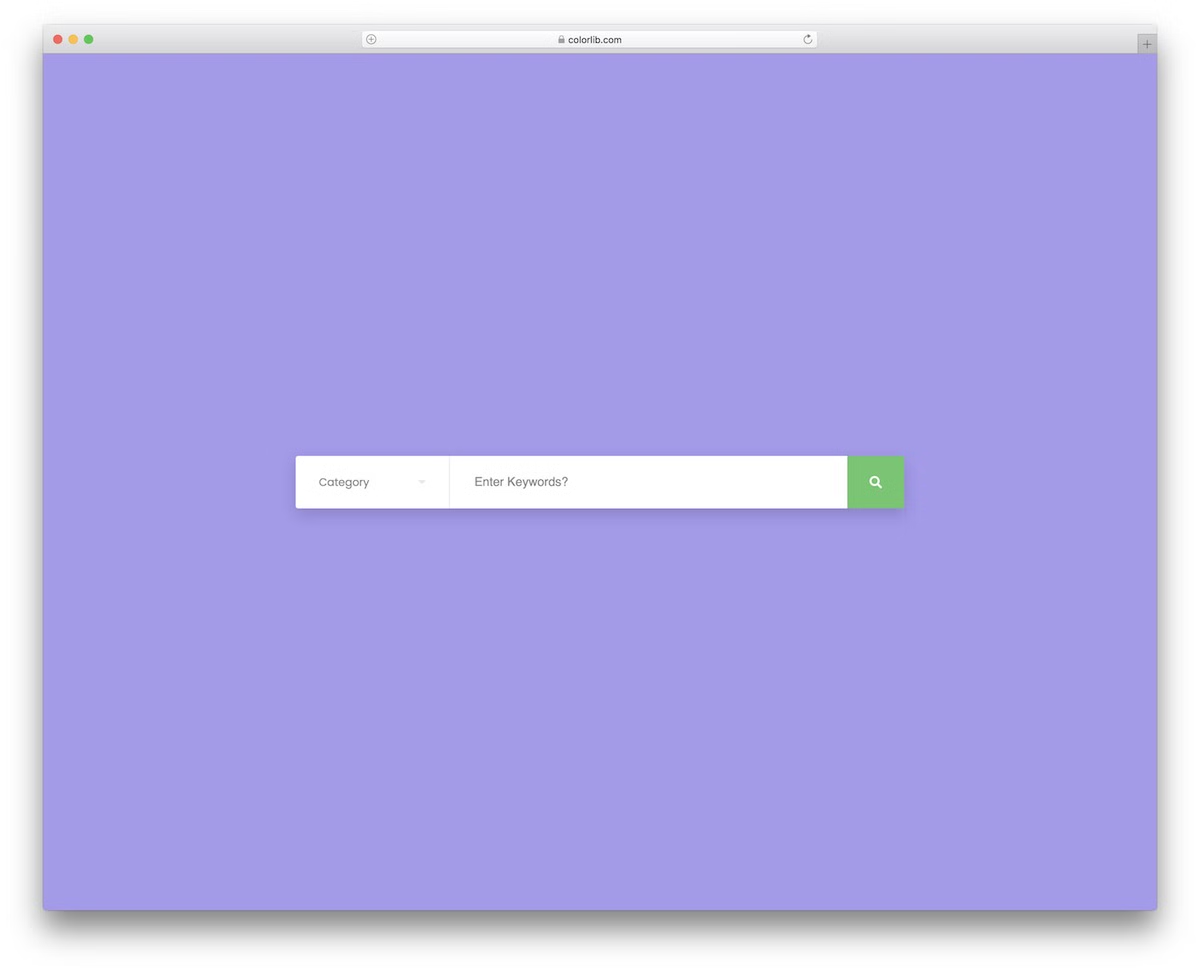
27 Free HTML5 Search Forms for Search Engine Pages 2026
This collection of free CSS3 and HTML5 search form examples now has 27 entries: 25 Colorlib Search Form templates and two search patterns from our 2026 snippets. Many are complete hero search sections, the centrepiece of a search engine style home page for a travel, hotel, directory or shop website.
All of them are free downloads with live demos, built as dependency-free HTML5, CSS3 and, where a form needs it, a few lines of vanilla JavaScript. They work on their own or inside Bootstrap 4, 5 and 6 projects. Date fields use the browser’s own date picker, so phones get their native calendar, and drop-downs are real select menus that send their values with the form.
They are sections, not full website templates: place one at the top of your own page and connect it to your search back end. You will find hotel and flight booking forms (v11, v12, v14 to v20), advanced search with extra fields (v7 to v10) and simple keyword or category search (v3, v21 to v25).
Need a compact bar for a header or navbar instead? See our free Bootstrap search bar templates.
Explore 2.5 Million Digital Assets, including 2026’s Best WordPress Themes
2M+ items from the world’s largest HTML5 Templates, Themes & Design Assets marketplace. Whether that’s what you need or just after a few Stock Photos, all of it can be found here at Envato Market.
Best Free CSS3 & HTML5 Search Forms
Colorlib Search Form v1
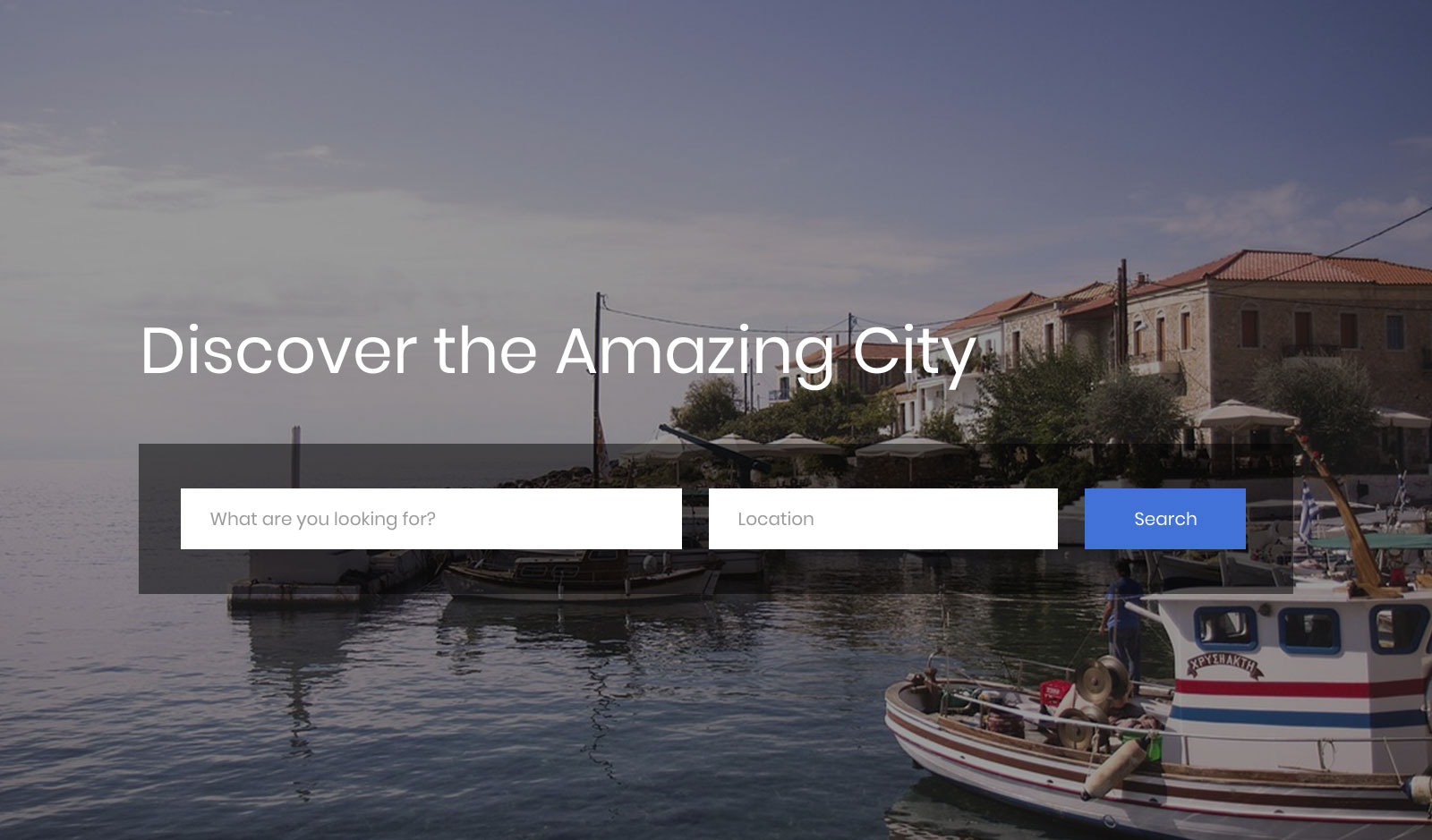
This particular search form is ideal for travel-related websites and directories.
With a full-screen image background, it works as the hero section of a city or directory search page. You can fine-tune the form to follow your branding guidelines without a sweat, and it needs no JavaScript at all.
Instead of creating one from scratch, you can now SPEED UP the process and add this nifty city-first form to your webspace.
Colorlib Search Form v2

As a travel platform, you sure want to offer your users solid search functions. This KILLER free search form will do you well if you focus primarily on hotels.
It has a fully flexible and responsive web design that instantly reshapes any device’s structure. The snippet works on smartphones, tablets and desktops like a dream.
Moreover, the template also has date pickers and an option to select the number of people traveling. The date fields use the browser’s own picker, so phones get their native calendar, and the drop-downs are real select menus that send their values with the form.
They can quickly book their trip with appropriate search results and strengthen the EXCITEMENT.
Colorlib Search Form v3
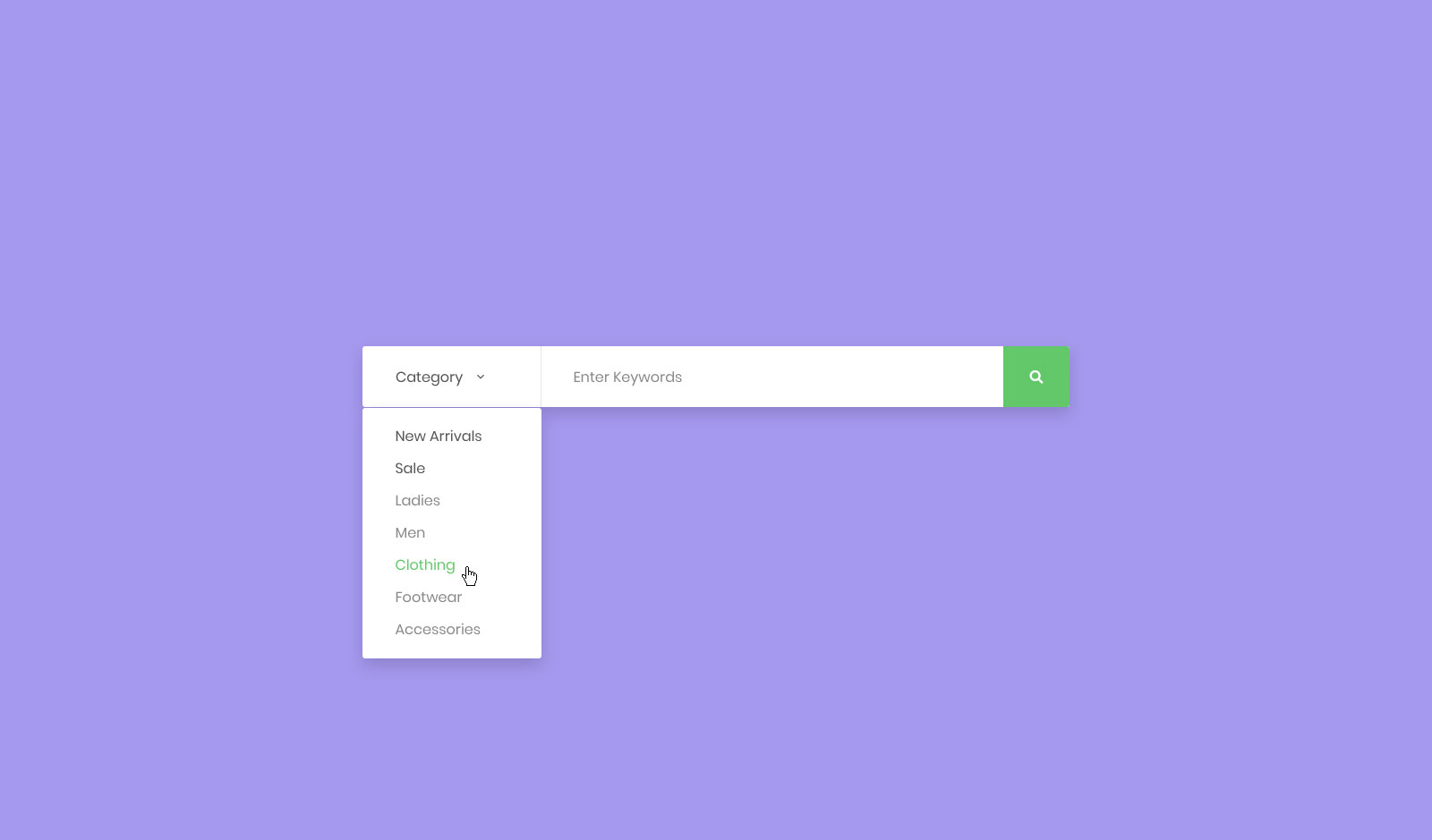
Colorlib Search Form v3 is a free search form example for someone running an online store.
And if you utilize the default settings, Colorlib Search Form v3 is best for fashion and apparel eCommerce websites.
It is a simple form that you can use without any issues, even when you decide to edit and alter it for your business. The rebuilt download is just 19 KB.
After all, Colorlib Search Form v3 is completely free of charge, ready and set for you to BENEFIT you greatly.
Colorlib Search Form v4
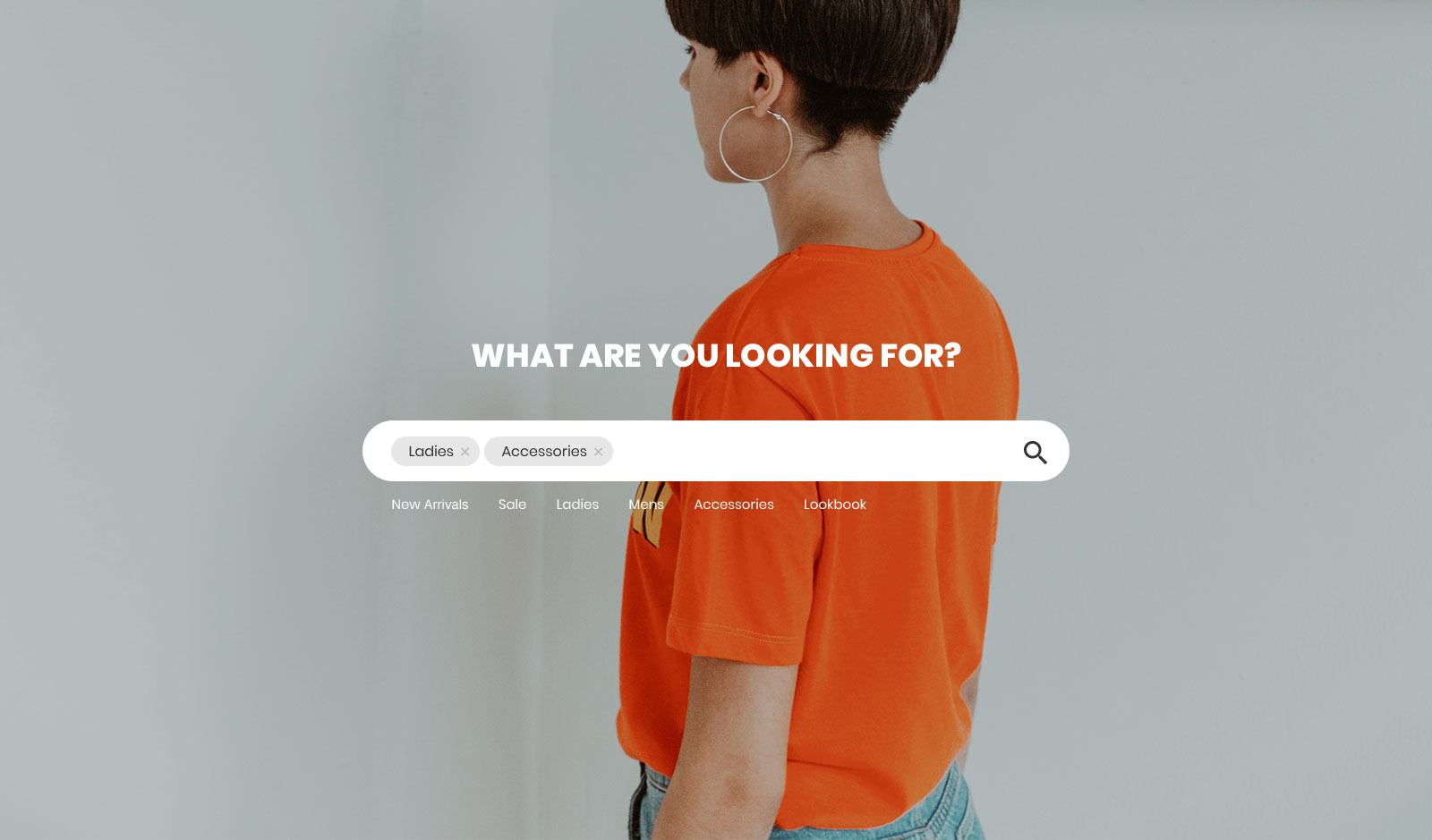
Are you in the process of creating a successful online apparel shop? If that is the case and you are just adding the last finishing touches, ENRICH IT with this free HTML5 search form example.
Not only spice up but speed up, too. After all, you no longer have to create a search form from scratch. You have it all set up and ready to go, just a quick click away.
You can create a separate page covering the search form with a full-screen image background.
You can also list the most searched keywords below the form or link them to other sections and categories of your eCommerce website.
Colorlib Search Form v5
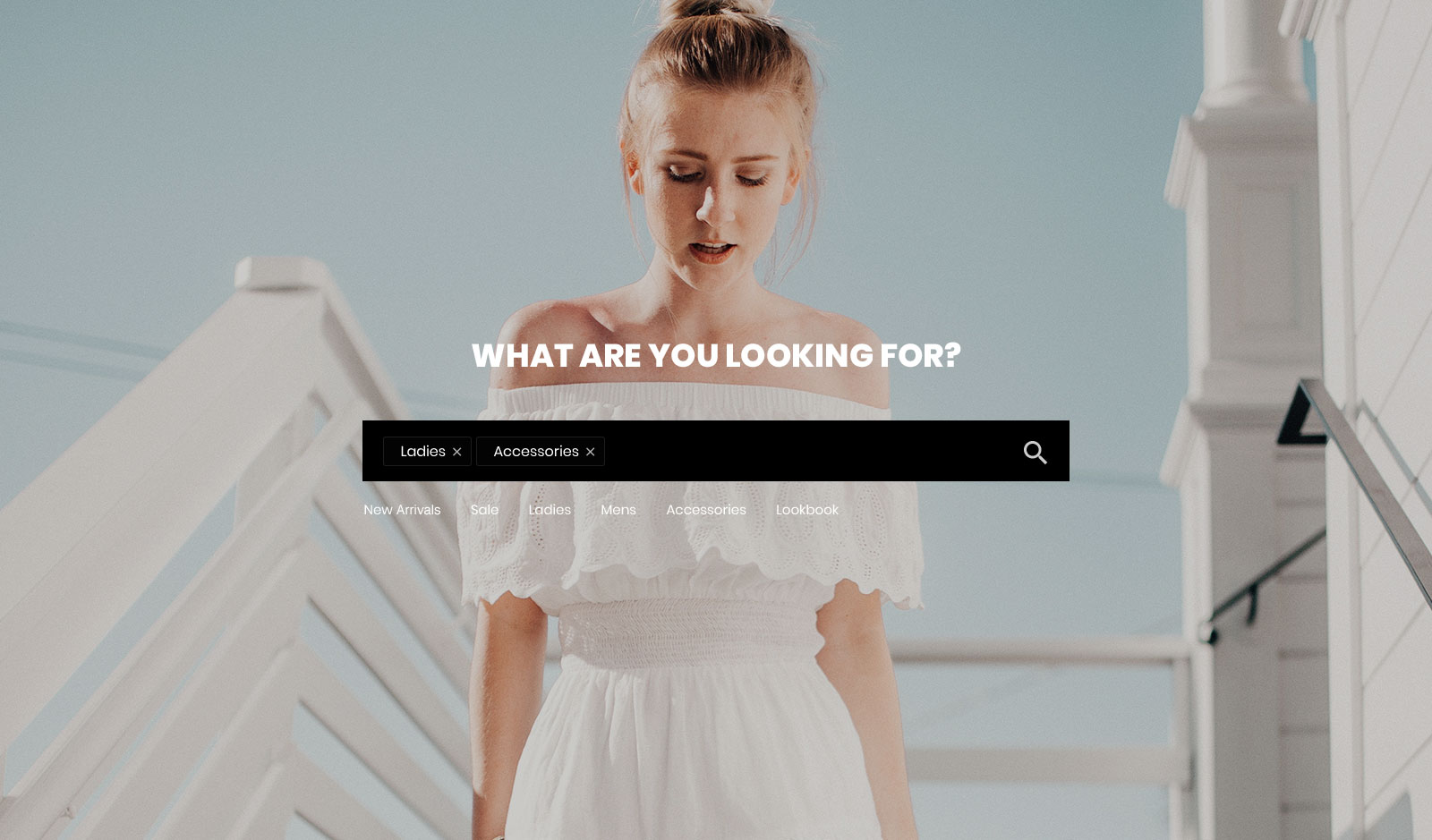
Beautiful and practical, are the two main characteristics of Colorlib Search Form v5. This free search form template is stunningly flexible, perfect for use on both mobile devices and desktops.
Colorlib Search Form v5 features a bold search bar with an image background, enhancing the overall experience.
You can get things moving forward right away. Click the download button and introduce this awe-inspiring search template to your jaw-dropping e-commerce website.
Colorlib Search Form v5 is plain HTML and CSS with no JavaScript, but you will need basic HTML knowledge to connect it to your site’s search.
Colorlib Search Form v6
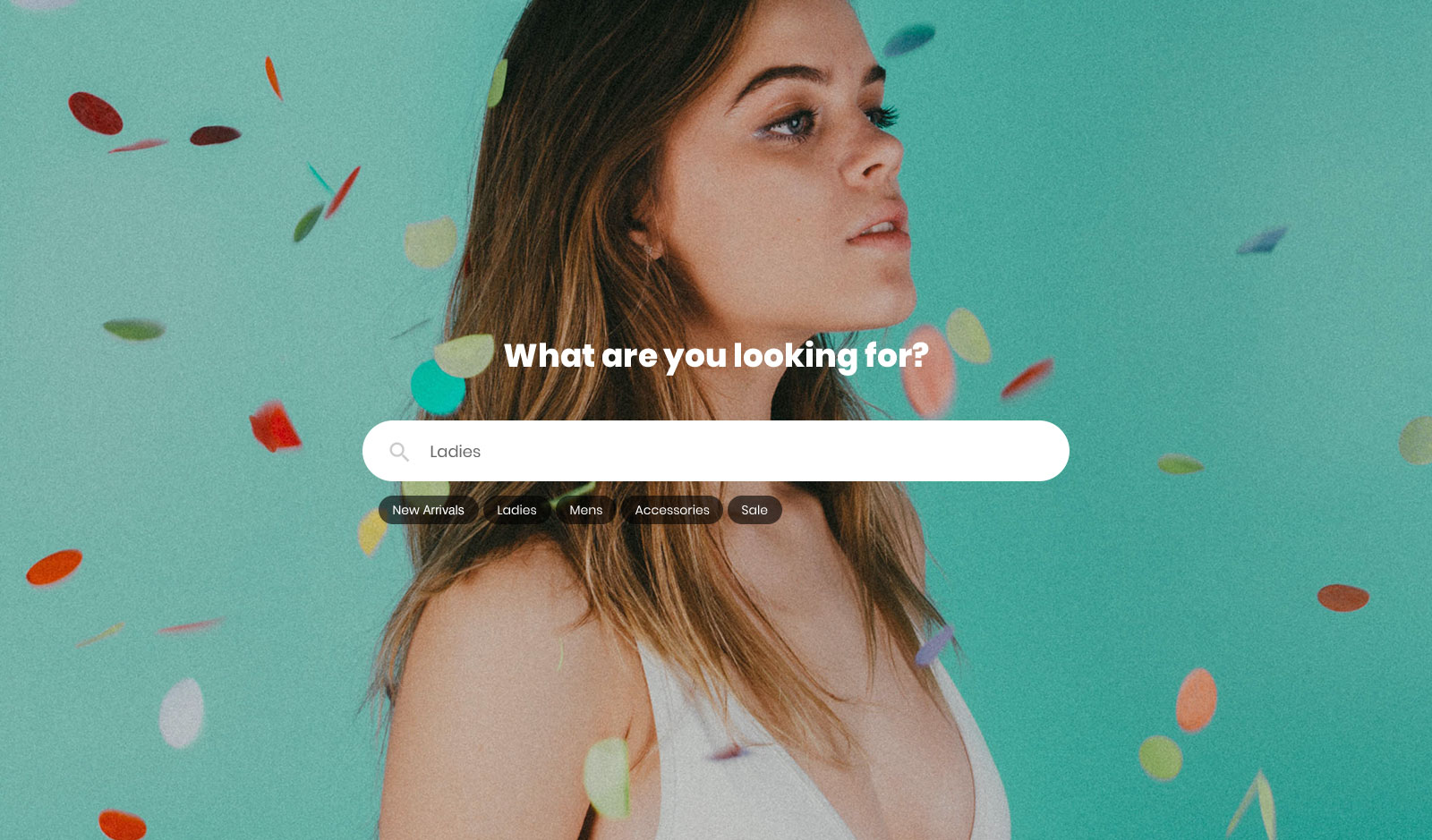
Colorlib Search Form v6 is another modern and sophisticated free search form template ideal for stores selling fashion goods and accessories.
Indeed, if you dig the layout but would like to use it for something else, feel free to go entirely against the norm.
Colorlib Search Form v6 features a ROUNDED search bar with an option to add text above and below. The background image gives it an edge, making the search feature on your page more visually appealing.
Of course, Colorlib Search Form v6 is also fully responsive and mobile-ready, and it works with or without Bootstrap. You can test it on the live preview page.
Colorlib Search Form v7
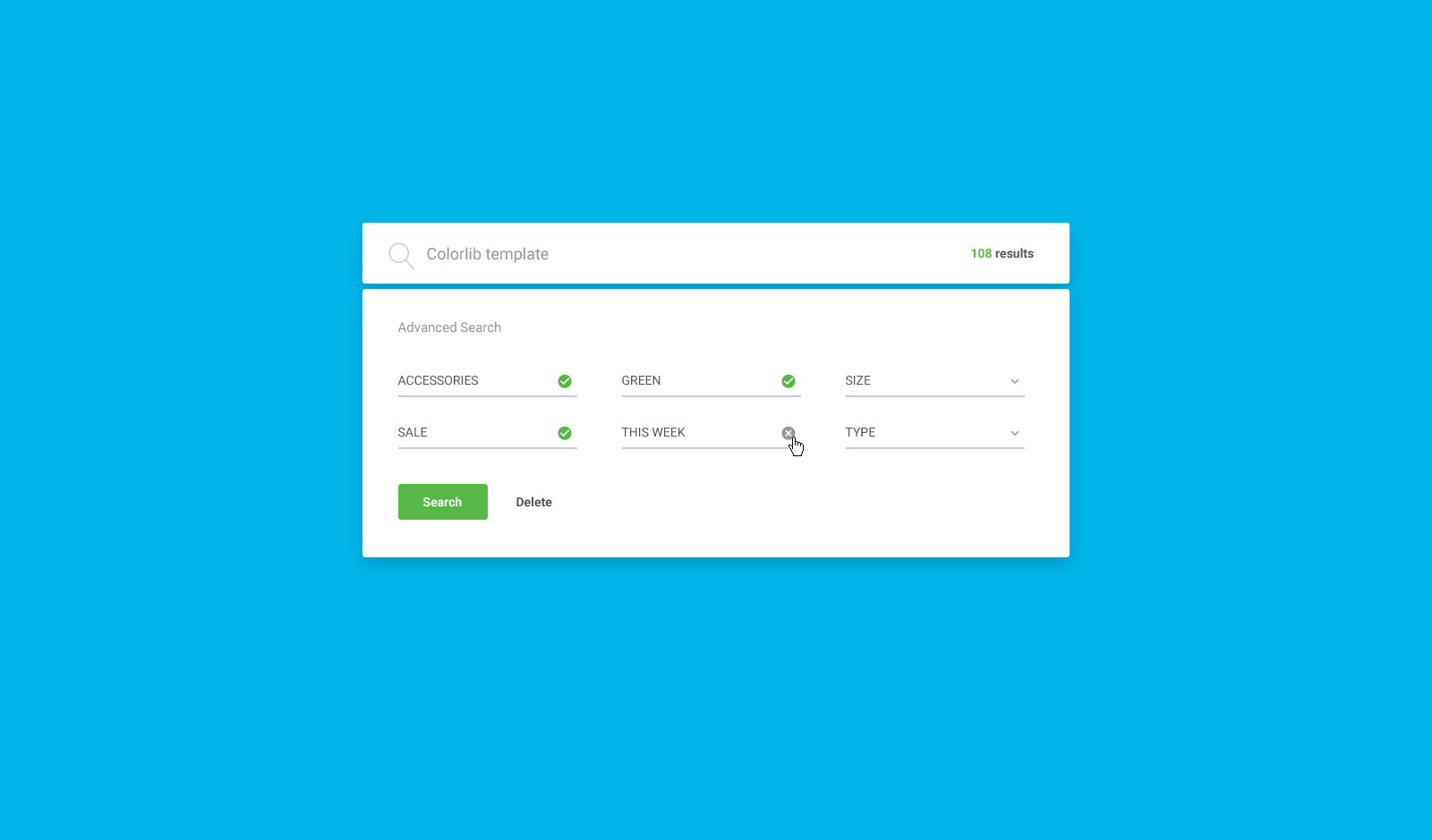
If you are interested in adding a more advanced search form to your web platform, you should check out Colorlib Search Form v7. In addition to the basic search function, there is also an advanced option that covers six different fields.
Another cool feature of this free search form example is the DELETE button. It returns all fields to their default settings, so you don’t have to manually clear them.
Very convenient.
There is also a results counter which shows how many items are available for the particular keyword you are interested in.
Colorlib Search Form v8
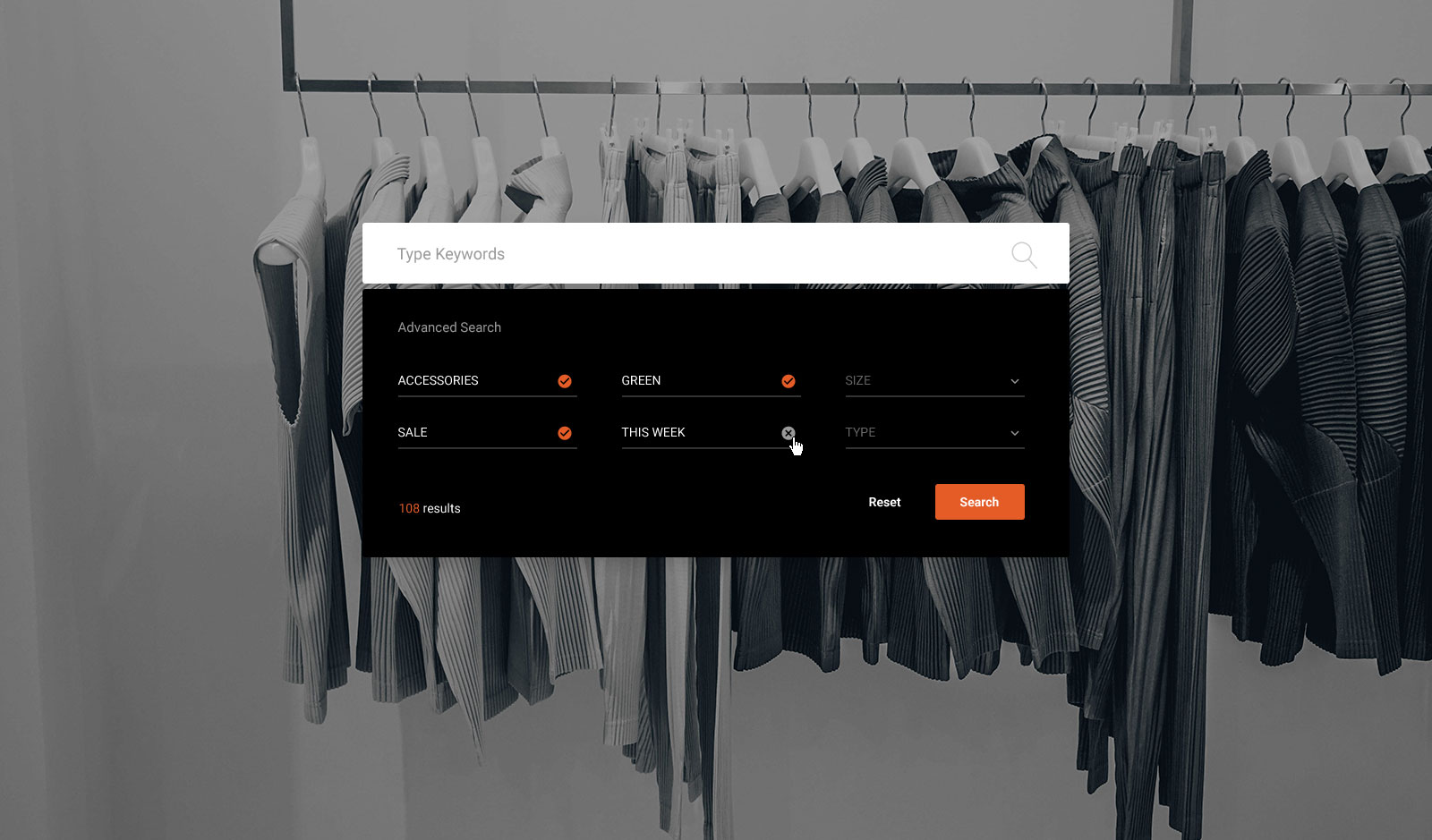
Are you needing even more free search form examples based on CSS3 and HTML5? If that is the case, please keep scrolling and enjoy all the amazing content we have to offer.
Here is another fantastic solution for fashion stores, featuring an advanced search function and an image background. Similar to the previous template, this one also features a button that resets your search parameters to their default settings.
Along with the main search bar, there are six additional fields to fill out to obtain the most accurate results possible. Additionally, the form features a nice, dark finish, making it more elegant.
Colorlib Search Form v9
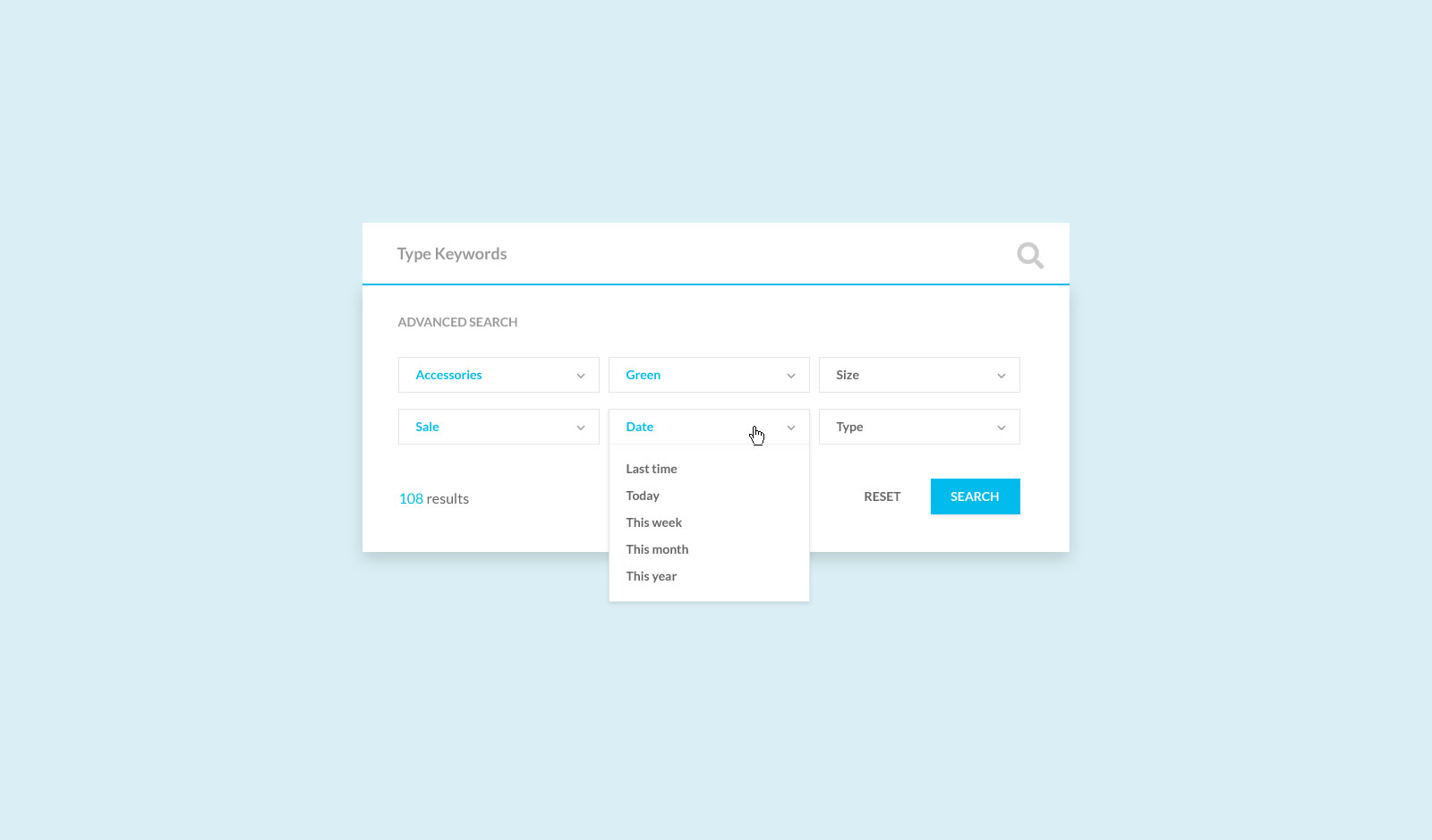
Colorlib Search Form v9 is a multi-purpose free search form layout that you can utilize for various aims.
An advanced search function will be useful if you run a website with many content and items.
And that is something Colorlib Search Form v9 delivers. It has a professional and sophisticated look that you can effortlessly customize, ensuring it precisely aligns with your branding guidelines.
Colorlib Search Form v10
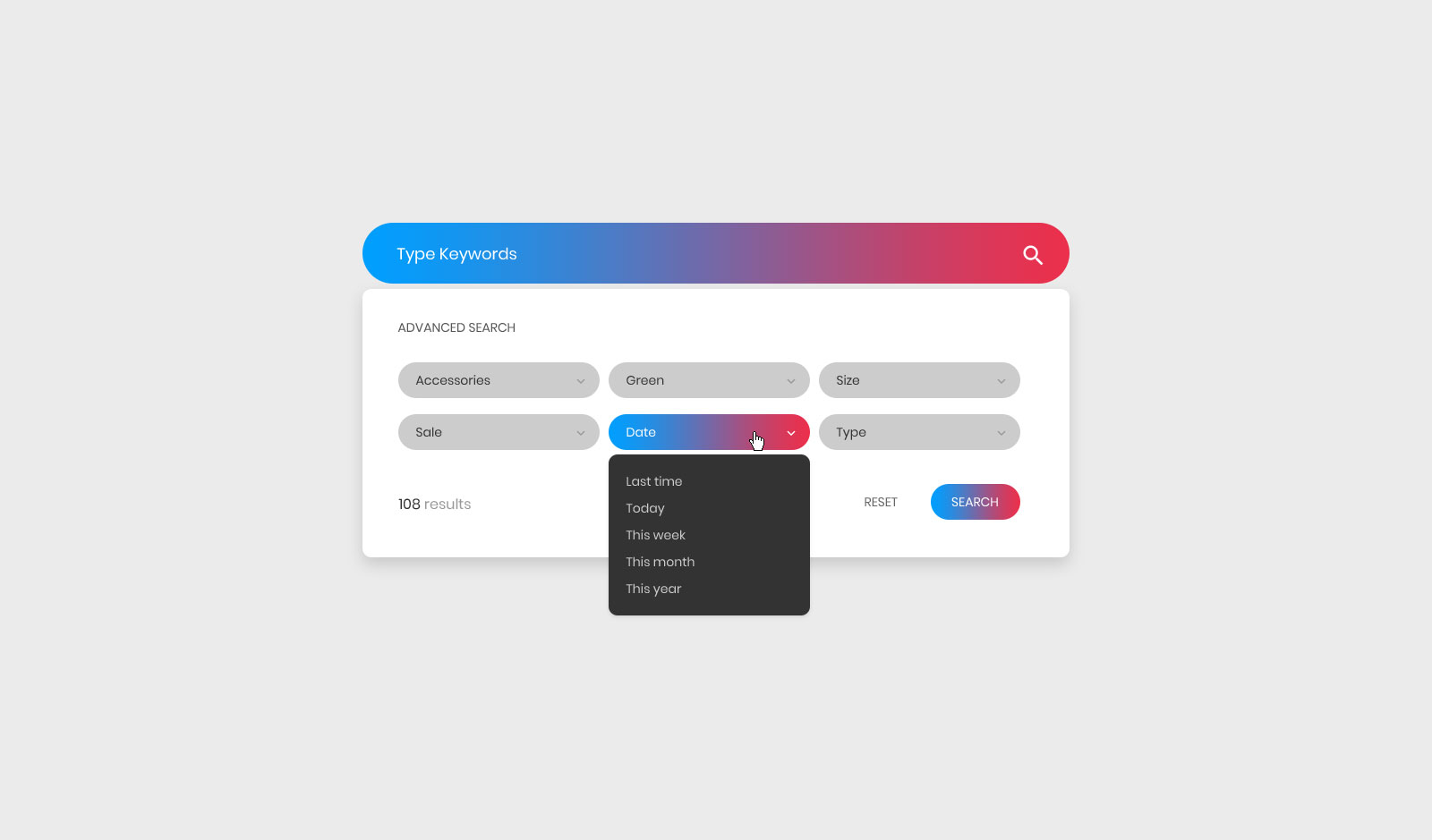
A neat, contemporary and fully flexible free search form template with a gradient effect to spice things up a little bit. This tool will easily set you apart from the competition and create a delightful experience, but it also comes with an additional advanced search section.
Along with the main search bar (featuring rounded edges), there are six additional fields with a drop-down option, which you can modify according to your business preferences. The layout also includes a reset button to make repeating searches more comfortable.
Do not forget to check Colorlib Search Form v10 out on mobile and see how well it reshapes its structure.
Colorlib Search Form v11
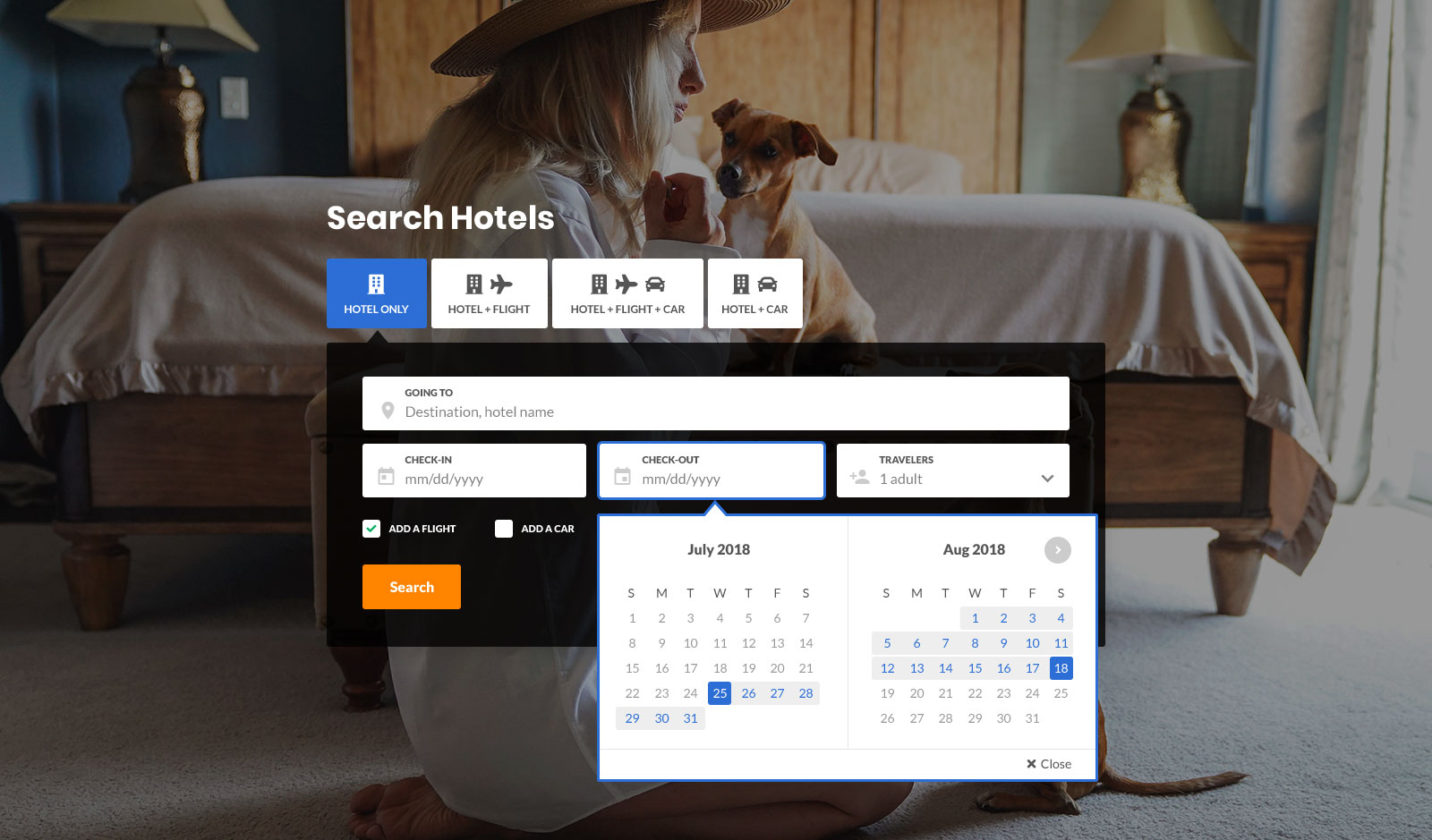
For hotels and other accommodation businesses, Colorlib Search Form v11 is a nifty and easy-to-use tool that will do you exceptionally well. (It also works for flights, car rentals, and more.)
If you are building a page, layout by layout, block by block, you better save yourself time with predefined designs. This particular free search form template is packed with goodies for QUICK INTEGRATION.
First thing’s first, it rocks an image background, so it makes a ready hero search section for a booking site. The rebuild also cut the download from 24.5 MB to 2.0 MB.
Moreover, Colorlib Search Form v11 also rocks all the necessary sections for a quick and comfortable search.
Colorlib Search Form v12
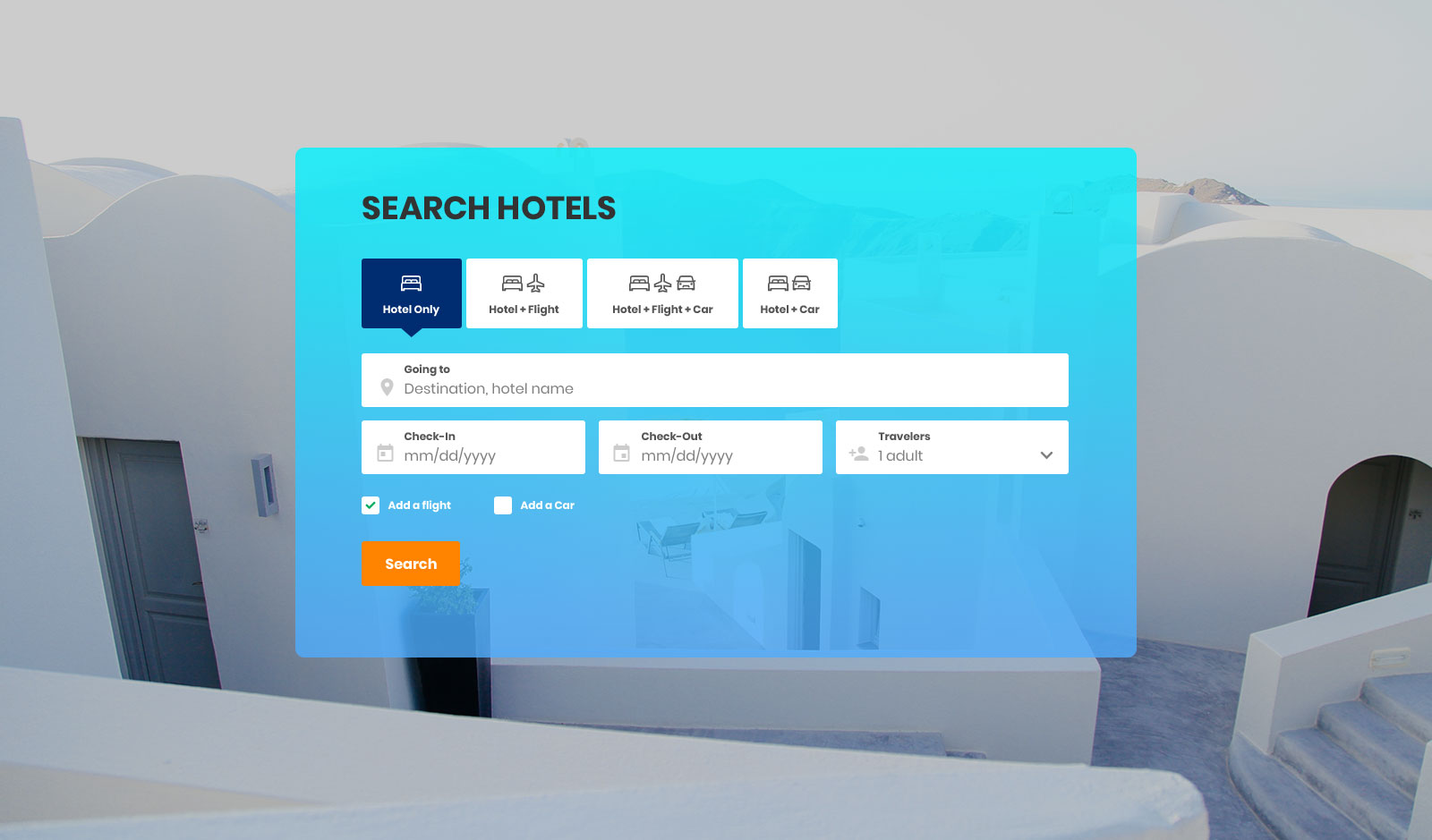
Another remarkable free search form template for hotels, flights, and car rentals has a responsive and fully mobile-friendly layout. It offers different options for quick searches and date pickers for check-ins and check-outs.
The form features a transparent gradient frame with an image background. Its date fields open the browser’s own date picker, with no plugin behind them.
If you want to skip the basics and create a more modern look, you have the right solution right in front of your eyes.
Colorlib Search Form v13
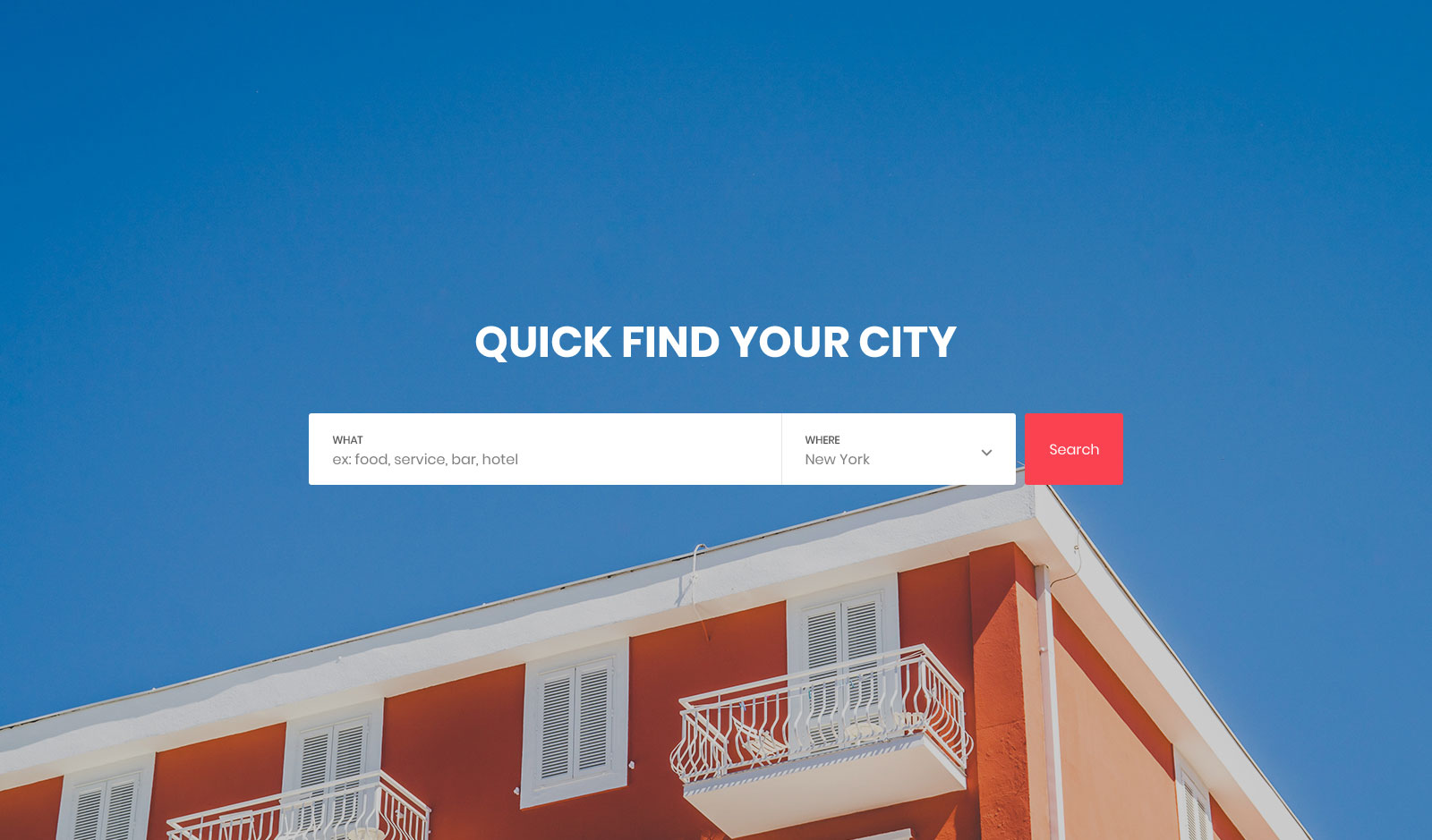
As a directory owner, you better have a neat, comfortable, and resourceful search function available on your page for all your visitors.
This way, they can quickly discover what they are interested in, completing the search, which is normally long and tedious, in a matter of seconds.
Colorlib Search Form v13 is the ideal option for cities, bars, hotels, restaurants, and more.
It is free of charge, so you can easily download it and TEST IT OUT and decide later if it fits your needs.
Colorlib Search Form v14
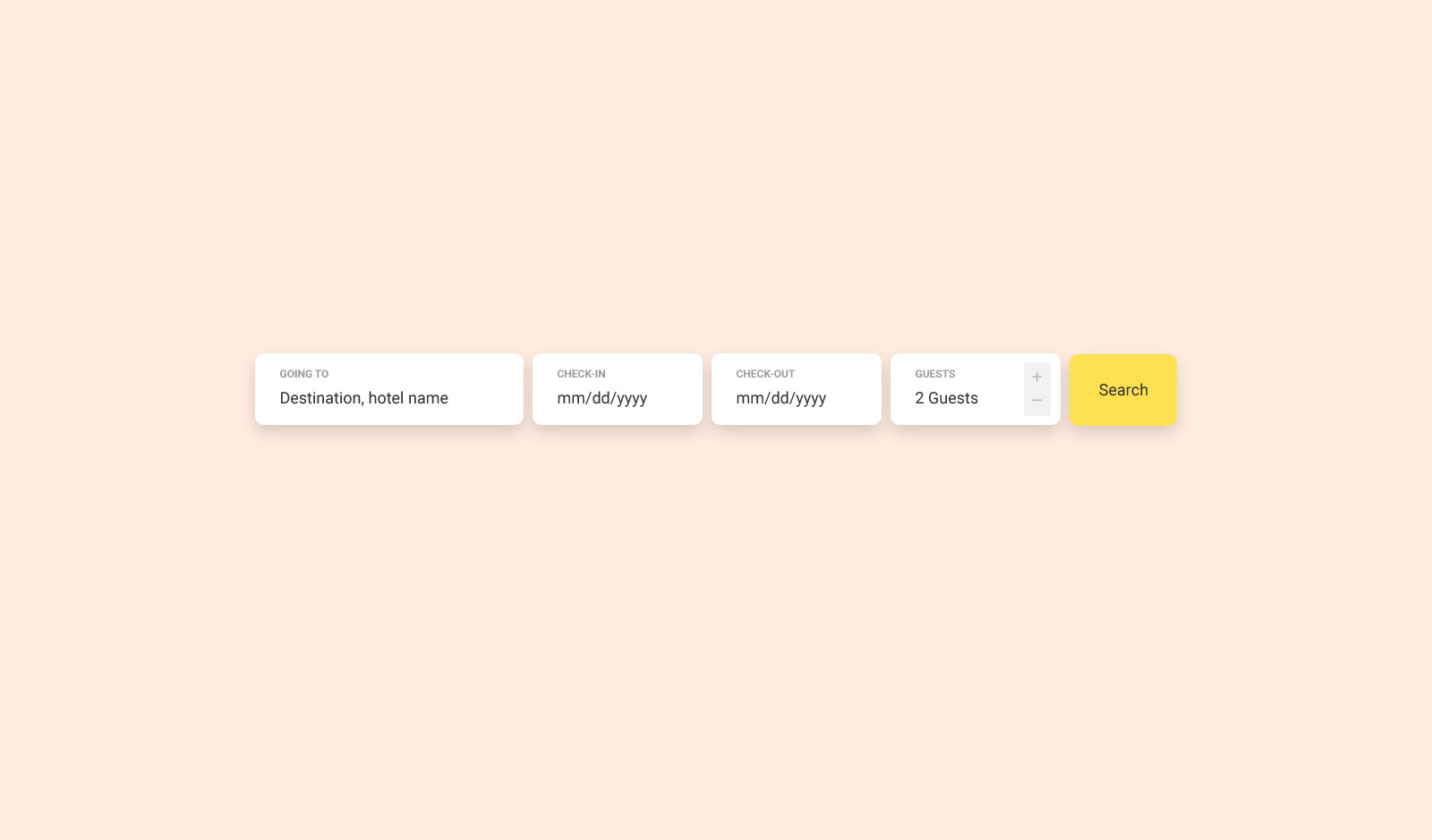
With Colorlib Search Form v14, keep things simple and to the point. If you are about to launch a new tourism website, you better ensure your search option is fully sorted.
This way, everyone can quickly find and book the right adventure for their upcoming vacation. With Colorlib Search Form v14, you can easily introduce a convenient search bar that will smoothly immerse itself into your existing webspace.
Round edges and shade effects give it a modern and trendy appearance. Check-in and check-out date pickers, as well as the number of guests field, are integrated out of the box, and the guest picker works without a plugin.
Colorlib Search Form v15
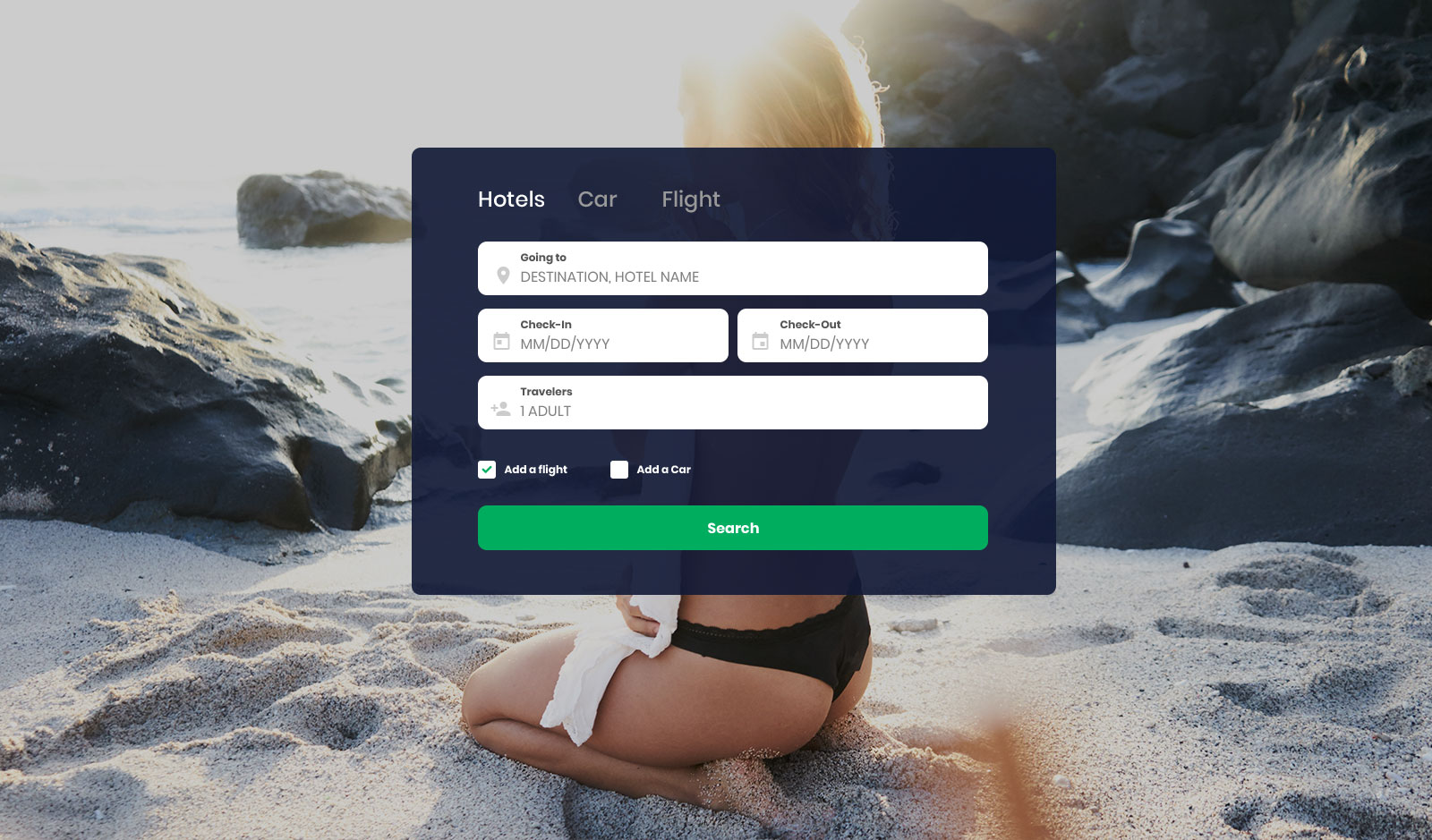
Beach vibes are going strong with this free search form template. With that in mind, you guessed it, Colorlib Search Form v15 best fits everything travel and tourism-related.
Searching for hotels, cars, and flights has never been easier thanks to the ease and sophistication of this layout.
Enjoy leaving the layout exactly as is and attaching it to your website for a quick and easy solution. However, it is also possible to perform additional tweaks and improvements.
Along with the mandatory, Colorlib Search Form v15 also includes two checkboxes to offer customers even more options.
Colorlib Search Form v16
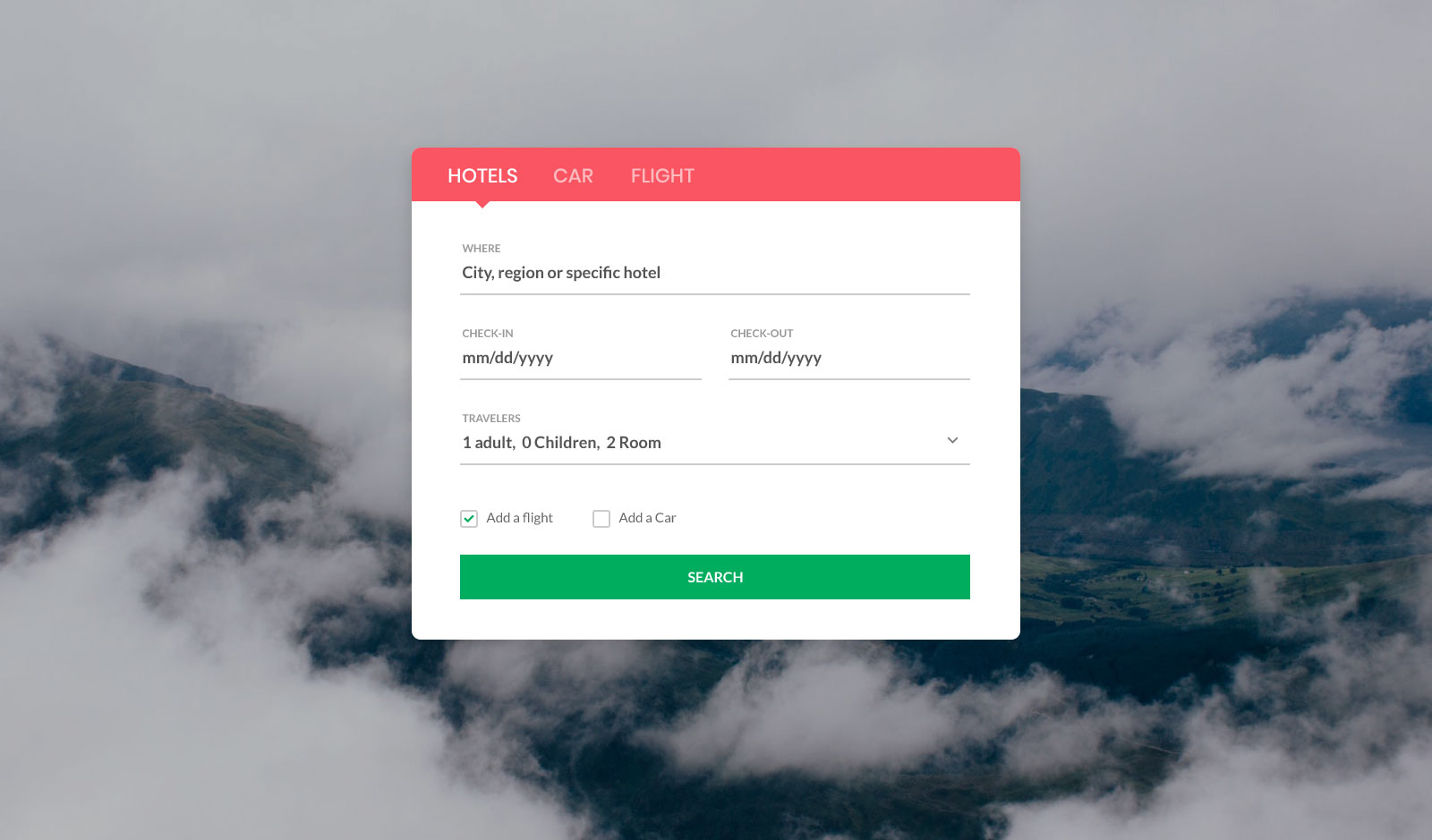
An AWESOME free search form example template for making browsing hotels, cars, and flights a breeze. It is a tool best for making online bookings with two fields to state the destination and the departing and returning dates.
Colorlib Search Form v16 has three boxes to tick and an image background.
Of course, you can alter each section according to the main objective. Colorlib Search Form v16 also seamlessly adapts to different devices and looks stunning on Retina screens.
Basic at first glance, but powerful and practical enough to get the job done in little to no time.
Colorlib Search Form v17
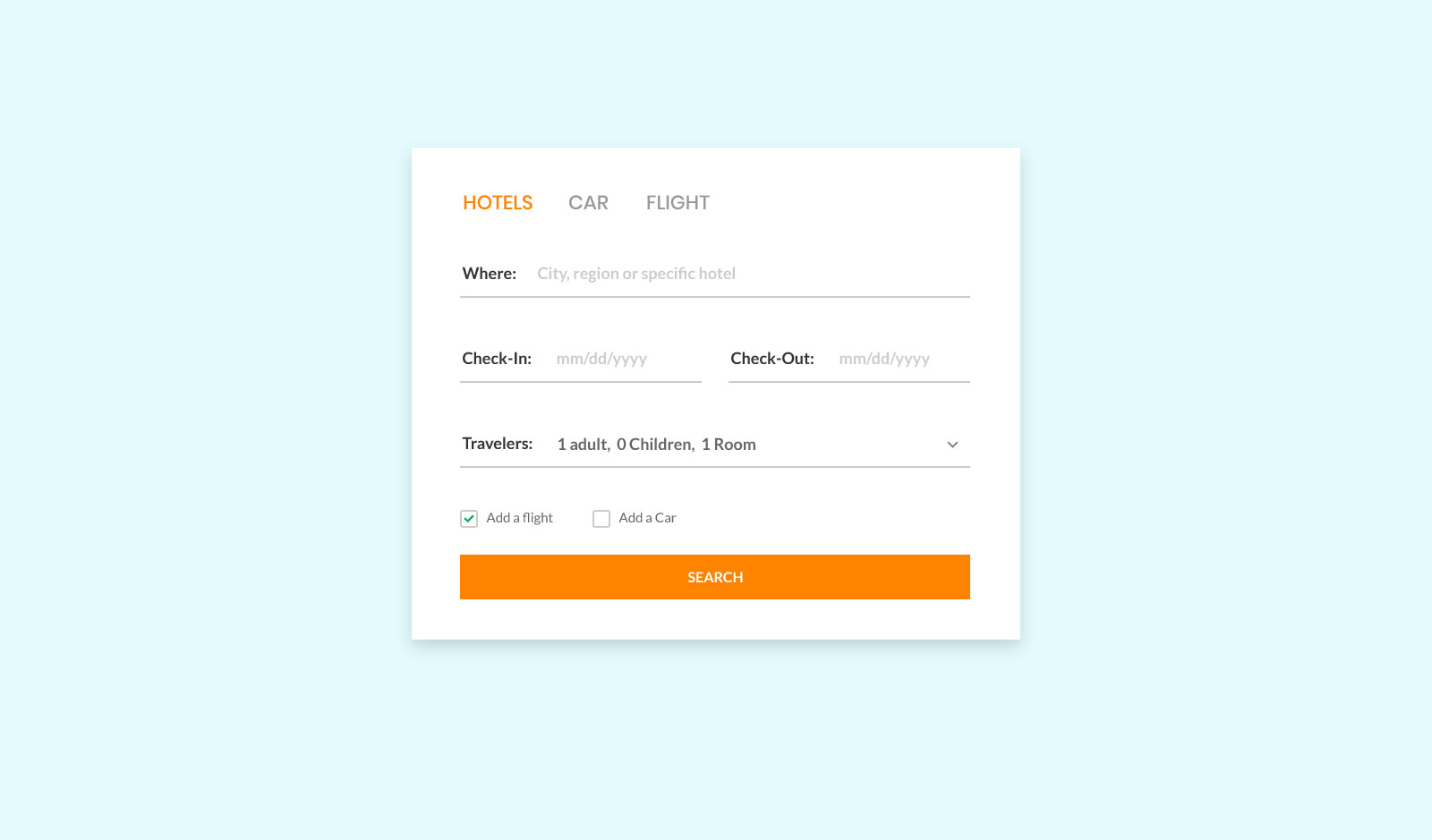
This particular template offers a three-in-one form, allowing users to choose between booking a hotel, a car, or a flight. The filtering is flawlessly done for quick execution.
Additionally, each section features a distinct set of fields tailored to the subject. All three include date pickers, while only the car section sports a time picker.
You can customize Colorlib Search Form v17 to your likings and correct fields to your needs.
Offer all your visitors a convenient way to find the best booking options for their needs and preferences.
Colorlib Search Form v18
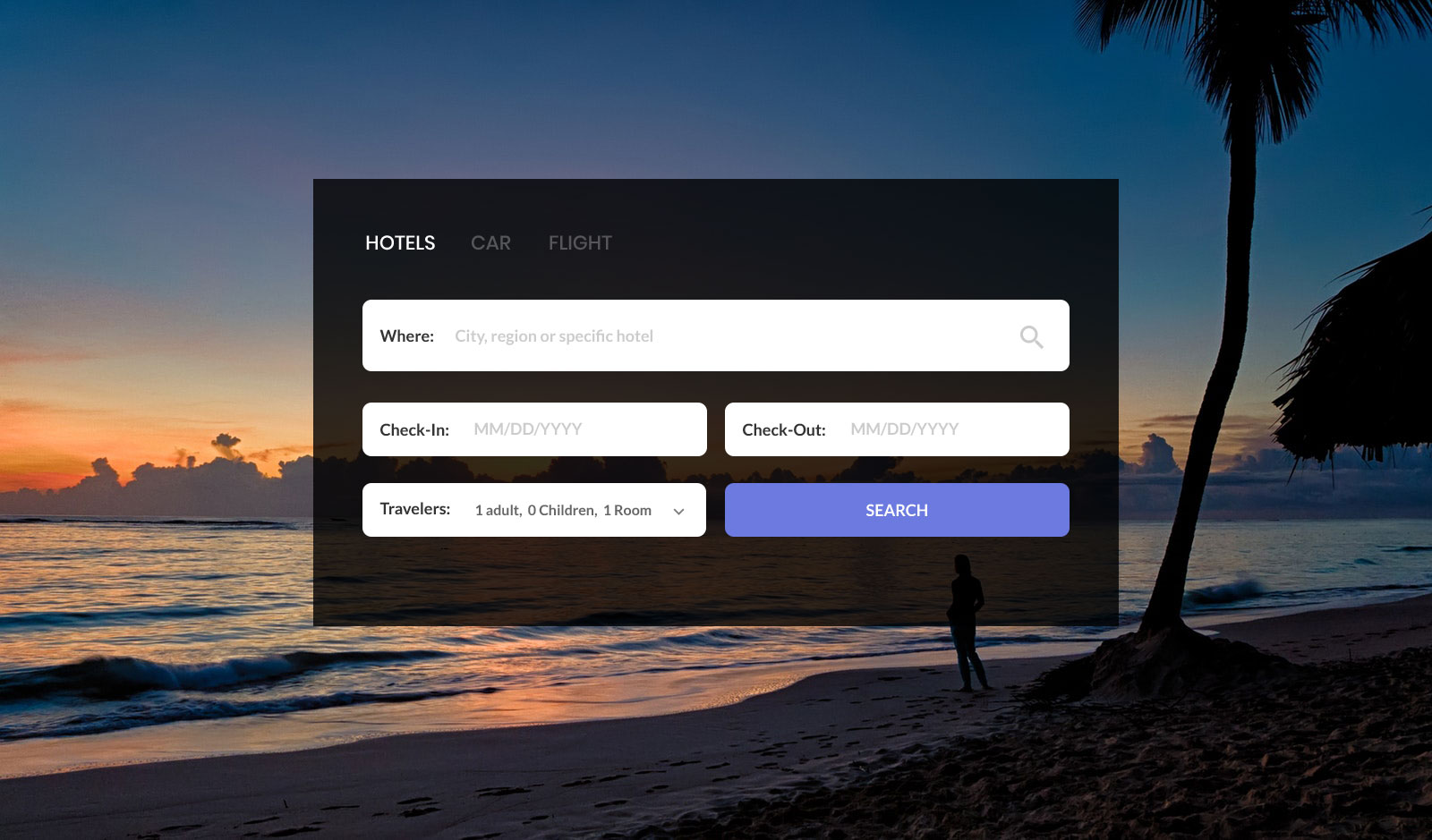
This phenomenal free HTML5 search form template, also known as a form wizard, is something you will have a lot of fun implementing into your web design. Colorlib Search Form v18 smoothly alters to all sorts of website styles, as long as they relate to travel and tourism.
With the image background, you can strategically create a strong first impression, getting everyone to fill out the form as quickly as possible.
Of course, you can introduce the form to one of your predefined layouts or use it exactly as is. Save time and effort by approaching search forms for hotels, renting cars, and flights in a clever way.
Colorlib Search Form v19
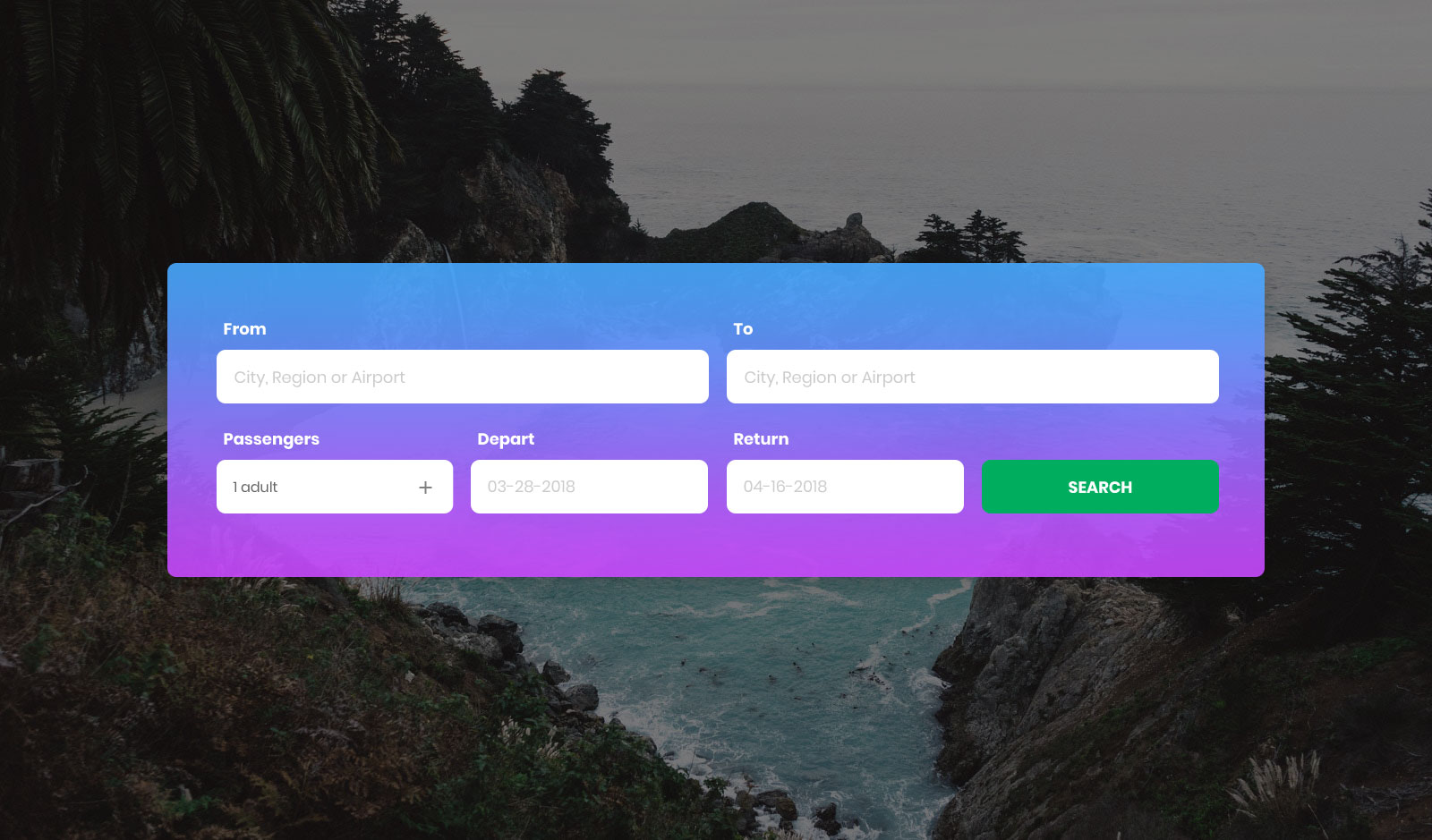
Colorlib Search Form v19 is another free form perfect for flights and airlines. The form rocks a modern box with rounded edges and a transparent gradient effect.
The background is an eye-catching image, making it a natural hero section for a flight search page. As for the form, it has five fields and a search button: from and to, passengers, depart and return.
The latter two also come with date pickers. If a decent search form is all your page needs, you now know where to get one, ready-made and entirely free of charge.
Colorlib Search Form v20
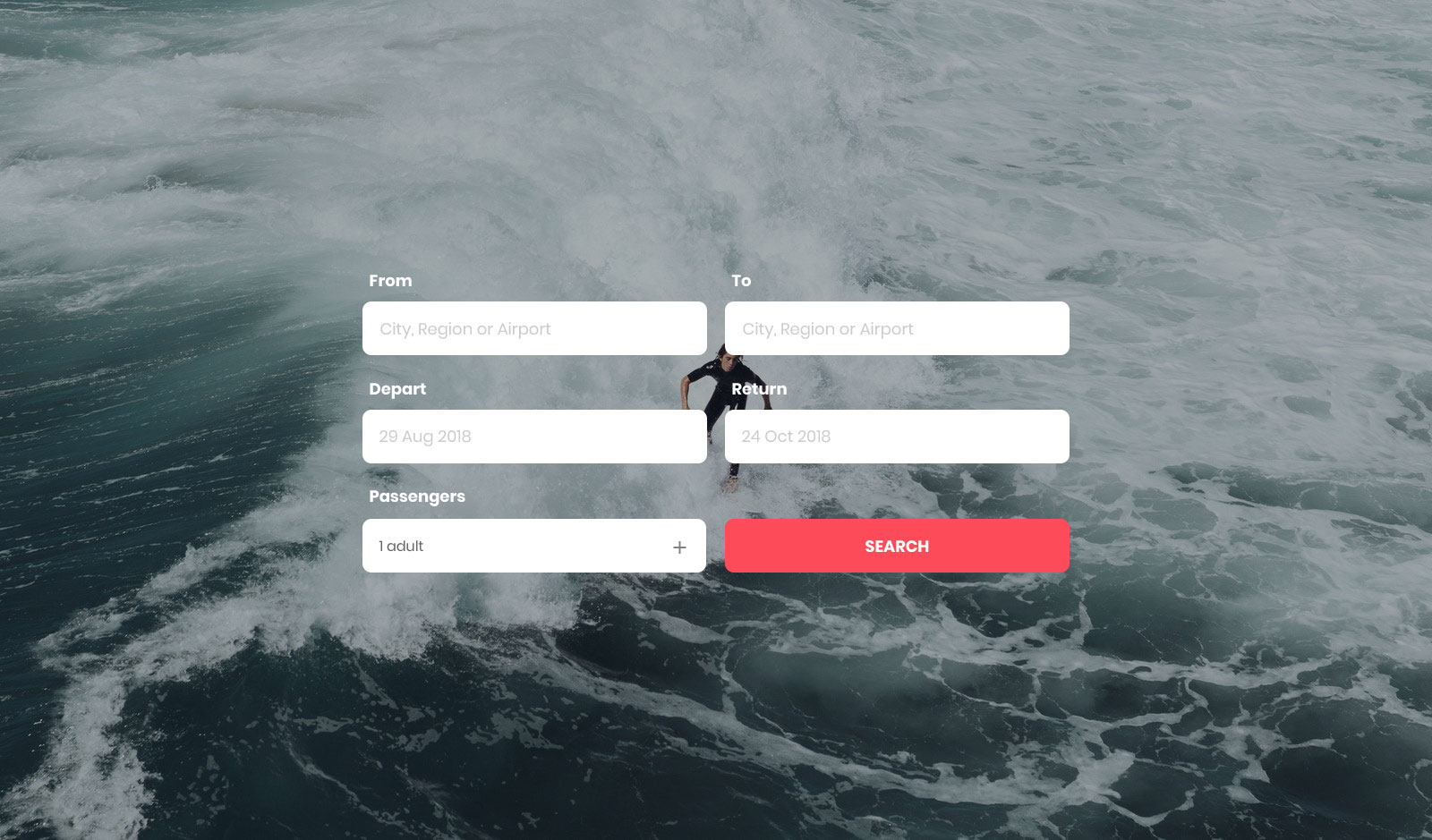
Are you setting up an online hub where folks from around the globe could quickly find their best flight deal? If that is the case, a solid search form is a mandatory function to rock on your website.
Colorlib Search Form v20 is a TOP-NOTCH free search form example that you can utilize exactly as is or use as an inspiration.
The background is an image that establishes a wonderful atmosphere. Last but not least, the layout is 100% mobile-friendly, which you can also A-test by heading over to the live preview page.
Colorlib Search Form v21

To keep your online presence as simple and minimal looking as possible, you need Colorlib Search Form v21.
It appears as a button with a search icon that opens a full search bar when clicked, using a few lines of vanilla JavaScript. The download is only 32 KB.
Furthermore, Colorlib Search Form v21 also comes in two different styles: round and square. Of course, this free search form works flawlessly on both mobile and desktop devices, so responsiveness is not a concern.
Simply download the tool now and get it to shine on your website sooner rather than later, offering a COOL search option.
Colorlib Search Form v22

You can use a modern, simple, and sophisticated free search form layout for every website. From businesses and blogs to portfolios and online stores, Colorlib Search Form v22 adapts to all concepts out of the box.
Additionally, this tool works exceptionally well as an overlay search function, allowing for distraction-free typing by simply entering characters.
When function meets style: that’s Colorlib Search Form v22, in 77 KB of plain HTML and CSS.
Colorlib Search Form v23
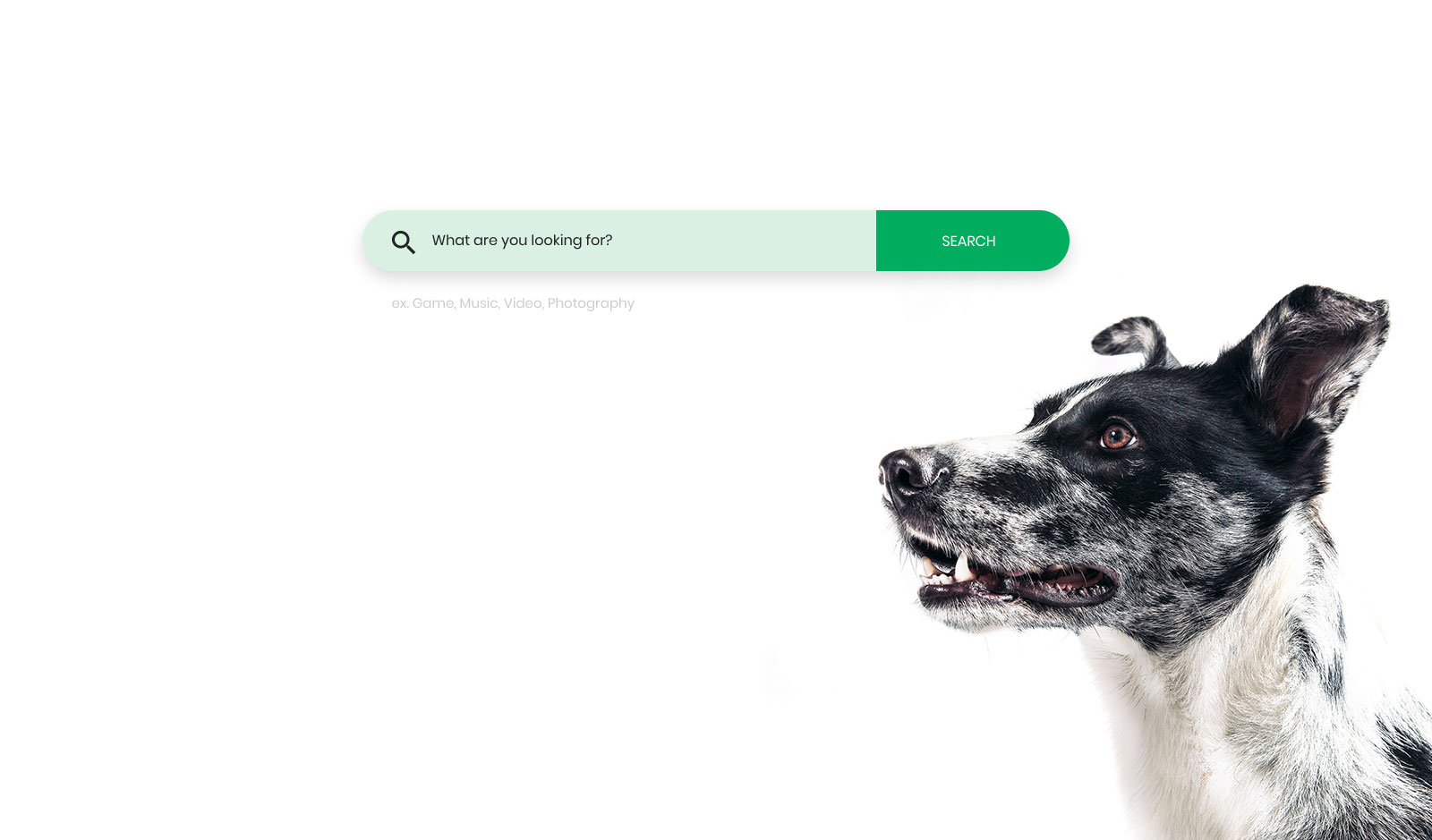
Cleanness with a touch of creativity is what you get with Colorlib Search Form v23. It is a free search form template based on HTML5 that is fluently reshaped for smartphones, tablets, and desktop computers.
Along with the search bar and call-to-action button, you can add different texts inside and right below the search field.
You can also use an IMAGE background or keep things BLANK, whatever suits your needs best. Colorlib Search Form v23 handles a lot for a free tool.
You know you no longer need to start from the ground up.
Colorlib Search Form v24
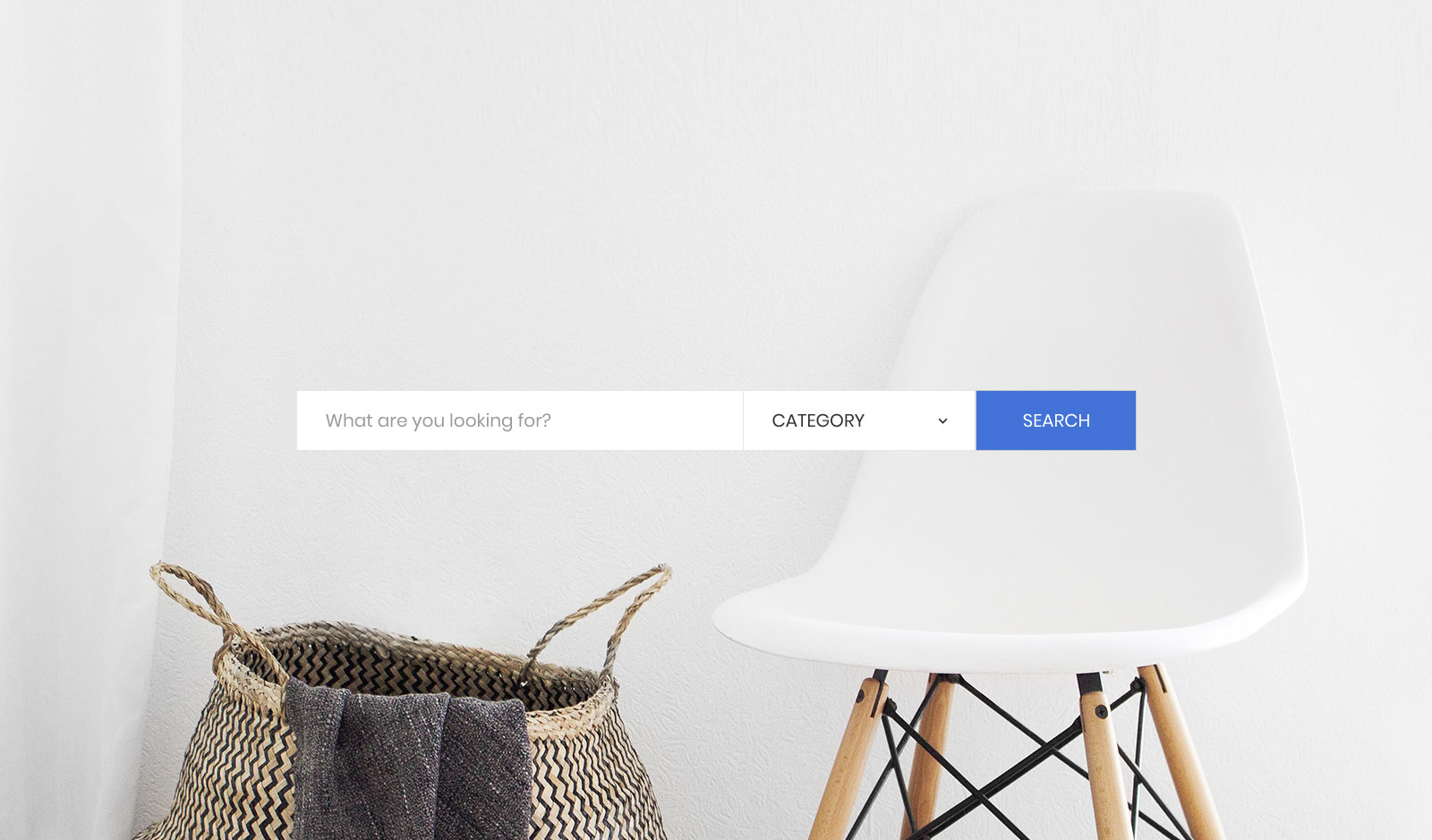
While some websites allow you to search by keyword only, you can do more than that with Colorlib Search Form v24. It is a free search form template that goes beyond the basic search function.
As you can see, you can offer all your users the option to refine their search by choosing the right category from the drop-down field. They will find the exact item they are looking for even quicker now.
A comfortable search function and site navigation are great additions to an already superb experience.
Ensure a visitor leaves your online space satisfied and you with a new conversion.
Colorlib Search Form v25

Colorlib Search Form v25 is best suited for online apparel and accessory stores. But you can also go against the norm and utilize it for something completely different.
The options are numerous once you have access to a versatile and extremely simple, flexible tool.
Image background with shading, category drop-down field, search bar and a button with a gradient effect, that is it when it comes to Colorlib Search Form v25.
Feel free to connect it to your page out of the box or fine-tune it further; regardless of your meticulous taste, this tool undoubtedly matches it.
More 2026 search snippets from Colorlib
Two newer search patterns from our 2026 snippets: a travel search bar overlapping a hero photo, and a search drawer with live suggestions.
Hero V12: Split travel hero with a stay search bar overlapping the photo
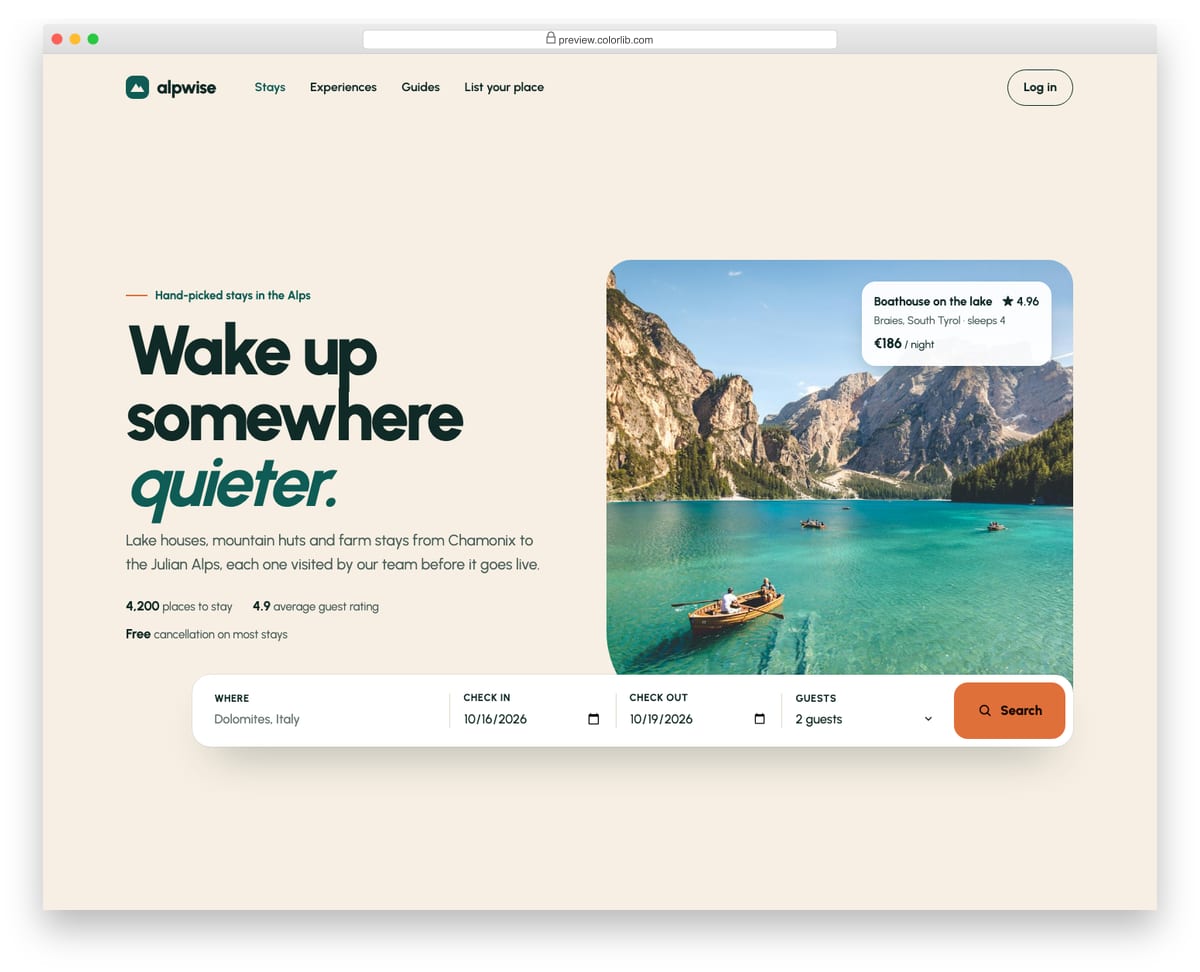
A split hero for a holiday-rental site, with the headline, intro and three proof points on the left and a large alpine lake photo on the right. A white search bar for location, check-in, check-out and guests overlaps the bottom of the photo and uses native text, date and select inputs with visible labels. Script prefills sensible dates, keeps check-out at least one night after check-in, validates with the browser and reports the search in a status region.
Best for: travel, holiday rental, hotel and real estate homepages. Plain HTML and CSS with a few lines of vanilla JavaScript, a 364 KB download, and it works on its own or inside a Bootstrap 4, 5 or 6 project.
Offcanvas V09: Top search drawer with recent searches and suggestions that filter as you type
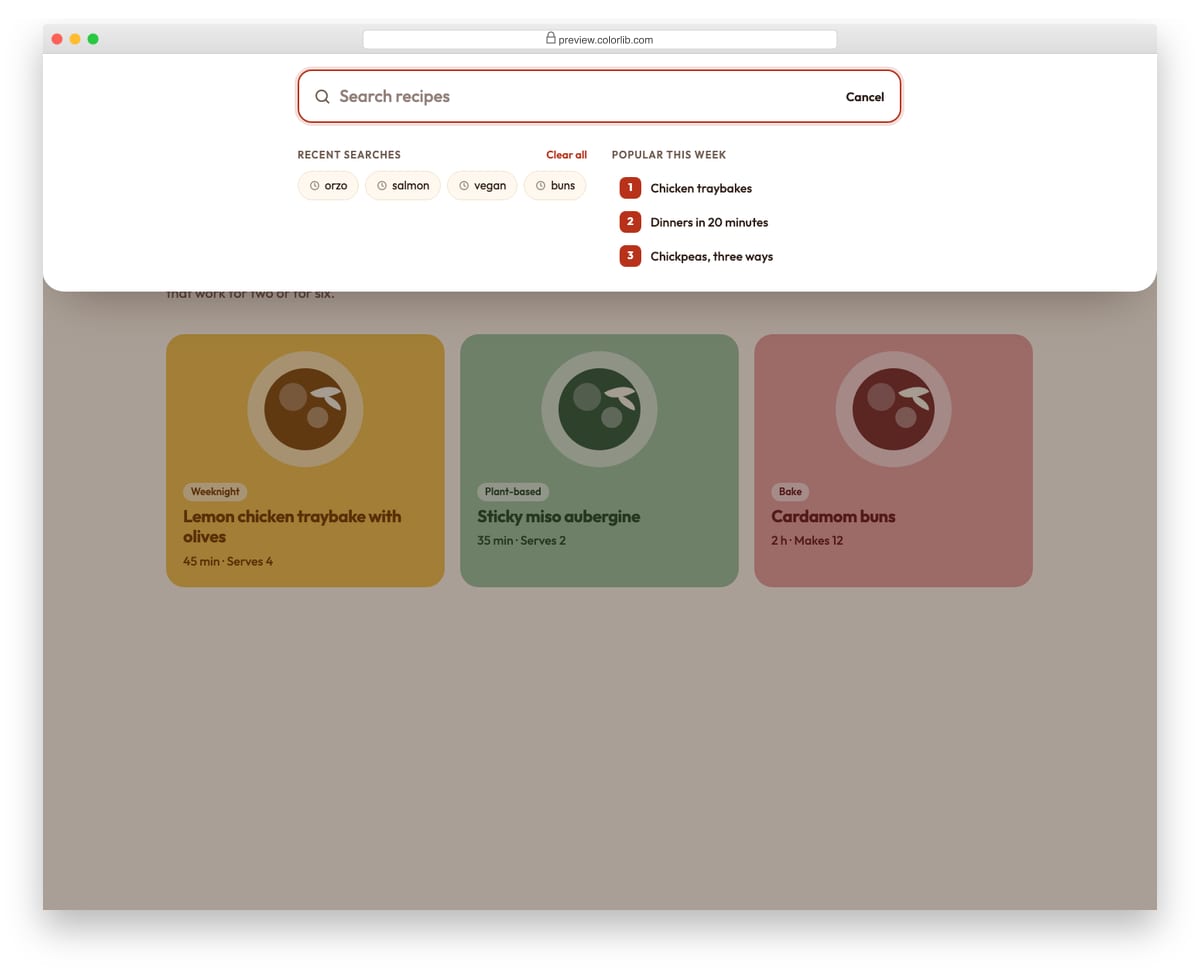
A search panel that slides down from the top of a recipe site, opened from the search button or with the / key. Before you type it shows recent searches and popular topics; as you type it filters the recipe list, highlights the matching words and announces the number of matches. Arrow keys move between the field and the results, and submitted searches are added to the recent list.
Best for: content sites, blogs, shops and documentation with a site search. Plain HTML and CSS with a few lines of vanilla JavaScript, a 195 KB download, and it works on its own or inside a Bootstrap 4, 5 or 6 project.
How to choose a search form
Match the fields to what people search for. A blog needs one keyword field (v22, v23). A store benefits from a category drop-down (v24, v25). Travel sites need destination, dates and guests (v14, Hero V12).
Use native inputs. Browser date fields and real select menus work with touch, keyboard and screen readers out of the box, and their values submit with the form. v2, v11 and v12 use the browser’s date picker, and the guest and room pickers in v14 work without a plugin.
Label every field and keep dates valid. Placeholder text vanishes as soon as someone types. Hero V12 keeps visible labels on location, dates and guests, and stops check-out from falling before check-in, which saves a failed search.
Watch the background image. In the hero versions nearly all the download is the photo: v6 is 2.4 MB, almost all of it the background image, while v3 is 19 KB. Compress the photo or convert it to AVIF or WebP before you go live.
Frequently asked questions
Are these complete search engine website templates?
No. They are search sections and forms, the part of the page where people type and filter. Place one at the top of your home page and point it at your search results page or booking engine.
Do they need Bootstrap, jQuery or plugins?
No. They are HTML5 and CSS3, with a few lines of vanilla JavaScript where a form needs it, and several need no JavaScript at all. They look the same inside a Bootstrap 4, 5 or 6 project.
How do I make the form return results?
Set the form action to your results URL, use method="get" and give each field the parameter name your back end expects. On WordPress, a keyword field named s submitted to your home page URL uses the built-in search.
Can I use them in commercial projects?
Yes. They are free under CC BY 3.0: use them in personal and commercial projects and keep the credit link.
Final thoughts
Start with v3 or v21 for a light keyword search, v24 for a store with categories, or v11 and Hero V12 for a booking-style hero. On WordPress, a search plugin gives you the results page as well; for more form layouts, see our Bootstrap form templates.

Related Posts


Comments (0)