
35 Free Bootstrap Offcanvas Examples (2026)
By Aigars Silkalns · 21-min read
Mobile navigation drawers, cart panels, filter sidebars, notification trays, admin sidebars that turn into drawers on phones: Bootstrap’s offcanvas component (added in Bootstrap 5.0, absent from Bootstrap 4) handles the slide-in panels of most modern web apps. This collection has 35 free Bootstrap offcanvas examples, starting with 10 drawers we designed in 2026 and followed by 25 curated Bootstrap 5.3 examples.
The Colorlib set covers a navigation drawer, a cart drawer with live totals, a draggable bottom sheet, filters, settings, notifications, a push-content sidebar, a full-screen menu, a search drawer and a collapsible icon rail, with focus trapping, Esc to close and focus returned to the trigger. Each is a free download with a live demo, written in plain HTML, CSS and vanilla JavaScript with no Bootstrap or jQuery required, and it looks the same on its own or inside a Bootstrap 4, 5 or 6 project.
The 25 curated examples are working Bootstrap 5.3 implementations of multi-level mobile menus, cart and wishlist drawers, faceted filters, notification and settings panels, admin sidebars, backdrop and scroll options, and dark mode. Each links to its original on CodePen, GitHub or the Bootstrap docs. If you’re replacing Bootstrap 4 custom drawers or rebuilding a mobile menu, start here.
What is a Bootstrap offcanvas?
A Bootstrap offcanvas is a hidden sidebar that slides into view when triggered — used for mobile navigation drawers, ecommerce cart panels, filter sidebars, and notification trays. Bootstrap 5 introduced offcanvas as a native component (it was not available in Bootstrap 4), making slide-in UI patterns possible without custom JavaScript.
When to use offcanvas:
- Mobile navigation menus that need more space than a hamburger dropdown allows
- Shopping cart drawers in ecommerce flows
- Filter and faceted-search panels on catalog pages
- Secondary navigation in admin dashboards
Bootstrap 5 offcanvas vs Bootstrap 4: Bootstrap 4 had no offcanvas component, so developers built custom solutions using position: fixed, transform, and jQuery. Bootstrap 5 ships the component natively at bootstrap.Offcanvas with built-in placement options (start, end, top, bottom), backdrop behavior, body-scroll lock, and ARIA-compliant focus management. Migrations from Bootstrap 4 to 5 should replace custom slide-out menus with the native component.
Browser support: All modern browsers (Chrome, Safari, Firefox, Edge) since 2021. The 25 curated examples below were tested in Chrome 124, Safari 17 and Firefox 125 in May 2026.
How to use Bootstrap offcanvas (basic markup)
<!-- Trigger -->
<button class="btn btn-primary"
        data-bs-toggle="offcanvas"
        data-bs-target="#mobileMenu"
        aria-controls="mobileMenu">
  Open menu
</button>

<!-- Offcanvas -->
<div class="offcanvas offcanvas-start" tabindex="-1" id="mobileMenu" aria-labelledby="mobileMenuLabel">
  <div class="offcanvas-header">
    <h5 class="offcanvas-title" id="mobileMenuLabel">Menu</h5>
    <button type="button" class="btn-close" data-bs-dismiss="offcanvas" aria-label="Close"></button>
  </div>
  <div class="offcanvas-body">
    <!-- nav links go here -->
  </div>
</div>
Placement modifiers: Swap offcanvas-start for offcanvas-end, offcanvas-top, or offcanvas-bottom.
Common gotcha: Without tabindex="-1", focus management breaks for keyboard users. Don’t omit it.
Free Colorlib Bootstrap Offcanvas Snippets
We designed these 10 offcanvas panels in 2026: a navigation drawer, a cart drawer, a draggable bottom sheet, filters, settings, notifications, a push sidebar, a full-screen menu, a search drawer and an icon rail. The drawers are native dialog elements with focus trapping, Esc to close and focus returned to the trigger. Each is a free download with a live demo.
Offcanvas V01: Left navigation drawer for a mobile site with nested sections
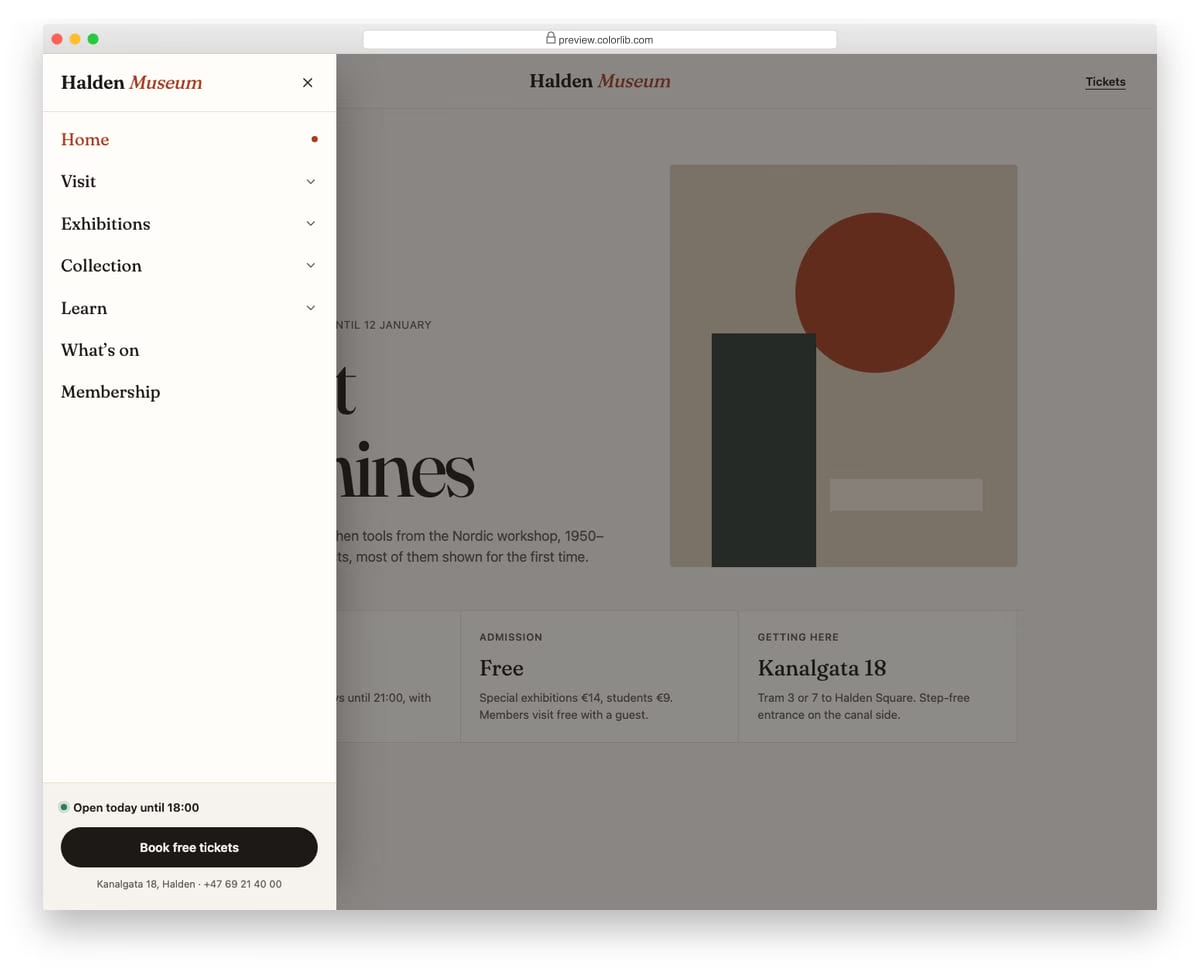
A slide-in menu from the left for a museum website, opened from a Menu button in the header. Top-level sections expand into sub-links with native details and summary elements, and only one section stays open at a time. The footer of the drawer holds today's opening hours and a ticket button.
Best for: mobile navigation for content-heavy sites such as museums, universities and councils. Plain HTML and CSS with a few lines of vanilla JavaScript, a 257 KB download, and it works on its own or inside a Bootstrap 4, 5 or 6 project.
Offcanvas V02: Right shopping cart drawer with quantity steppers and live totals
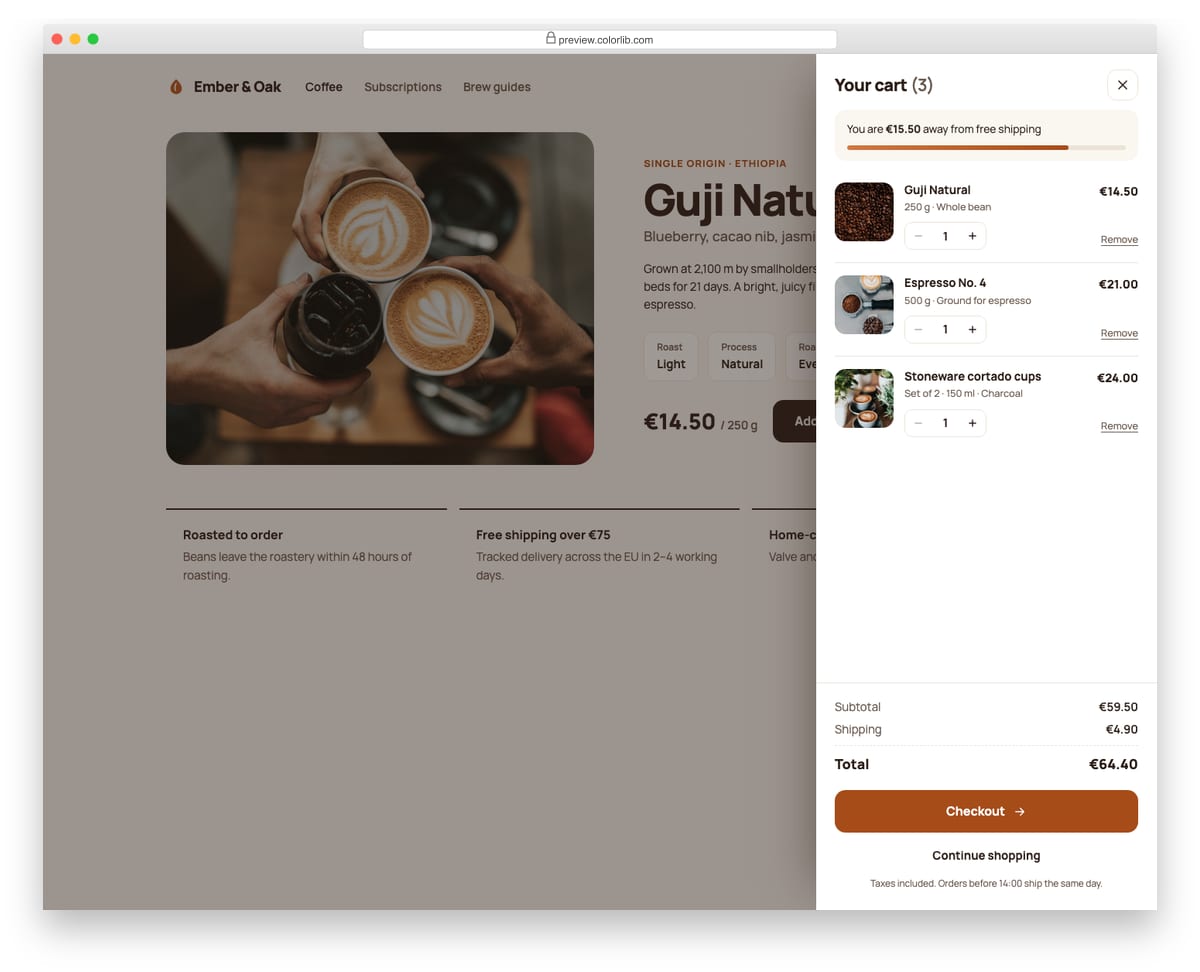
A cart drawer that slides in from the right on a coffee roaster's product page. Each line item has a photo, a quantity stepper and a remove link, and the subtotal, shipping, total and free-shipping progress bar update as quantities change. Add to cart on the page increases the matching line and opens the drawer.
Best for: online shops, product pages and mini-carts. Plain HTML and CSS with a few lines of vanilla JavaScript, a 331 KB download, and it works on its own or inside a Bootstrap 4, 5 or 6 project.
Offcanvas V03: Mobile-style bottom sheet with a drag handle
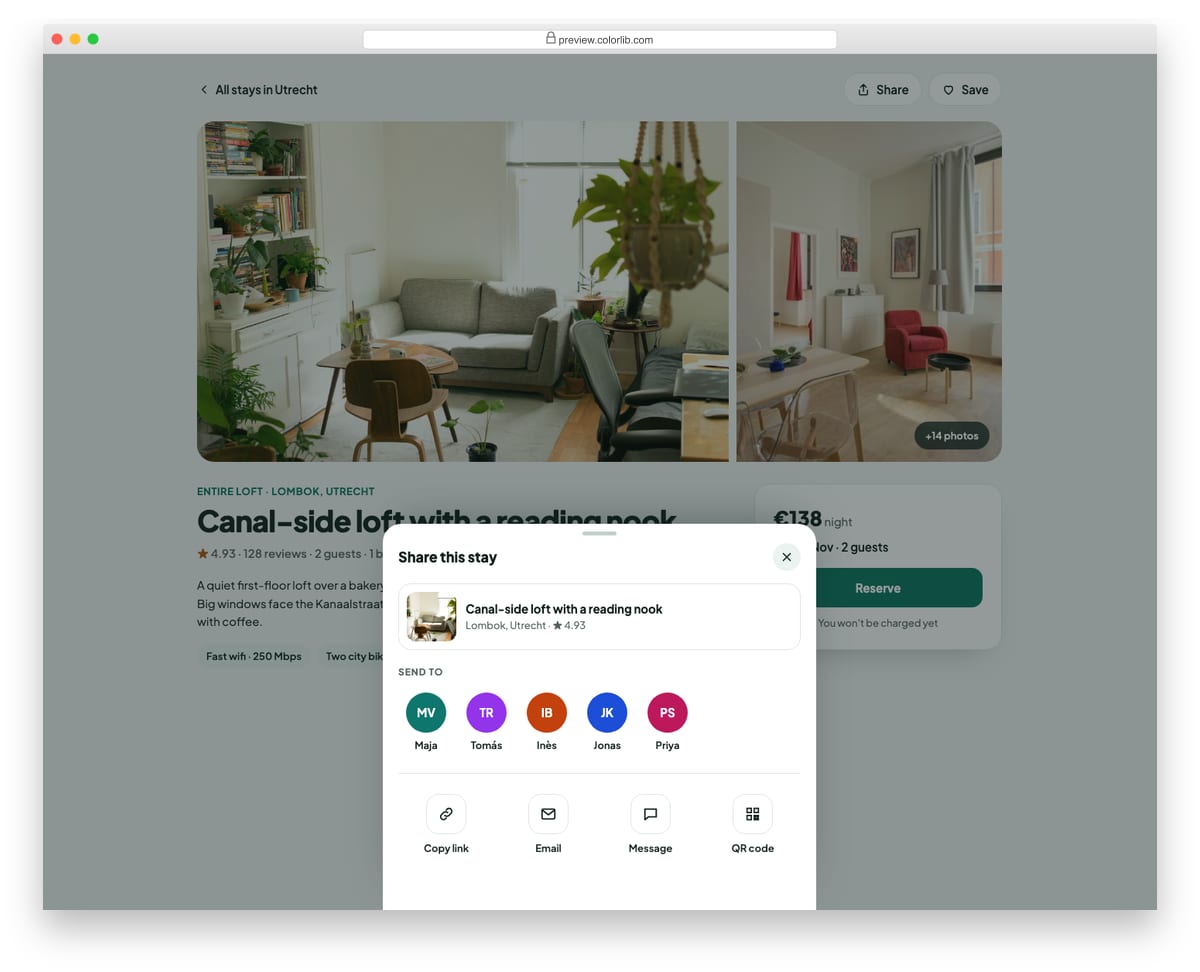
A share sheet that rises from the bottom of a holiday rental listing page. It can be dragged down by its handle to close, or closed with the button, Esc or a tap on the backdrop. Inside are a listing preview, a row of recent contacts and share options, including a working copy-link button with a live status message.
Best for: share menus, quick actions and mobile-first action sheets. Plain HTML and CSS with a few lines of vanilla JavaScript, a 416 KB download, and it works on its own or inside a Bootstrap 4, 5 or 6 project.
Offcanvas V04: E-commerce filter panel with checkbox groups and a price range
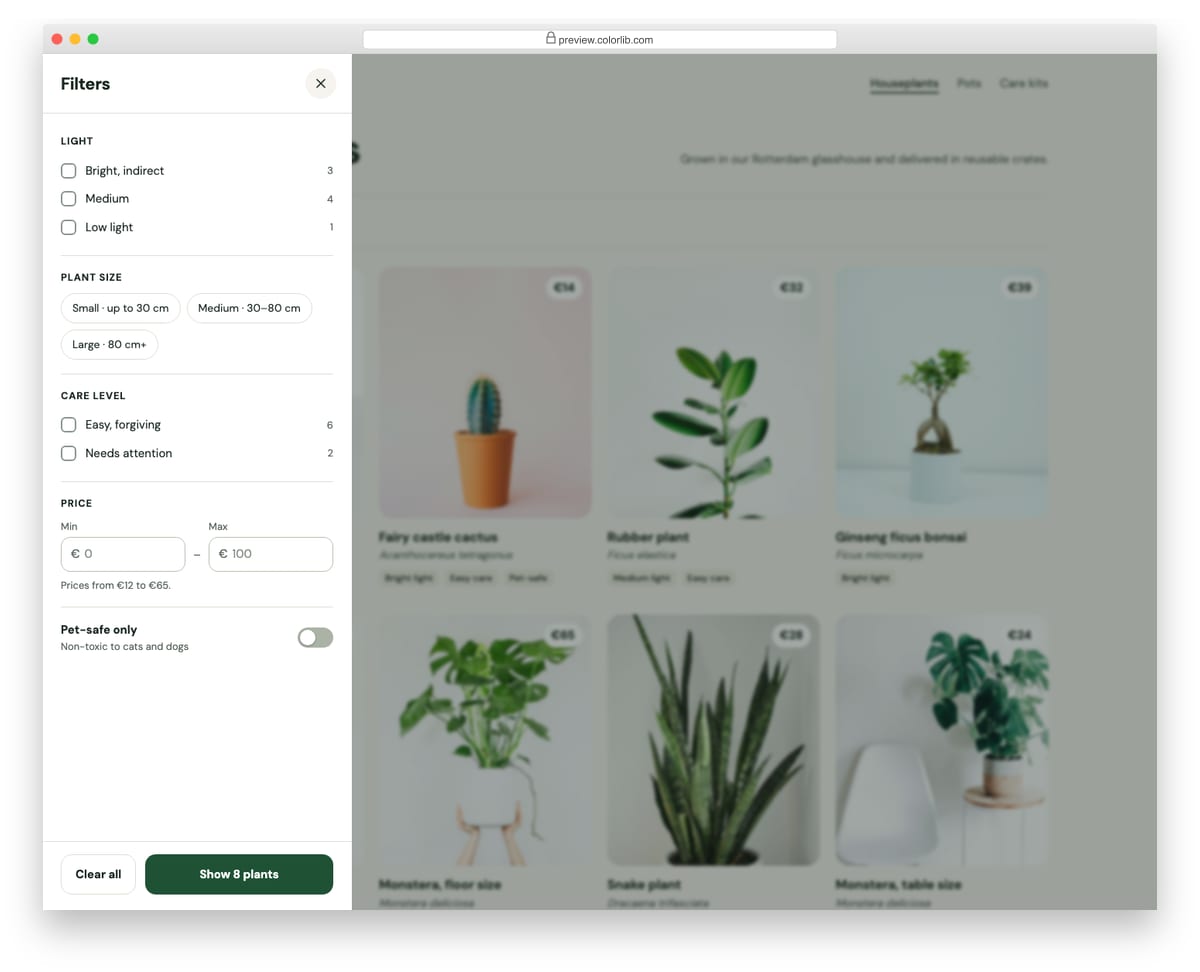
A filter drawer for a plant shop's category page. It has checkbox groups for light and care level, size chips, minimum and maximum price inputs and a pet-safe switch, and the apply button previews how many products match before you commit. Applying filters the product grid, updates the results count and adds removable filter chips to the page.
Best for: shop category pages and product listings on mobile and desktop. Plain HTML and CSS with a few lines of vanilla JavaScript, a 483 KB download, and it works on its own or inside a Bootstrap 4, 5 or 6 project.
Offcanvas V05: App settings panel with toggles and a working light/dark theme picker
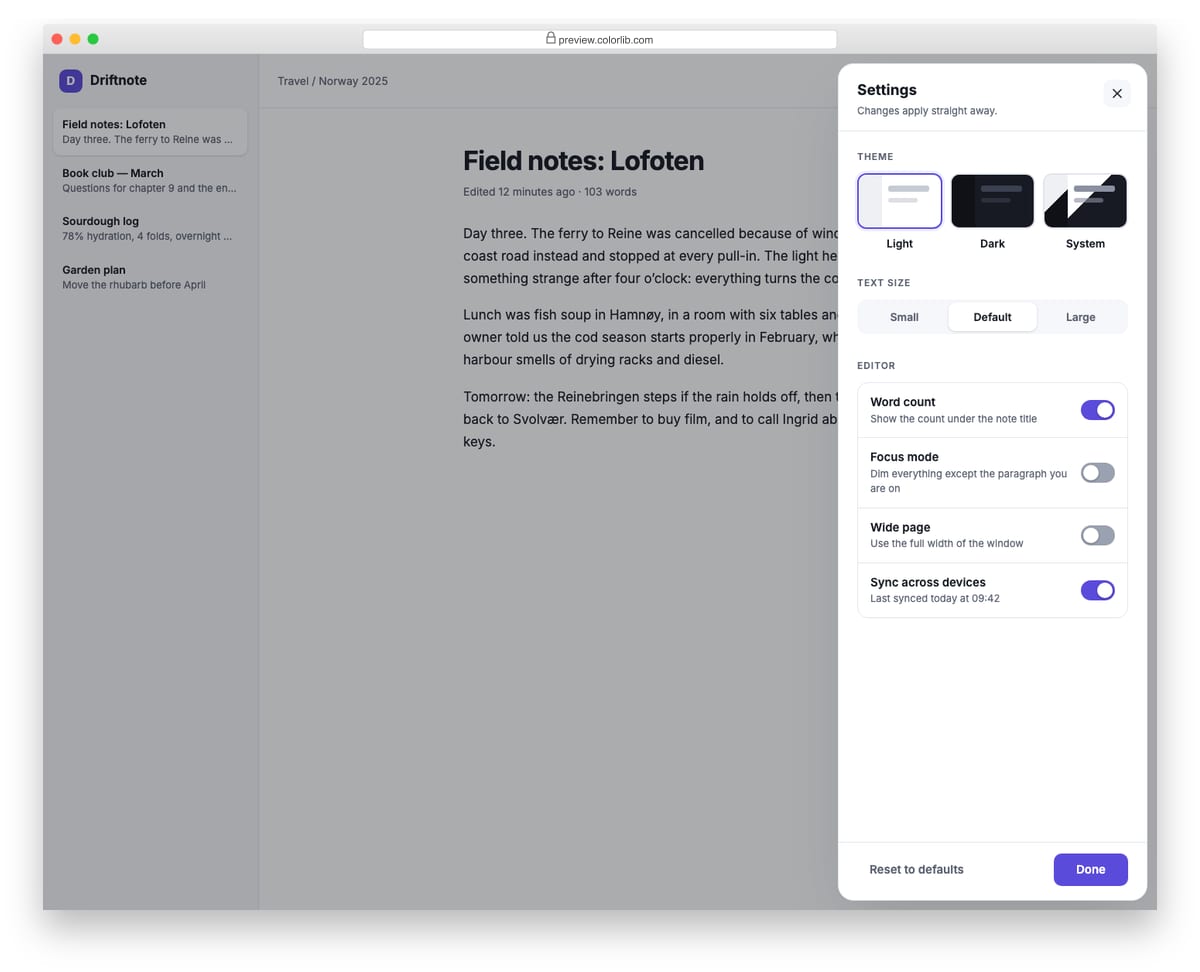
A floating settings panel for a note-taking app that slides in from the right. The theme picker switches the whole demo between light, dark and system themes, the text size control resizes the note, and the switches show or hide the word count, dim paragraphs in focus mode and widen the page. Every change is announced in a status line and can be reset to defaults.
Best for: web app preferences, dashboards and editor settings. Plain HTML and CSS with a few lines of vanilla JavaScript, a 534 KB download, and it works on its own or inside a Bootstrap 4, 5 or 6 project.
Offcanvas V06: Notifications panel with grouped items and mark all as read
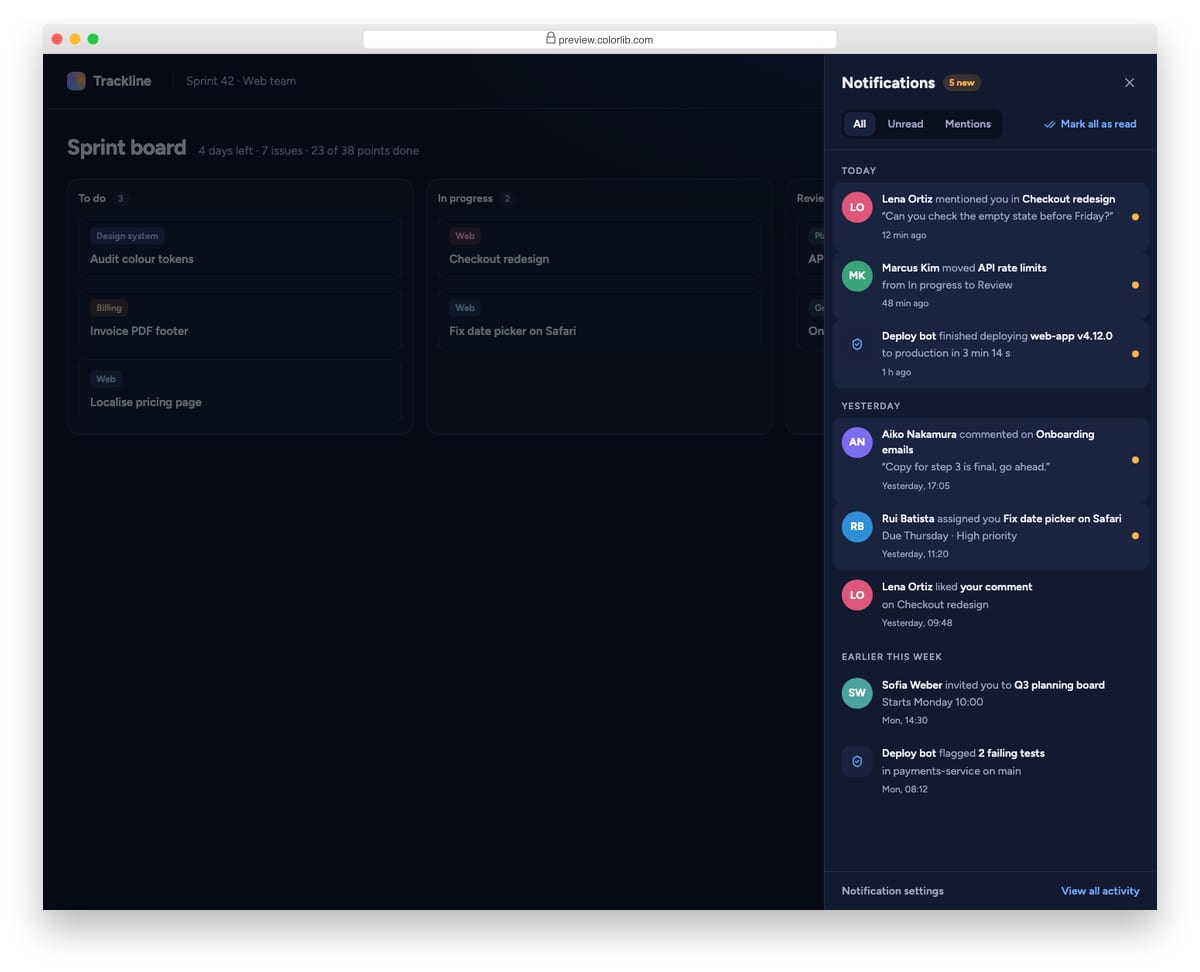
A dark notifications drawer for a project management app, opened from a bell button with an unread badge. Notifications are grouped by Today, Yesterday and Earlier this week, and can be filtered to unread items or mentions. Opening a notification marks it read, and Mark all as read clears every unread dot, the header count and the bell badge.
Best for: SaaS dashboards, admin panels and collaboration tools. Plain HTML and CSS with a few lines of vanilla JavaScript, a 130 KB download, and it works on its own or inside a Bootstrap 4, 5 or 6 project.
Offcanvas V07: Push-content documentation sidebar (non-modal)
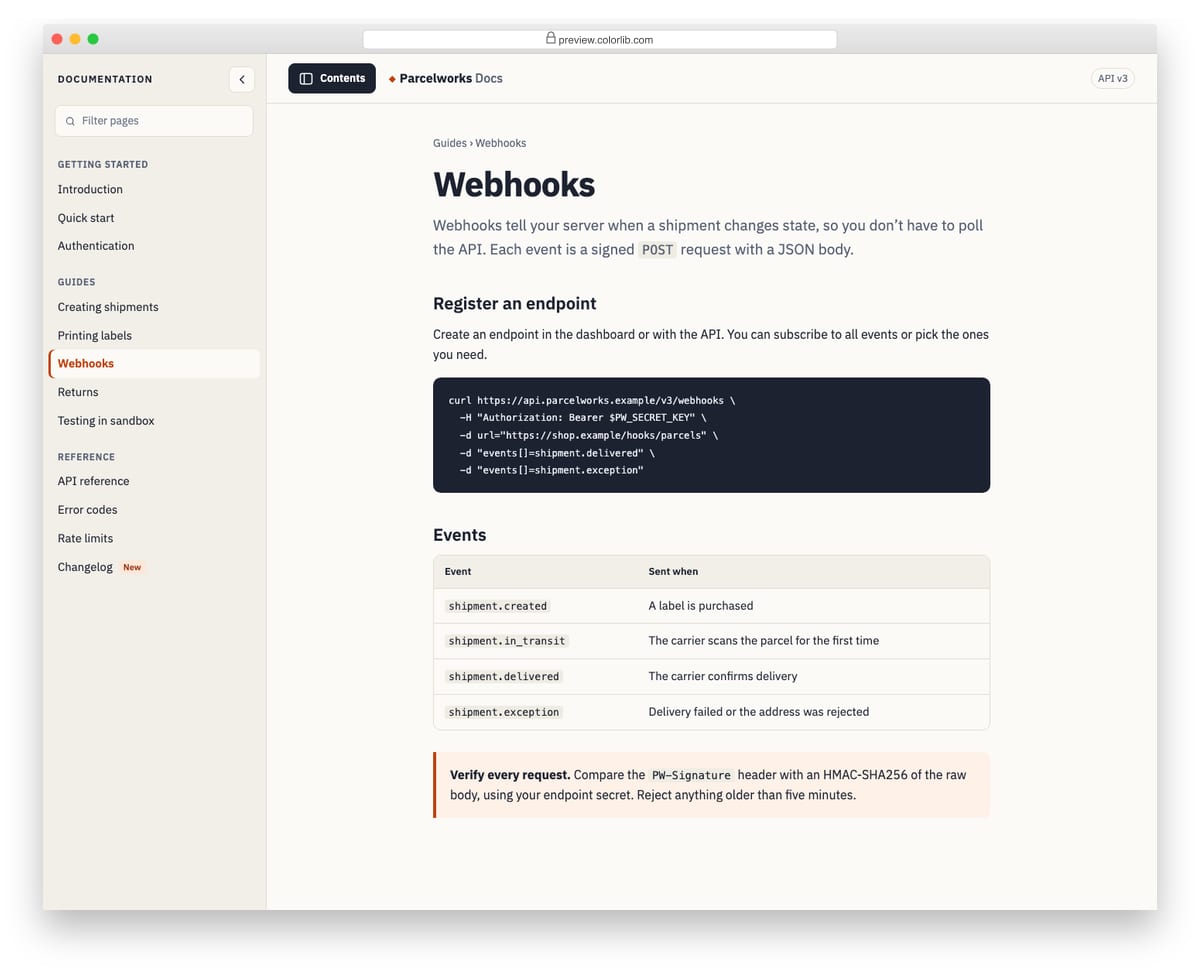
A contents sidebar for a documentation site that pushes the page aside instead of covering it. On wide screens the article reflows next to the sidebar; on phones the page slides over and a tap on it closes the sidebar. It is a non-modal disclosure, so the page stays usable, but it is labelled, closes with Esc and has a filter box for the page list.
Best for: documentation, knowledge bases and long-form guides. Plain HTML and CSS with a few lines of vanilla JavaScript, a 267 KB download, and it works on its own or inside a Bootstrap 4, 5 or 6 project.
Offcanvas V08: Full-screen overlay menu with large typography and a staggered link reveal
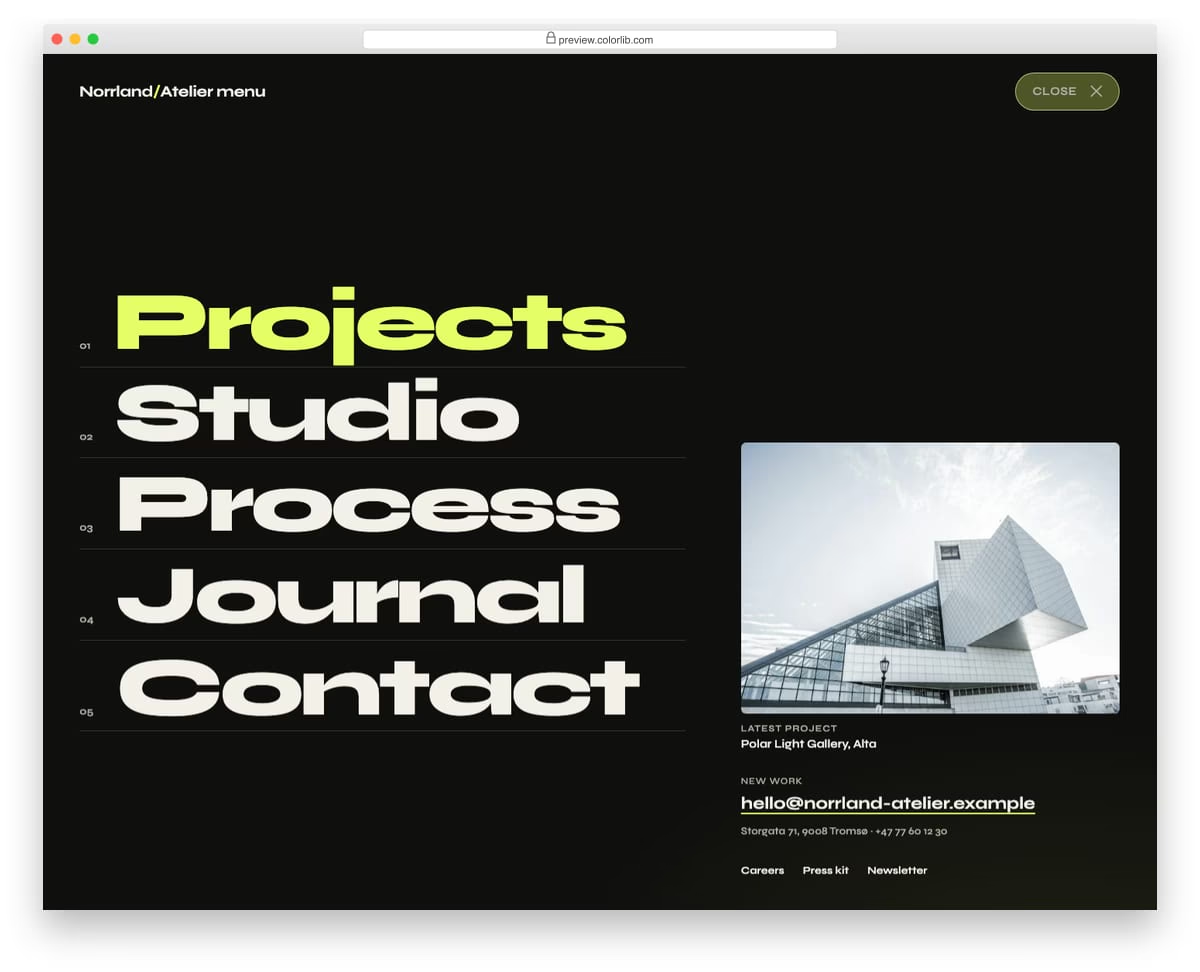
A full-screen menu for an architecture studio that opens with a circular wipe from the Menu button. Five oversized numbered links slide up one after another, followed by a featured project, contact details and small links. It closes with the Close button, Esc, a click on its empty background or by choosing a link.
Best for: portfolio, agency and studio websites with a short main menu. Plain HTML and CSS with a few lines of vanilla JavaScript, a 381 KB download, and it works on its own or inside a Bootstrap 4, 5 or 6 project.
Offcanvas V09: Top search drawer with recent searches and suggestions that filter as you type
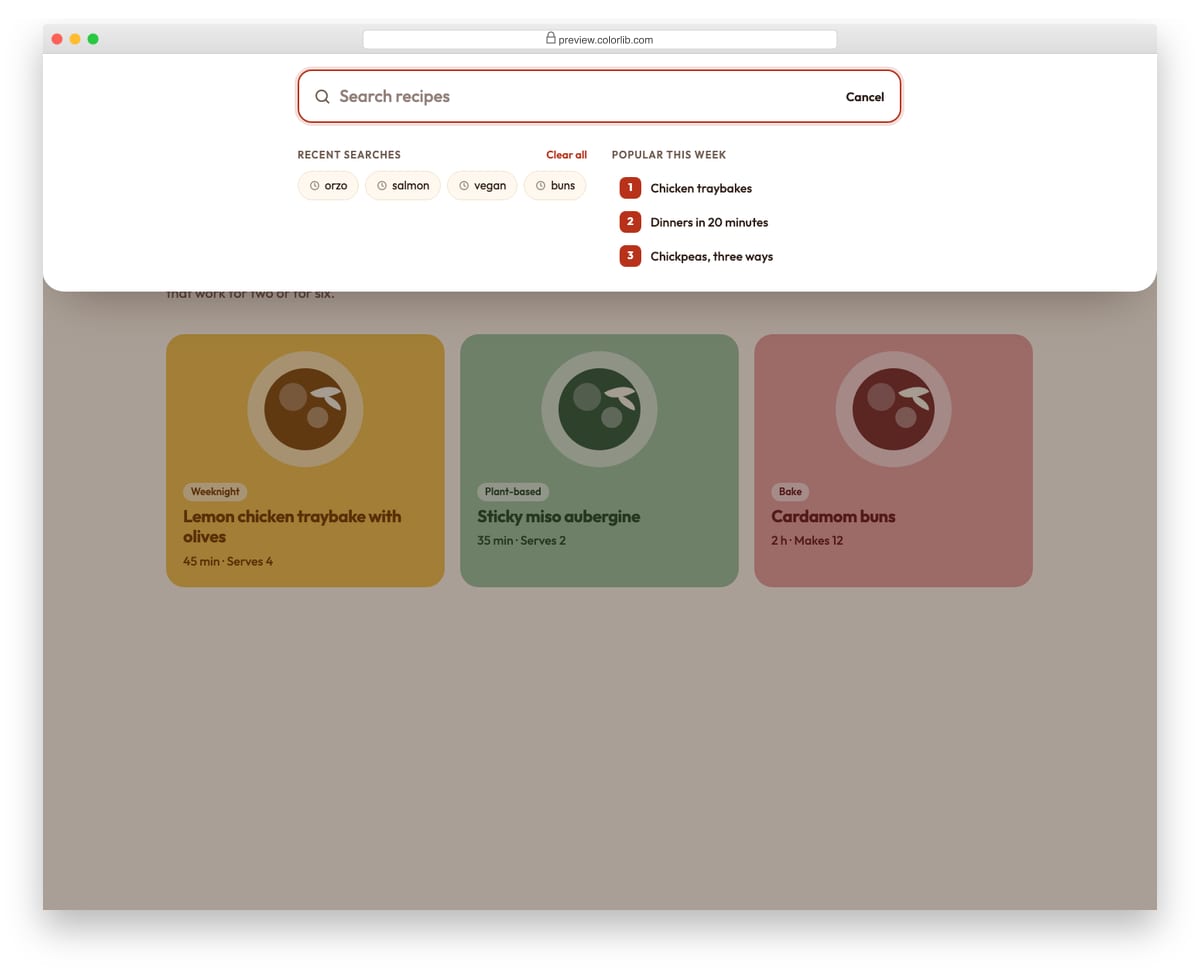
A search panel that slides down from the top of a recipe site, opened from the search button or with the / key. Before you type it shows recent searches and popular topics; as you type it filters the recipe list, highlights the matching words and announces the number of matches. Arrow keys move between the field and the results, and submitted searches are added to the recent list.
Best for: content sites, blogs, shops and documentation with a site search. Plain HTML and CSS with a few lines of vanilla JavaScript, a 195 KB download, and it works on its own or inside a Bootstrap 4, 5 or 6 project.
Offcanvas V10: Collapsible icon rail that expands into a labelled dashboard sidebar
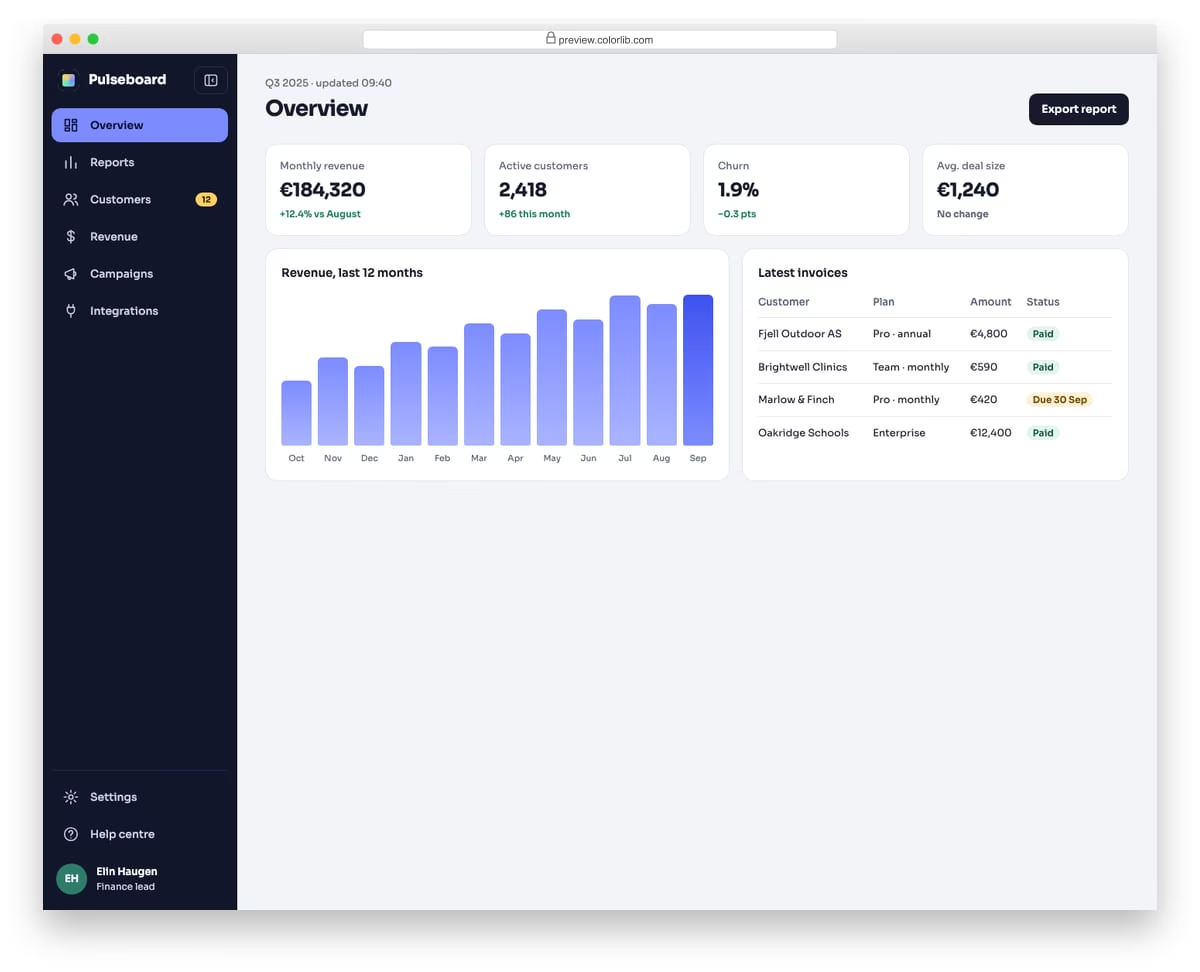
A dark icon rail for an analytics dashboard that expands into a full sidebar with labels, a badge and the signed-in user. When collapsed, each icon shows its label as a tooltip on hover and keyboard focus, and the label stays available to screen readers. The chosen state is saved in localStorage, guarded with try/catch, and on phones the expanded sidebar floats over the page instead of squeezing it.
Best for: admin dashboards, analytics tools and web apps with many sections. Plain HTML and CSS with a few lines of vanilla JavaScript, a 156 KB download, and it works on its own or inside a Bootstrap 4, 5 or 6 project.
Best free Bootstrap offcanvas examples
We grouped the 25 picks by use case rather than ranking them — every example below is a viable production starting point. Each screenshot shows our Bootstrap 5.3 implementation of the pattern, inspired by the original designer credited beneath. The “Original demo” link goes to the source pen or repository for those who want to fork, compare implementations, or see the author’s specific code style.
Showcase — visually distinctive offcanvas designs
1. Bootstrap 5 Live Offcanvas Demo
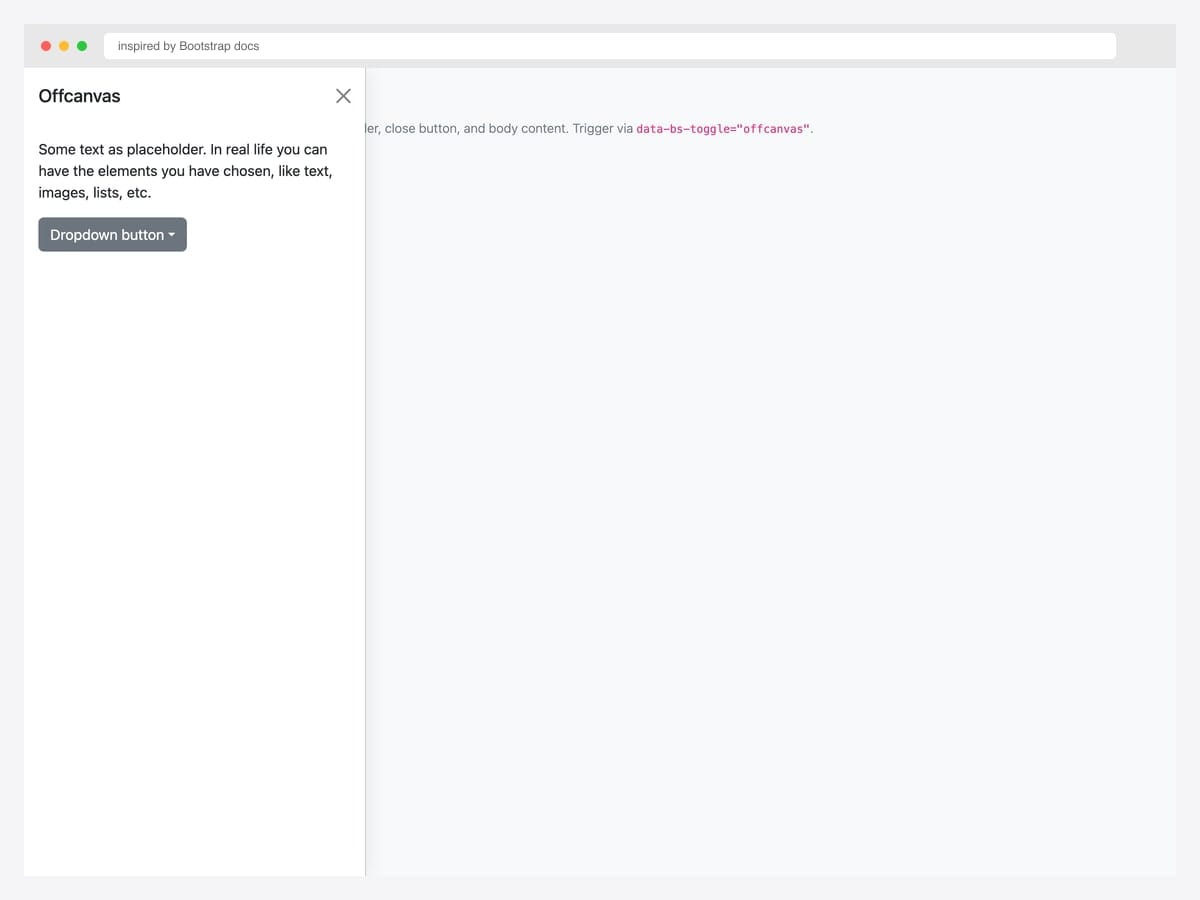
The canonical Bootstrap 5 offcanvas — left-sliding drawer with header (title + close button), body content, and a nested dropdown placeholder. Best fit as the baseline for any project: this is the markup every other offcanvas pattern in this collection builds on. Pure Bootstrap 5.3 with the JavaScript bundle for the offcanvas controller. Initialize via new bootstrap.Offcanvas(el) or use the data-attribute trigger (data-bs-toggle="offcanvas" + data-bs-target="#id"). Include tabindex="-1" on the offcanvas element so keyboard focus management works correctly.
Inspired by: Bootstrap (twbs) · License: MIT
Source & details Original demo
2. Mega Menu Offcanvas
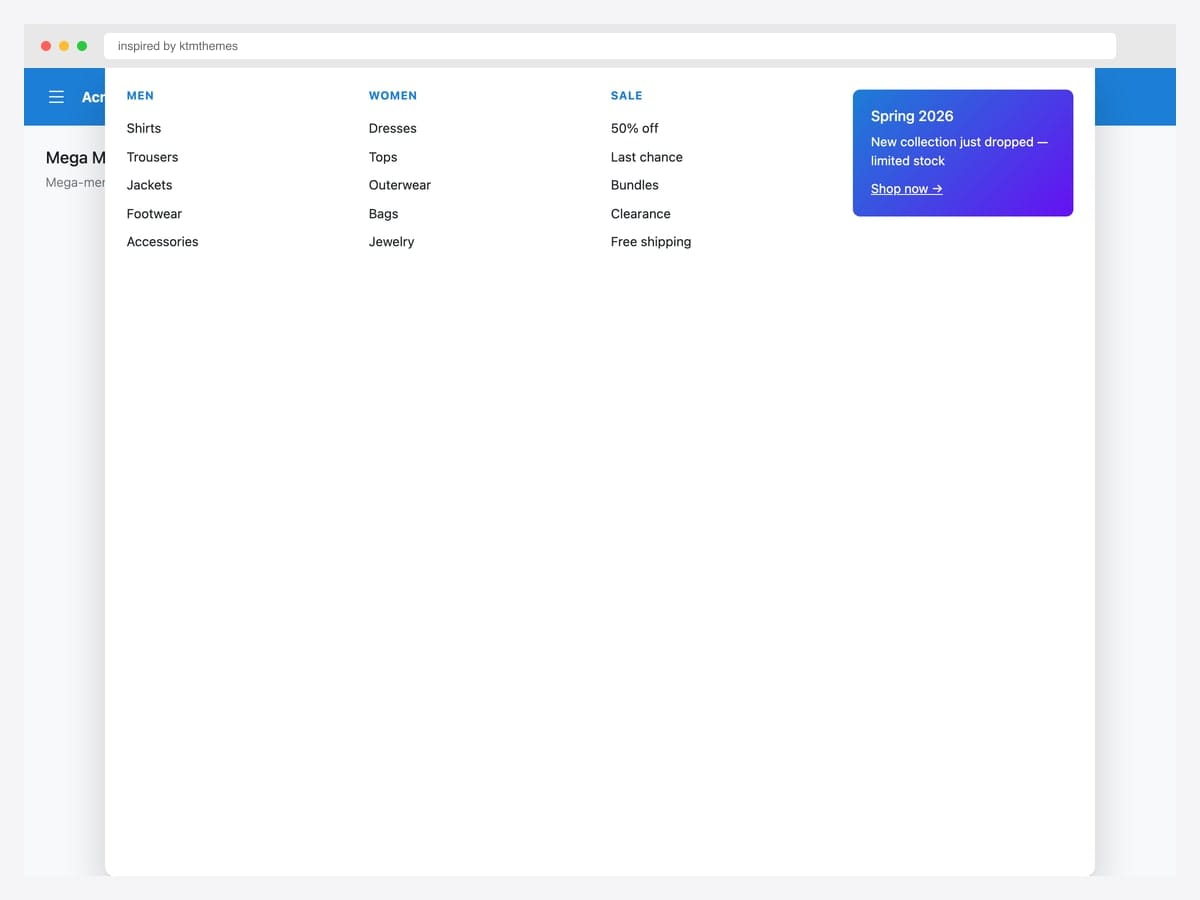
Mega-menu dropdowns inside an offcanvas drawer — multi-column layout (Men, Women, Sale) plus a promo card in the fourth column, the layout most e-commerce sites use for primary navigation. Best fit for retail, marketplaces, and any catalog site whose top-level taxonomy has many sub-categories. Pure Bootstrap 5.3 utility classes (row, col-md-3) inside .offcanvas-top for a full-width slide-down panel. The promo card is a gradient background with white text — swap for a category hero image in production. Position the offcanvas below a fixed navbar via top: 60px custom inline style.
Inspired by: ktmthemes · License: CodePen default (attribution required)
Source & details Original demo
3. Chat Layout with Persistent Drawer
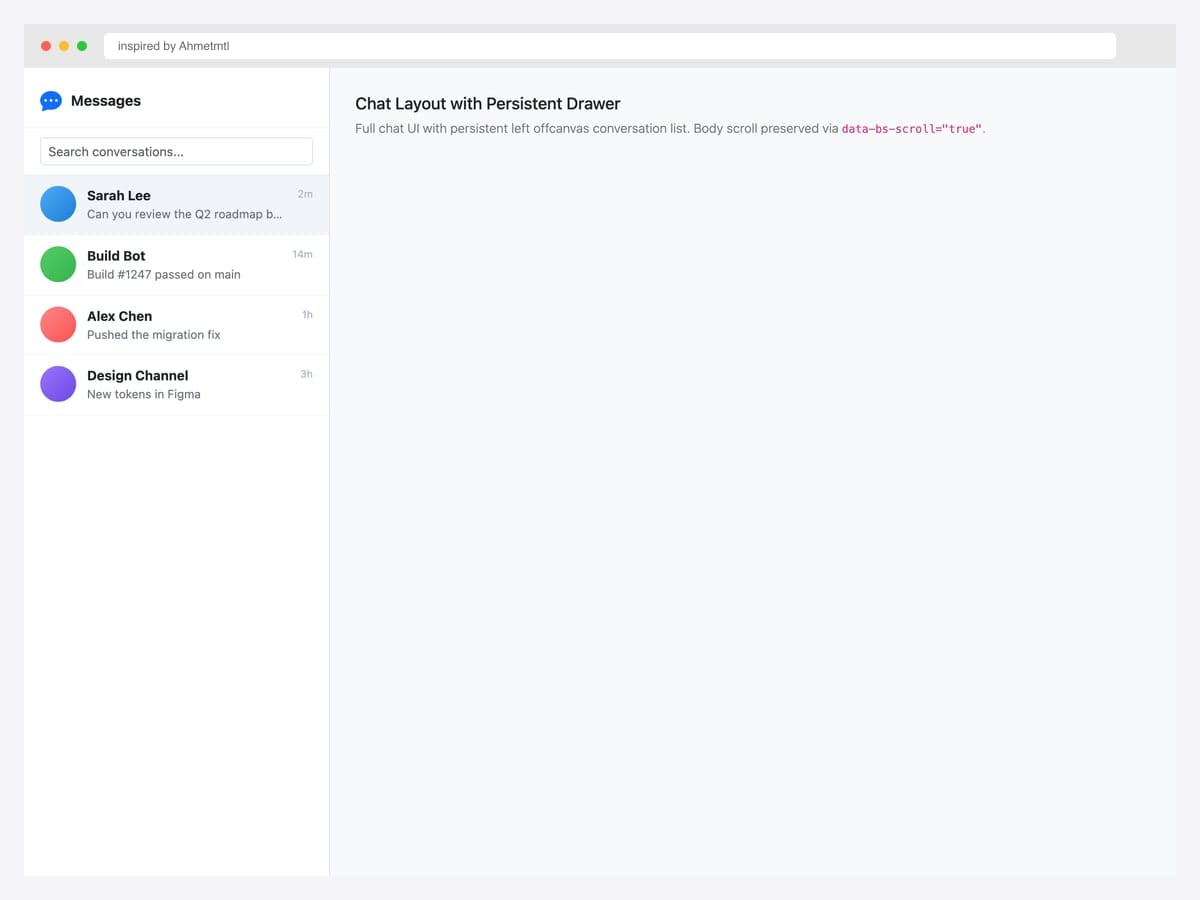
Full chat UI with a persistent left offcanvas conversation list — Messages header, search input, and four conversation rows showing avatars, names, message previews, and timestamps. Best fit for messaging apps, support tools, and any product where the conversation list is a permanent fixture rather than a temporary drawer. Pure Bootstrap 5 markup with a custom data-bs-scroll="true" attribute so the main content area scrolls independently. The active conversation row uses .active with a light blue background for clear selection state.
Inspired by: Ahmetmtl · License: CodePen default (attribution required)
Source & details Original demo
4. Push Effect Offcanvas
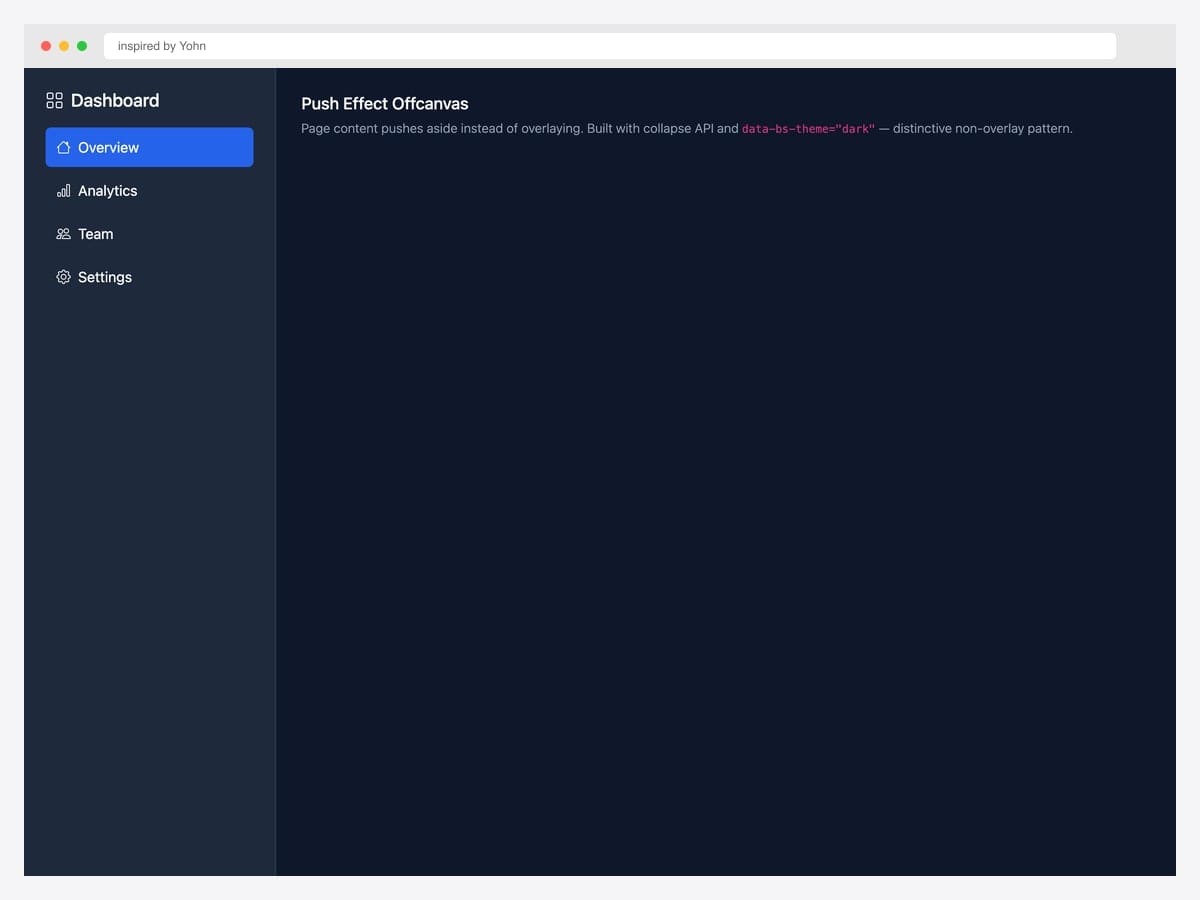
Push effect offcanvas — page content shifts right rather than being overlaid by a backdrop, mimicking the Material Design “permanent drawer” pattern. Best fit for productivity tools (Linear, Notion, Slack) where the sidebar IS the navigation rather than a temporary overlay. Custom CSS layered on top of Bootstrap’s collapse API; uses data-bs-theme="dark" for the dark sidebar variant. The push effect requires the main content area to be a flex sibling of the offcanvas — wrap both in display: flex and the offcanvas’s width pushes the content rather than overlapping it.
Inspired by: Yohn · License: CodePen default (attribution required)
Source & details Original demo
Mobile navigation drawers
5. Mobile Drawer Navigation
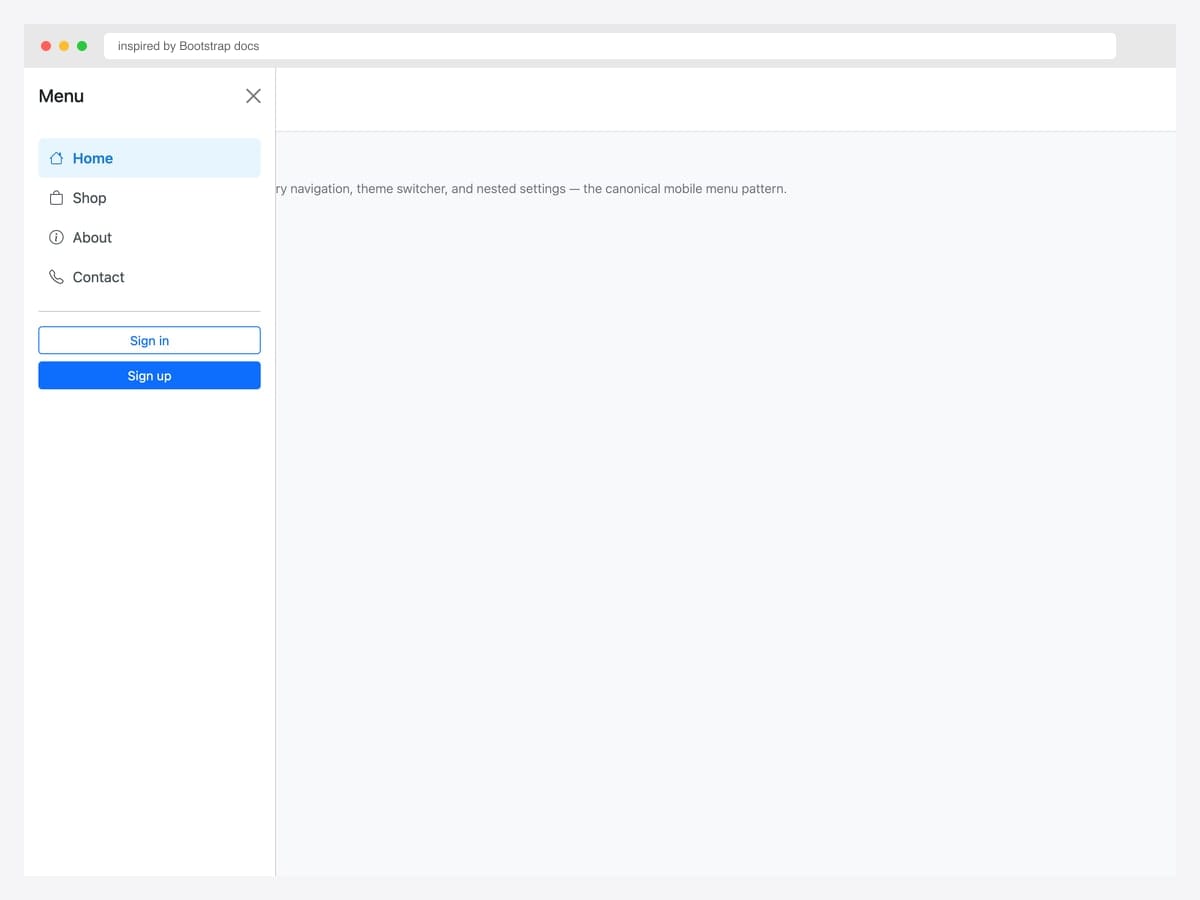
Mobile drawer navigation triggered by a hamburger button — primary nav links with Bootstrap Icons, a theme switcher, and Sign in / Sign up CTAs in the footer. Best fit for content sites, marketing pages, and any site whose mobile menu needs more space than a dropdown allows. Pure Bootstrap 5 markup with .offcanvas-start for left placement. The active nav item uses a light blue background (#e7f5ff) — adjust to match your brand. Pair with a fixed-top navbar via position: fixed; top: 0 on the navbar so the hamburger stays accessible during scroll.
Inspired by: Bootstrap (twbs) · License: MIT
Source & details Original demo
6. Multi-Level Slide Stack
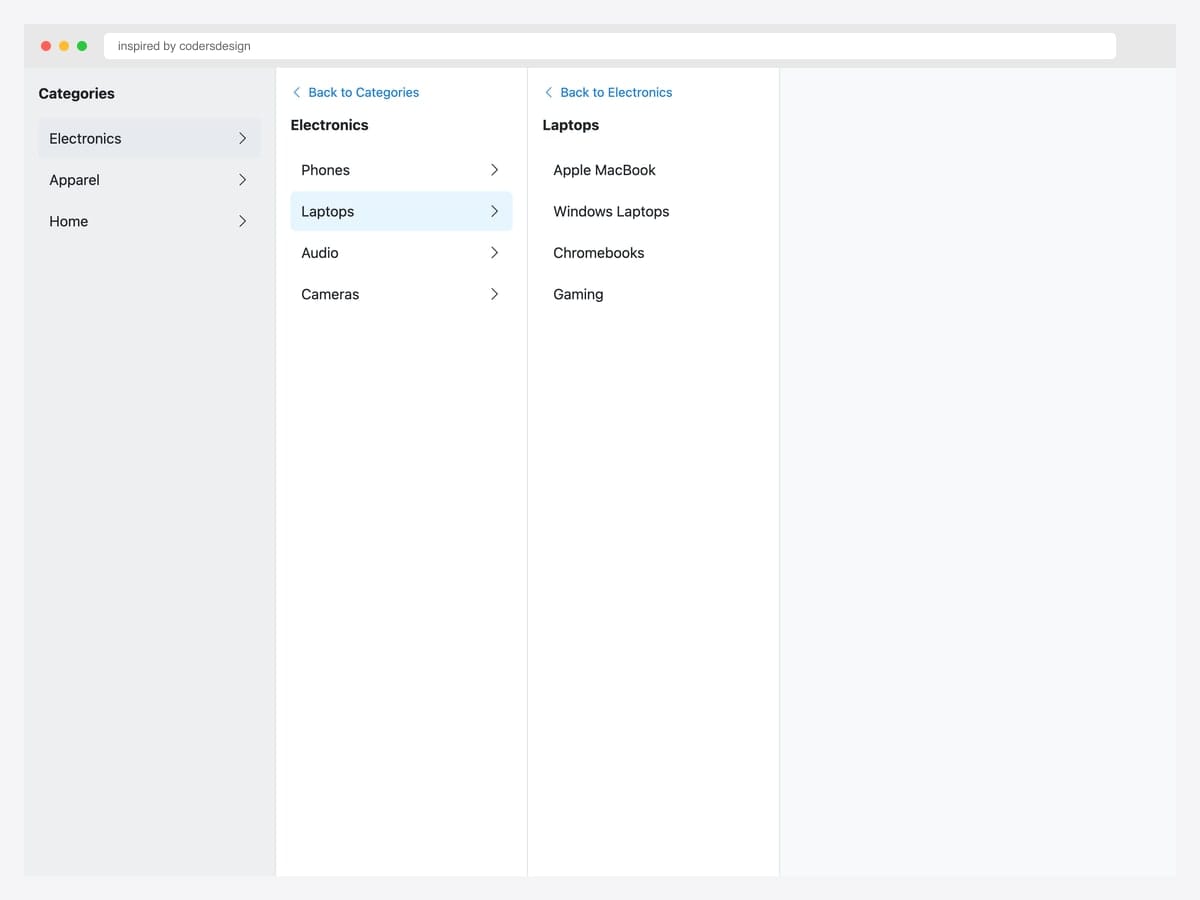
Multi-level slide-stack — three side-by-side panels showing Categories → Electronics → Laptops drill-down navigation with a Back link in each child. Best fit for e-commerce sites with deep category hierarchies (Amazon, eBay, IKEA style). Each panel is a separate offcanvas instance triggered from the previous panel’s links. JavaScript handler listens for show.bs.offcanvas on the child panel to prevent the parent from auto-closing. Add aria-expanded on the active row so screen readers track the drill-down state.
Inspired by: codersdesign · License: CodePen default (attribution required)
Source & details Original demo
7. Nested Accordion Drawer
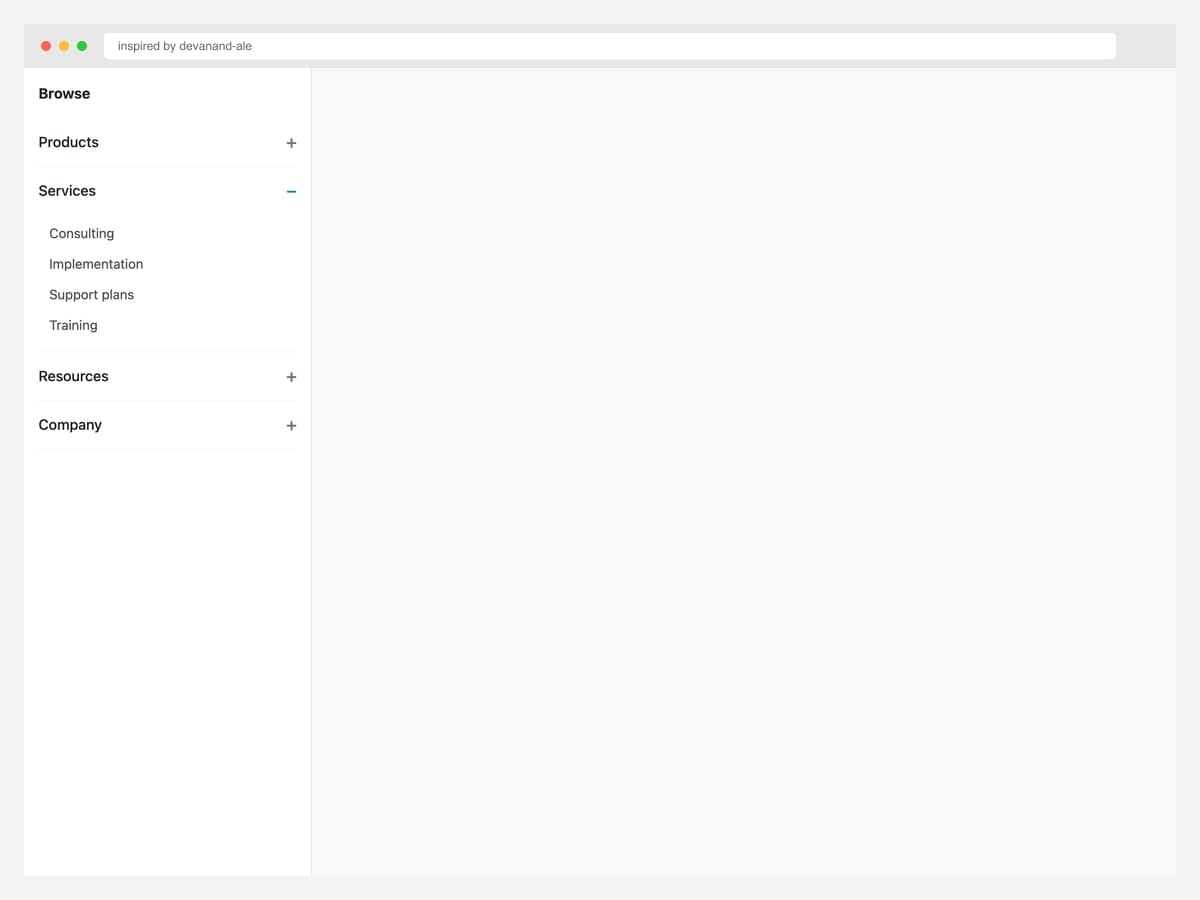
Nested accordion drawer — Browse menu with Products, Services (open showing four items), Resources, and Company sections that expand inline using native <details>/<summary>. Best fit for deep hierarchies that fit within scroll height — documentation sites, B2B SaaS, and any product where the user needs the full taxonomy in one view. Pure HTML; no JavaScript required. The <details> element handles open/close natively with keyboard support out of the box. Custom CSS overrides the default disclosure triangle with a Bootstrap-friendly + / − chevron.
Inspired by: devanand-ale · License: CodePen default (attribution required)
Source & details Original demo
8. Right-Side End Drawer
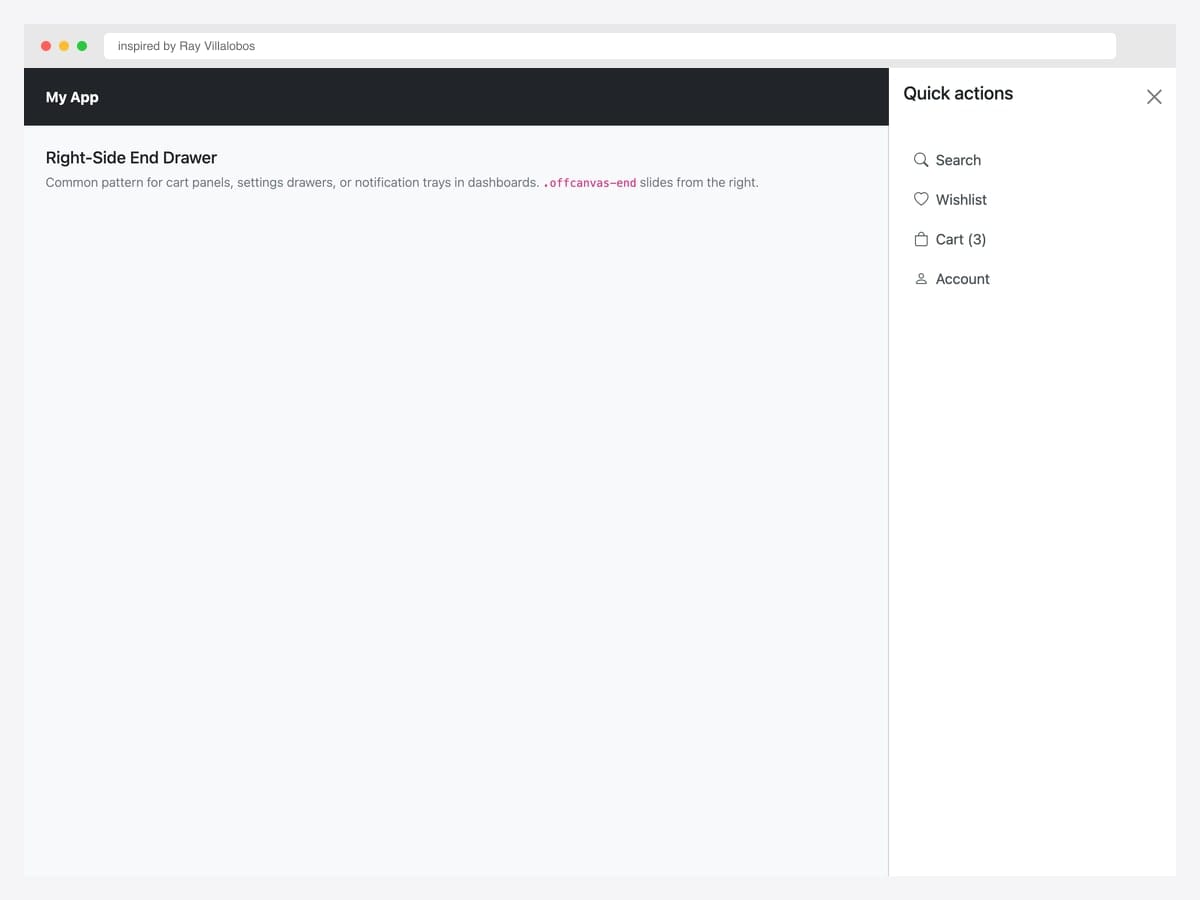
Right-side end drawer with quick actions — Search, Wishlist, Cart, Account — triggered from a dark navbar’s right-side hamburger. Best fit for SaaS dashboards where the user account chrome belongs on the right (Stripe, Shopify, GitHub style). Pure Bootstrap 5 with .offcanvas-end for right placement. The drawer’s nav links use the standard Bootstrap .nav-link class with Bootstrap Icons. For RTL languages, swap .offcanvas-end for .offcanvas-start — Bootstrap respects RTL automatically when dir="rtl" is set on <html>.
Inspired by: Ray Villalobos · License: CodePen default (attribution required)
Source & details Original demo
9. Top Search Overlay
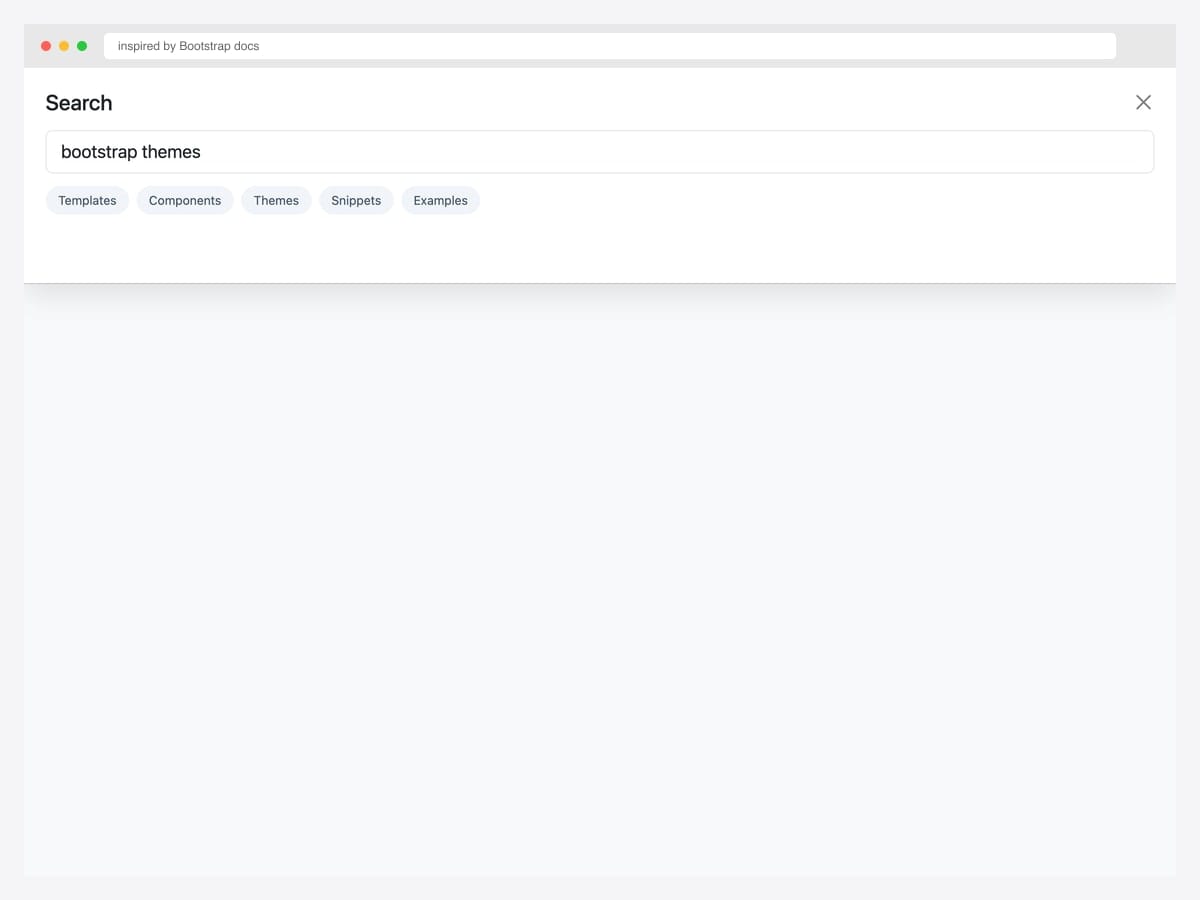
Top search overlay — full-width input plus five suggestion chips slides down from the viewport top via .offcanvas-top. Best fit for search-heavy sites (e-commerce, documentation, marketplaces) where Cmd+K or click-on-search-icon expands a focused search experience. Pure Bootstrap 5 with the .offcanvas-top placement. The chip suggestions use .form-control-lg for the input plus custom pill styles. For instant search, wire the input’s input event to your search-suggestions API (Algolia, Typesense) and update the chips dynamically.
Inspired by: Bootstrap (twbs) · License: MIT
Source & details Original demo
10. Bottom Action Sheet
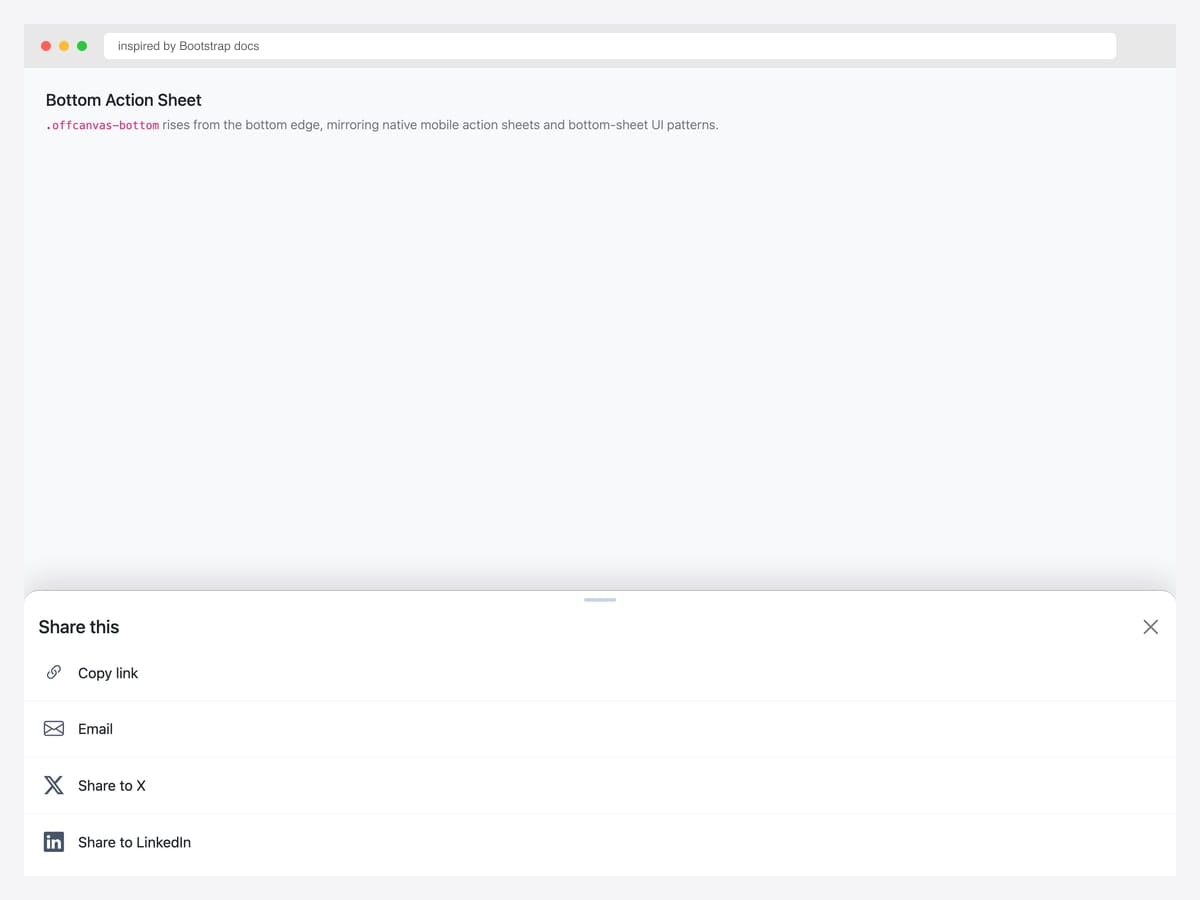
Bottom action sheet — share menu with Copy link, Email, X, LinkedIn options rises from the bottom edge via .offcanvas-bottom, mirroring native mobile share sheets. Best fit for mobile-first apps and any product where share or quick-action menus follow Material Design / iOS conventions. Pure Bootstrap 5 with a custom drag handle (the small pill at top center) for visual cue. Each action row uses border-bottom for separation. On native mobile, integrate with the Web Share API (navigator.share()) for system-level share, falling back to the offcanvas if unsupported.
Inspired by: Bootstrap (twbs) · License: MIT
Source & details Original demo
E-commerce cart & filter drawers
11. Cart Drawer with Line Items
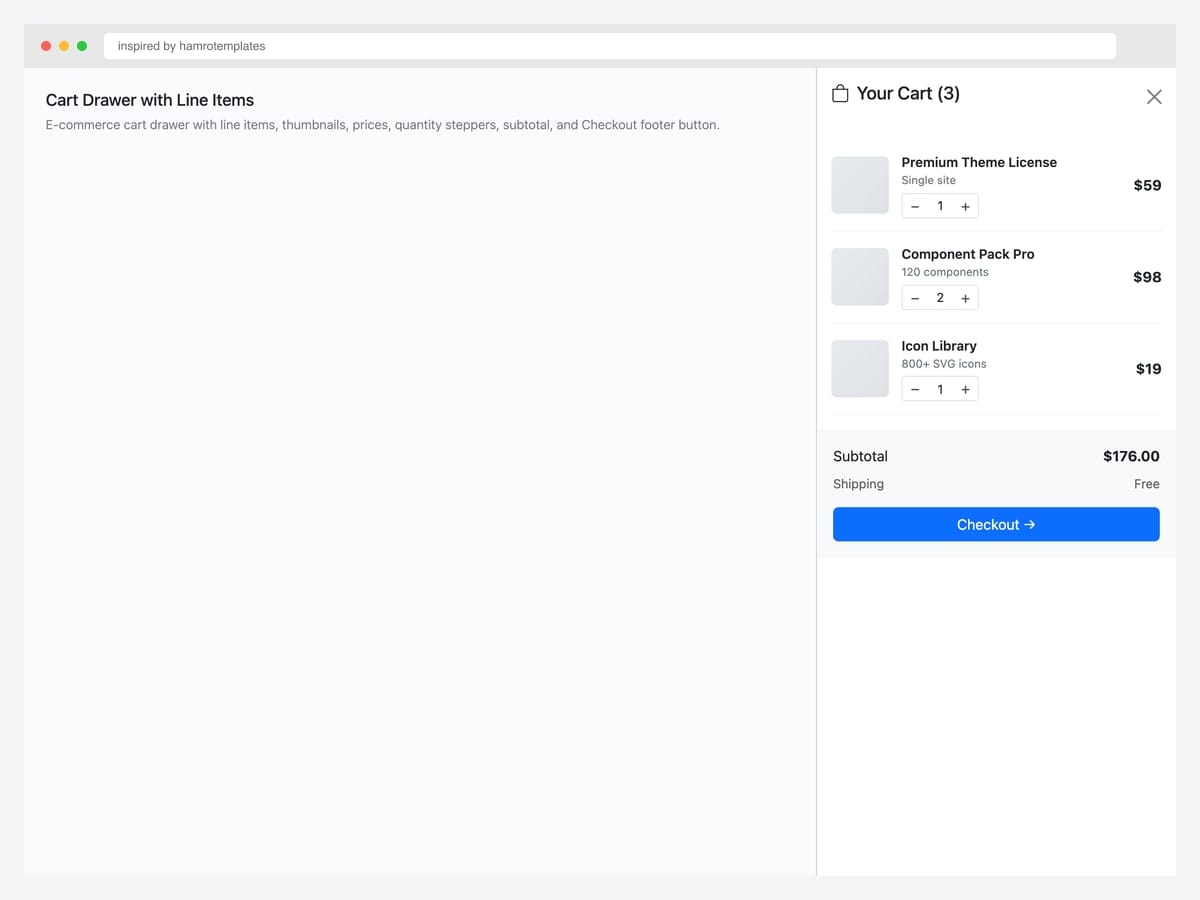
Cart drawer with three line items — Premium Theme License, Component Pack Pro, Icon Library — each with thumbnail, name, qty stepper, and remove control, plus a $176 subtotal and Checkout footer button. Best fit for e-commerce sites where users add items frequently and need to verify cart contents without leaving the current page. Pure Bootstrap 5 markup with .offcanvas-end for right placement. Wire the qty steppers to your cart-update API and re-render the subtotal on each change. Persist cart state via localStorage or your backend so dismissed drawers reopen with the correct items.
Inspired by: hamrotemplates · License: CodePen default (attribution required)
Source & details Original demo
12. Filter Panel with Checkboxes
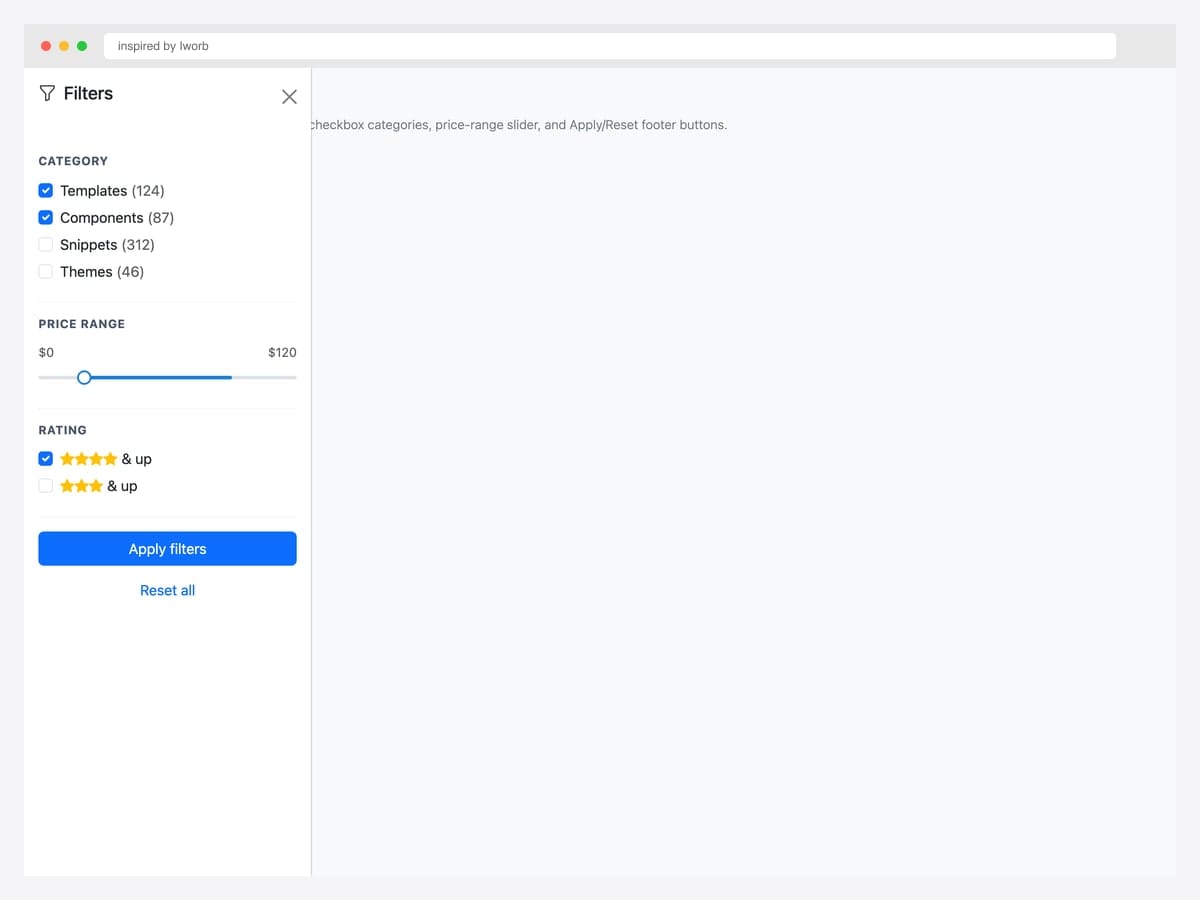
Filter panel with checkboxes — Category, Price Range slider, Rating filter sections with Apply and Reset buttons. Best fit for e-commerce catalogs, search-result pages, and any list interface that needs faceted filtering. Pure Bootstrap 5 form classes (.form-check, .form-range coming in 5.3+) with data-bs-scroll="true" so the filter panel can grow taller than the viewport without locking the page. For SPA implementations, debounce the Apply button or apply filters live as users toggle checkboxes for better UX.
Inspired by: inspired-by-iworb · License: CodePen default (attribution required)
Source & details Original demo
13. Mini-Cart Preview
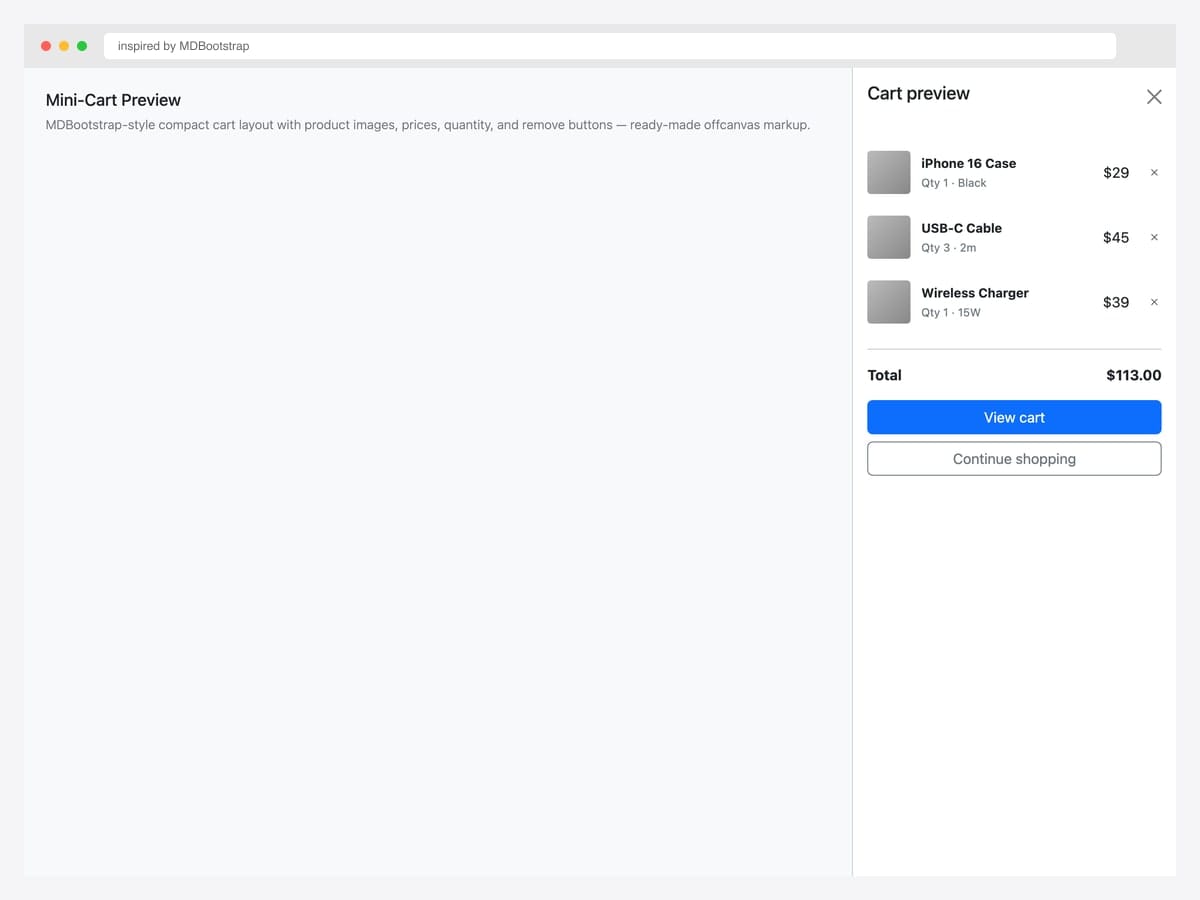
Mini-cart preview with three product line items — iPhone Case, USB-C Cable, Wireless Charger — each with quantity, color/spec subtitle, price, and remove button, plus a $113 total and View cart / Continue shopping buttons. Best fit for compact cart previews triggered after “Add to cart” actions, where users want immediate confirmation without going to the full cart page. Pure Bootstrap 5 markup, MDBootstrap-inspired design. The “Continue shopping” button dismisses the offcanvas; “View cart” navigates to the cart page — clear two-path decision for the user.
Inspired by: MDBootstrap · License: MIT
Source & details Original demo
14. Faceted Search with Range
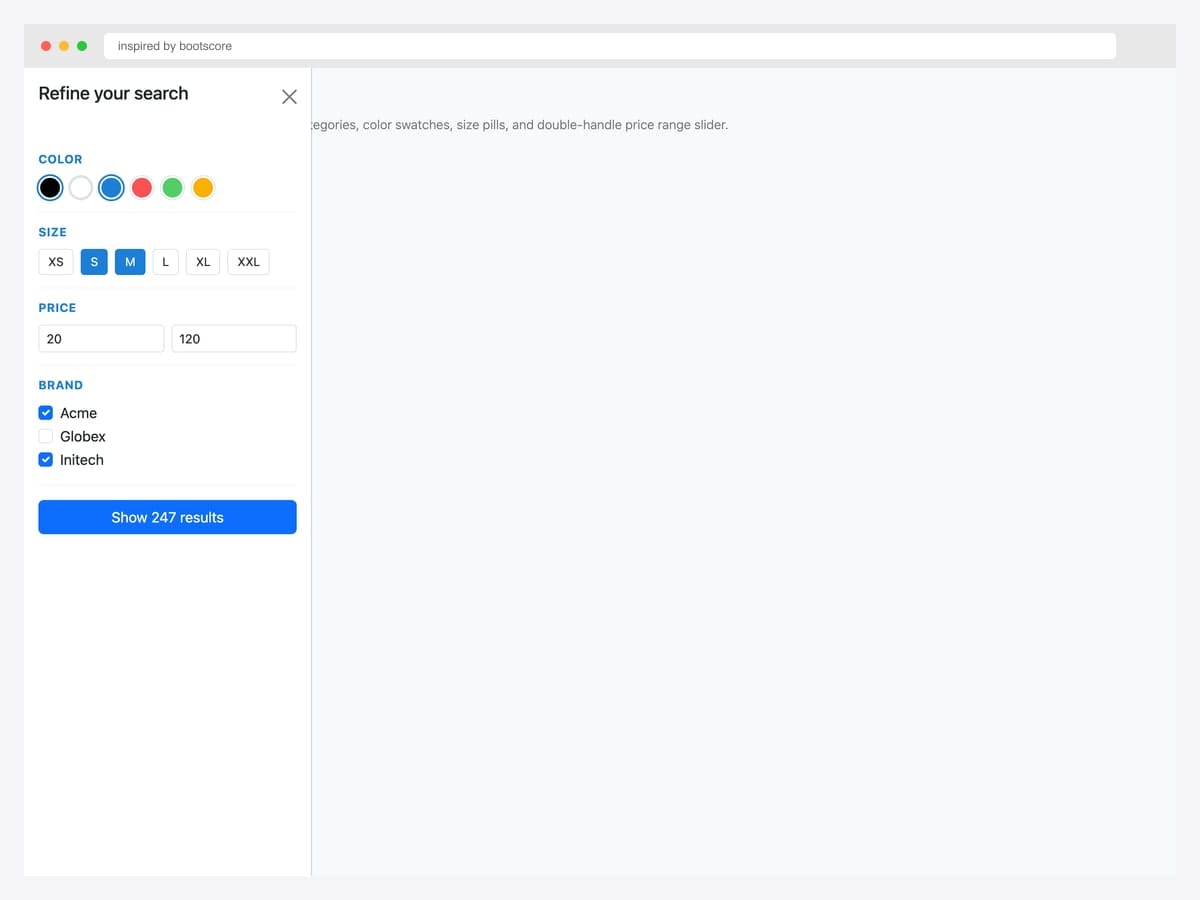
Faceted search with color swatches, size pills, price range inputs, and brand checkboxes — the production e-commerce filter pattern with explicit Show 247 results button. Best fit for fashion, apparel, and any catalog with rich attribute filtering. Pure Bootstrap 5 markup with custom swatch and pill styles. Color swatches use border-radius: 50% with active state via box-shadow ring (avoids the harsh black border most implementations use). Size pills toggle between selected/unselected via active class. Update result count as filters change for tight user feedback.
Inspired by: bootscore · License: MIT
Source & details Original demo
15. Wishlist Drawer
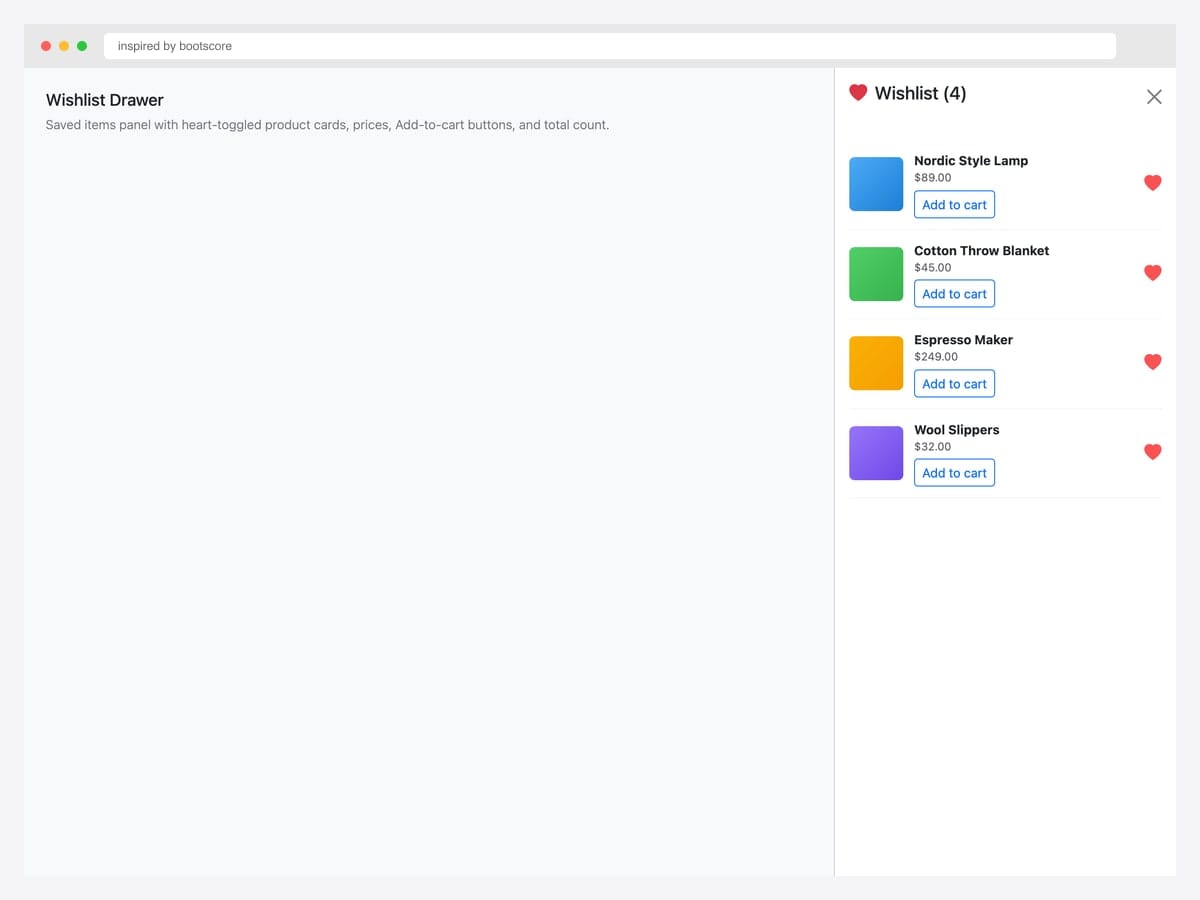
Wishlist drawer with four saved items — heart-toggled product cards showing name, price, and Add-to-cart button for each. Best fit for e-commerce with save-for-later functionality, especially products with longer consideration cycles (furniture, electronics, fashion). Pure Bootstrap 5 markup with custom item layout. Each item’s heart icon uses .text-danger for the saved state; clicking it removes the item from wishlist. For logged-out users, persist via localStorage and sync to account on sign-in.
Inspired by: inspired-by-bootscore · License: MIT
Source & details Original demo
Admin & dashboard panels
16. Admin Sidebar with Avatar
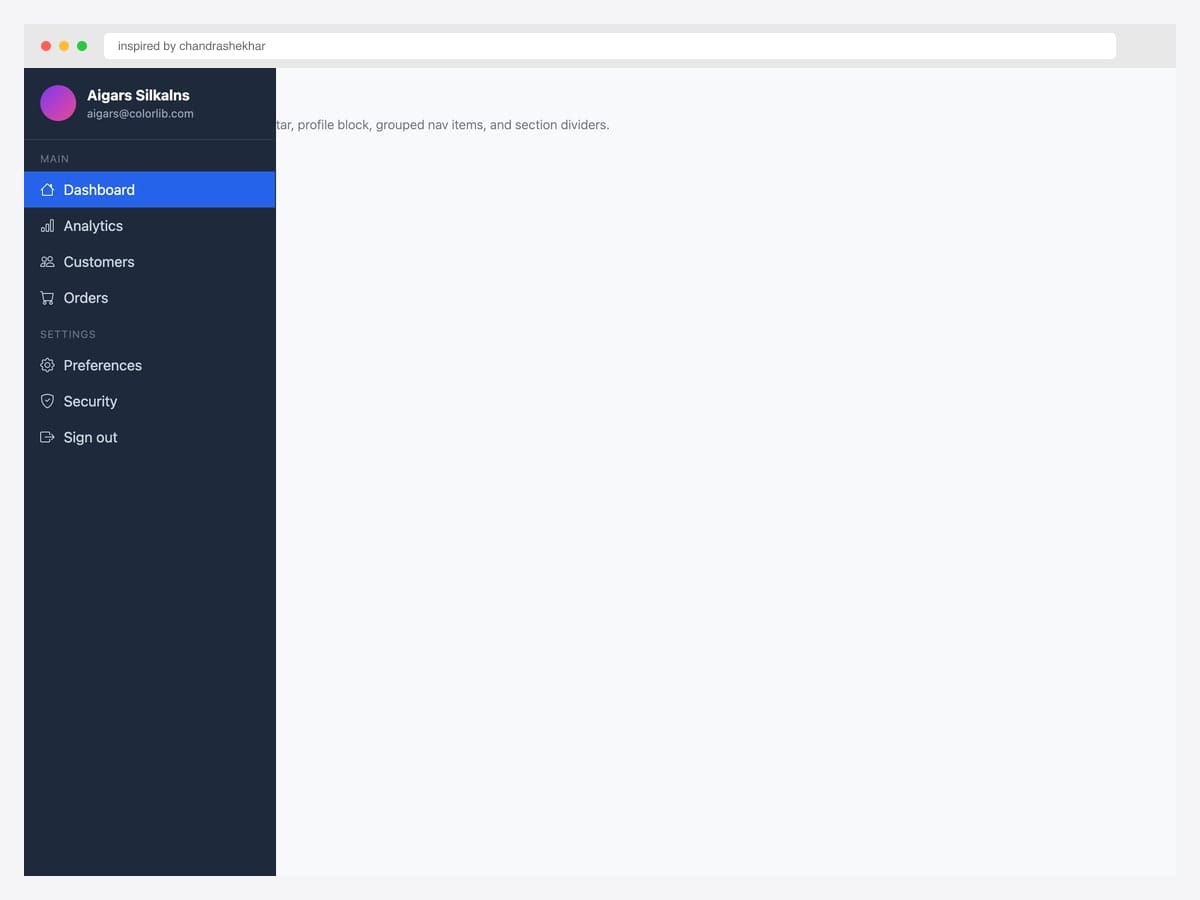
Admin sidebar with avatar — dark drawer with user profile block (avatar, name, email), grouped nav items under Main and Settings section headers, and an active-state highlight on Dashboard. Best fit for admin dashboards, SaaS control panels, and any logged-in product where the sidebar is the navigation backbone. Custom dark theme (#1e293b) layered on Bootstrap’s offcanvas — the active item uses Bootstrap’s primary blue. Section dividers use small uppercase labels for grouping. Pair with a top navbar for breadcrumbs / search / user menu on the right.
Inspired by: chandrashekhar · License: CodePen default (attribution required)
Source & details Original demo
17. Notifications Panel
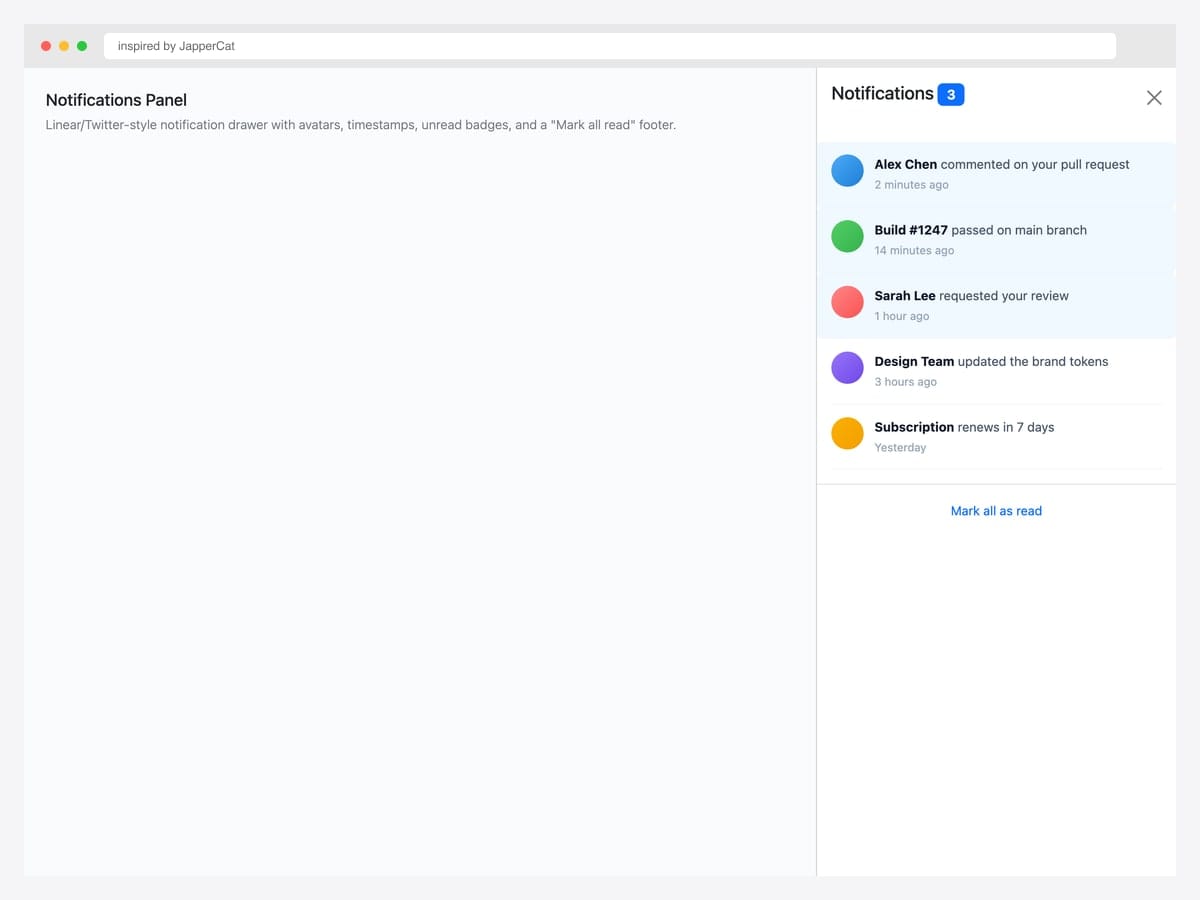
Notifications panel with five recent items — avatars, message previews, timestamps, and an unread highlight for the most recent three. Linear/Twitter-style notification drawer with a Mark all read footer link. Best fit for any logged-in product with async events (comments, PR reviews, build status, mentions). Pure Bootstrap 5 with custom unread-row styling (light blue background) for visual differentiation. Reset the unread count badge on the trigger when the drawer opens (not on individual item clicks) — most products handle this via a single API call to avoid race conditions.
Inspired by: JapperCat · License: CodePen default (attribution required)
Source & details Original demo
18. Settings Drawer with Toggles
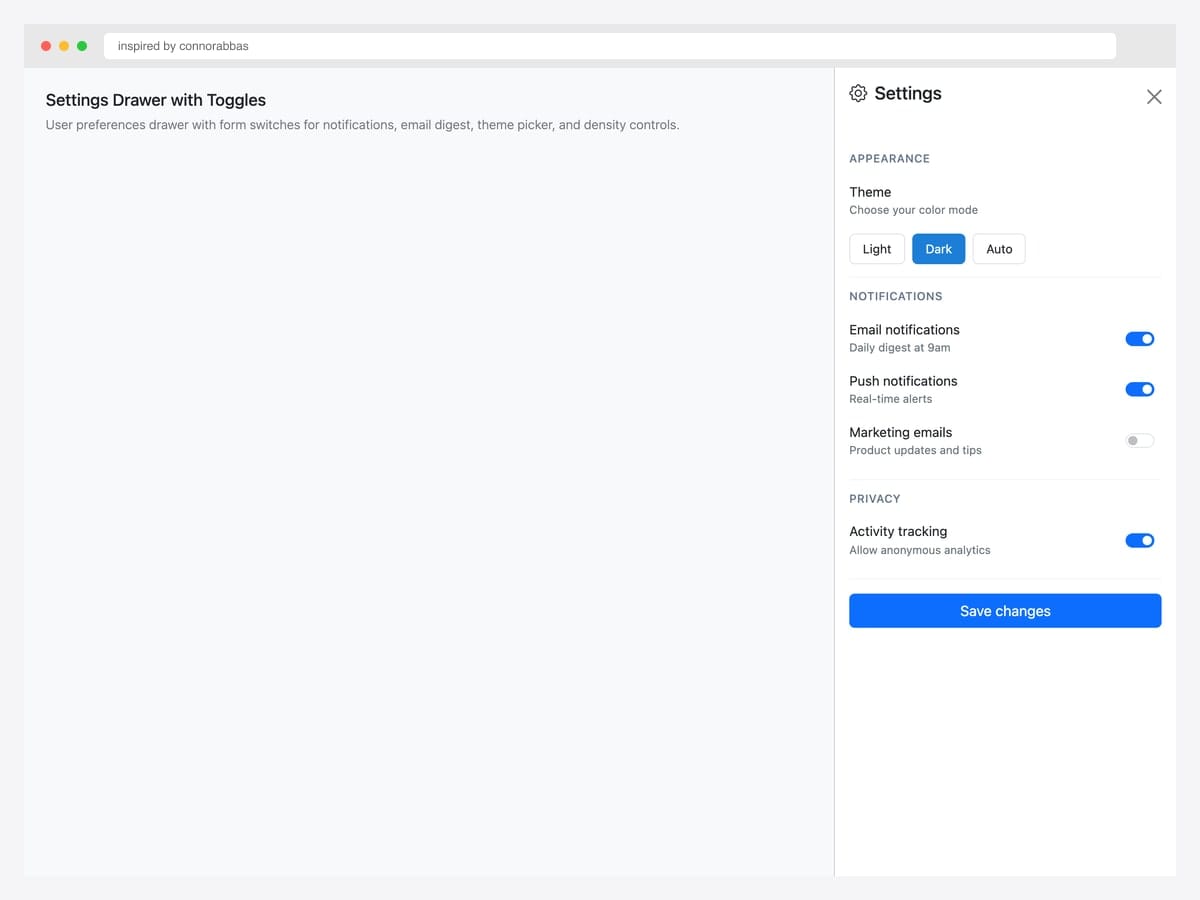
Settings drawer with toggle switches — Appearance theme picker (Light/Dark/Auto), Notifications switches (Email, Push, Marketing), Privacy controls, and a Save changes button. Best fit for any product with user preferences that don’t warrant a dedicated settings page. Pure Bootstrap 5 form classes (.form-check.form-switch) with custom section dividers. The theme picker uses pill buttons rather than radios for a more tactile feel. Each toggle has both a label and a description — the description explains what the toggle actually does, reducing support tickets.
Inspired by: connorabbas · License: CodePen default (attribution required)
Source & details Original demo
19. Responsive Sidebar offcanvas-lg
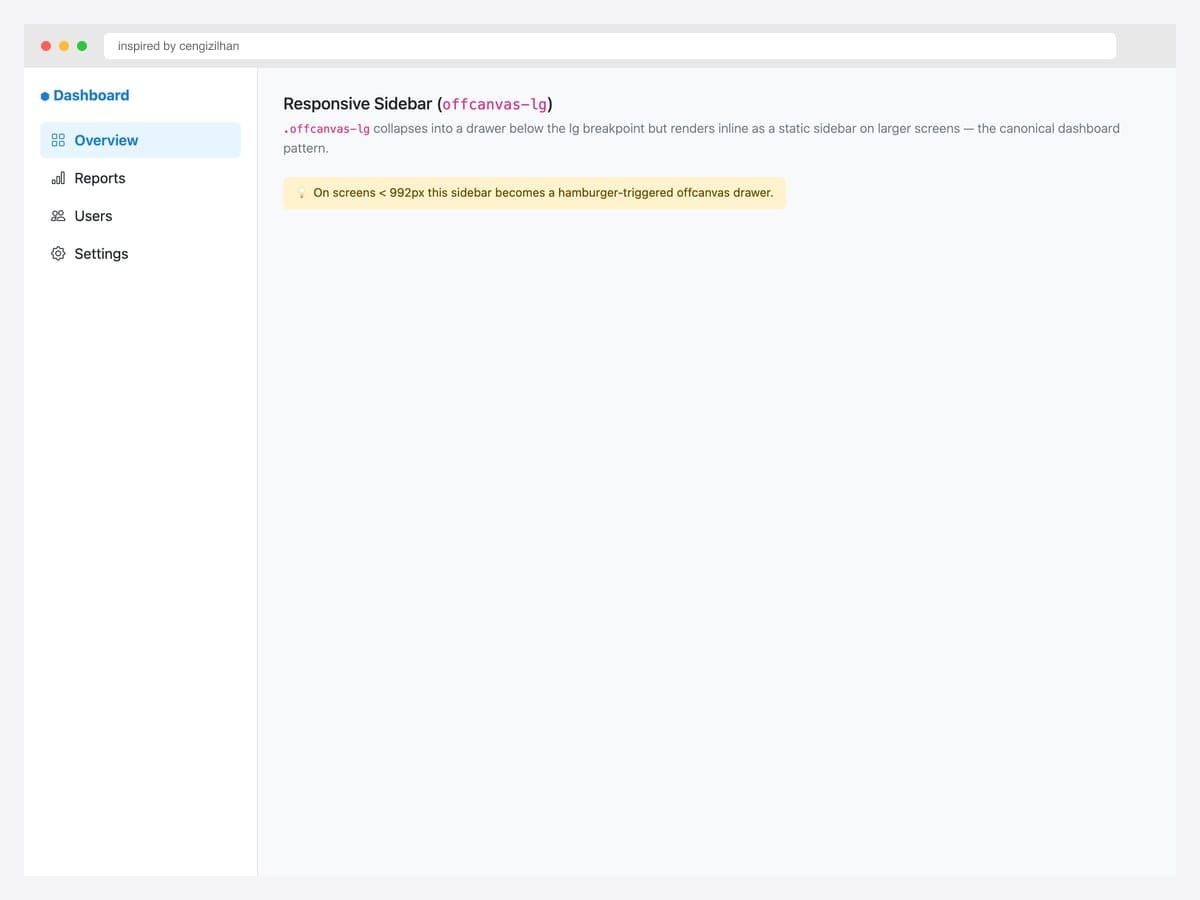
Responsive sidebar via .offcanvas-lg — collapses into a drawer below the lg breakpoint (992px) but renders inline as a static sidebar on larger screens. Best fit for admin dashboards, documentation sites, and any layout where desktop users want a permanent sidebar while mobile users get a hamburger-triggered drawer. Pure Bootstrap 5.3 — the responsive class does the work automatically. No JavaScript media queries required. Pair with display: flex on the body for the desktop layout so the sidebar and main content render side-by-side without overlap.
Inspired by: cengizilhan · License: CodePen default (attribution required)
Source & details Original demo
20. Dark Admin Drawer
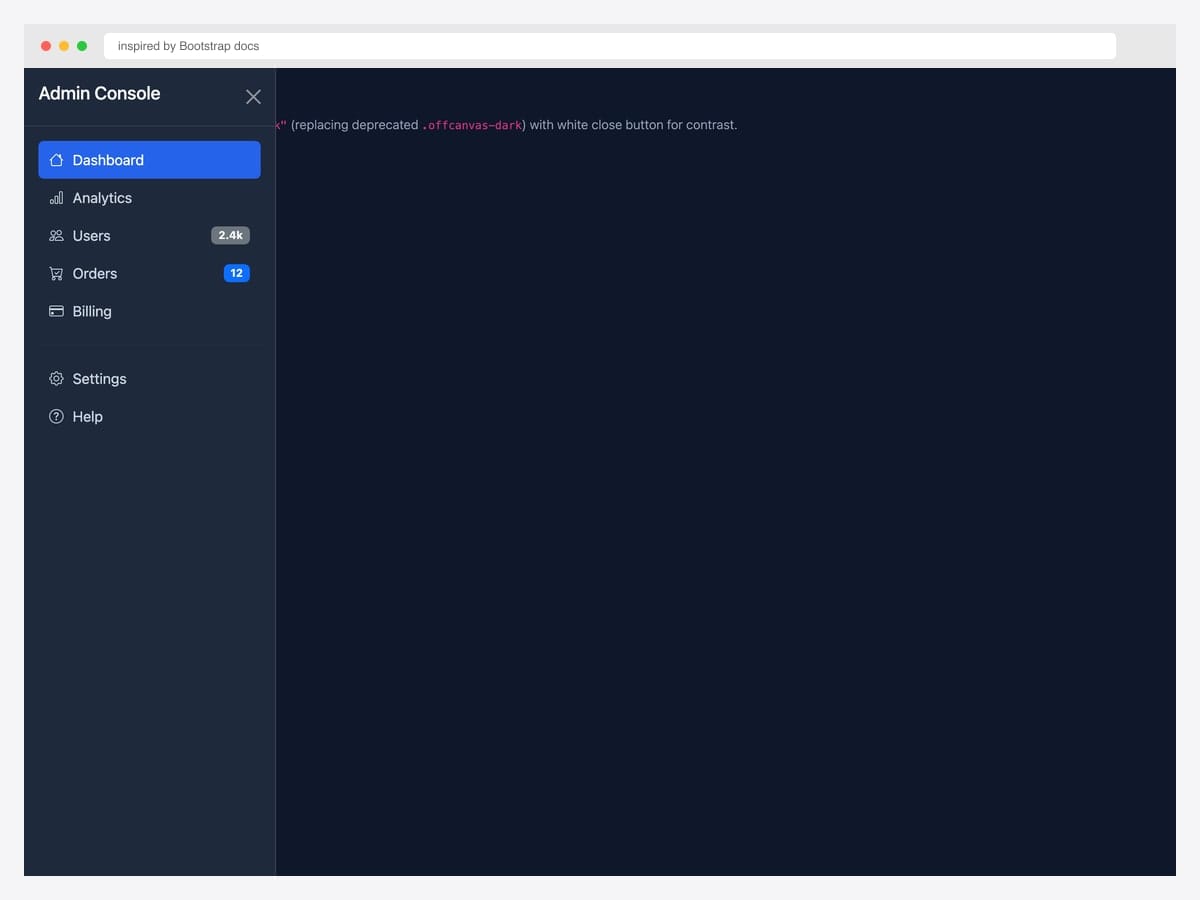
Dark admin drawer with data-bs-theme="dark" — Admin Console with Dashboard (active), Analytics, Users (2.4k badge), Orders (12 badge), Billing, plus Settings and Help. Best fit for products that ship a dark-mode option or admin tools that default to dark themes. Pure Bootstrap 5.3 — the dark theme cascade re-tints every element automatically (background, text, borders, badges). Custom CSS for the navbar hover/active states. Pair the dark drawer with a dark navbar via data-bs-theme="dark" on the body or specific containers.
Inspired by: Bootstrap (twbs) · License: MIT
Source & details Original demo
Simple drop-in patterns
21. Basic Live Reference
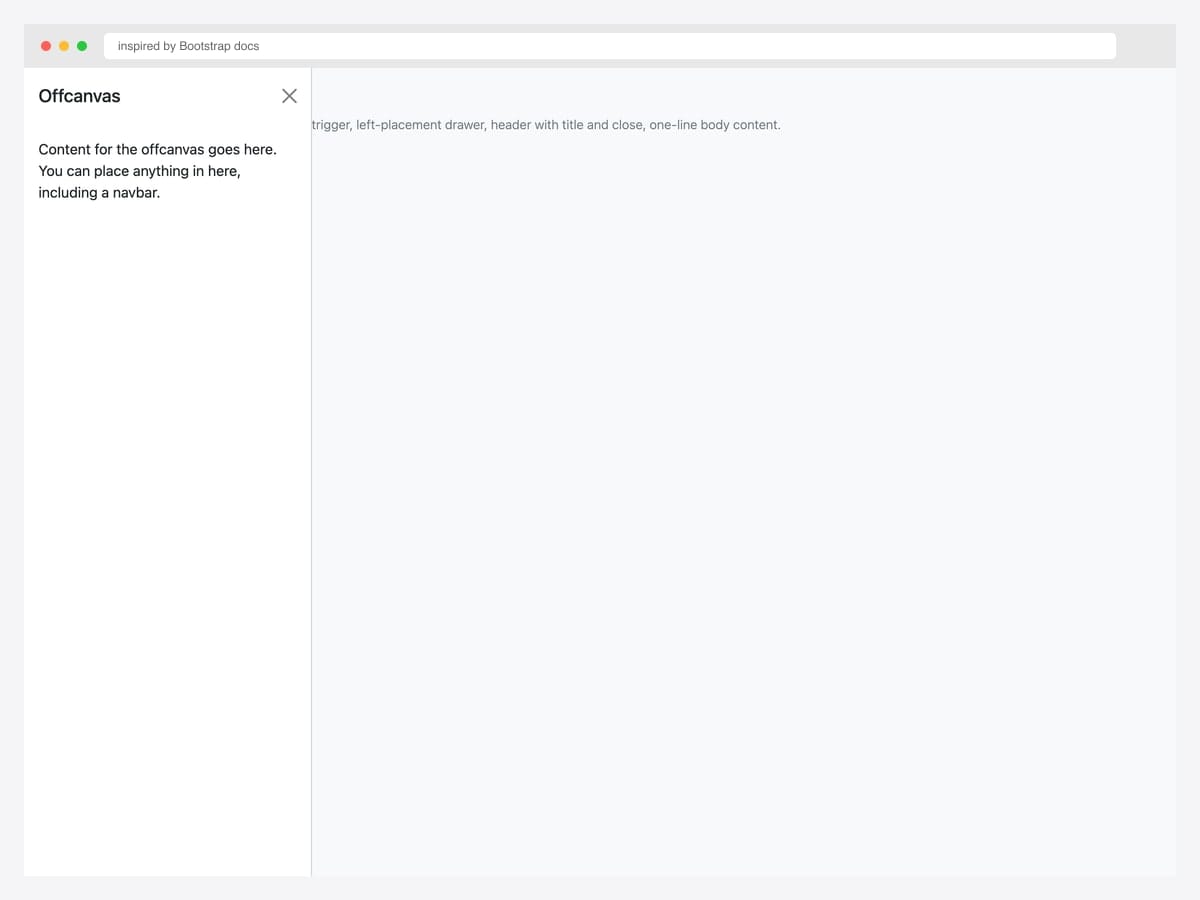
The smallest viable offcanvas — single button trigger, left-placement drawer with title and one-line body content. Best fit as a starting point: copy this markup, change the placement and content, ship it. Pure Bootstrap 5; no custom CSS or extended JavaScript. Initialize via the data-attribute API (data-bs-toggle="offcanvas" + data-bs-target="#id") — no JavaScript required for basic open/close. For programmatic control (open from a different page section, close after form submit), use the JavaScript API: bootstrap.Offcanvas.getOrCreateInstance(el).toggle().
Inspired by: Bootstrap (twbs) · License: MIT
Source & details Original demo
22. Static Backdrop
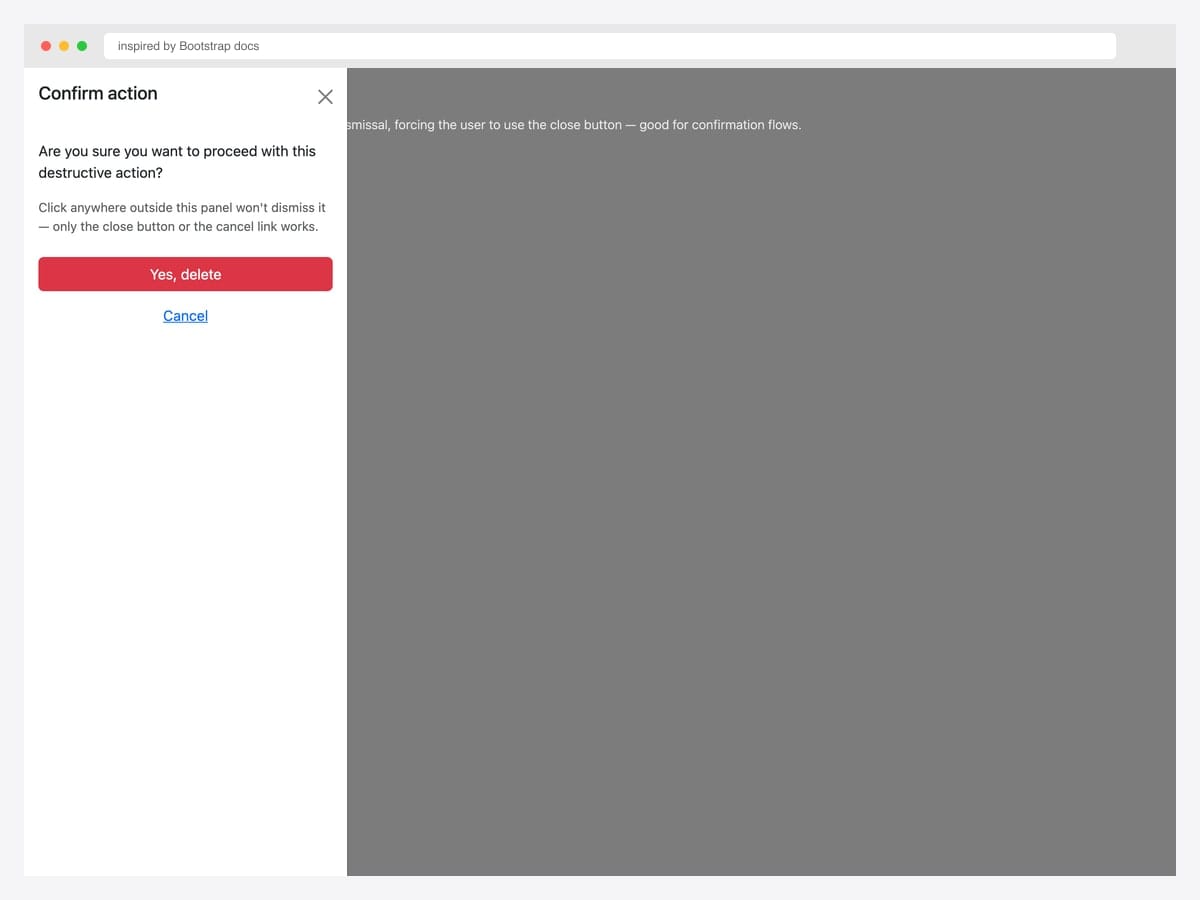
Static backdrop offcanvas — data-bs-backdrop="static" blocks click-outside dismissal, forcing the user to use the close button (or your provided Cancel link). Best fit for confirmation flows, destructive-action prompts, and any drawer where accidental dismissal would cause data loss. Pure Bootstrap 5 with one extra data attribute. The backdrop is still visible but doesn’t respond to clicks. Pair with a clear Cancel action inside the drawer so users always have a non-button escape route.
Inspired by: Bootstrap (twbs) · License: MIT
Source & details Original demo
23. Body Scroll Preserved
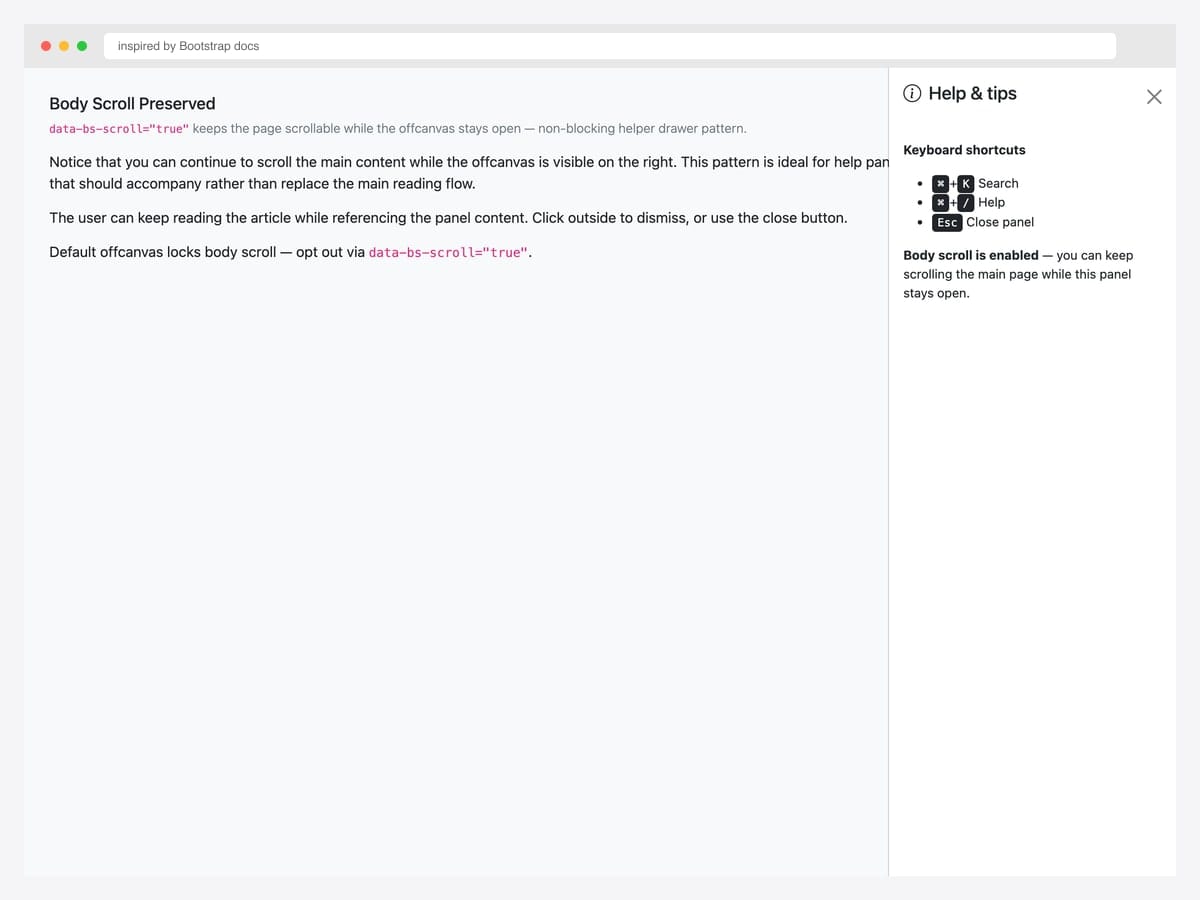
Body scroll preserved via data-bs-scroll="true" — the page remains scrollable while the offcanvas stays open. Best fit for help panels, table of contents, and any drawer that should accompany rather than replace the main reading flow. Pure Bootstrap 5; the data attribute opts out of the default scroll-lock behavior. Pair with data-bs-backdrop="false" for fully non-blocking interaction (see #24). For long content inside the offcanvas, the offcanvas itself scrolls independently — no extra config needed.
Inspired by: Bootstrap (twbs) · License: MIT
Source & details Original demo
24. Backdrop Disabled (non-blocking)
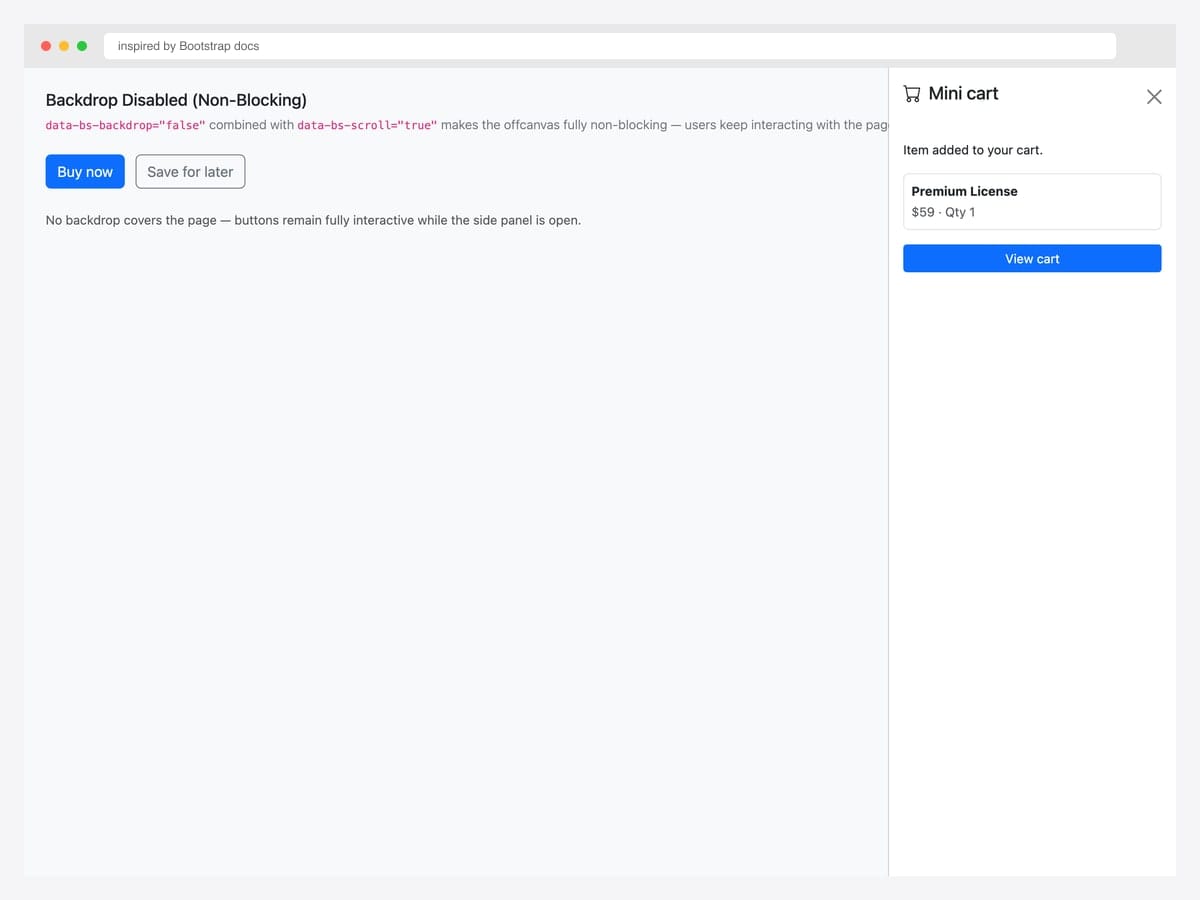
Backdrop disabled (data-bs-backdrop="false") combined with data-bs-scroll="true" makes the offcanvas fully non-blocking — no overlay covers the page, all buttons remain interactive. Best fit for mini-cart previews after “Add to cart”, help tips that point at specific UI elements, and any drawer that should accompany the user’s primary task rather than interrupt it. Pure Bootstrap 5 with two data attributes. The drawer feels more like a side panel than a modal — users naturally dismiss it by clicking elsewhere or pressing the close button without feeling blocked.
Inspired by: Bootstrap (twbs) · License: MIT
Source & details Original demo
25. Animated Transitions
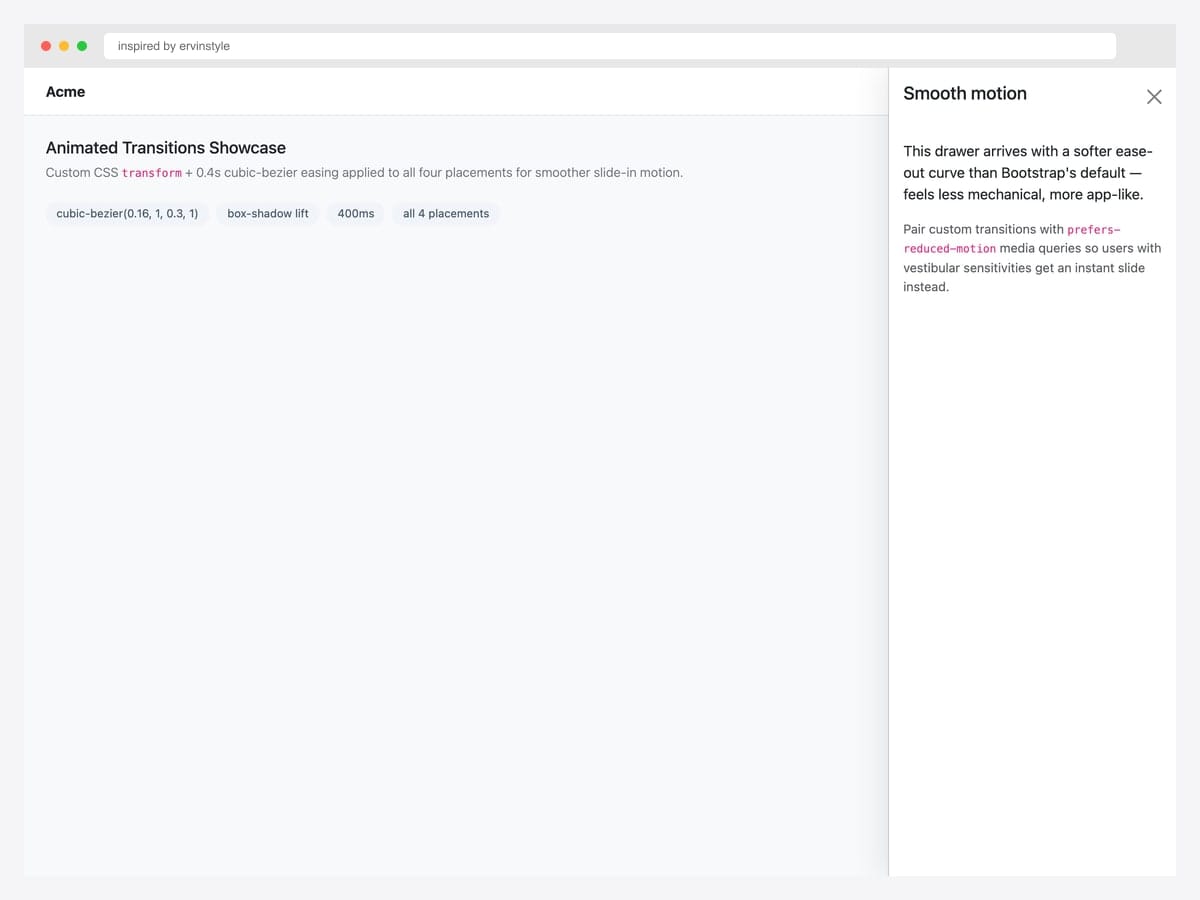
Custom CSS transform + 0.4s cubic-bezier easing applied to all four placements for smoother slide-in motion than Bootstrap’s default 0.3s ease. Best fit for premium product UIs (Linear, Vercel, Stripe) where motion polish signals quality. Pure CSS layered on top of Bootstrap’s offcanvas — override the .offcanvas transition rule with your own easing curve. Respect prefers-reduced-motion: reduce by adding a media query that disables custom transitions for accessibility — vestibular sensitivities can be triggered by sliding motion.
Inspired by: ervinstyle · License: CodePen default (attribution required)
Source & details Original demo
Advanced Bootstrap offcanvas patterns
Three patterns the listicle items above hint at but rarely demo in isolation. Each solves a specific production problem.
Pattern 1 — Multi-level slide-stack. When the menu has deep hierarchy (ecommerce categories, multi-tenant admin), don’t squash everything into one panel. Stack offcanvas panels that slide further as the user drills down. Each level is a separate offcanvas instance triggered from the previous one’s links:
const parent = bootstrap.Offcanvas.getInstance(document.getElementById('parent'));
document.getElementById('child').addEventListener('show.bs.offcanvas', () => {
  document.getElementById('parent').classList.add('offcanvas-stacked');
});
Pattern 2 — Offcanvas with body scroll preserved. Default offcanvas locks page scroll while open. For long content (cart with many items, filter panel on catalog), preserve body scroll so users can reference the underlying page:
<div class="offcanvas offcanvas-end"
     data-bs-scroll="true"
     data-bs-backdrop="false"
     tabindex="-1"
     id="filterPanel">
  <!-- ... -->
</div>
Pattern 3 — Offcanvas → modal escalation. Pattern for cart drawers: offcanvas for the summary, modal for full checkout. Hide the offcanvas programmatically when the modal opens, then re-show on modal close:
const cartOC = bootstrap.Offcanvas.getInstance(document.getElementById('cartDrawer'));
const checkoutModal = bootstrap.Modal.getOrCreateInstance(document.getElementById('checkoutModal'));

document.getElementById('startCheckoutBtn').addEventListener('click', () => {
  cartOC.hide();
  checkoutModal.show();
});

document.getElementById('checkoutModal').addEventListener('hide.bs.modal', () => {
  cartOC.show();
});
Offcanvas vs Modal vs Sidebar — when to use which
| Offcanvas | Modal | Sidebar (layout) | |
|---|---|---|---|
| Component type | BS5 native component | BS4/BS5 native component | Layout pattern (custom CSS) |
| Default state | Hidden until triggered | Hidden until triggered | Always visible |
| Position | Slides from edge (start/end/top/bottom) | Centered overlay | Fixed left/right column |
| Blocks page interaction | Yes (default) — configurable | Yes — always | No |
| Best for | Mobile menus, filters, cart drawers | Confirmations, forms, focused tasks | Persistent navigation, admin UIs |
| Mobile-friendly | Yes — primary use case | Yes — but cramped on small screens | Usually collapses into hamburger |
When to choose what: Reach for modal when you need user attention focused on a single short task. Reach for offcanvas when you need supplementary navigation or filtering that maintains the page context underneath. Reach for sidebar layout when navigation is the primary spatial structure (admin dashboards, docs sites).
Frequently asked questions
Is Bootstrap offcanvas available in Bootstrap 4?
No — offcanvas is a Bootstrap 5 native component, introduced in version 5.0 (October 2021). Bootstrap 4 has no equivalent built-in component. Developers using Bootstrap 4 typically built custom slide-out menus with position: fixed, transform: translateX(), and jQuery. If you’re migrating from Bootstrap 4 to 5, replacing those custom solutions with the native offcanvas component is recommended. If you have to stay on Bootstrap 4, the Colorlib drawers in this list don’t use Bootstrap’s JavaScript, so they work inside a Bootstrap 4 project as well.
How do I open a Bootstrap offcanvas with JavaScript?
Use the JavaScript API: const oc = new bootstrap.Offcanvas(document.getElementById('myOffcanvas')), then call oc.show(). You can also use bootstrap.Offcanvas.getOrCreateInstance(element).toggle() to toggle visibility. The data-attribute API (data-bs-toggle="offcanvas") works for most cases and requires no JavaScript.
Can I have multiple offcanvas panels open at once?
By default, no — Bootstrap closes any open offcanvas when a new one opens. You can override this by listening to the show.bs.offcanvas event and preventing the default close behavior on the parent panel. This is useful for multi-level navigation drawers. See the “Multi-level slide-stack” advanced pattern above for the full code.
How do I make the offcanvas slide from the right instead of the left?
Use the offcanvas-end modifier class instead of offcanvas-start. Bootstrap 5 also supports offcanvas-top (slides down from the top) and offcanvas-bottom (slides up from the bottom). The default direction is offcanvas-start, which respects RTL layouts automatically.
Is Bootstrap offcanvas accessible (WCAG compliant)?
Yes — when implemented with the documented markup, Bootstrap offcanvas includes ARIA labels, focus trapping while open, focus return on close, and keyboard Escape-to-close. You must include tabindex="-1" on the offcanvas element and aria-labelledby pointing to the offcanvas title for screen readers to announce it correctly.
Why does my page still scroll when the offcanvas is open?
Bootstrap 5 locks body scroll by default when an offcanvas opens. If your page is still scrolling, check whether you’ve set data-bs-scroll="true" on the offcanvas element — that attribute explicitly enables body scroll. Also check that no parent element has overflow: hidden that would interfere with Bootstrap’s scroll-lock logic.
Are these Bootstrap offcanvas examples free for commercial use?
Yes, under the licence noted with each example. The Colorlib snippets in this list are free under CC BY 3.0: use them in personal and commercial projects and keep the credit link. The curated examples show their own licence under each one (such as MIT, Apache 2.0, MDB Free or CodePen’s default); follow the link to the original to confirm the terms before you ship.
Final thoughts
Bootstrap 5’s offcanvas component fills the gap that Bootstrap 4 left for slide-in panels. The patterns above show the spectrum: from canonical docs references to feature-rich cart drawers, from chat layouts to faceted search panels. The picks worth committing to memory: the official live demo (#1) as your baseline, the cart drawer with line items (#11) for any e-commerce flow, the admin sidebar with avatar (#16) for logged-in dashboards, the responsive offcanvas-lg pattern (#19) for dashboards that need a permanent desktop sidebar, and Bootstrap 5.3’s dark-mode cascade (#20) for any product that supports theme switching.
For dependency-free drawers, start with Offcanvas V02 for a cart with live totals, Offcanvas V04 for catalog filters, Offcanvas V03 for a mobile bottom sheet and Offcanvas V10 for a collapsible dashboard rail.
If you’re building a complete admin UI, pair offcanvas with our Bootstrap sidebar templates for the permanent-sidebar half. For mobile menus and hamburger triggers, see our Bootstrap navbar examples.
Related collections: Bootstrap navbar examples · Bootstrap sidebar templates · Bootstrap modal templates · Bootstrap dropdown menus · Free website menu templates · Bootstrap snippet library

Related Posts


Comments (0)