
10 Free HTML Survey Form Templates 2026 (Bootstrap-Ready)
A survey only works if people finish it. These 10 free survey form templates are ones we designed and built at Colorlib in 2026, each around a different kind of question: a satisfaction survey with stars and a 0 to 10 score, an NPS question whose follow-up changes with the score, a multi-page survey with a review step, a rating matrix, a Likert pulse survey, an instant poll, a Typeform-style conversational survey and an exit-intent feedback card.
All are plain HTML, CSS and vanilla JavaScript with no jQuery, no Bootstrap file and no plugin. Star ratings and scales are real radio groups, so they work with a keyboard and a screen reader, and each template looks the same on its own or inside a Bootstrap 4, 5 or 6 project.
Free HTML Survey Form Templates
Every survey below works in its demo: ratings, scales and steps respond, validation explains what is missing, and a thank-you state appears on submit. Each is a free download.
Survey Form V01: Customer satisfaction survey with star rating, NPS scale and comments
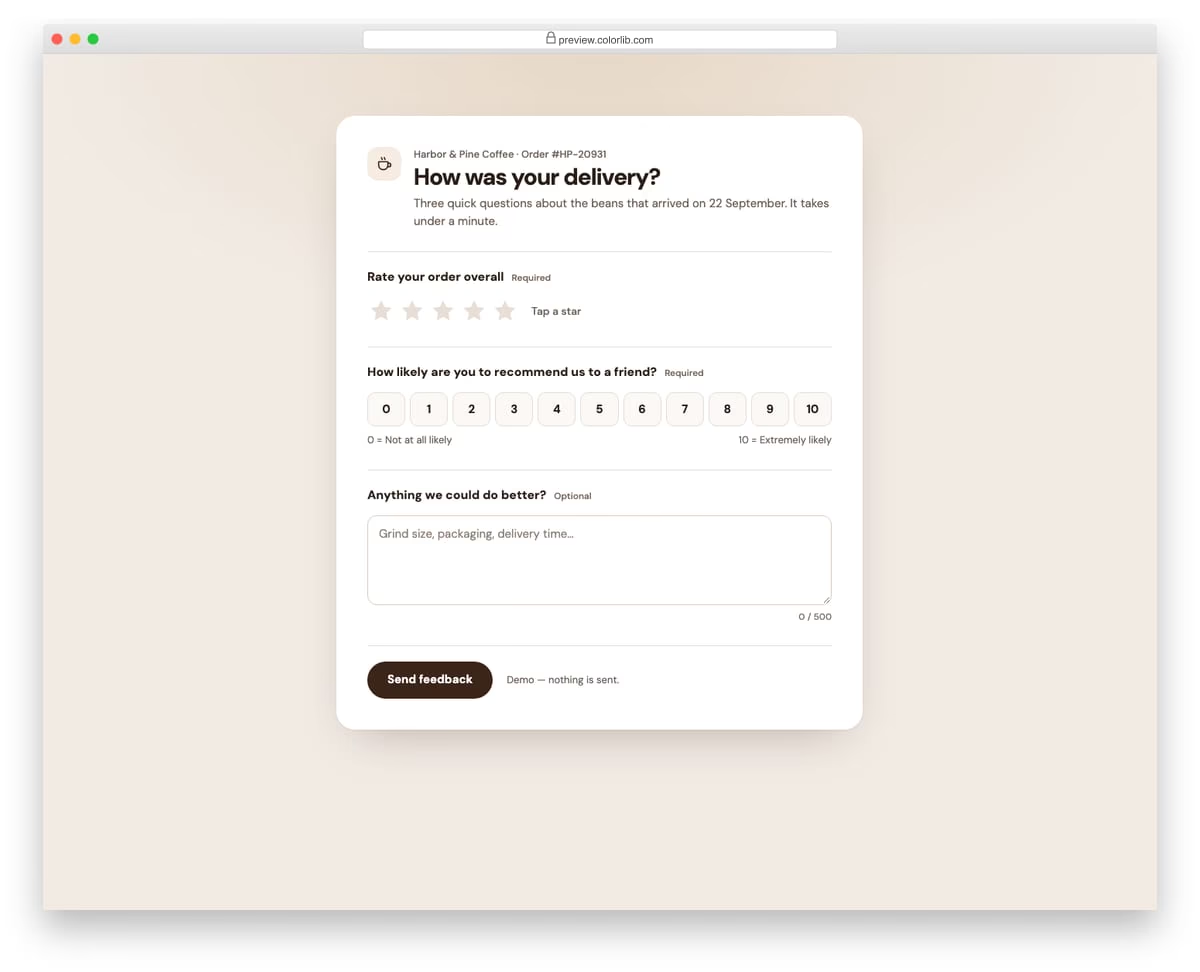
A post-delivery satisfaction survey for a coffee roaster. It asks for a 1 to 5 star rating built from a native radio group, a 0 to 10 likelihood-to-recommend scale and optional comments with a character counter. Submitting shows a thank-you state with a discount code in place of the form.
Best for: order follow-up emails, post-purchase pages and customer feedback flows. Plain HTML and CSS with a few lines of vanilla JavaScript, a 284 KB download, and it works on its own or inside a Bootstrap 4, 5 or 6 project.
Survey Form V02: Single-question NPS survey with a follow-up that changes by score
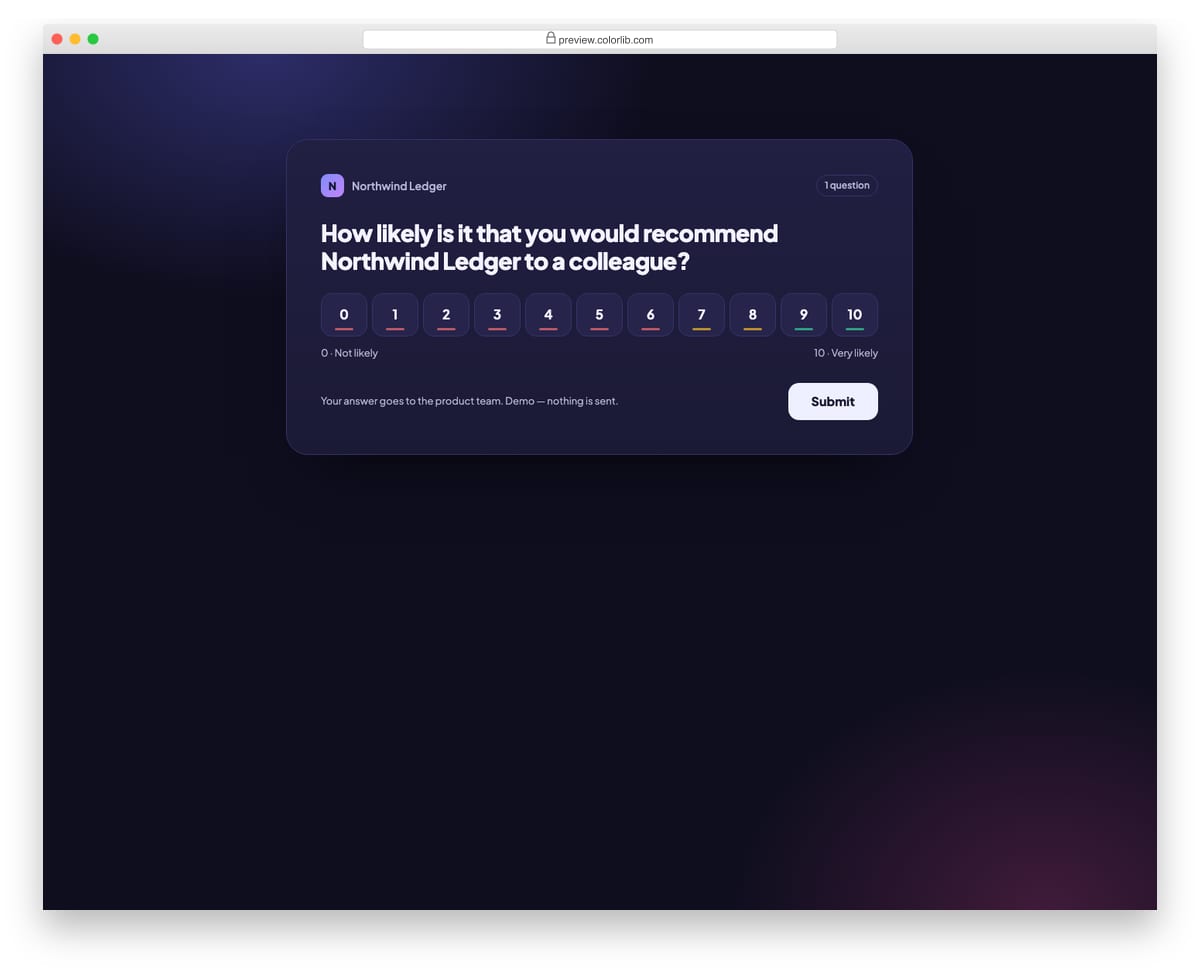
A dark in-app Net Promoter Score survey for an accounting product. Picking a score from 0 to 10 reveals a follow-up question whose wording, colour and label change for detractors, passives and promoters. The thank-you message is also tailored to the score group.
Best for: in-app NPS prompts, SaaS dashboards and quarterly relationship surveys. Plain HTML and CSS with a few lines of vanilla JavaScript, a 249 KB download, and it works on its own or inside a Bootstrap 4, 5 or 6 project.
Survey Form V03: Multi-page survey with progress bar, back/next and a review page
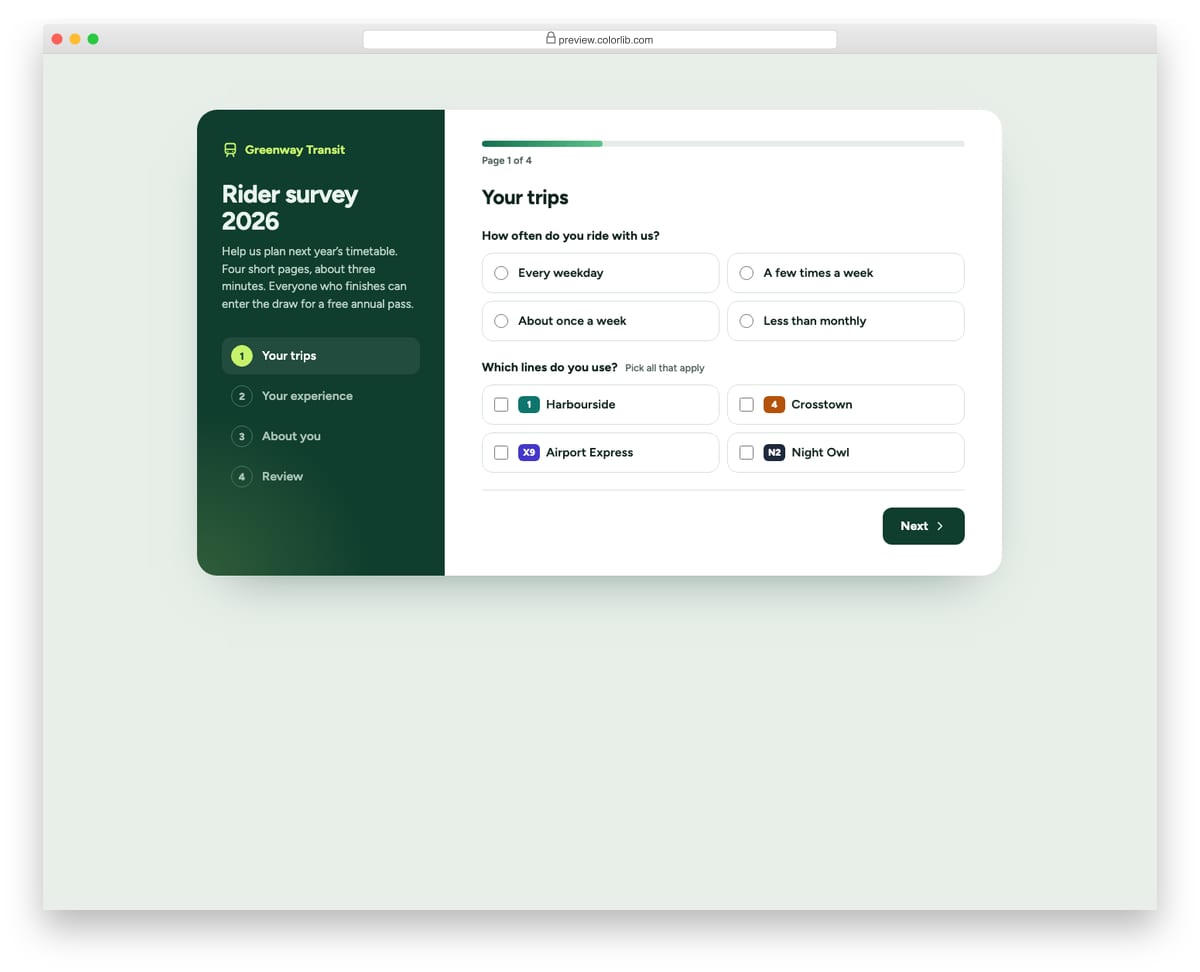
A four-page rider survey for a made-up transit operator, with a step list in a dark side panel and a progress bar above the questions. Each page is checked before moving on, answers are kept when going back, and the last page lists every answer with an Edit button that jumps to it. On phones the side panel stacks on top and the steps become a compact row.
Best for: research surveys, onboarding questionnaires and any long form split into pages. Plain HTML and CSS with a few lines of vanilla JavaScript, a 161 KB download, and it works on its own or inside a Bootstrap 4, 5 or 6 project.
Survey Form V04: Product feedback form with emoji reaction scale, feature checkboxes and screenshot upload
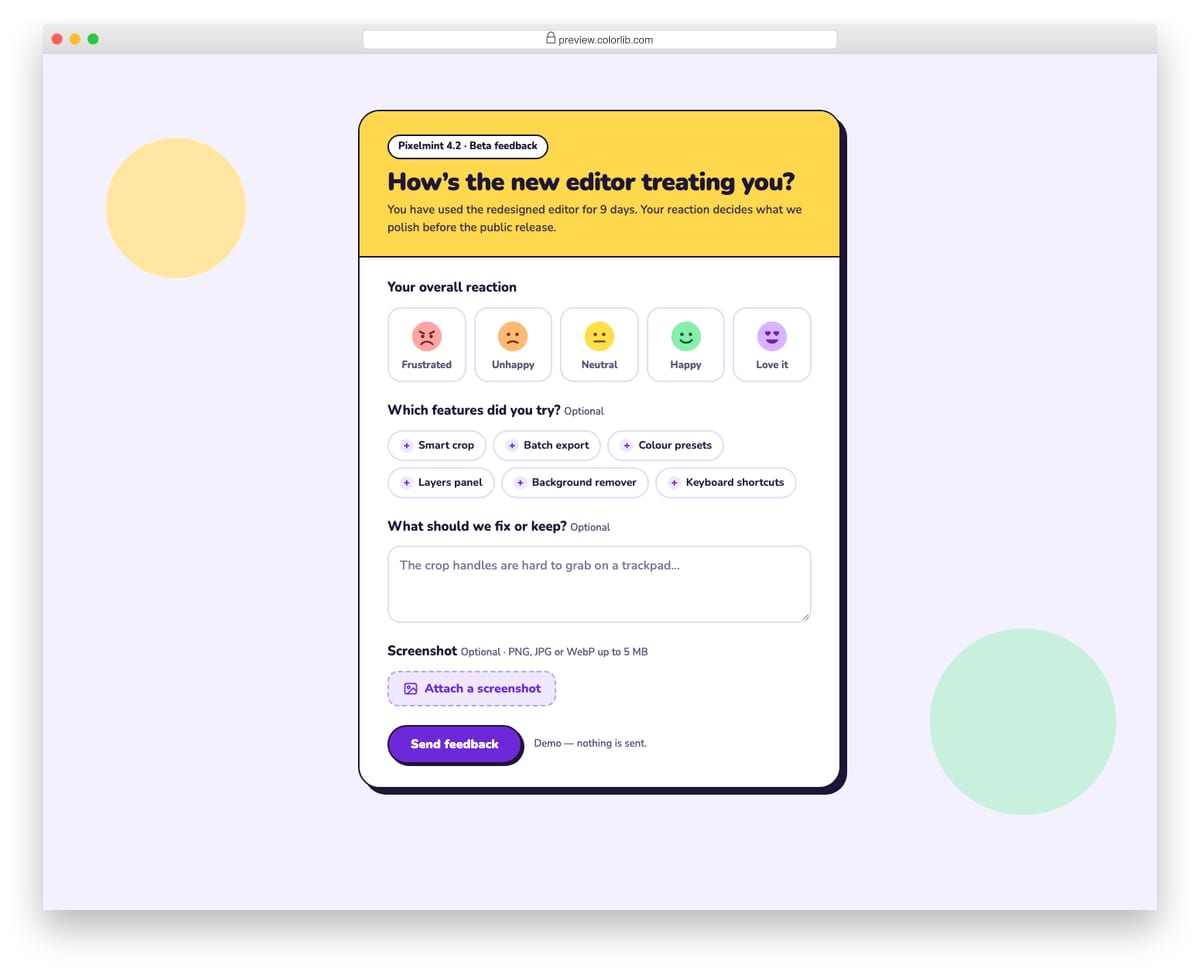
A playful beta-feedback form for a made-up photo editor, with a bold yellow header and hard offset shadow. It asks for an overall reaction on a five-face emoji scale, which features were tried as toggle chips, free-text notes and an optional screenshot. The screenshot is checked for type and size and shown as a thumbnail with a Remove button.
Best for: beta programmes, in-app product feedback and feature launch surveys. Plain HTML and CSS with a few lines of vanilla JavaScript, a 375 KB download, and it works on its own or inside a Bootstrap 4, 5 or 6 project.
Survey Form V05: Event feedback form with a matrix of sessions by rating columns
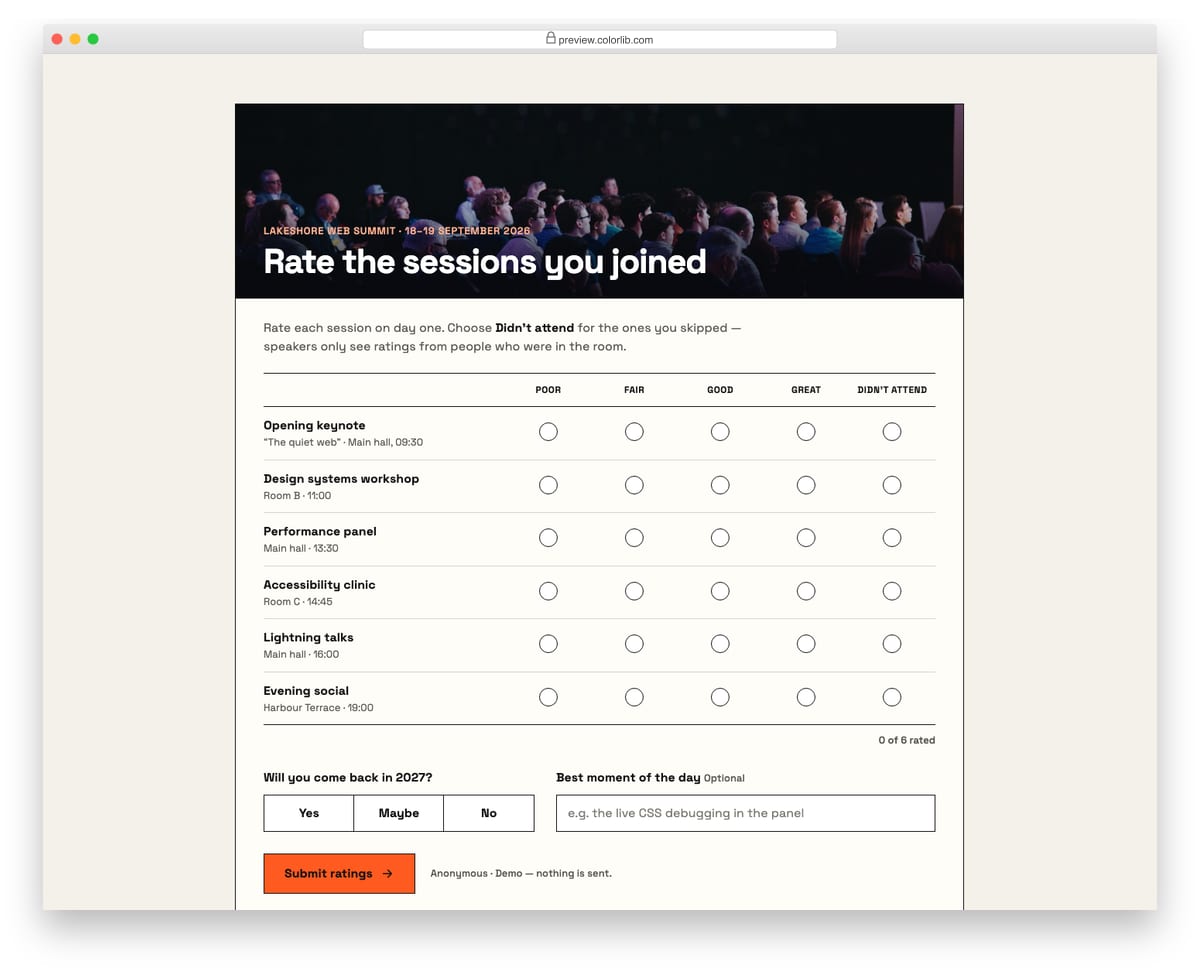
A conference feedback form with a photo header and a rating matrix: each session is a row and the columns run from Poor to Great plus Didn't attend. On desktop it reads as a grid with column headings; on phones every row turns into a card of labelled buttons. A return-next-year question and an optional best-moment field sit below.
Best for: conference, workshop and course feedback where many items share one scale. Plain HTML and CSS with a few lines of vanilla JavaScript, a 230 KB download, and it works on its own or inside a Bootstrap 4, 5 or 6 project.
Survey Form V06: Employee pulse survey with Likert agree/disagree scales and an anonymous toggle
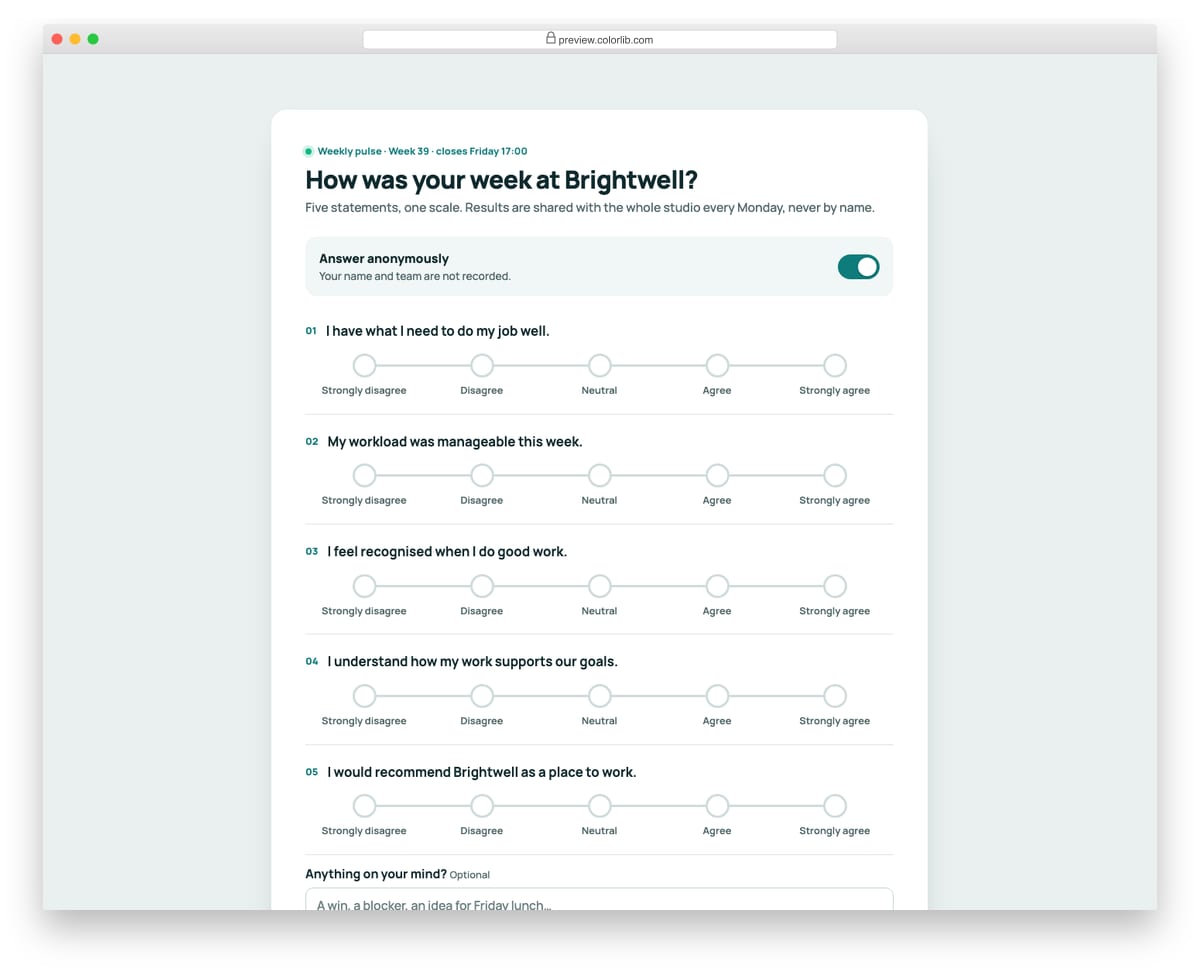
A weekly team pulse survey with five statements, each answered on a five-point scale from Strongly disagree to Strongly agree drawn as dots on a track. An Answer anonymously switch is on by default; turning it off reveals required name and team fields. A counter tracks how many statements are answered.
Best for: HR pulse checks, team retrospectives and engagement surveys. Plain HTML and CSS with a few lines of vanilla JavaScript, a 166 KB download, and it works on its own or inside a Bootstrap 4, 5 or 6 project.
Survey Form V07: One-question poll that shows results bars right after voting
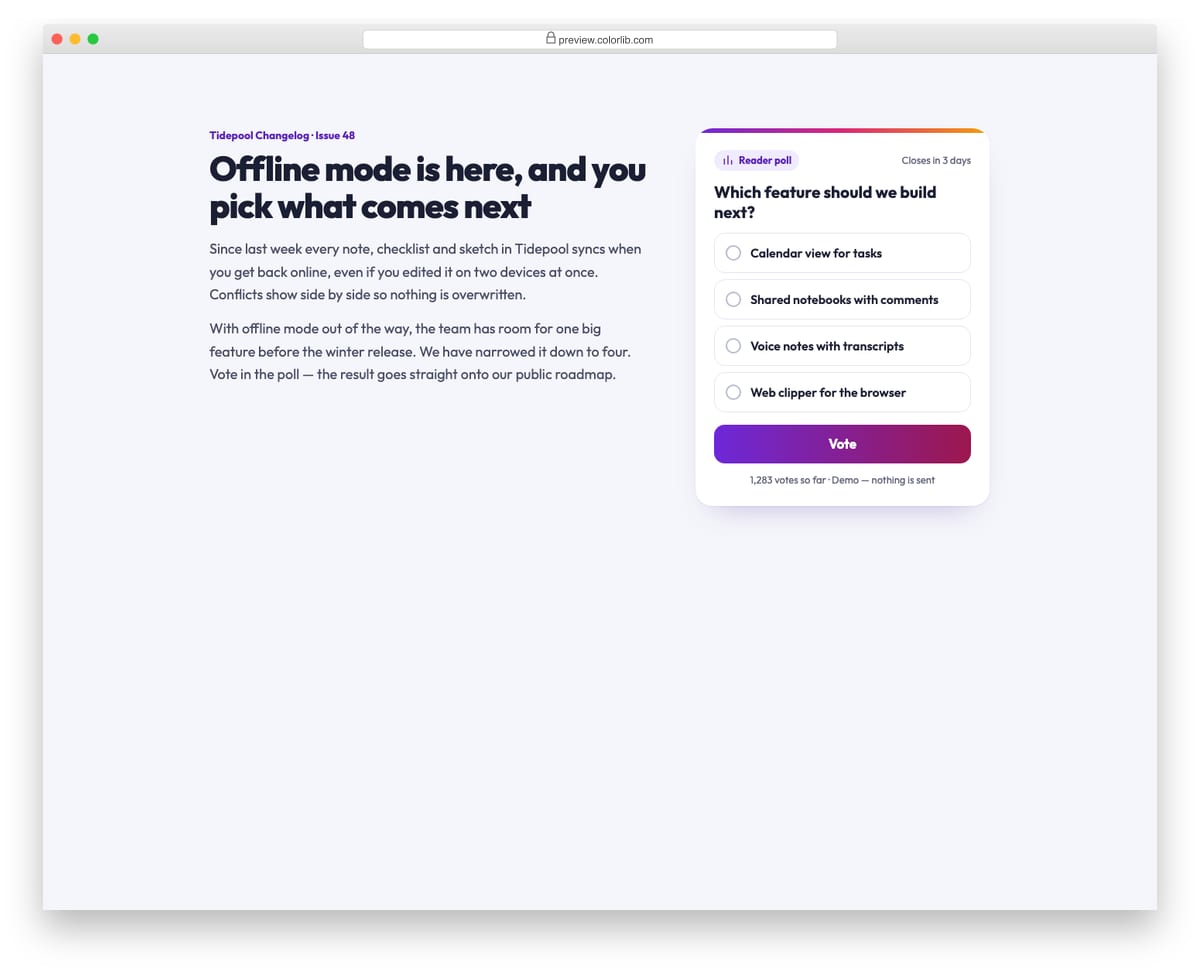
A reader poll widget placed next to a newsletter article, asking which feature a note-taking app should build next. After voting, the options are replaced by animated result bars with percentages, vote counts, the leading option highlighted and a Your vote badge. Counts are simulated in the script, so nothing leaves the page.
Best for: blog sidebars, newsletters, community pages and product roadmap votes. Plain HTML and CSS with a few lines of vanilla JavaScript, a 238 KB download, and it works on its own or inside a Bootstrap 4, 5 or 6 project.
Survey Form V08: Conversational one-question-at-a-time survey with keyboard shortcuts
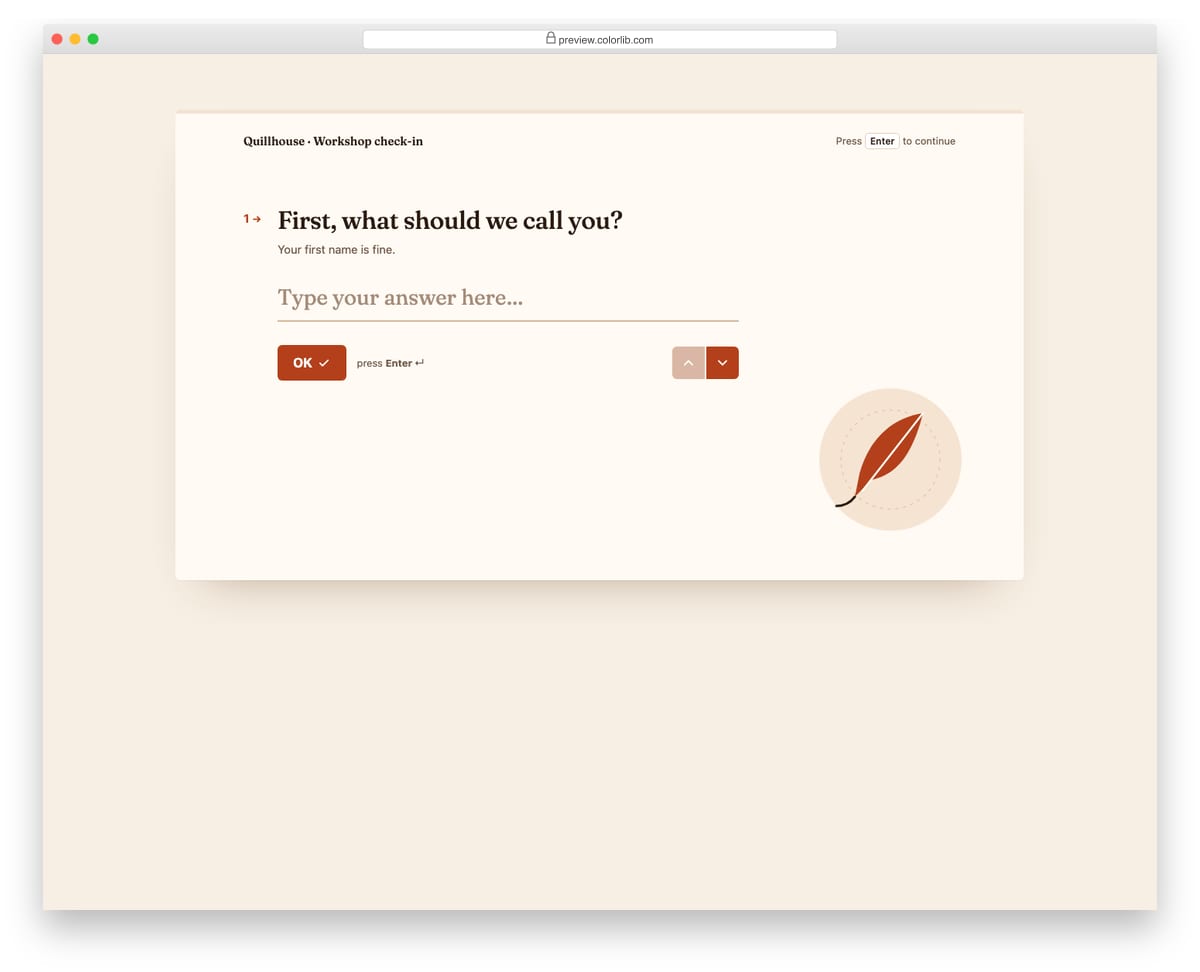
A Typeform-style check-in for a made-up writing workshop that shows one question at a time in large serif type. Enter moves on, letter keys pick lettered choices, number keys pick a 1 to 5 rating, and Shift+Enter adds a new line in the last answer. A thin progress bar and up/down arrows track and move between questions.
Best for: onboarding questionnaires, lead qualification and friendly short surveys. Plain HTML and CSS with a few lines of vanilla JavaScript, a 382 KB download, and it works on its own or inside a Bootstrap 4, 5 or 6 project.
Survey Form V09: Course evaluation with range sliders showing live values and open questions
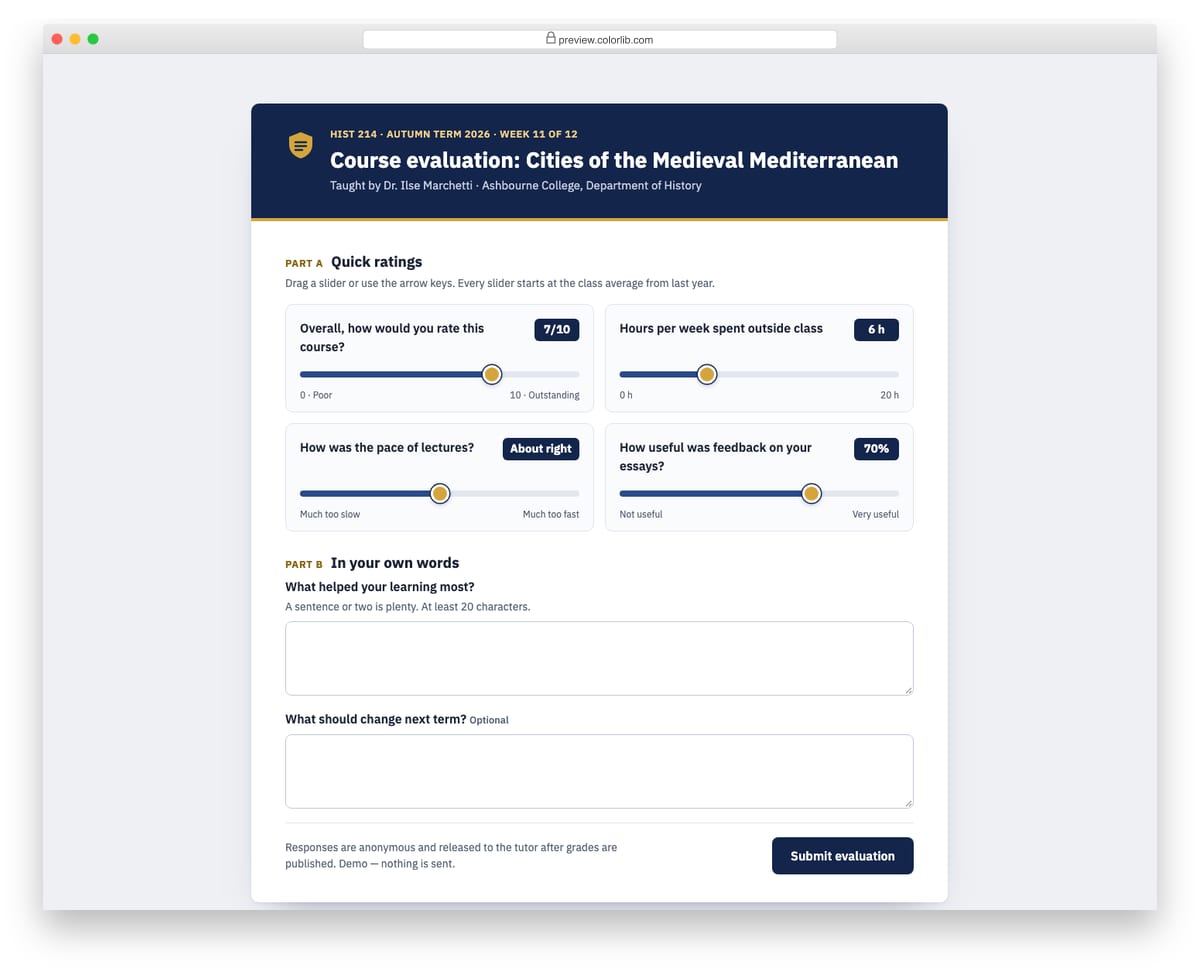
An end-of-term course evaluation for a made-up college history course, with a navy and gold academic header. Part A has four styled range sliders for overall rating, weekly hours, pace and feedback quality, each with a live value badge and spoken aria-valuetext. Part B has open questions, one required with a minimum length, and the success state recaps the slider answers.
Best for: course and training evaluations, workshop feedback and any rating that suits a slider. Plain HTML and CSS with a few lines of vanilla JavaScript, a 267 KB download, and it works on its own or inside a Bootstrap 4, 5 or 6 project.
Survey Form V10: Exit-intent feedback card asking what stopped the visitor, with reason chips
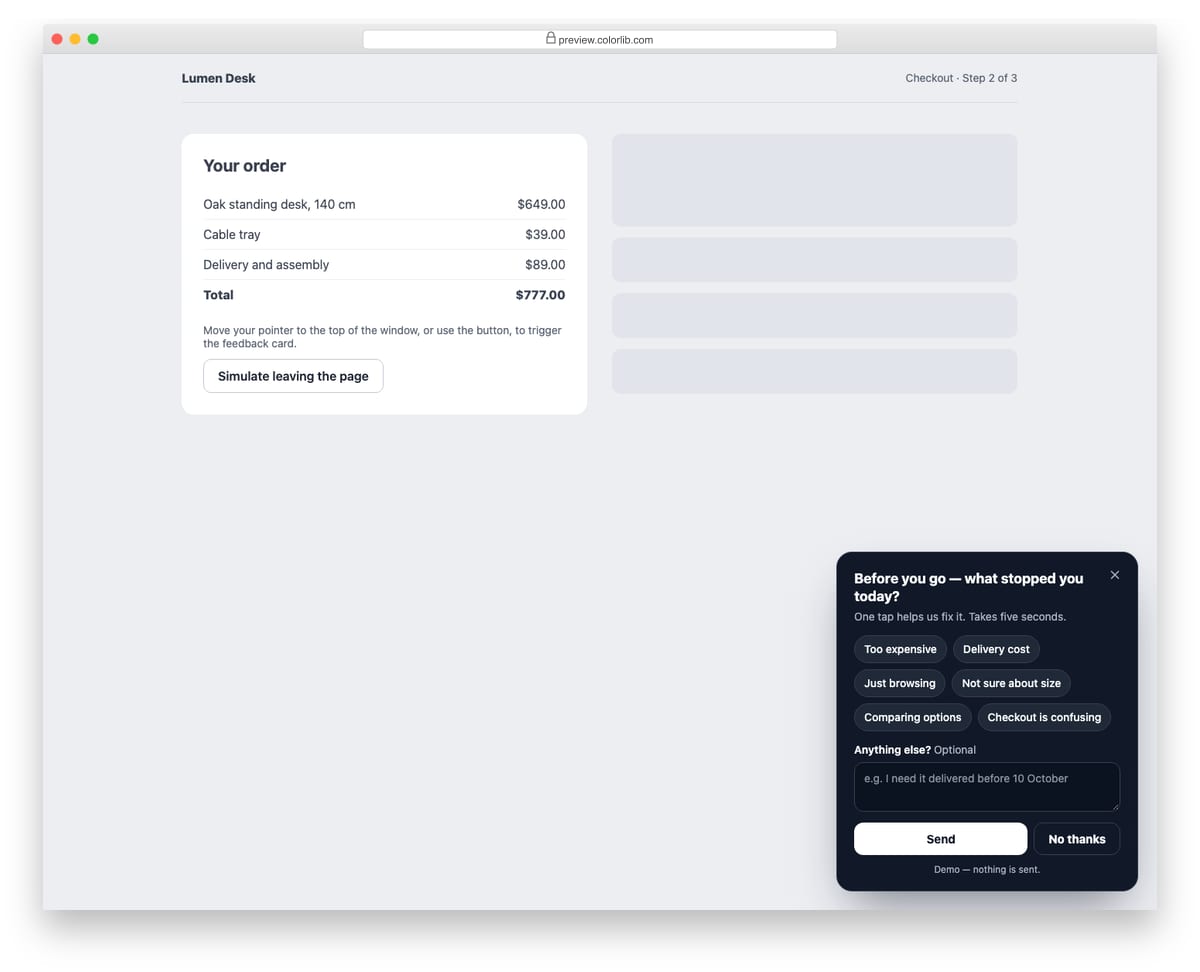
A small dark feedback card that sits in the corner of a checkout page and asks what stopped the visitor today. Reasons are toggle chips backed by checkboxes, with an optional note, and at least one of the two is needed to send. It opens when the pointer leaves through the top of the window or from a demo button, closes with Esc or the close buttons, and returns focus to where it came from.
Best for: checkout and pricing pages, cancellation flows and abandoned-cart research. Plain HTML and CSS with a few lines of vanilla JavaScript, a 7 KB download, and it works on its own or inside a Bootstrap 4, 5 or 6 project.
Keeping a survey short enough to finish
Ask the one question you most need first, and make the rest optional. A single NPS question with a follow-up (Survey Form V02) gets far more answers than a long questionnaire.
Show progress on anything longer than one screen, and let people go back without losing their answers, as the multi-page survey (V03) does.
Group rating questions into one matrix rather than repeating the same scale, and on phones turn each row into its own card (V05).
Collecting the answers
The templates are front end only; nothing is sent. Point the form at your own endpoint or a form service, keep the field names, and validate again on the server.
Frequently asked questions
Do these survey forms need Bootstrap or jQuery?
No. They carry their own styles and a few lines of plain JavaScript, and they drop into Bootstrap 4, 5 or 6 pages without being restyled.
Can I use them commercially?
Yes. They are free under the same licence as our other snippets (CC BY 3.0): use them in personal and commercial projects and keep the credit link.
Where do the answers go?
Nowhere yet: the demos show a thank-you state instead of sending. Connect the form to your backend or a form service before collecting real responses.

Related Posts

Comments (0)