
12 Free HTML Shopping Cart Templates 2026 (Bootstrap-Ready)
The cart and checkout are where a shop earns or loses the sale, and they are the part most free templates leave as a static picture. These 12 free shopping cart templates are ones we designed and built at Colorlib in 2026, and every one of them works: change a quantity and the totals update, apply the demo coupon, remove an item and watch the empty state appear.
They cover the whole path: a classic cart page, a minimal bag, a mini cart dropdown, a mobile cart with a sticky checkout bar, one-page and multi-step checkouts, a payment form that detects the card brand, an order confirmation page, and carts for boutique, grocery and digital products. All are plain HTML, CSS and vanilla JavaScript with no jQuery, no Bootstrap file and no plugin, and each looks the same on its own or inside a Bootstrap 4, 5 or 6 project.
Free HTML Shopping Cart Templates
Every cart below works in its demo: quantities update line totals, subtotal, shipping, tax and total, remove buttons remove lines, and empty carts show an empty state. Each is a free download.
Shopping Cart V01: Classic cart page with line-item table and order summary sidebar
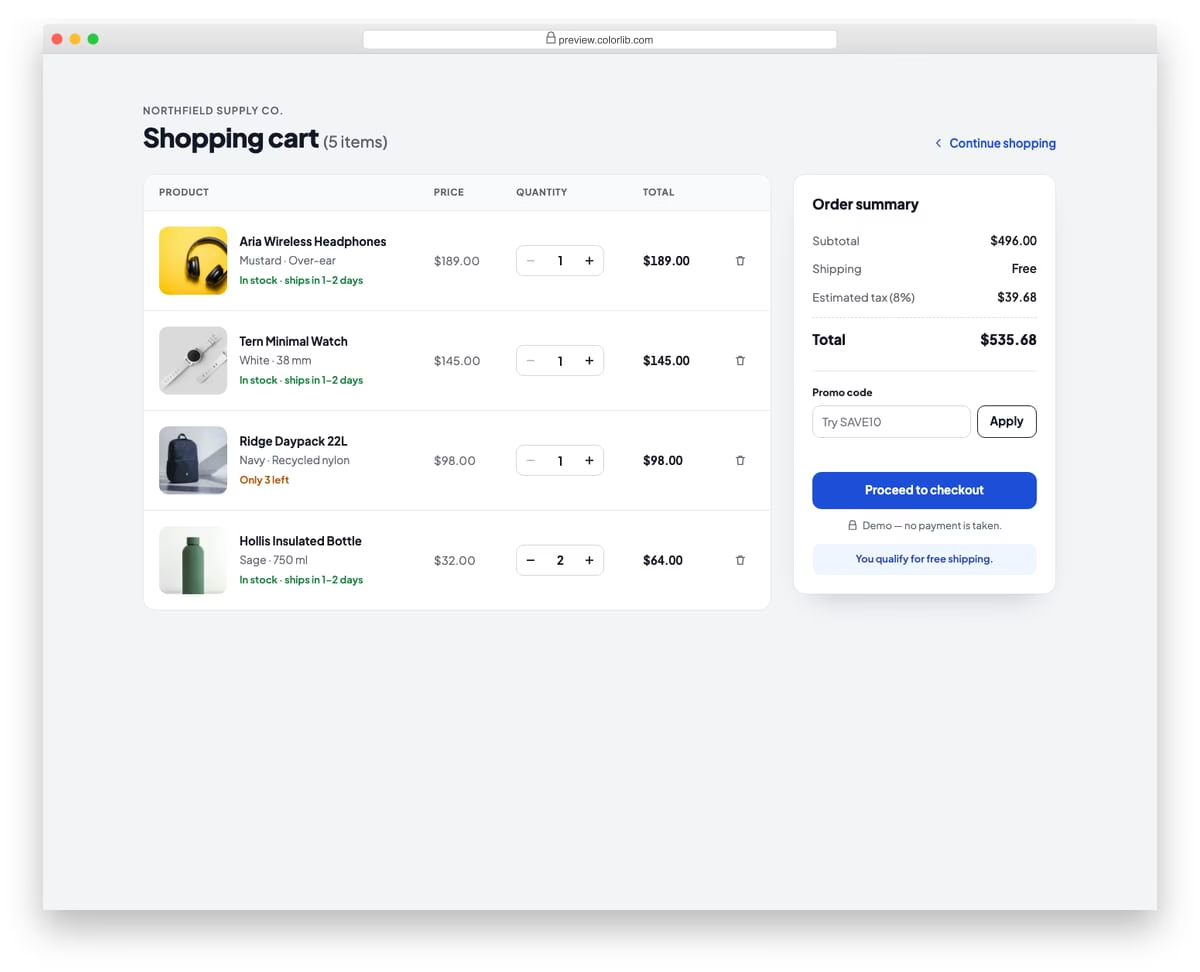
A full shopping cart page with a table of line items showing product photo, name, variant, unit price, quantity stepper, line total and a remove button. A sticky order summary sidebar lists subtotal, shipping, estimated tax and total, and has a promo code field where the demo code SAVE10 takes 10% off. On phones the table rows restack into compact cards, and removing the last item shows an empty-cart state.
Best for: online store cart pages. Plain HTML and CSS with a few lines of vanilla JavaScript, a 312 KB download, and it works on its own or inside a Bootstrap 4, 5 or 6 project.
Shopping Cart V02: Minimal two-column bag with a Save for later list
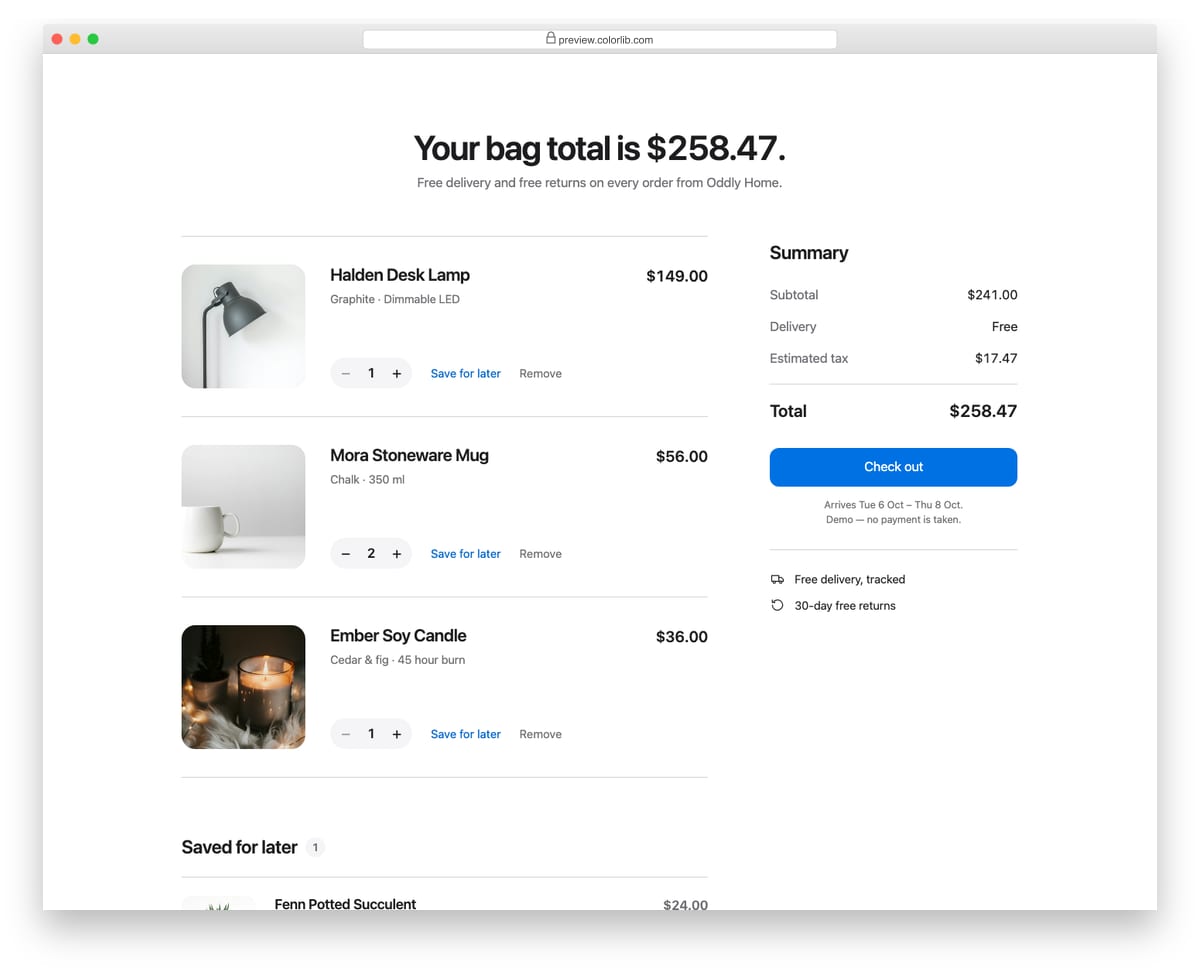
A quiet, whitespace-heavy bag page for a home goods store with large product photos on the left and a short summary on the right. Each item has a pill quantity stepper and text actions to save it for later or remove it, and saved items sit in a second list below with a Move to bag action. The headline total, summary and saved count update as items move between the lists.
Best for: premium and lifestyle store carts. Plain HTML and CSS with a few lines of vanilla JavaScript, a 115 KB download, and it works on its own or inside a Bootstrap 4, 5 or 6 project.
Shopping Cart V03: Mini cart dropdown from a header cart button with a badge count
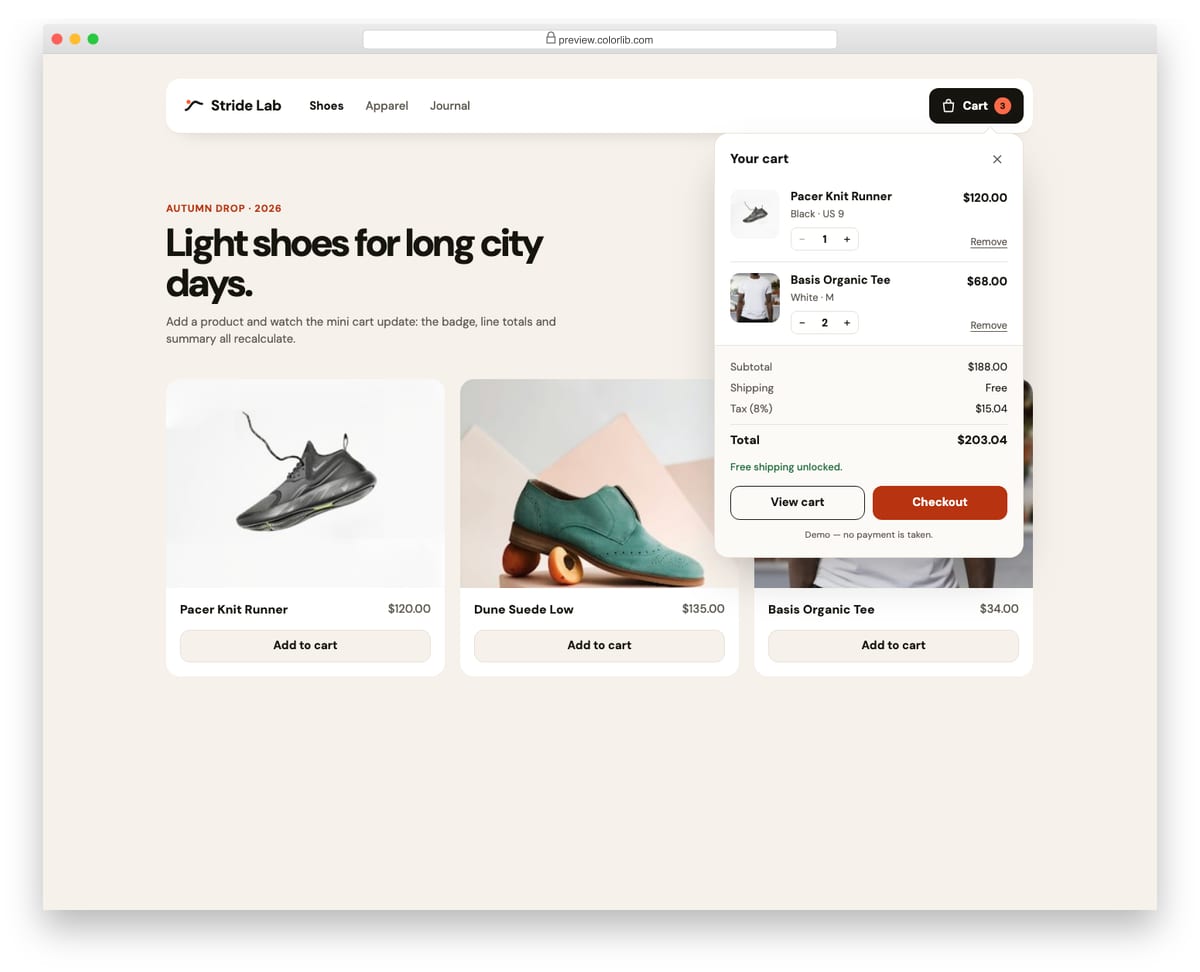
A store header with a cart button that opens a mini cart panel using the disclosure pattern. The panel lists line items with small quantity steppers, shows subtotal, shipping, tax and total, and offers View cart and Checkout buttons. Add to cart buttons on the demo product grid add new lines or raise quantities, and the badge count bumps as it changes.
Best for: store headers and quick cart previews. Plain HTML and CSS with a few lines of vanilla JavaScript, a 322 KB download, and it works on its own or inside a Bootstrap 4, 5 or 6 project.
Shopping Cart V04: Mobile-first bag with a sticky bottom checkout bar
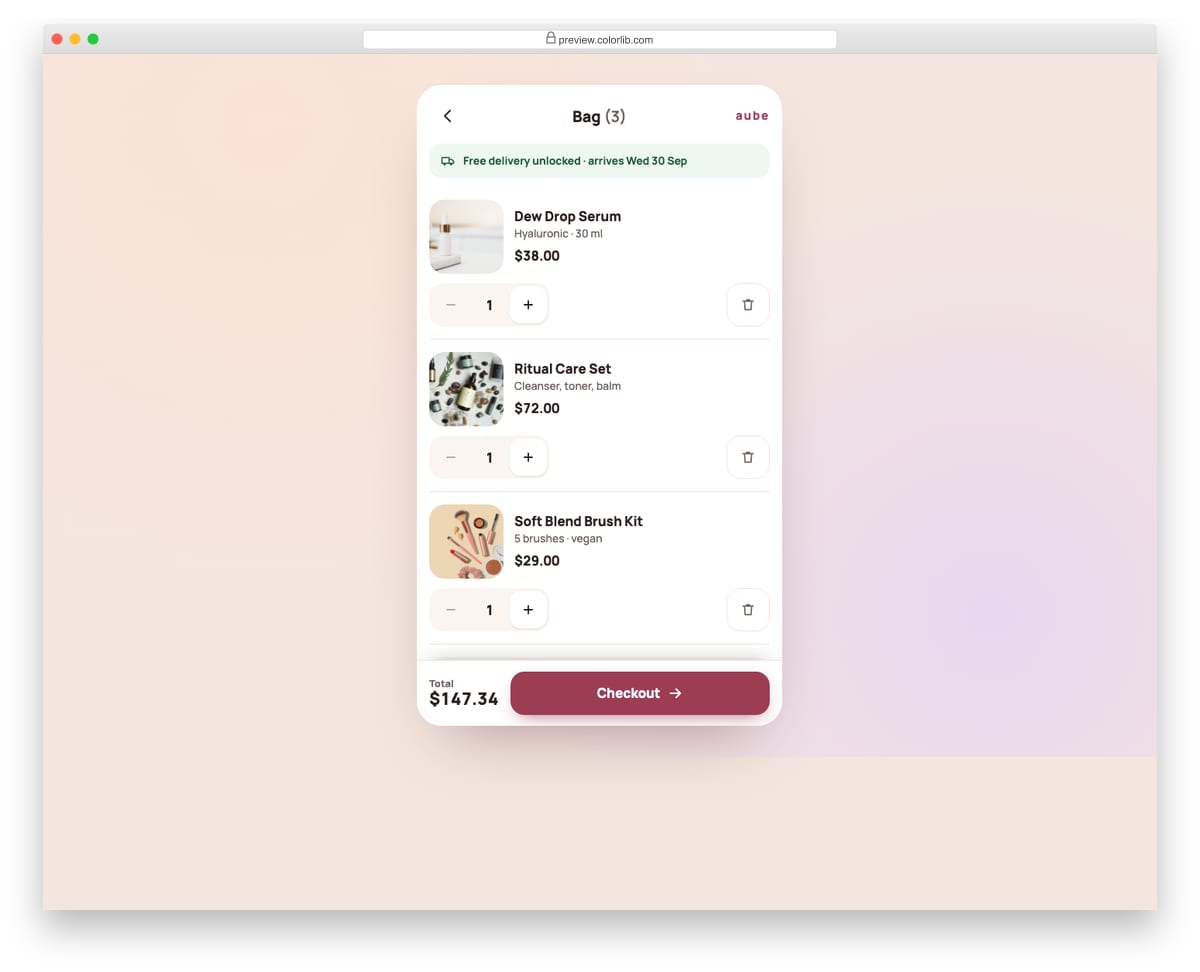
A phone-first shopping bag for a skincare shop with large 48 px quantity buttons and 56 px remove buttons that are easy to hit with a thumb. The total and Checkout button stay pinned to the bottom of the screen while the list scrolls, and order details fold away in a native details element. On desktop the same layout sits in a centred app-style column.
Best for: mobile shops and app-like checkout flows. Plain HTML and CSS with a few lines of vanilla JavaScript, a 238 KB download, and it works on its own or inside a Bootstrap 4, 5 or 6 project.
Shopping Cart V05: One-page checkout with shipping method cards and a payment form
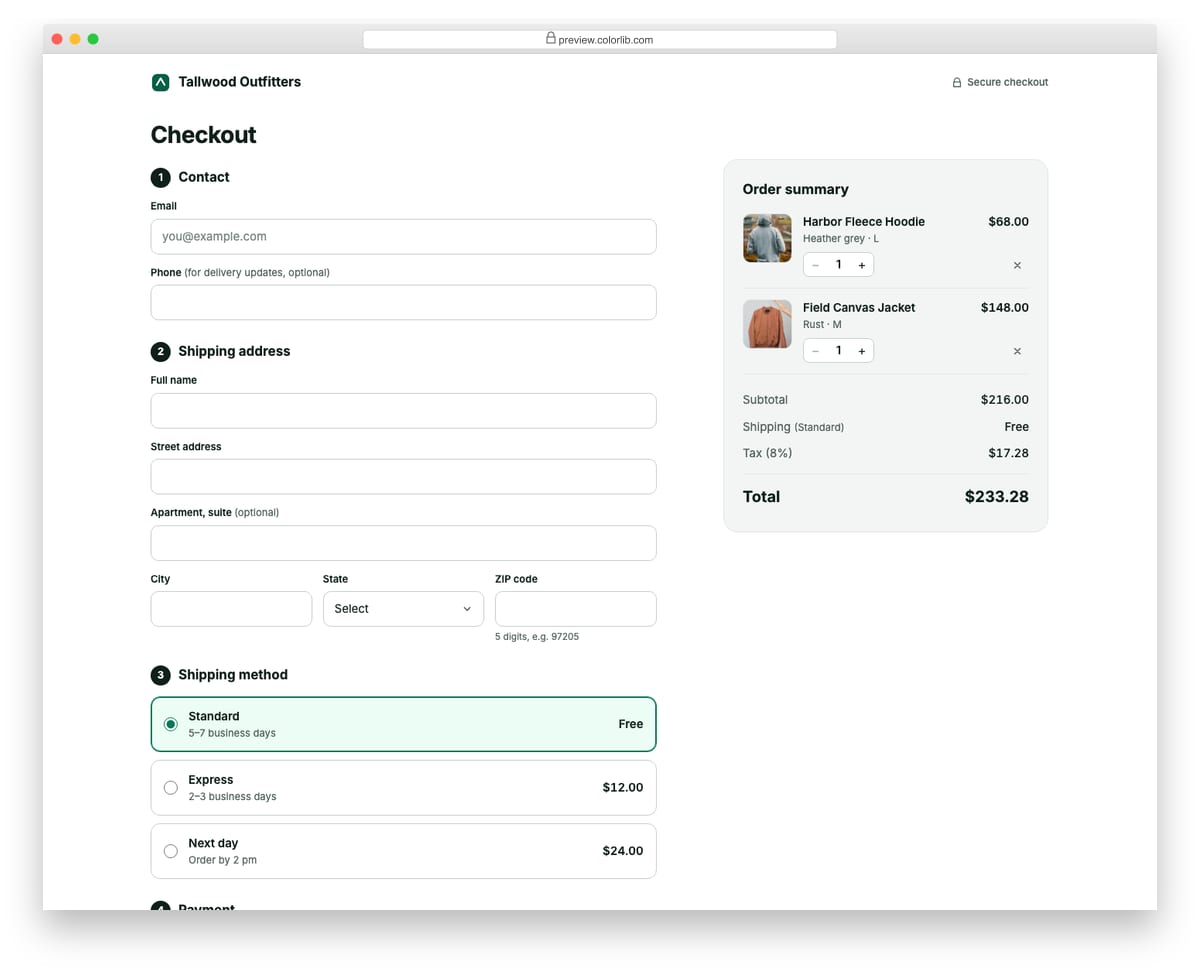
A single-page checkout with numbered sections for contact details, shipping address, shipping method and payment, next to an editable order summary. The shipping method radio cards change the shipping line and total, the card number is grouped as you type and checked with the Luhn algorithm, and the expiry field is masked to MM / YY. Everything uses native form validation and autocomplete tokens, and the Pay button shows the live total.
Best for: checkout pages for small online stores. Plain HTML and CSS with a few lines of vanilla JavaScript, a 573 KB download, and it works on its own or inside a Bootstrap 4, 5 or 6 project.
Shopping Cart V06: Multi-step checkout: Cart, Shipping, Payment, Confirmation
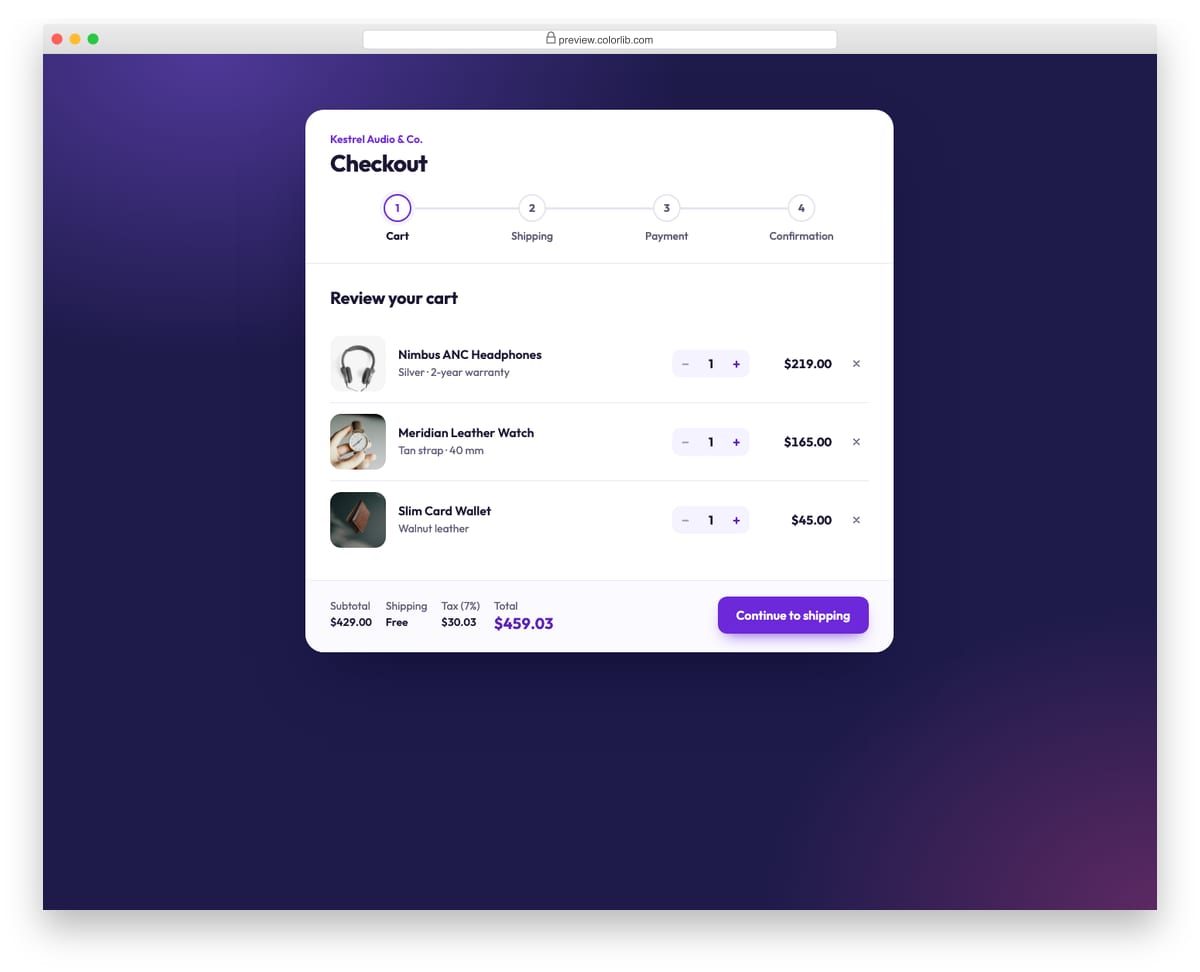
A four-step checkout in one card with a connected step indicator, Back and Continue buttons and a running total in the footer. Each step is checked with the browser's native constraint validation before moving on, and invalid fields are marked and focused. The cart step has working quantity steppers and remove buttons, the shipping step's delivery speed changes the total, and the last step shows an order confirmation built from the entered details.
Best for: guided checkouts and booking flows. Plain HTML and CSS with a few lines of vanilla JavaScript, a 234 KB download, and it works on its own or inside a Bootstrap 4, 5 or 6 project.
Shopping Cart V07: Payment form with card brand detection and a live card preview
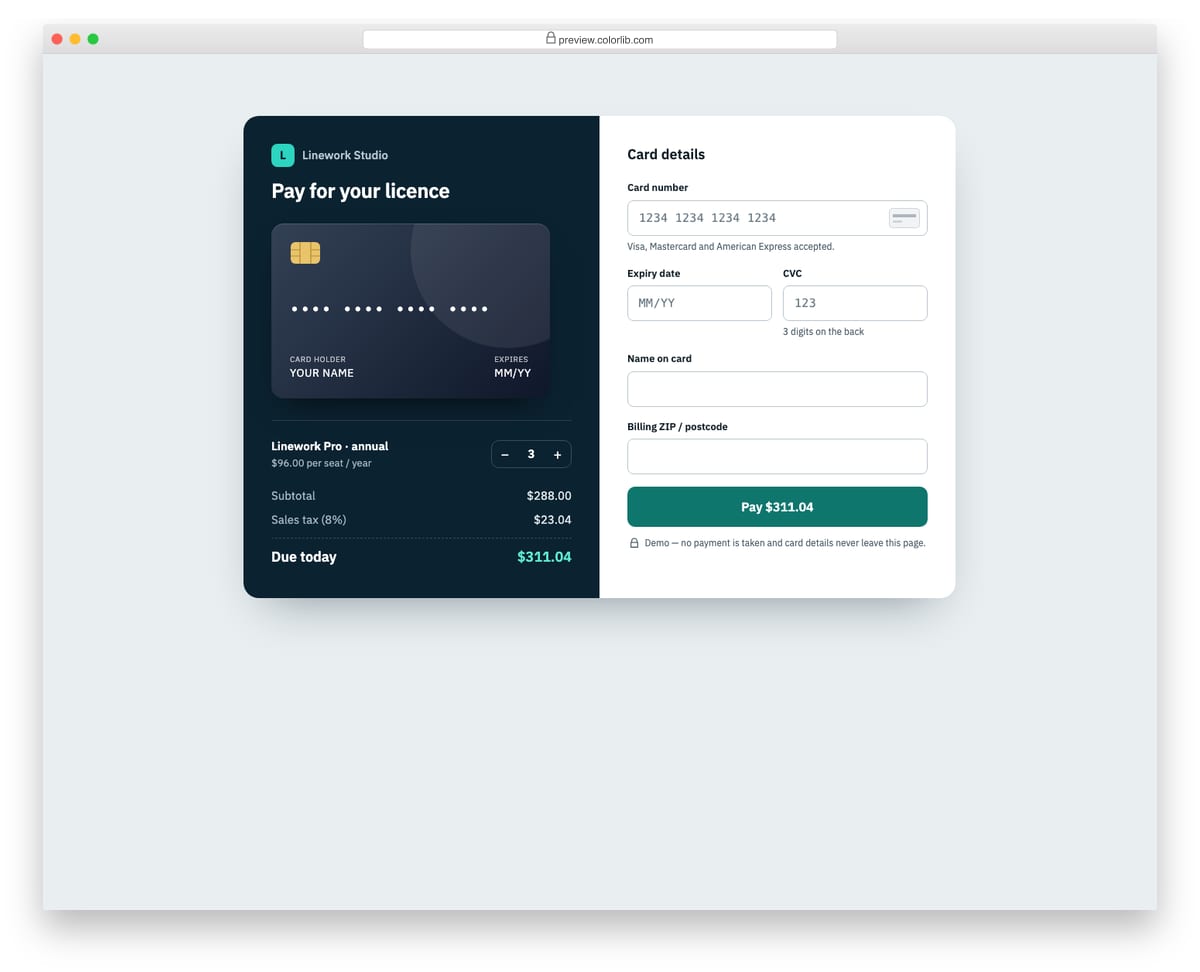
A standalone card payment form beside a dark order panel with a live card preview and a seat quantity stepper. The card brand is detected from the number prefix (Visa, Mastercard or American Express), which switches a generic brand mark, the card preview colour, the number grouping and the CVC length. The Pay button always shows the amount due and switches to a loading state with a spinner before a demo approval message.
Best for: subscription and one-off payment pages. Plain HTML and CSS with a few lines of vanilla JavaScript, a 269 KB download, and it works on its own or inside a Bootstrap 4, 5 or 6 project.
Shopping Cart V08: Order confirmation and thank-you page with a delivery timeline
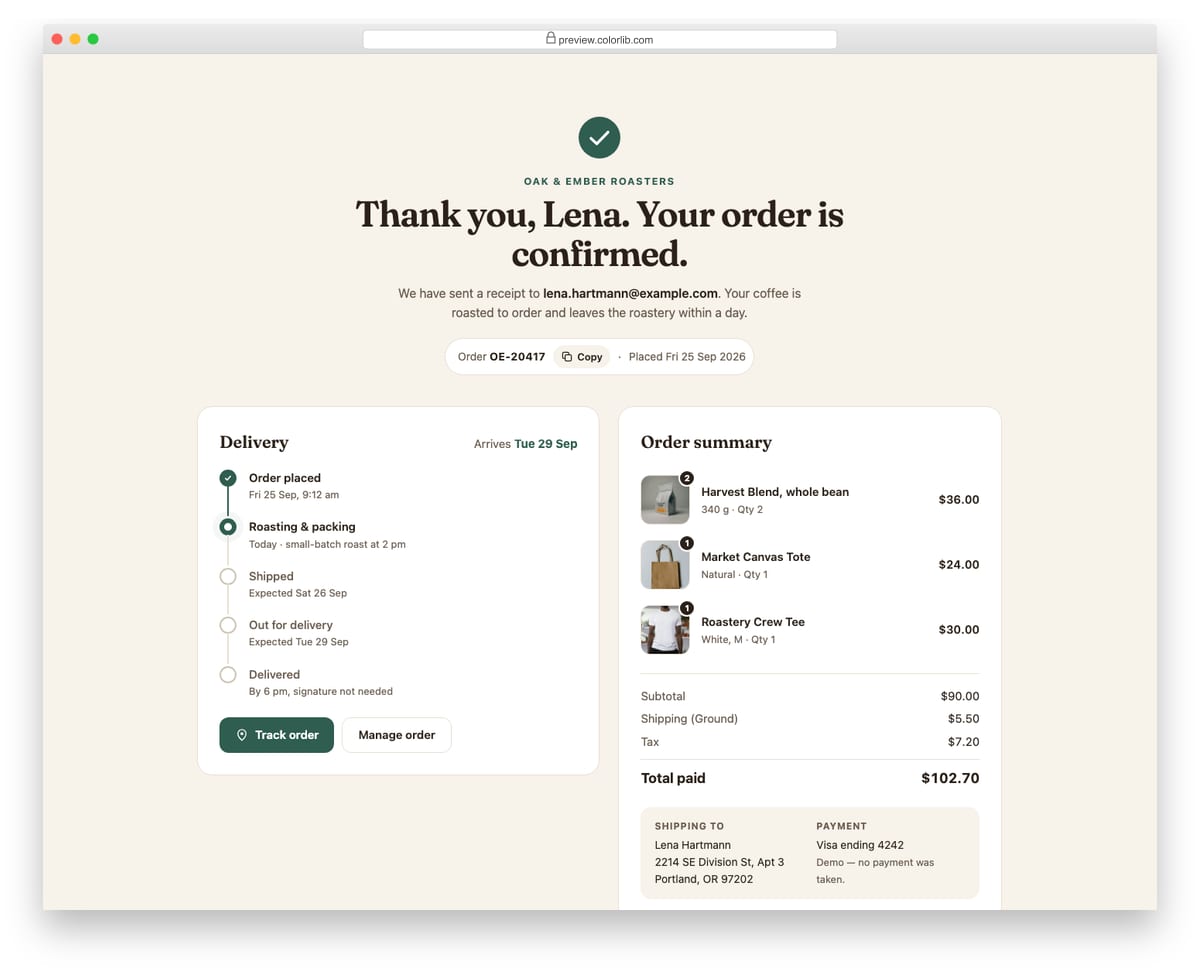
A post-purchase thank-you page for a coffee roaster with a confirmation message, the order number with a copy button, and a five-stage delivery timeline that marks done, current and upcoming steps. A Track order button reveals carrier and scan details using the disclosure pattern. The order summary lists items with quantity badges, totals formatted with Intl.NumberFormat, the shipping address and the payment method.
Best for: order confirmation and receipt pages. Plain HTML and CSS with a few lines of vanilla JavaScript, a 296 KB download, and it works on its own or inside a Bootstrap 4, 5 or 6 project.
Shopping Cart V09: Dark luxury boutique cart with gift box and gift message options
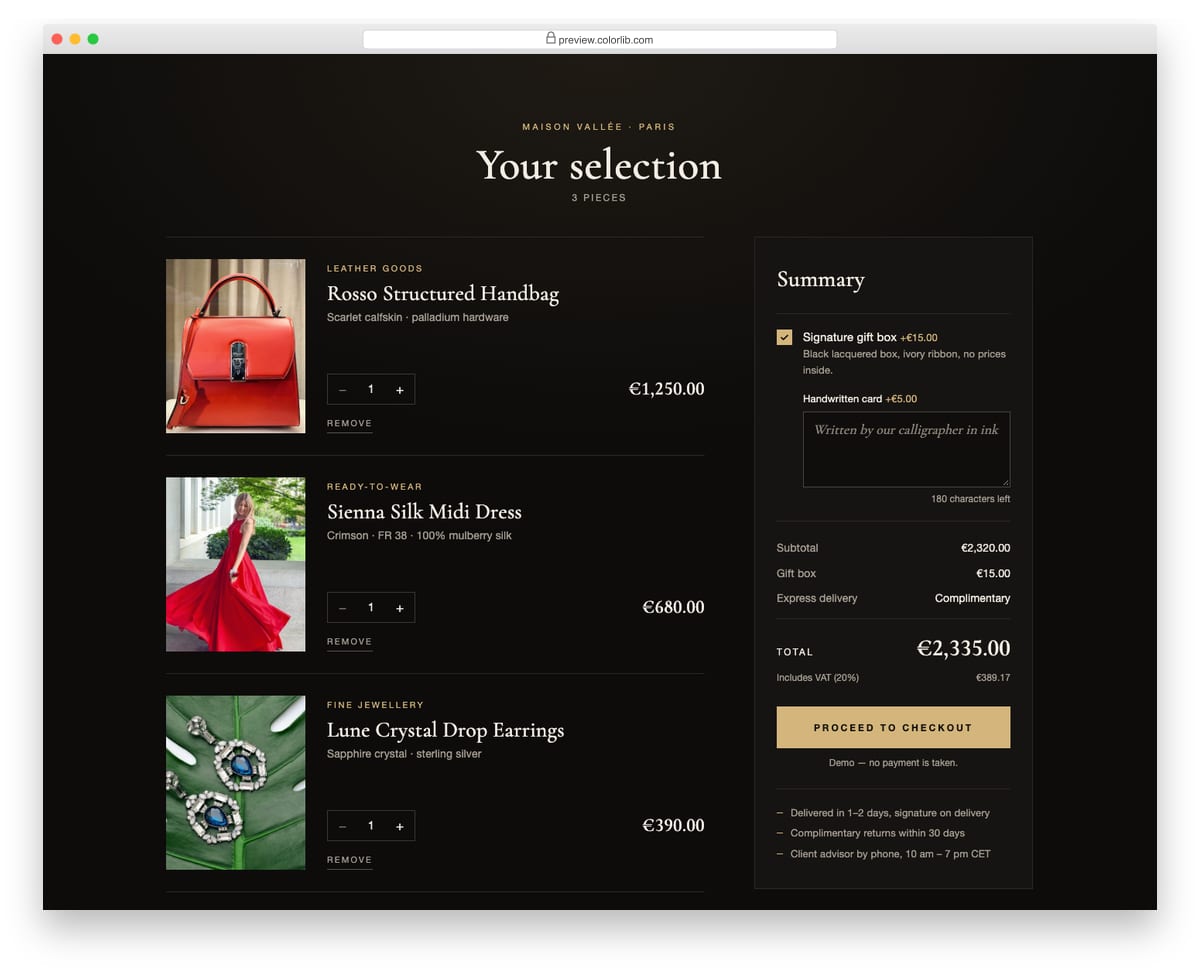
A dark, editorial cart for a fashion boutique with tall product photos, serif headings and champagne gold accents. The summary offers a signature gift box that adds to the total and reveals a handwritten card field, which adds its own fee once a message is typed and counts the remaining characters. Prices are in euros with VAT included, formatted with Intl.NumberFormat.
Best for: fashion, jewellery and premium boutique stores. Plain HTML and CSS with a few lines of vanilla JavaScript, a 313 KB download, and it works on its own or inside a Bootstrap 4, 5 or 6 project.
Shopping Cart V10: Grocery basket grouped by aisle with a free-delivery progress bar
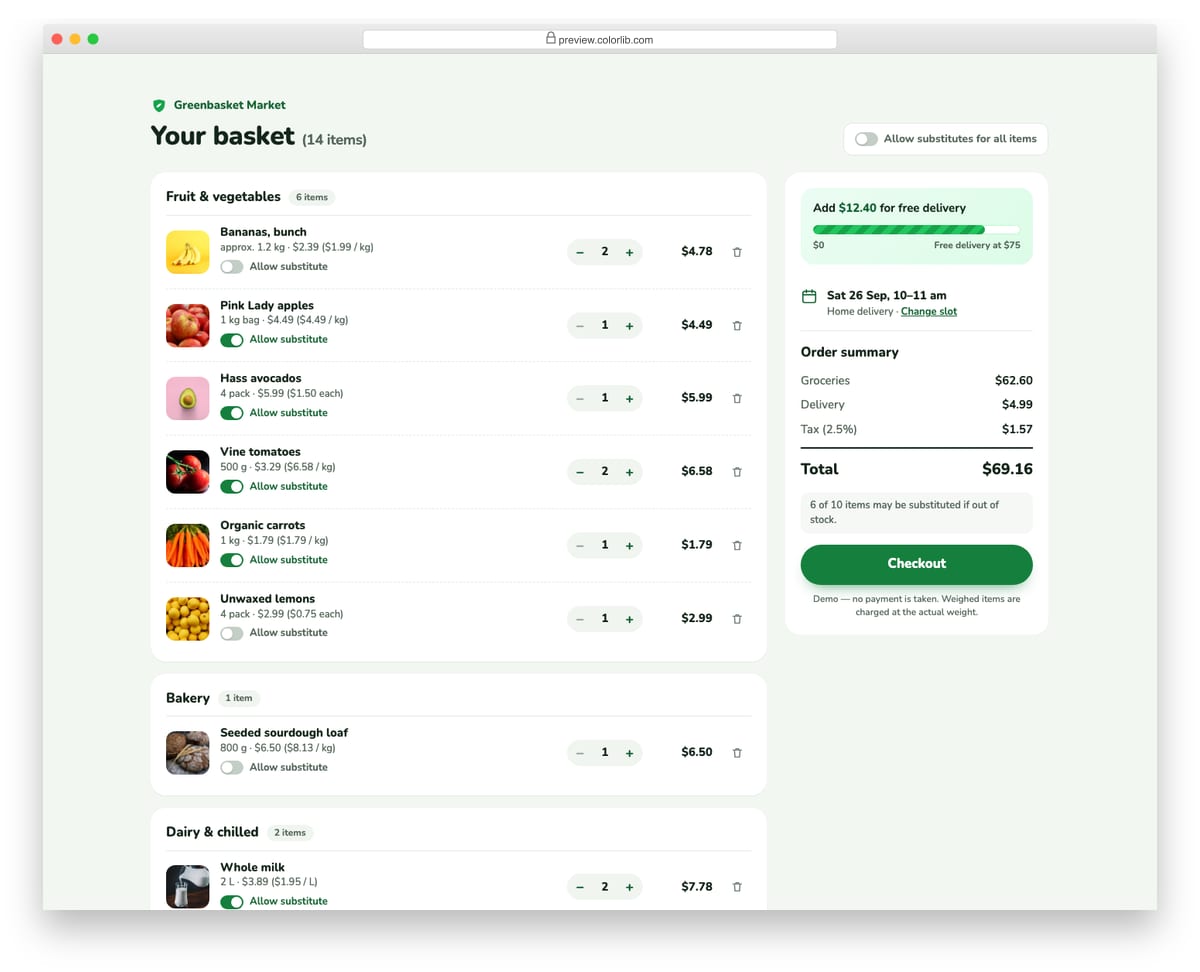
A grocery basket that groups items into aisles such as fruit and vegetables, bakery, dairy and pantry, with pack sizes and unit prices per kilogram, litre or piece. Each item has a substitution switch, and a master switch turns substitutes on or off for the whole basket. A progress bar in the sidebar shows how far the basket is from free delivery and tells the shopper exactly how much more to add.
Best for: grocery, meal kit and farm shop carts. Plain HTML and CSS with a few lines of vanilla JavaScript, a 129 KB download, and it works on its own or inside a Bootstrap 4, 5 or 6 project.
Shopping Cart V11: Digital products cart with per-item licence select and VAT by country
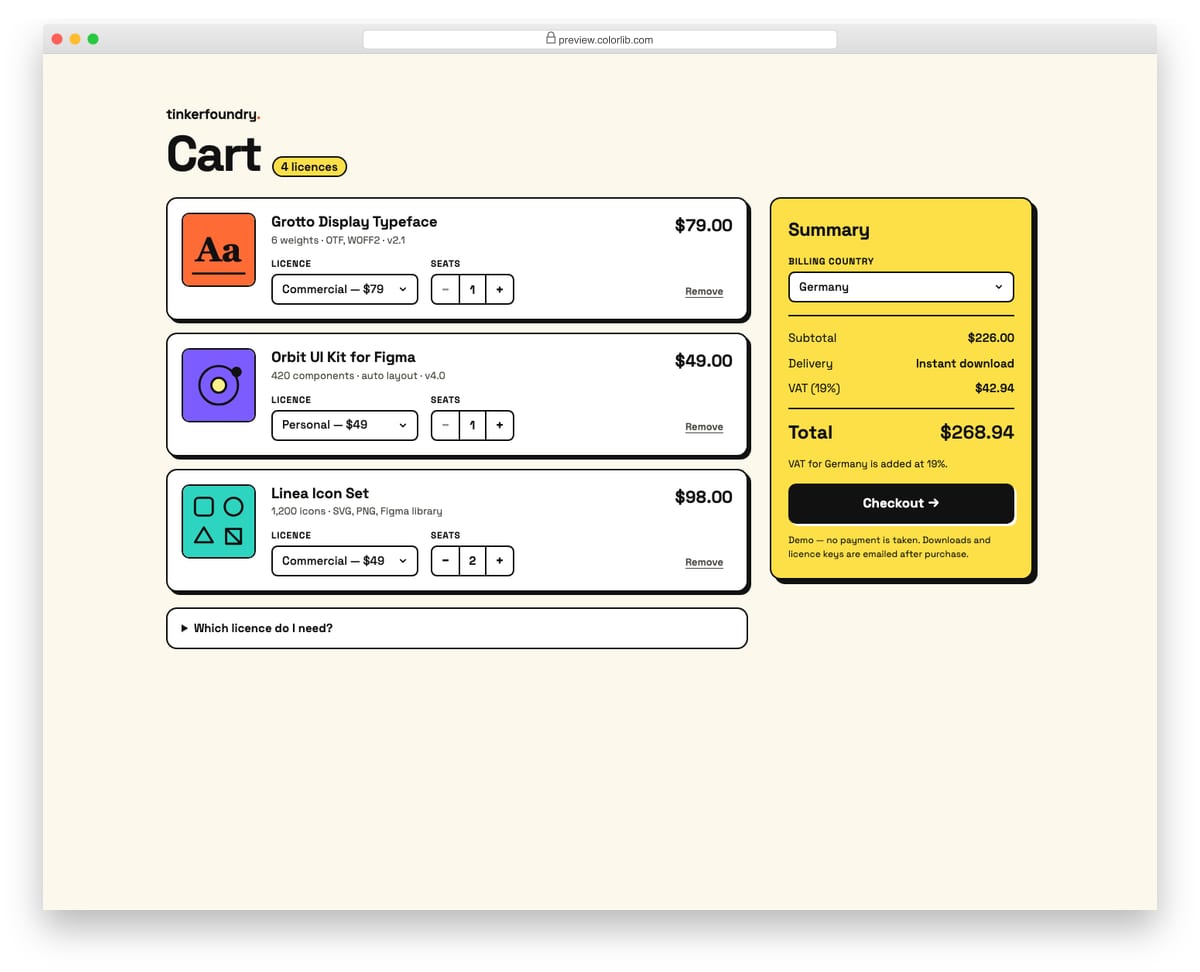
A bold, border-heavy cart for a shop selling fonts, UI kits and icon sets, with inline SVG cover art instead of photos. Each item has a licence select (Personal, Commercial or Extended) that changes its price and a seat stepper, and the billing country select switches the VAT or GST rate and label in the summary. A native details element explains which licence to choose.
Best for: digital downloads, fonts, templates and software licences. Plain HTML and CSS with a few lines of vanilla JavaScript, a 172 KB download, and it works on its own or inside a Bootstrap 4, 5 or 6 project.
Shopping Cart V12: Cart with Frequently bought together add-ons and an estimated delivery date
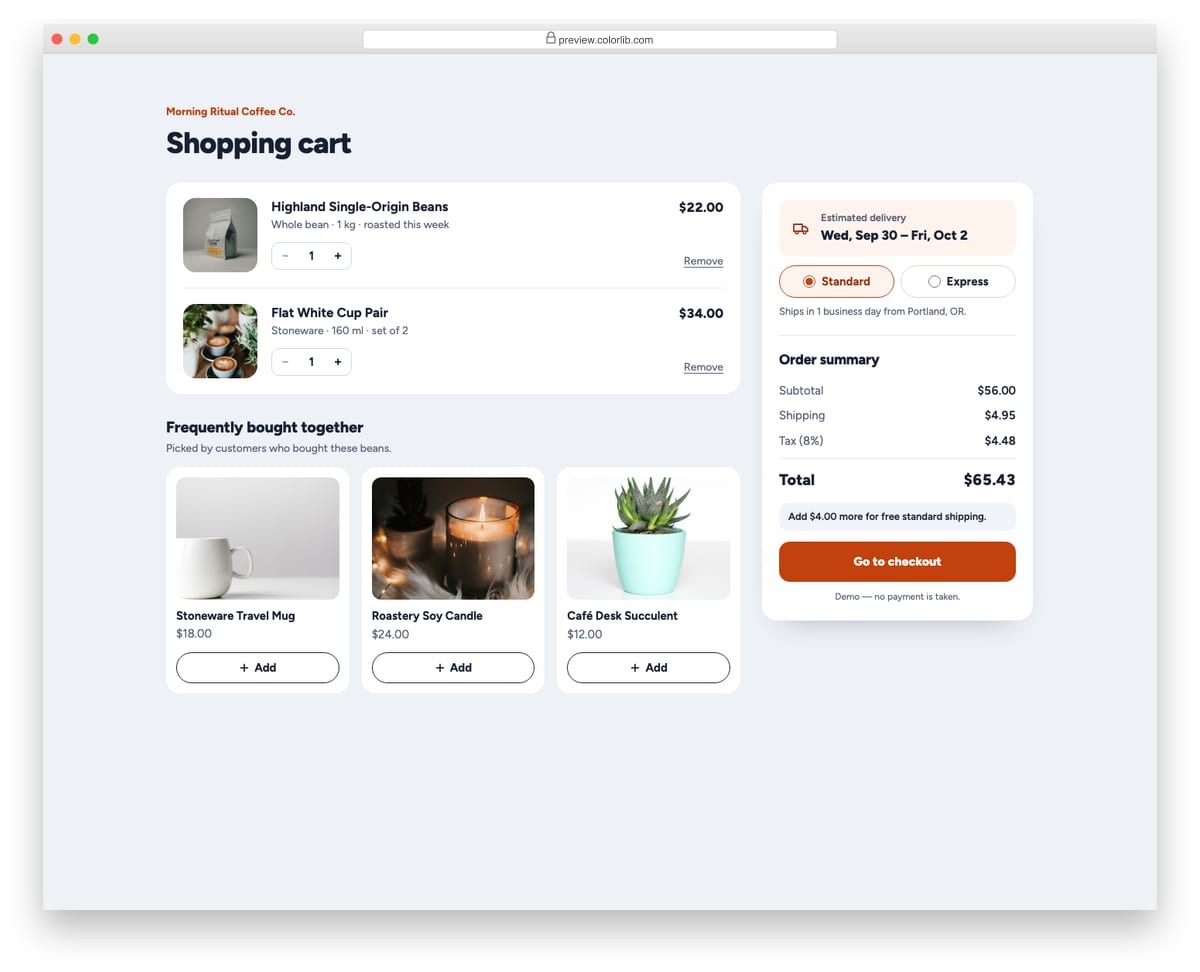
A coffee shop cart with line items, a Frequently bought together row of add-on products and a summary with an estimated delivery window. Each add-on button is a toggle that adds the product as a new cart line or takes it out again, and removing that line from the cart resets the toggle. Choosing Standard or Express delivery changes the shipping cost and recalculates the delivery dates from today, skipping weekends.
Best for: carts that cross-sell accessories and add-ons. Plain HTML and CSS with a few lines of vanilla JavaScript, a 238 KB download, and it works on its own or inside a Bootstrap 4, 5 or 6 project.
Connecting a cart to your store
These templates are the front end only: no payment is taken and nothing is sent. To make one live, render the line items from your store (or your platform’s cart API) into the same markup, keep the totals calculation on the server as the source of truth, and send the checkout form to your payment provider’s hosted fields or checkout session rather than handling card numbers yourself.
Prices are formatted with the browser’s Intl.NumberFormat, so switching currency or locale is a one-line change, and totals changes are announced to screen reader users through a polite live region.
Frequently asked questions
Do these cart templates need Bootstrap or jQuery?
No. They carry their own styles and a few lines of plain JavaScript. If your site uses Bootstrap 4, 5 or 6, they drop in without being restyled by it.
Can I use them in a client or commercial project?
Yes. They are free under the same licence as our other snippets (CC BY 3.0): use them in personal and commercial projects and keep the credit link.
Do they process payments?
No. The payment forms show how card fields, formatting and validation should behave; connect them to a payment provider such as a hosted checkout before taking real orders.

Related Posts

Comments (0)