
28 Best Bootstrap Websites 2026 (Built With Bootstrap)
Bootstrap websites do not have to look like Bootstrap. These 28 sites all run on the framework, from its own homepage and open-source projects like Blender, OpenStreetMap and the Tor Project to a university, a theatre, a restaurant and several design studios. If you want to start from a ready-made design, browse our free Bootstrap 5 templates.
Many lists of “Bootstrap websites” include sites that no longer use it, so we opened every site here in a real browser and checked for Bootstrap’s code and markup before including it. Each entry lists the version it runs: seventeen use Bootstrap 5, eight Bootstrap 4 and three still Bootstrap 3, which says a lot about how long a Bootstrap site can last.
Bootstrap’s Own Websites and Ecosystem
The Bootstrap team’s own sites and the best-known projects built on top of it. Good references for clean documentation, component demos and product pages.
1. Bootstrap
Built with: Bootstrap 5.3, Astro
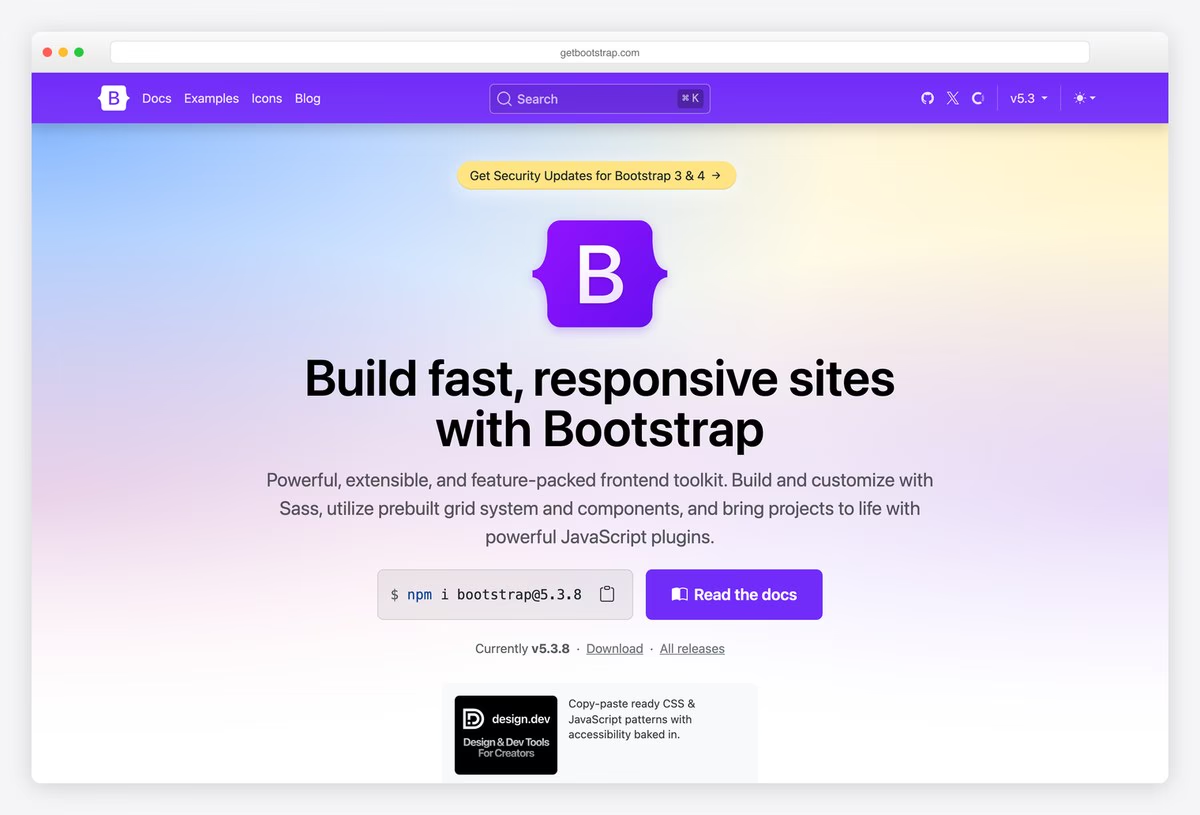
Bootstrap’s own homepage is a model product page for a developer tool: a purple gradient hero with the B logo, the headline “Build fast, responsive sites with Bootstrap”, an install command with a copy button and a single Read the docs button.
A version switcher in the navbar lists every major release back to Bootstrap 2, and a small banner offers security updates for Bootstrap 3 and 4. The site uses Bootstrap 5.3 for its components and is generated with Astro.
What stands out: Install command, docs link and version switcher above the fold.
2. Bootstrap Icons
Built with: Bootstrap 5.3, Hugo
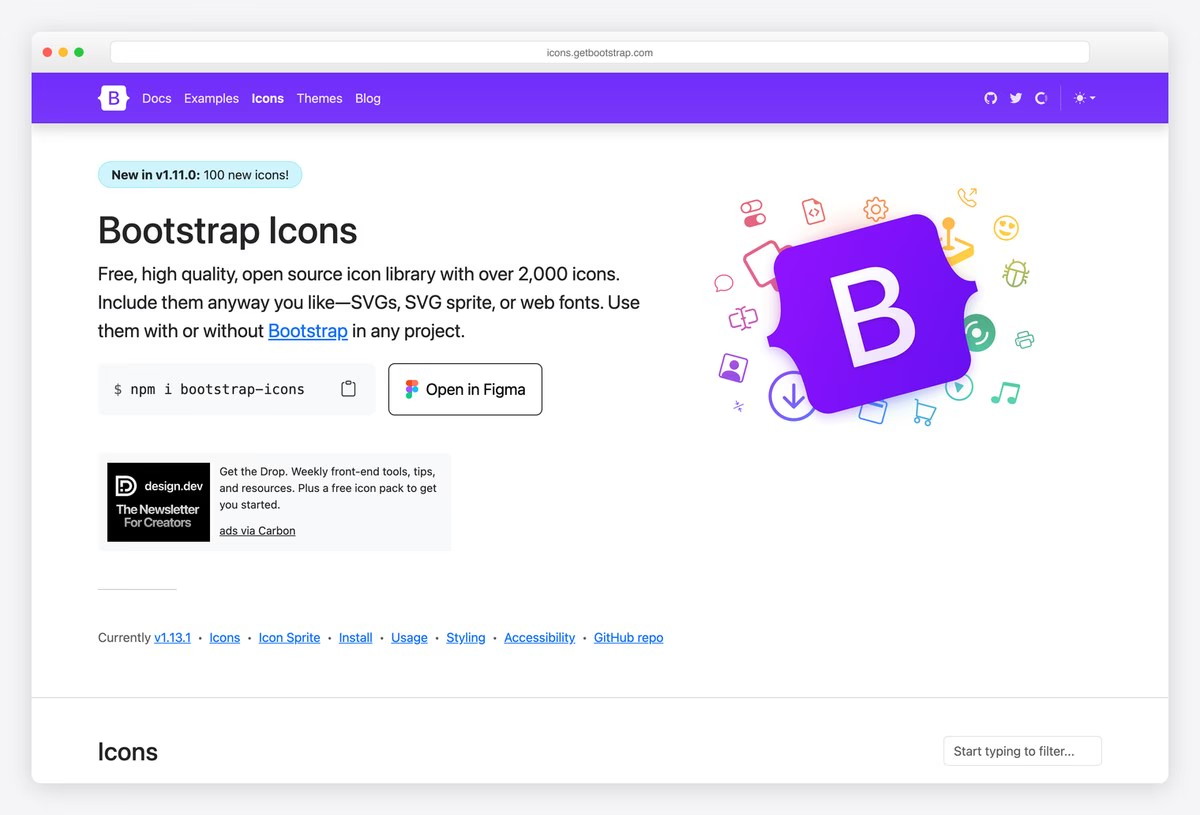
Bootstrap Icons uses a split hero: a short introduction to the library of “over 2,000 icons” with an install command and an Open in Figma button on the left, and the B logo surrounded by floating icons on the right.
Scroll down and the page becomes the product, a searchable grid of every icon with a live filter. It is built on Bootstrap 5.3 and generated with Hugo. Putting the search right on the homepage is exactly what visitors to an icon library want.
What stands out: The homepage turns into a searchable icon grid.
3. Bootswatch
Built with: Bootstrap 5.3
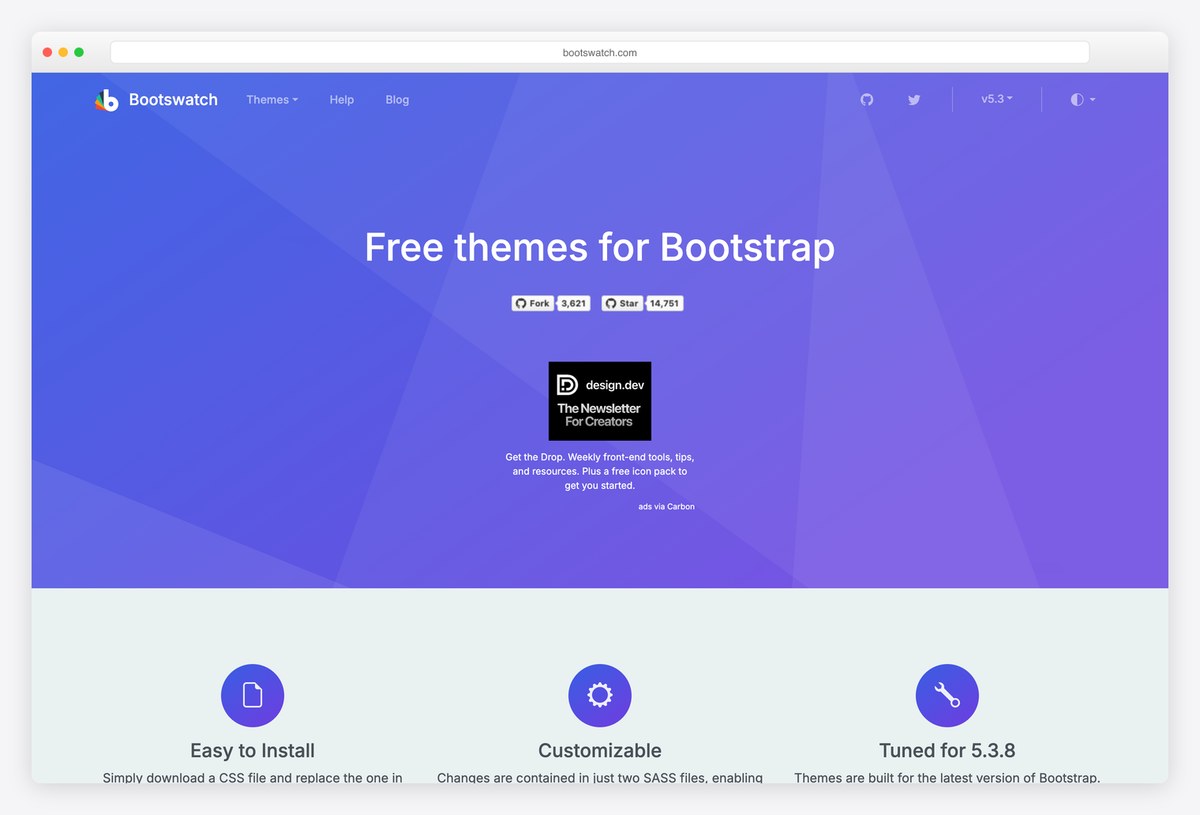
Bootswatch, the long-running collection of free Bootstrap themes, opens with a purple hero, the line Free themes for Bootstrap and GitHub star and fork badges, followed by three feature icons explaining how the themes work.
Each theme is a single CSS file that replaces Bootstrap’s own, and the rest of the page previews them as cards you can open and download. The site uses Bootstrap 5.3 and is a useful reference for how far a theme can move Bootstrap away from its default look.
What stands out: Theme previews that show how far Bootstrap can be restyled.
4. Bootstrap Studio
Built with: Bootstrap 5.3 · headlines in Poppins
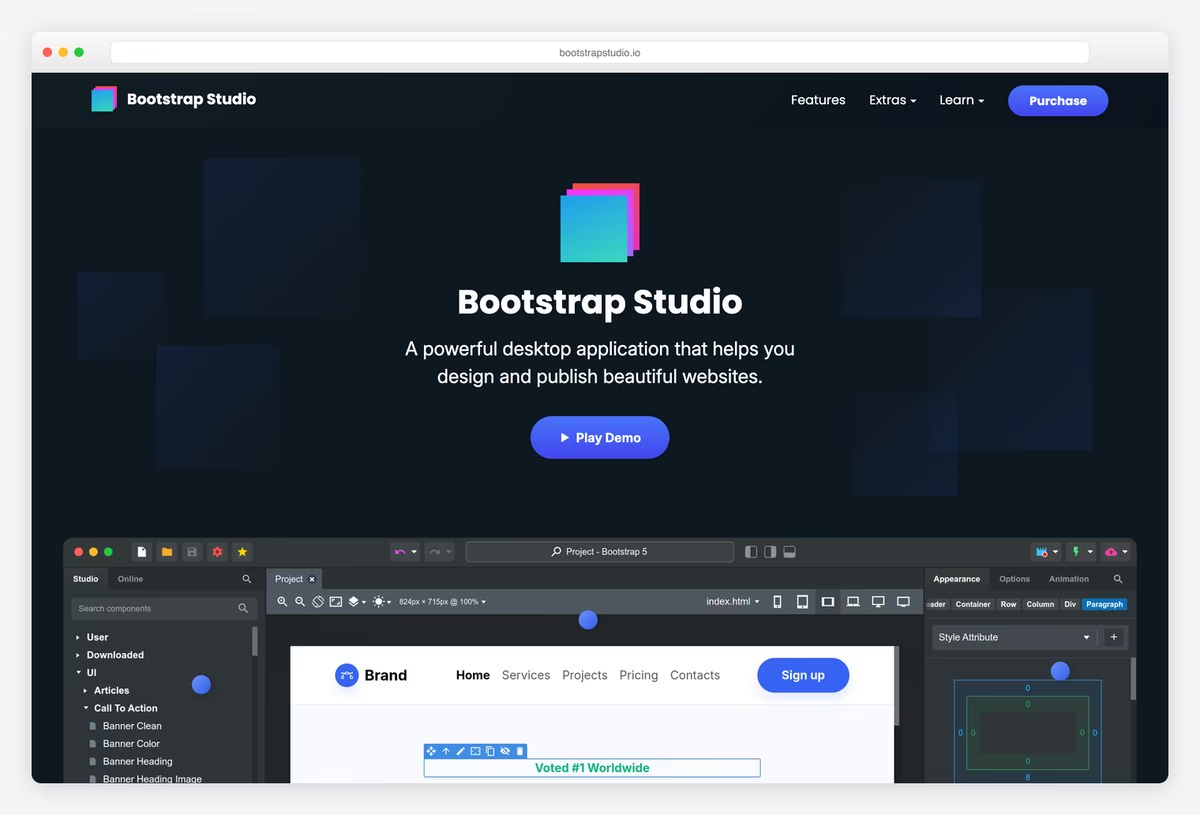
Bootstrap Studio, a desktop app for building Bootstrap sites, uses a dark page with a gradient logo, the line “A powerful desktop application that helps you design and publish beautiful websites.” and a Play Demo button.
Under the hero, a large screenshot of the app shows the drag-and-drop editor, component panel and live preview, so visitors see the product before reading about it. Headlines are set in Poppins, and the site itself runs on Bootstrap 5.3.
What stands out: A big product screenshot does the selling.
5. MDB (Material Design for Bootstrap)
Built with: Bootstrap 5.3, WordPress
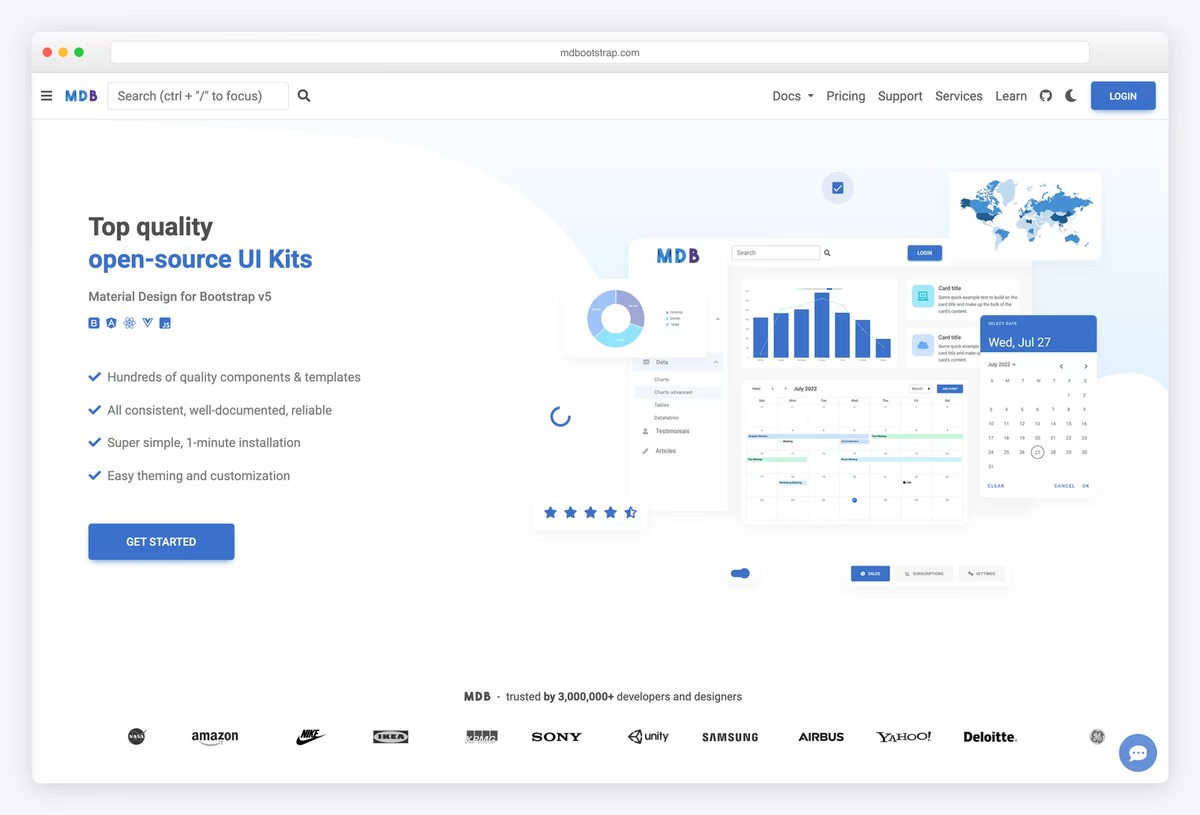
MDB (Material Design for Bootstrap) presents its UI kit with a light hero, a checklist of benefits, a Get Started button and an illustration of dashboard components, followed by a row of logos from companies that use it.
The navbar doubles as a documentation index, with a search field that jumps straight to components. The site runs on WordPress with Bootstrap 5.3, and it shows how Material Design can sit on top of Bootstrap’s grid and utilities.
What stands out: Material Design on top of Bootstrap’s grid.
6. Bootscore
Built with: Bootstrap 5.3, WordPress
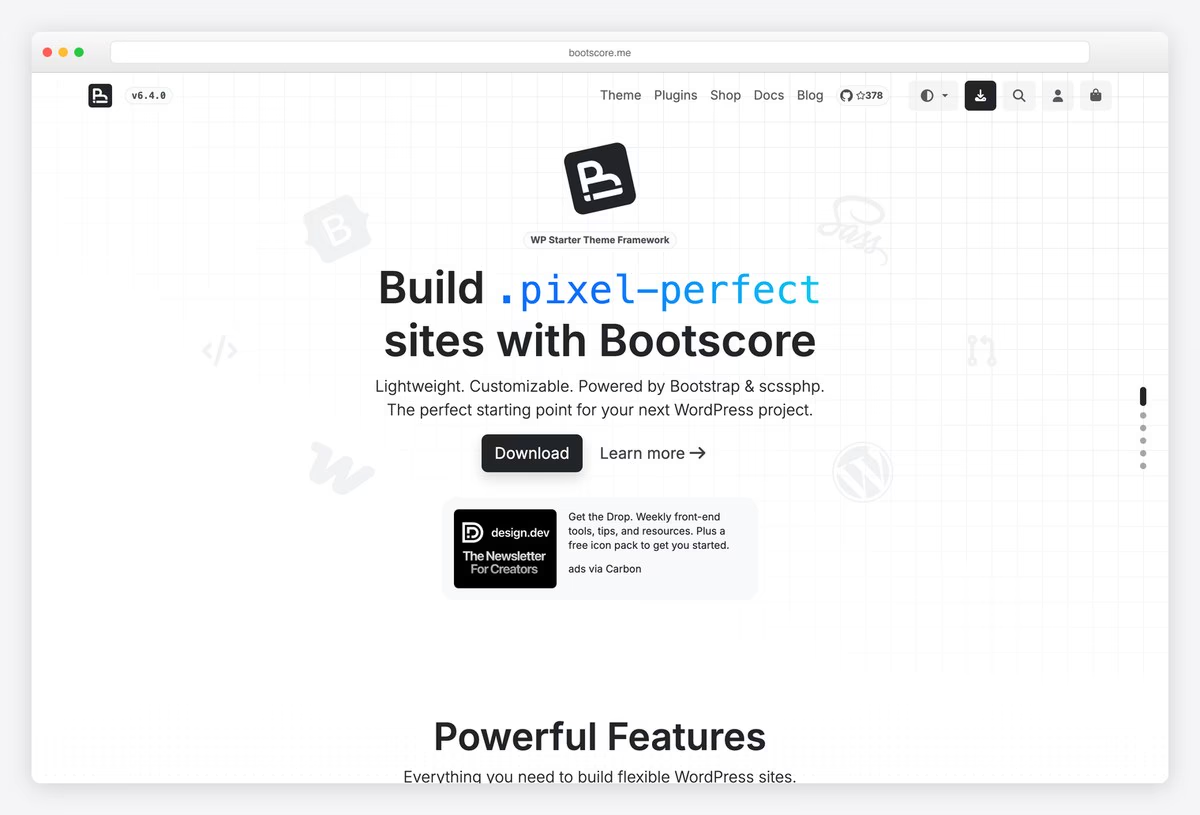
Bootscore, a WordPress starter theme built on Bootstrap, uses a light grid-paper background, a centred logo and the headline Build .pixel-perfect sites with Bootscore, with the class-style word set in a code font.
A light and dark theme toggle sits in the header next to search and the shop. It runs on WordPress with Bootstrap 5.3, a good example for anyone combining Bootstrap with WordPress and WooCommerce.
What stands out: Bootstrap and WordPress, with a dark mode toggle.
Open-Source Project Websites Built With Bootstrap
Bootstrap is everywhere in open source, where volunteer teams need a maintainable, accessible front end more than a bespoke one.
7. Blender
Built with: Bootstrap 4.6, WordPress · headlines in Inter
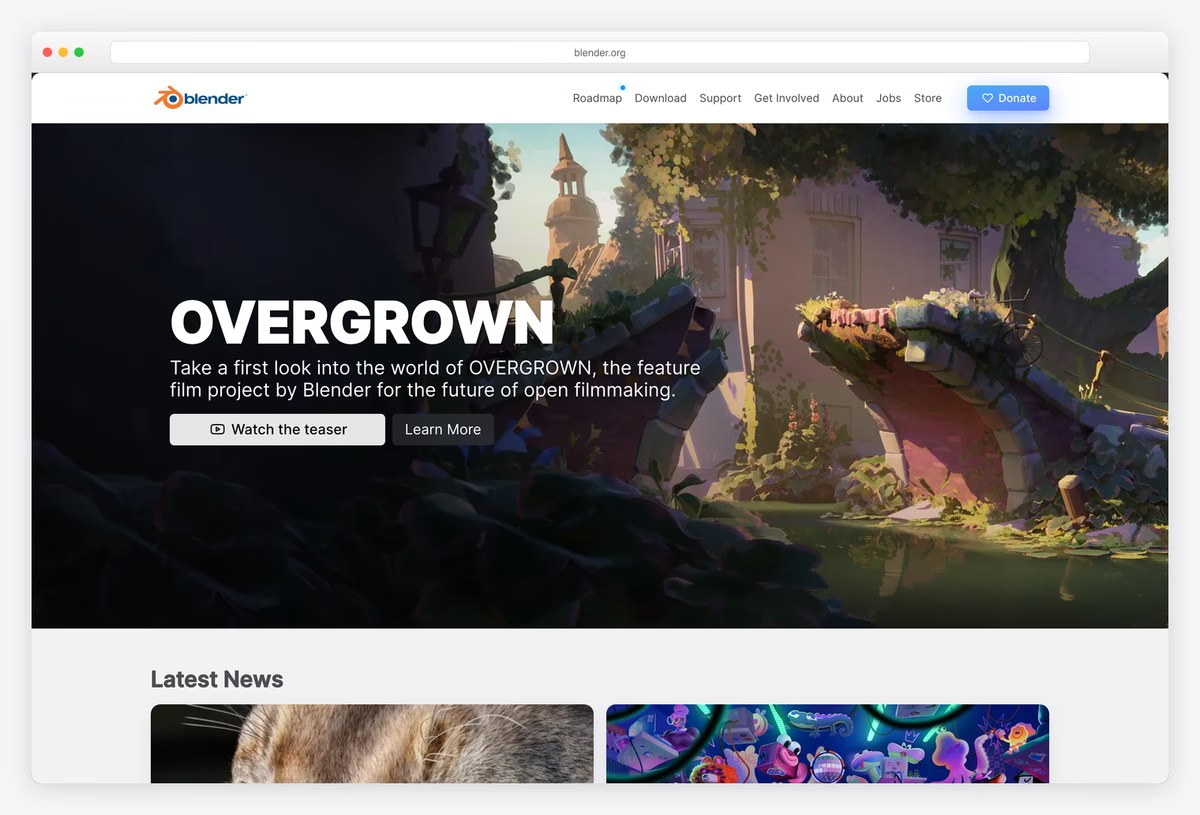
Blender’s site leads with full-bleed artwork from its open film projects, a large headline and buttons to watch a trailer or learn more. The navigation (Roadmap, Download, Support, Get Involved, About, Jobs, Store) ends in a blue Donate button.
Latest News cards with bold images follow. Headlines are set in Inter, and the site runs on WordPress with Bootstrap 4.6. It shows how a Bootstrap grid can carry cinematic imagery without looking like a template.
What stands out: Cinematic artwork on a Bootstrap 4 grid.
8. KDE
Built with: Bootstrap 5, Hugo · headlines in Bebas
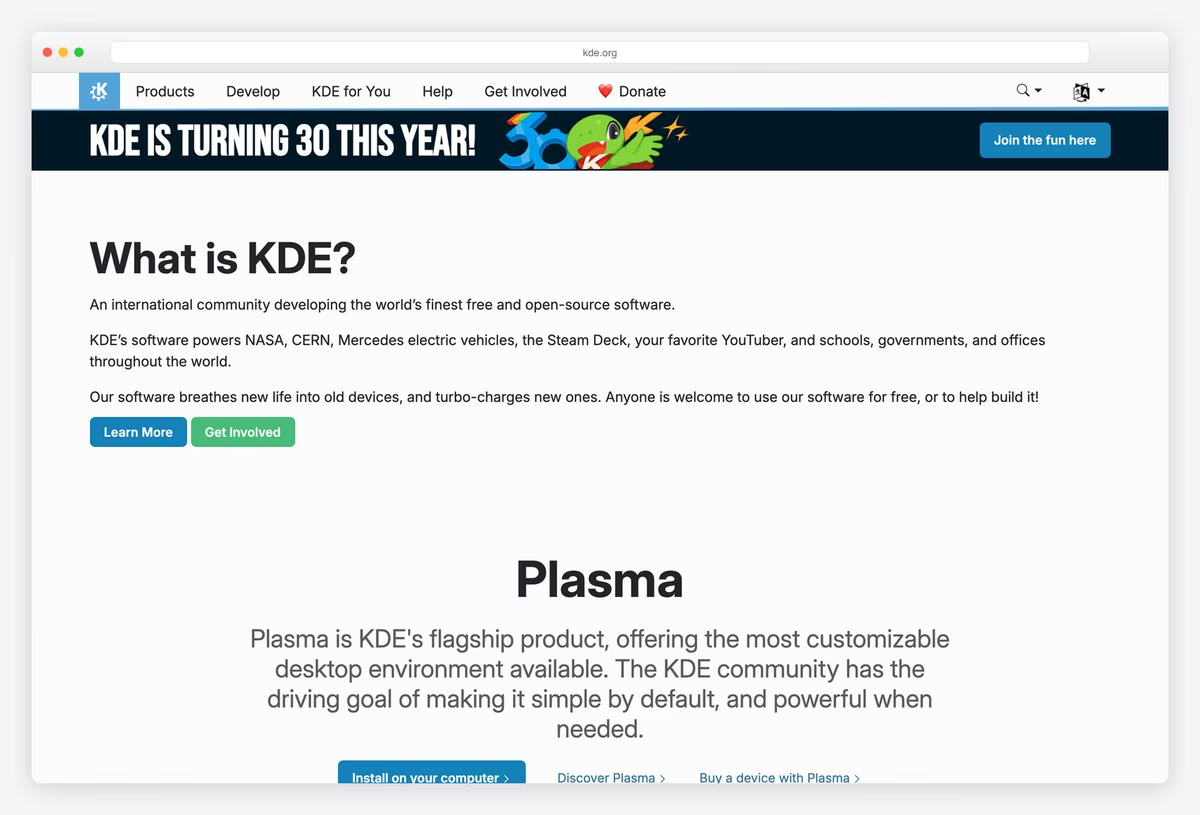
KDE, the community behind the Plasma desktop, uses a blue navbar with Products, Develop, KDE for You, Help, Get Involved and Donate, plus a language selector with dozens of languages. A short What is KDE? section explains the project in two sentences.
Each product, starting with Plasma, then gets a centred section with a screenshot and buttons. Headlines in the banner use Bebas. The site is generated with Hugo and styled with Bootstrap 5.
What stands out: One product per section, in dozens of languages.
9. Tor Project
Built with: Bootstrap 4 · headlines in Source Sans Pro Light
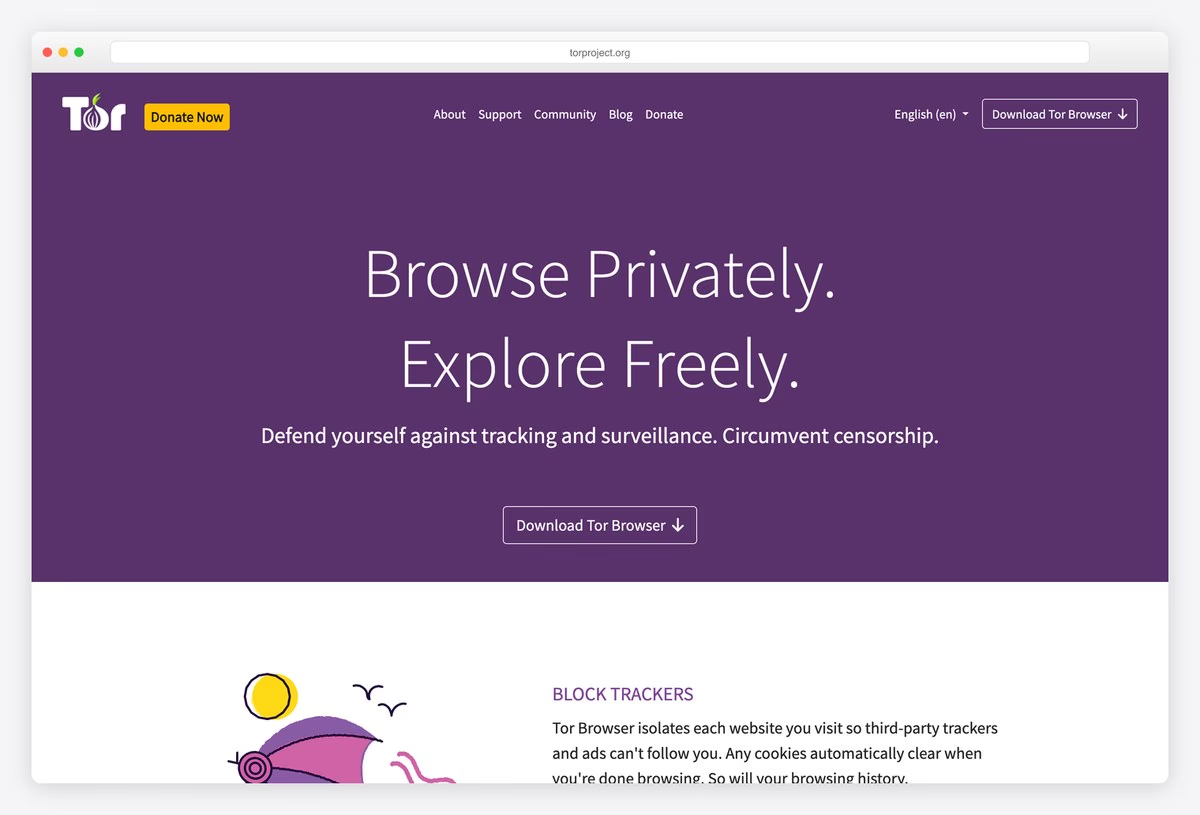
The Tor Project opens on a deep purple hero with “Browse Privately. Explore Freely.” in a light Source Sans Pro, a short line about tracking and censorship, and a single Download Tor Browser button. A Donate Now badge sits next to the logo.
Illustrated feature sections (block trackers, defend against surveillance, resist fingerprinting) follow with simple line drawings. The site still runs a Bootstrap 4 beta, which shows how long a well-built Bootstrap site can last.
What stands out: One action, one colour and a Bootstrap 4 beta that still works.
10. OpenStreetMap
Built with: Bootstrap 5.3
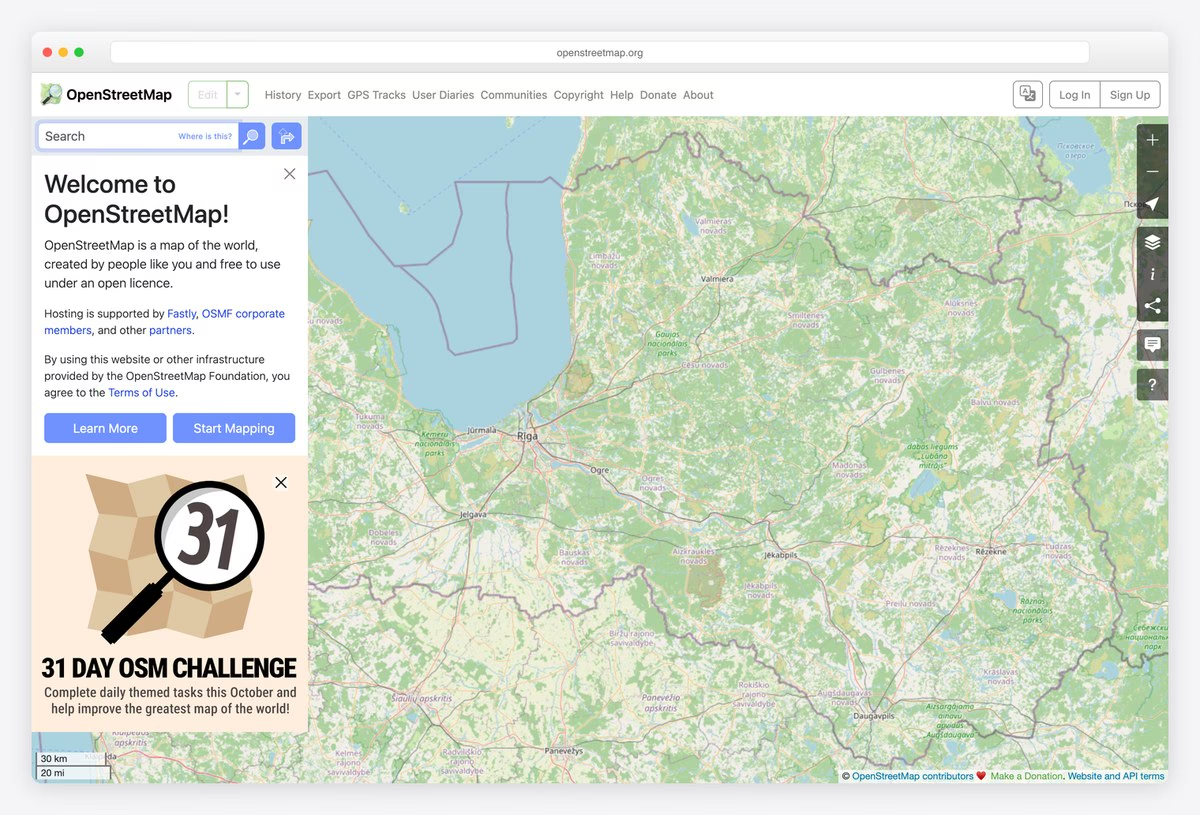
OpenStreetMap’s homepage is the map itself: a full-screen map with a welcome panel on the left that explains the project, with Learn More and Start Mapping buttons, and a slim navbar with Edit, History, Export, GPS Tracks and User Diaries.
Map controls stack down the right edge. The interface is built with Bootstrap 5.3, a good example of Bootstrap in an app-like layout rather than a marketing page.
What stands out: The map is the homepage, with Bootstrap as the app shell.
11. IETF
Built with: Bootstrap 5.3
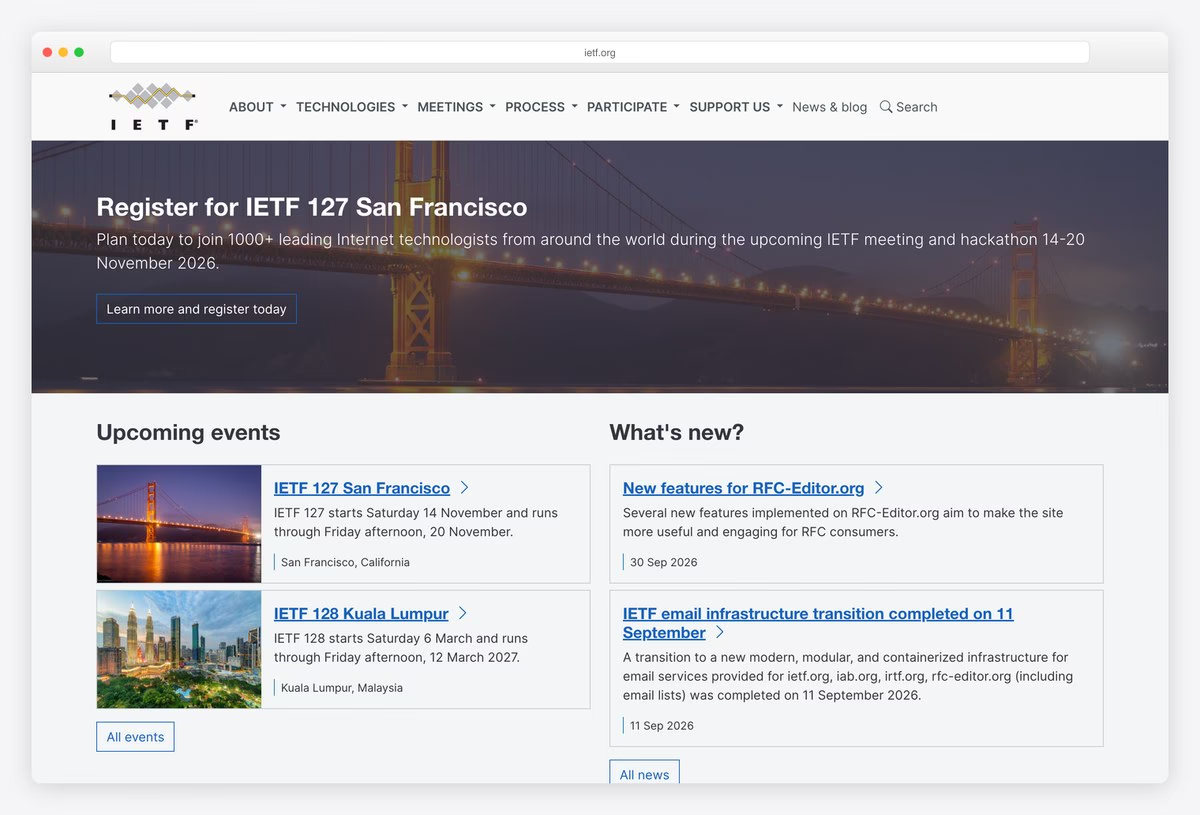
The IETF, the body that develops internet standards, uses a dropdown navbar (About, Technologies, Meetings, Process, Participate, Support us), a photo banner for its next meeting and two columns of cards for upcoming events and news.
Each card pairs a small photo with a title, date and summary, using Bootstrap 5.3’s card and grid components almost as they ship. It shows that a standard Bootstrap layout is often the clearest choice for information-heavy organisations.
What stands out: Standard Bootstrap cards for an information-heavy site.
12. VLC (VideoLAN)
Built with: Bootstrap 3
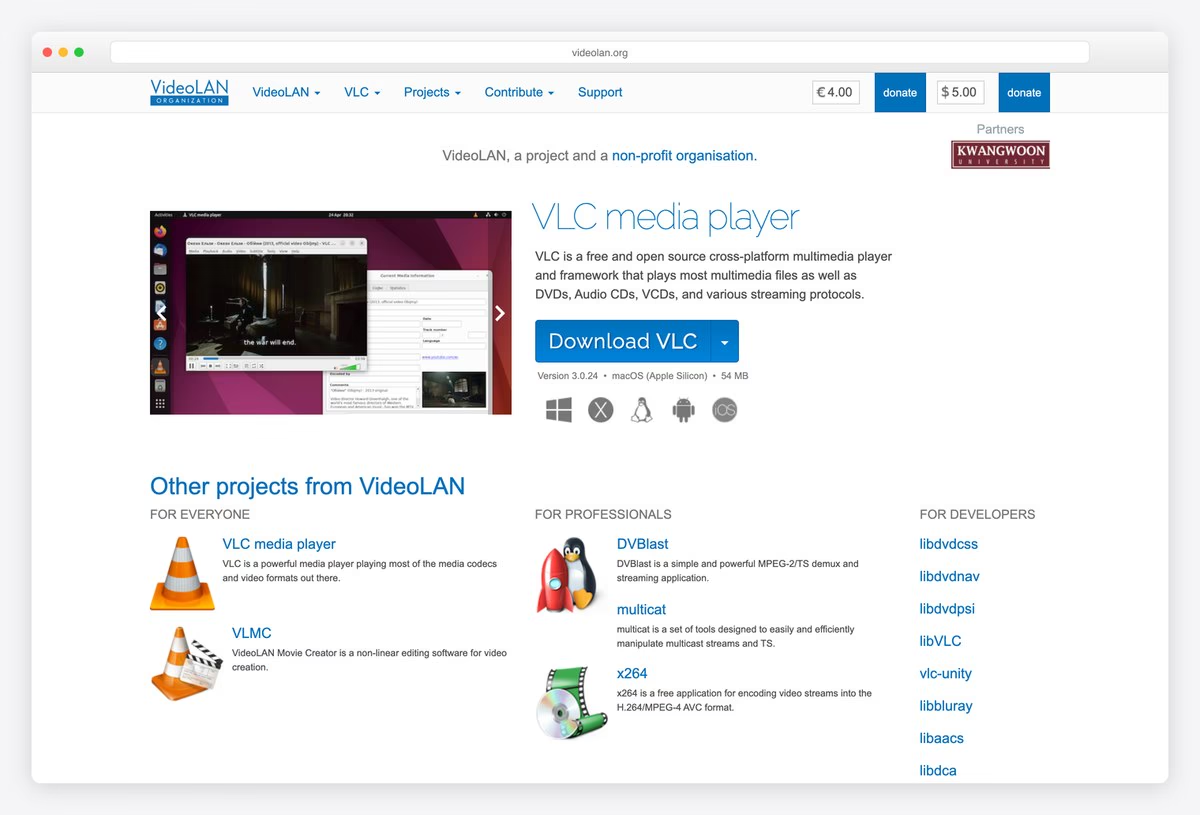
VideoLAN’s VLC page is a classic Bootstrap 3 layout: a dropdown navbar, a donation field with an amount and a Donate button in the header, and a screenshot of the player beside a big blue Download VLC button that detects your operating system.
Platform icons sit under the button, and a grid of other VideoLAN projects follows, each marked with the traffic-cone icon. The download button that shows your version, system and file size is one of the most useful patterns on this list.
What stands out: A download button that knows your system.
13. The Apache Software Foundation
Built with: Bootstrap 3 · headlines in Montserrat
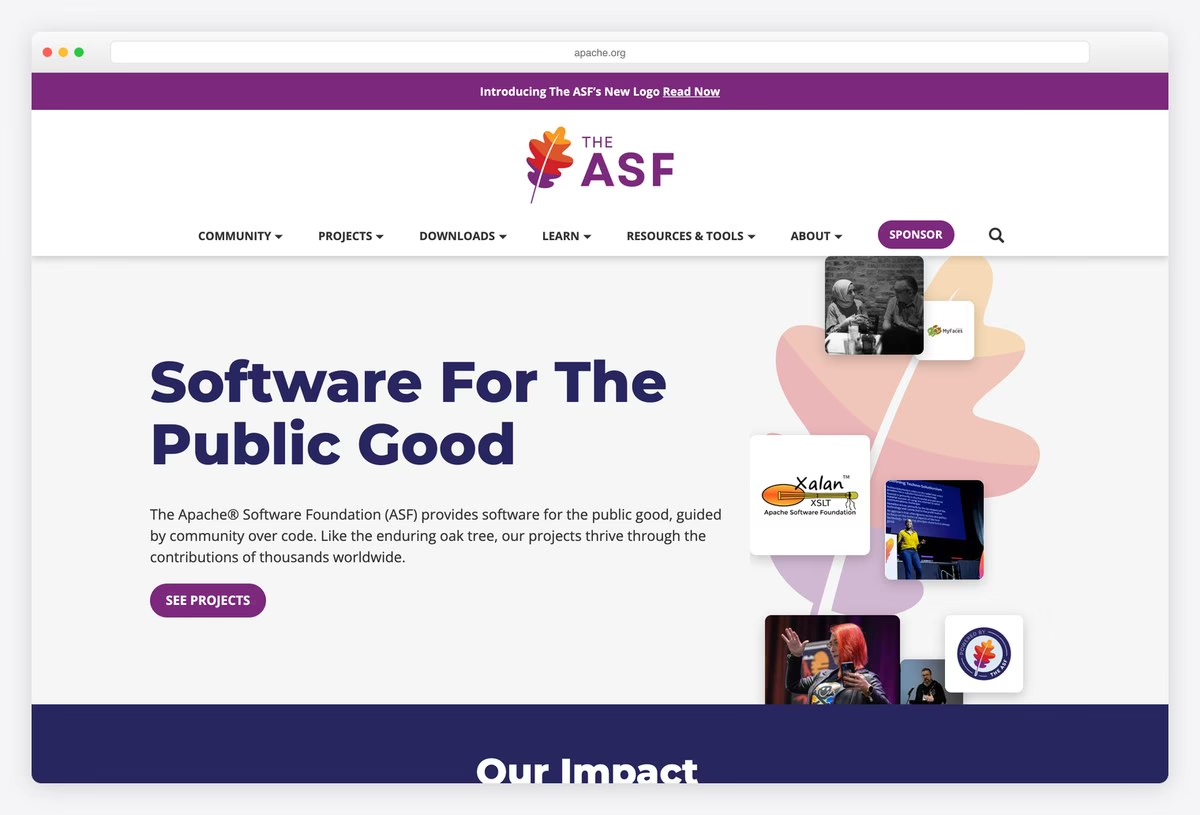
The Apache Software Foundation uses a purple announcement strip, its oak-leaf logo and a navbar of dropdowns (Community, Projects, Downloads, Learn, Resources & Tools, About) with a Sponsor button. The hero headline “Software For The Public Good” is set in Montserrat.
Beside it, project images are arranged in the shape of a leaf, and an Our Impact band with key figures follows. The site runs on Bootstrap 3.4 with a modern visual layer, proof that an older Bootstrap version can still look current.
What stands out: A fresh visual identity on an older Bootstrap version.
14. PostgreSQL
Built with: Bootstrap 4.4
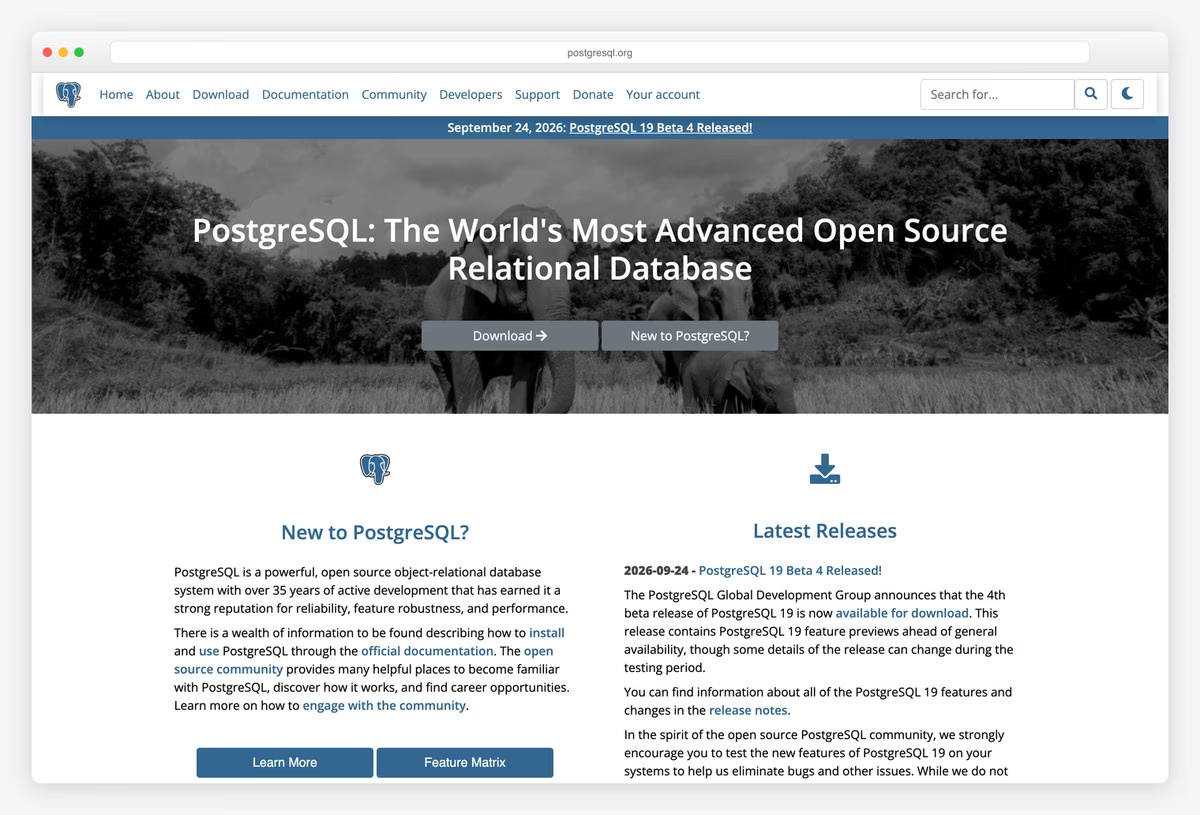
PostgreSQL’s site uses a blue navbar with the elephant logo, a news strip for the latest release and a photo hero with the project’s description and Download and New to PostgreSQL? buttons.
Two columns follow, one introducing the database and one listing the latest releases, with a dark mode toggle in the header. It runs on Bootstrap 4.4, and the two-path hero (download or learn) is a good pattern for any developer tool.
What stands out: Two clear paths: download or learn.
15. Mahara
Built with: Bootstrap 5.3, Mahara
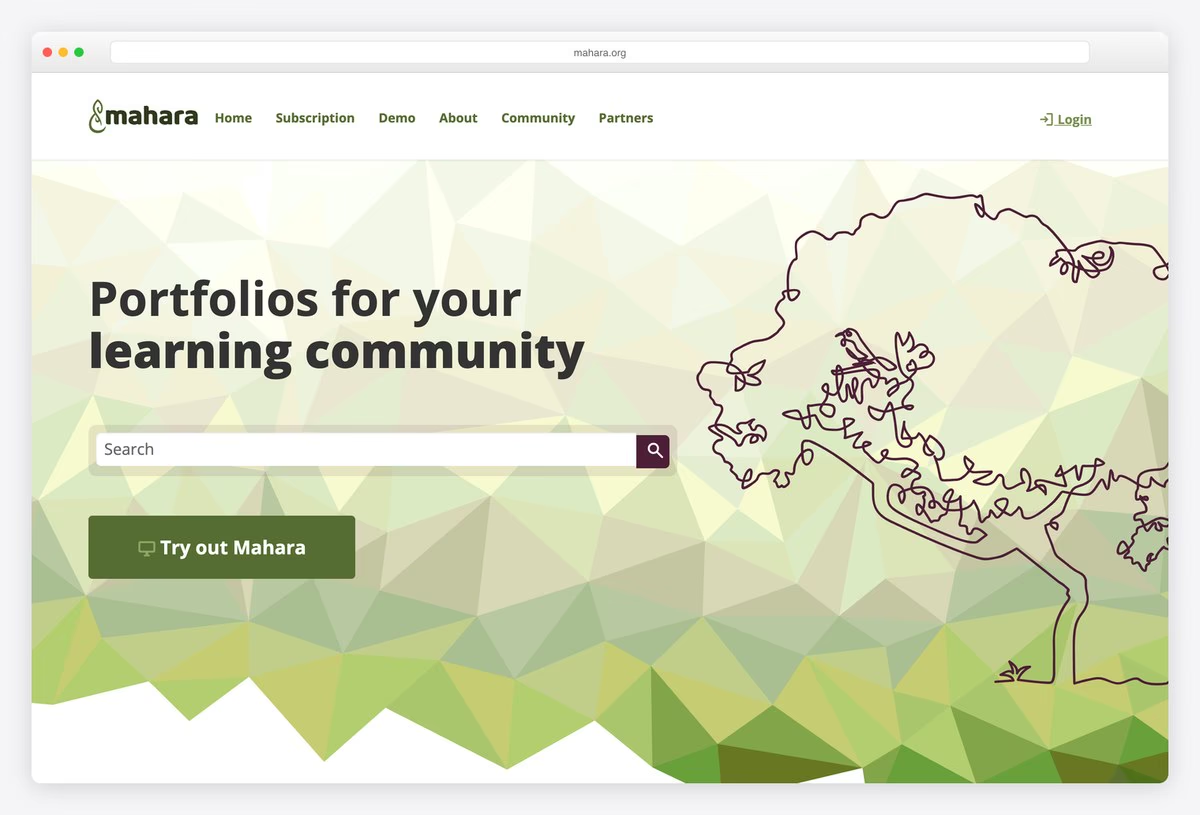
Mahara, an open-source ePortfolio system for schools and universities, uses a low-poly green background with a line-drawn tree, the headline Portfolios for your learning community, a search box and a Try out Mahara button.
The site runs on Mahara itself, with Bootstrap 5.3 for the layout, which makes the homepage a live demo of the product. The menu covers Subscription, Demo, About, Community and Partners.
What stands out: The product’s homepage is built with the product.
Business, Brand and Institution Websites Built With Bootstrap
Proof that a Bootstrap site does not have to look like Bootstrap: shops, apps, a university, a theatre and a restaurant, each with its own identity on the same grid.
16. University of Arizona
Built with: Bootstrap 5.3, Drupal · headlines in Garamond Premier
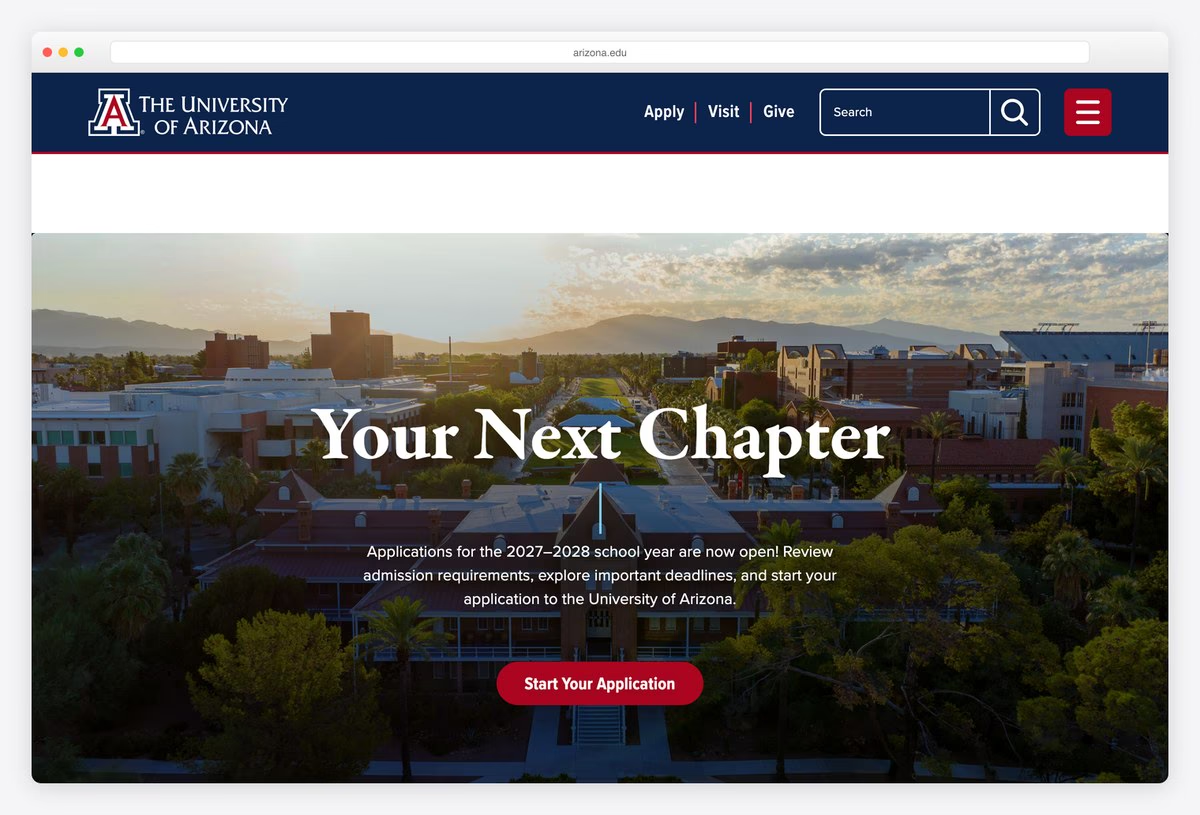
The University of Arizona uses a navy header with the block A logo, Apply, Visit and Give links, a large search box and a red menu button. The hero is a full-width campus photograph with a serif headline in Garamond Premier and a red application button.
The university maintains Arizona Bootstrap, its own Bootstrap-based design system used across campus websites, and the homepage runs on Bootstrap 5.3 with Drupal. It is a strong model for any large organisation that needs many sites to look related.
What stands out: A university-wide design system built on Bootstrap.
17. Caleño Drinks
Built with: Bootstrap 4.6, WordPress, WooCommerce · headlines in Thunderhouse Pro
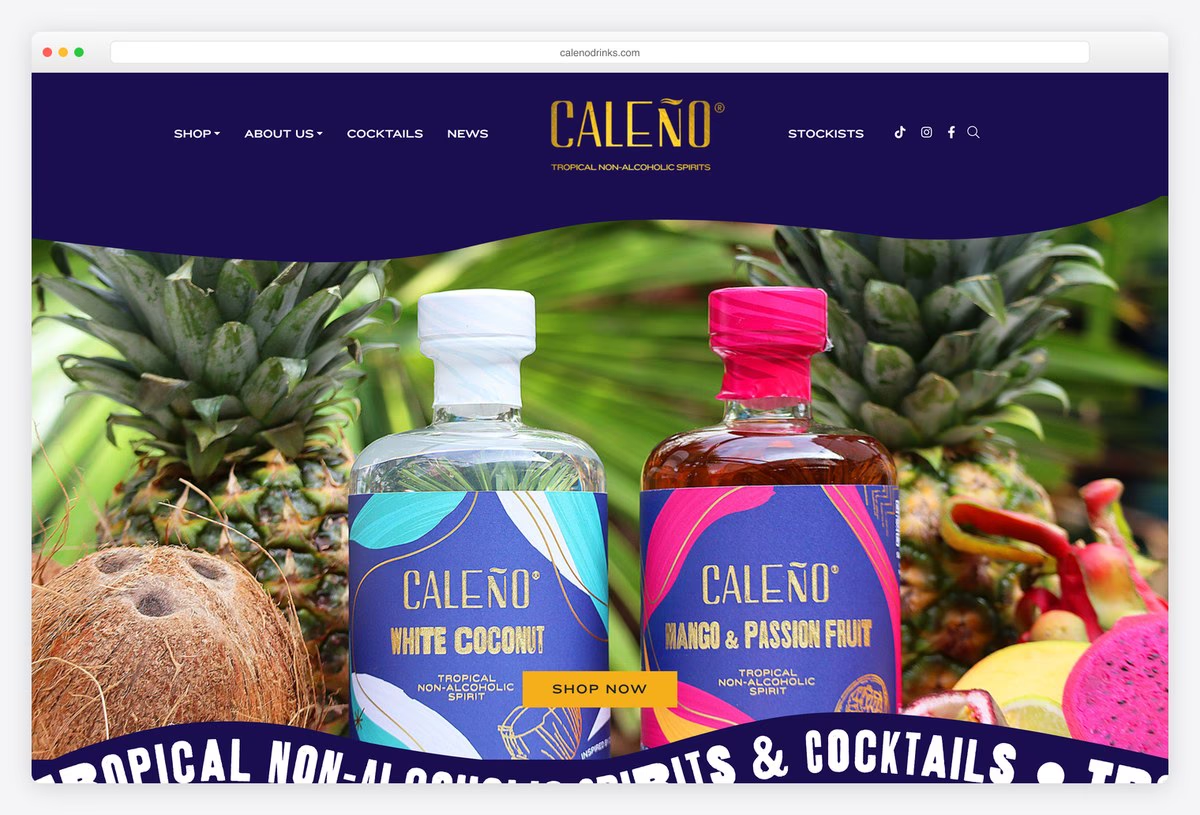
Caleño, a maker of non-alcoholic tropical spirits, sets its wordmark in the centre of a deep blue header, with Shop, About us, Cocktails, News and Stockists around it. The hero shows the bottles among tropical fruit with a Shop Now button.
A curved band of scrolling text runs across the bottom of the hero, and headlines are set in Thunderhouse Pro. The shop runs on WordPress and WooCommerce with Bootstrap 4.6, and the playful packaging colours carry the whole design.
What stands out: Packaging colours carry a Bootstrap shop.
18. Terra di Cuma
Built with: Bootstrap 5.1 · headlines in Noto Serif Display
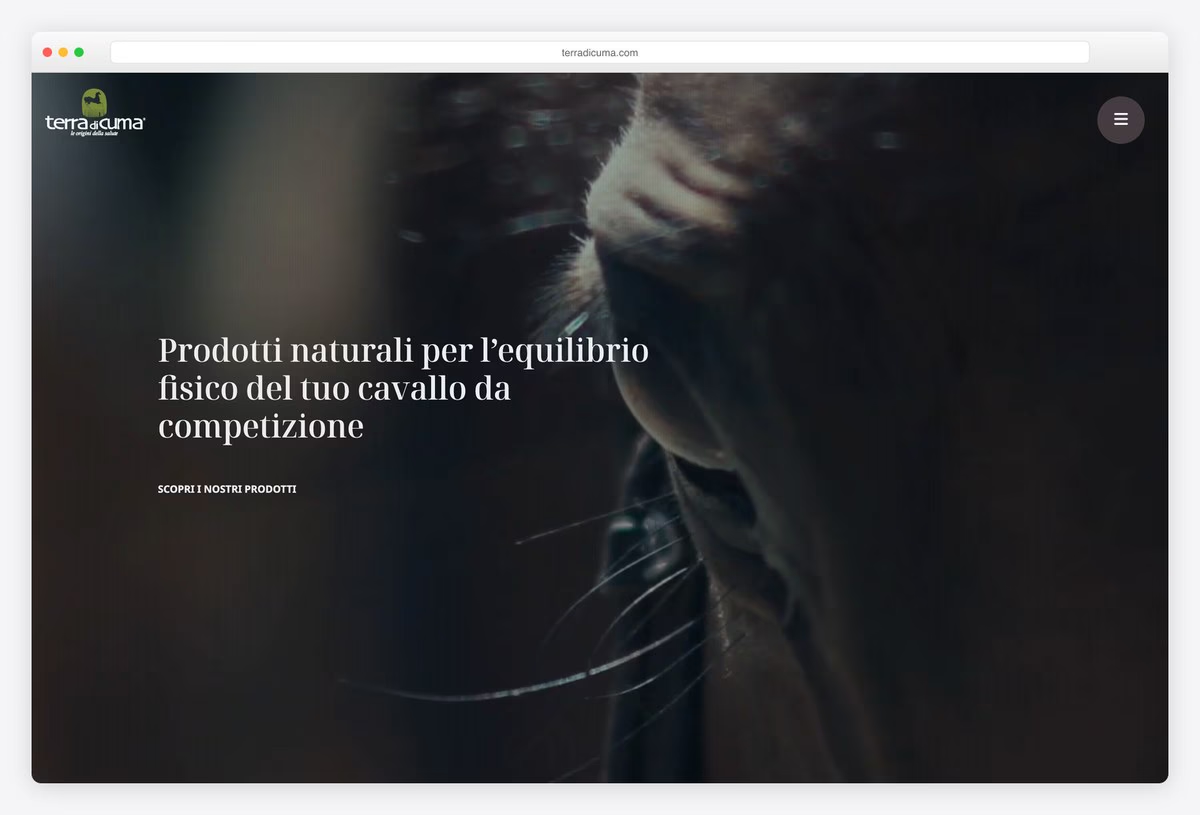
Terra di Cuma, an Italian maker of natural products for competition horses, opens with a full-screen, dark close-up of a horse and a serif headline in Noto Serif Display, with only a round menu button and a link to the products.
An Italian and English switch sits in the menu, and a product grid follows below. The site uses Bootstrap 5.1. The dark, photographic hero shows how little interface a Bootstrap site needs on its first screen.
What stands out: A dark, photographic hero with almost no interface.
19. Il Grecale
Built with: Bootstrap 5.0 · headlines in Swear Display
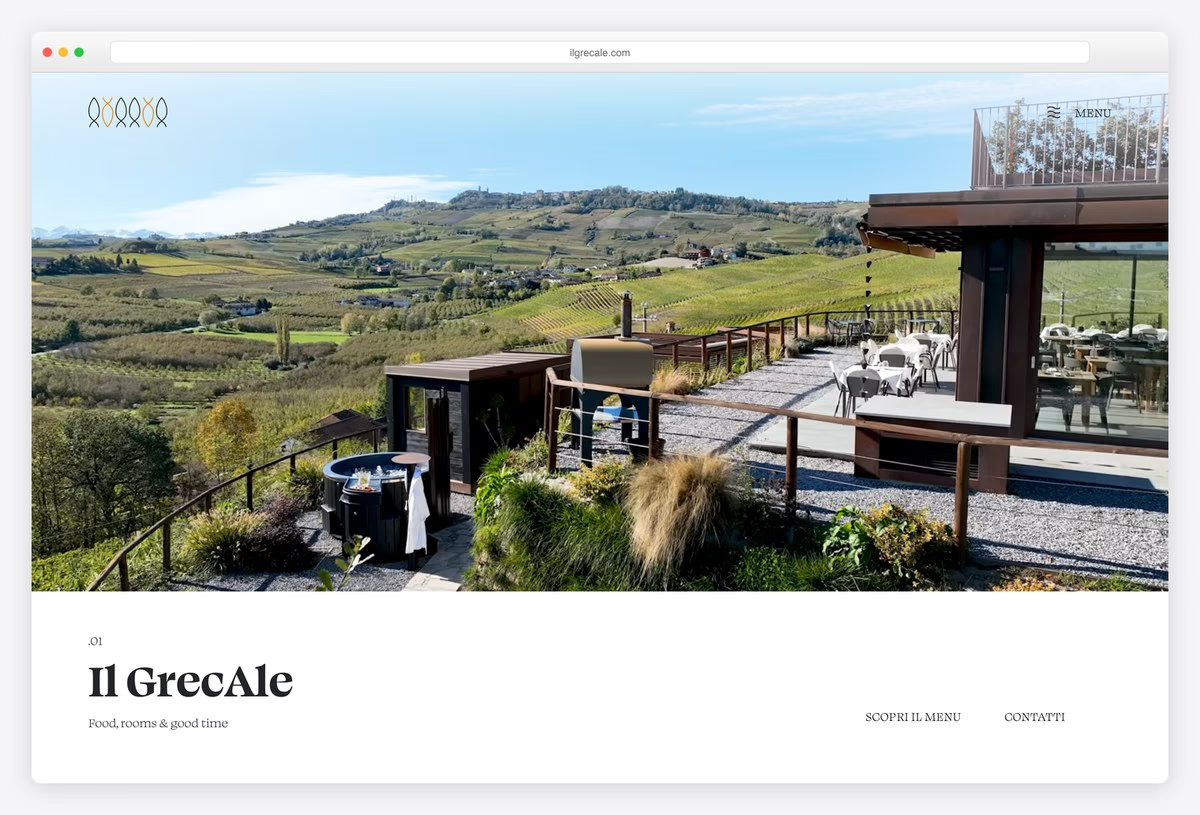
Il Grecale is a restaurant with rooms in the Barolo vineyards at La Morra, and its site opens with a wide landscape photograph of the terrace and the hills. Below, the name is set in Swear Display with the tagline “Food, rooms & good time”.
Sections are numbered (.01, .02) like chapters, with links to the menu and contact details. The site uses Bootstrap 5.0. Numbered sections and generous white space give a small hospitality site an editorial feel.
What stands out: Numbered sections that read like chapters.
20. JRNY
Built with: Bootstrap 4.6, Salesforce Commerce Cloud
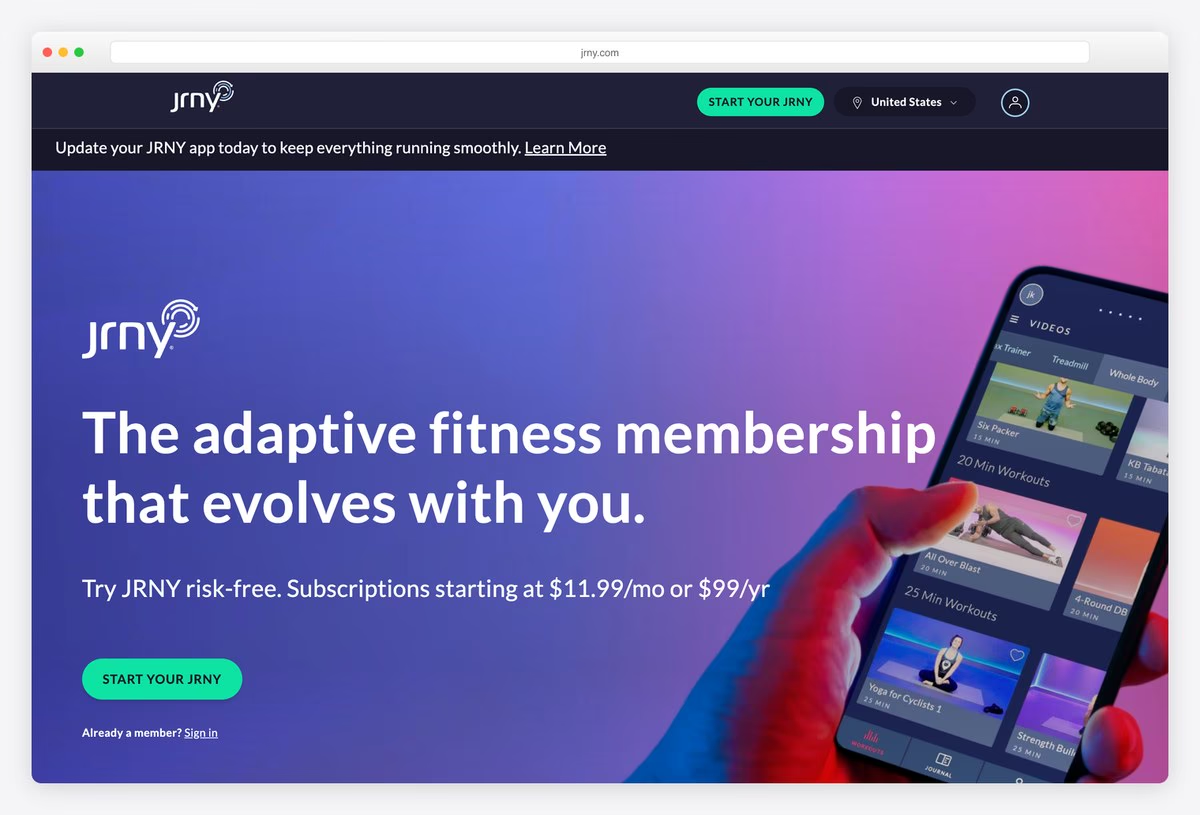
JRNY, a digital fitness platform, uses a purple-to-pink gradient hero with a phone showing the app, the headline “The adaptive fitness membership that evolves with you.” and a green Start Your JRNY button.
A country switch and a sign-in link sit in the header. The store runs on Salesforce Commerce Cloud with Bootstrap 4.6 for the front end, a reminder that Bootstrap also powers large enterprise commerce sites.
What stands out: Bootstrap inside an enterprise commerce platform.
21. Knack
Built with: Bootstrap 5.3, WordPress
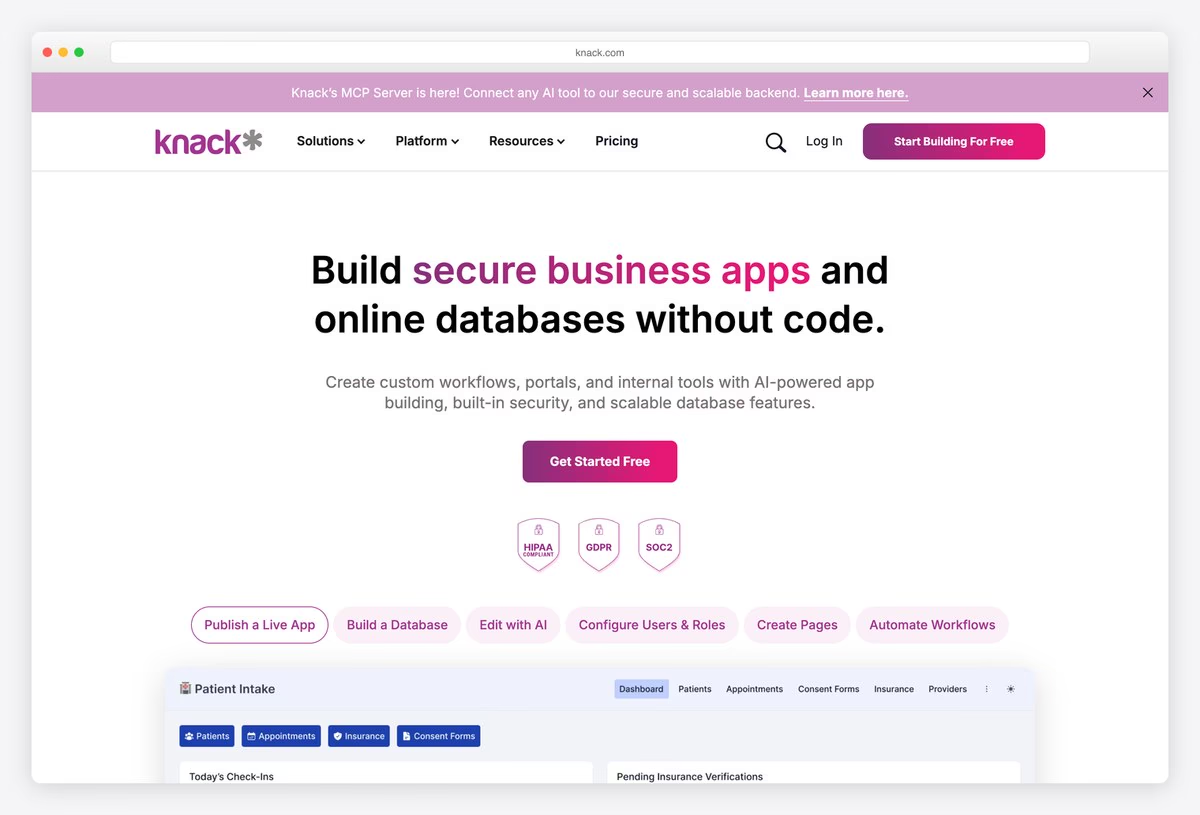
Knack, a no-code app builder, centres its headline “Build secure business apps and online databases without code.” with the key words in pink, a Get Started Free button and compliance badges for HIPAA, GDPR and SOC 2.
Below, pill-shaped tabs (Publish a Live App, Build a Database, Edit with AI and more) switch a large preview of the product interface. The site runs on WordPress with Bootstrap 5.3.
What stands out: Tabs that switch a live product preview.
22. Trainerize
Built with: Bootstrap 3 · headlines in Poppins
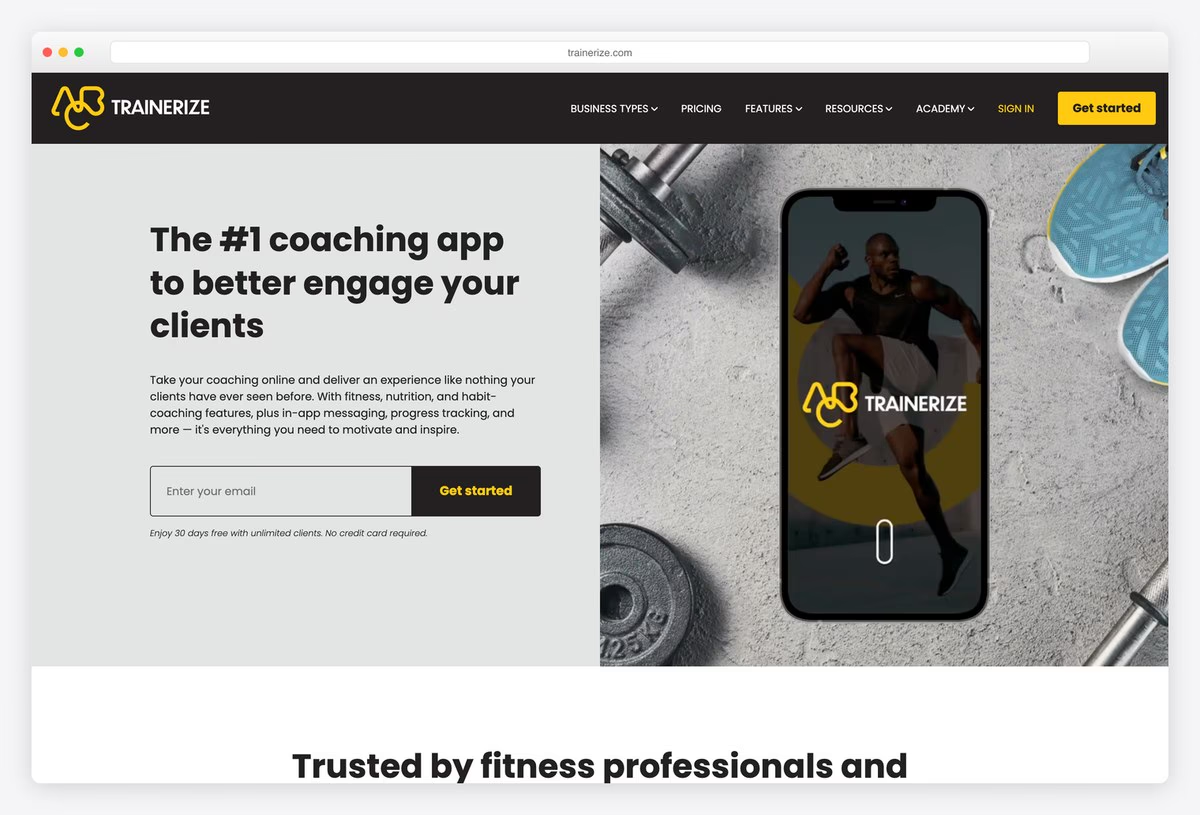
Trainerize, a coaching app for personal trainers, uses a black header with a yellow Get started button and a split hero: the headline and an email sign-up field on the left, and a phone showing the app on a concrete gym floor on the right.
A row of customer logos follows under the heading Trusted by fitness professionals. Headlines are set in Poppins, and the site runs on Bootstrap 3, which still handles a modern split layout without trouble.
What stands out: An email field in the hero shortens sign-up to one step.
23. Teatr Śląski
Built with: Bootstrap 4.4, WordPress · headlines in Space Grotesk
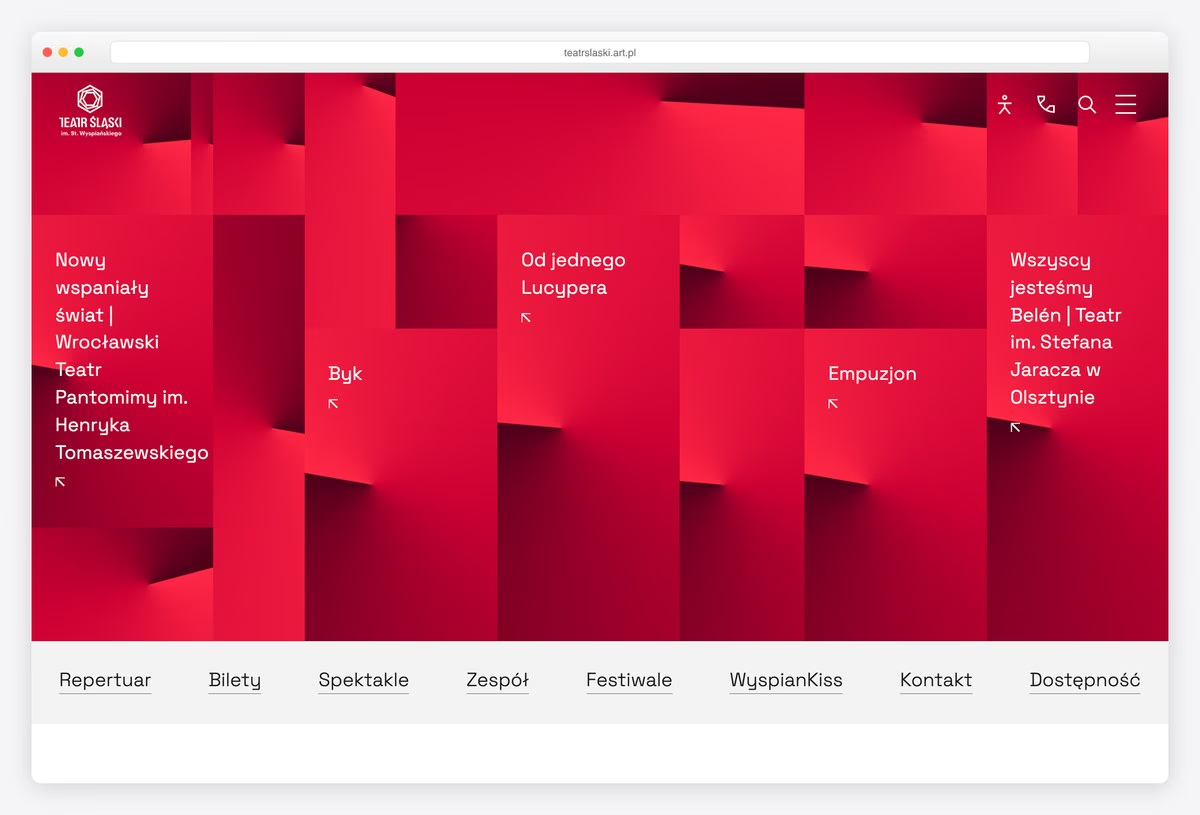
Teatr Śląski, the Silesian Theatre in Katowice, fills its first screen with red, folded 3D panels, each carrying the title of a production. A row of links (repertoire, tickets, performances, company, festivals, contact, accessibility) runs underneath.
Skip links and an accessibility button sit in the header. Headlines are set in Space Grotesk, and the site runs on WordPress with Bootstrap 4.4. It is a bold, sculptural design that still sits on a plain Bootstrap grid.
What stands out: A sculptural red hero on a plain Bootstrap grid.
24. Vermeulen
Built with: Bootstrap 5 · headlines in Arboria
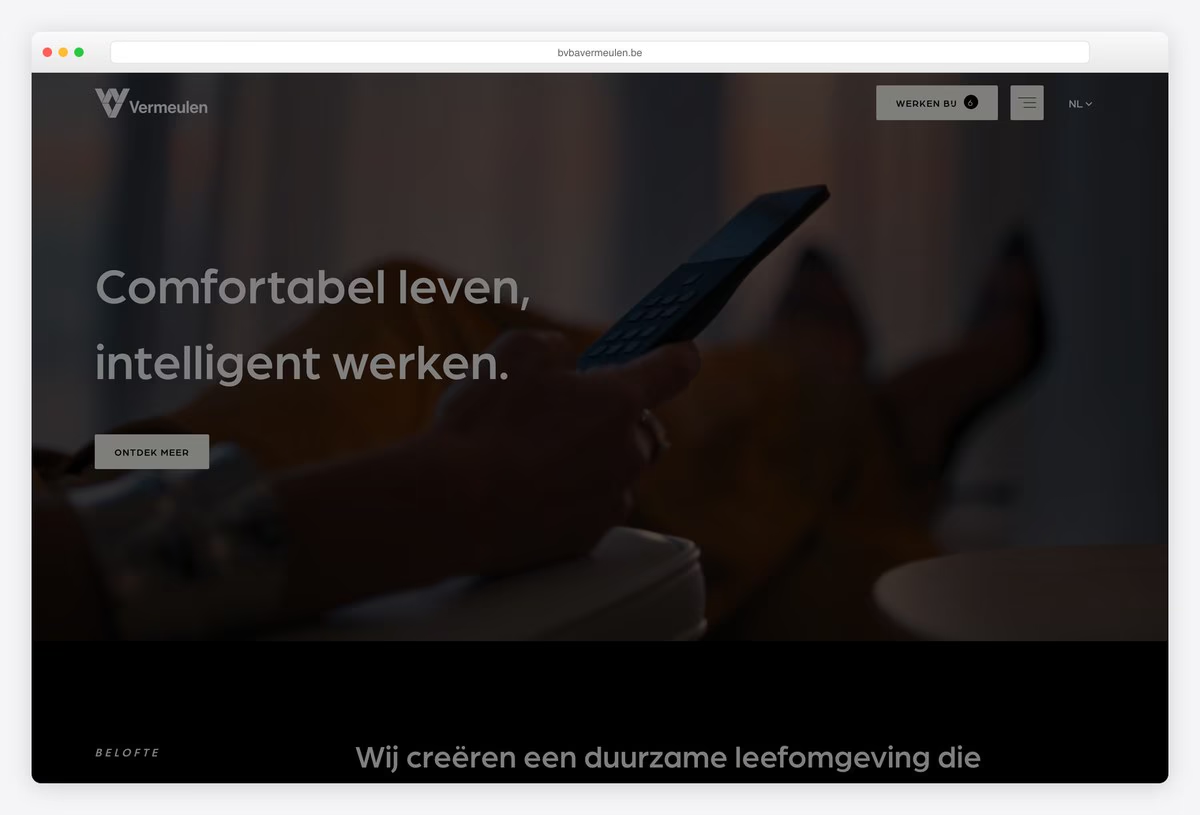
Vermeulen, a Belgian building technology company, opens on a dark full-screen video with the headline “Comfortabel leven, intelligent werken.” (comfortable living, intelligent working) in Arboria and a single Ontdek meer (discover more) button.
A Werken bij (jobs) button with a count of open roles and a Dutch and English switch sit in the header. The site uses Bootstrap 5. Putting the job count in the header suits a company that is always hiring technicians.
What stands out: Open jobs counted right in the header.
Agency and Portfolio Websites Built With Bootstrap
Creative studios that use Bootstrap for layout and responsive behaviour, and put all their effort into type, colour and imagery.
25. Make Us Care
Built with: Bootstrap 5.3, WordPress · headlines in Unbounded
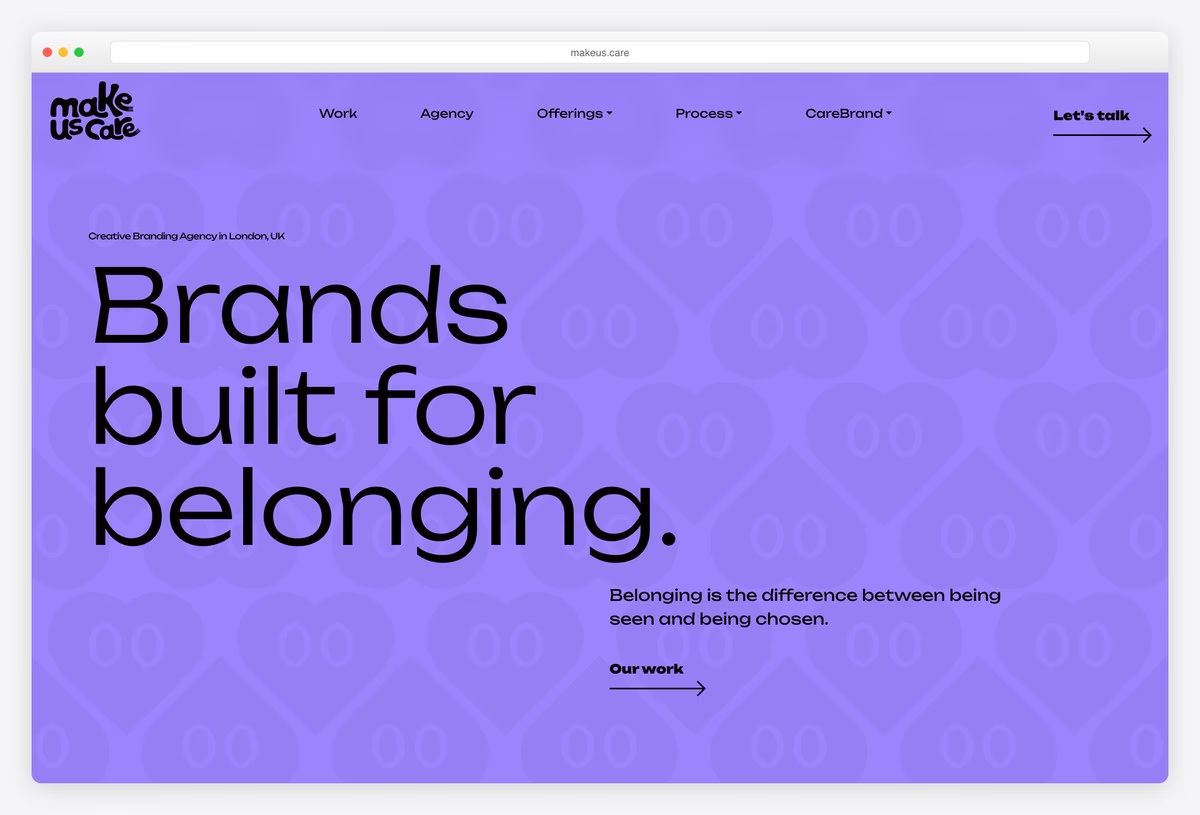
Make Us Care, a London branding agency, uses a lavender background with a pattern of outlined hearts and the headline “Brands built for belonging.” set very large in Unbounded, with a short line of copy and an Our work link.
The menu covers Work, Agency, Offerings, Process and CareBrand, the agency’s own method. The site runs on WordPress with Bootstrap 5.3. Bold colour and oversized type are all the hero needs.
What stands out: Bold colour and oversized type, nothing else.
26. Hypertria
Built with: Bootstrap 4.4, WordPress · headlines in Aeonik
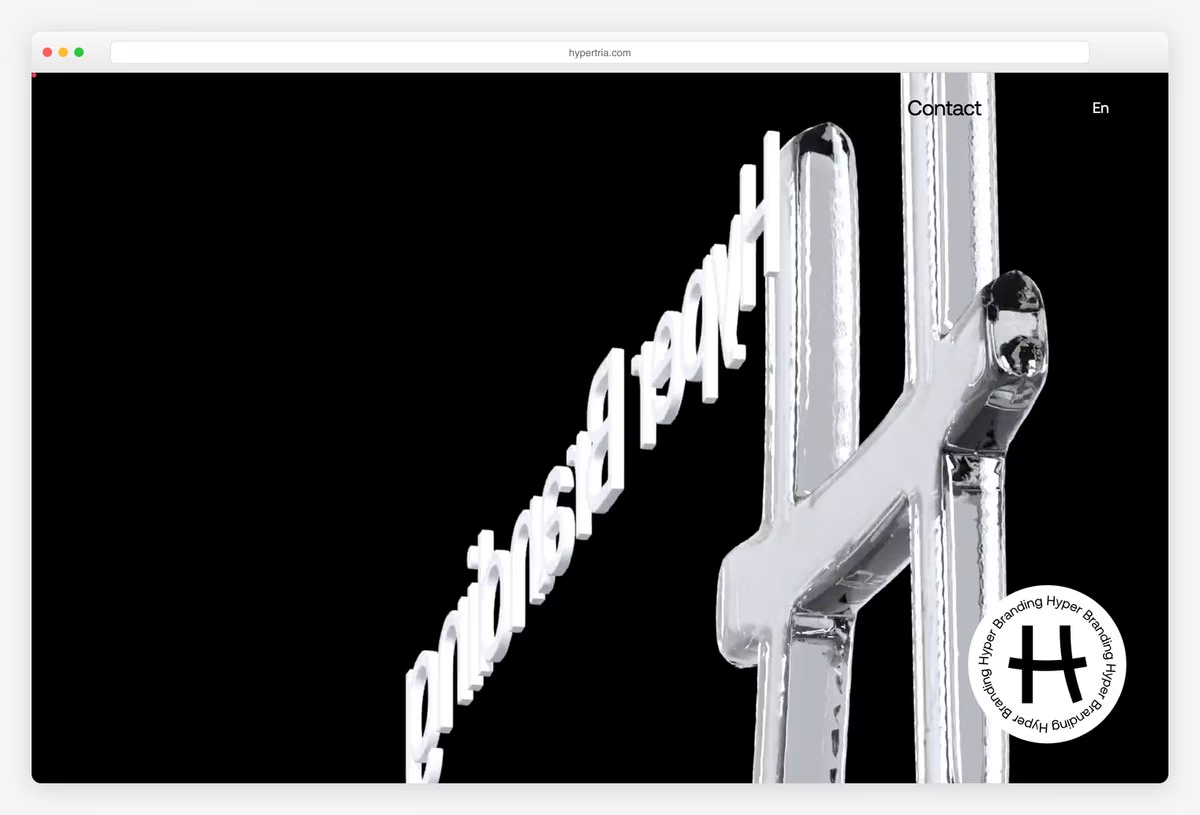
Hyper Tria, a branding agency in Thessaloniki, uses an all-black page with a large 3D chrome form and a rotating circular badge in the corner. Projects are introduced as big statements in capitals, set in Aeonik.
The menu is reduced to a few links (Agency, Works, Contact, Blog) with an English and Greek switch. The site runs on WordPress with Bootstrap 4.4, proof that a Bootstrap site can look nothing like a template.
What stands out: Chrome 3D forms on a black page.
27. Signature Muse
Built with: Bootstrap 5.0, WordPress · headlines in Zephyr
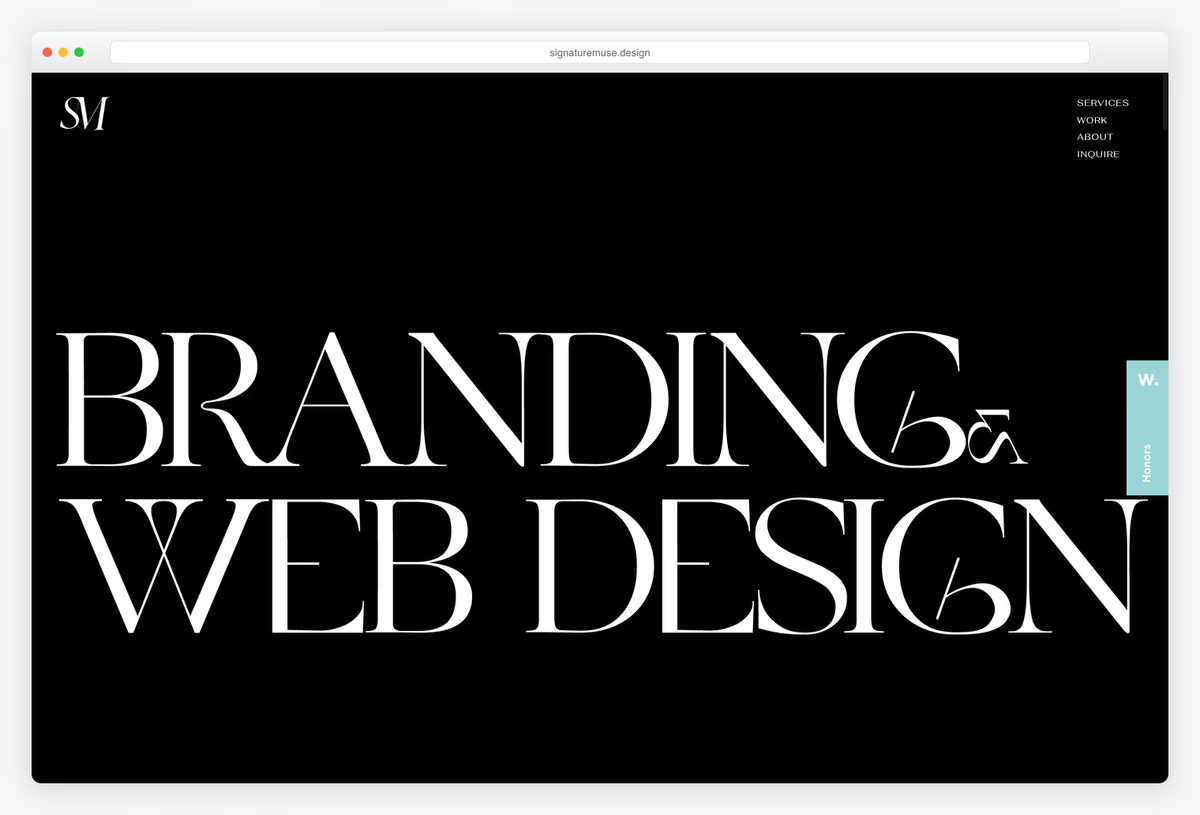
Signature Muse, the studio of designer and art director Erika Zhuravskiy, fills a black screen with Branding & Web Design in Zephyr, a high-contrast display serif set so large that the words touch the edges.
A tiny stacked menu (Services, Work, About, Inquire) sits in the top-right corner. The site runs on WordPress with Bootstrap 5.0. Giant display type on black is a classic portfolio move, and Bootstrap stays out of its way.
What stands out: Display type so large it touches the edges.
28. Le Lab
Built with: Bootstrap 4.3 · headlines in Bernier
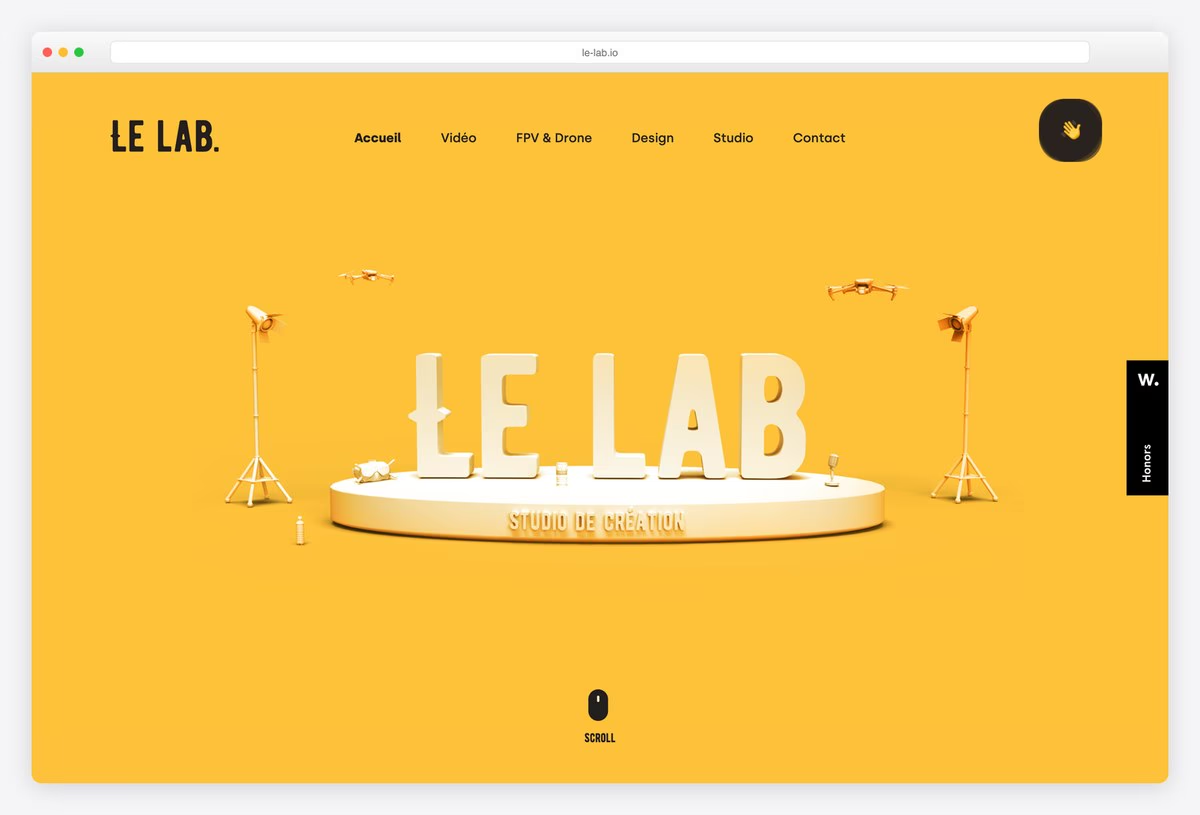
Le Lab, a creative studio in Bordeaux working in video, FPV drone footage and design, opens on a bright yellow page with a 3D render of its name standing on a stage, with lights and drones around it.
The menu is a single row (Video, FPV & Drone, Design, Studio, Contact) and headlines are set in Bernier. The site uses Bootstrap 4.3. A playful 3D hero tells visitors what the studio makes before they read a word.
What stands out: A 3D hero that shows what the studio makes.
How to Make a Bootstrap Website Look Unique
Change the type first. Bootstrap’s default system font stack is what makes so many sites look alike. Every agency and brand here sets its own display face, from Unbounded at Make Us Care to Zephyr at Signature Muse, and that one change does more than any custom component.
Override the variables, not the components. Bootstrap 5 exposes colours, spacing, radii and fonts as Sass variables and –bs-* CSS custom properties. Set your palette and type scale there and every button, card and form picks it up, which is how Bootswatch themes restyle the whole framework with one file.
Let imagery lead the hero. Blender, Terra di Cuma and Il Grecale give their first screen to a single strong image and keep the navbar small. Bootstrap’s grid handles the responsive layout; the photograph or artwork does the branding.
Load only what you use. Import the Sass partials and JavaScript plugins you need instead of the full bundle, and remove unused CSS in your build. A trimmed Bootstrap 5 build is small, and none of the sites here needs the whole framework.
Plan upgrades. Several sites on this list still run Bootstrap 3 or 4 and work fine, but those versions no longer get free updates. If you are starting now, use Bootstrap 5.3, and if you maintain an older site, budget for the move from data-toggle to data-bs-toggle and from jQuery to plain JavaScript.
Keep the accessibility defaults. Bootstrap’s components ship with sensible ARIA attributes, focus styles and a visually-hidden helper for skip links. Keep them when you restyle, and check colour contrast after changing the palette, as PostgreSQL does with its dark mode toggle.
Frequently Asked Questions
What websites are built with Bootstrap?
Bootstrap’s own site, Bootstrap Icons, Blender, KDE, the Tor Project, OpenStreetMap, the IETF, VLC, the Apache Software Foundation, PostgreSQL and the University of Arizona all use Bootstrap, along with many brands and agencies on this list. We checked each one in a browser for Bootstrap’s code and markup, since sites often switch frameworks after a redesign.
How can you tell if a website uses Bootstrap?
Open the browser’s developer tools and look for a bootstrap.css or bootstrap.min.css file, Bootstrap 5’s –bs- CSS variables, grid classes such as container, row and col-md-6, and data-bs-toggle attributes on menus. In the console, bootstrap.Tooltip.VERSION returns the version on Bootstrap 5 sites. A plugin can load Bootstrap too, so check that the page itself uses its grid.
Is Bootstrap still used today?
Yes. Bootstrap 5.3 is actively maintained and widely used, especially for business sites, admin dashboards, documentation and open-source projects. Many large sites still run Bootstrap 3 or 4 years after launch. Tailwind CSS is popular for new projects, but Bootstrap remains the faster choice when you want ready-made, accessible components.
Can a Bootstrap website look unique?
Yes. Most of the sites on this list do not look like Bootstrap at all. Change the typeface, colour palette, spacing and border radius through Bootstrap’s Sass variables or CSS custom properties, use strong imagery, and design your own hero sections. The grid and components keep working underneath any visual style.
Should I use Bootstrap 5 or an older version?
Use Bootstrap 5.3 for new websites. It drops jQuery, adds CSS custom properties, utility APIs and colour modes for dark themes, and is the only version that still receives free updates. Older Bootstrap 3 and 4 sites keep working, but they should plan an upgrade, especially for security and browser support.
Is Bootstrap good for SEO?
Bootstrap does not help or hurt rankings by itself. It gives you responsive, mobile-friendly layouts, which matter for search, but performance depends on how you use it. Load only the components you need, optimise images and fonts, and use proper headings and semantic HTML, and a Bootstrap site can be as fast as any other.
Wrapping Up
Ready to build your own? Start with our free Bootstrap 5 templates, browse the full Bootstrap templates collection, or see our Bootstrap admin dashboard templates. For components, see our Bootstrap buttons and Bootstrap sliders.
Browse the other Built with a platform website examples (21 more collections), or see website examples for every industry.

Related Posts


Comments (0)