
25 Best Free Bootstrap Search Bar Templates 2026
We want to share our top free Bootstrap search bar templates, which you can use for any website or web application.
Your search for cool search forms ends NOW.
After reviewing 100s of them, we decided to CREATE our own.
This allowed us to deliver the most versatile bundle of free snippets to you.
You can use them out-of-the-box or fine-tune them further.
Although coding is necessary to work with these search bars, we have created a beginner-friendly structure for each.
Enhance your website experience with a search bar!
Best Free Bootstrap Search Bar Templates
Colorlib Search Form v1

Colorlib Search Form v1 is titled ‘Discover the Amazing City.’ Using this search form, your website visitors can discover cities.
However, you need to connect your database to it and write the backend code yourself. This template provides only the frontend part.
When you click on the search button, nothing happens because it’s not fully functional yet. You have to integrate it into your website properly and write some code.
Then it will work like a charm!
In the first input field, the user must enter what they are looking for. Then, they must enter a location before hitting the search button.
More info / Download DemoColorlib Search Form v2

Colorlib Search Form v2 is suitable for a website related to hotels. In the first input field of this search form, the user needs to enter the search term. Then, they need to select a date from the provided date picker.
Then, they need to choose an alternative date. These two dates indicate the start and end date of your hotel stay.
The user must select the number of adults staying in the hotel from the dropdown list.
You can customize this form to suit your specific needs. For example, you may include more options if necessary.
More info / Download DemoColorlib Search Form v3

Colorlib Search Form v3 is a cool search form developed by Colorlib. This search form allows the user to choose a category and let them search within that category.
This search will produce better, more relevant results as the category is selected.
The Categories drop-down list includes ‘Accessories’, ‘Clothing’, ‘Footwear’, ‘Ladies’, ‘Men’, etc.
The user can choose a category from this list of categories and perform a SEARCH OPERATION to get results that belong to the selected category.
If required, you can modify this list. You can add more items or remove some items.
More info / Download DemoColorlib Search Form v4
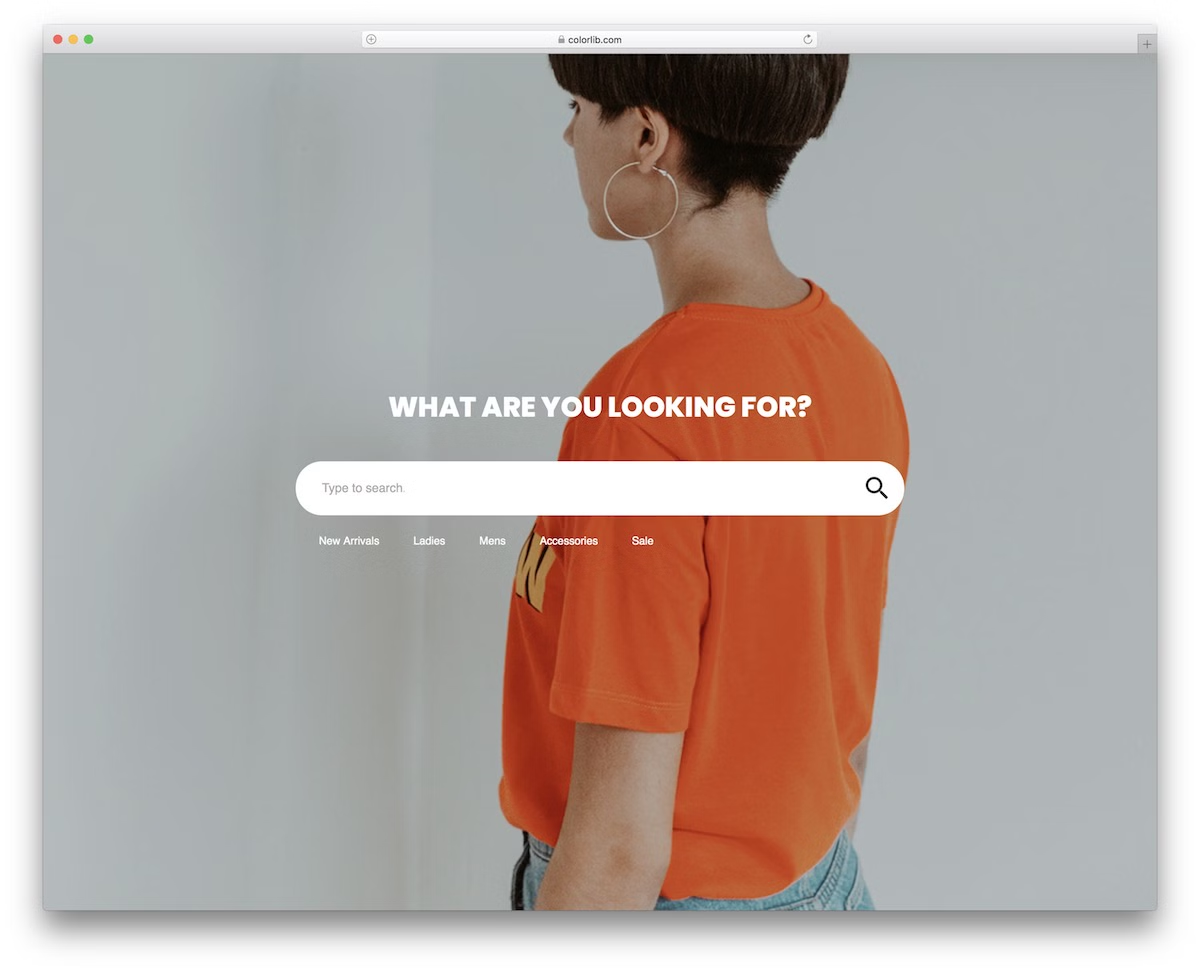
A beautiful and modern search form template is ideal for different eCommerce websites, focusing on the fashion industry by default.
Of course, you are welcome to use the free snippet for something else—there is no need to follow its existing objective.
Moreover, the search form is also perfectly compatible with various devices to ensure optimal performance. Your website’s convenient search bar, available for both mobile and desktop users, will benefit everyone.
It’s about increasing your page’s user experience; this snippet will undoubtedly contribute.
More info / Download DemoColorlib Search Form v5

A simple, modern and easy-to-use free Bootstrap search bar that you will embed into your project easily and comfortably. It features a boxy design that effectively caters to various website themes.
Also, this one will do the trick if you are particularly looking for a dark search form snippet.
You can utilize the form on its own page as an overlay or integrate it into your website; the options are available. Enjoy the quick download and start now.
More info / Download DemoColorlib Search Form v6

A modern and free Bootstrap search form with a clean and minimal look. Regardless of your website’s style, you can embed this bar without making any changes.
Additionally, the search form features a rounded design, making it even more mobile-friendly.
It’s a Bootstrap Framework template with a responsive structure for MOBILE.
You can also test it out by visiting the live demo preview and seeing the form in action.
More info / Download DemoColorlib Search Form v7

Colorlib Search Form v7 is a powerful form that enables users to conduct advanced searches.
Advanced search is used on a website to give users relevant search results based on the specified search filters.
The first input field in this search form is a text box featuring a small magnifying glass icon, indicating a search function. This icon makes it easy for users to recognize the search form.
Users can quickly understand that they must type in this box to search for something by seeing it. The caption of this text box is ‘Search’.
More info / Download DemoColorlib Search Form v8

Colorlib Search Form v8 is another great advanced search form. In the text box of this search form, you can type in the keywords, and in the advanced search section, there are filters.
Applying these filters will get more relevant search results. After applying some filters, you can reset them by clicking the ‘Reset’ button.
The background color of the advanced search section is black, while the text color is white.
This color combination has made the search form MORE stylish. There is a background picture behind the form as well.
More info / Download DemoColorlib Search Form v9

Colorlib Search Form v9 is a search form with the ‘advanced search’ feature. The advanced search section provides numerous filters that you can apply while searching.
There are 6 filters available. If your website needs more, you can add more from the code.
The reset button lets you clear the filters. When the search filters are applied and the search button clicks, filtering results are performed according to the applied filters.
The number of results is also shown in this form.
More info / Download DemoColorlib Search Form v10

Colorlib Search Form v10 is a powerful form that allows website visitors to perform an advanced search.
The search bar and the search button has a gradient that looks good.
You can use this one on your website if you’re looking for a search form template for advanced search. It’s an amazing template with a great design.
Your website visitors can filter out the desired results by performing an advanced search.
An advanced search can save users time because it provides them with exactly what they’re looking for, according to their specific choices.
More info / Download DemoColorlib Search Form v11
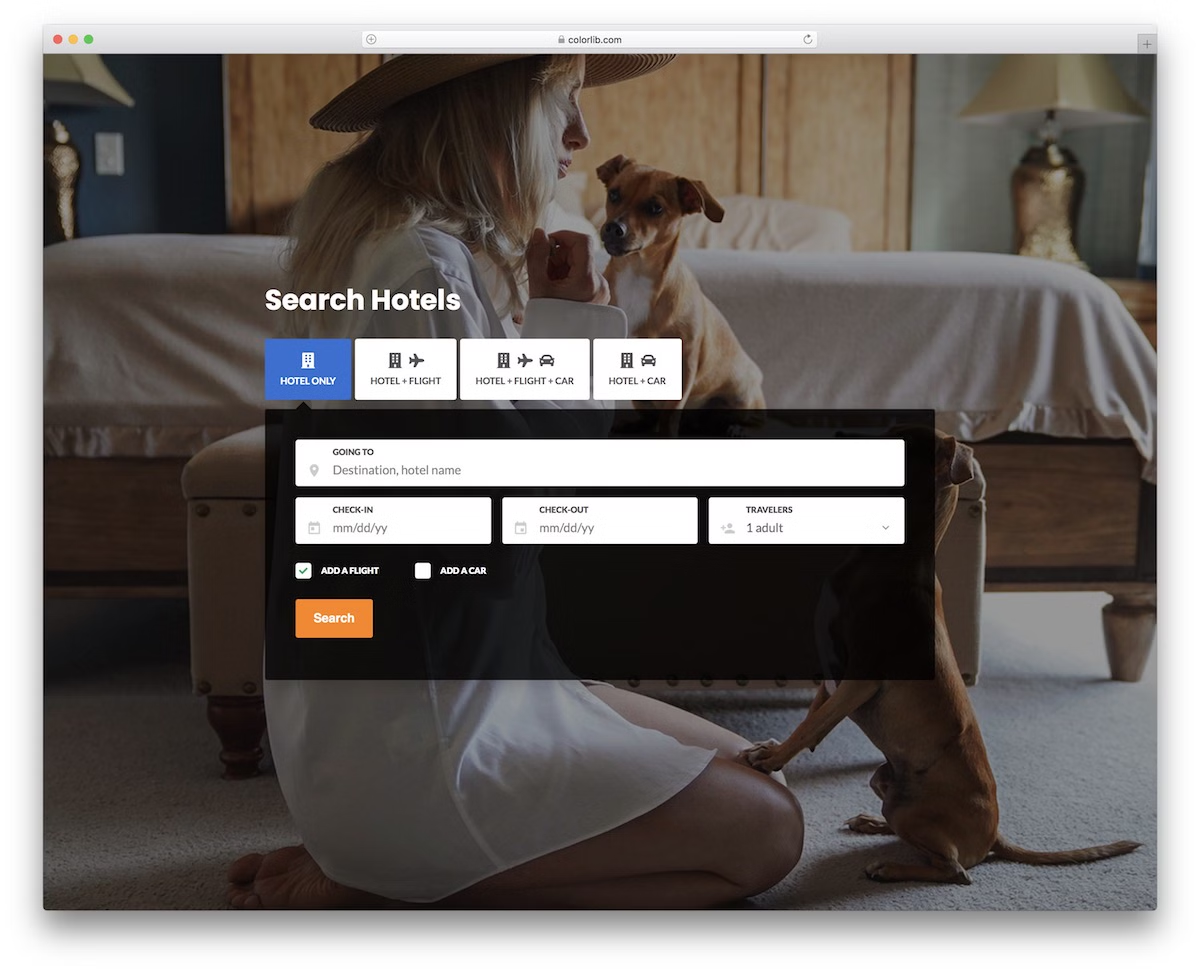
A highly versatile and advanced free Bootstrap search bar for the travel industry. If you are building a general platform for finding flights, hotels, car rentals, or anything else, this is the free snippet that will serve you well.
It features four tabs and multiple ready-to-use fields from which you can benefit.
Additionally, you will have access to a date picker and a drop-down menu.
Of course, you can perform additional CUSTOMIZATION TWEAKS and improvements to tailor the search functions according to your needs.
More info / Download DemoColorlib Search Form v12

Colorlib Search Form v12 will be a great fit for you if you have a website that helps people finding hotels. In this search form, users can also perform advanced search operations.
They can select what they are looking for from the available options: ‘hotel only’, ‘hotel + flight’, ‘hotel + flight + car’, and ‘hotel + car’. If they’re searching for a hotel only, they must select ‘hotel only’.
And if they’re interested in a hotel and a car, they must select ‘hotel + car’ and hit the search button.
In the text field with the caption ‘going to’, the users must enter the destination and the hotel name to find details about the hotel they’re interested in.
More info / Download DemoColorlib Search Form v13

Colorlib Search Form v13 is a search form that will allow your website visitors to search for food, hotel, services, etc. in their city.
By clicking the search button, the user will see relevant results if this search form is correctly integrated into your website and all necessary code is in place for the search operation.
More info / Download DemoColorlib Search Form v14

Colorlib Search Form v14 is an impressive search form featuring an elegant search bar. Bootstrap has been used to achieve a fantastic design in this search form.
If you own a website allowing people to search for hotels, this search form would be great.
This form PROVIDES you with a text field where the user must enter the destination and the hotel name they’re interested in, two date pickers for check-in and check-out dates, and a search button.
It also lets the user specify the number of guests staying in the hotel.
More info / Download DemoColorlib Search Form v15
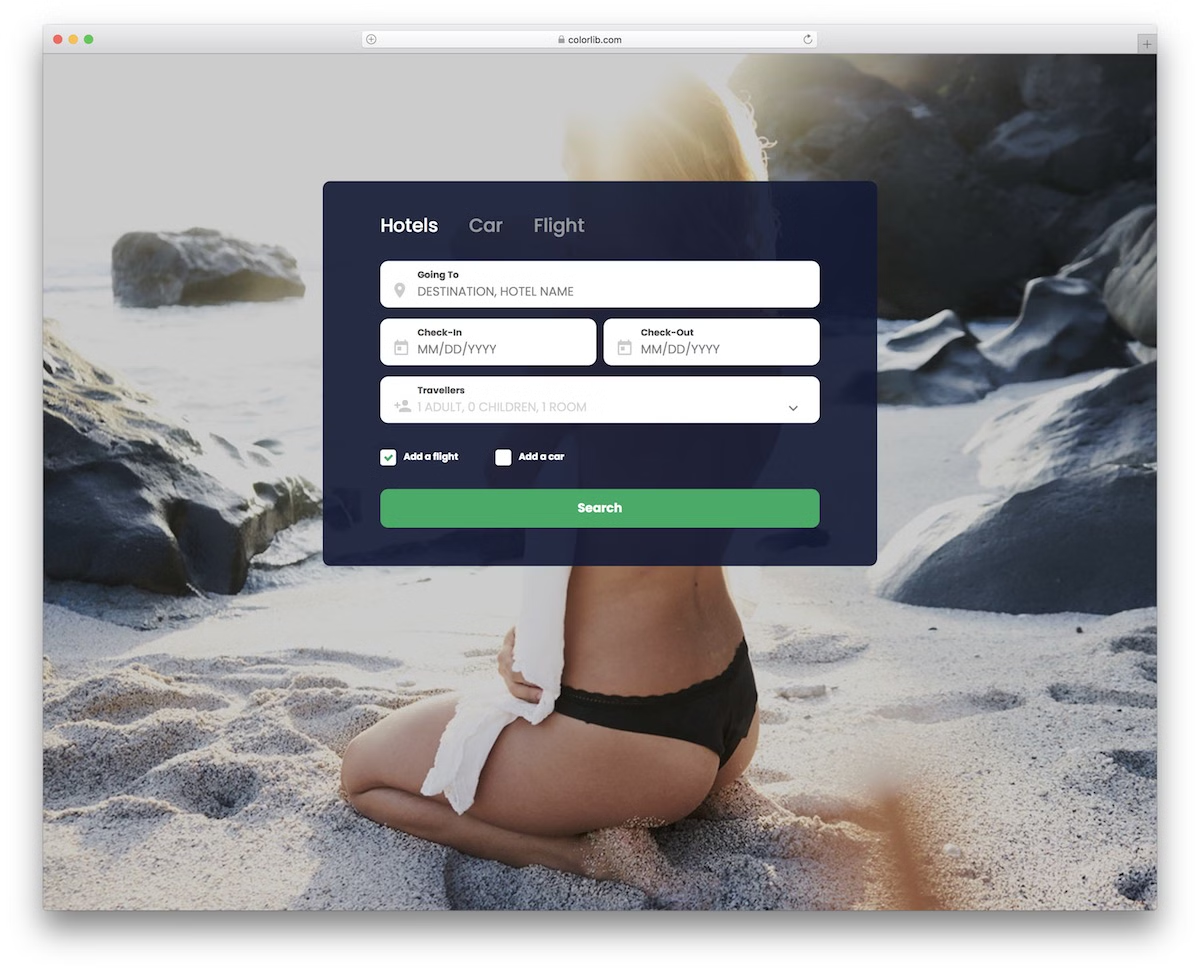
A simple and minimal free search bar that includes three different tabs. By default, the search box is conveniently tailored to the travel industry, but if you’d like to use it for something else, that’s also an option.
The template uses Bootstrap Framework and follows all the latest trends and regulations. In other words, the search experience on both mobile and desktop will be smooth and comfortable.
The date and time pickers, as well as the drop-down selectors, also make it very practical.
More info / Download DemoColorlib Search Form v16

Colorlib Search Form v16 lets your website visitors search for hotels. This form provides two text fields with captions for’ origin’ and ‘destination’.
The user must type in their city or airport in the original text field. The user has to enter the destination city or airport in the next text field.
The user can specify departing and returning dates from the date pickers in this search form.
As you can see, there are three checkboxes with the captions’ First Class’, ‘Business’, and ‘Economy’. The user will receive search results according to their selection.
More info / Download DemoColorlib Search Form v17

Colorlib Search Form v17 is another search form that lets your website visitors perform advanced searches. This form enables users to search for hotels and features several input fields.
The first input field is a text field with ‘Where’. The user must enter a city, region, or hotel name in this field.
The user must specify the check-in and check-out dates in the check-in and check-out fields. When you click on these fields, date pickers appear, allowing you to choose a date.
The ‘Travelers’ field lets you specify the number of adults and children staying in the hotel and the number of rooms.
More info / Download DemoColorlib Search Form v18

The previous search form, Colorlib Search Form v18, is also a hotel search form. You can use this form if you’re building a website for yourself or your client that allows people to find hotels in a particular area.
A background picture of nature is displayed behind the search form, enhancing its appearance.
Keep in mind that this form is FULLY customizable, meaning you can change various aspects of it from the code. Therefore, modify the design to align with the design specifications of your website or your client’s website.
Overall, this form looks very cool.
More info / Download DemoColorlib Search Form v19

Are you looking for a search form for a website that allows users to search for flights? If you’re working on such a website for yourself or some of your clients, this search form would be the right fit for you.
Take a look at how beautifully this form has been designed using Bootstrap. The background picture of nature behind the form is AMAZING!
The user needs to enter the city name, region, or airport name to search for flights from their desired departure point. Also, they need to enter the destination city, region or airport in the ‘From’ and ‘To’ fields, respectively.
The user also needs to SPECIFY the number of passengers, the date of departure, and the return date to get the search results relevant to them.
More info / Download DemoColorlib Search Form v20

Colorlib Search Form v20 is also a search form developed for a website that enables users to search for flights, similar to the previous one. In this form the background is a picture of an ocean.
You can modify things according to your choice, such as changing the background picture and removing it if necessary.
The text fields are positioned to not consume much webpage space. By modifying the code, you can add more options and features.
Making changes is easy in this form.
More info / Download DemoColorlib Search Form v21

Colorlib Search Form v21 is a unique search form that features a search bar with a distinct appearance.
It has two search bars, with slightly different designs, but you need only one. Use the one that you like the most.
This search form is unique because when you click on the search bar icons, they expand to full size, revealing large search bars that allow you to search using keywords.
The word ‘Keyword’ has been shown as a placeholder in these two search boxes, which tells you that you must enter a keyword in this text field.
You can make these search boxes MORE user-friendly by changing the text to something more meaningful.
More info / Download DemoColorlib Search Form v22

For anyone who follows the minimalist style, this free search form will do you well. It works excellently as a full-screen overlay search function that you can now comfortably embed into your website.
Why start from scratch when you can greatly benefit from a predefined template?
You also DON’T need to WORRY about the technicalities, especially responsiveness. Like other forms on this list, this one is flexible and adaptable to various screen sizes.
If you run a WordPress website, you can achieve a similar overlay using WordPress search plugins.
More info / Download DemoColorlib Search Form v23

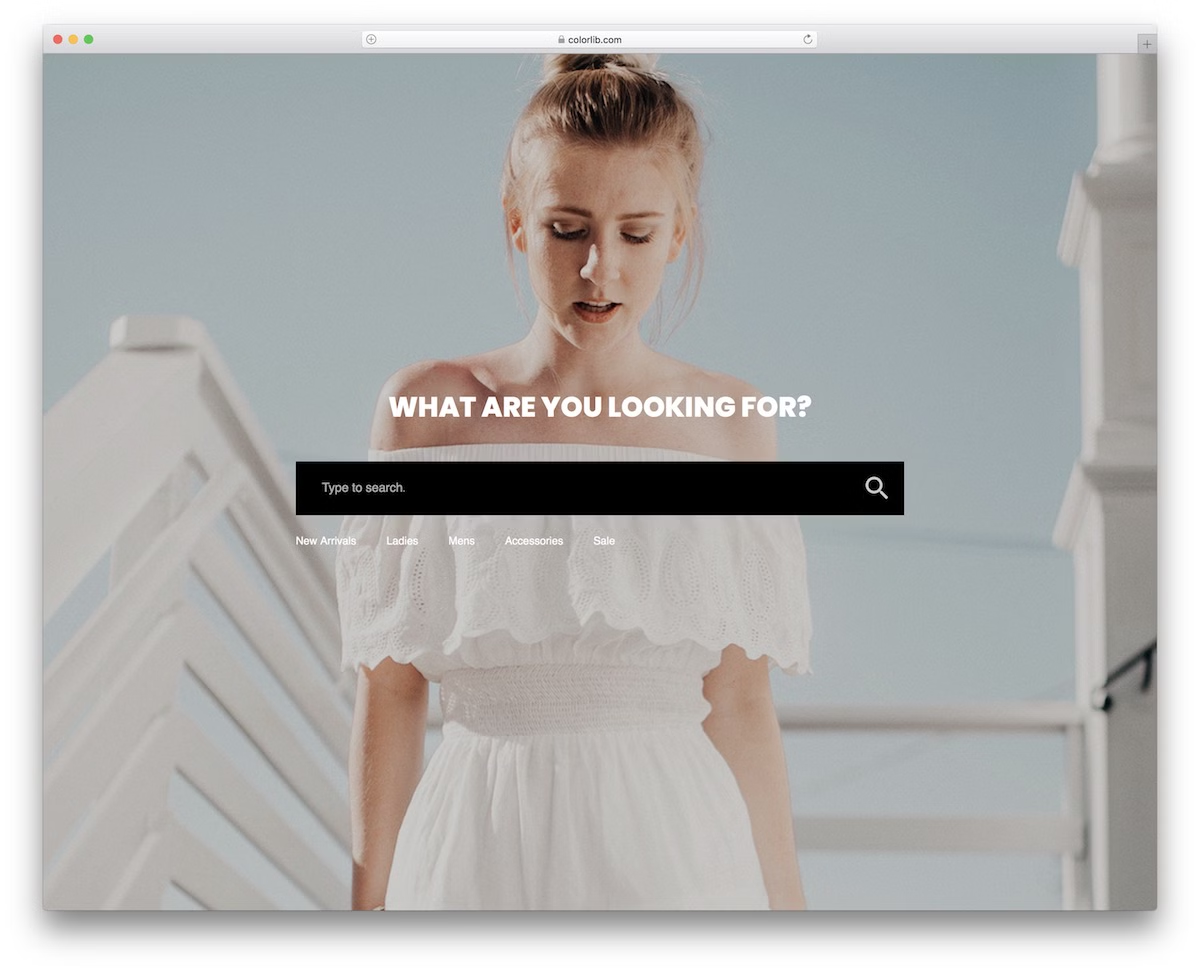
Colorlib Search Form v23 is a beautiful, powerful, modern search form that can be used on any website. There’s a good picture beside the search bar. The search box has a small icon of a magnifying glass to its left.
The placeholder text used for this text is ‘What are you looking for?’ This kind of direct question engages the visitor. This search form effectively communicates with the user.
Just below the search bar, there are EXAMPLES of search terms. By providing examples, the search form has made it easier for users to understand what to type in the box.
These are just examples; the user can also search with other search terms.
More info / Download DemoColorlib Search Form v24

While a search bar allows everyone to find different items quickly, you can refine things further with category selection.
This allows the user to search within a particular section of your website only. This is GREAT for eCommerce websites, but you can use it for something else.
The form is horizontal on the desktop but stacks fields one on top of the other on mobile, maintaining an excellent user experience.
Grab it now, alter it to your needs, and go from there.
More info / Download DemoColorlib Search Form v25

This is a very advantageous free Bootstrap search bar template with a dark design and a gradient button. The button also features a hover effect, which only enhances the overall performance and experience.
Moreover, the free template features a drop-down on the left for improved search functionality. The user can specify which category or website’s section they would like to search for items in.
The simple structure of the snippet also promises quick and effortless integration into your application.
More info / Download DemoFinal thoughts
If you need a search form on your website (WHICH YOU DO!), try one of these Bootstrap search bar templates listed in this post.
If that template doesn’t fit well on your site, try another template that is closer in design to your website.
As all these search bar samples are fully customizable, you can modify them to look good on your website and match its design.
So which are you going to use on your website? Which one do you think would be appropriate for your website?
Bonus: Why is a search bar important?
The search functionality on a website can make things a lot easier for visitors and save them a significant amount of time. If your website doesn’t have many things to offer, then it’s fine; you don’t require a search form.
However, you need a search feature if your website offers a wide range of content, such as blog posts, themes, products, and profiles.
In this case, having a search form on your website is not only beneficial for the user, but it is also essential. Without one, and if your website offers a huge number of items or products, it may take hours for your website visitors to find what they’re looking for.
They may also happen not to find what they want on your website.
So a search bar helps users by instantly showing them what interests them on your website.
In a nutshell, a search box saves website visitors’ time and energy by enabling effortless site-wide navigation and enhancing the user experience.
A search form is necessary to make your website more user-friendly. However, a search form may not be necessary if you own a minimal, simple site.

Related Posts


Comments (0)