
20 Best Bootstrap Buttons Examples 2026
We’ve created the best free Bootstrap buttons, so you can rely on a single resource when selecting various interactive elements for your application or website.
Colorful, minimal, rounded, dark, angled – our buttons come in all shapes and styles to fit every user’s needs.
You can use them for:
- Social media
- Notifications
- Submissions/File uploads
- Call-to-actions (CTA)
- Dropdowns
- Checkboxes, etc.
Making your website’s buttons attractive and appealing will add more attention to the page.
Without A. Fresh. Start.
Save time and enjoy!
Best Bootstrap Buttons Templates
Bootstrap Buttons V01
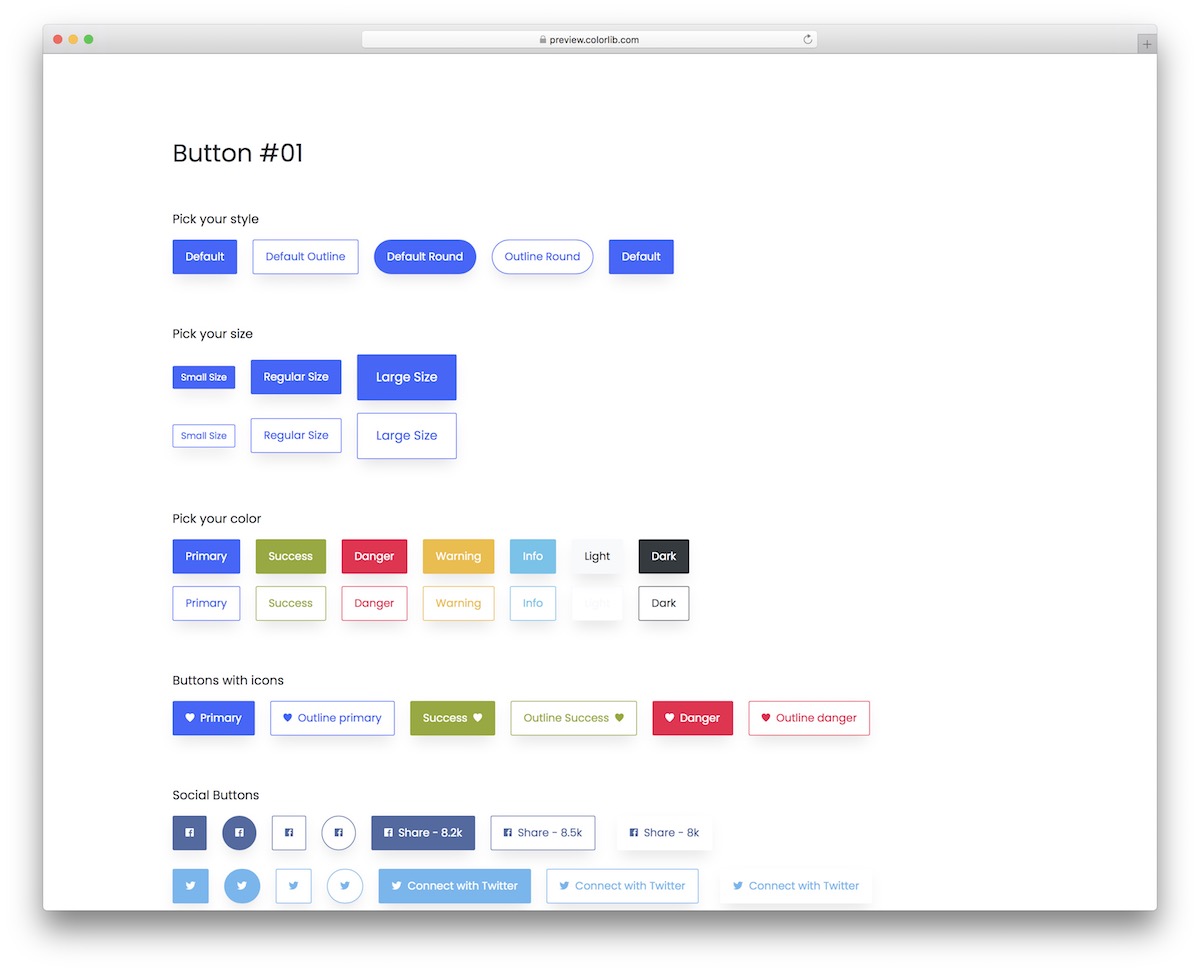
A collection of multiple different buttons that work for any website or application. This is a modern set of small snippets that you can now integrate without starting from scratch.
They come in many different styles, sizes, colors, and other features that will help you.
You also get this with a hover effect and a minimalistic outline look. In short, there’s something for everyone.
More info / Download DemoBootstrap Buttons V02
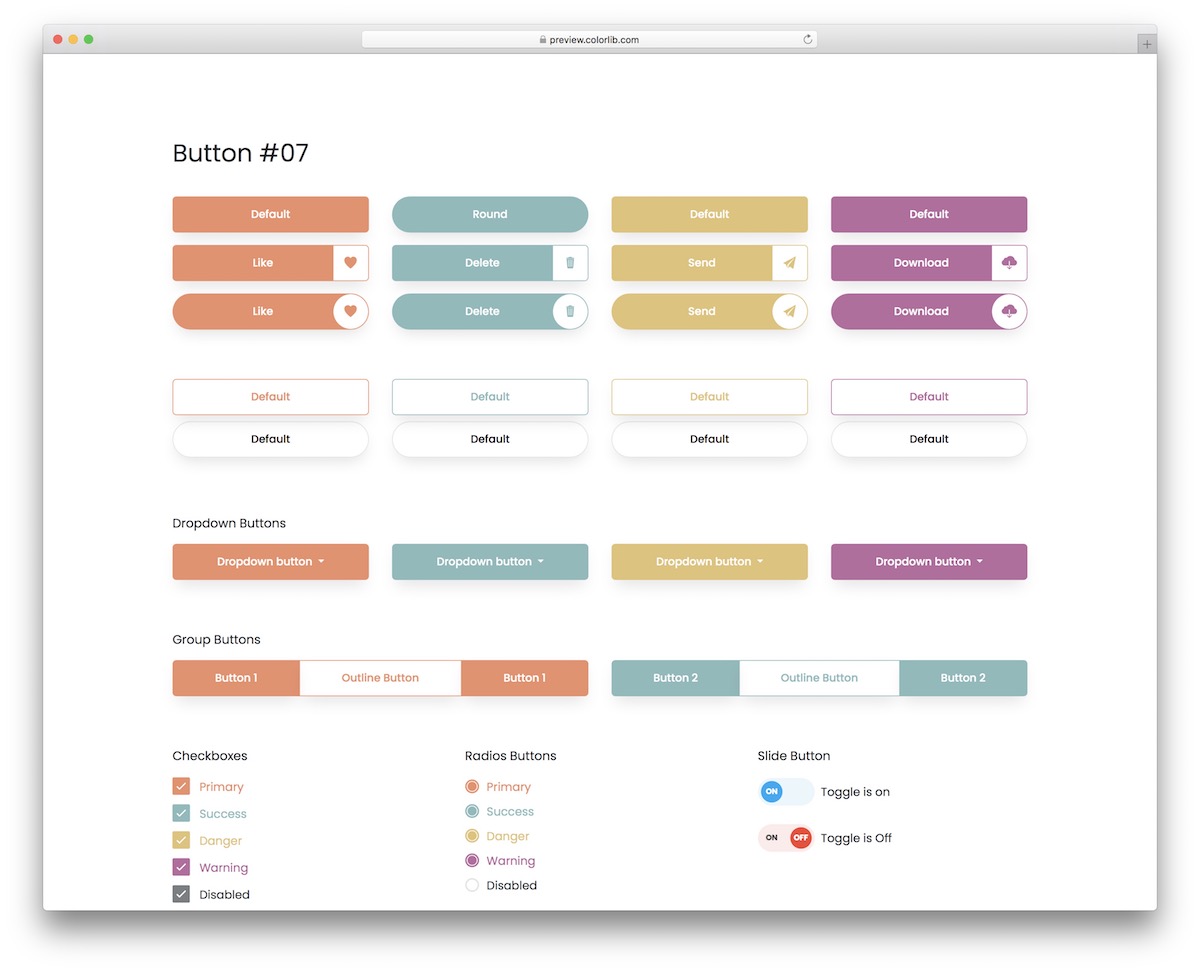
This creative collection of buttons is perfect for everyone who digs a more soothing look. You can easily find the right ones with various color choices that meet your specific branding requirements.
If you want to make any changes, you can do so.
You also get toggles, social icons/buttons, checkboxes, call-to-actions, and standard buttons. Of course, all these buttons work flawlessly on desktop and mobile.
More info / Download DemoBootstrap Buttons V03
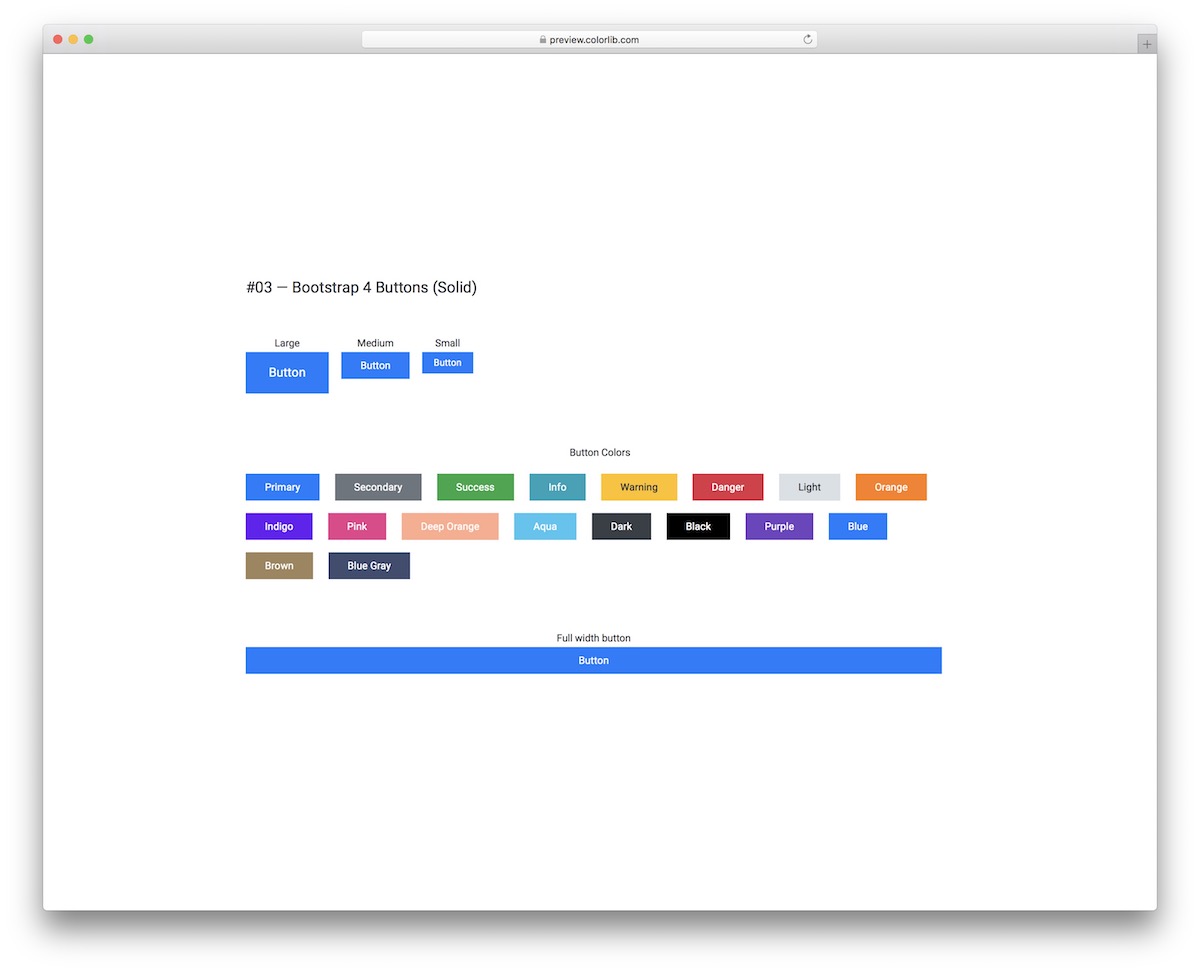
This template has solid Bootstrap buttons and outline alternatives. You can even mix and match the two at your own discretion.
They come in three different sizes, offering over fifteen color variations and even a full-width version.
If you need a quick solution for your application, look no further and opt for any of these.
More info / Download DemoBootstrap Buttons V04
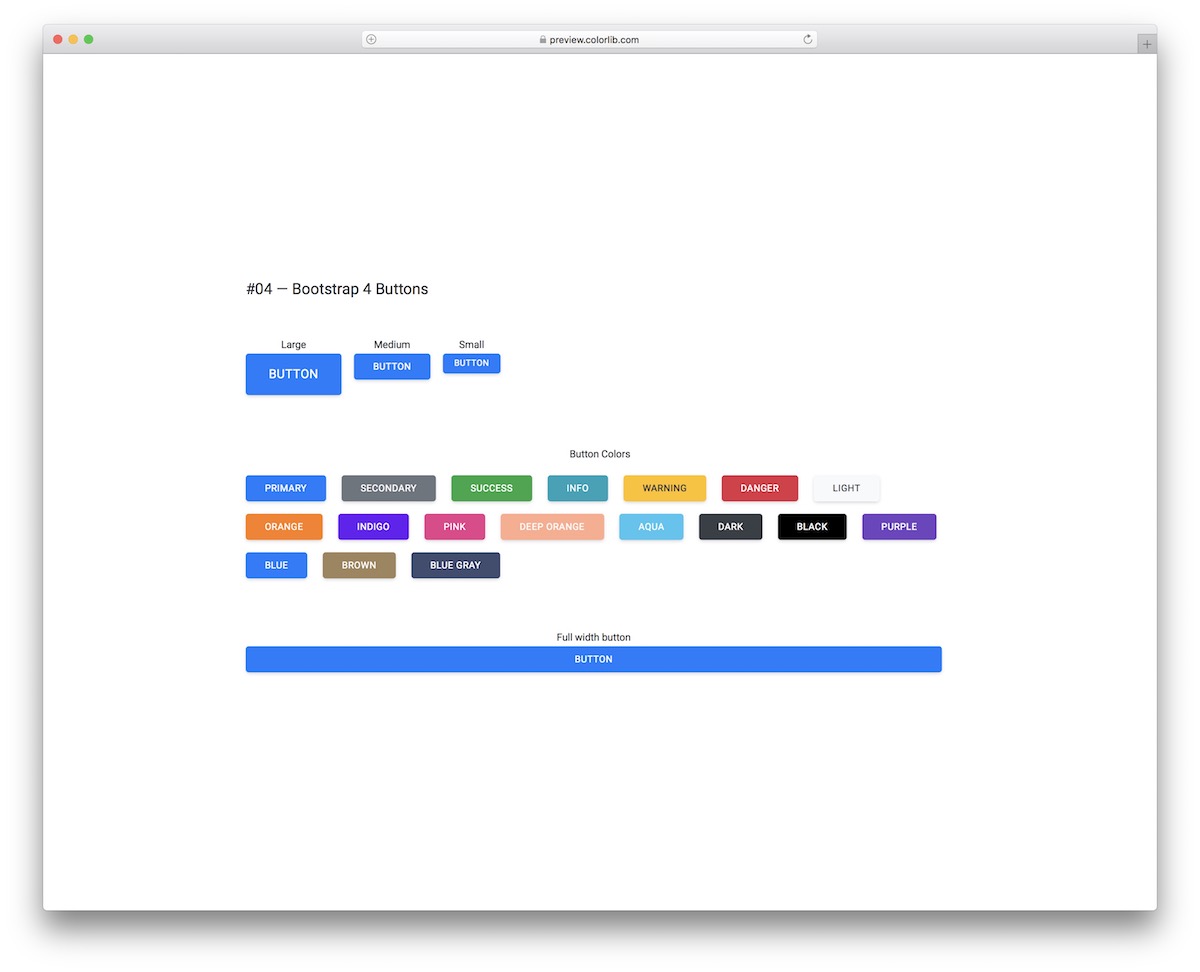
These Bootstrap buttons are similar to the solid ones from the template above, just with rounded edges. If you don’t like the sharpness, you can soften the effect by using these responsive buttons.
You can also select from several sizes and color choices, allowing for an almost instant embed into your project.
More info / Download DemoBootstrap Buttons V05
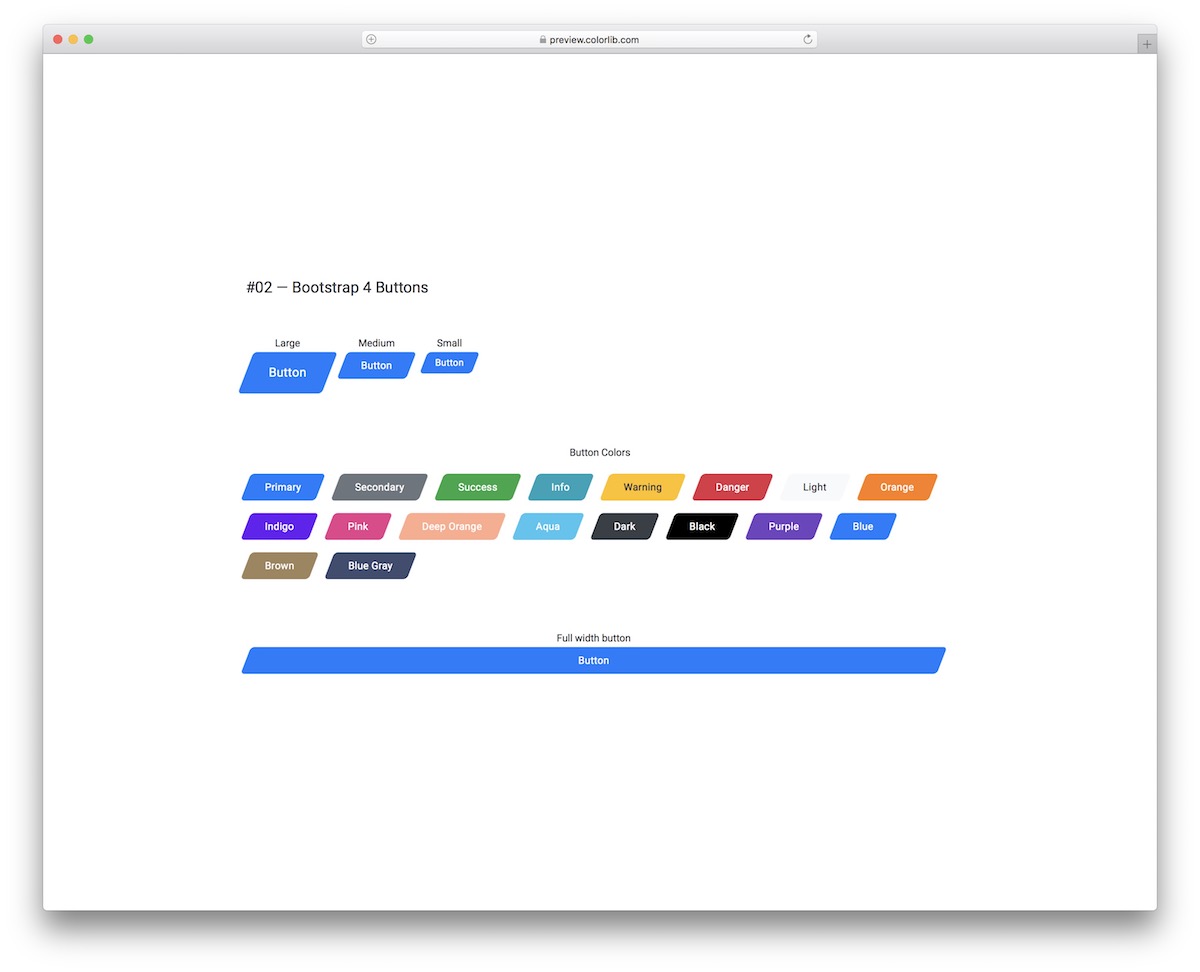
There is always a way to go against the norm, even when it comes to buttons.
For instance, you can opt for this cool collection of angled Bootstrap buttons with solid form.
Like all our other alternatives, they come in various dimensions (including full width) and different colors, as shown in the screenshot above.
More info / Download DemoBootstrap Buttons V06
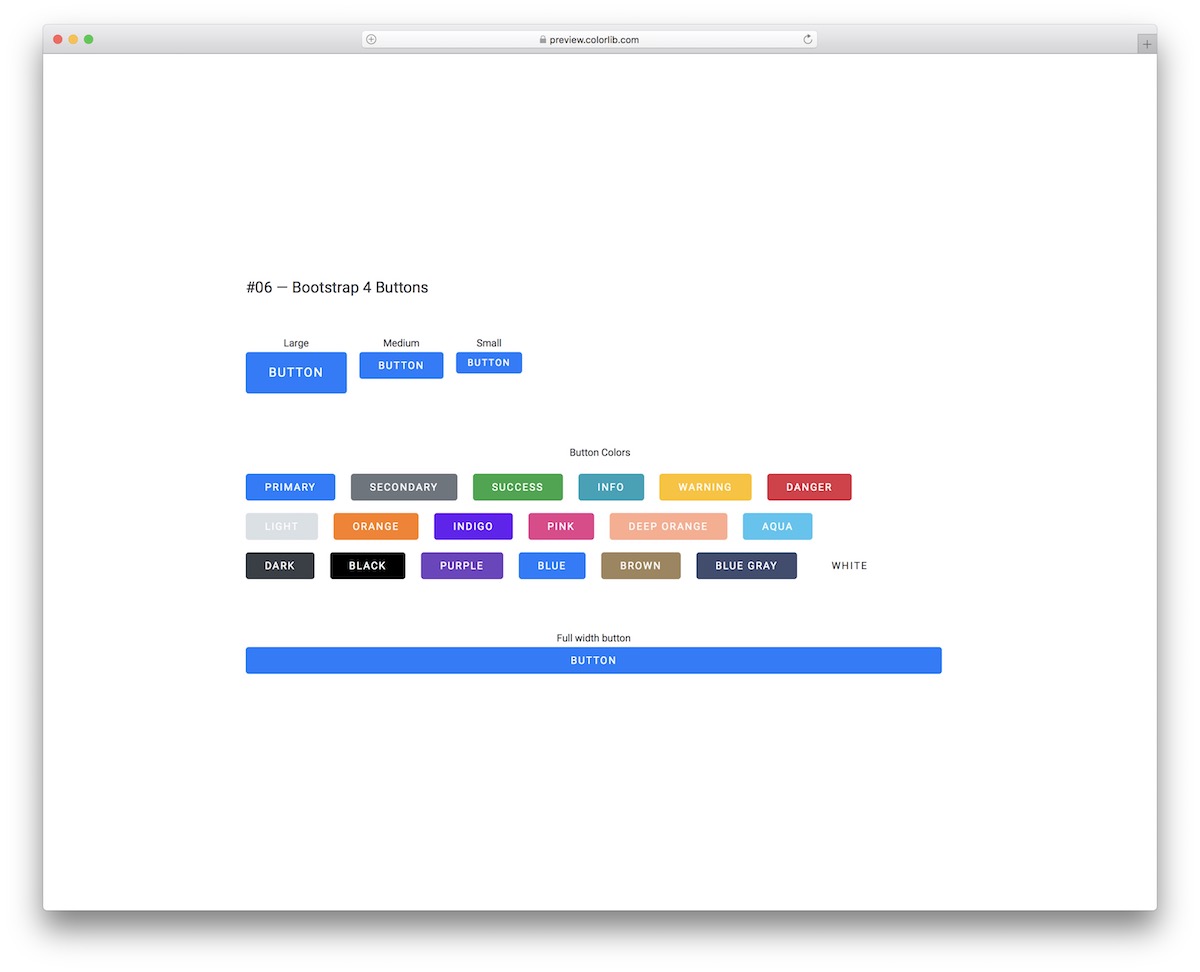
Bootstrap Buttons V06 is a collection of bold and simple buttons with rounded edges at first glance but they are more than that.
Each button comes with a cool hover effect that changes it into white and makes it pop by slightly enlarging it and adding a shadow around it.
Feel free to test them out before downloading.
More info / Download DemoBootstrap Buttons V07
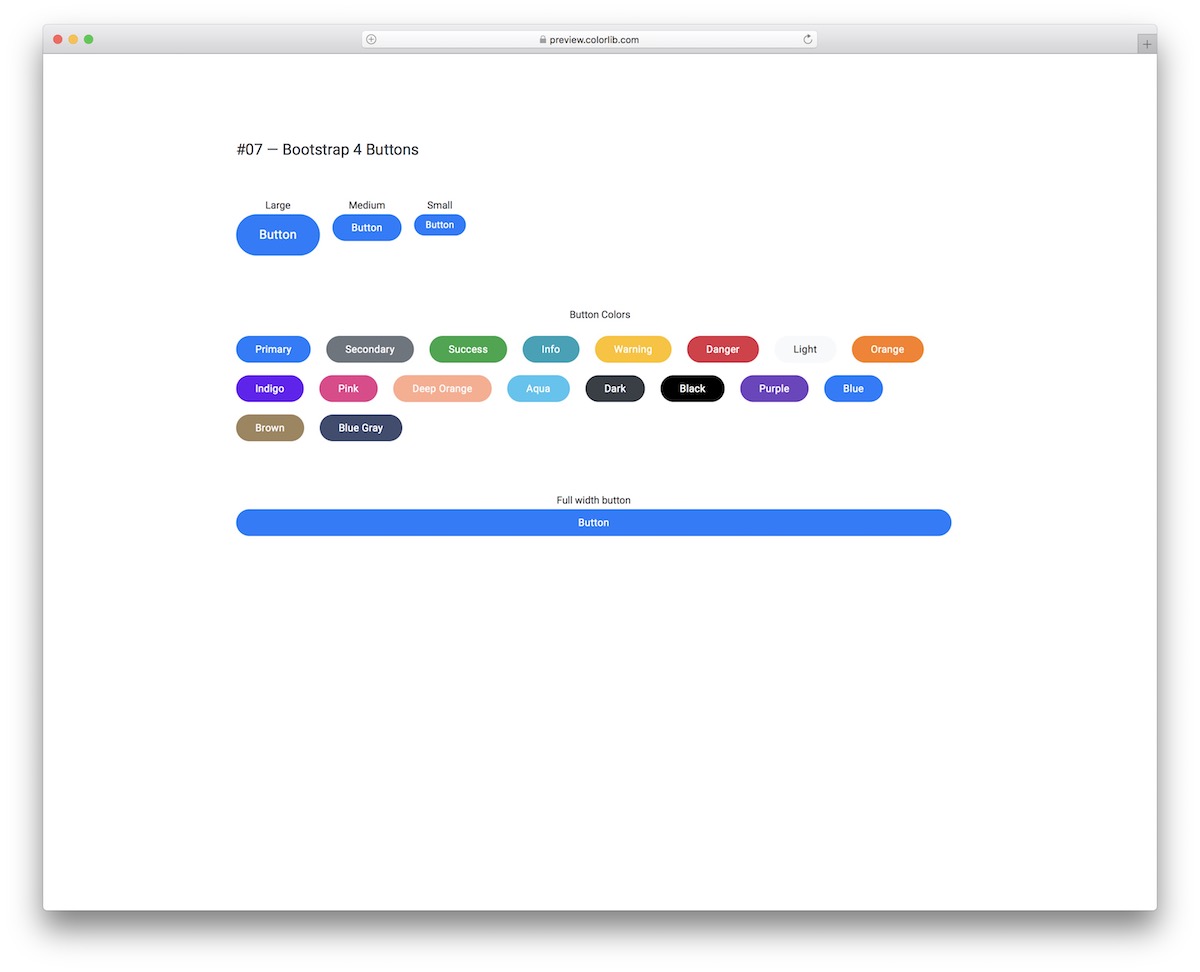
Rounded elements on websites and applications have become increasingly popular with the popularity of mobile traffic.
To integrate rounded buttons into your project, you don’t need to make them yourself; rather, download the Bootstrap Buttons V07 bundle.
Along with the modern design, they also respond on hover and work smoothly on different screen sizes.
More info / Download DemoBootstrap Buttons V08
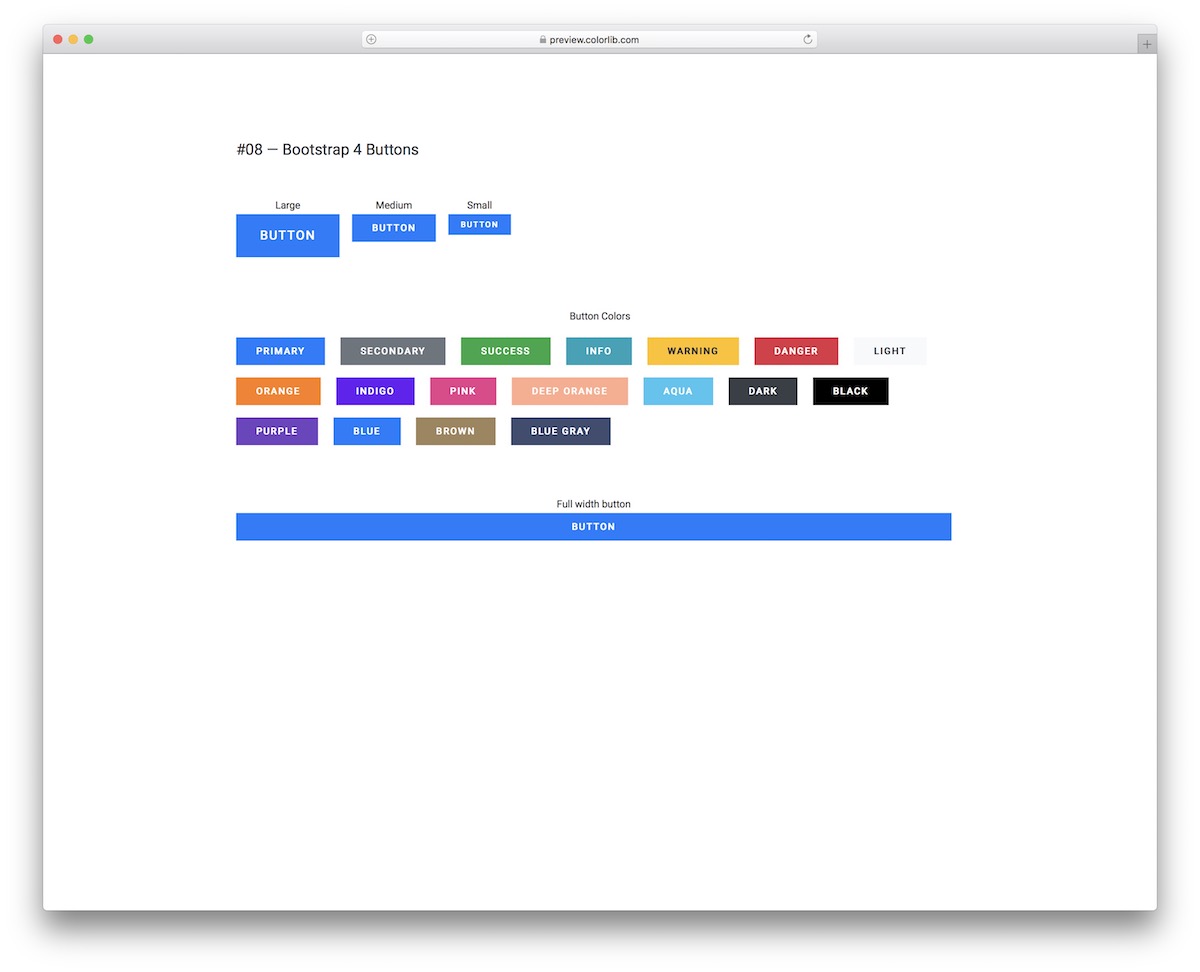
For those who prefer buttons with sharp edges and keep things relatively basic, Bootstrap Buttons V08 is the best option.
Different colors, sizes, and an exclusive full-width option are available for integration.
Due to the flexible and well-liked Bootstrap Framework foundation, it’s obvious that all these buttons are great on mobile devices and desktops.
More info / Download DemoBootstrap Buttons V09
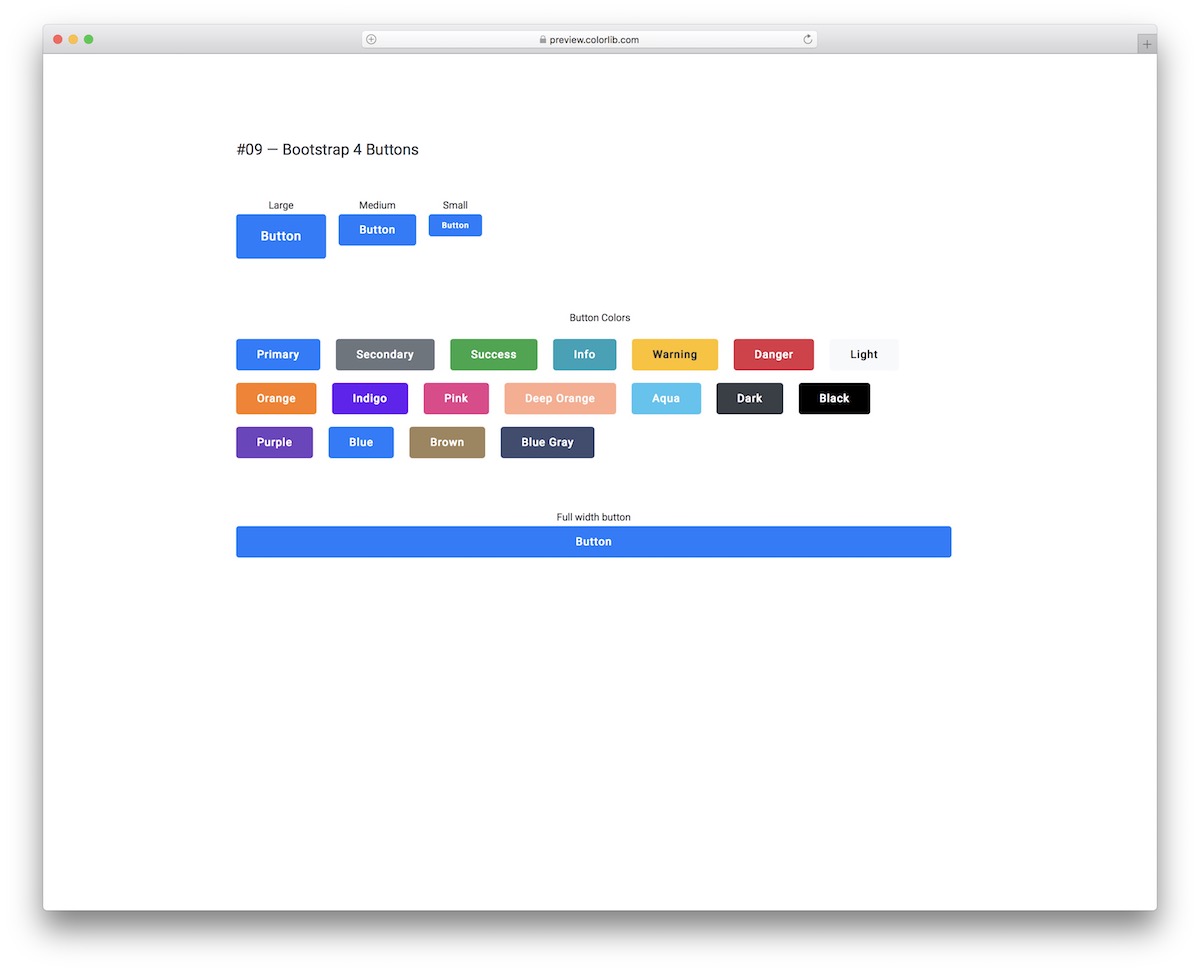
Regarding buttons, they can be plain and simple or have special effects. Regardless of your style, this list covers them all and then some.
You can integrate these into your app if you like a nice hover effect on a button that appears as an outline.
You can save a lot of time with the diverse color options and sizes.
More info / Download DemoBootstrap Buttons V10
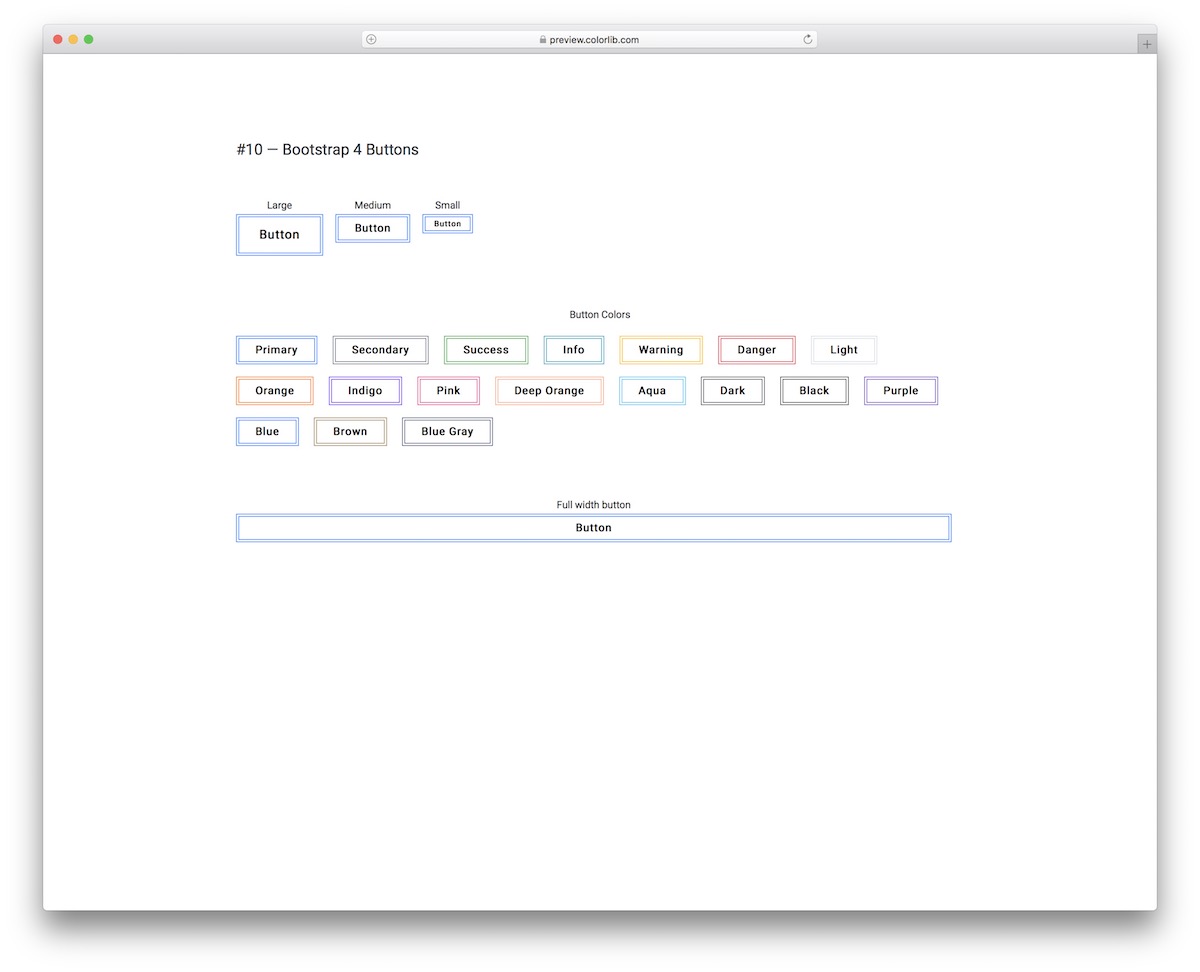
Bootstrap Buttons V10 are clean, minimal and creative.
They feature a double-lined outline by default, but the two lines change into a bold outline once you hover over them with your mouse cursor.
You can always go with something that is not too traditional, and that’s when you select Bootstrap Buttons V10.
More info / Download DemoBootstrap Buttons V11
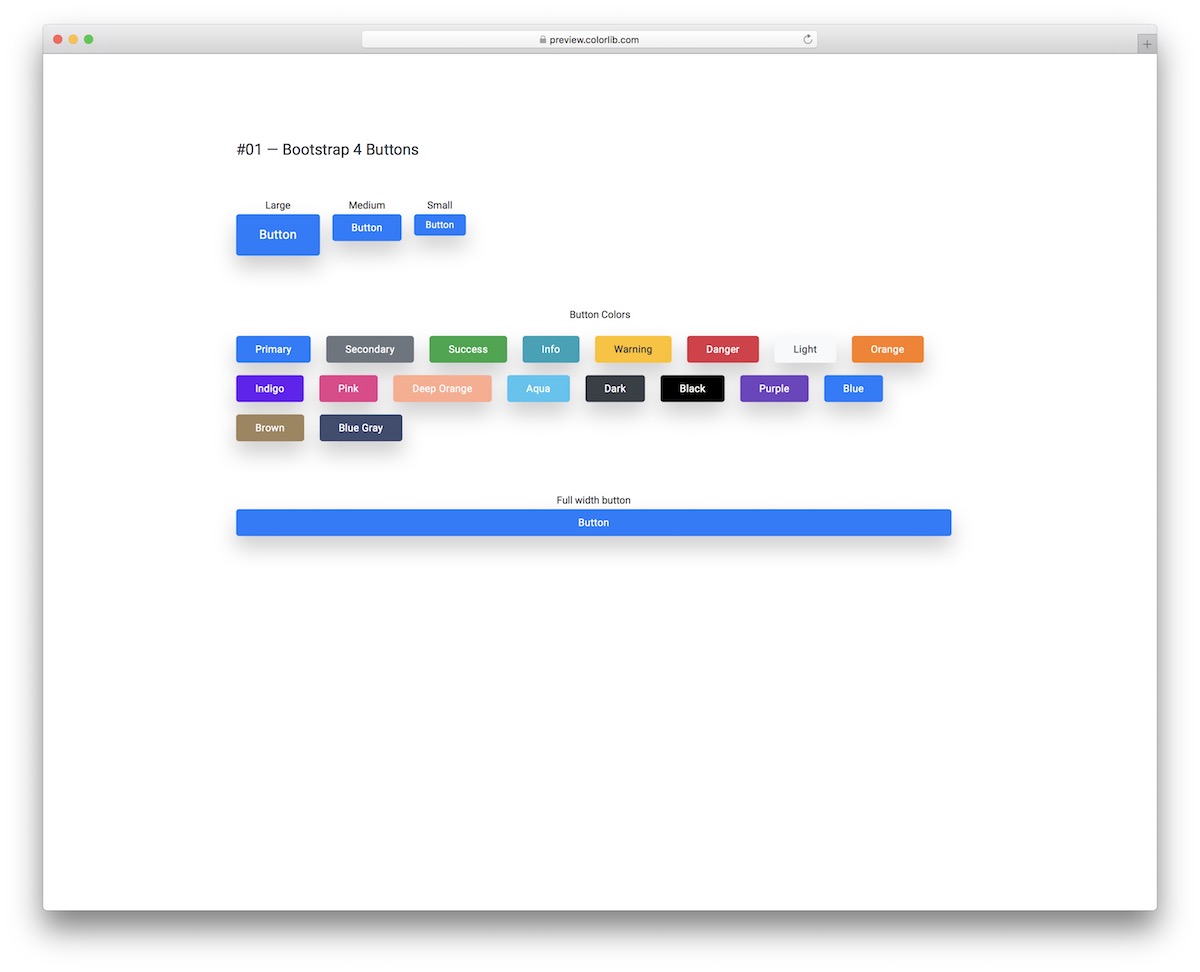
Rounded edges, shade, and hover effect are the core characteristics of Bootstrap Buttons V11.
These flexible and easy-to-use alternatives are great for everyone with a light (or white) app or website design. Let’s face it, if it’s a dark shade, it will almost not make sense.
Keep in mind that the hover effect causes the shade to disappear and darkens the color of the button.
More info / Download DemoBootstrap Buttons V12
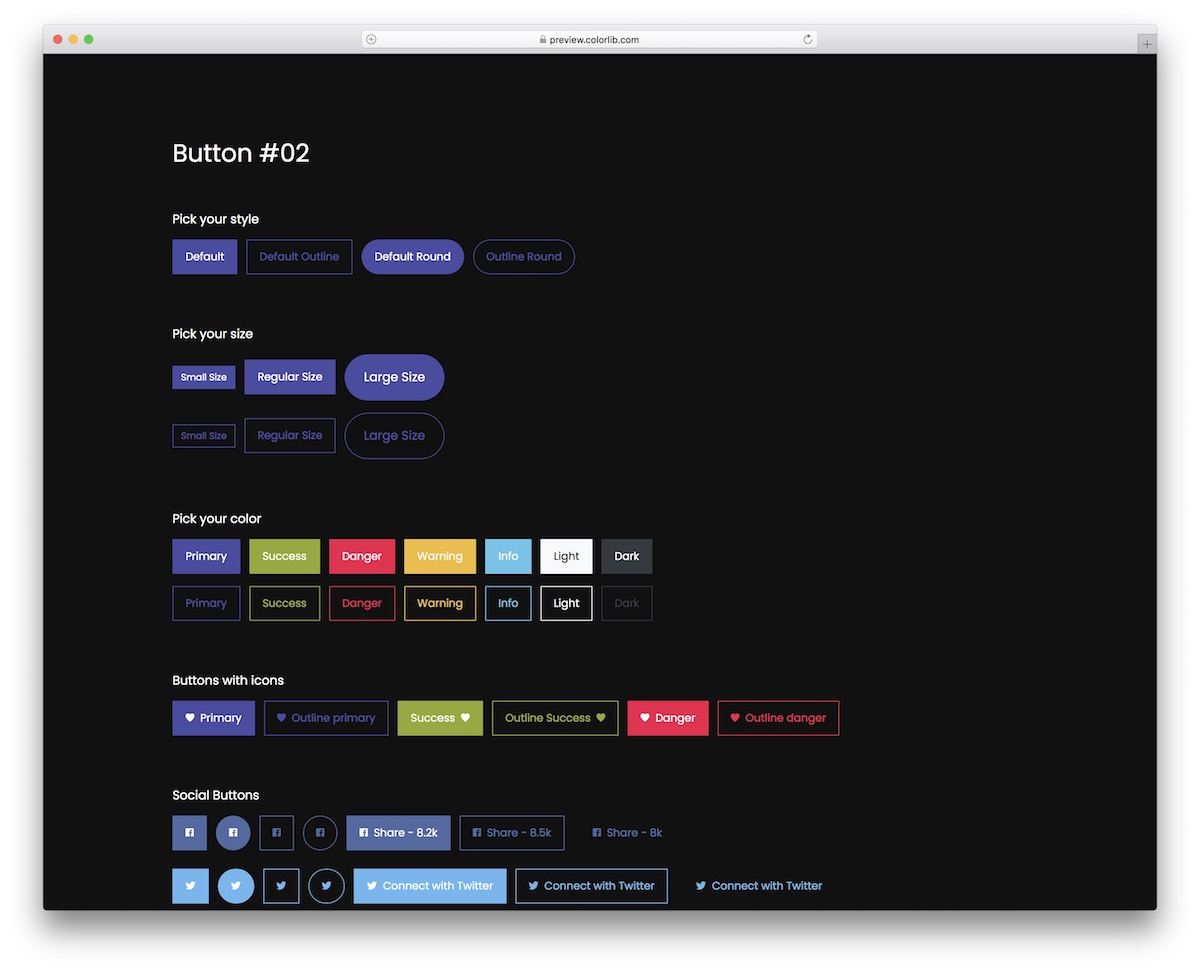
If you run a website or an application with a dark design and want your buttons and CTAs to stand out, Bootstrap Buttons V12 is your best bet.
This comprehensive collection of button styles, sizes, colors, links, disabled options, and more.
You ALSO GET radio buttons, checkboxes, drop-downs, and a list of specialties.
More info / Download DemoBootstrap Buttons V13
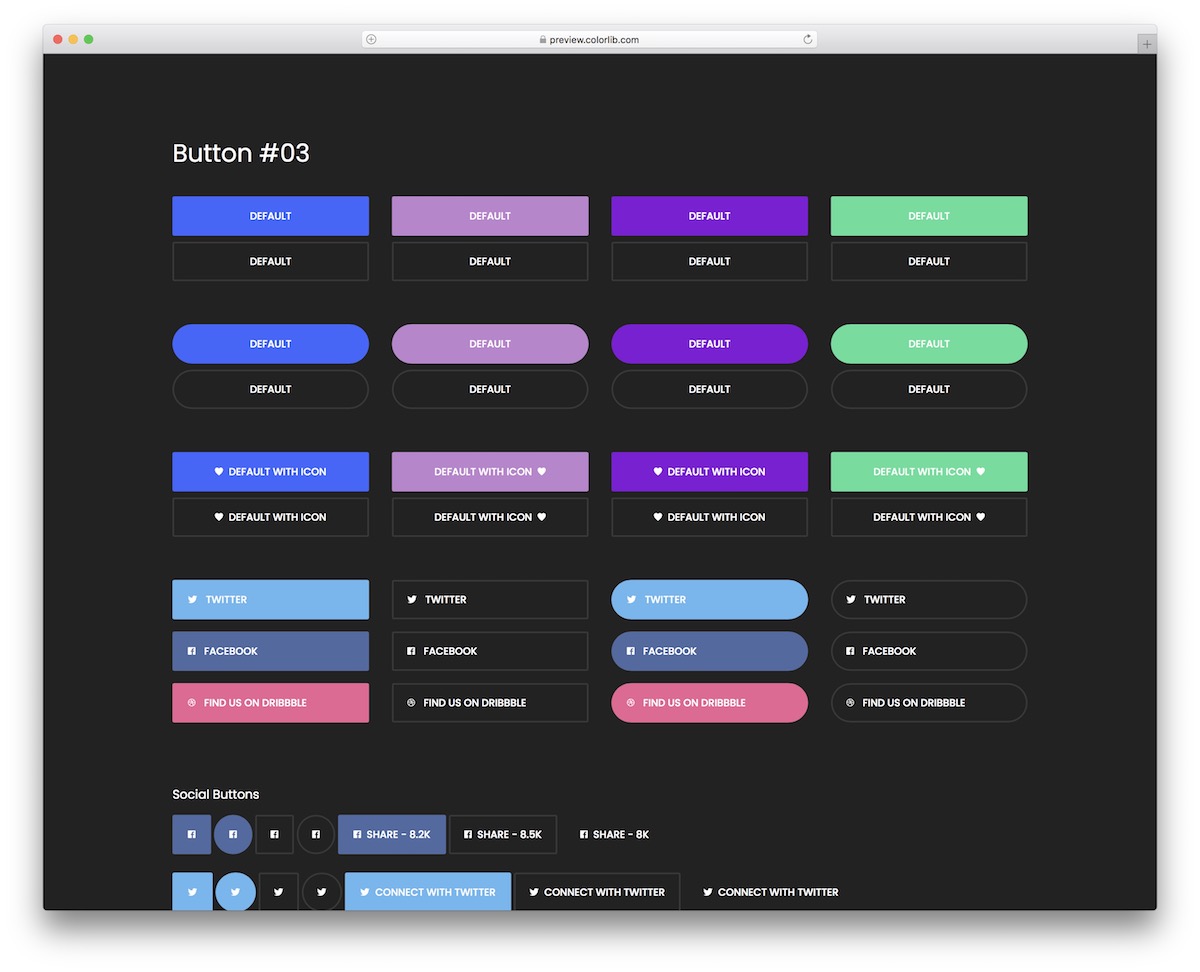
Bootstrap Buttons V13 is a collection of buttons with various styles that you can now utilize to your advantage.
These are great for dark app and website themes, but you can also use them with other formats.
Every button also comes in two styles: solid color and outlined. Additionally, many users apply the hover effect, which can be used by default.
More info / Download DemoBootstrap Buttons V14
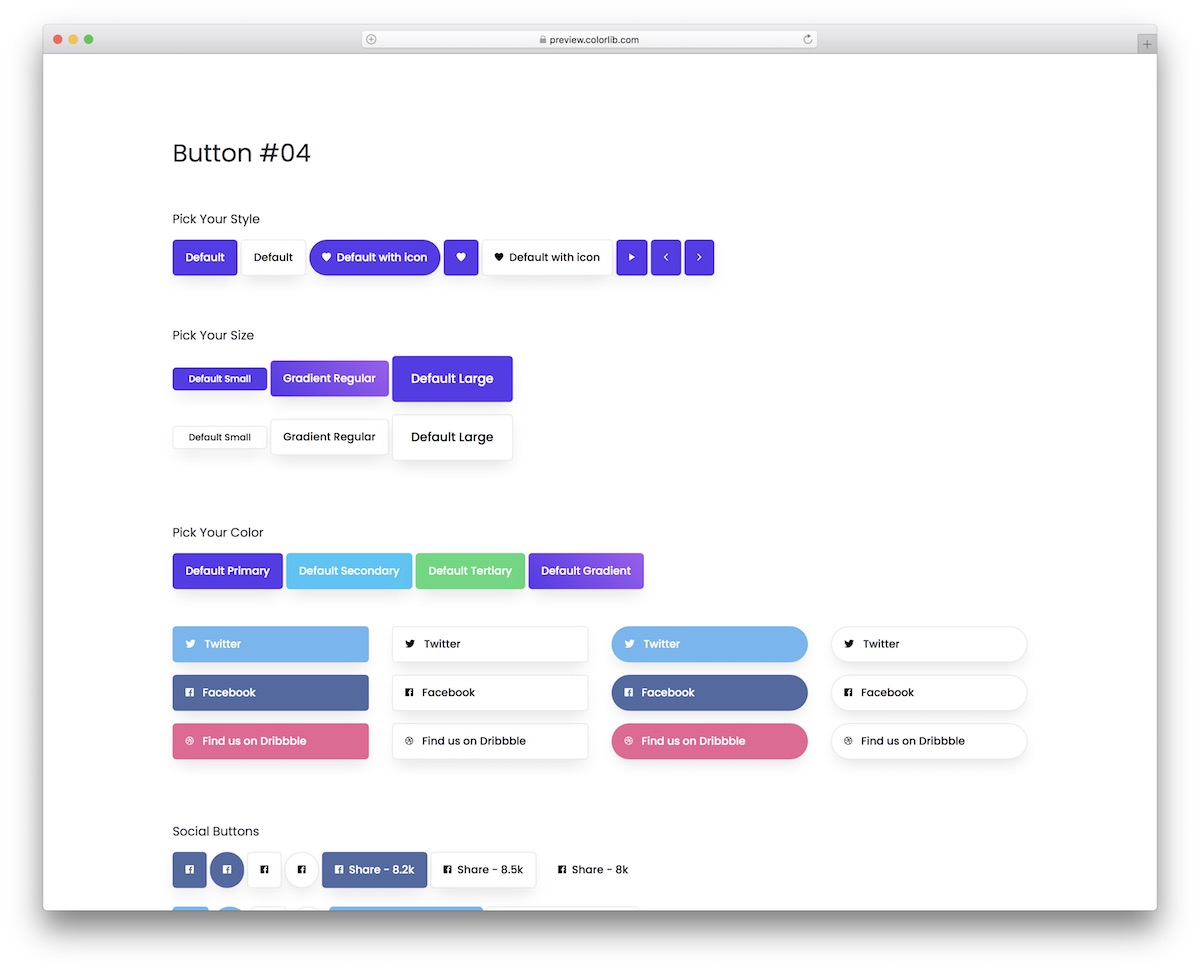
Bootstrap Buttons V14 is a collection of solutions that covers them all from gradient, solid color and white buttons.
You can also get them in different sizes and for various purposes, such as social media, drop-down menus, and checkboxes.
This bundle does not MISS multiple icon buttons, call-to-actions, and text-style buttons/links.
More info / Download DemoBootstrap Buttons V15
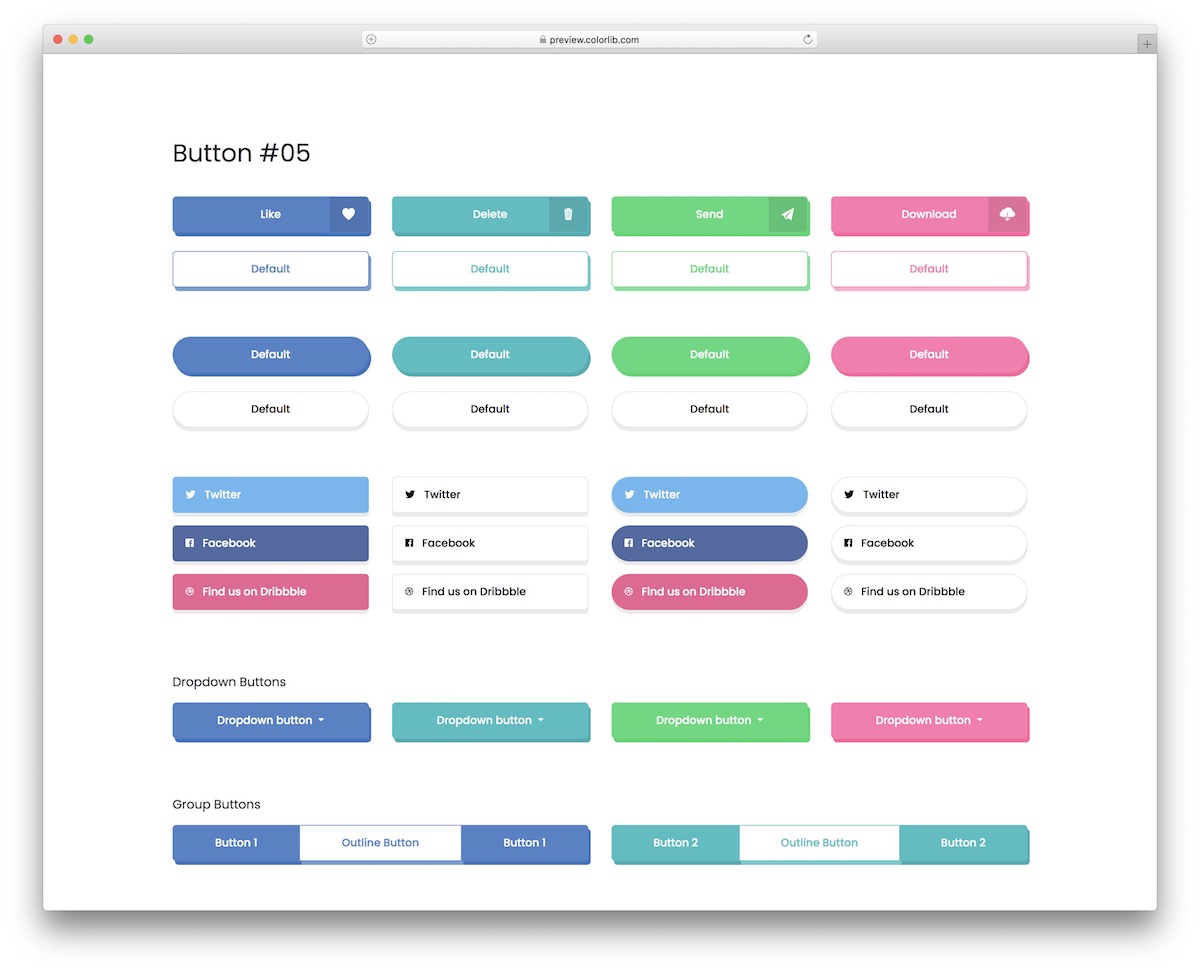
These fancy buttons are everything you need if you want something that doesn’t look too classic but is still not too out of this world.
The buttons come in many styles and formats, including a shadow and a hover effect (the latter does not apply to all of them).
You can use them for call-to-actions, social media, checkboxes, toggles, etc.
More info / Download DemoBootstrap Buttons V16
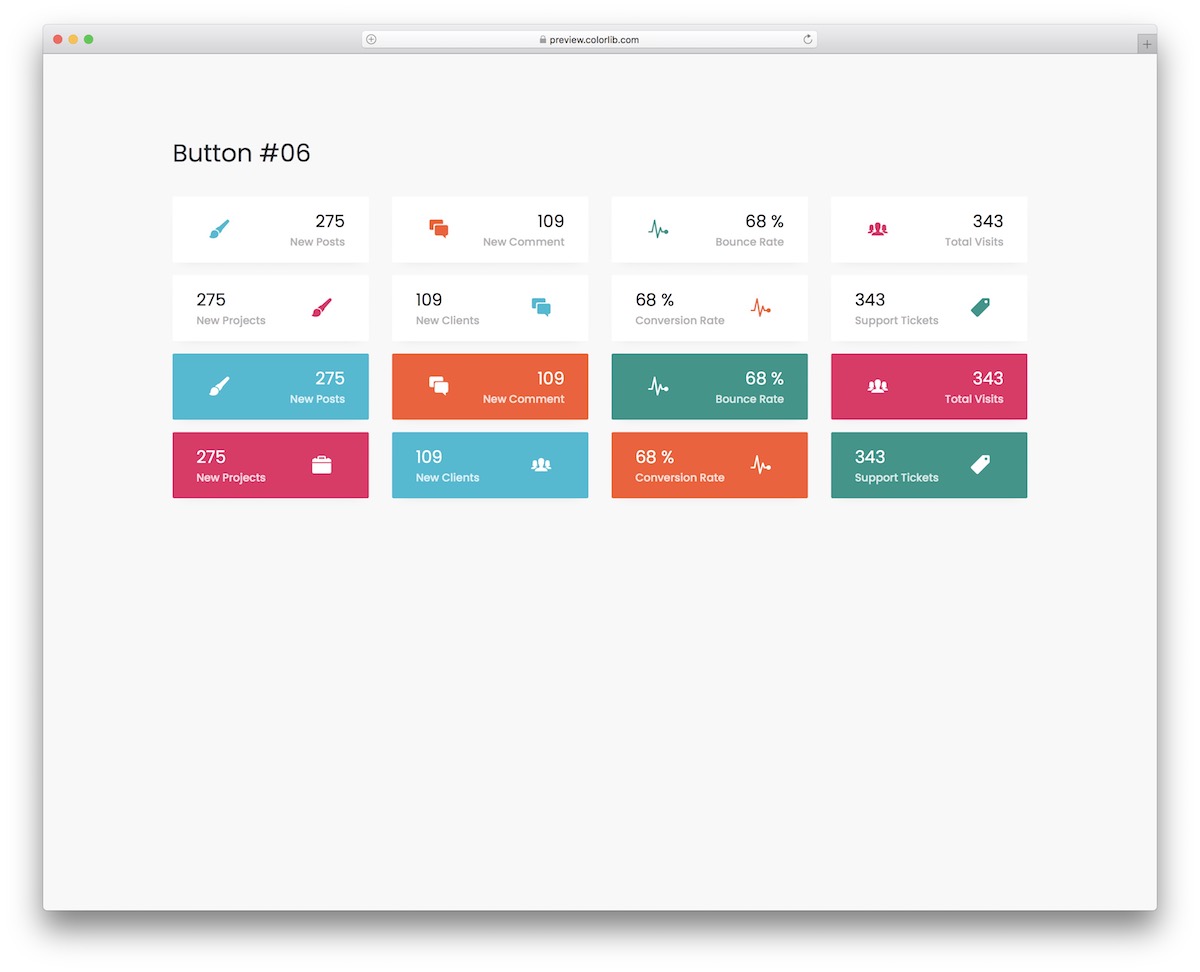
Bootstrap Buttons V16 is a snippet collection that features more than just text in a button.
These buttons also include an icon and a number that are advantageous for many projects. They come in two distinct styles: a light background and a solid background.
Besides, the latter spice things up with a hover effect.
More info / Download DemoBootstrap Buttons V17
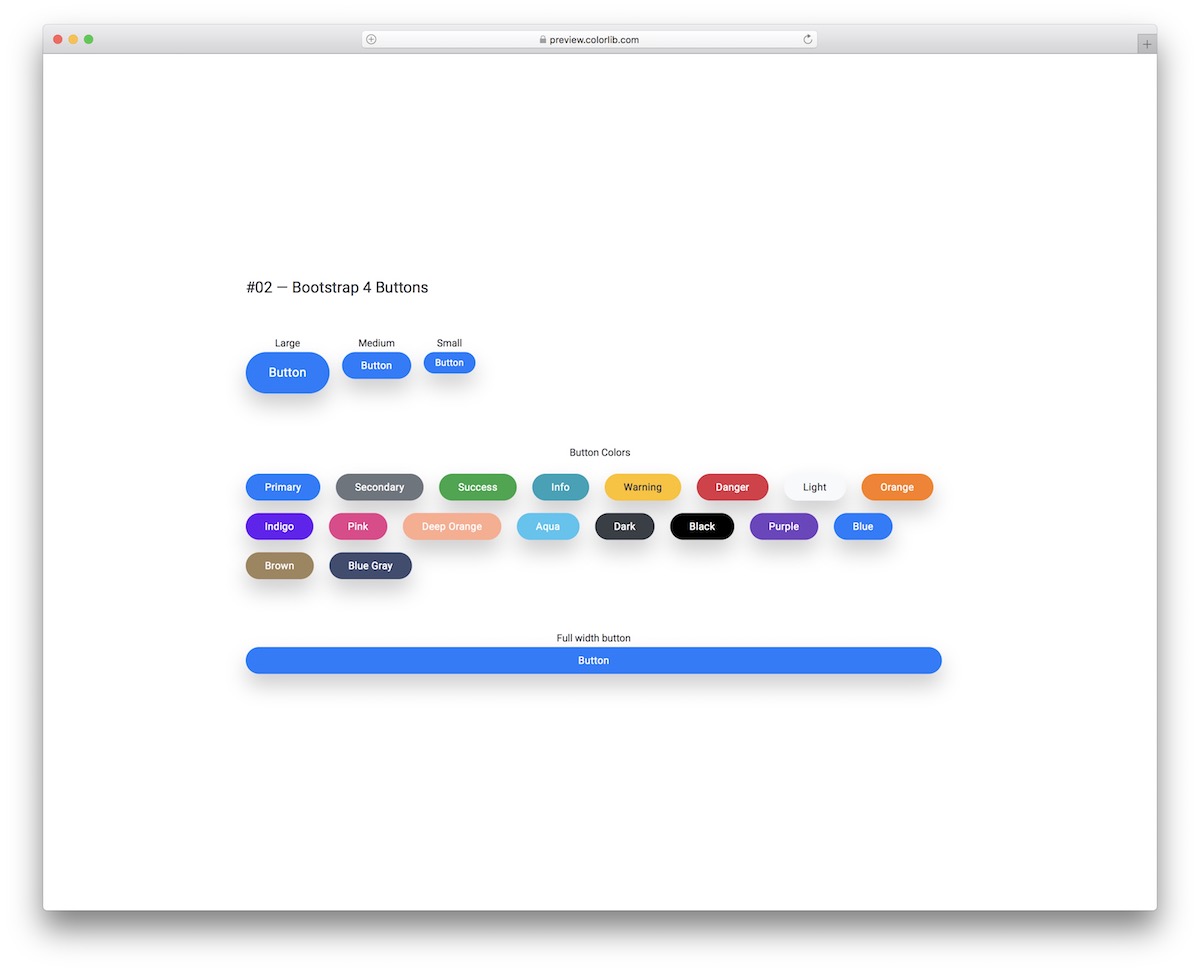
Buttons can have no effect, hover, click, or both. If you opt for the “both” format, you should head straight to the live demo preview to view Bootstrap Buttons V17.
The hover effect makes the shadow around the button disappear, while the click effect makes it feel “pressed down.” A great option that can make a significant difference for your project.
More info / Download DemoBootstrap Buttons V18
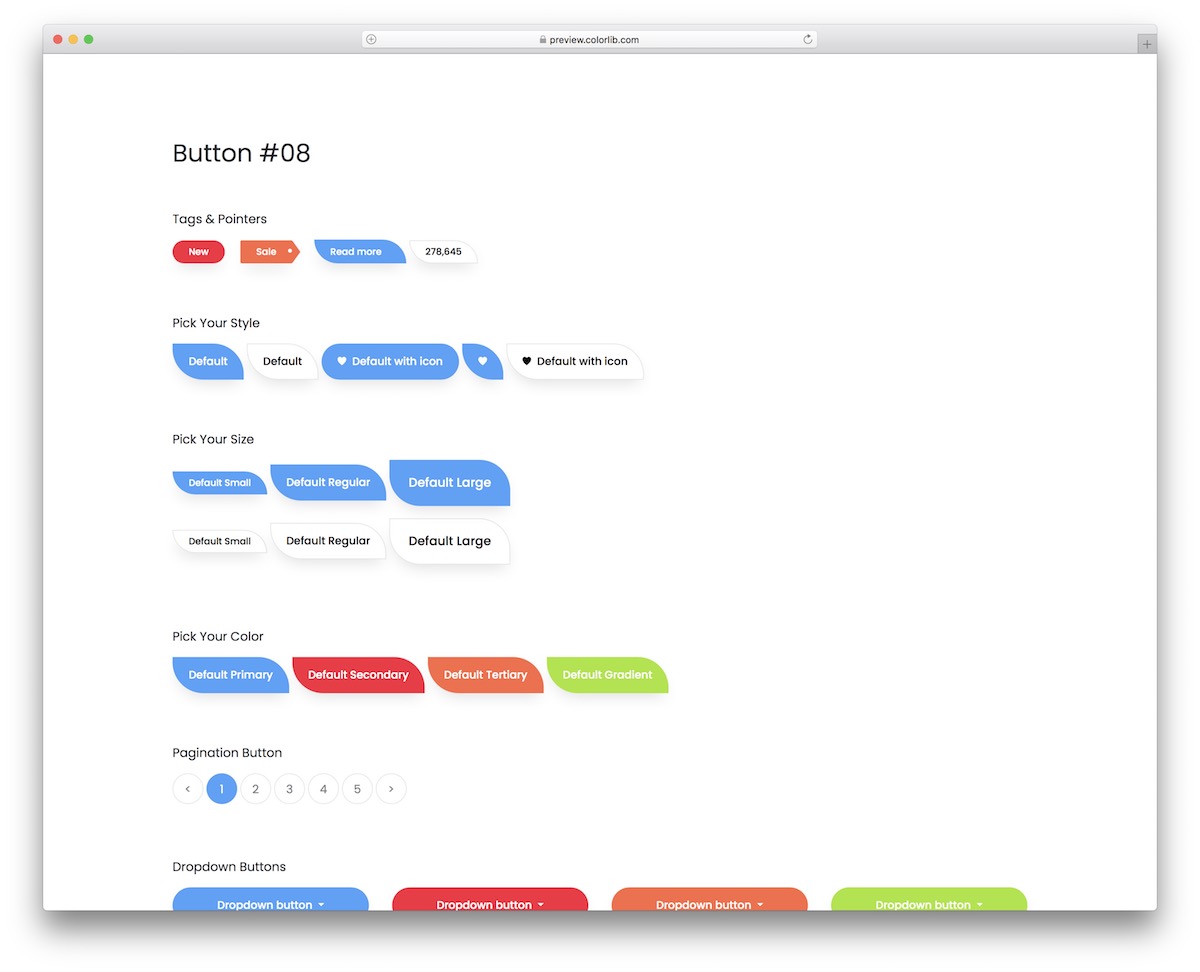
This particular set includes buttons, icons, pointers, pagination, checkboxes, and radio buttons.
There’s more.
This bundle is special from assorted color options to various dimensions, even hover and click effects. You will also notice the non-traditional, rounded shape of the buttons, which will pop beautifully on your application.
More info / Download DemoBootstrap Buttons V19
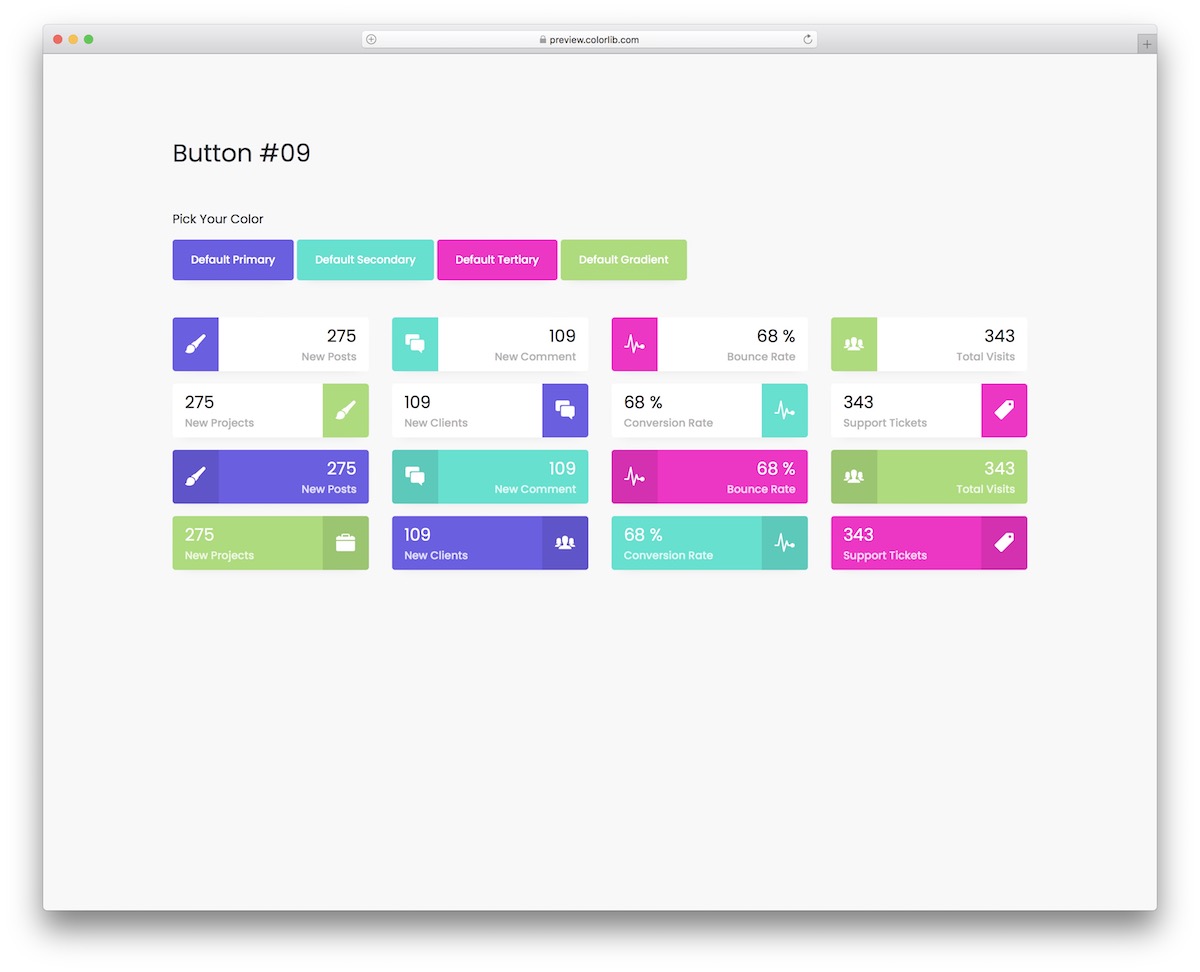
A button can feature text, icons, and a number, accompanied by a dynamic color choice that is visually appealing.
These vibrant buttons use Bootstrap, making them flexible and extensible to operate flawlessly on different screen sizes.
They are also very straightforward and QUICK to integrate due to the beginner-friendly code structure.
More info / Download DemoBootstrap Buttons V20
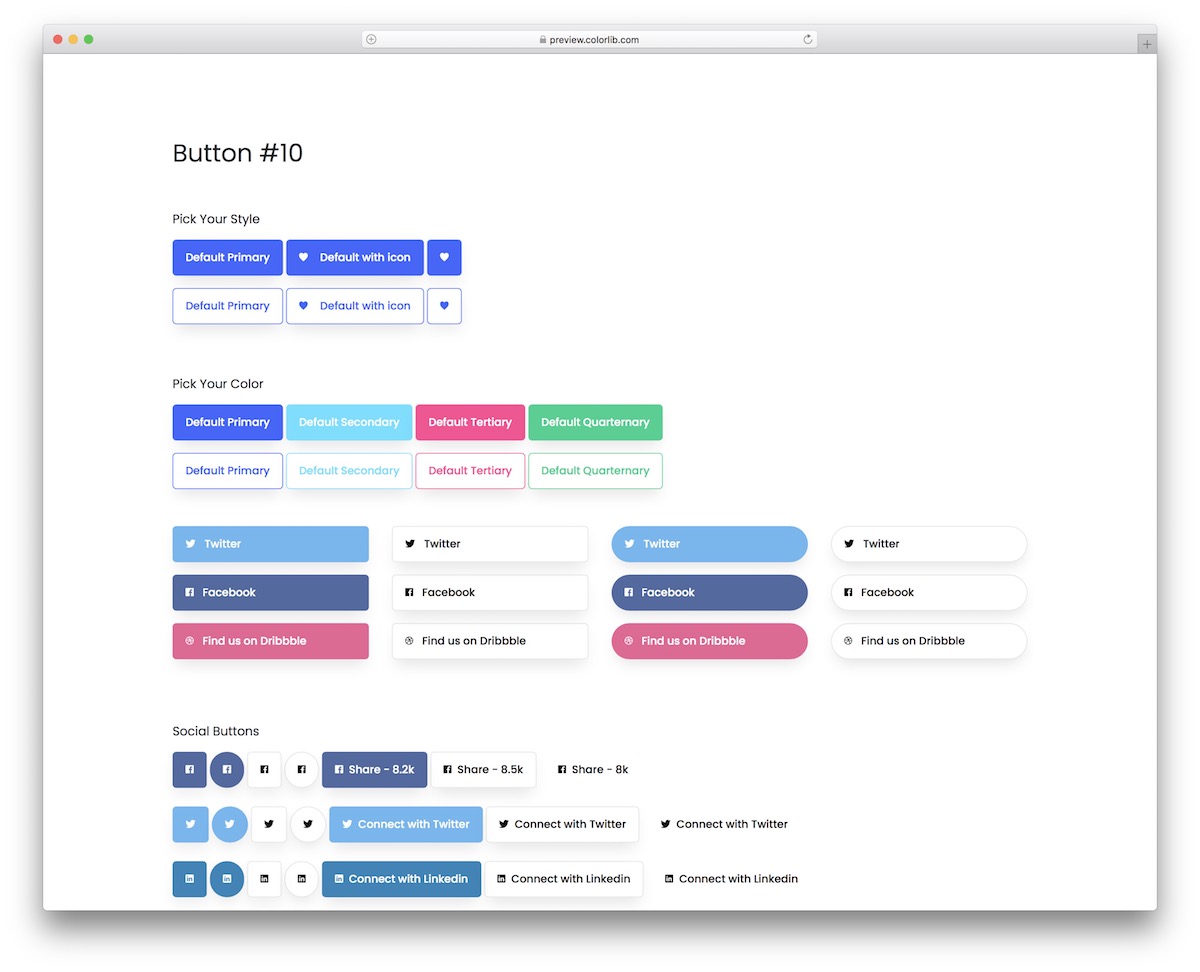
A button with animation on hover can easily trigger someone’s attention and boost the likelihood of clicking.
Bootstrap Buttons V20 is a collection of buttons of different styles and colors.
They come with a solid color or with an outline and feature text, icon or both. You also get multiple social media buttons to choose from, so you don’t need to create them manually.
More info / Download DemoAlways remember to consider whether the button you choose for your site blends with the site itself.
These small interface elements make up your entire web page. They are there to keep it functional and user-friendly. Users expect the user interface to respond with appropriate feedback when they click a button.
Provide aesthetic feedback either by implementing animations or creating floating interfaces. Button colors also matter, as they make your buttons more noticeable.
Choose a color that trademarks your business website and is also compelling for your visitors.
Don’t just rely on plain text.
BE CREATIVE.
Visual content outperforms plain elements on every platform. You decide how to represent your web page’s theme.

Related Posts


Comments (0)