
25 Best Free Bootstrap 6 Website Templates 2026
Bootstrap 6 reached its first alpha on October 8, 2026, and these 25 free templates run on it. They cover business, SaaS, portfolio, restaurant, hotel, real estate, trades, school, church, charity, wedding, music and more, and each one has a live demo.
Every download includes its own copy of Bootstrap 6.0.0-alpha.1, so there is nothing to install and no build step: unzip and open index.html. To load Bootstrap from a CDN instead, change two lines in the page head. All 25 are free for personal and commercial use, attribution optional, and the download link is sent by email. Forms are front end only.
Need an admin panel instead? AdminLTE.io has a separate roundup of Bootstrap 6 admin dashboard templates and UI kits.
Quick Picks
- Product launch: Threshold, a waitlist page with a thank-you and referral page
- SaaS pricing: Ledgerline, a calculator that finds the cheapest plan
- Company site: Keystone, with a keyboard-friendly mega menu
- Hotel: Lantern, with a booking bar that follows you down the page
- Local business: Fixwell, with a quote form in the hero and a postcode checker
- Personal site and CV: Longhand, which prints as a one-page CV
Table of contents: all 25 free Bootstrap 6 website templates
- Threshold
- Keystone
- Ledgerline
- Northmark
- Atelier
- Silver Halide
- Longhand
- Drafthouse
- Tavola
- Lantern
- Haven Homes
- Forecourt
- Caseworth
- Bedrock
- Fixwell
- Ironworks
- Northgate
- Syllabus
- Stonebridge
- Openhands
- Summit
- Marigold
- Soundstage
- Pressroom
- Liftoff
Also on this page: What’s new in Bootstrap 6 · Business, SaaS and landing page templates · Portfolio and creative templates · Hospitality, property and automotive templates · Professional services and trades templates · Education, church and nonprofit templates · Events, media and coming soon templates · How to choose · FAQ
What’s new in Bootstrap 6
If you know Bootstrap 5, these are the changes you will notice in these templates:
- Native dialogs and drawers. The new Dialog component is built on the browser’s
<dialog>element, which handles the backdrop, focus and the Escape key. Offcanvas is now called Drawer. - Built-in form components. Date picker, combobox (searchable and multi-select), stepper, OTP input, chip input and a range slider with a value bubble. The booking, search and quote forms below use these instead of third-party plugins.
- OKLCH colors. Palettes are generated with
color-mix(), and dark mode useslight-dark(). - ESM-only JavaScript. There is no jQuery, no UMD bundle and no
window.bootstrapglobal. Scripts load withtype="module". - New responsive class syntax. Breakpoints move to a prefix, so
.d-md-nonebecomes.md:d-none. - Stacked tables. A table variant that turns each row into a labelled block on small screens.
The cost is browser support. Bootstrap 6 needs Chrome or Edge 130+, Firefox 132+ or Safari 18+.
Business, SaaS and landing page templates
1. Threshold
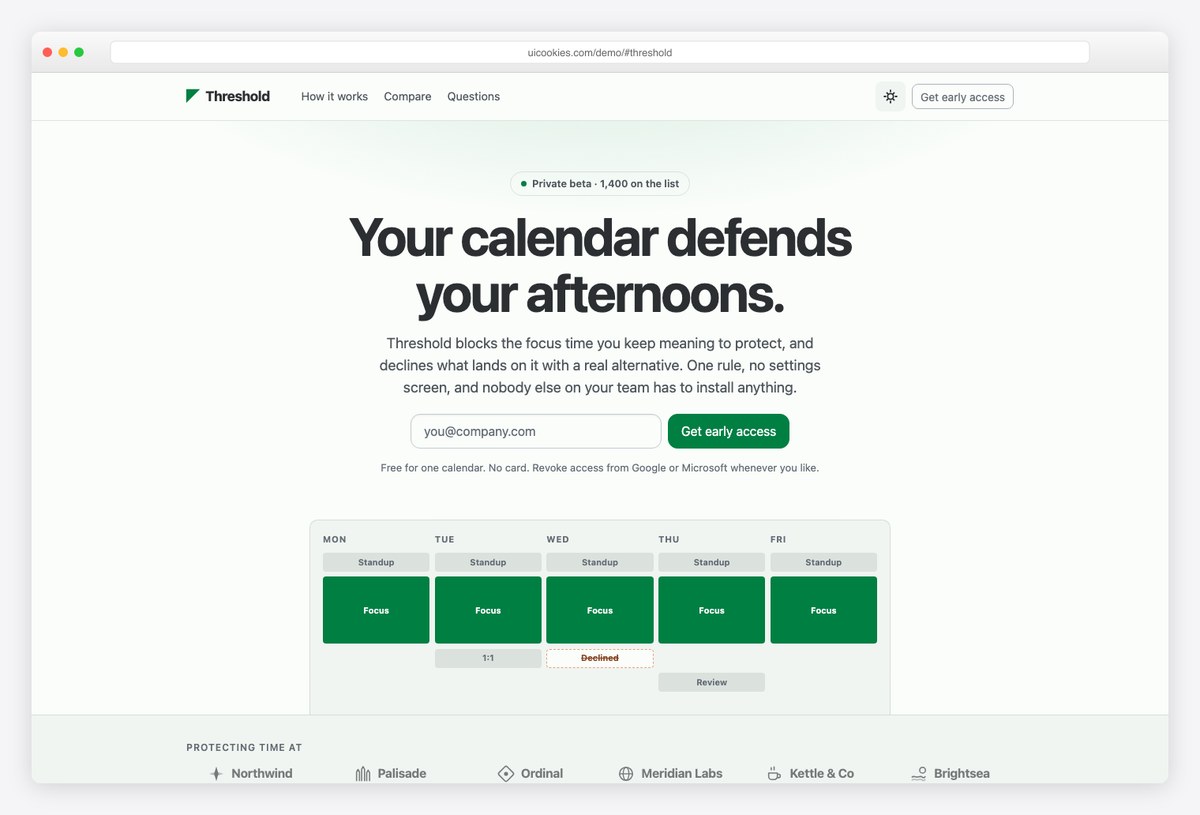
Standout: The hero, sticky bar and closing section each have an email field, and all three share one value. Start typing an address at the top and it is already filled in further down.
One long page carries the hero, features, how it works, social proof, a comparison table, an FAQ and a closing call to action. A second page thanks the visitor and shows their queue position with a referral link they can copy.
The sticky signup bar hides itself while the closing section is on screen, so you never show two signup forms at once. Below tablet width the nav links are hidden rather than moved into a menu, which suits a one-page launch.
More info / Download Demo2. Keystone
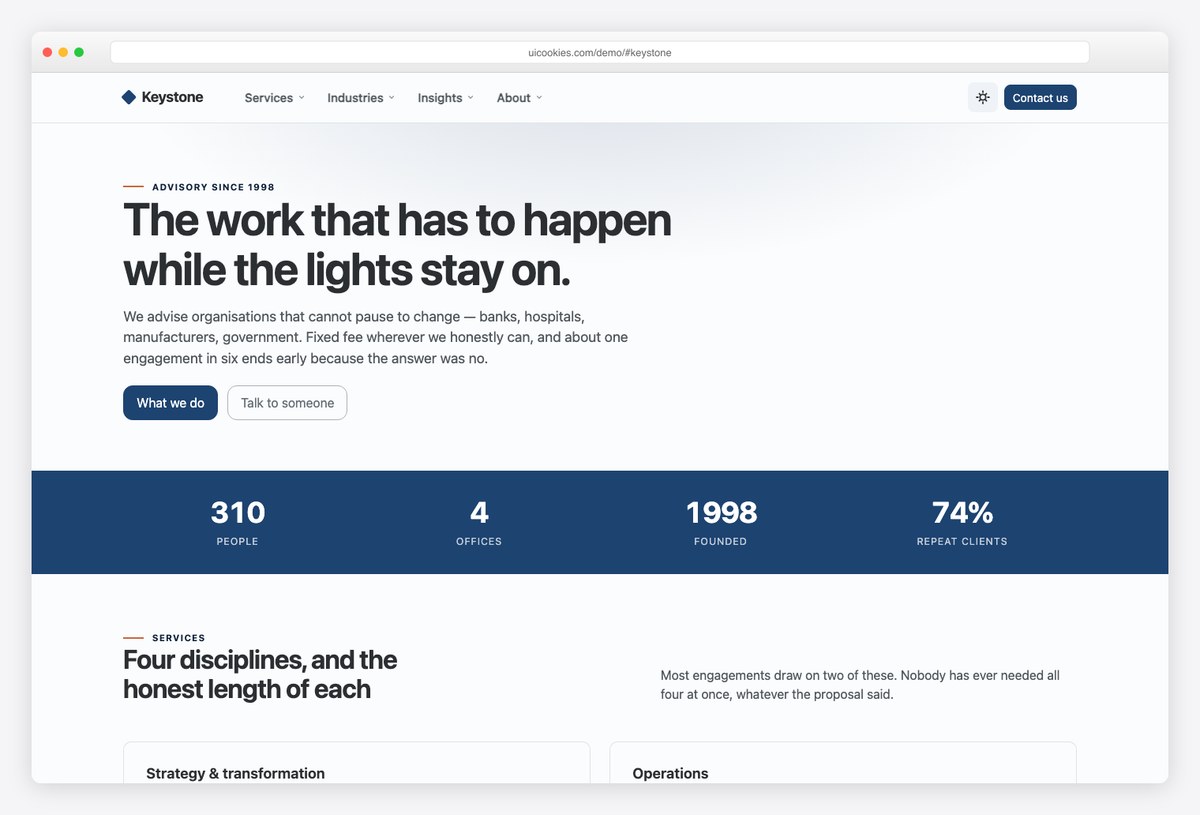
Standout: The mega menu works properly with a keyboard and on touch. Click or Enter opens a panel, Escape closes it and returns focus, and nothing pops open just because the pointer passed over it.
You get a homepage, a services page and a contact page. On mobile the four desktop menu panels become nested, collapsible sections inside the drawer, with the same links.
It is a good fit when a five-link navbar is not enough and you need to expose two dozen or more pages without the menu falling apart.
More info / Download Demo3. Ledgerline
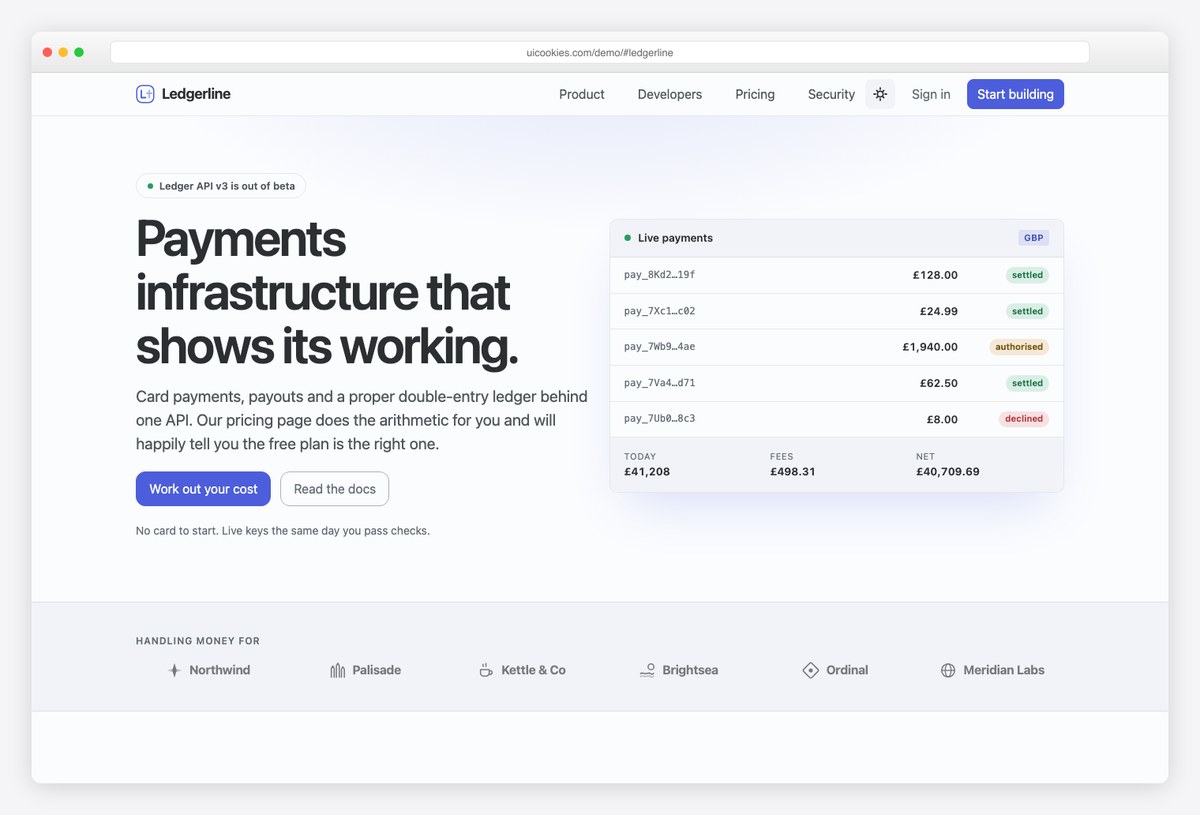
Standout: The pricing calculator does real arithmetic. Set monthly payment volume and average payment size, and it prices every plan (base fee plus per-payment fees), marks the cheapest, and tells you the volume at which the next plan becomes cheaper.
The homepage has product pillars, a code sample and a security section. The pricing page repeats the calculator next to a plan comparison table that stacks into labelled rows on phones.
Change the fee numbers in the script and it works for any product priced per transaction, seat or API call.
More info / Download Demo4. Northmark
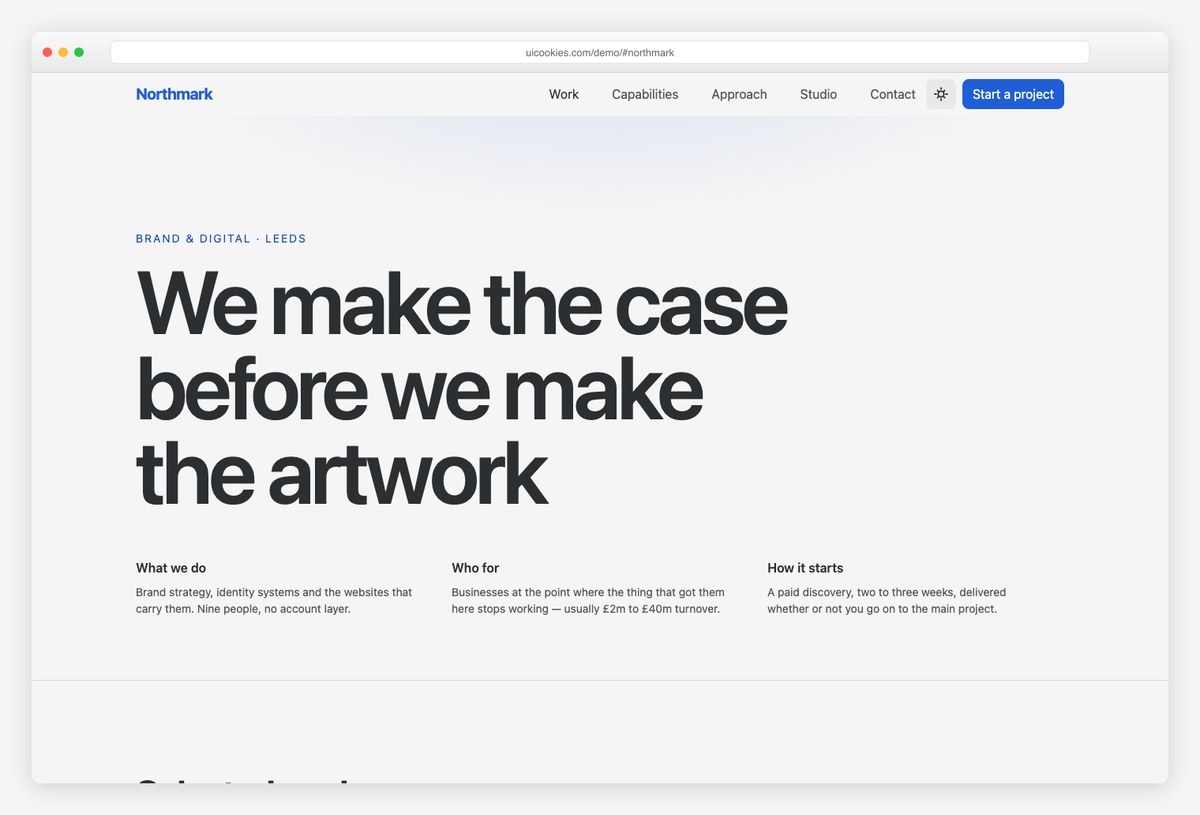
Standout: Projects are listed as full-width rows instead of a card grid. The client name is set large and the project details slide in on hover, with no JavaScript involved.
Below the work list are a capabilities matrix, an approach section and a studio section. The second page is a case study with three headline results.
The enquiry form uses comboboxes for budget and the services needed.
More info / Download DemoPortfolio and creative templates
5. Atelier
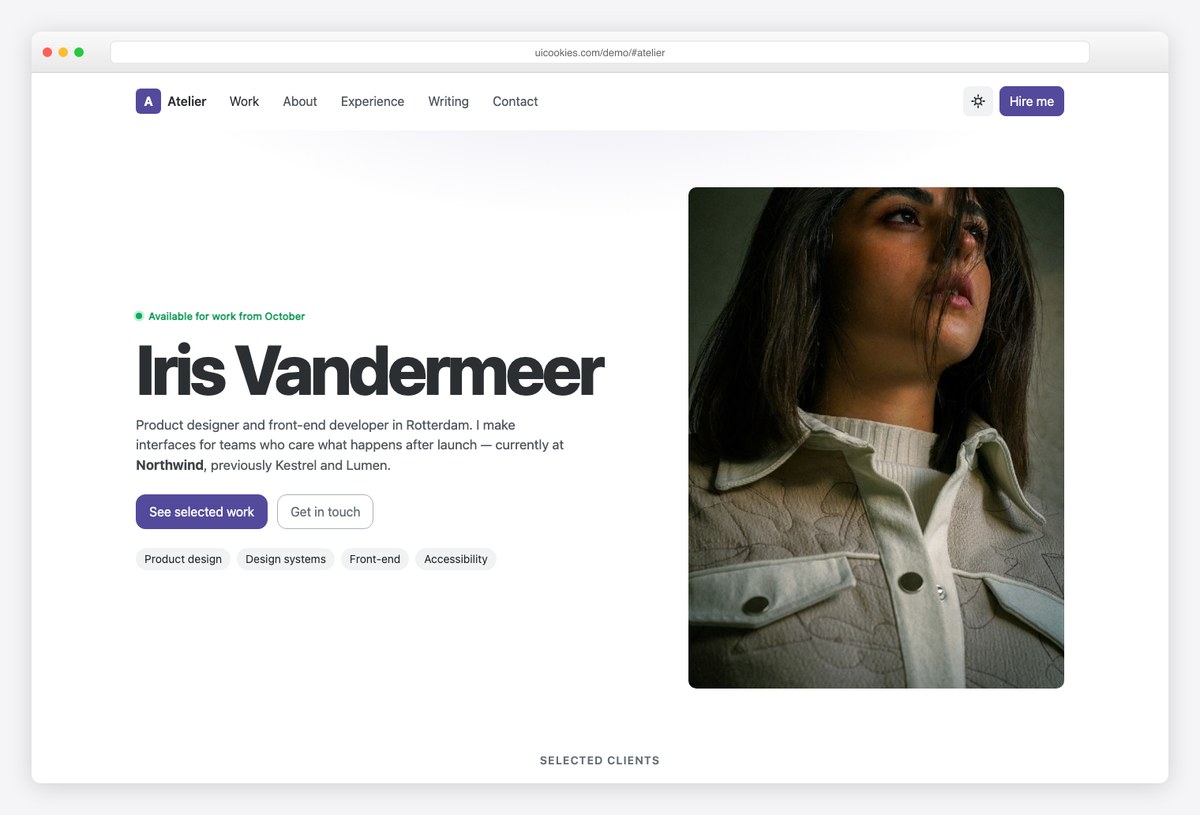
Standout: The contact form asks for project type, an ideal start date and a budget, using Bootstrap 6’s own combobox, date picker and range slider with a value bubble. In Bootstrap 5 each of those needed a plugin.
The homepage covers selected work, about, skills, an experience timeline and writing. A case study page shows one project in depth.
Most work thumbnails in the demo are gradient placeholders, so plan to drop in your own images.
More info / Download Demo6. Silver Halide
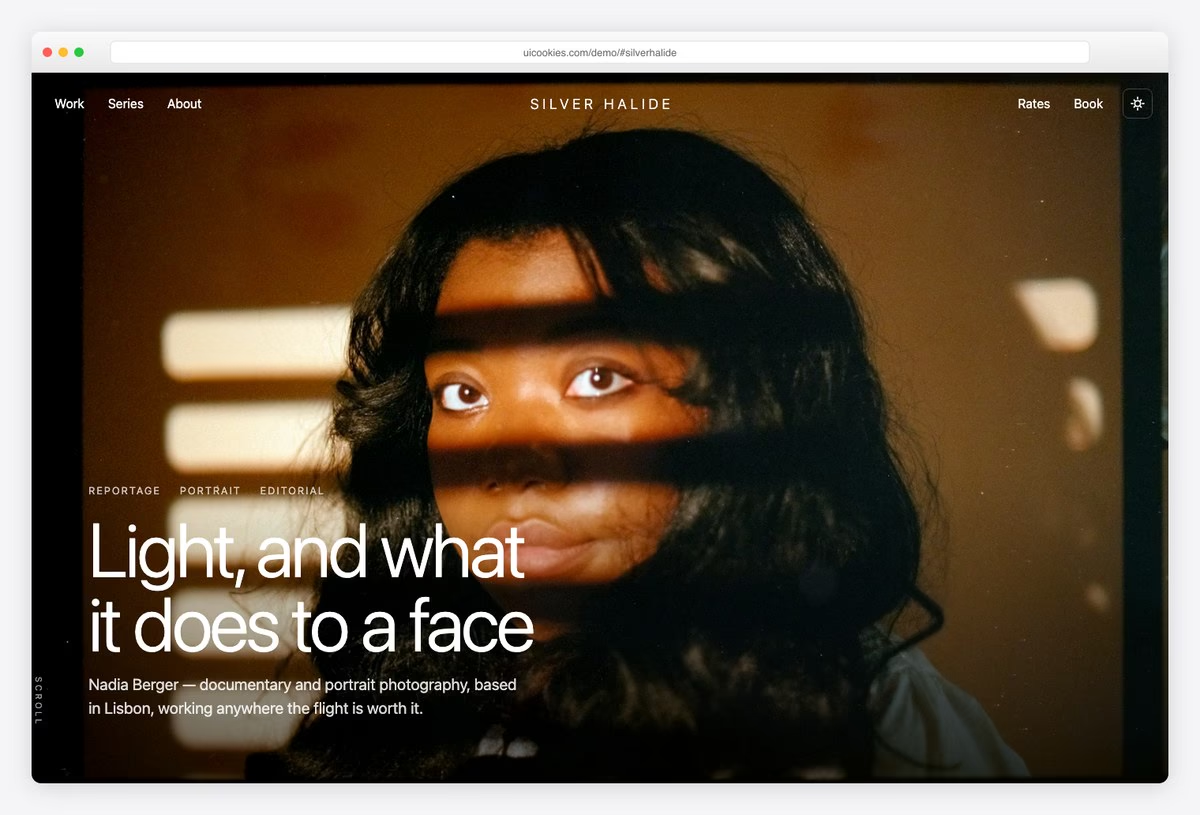
Standout: The gallery is not boxed into a container. It runs edge to edge as a mosaic of mixed-size tiles, with a horizontal scroll-snap strip for photo series.
A full-screen hero with a centered wordmark opens the page, followed by the gallery, about, rates and a booking form with a combobox, date picker and chip input.
It is designed dark first and has a light mode toggle that remembers the visitor’s choice.
More info / Download DemoNeed the back office too? See our free Bootstrap admin dashboard templates.
7. Longhand
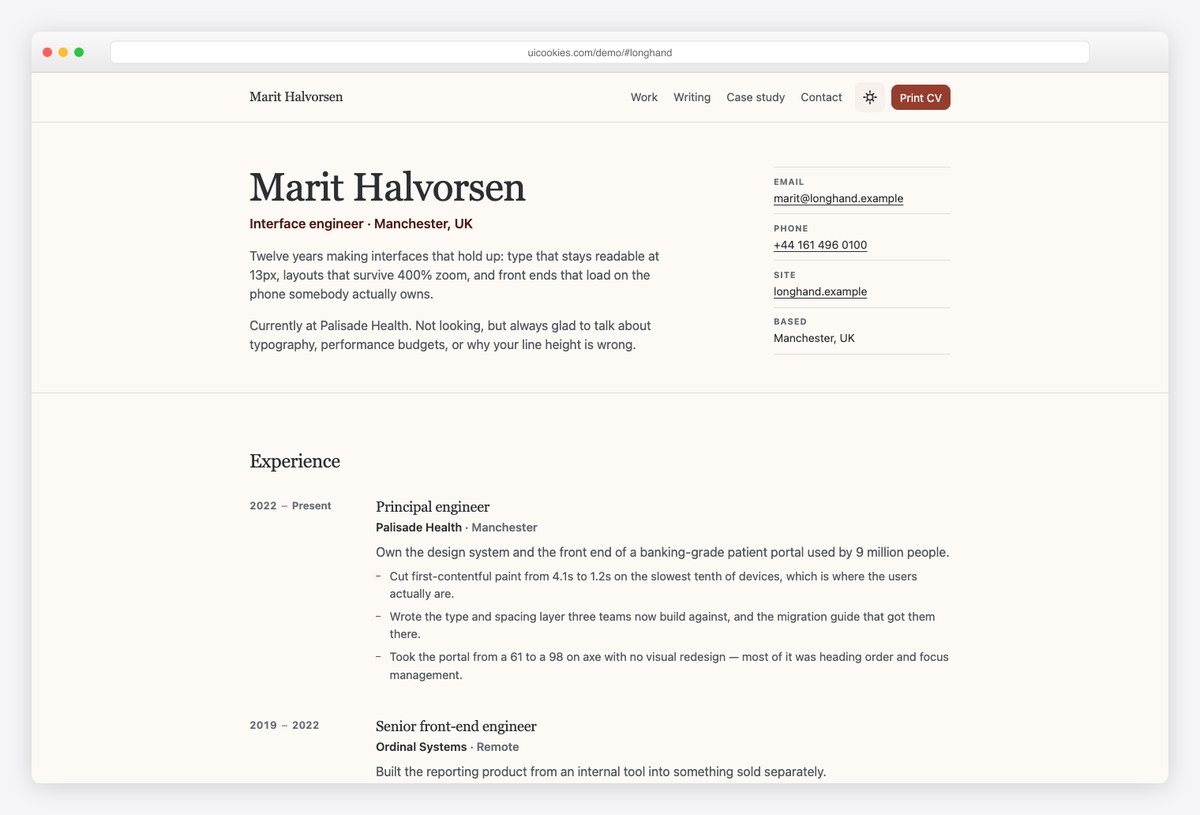
Standout: It has a real print stylesheet. Hit the Print CV button and the same page prints as a clean one-page CV: no navigation, no dark backgrounds, and no job split across a page break.
The homepage covers who you are, experience, skills, side projects, writing and contact, and a second page holds a case study. Light and dark modes are both included.
More info / Download Demo8. Drafthouse
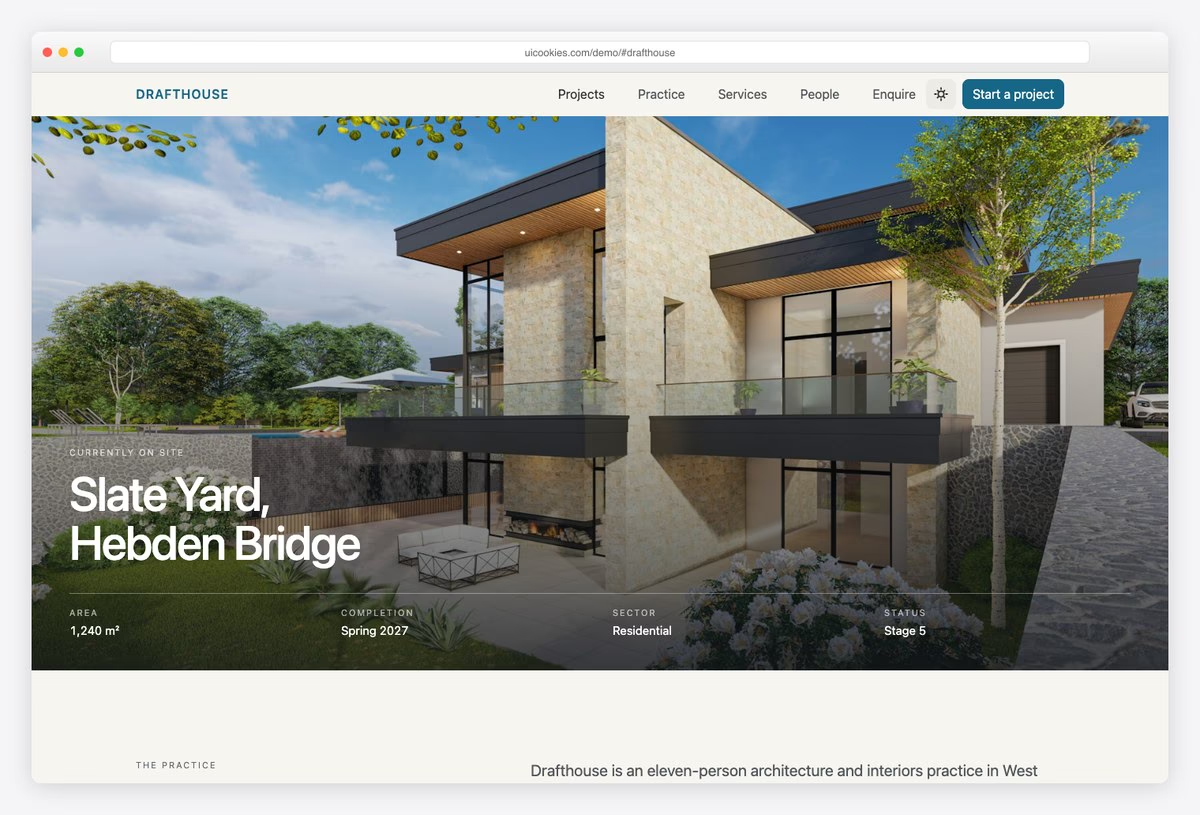
Standout: It is styled like a drawing sheet: paper-colored background, hairline rules, square image frames and small-caps labels above the data.
The homepage covers projects, principles, services by stage, awards, people and an enquiry form. The project page has a proper data sheet (location, area, sector, RIBA stage, completion, contractor, structural engineer, EPC rating) followed by a written brief.
More info / Download DemoHospitality, property and automotive templates
9. Tavola
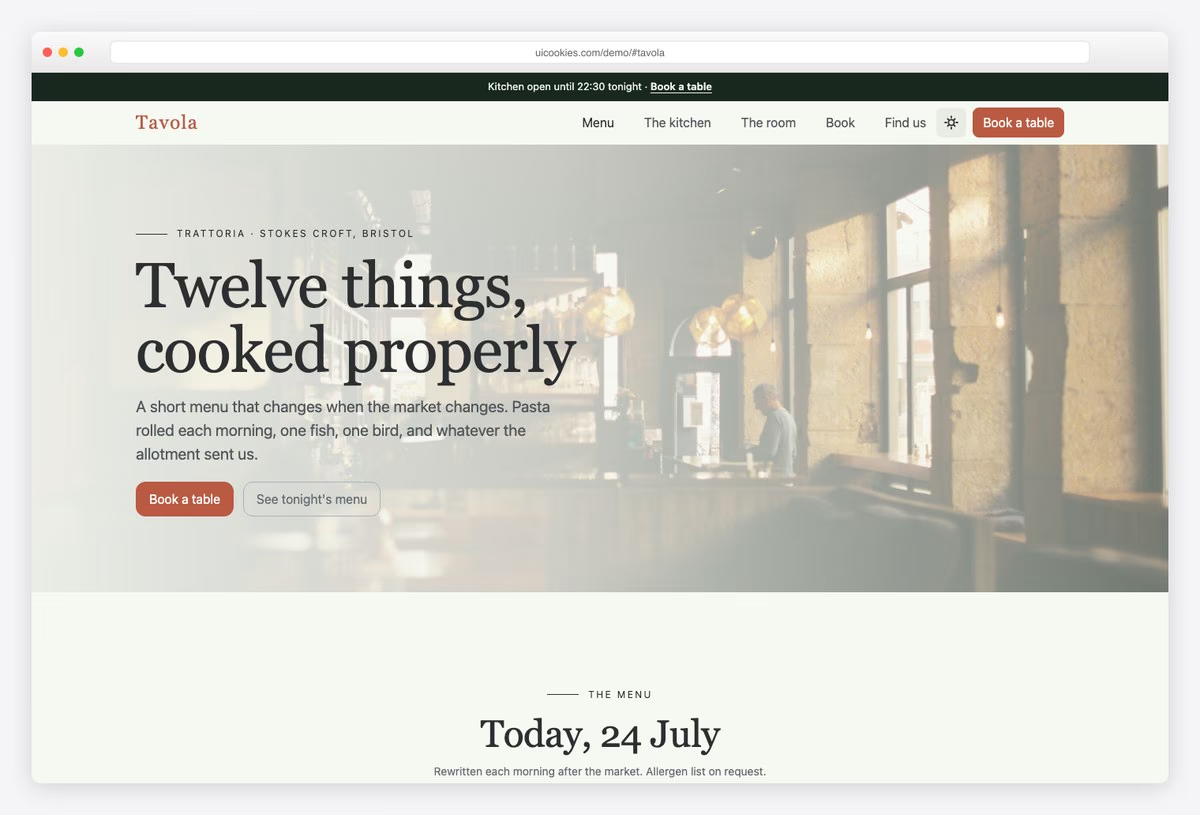
Standout: The menu is tabbed by service (lunch, dinner and Sunday) and each dish is set with dotted leaders like a printed menu.
The homepage also covers the kitchen, the room, opening hours, an FAQ and a booking form built on the date picker and combobox. The second page has the full menu and wine list.
As with every template here, the booking form is front end only, so you connect it to your own reservations system.
More info / Download Demo10. Lantern
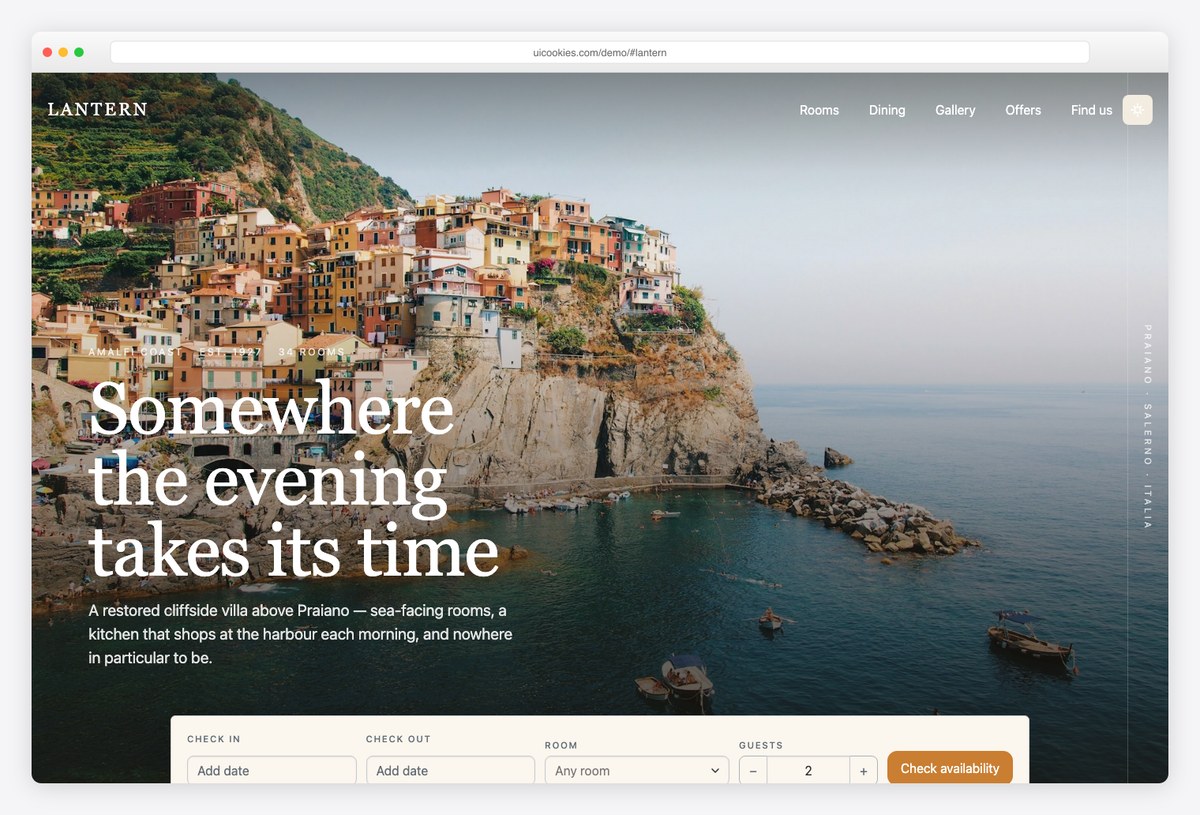
Standout: The booking bar under the hero (two date pickers and a searchable room combobox) reappears as a compact bar pinned to the top once you scroll past it.
The homepage covers rooms, dining, a gallery with a lightbox, offers, reviews and how to get there. The room page has a sticky booking panel that counts the nights as you change dates, plus a guest stepper.
There is also a table reservation dialog for the hotel restaurant.
More info / Download Demo11. Haven Homes
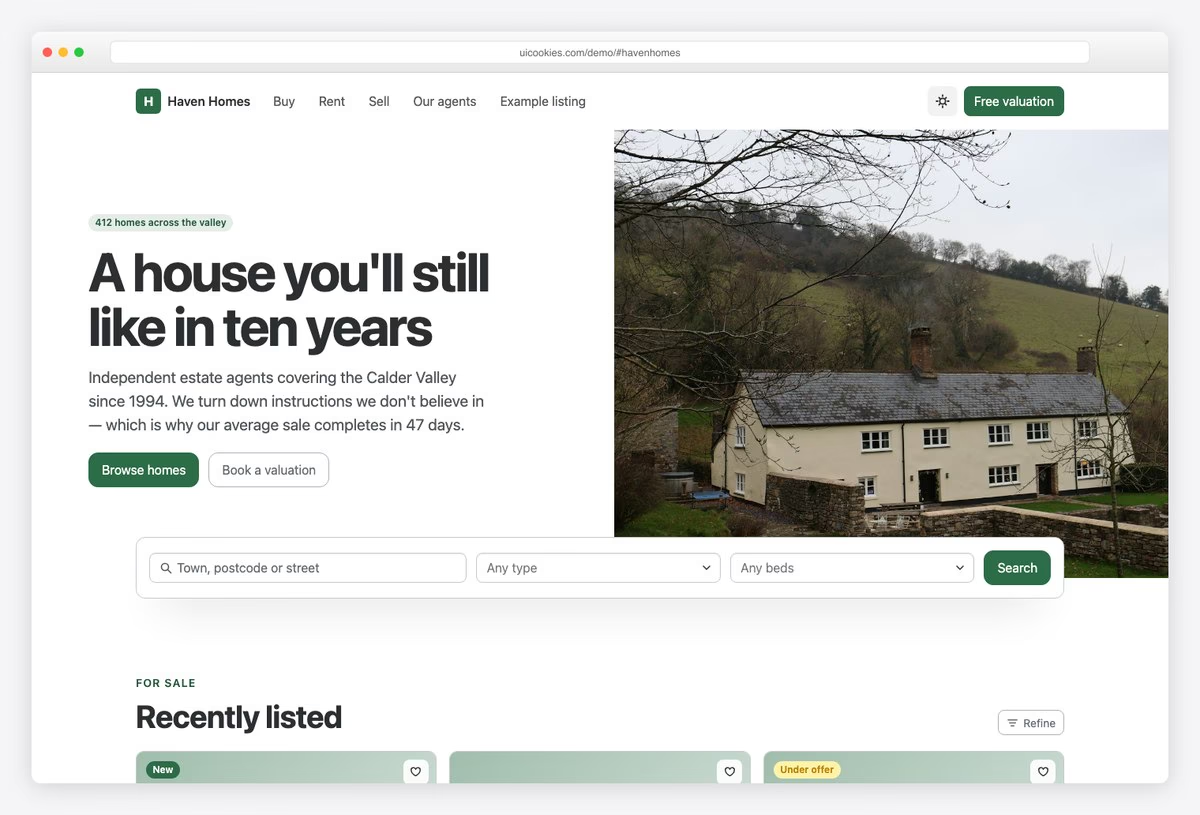
Standout: The search panel overlaps the bottom edge of the hero, so search is the first thing visitors reach. Property type is a searchable multi-select, and extra filters (including a maximum price slider) open in a Refine drawer.
You also get a property grid with key specs on each card, a valuation request form and a single listing page.
Most property images in the demo are placeholders, so you will need your own listing photos.
More info / Download Demo12. Forecourt
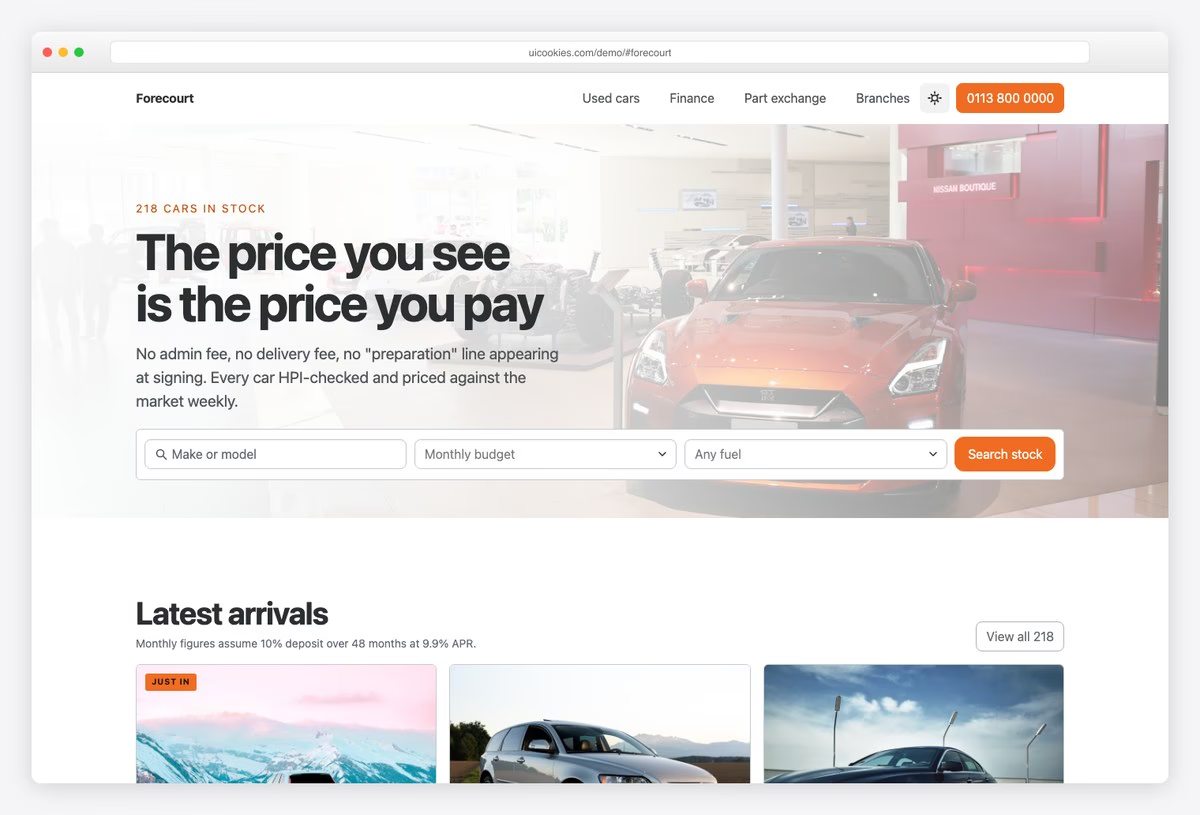
Standout: The monthly payment is the biggest number on each vehicle card. Move the deposit, term or APR slider in the finance calculator and every payment on the page updates.
The homepage has stock search, the vehicle grid, the calculator, part exchange and branch locations. The vehicle page has a full spec sheet and a sticky finance panel.
The calculator is a flat-rate illustration and is labelled as one. Swap in your lender’s figures before going live.
More info / Download DemoProfessional services and trades templates
13. Caseworth
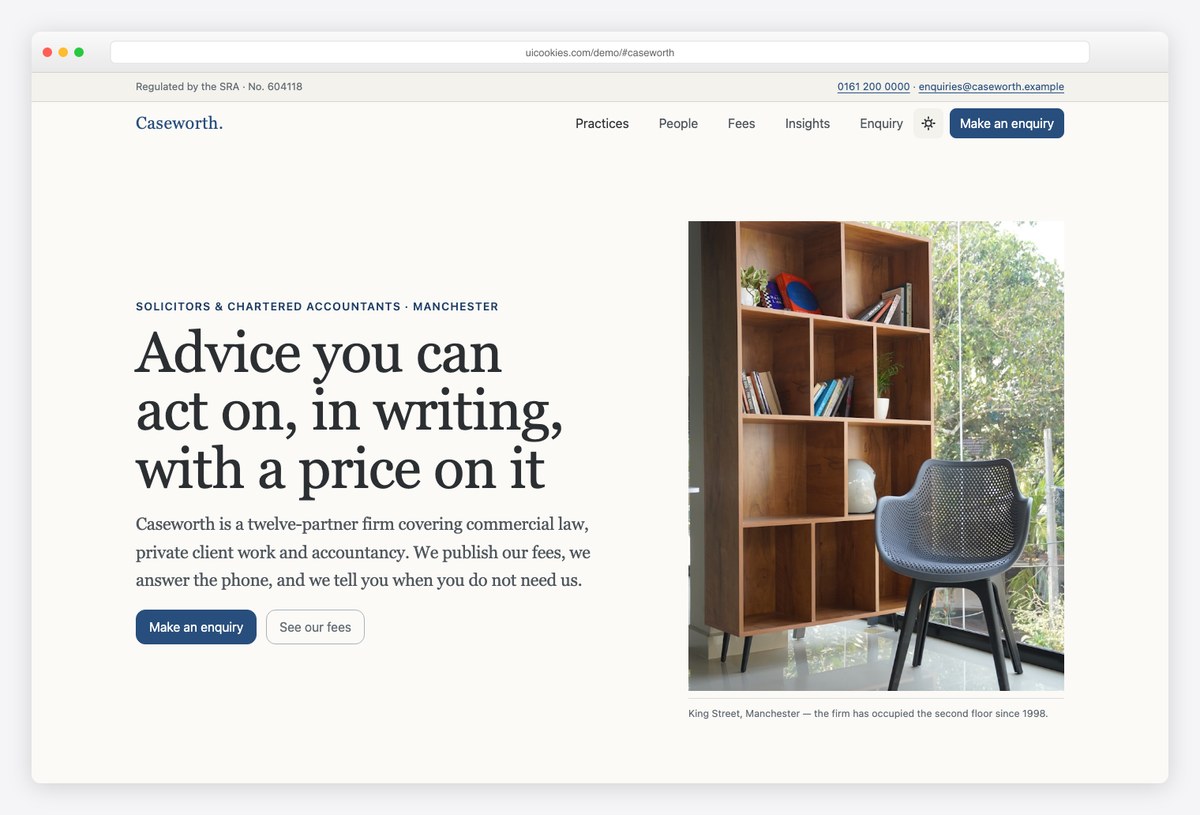
Standout: The fees are published in a table that filters as you type. On phones each row turns into a labelled block, using Bootstrap 6’s new stacked table.
It is set in a serif on off-white with hairline rules instead of cards. The homepage lists numbered practice areas, people with their credentials, and articles, and a second page covers a single practice area.
More info / Download Demo14. Bedrock
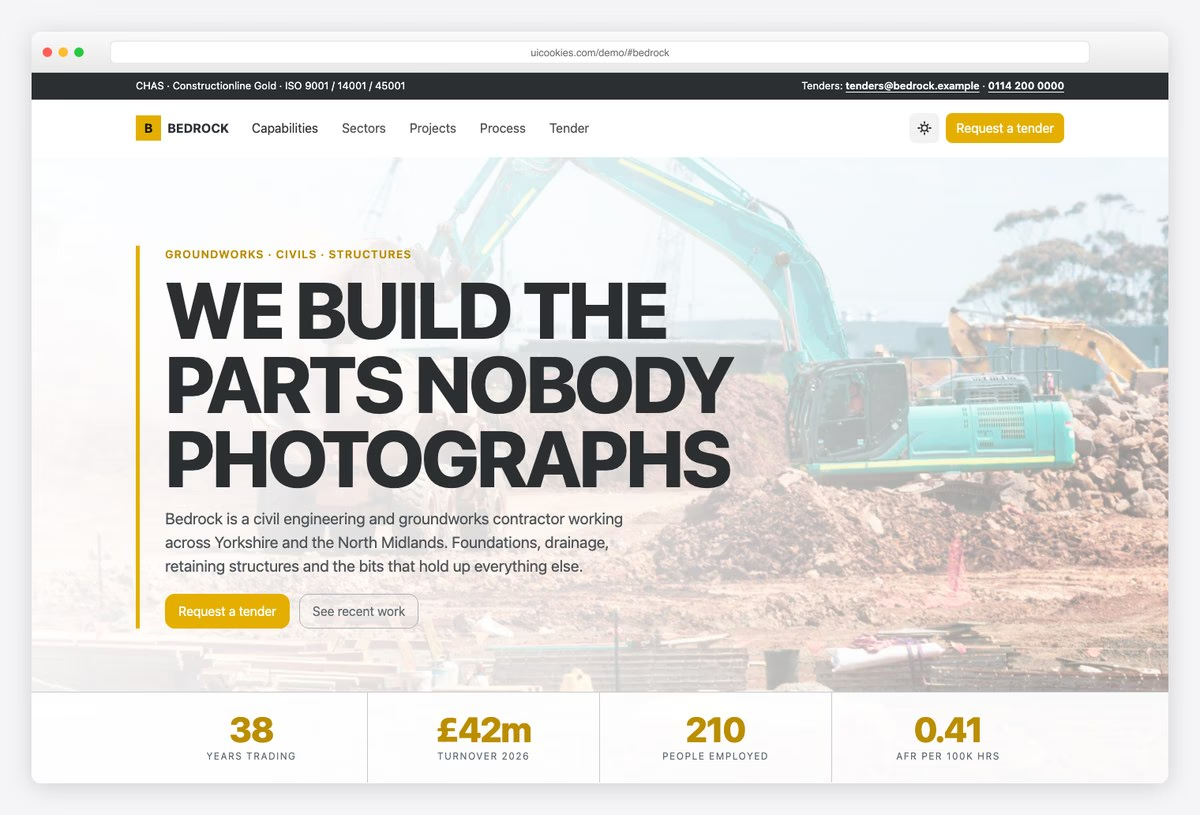
Standout: The project process uses Bootstrap 6’s new stepper component, horizontal on desktop and vertical on phones.
The look is hard-edged: safety yellow on dark slate, with a stats strip that counts up (and stays still for visitors who prefer reduced motion). Sections cover capabilities, sectors, projects, accreditations and a tender enquiry form, and there is a project case study page.
More info / Download Demo15. Fixwell
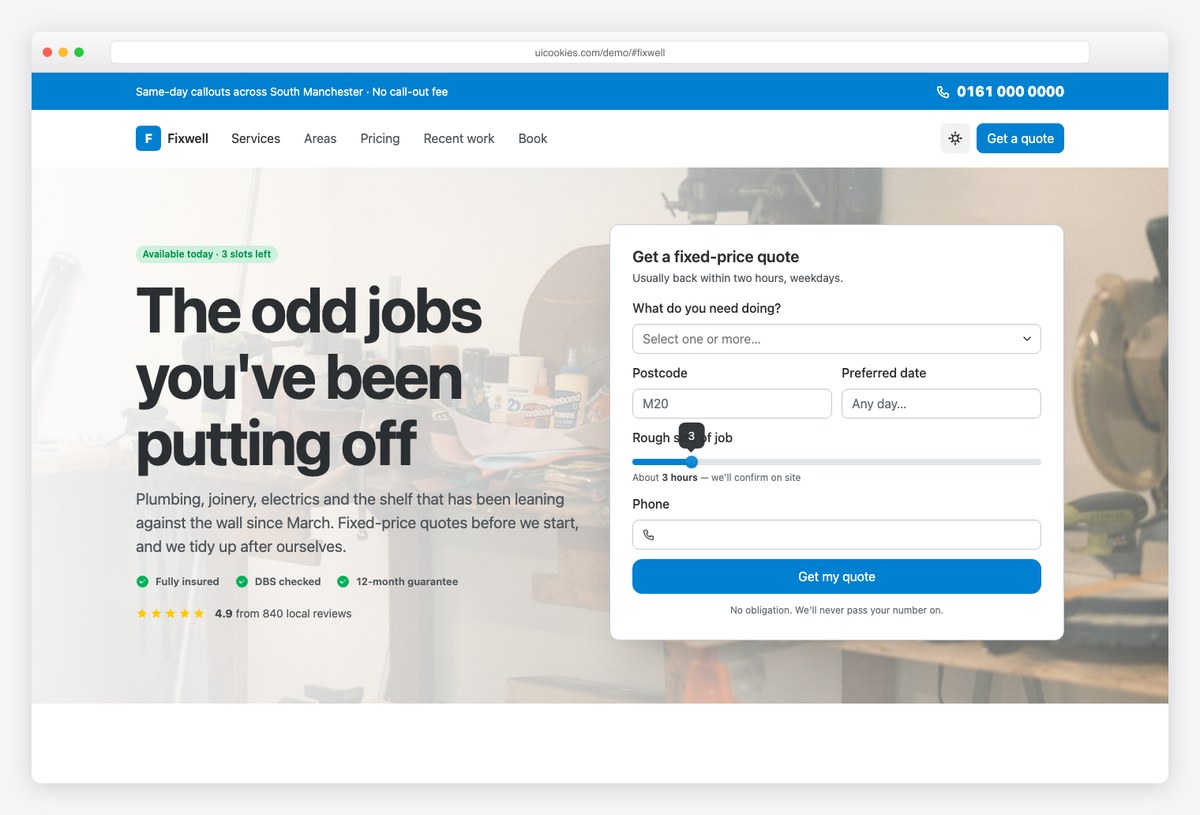
Standout: The quote form sits in the hero: pick trades from a multi-select, choose a date and set the job size on a slider. Next to it, a postcode checker answers whether you cover the visitor’s area, in about 20 lines of JavaScript.
There is a call bar with a large phone number, service cards with from-prices and a trust row (insured, DBS checked, guarantee). The before-and-after pairs are placeholders for your own photos.
More info / Download Demo16. Ironworks
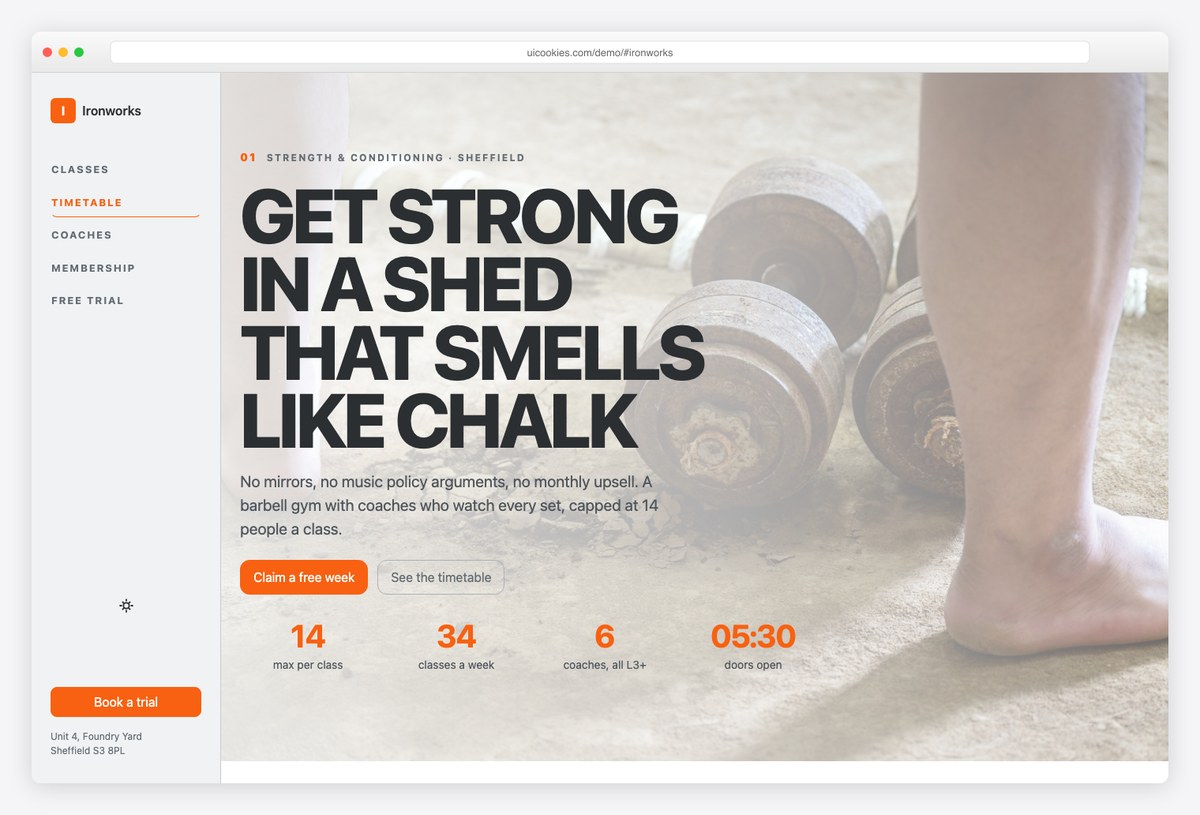
Standout: Navigation sits on a fixed vertical rail down the left edge and highlights the section you are reading.
The weekly timetable is a proper table with a caption and row and column headers, so screen readers can use it. It shows spaces left per class. Coach profiles, three membership tiers and a free trial form (date picker, class picker, goal chips) complete the page.
More info / Download DemoEducation, church and nonprofit templates
17. Northgate
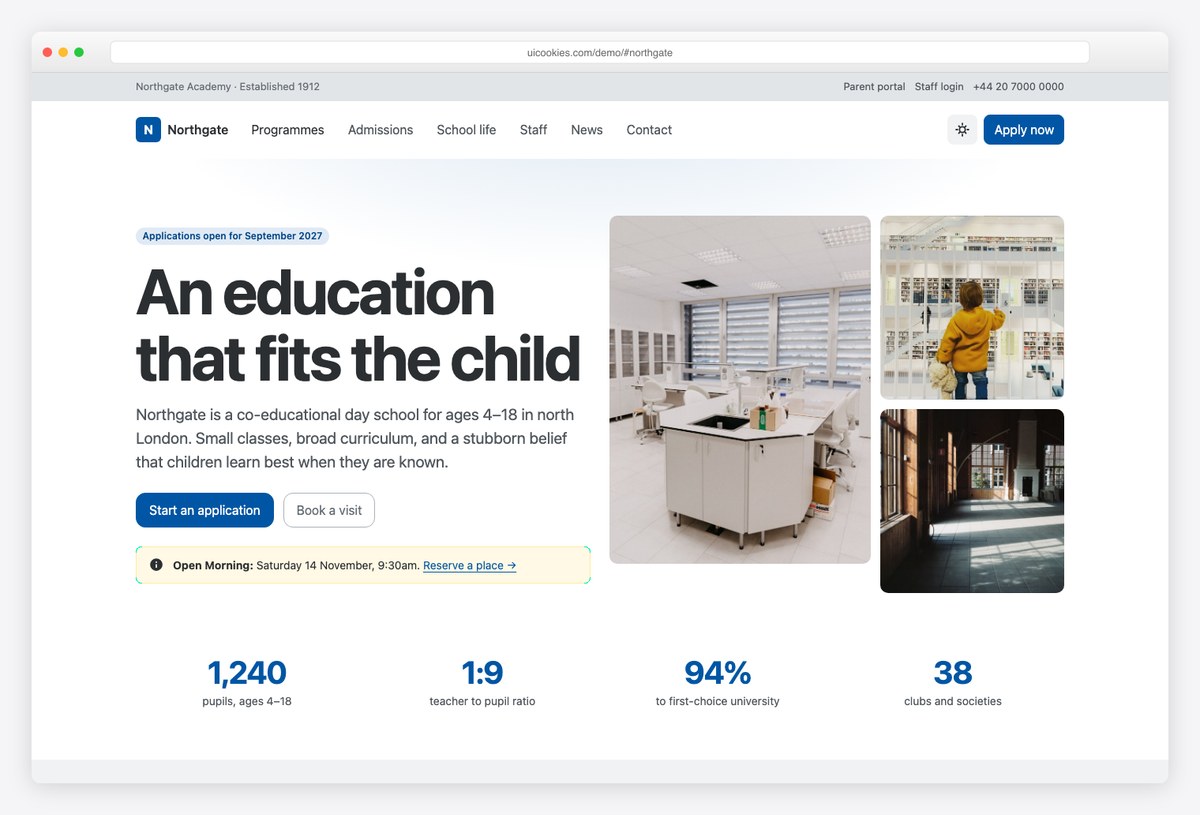
Standout: The admissions process is laid out with the stepper component, and the visit request form asks for entry point, date and areas of interest.
The homepage covers programmes, admissions, school life, staff, news, key dates and headline figures, and a second page covers one programme in detail. Most image slots in the demo are placeholders.
More info / Download Demo18. Syllabus
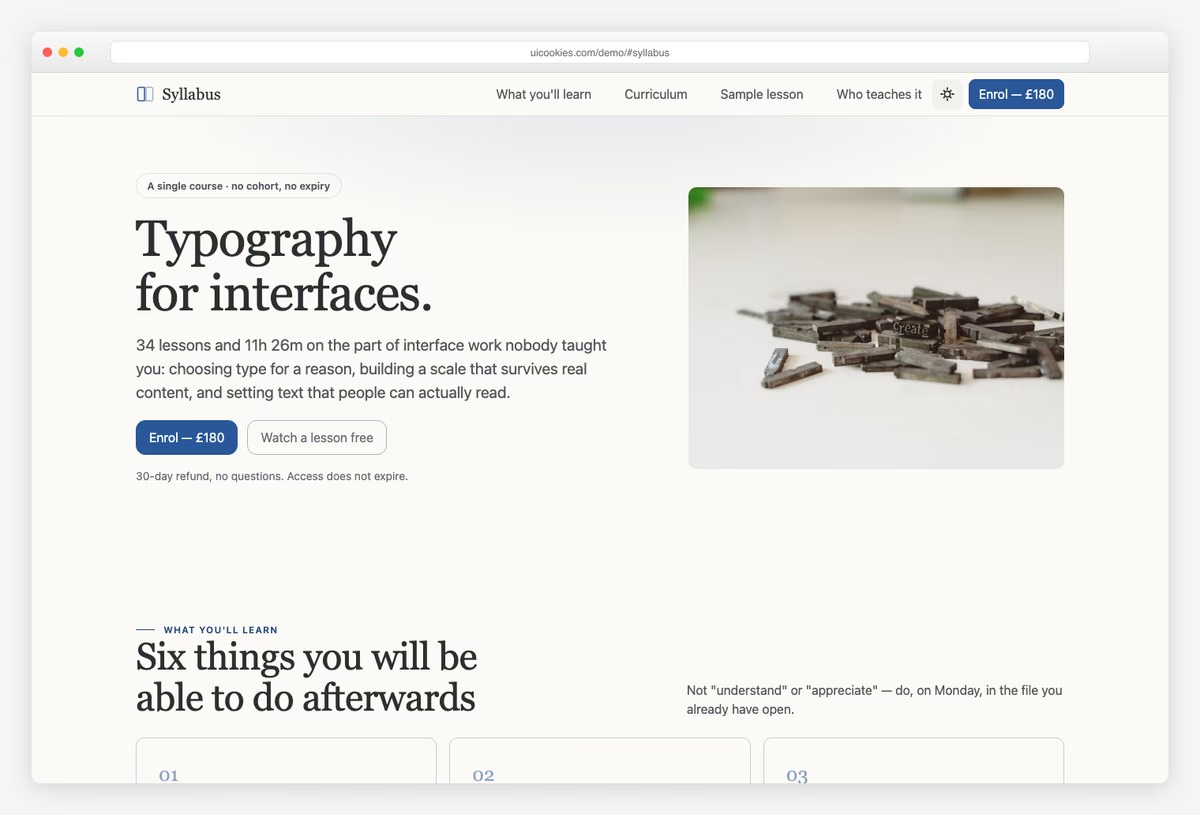
Standout: You can tick off lessons as you go. Progress is saved in the browser, the remaining time updates, and an hours-per-week slider estimates your finish date.
The course page covers outcomes, a curriculum of 7 modules and 34 lessons, the instructor, reviews, enrolment and an FAQ. The sample lesson page has notes, resources and the course outline in a sidebar.
There are no accounts and no backend. Progress lives in localStorage, so the template stays a static site you can host anywhere.
More info / Download Demo19. Stonebridge
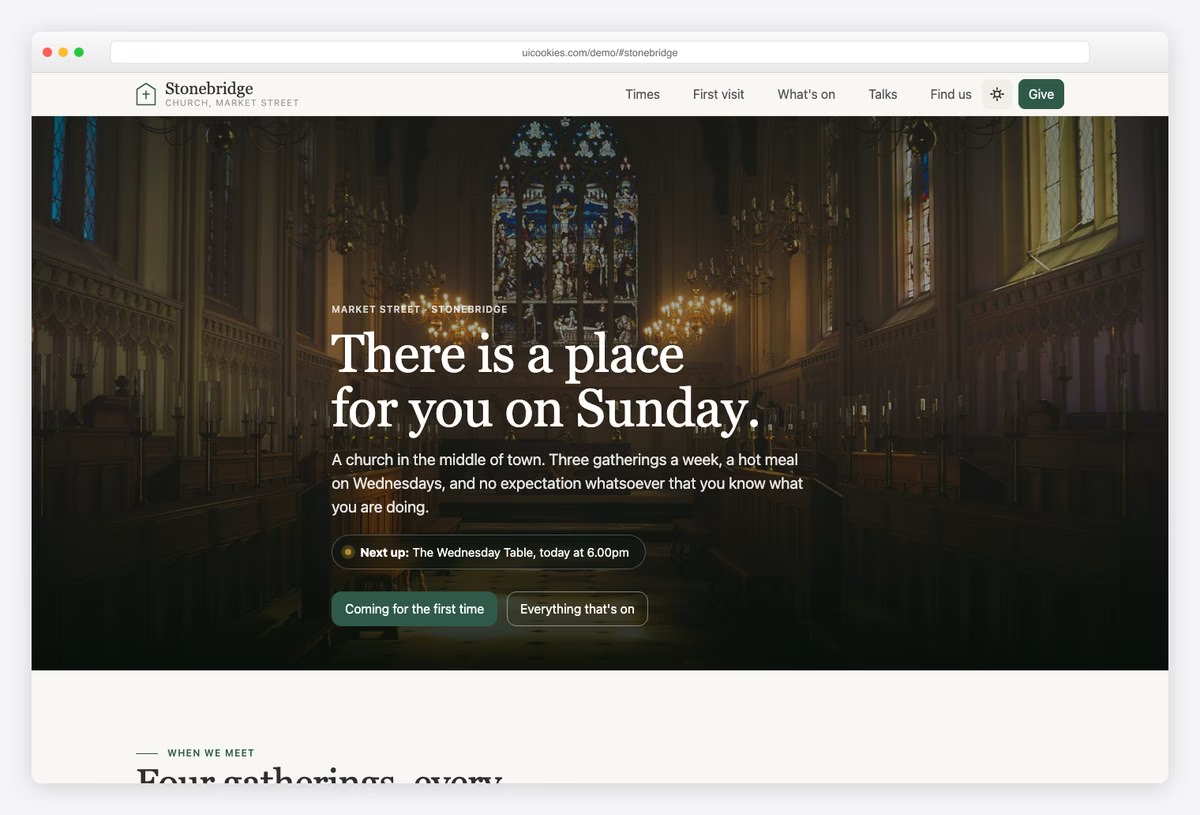
Standout: Each gathering has a recurring rule (Wednesdays at 6pm, say), and the page works out the next one, showing “On now” or “Starts in 20 min”.
The homepage has service times, a first-visit section (what to wear, parking, children), midweek groups, a talk archive you can filter by series, and giving. The what’s-on page groups the week by day and lists dated events and room hire.
More info / Download Demo20. Openhands
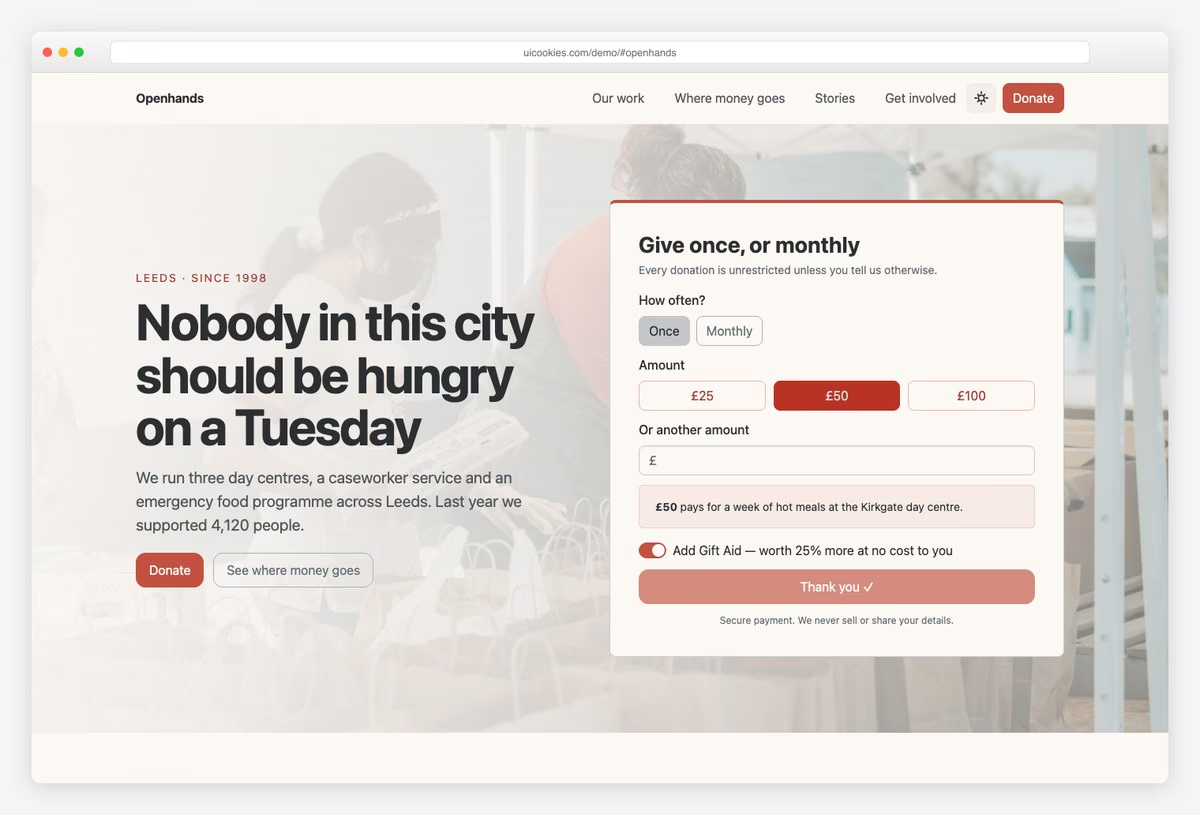
Standout: When a donor picks an amount, the widget says what that amount pays for.
The homepage also covers impact figures, how funds are split, programmes, a story and a volunteer form. The appeal page has a progress bar toward the target and a sticky donate panel.
More info / Download DemoEvents, media and coming soon templates
21. Summit
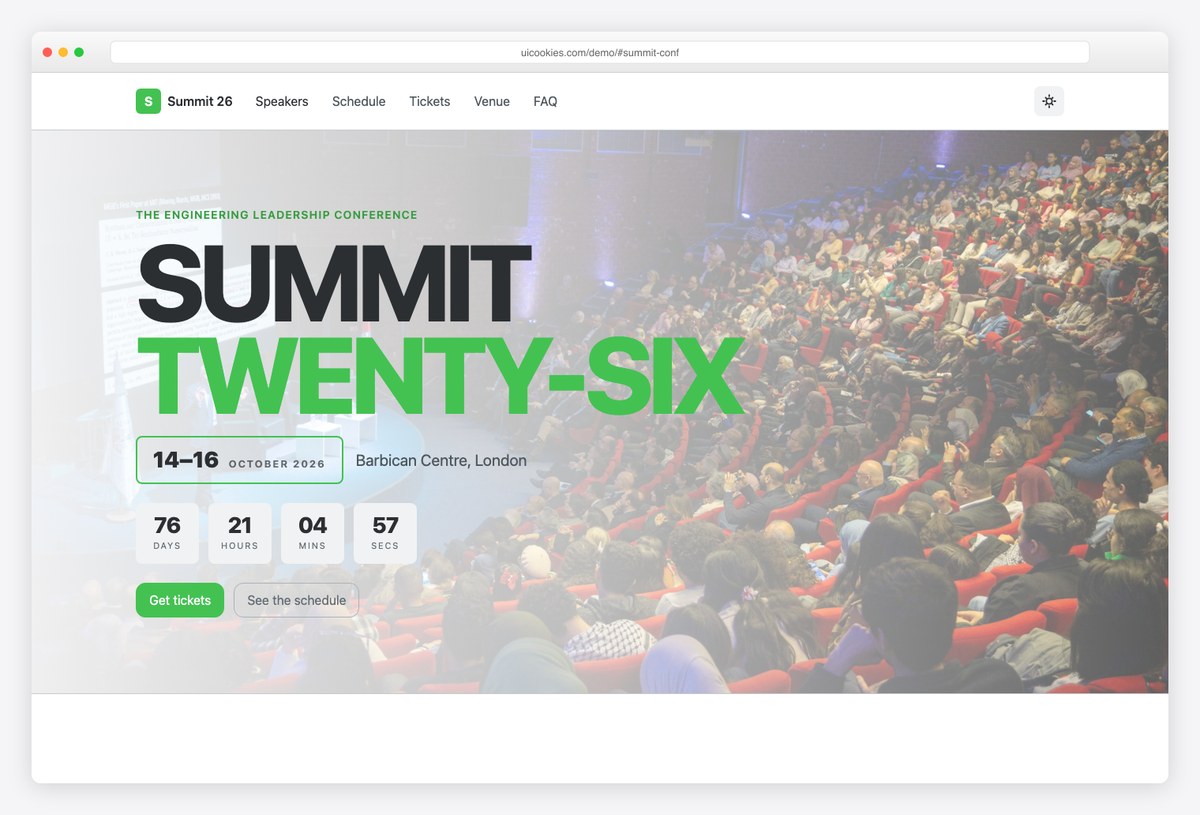
Standout: The ticket button lives in a bar fixed to the bottom of the screen, not in a header that scrolls away. The schedule is a set of accessible tables, one tab per day.
An oversized headline, date block and countdown lead into speakers and the schedule. Checkout opens in a dialog with comboboxes for ticket type and workshops and a chip input for dietary needs.
More info / Download Demo22. Marigold
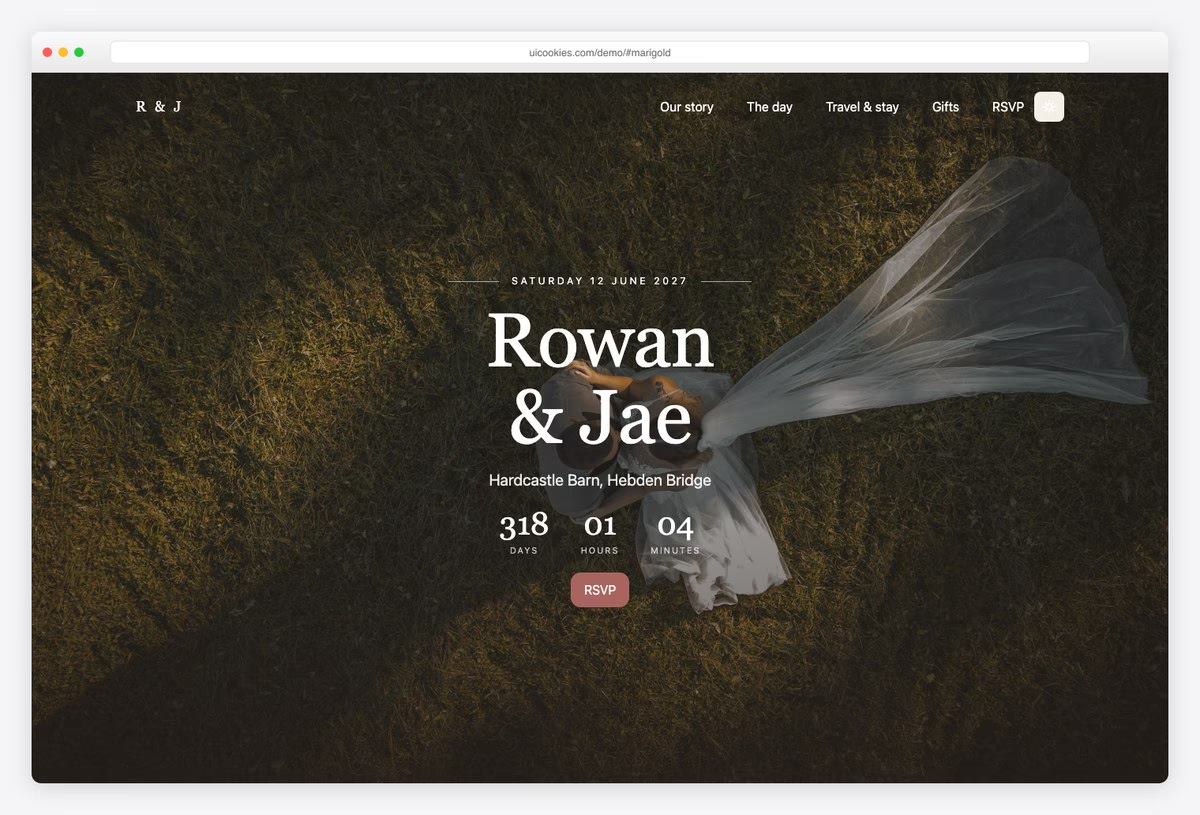
Standout: The RSVP is per party, for up to eight guests, and each guest gets their own attendance and meal choice. A family sends one form, not four.
The homepage has a countdown, your story, the day’s schedule, a gallery, the gift list and the RSVP. The second page covers travel: getting there, taxi numbers, where to stay and an FAQ. Guests use it far more than templates assume.
More info / Download Demo23. Soundstage
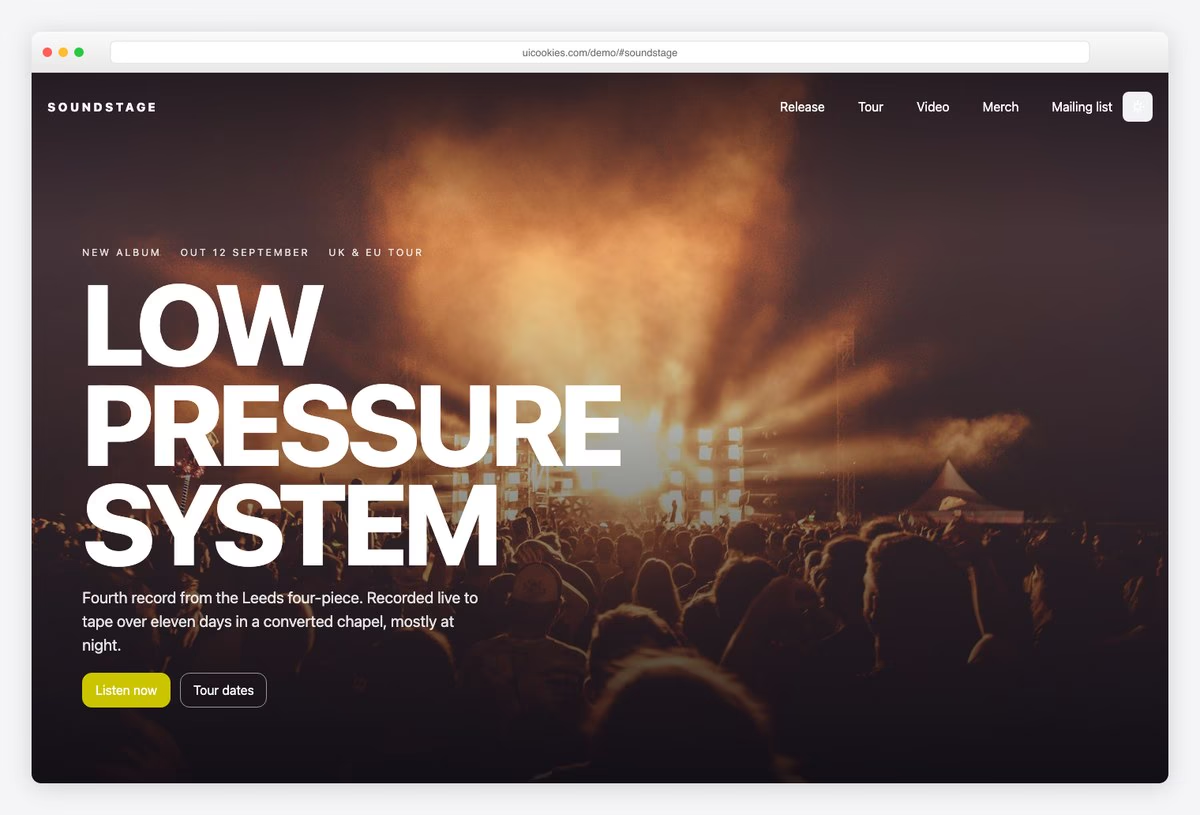
Standout: Sold-out shows stay on the tour list, struck through, rather than disappearing.
The homepage covers the latest release, a tracklist with play and pause buttons (no audio is included, so connect your own), tour dates, a video dialog, merch and a mailing list. The release page has full credits and a sticky pre-order panel.
More info / Download Demo24. Pressroom
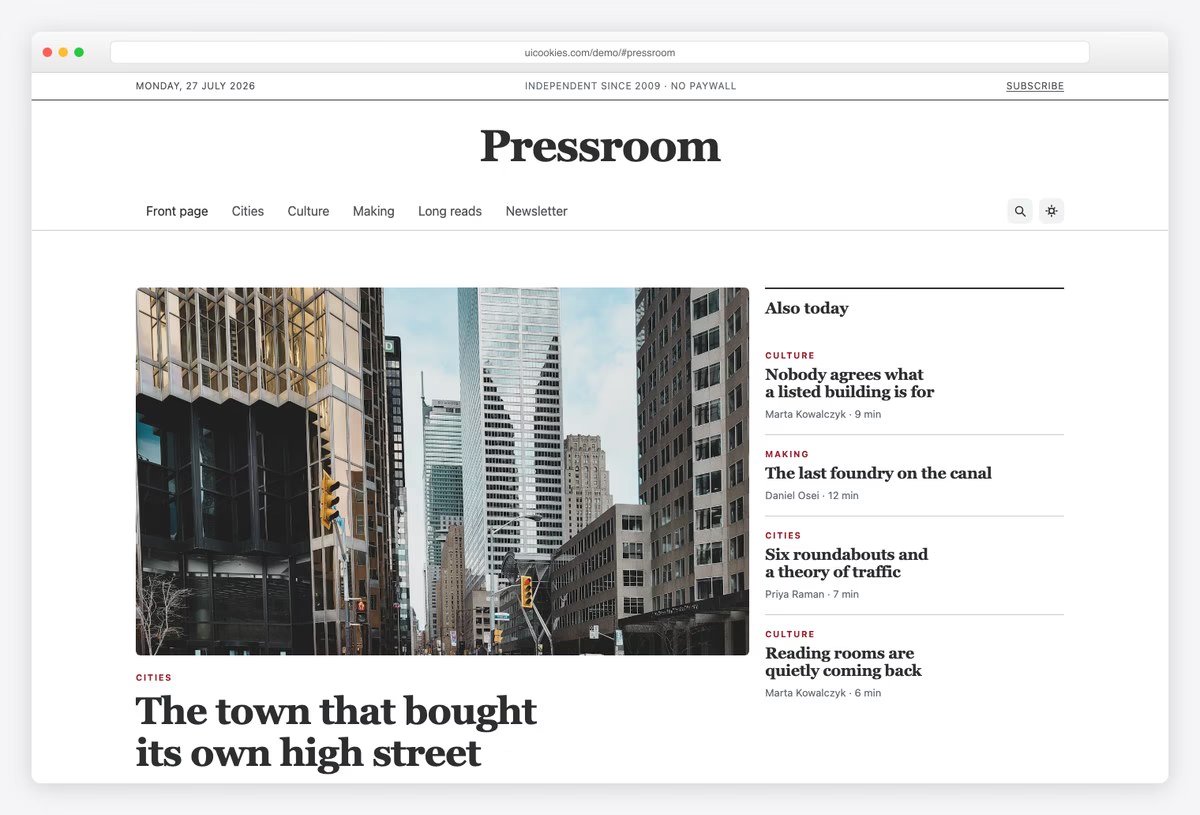
Standout: The homepage is laid out like a newspaper front page, with a lead story, a side rail, section blocks and a most-read list, instead of a grid of identical cards.
The article page uses Bootstrap 6’s prose styles for the body text and a sticky table of contents that follows your reading position. The sidebar lists the writers, and the newsletter signup lets readers pick topics.
More info / Download Demo25. Liftoff
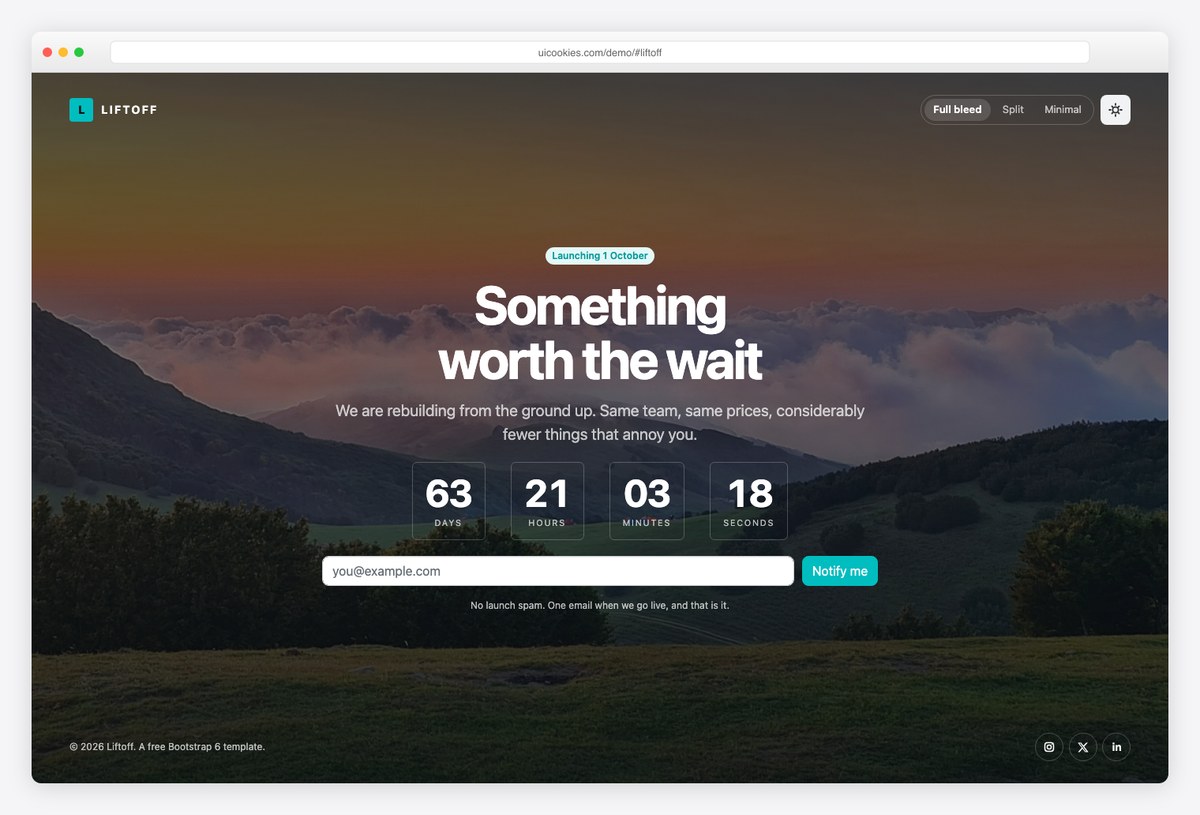
Standout: There are three layouts in one download (full-screen photo, split screen and minimal), and a switcher on each page lets you compare them.
All three share the countdown and signup form. Set the launch date, swap the logo and upload.
More info / Download DemoHow to choose
- Launching a product: Threshold for the waitlist, Ledgerline if pricing depends on usage, Liftoff as a placeholder while you build.
- Showing your work: Silver Halide for photography, Atelier or Longhand for individuals, Northmark for a studio, Drafthouse for architecture.
- Taking bookings: Lantern for rooms, Tavola for tables, Ironworks for classes, Northgate for school visits.
- Local or sales-led business: Fixwell for trades, Forecourt for vehicles, Haven Homes for property, Caseworth for professional services.
- Community: Stonebridge for churches, Openhands for charities, Marigold for weddings, Summit for events.
- Publishing: Pressroom for articles, Soundstage for music, Syllabus for courses.
Frequently Asked Questions
What is Bootstrap 6?
Bootstrap 6 is the next major version of Bootstrap. Modals become a Dialog component built on the native <dialog> element, offcanvas is renamed Drawer, colors move to OKLCH with color-mix(), and the JavaScript is ESM-only with no jQuery. It also adds form components that used to need plugins: date picker, combobox, stepper, OTP input and chip input.
Is Bootstrap 6 released?
Only as an alpha. Bootstrap 6.0.0-alpha.1 came out on October 8, 2026 and installs with npm i [email protected]. There is no date for a stable release, and Bootstrap 5 is still supported.
Will these templates break when Bootstrap 6 changes?
Not on their own. Each download includes a copy of Bootstrap 6, so nothing changes until you replace it. Later alphas will rename things, though (alpha.1 renumbered the spacing scale, for example), so moving a template to a newer Bootstrap 6 release may mean updating some markup.
Should I use a Bootstrap 6 template for a client site?
For a small static site where you control the browser requirements, yes. For a long-lived project, or one that has to work in older browsers, a Bootstrap 5 template is still the safer choice until Bootstrap 6 reaches a stable release.
Do I need a build step?
No. Each template is plain HTML, CSS and JavaScript modules. Unzip it, open index.html and edit it in any editor. No Node.js, Sass or bundler needed.
Which browsers does Bootstrap 6 support?
The Bootstrap team lists Chrome and Edge 130+, Firefox 132+ and Safari 18+, with no polyfills for older versions.
Wrapping up
Bootstrap 6 is still an alpha, but these templates show what it does well: native dialogs, built-in date pickers and comboboxes, and far less JavaScript. New ones are added to the Bootstrap 6 category on uiCookies, and this Bootstrap 6 guide covers the full set along with a v5 to v6 migration table.

Related Posts

Comments (0)