

21 Best Handyman Website Templates 2026
Looking for the best handyman website templates? We’ve curated a selection of the most outstanding options available.
Whether you’re a seasoned handyman looking to renovate your online presence or starting your first-ever website, our list has something for everyone.
We’ve scoured the web for visually appealing templates that are and easy to customize.
These templates are designed to help you build a professional and engaging online presence, from showcasing your services to sharing customer testimonials.
Get ready to explore templates that will set your handyman business apart and connect you with more clients.
Table of contents — all 22 templates
Table of contents
Best Handyman Website Templates
Ready to make your handyman services stand out online?
Here are the best website templates that combine functionality and style to showcase your skills and attract more clients.
Need inspiration? Then enjoy these best examples of handyman websites.
SparkleClean
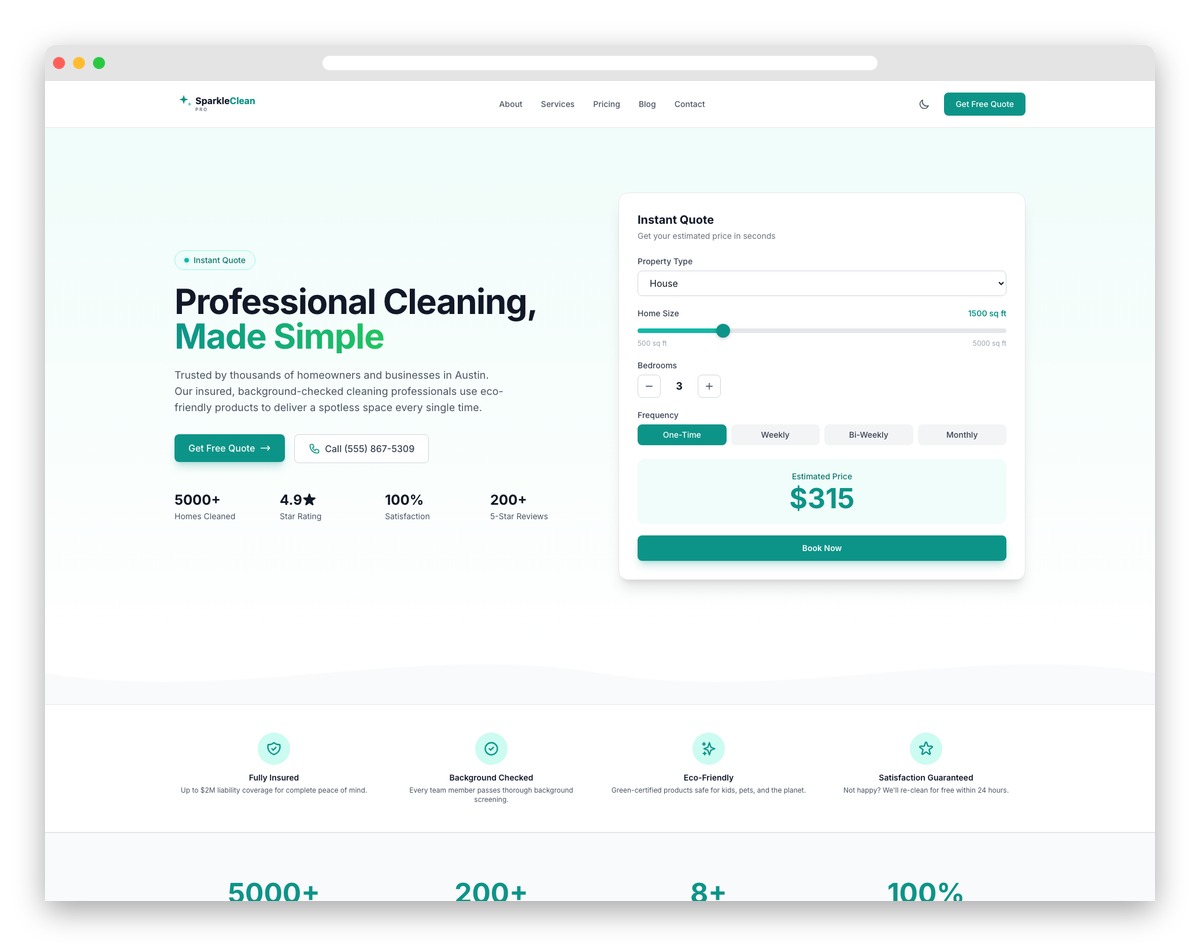
FreeAstroTailwind · Best for: cleaning firms quoting online
SparkleClean puts a quote calculator in the hero, where property type, home size, room count and cleaning frequency return a live price. Service packages from a basic tidy to a deep commercial clean are listed with inclusions, insurance, bonding and eco-product badges cover the trust side, and a zip-code checker confirms you serve the address.
Key features:
- Instant quote calculator with property type/size
- Service package comparison (Basic/Deep/Move-in)
- Area coverage checker by zip code
- Cleaning checklist accordion sections
- Trust badges (insured, bonded, eco-friendly)
- Before/after cleaning photo slider
BuildCraft

FreeAstroTailwind · Best for: contractors judged on portfolio and licensing
Construction clients judge contractors on portfolio quality and licensing before they ever pick up the phone. BuildCraft answers both: fullscreen project photography, scope write-ups and a blueprint-to-walkthrough process timeline on one side, safety certification badges, insurance details and a free estimate form on the other.
Key features:
- Project portfolio with category filters
- Construction service detail pages
- Team and equipment showcase
- Project timeline and progress display
- Safety certifications and badges
- Free estimate request form
1. Nueva (with drag-and-drop website builder)

PremiumSquarespace · Best for: a hosted setup with domain included
Nueva is a Squarespace template, so the editor, hosting and a domain arrive together. Nothing gets uploaded and there is no plugin stack to maintain, which suits a one-person handyman operation that wants a site running this week rather than a codebase to look after.
2. Z-Builder
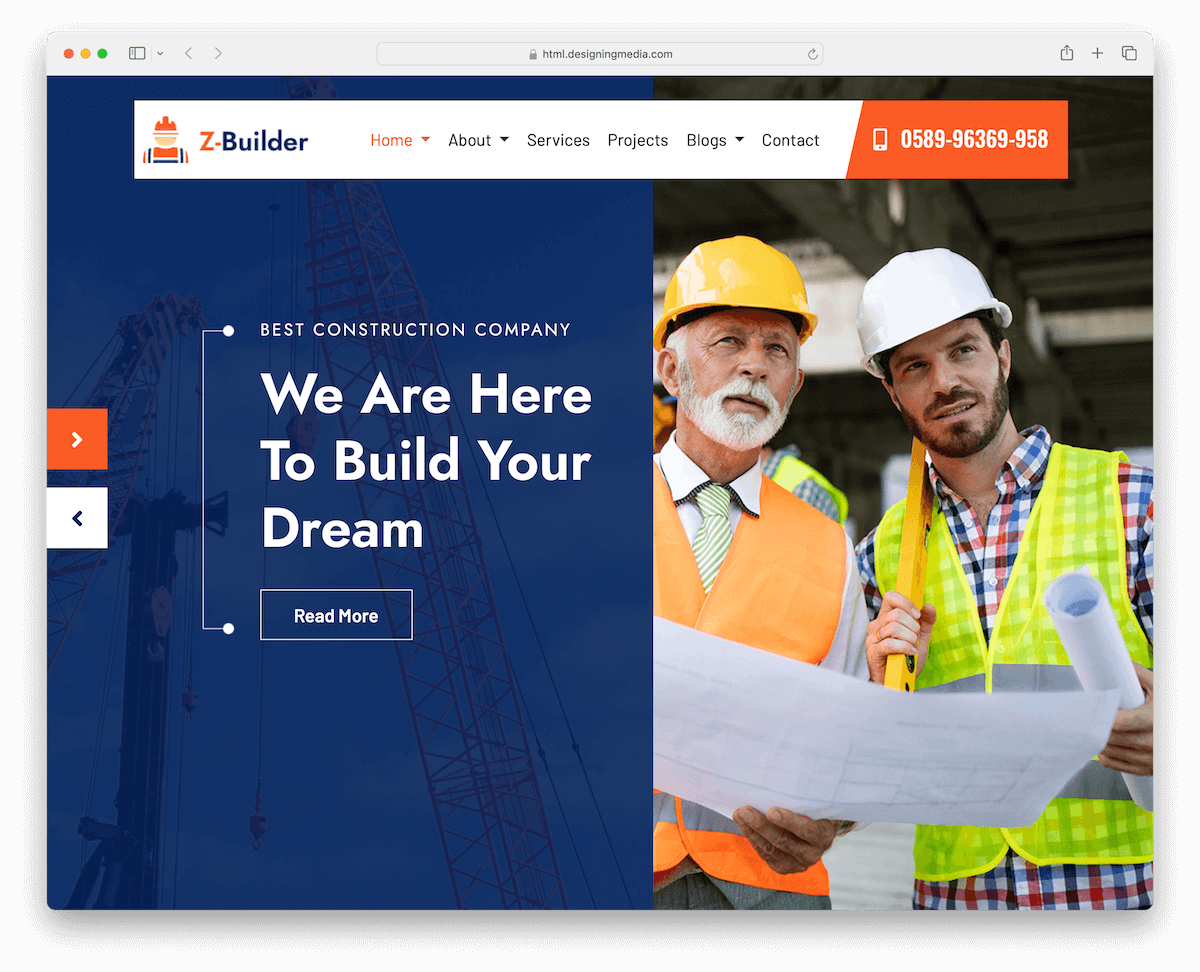
PremiumHTML · Best for: multi-demo project showcases
Z-Builder leans on carousels to cycle through past jobs, so a modest photo library still fills the home page. A testimonial slider, animated job counters and a multi-column footer for licence numbers and service areas fill out the rest. Worth checking what your testimonial placement says about your website before you build.
3. Drill
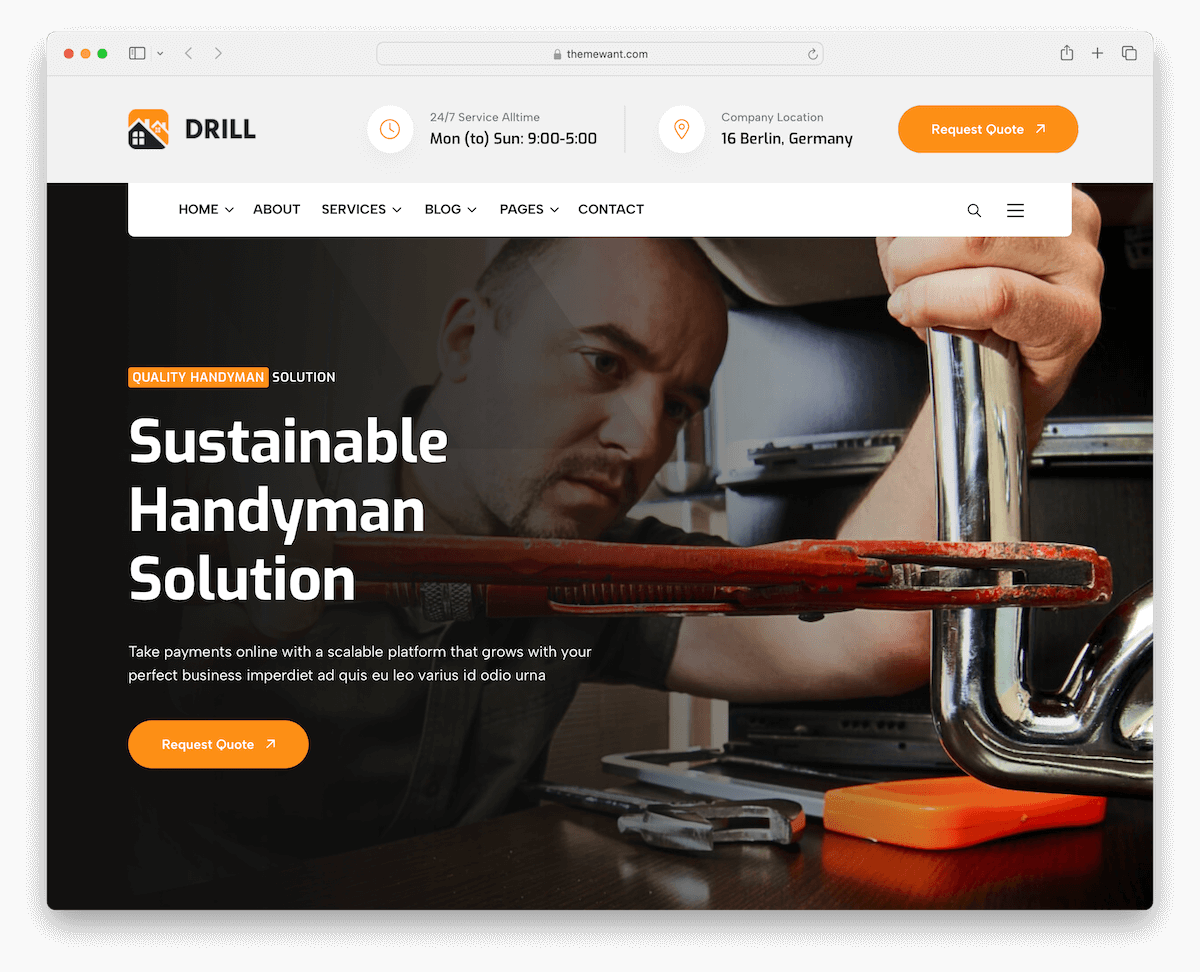
PremiumHTML · Best for: large service and project catalogues
Drill ships five home demos and 25 inner pages, enough to give every trade you offer its own page. Mega menu support keeps that many pages navigable, a team section puts names to the crew, and Google Maps plus integrated search sit on the contact side.
4. Metal
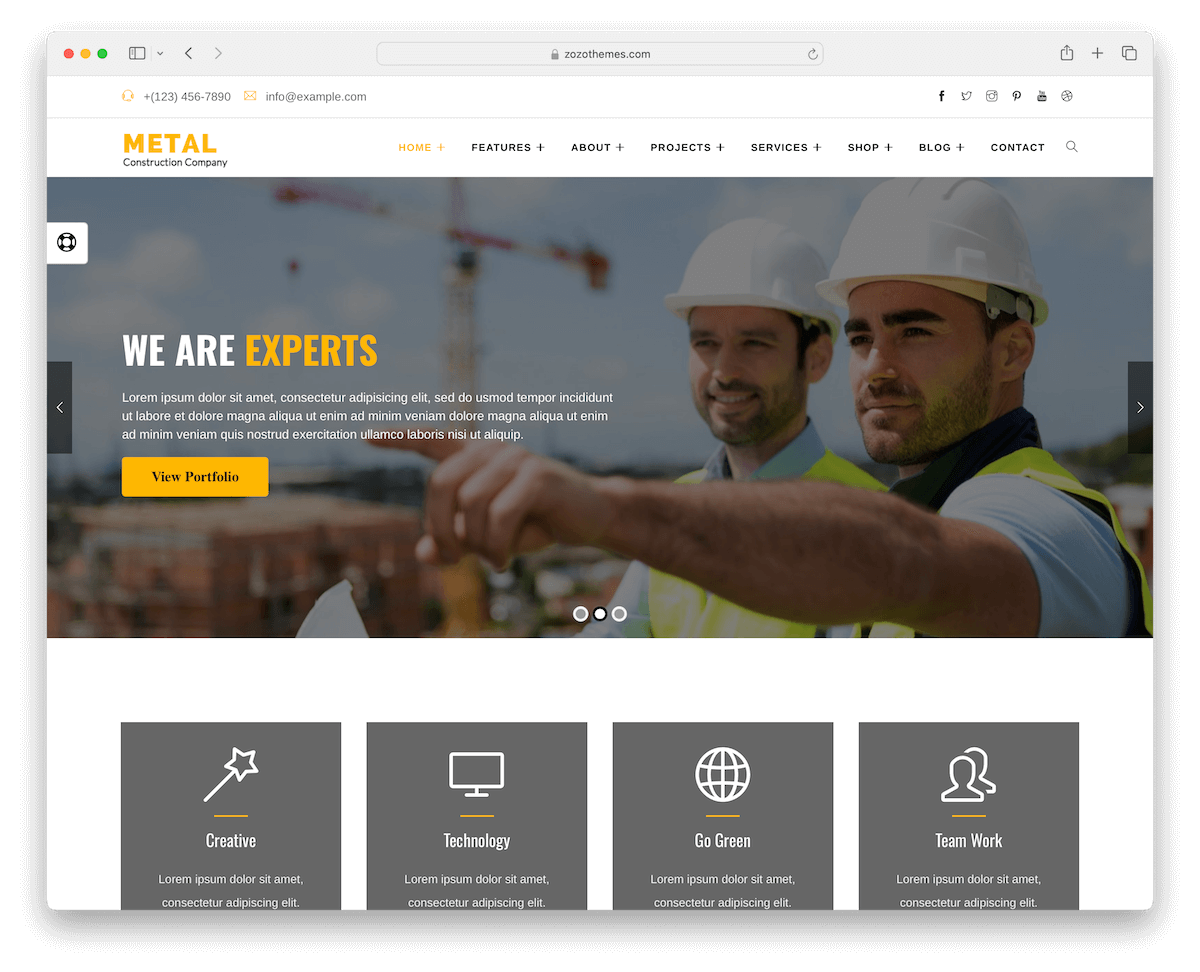
PremiumHTML · Best for: very large multi-page builds
Metal is the biggest kit in this list: twenty home pages and over 100 HTML files, in light and dark variants. Ready-made shop pages cover parts or merchandise sales, and shortcodes, video backgrounds, sticky navigation and a working contact form are included. The volume only pays off if you plan a deep site.
5. Ruffer
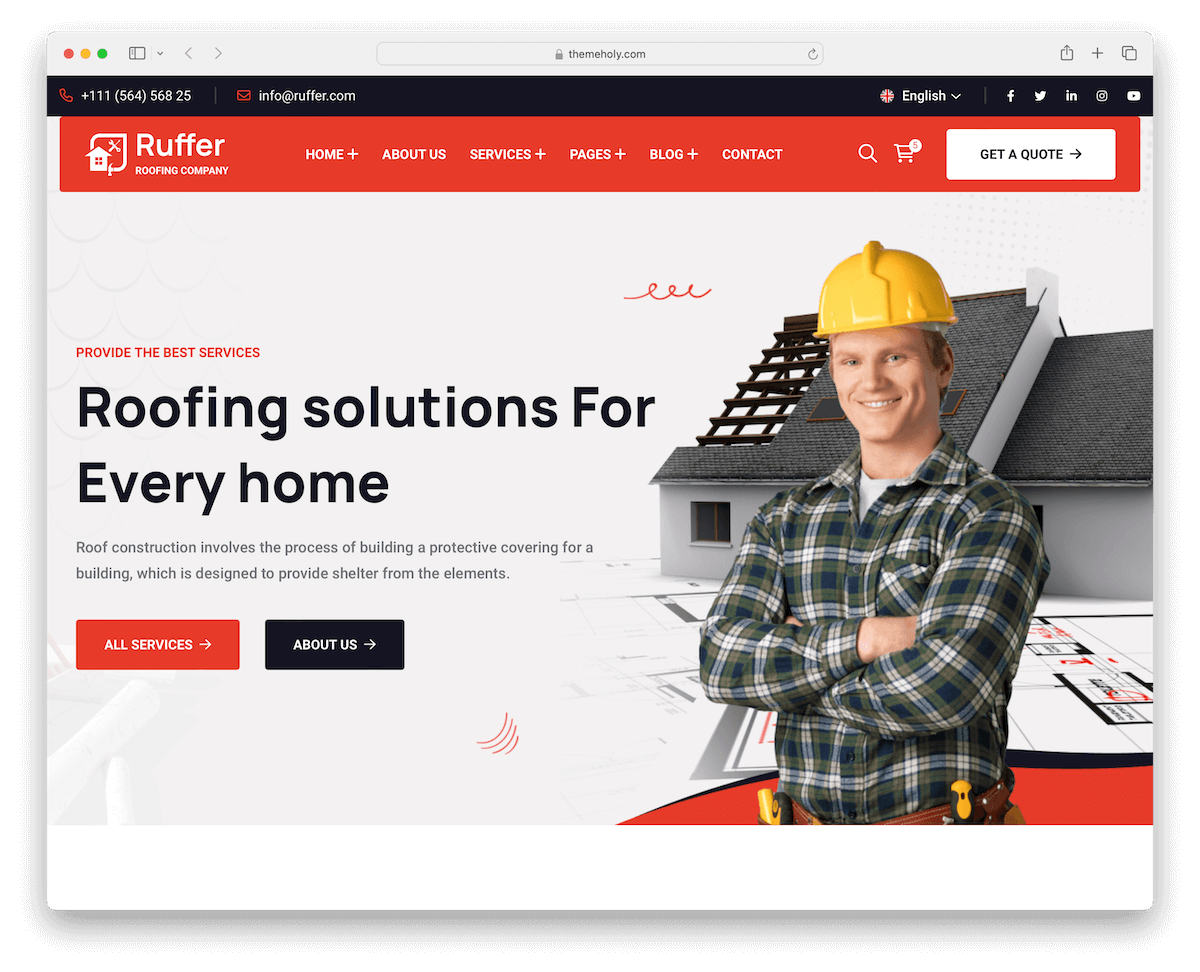
PremiumHTML · Best for: roofing and exterior repair work
Ruffer was drawn for roofing and repair firms, and its portfolio layout is built for before-and-after job pairs. One-page and multi-page versions ship together, with a top bar for contact details, a multi-level menu, accordions and a lightbox gallery. On WordPress, compare these roofing WordPress themes.
6. CleanMate

PremiumHTML · Best for: cleaning firms with published rates
CleanMate includes a cost calculator, so a visitor can price a job before contacting you. Pricing tables set out service rates beside it, an Ajax contact form submits without a page reload, and Google Maps marks your base. On WordPress, compare these cleaning company WordPress themes.
7. Plumer

PremiumHTML · Best for: plumbing and repair service sites
Plumer supplies several home demos plus alternate header and footer styles, so two plumbing firms using it need not look alike. Pre-designed internal pages cover the usual service and about sections, and illustration source files and documentation are included. A plumber WordPress theme is the alternative if you prefer a CMS.
8. Shapen

PremiumHTML · Best for: multilingual and right-to-left sites
Shapen ships RTL demos alongside eight colour skins, which matters if you serve Arabic or Hebrew-speaking customers. A floating navigation bar and a top-bar call-to-action keep the phone number in reach, and client testimonials, carousels and popups cover the sales sections.
9. Plumbing Spl

PremiumHTML · Best for: online booking for plumbing jobs
Plumbing Spl includes an online appointment form, so a customer can book a slot instead of leaving a message. Five demos, a working contact form, Google Maps and a widget-heavy footer cover the rest, and dedicated blog and shop pages are there if you sell parts alongside labour.
10. Bulidy

PremiumHTML · Best for: a compact four-page home choice
Bulidy keeps the page count sensible: four home layouts and 15 inner pages rather than a hundred files to prune. A sticky navbar with drop-down menus, CSS animations, a hero slider and a contact page with Google Maps make up the build, closing on a dark contrasting footer.
11. Constro

PremiumHTML · Best for: content-heavy handyman sites
Constro carries multiple blog and portfolio page layouts, which suits a firm that publishes job write-ups regularly. A mega menu keeps that volume navigable, and unlimited colour options plus several header and footer variants mean the styling can follow your van livery rather than the demo.
12. ConstructZilla

PremiumHTML · Best for: large sites needing form security
ConstructZilla wires reCAPTCHA into its forms, which matters once a public quote form starts collecting spam. A working appointment form sits behind it, and the kit runs to 13 home and over 100 inner pages with LTR and RTL support, plus nine coming-soon layouts for pages you have not built yet.
13. Constre

PremiumHTML · Best for: FAQ-led pages and image galleries
Constre organises detail into FAQ accordions instead of long copy, which keeps a services page readable on a phone. A transparent header turns solid and sticky on scroll with a call-to-action button in the navbar, and a lightbox gallery and subscription form handle work samples and signups.
14. Fixity

PremiumHTML · Best for: video-led service explanations
Fixity leads with a video popup, the quickest way to show a repair process that is hard to photograph. Pricing tables and carousels set out rates and services, working contact and newsletter forms handle enquiries, and countdown timers are there for seasonal offers.
15. Airtronix

PremiumHTML · Best for: HVAC and repair estimate pages
Airtronix includes a service estimate fee calculator, so a customer can gauge a call-out cost before enquiring. It was drawn for air conditioning and HVAC work, and ships one-page and multi-page home demos plus several internal layouts, lightbox video and a reveal-on-scroll footer.
16. Clentac

PremiumHTML · Best for: contact details fixed in the header
Clentac loads the header with business details, search, menu and a call-to-action button, so the phone number never scrolls away. Below it a full-width slider carries service imagery, generous white space keeps the copy readable, and timeline carousels are available for company history.
17. Hendrio

PremiumHTML · Best for: rated testimonials and FAQ blocks
Hendrio’s testimonials carry star ratings rather than plain quotes, which reads closer to the review sites customers already check. FAQ accordions handle common objections, lightbox video shows work in progress, and Google Maps plus service-specific demos cover location and trade coverage.
18. Poket

PremiumHTML · Best for: businesses with several locations
Poket’s contact page maps multiple locations, which few handyman templates handle without custom work. Five demos, a working contact form, a widget-rich footer, a multi-level drop-down menu and full RTL support come with it, alongside dedicated service pages.
19. Renovate
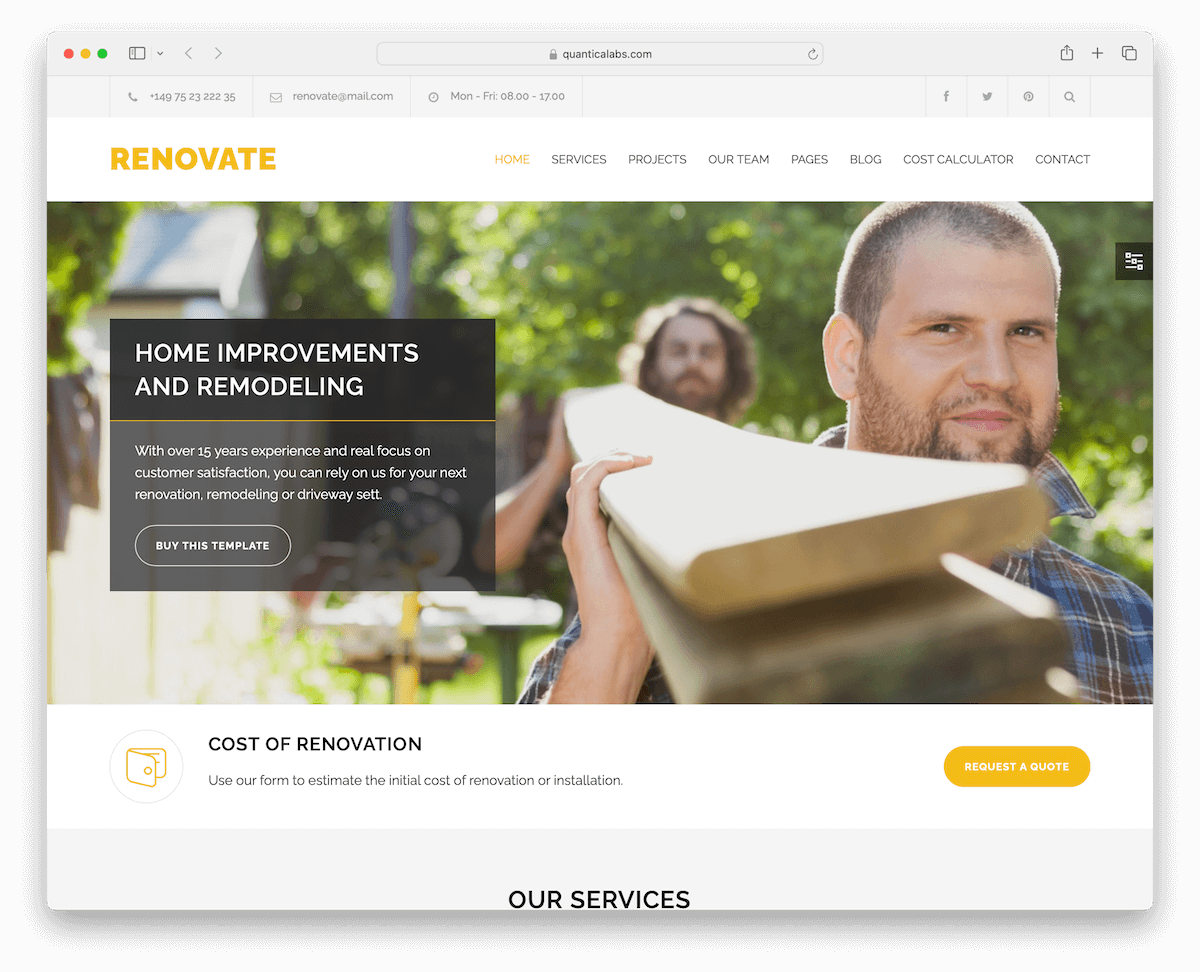
PremiumHTML · Best for: renovation quotes priced on site
Renovate’s built-in cost calculator lets a homeowner estimate a job before requesting a quote. Wide and boxed layout options, a sticky menu, an Ajax contact form and PSD source files come with it. For a CMS build, compare these home building WordPress themes.
How To Make A Handyman Website With A Template
Creating a handyman website using an HTML template can be a straightforward process. Here’s a simple step-by-step guide:
- Choose a template: Select an HTML template that suits your handyman business style and needs. Look for templates with sections for services, about us, contact information, and customer testimonials. (Hint: choose one from the collection above.)
- Purchase and download: After choosing a template, purchase it (if it’s not free) and download the template files to your computer.
- Edit the template: Open the HTML files in a text editor or an HTML editor. Customize the text, colors, images, and other elements to match your brand and services. Replace placeholder content with your own.
- Add Your content: Insert details about your services, rates, past projects, testimonials, and contact information. Ensure all links and contact forms are working correctly.
- Optimize for SEO: To improve the website’s search engine optimization (SEO), add relevant keywords, meta tags, and alt text for images.
- Test the website: Preview the website in various browsers (such as Chrome, Firefox, and Safari) and on multiple devices (including smartphones and tablets) to ensure it displays correctly and functions smoothly across all platforms.
- Find a hosting provider: Select a web hosting service and register your domain name (if you haven’t already done so). Upload your website files to the hosting server.
- Publish your website: Once your website is uploaded to the hosting server, it’s live on the internet. Test it again to ensure all features work as expected.
- Maintain your website: Regularly update your website with new projects, customer testimonials, and updated service offerings to keep it current and relevant. Regular maintenance keeps your site relevant and improves its performance.
Remember, you don’t need to be a tech expert to create a website with an HTML template. (Many templates come with documentation to guide you through the process.)
Note: Choose from the best handyman WordPress themes to skip the above process and save time.
FAQs About Handyman Website Templates
What is a handyman website template?
A handyman website template is a pre-designed webpage or set of HTML webpages specifically tailored for businesses offering handyman services. These templates provide a basic structure and design, including sections for services, contact information, and client testimonials, which can be customized to fit the specific needs and branding of a handyman business.
What features should a handyman website template include?
A good handyman website template should include a services section, contact information, an about page, a gallery to showcase past work, and customer testimonials. Responsive design for mobile and desktop users is also crucial.
Can I customize HTML templates easily?
Yes, HTML templates are generally customizable. You can change colors, fonts, layouts, and add or remove sections. However, more complex changes may require basic knowledge of HTML and CSS.
Are HTML templates SEO-friendly?
Modern HTML templates are designed to be SEO-friendly, with clean code and optimized structures for better search engine visibility. However, you may need to add specific SEO tags and content relevant to your business.
Do handyman website templates come with support or documentation?
Most templates include documentation or a user guide. Many premium templates also offer customer support for a certain period after purchase.
How important is mobile responsiveness for a handyman website?
Mobile responsiveness is crucial. Many users access websites on mobile devices, so a mobile-friendly design ensures a wider reach and better user experience for potential clients.

Related Posts

Comments (0)