
Atelier Multi-Purpose WordPress Theme Review: More than Just an Ecommerce Theme
If you are building a new website or an online store, or overhauling your existing site, then the new multi-purpose Atelier WordPress theme could be just what you are looking for.
Atelier is a premium WordPress theme from Swift Ideas, a power elite author at ThemeForest. Swift Ideas has produced many successful WordPress themes, and Atelier is their latest release. Although this is a recently released theme, it’s just been updated to version 1.5, adding new and exciting features.
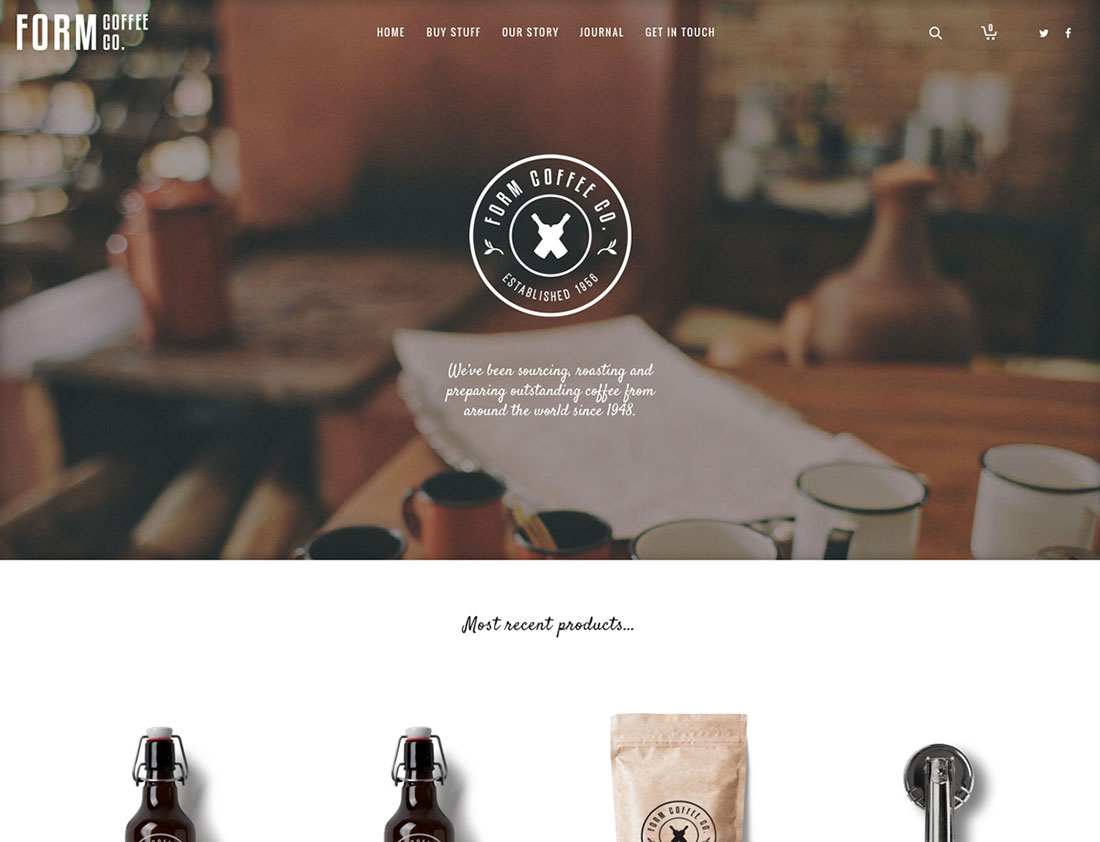
Atelier comes with a growing number of different demos, including a range of online shop layouts all powered by WooCommerce. This makes it suitable for anyone creating a regular website or an e-commerce store.
In this review of the Atelier WordPress theme, we will examine its features, appraise its design, and assess its ease of use to help you decide if it is the right theme for your next project.
Atelier Review: Theme Design and Features
Atelier is billed as a creative multi-purpose ecommerce WordPress theme. So if you are in the market for a flexible template for your website or online store, one that can be configured for a wide range of projects, then this could be a good option for you.

To prove its multi-purpose credentials, Atelier is available to preview with 12 different demo modes. These demo layouts and configurations can easily be copied over to your WordPress website using the impressive imported tool. This gives you a very quick way to set up your website in an attractive manner. You can then simply add your own custom content to populate the website or use the demo version as a foundation for your own custom website design.
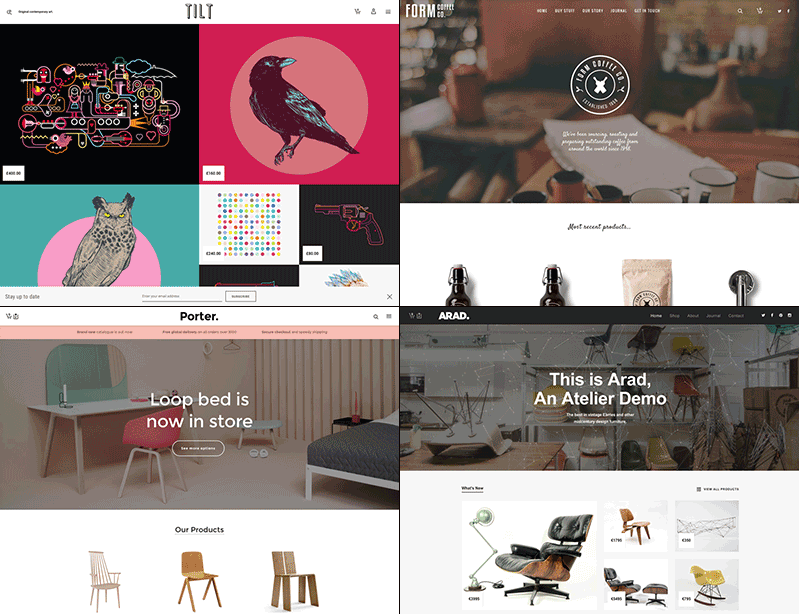
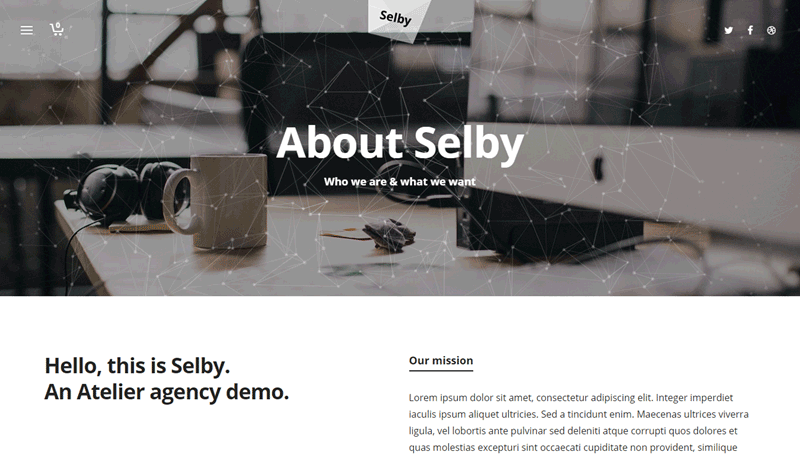
Among the demos you will find pre-built layouts for creating a range of different ecommerce stores, including food, furniture, clothing, and cosmetics stores. Each demo version comes with its own custom design and layout. There is also a pre-built layout for an agency-type website, a one page site, and a magazine layout. This helps to demonstrate that Atelier is just as well suited to creating a non-ecommerce website as it is for an online shop.
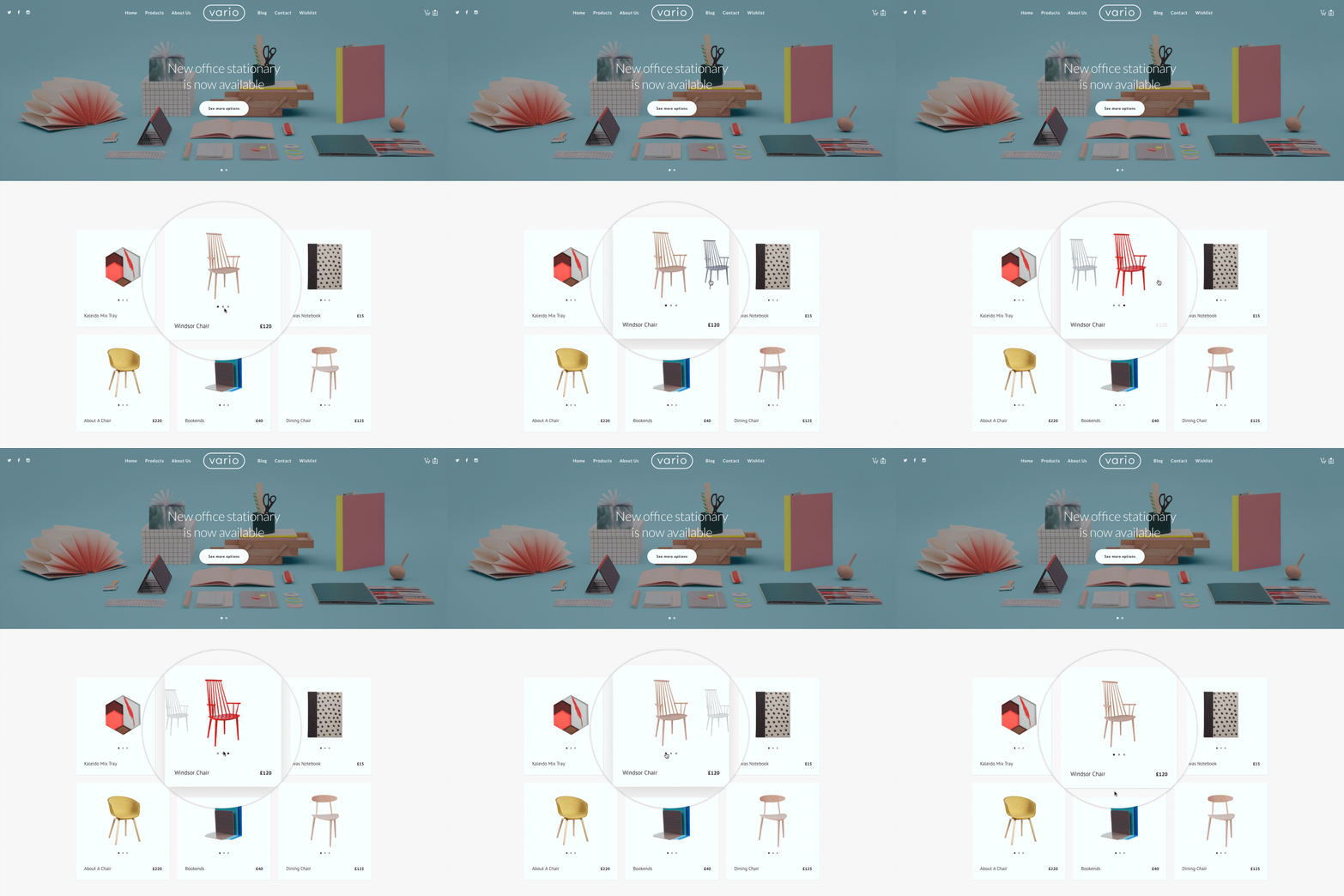
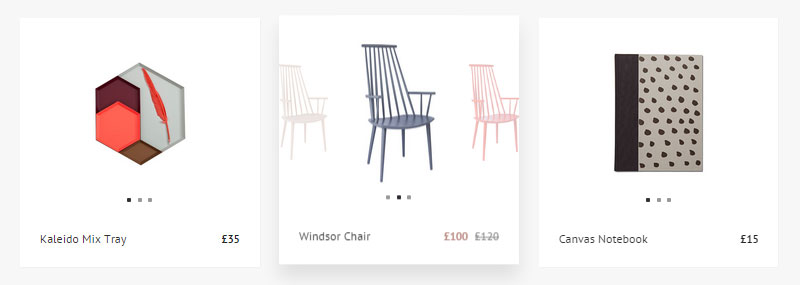
The product preview slider option is one of the newest shop types added in version 1.5 of Atelier. This feature is ideal for anyone managing an online shop with multiple variations of products. It allows your visitors to view the different variations of each product directly from the main product listings page. You can view this feature in action on the demo page.
Multiple Product Page Templates
Whether you create your website from scratch or use one of the pre-built layouts, you have three product page options. These include a full-screen layout, a hero tabbed layout, and a more standard layout. These product pages include facilities for your customers to leave a review and space for displaying related products to inspire multiple purchases.

Individual Pre-Built Page Layouts
In addition to the different demo versions, when building your website, you get access to a good selection of individual pre-built page layouts. These can be used as needed, allowing you to quickly set up your website with attractive-looking page designs. These page layouts include a selection of different ‘about’ and ‘contact’ page designs, as well as some other formats.

With Atelier, you can also choose from multiple blog page layouts. These include an original 50/50 split layout, two standard content with sidebar layouts, a masonry layout, and many others. You will also find a good selection of portfolio layouts, making Atelier a good option for building a regular portfolio and an online store.
Drag and Drop Page Builders
As well as using the pre-built layouts as they are, you can also customize them to better meet your needs. If you aren’t a coder, thanks to the included drag and drop page builders, you still have plenty of freedom over your page layouts.
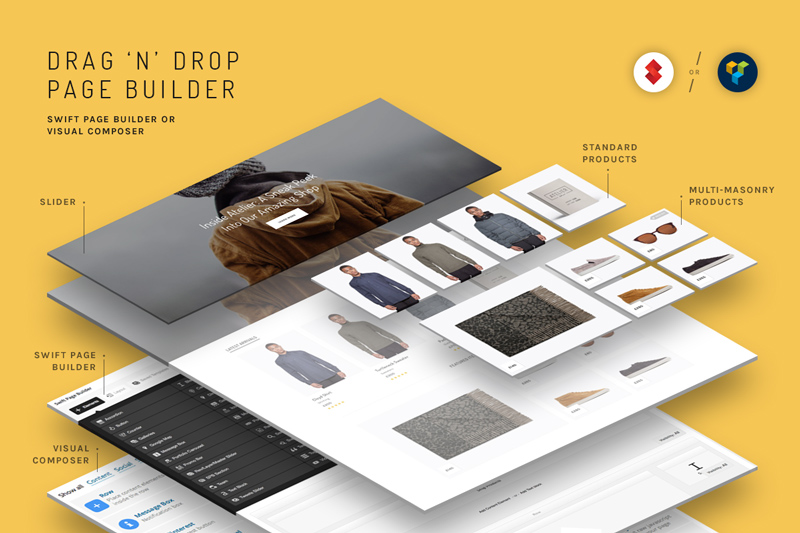
In addition to the Swift Page Builder tool, you can access Visual Composer, the premium drag and drop page editor plugin. This means you can quickly and easily create custom page layouts, and then populate them with a range of elements, all through a drag and drop user interface.
Multiple Product Views
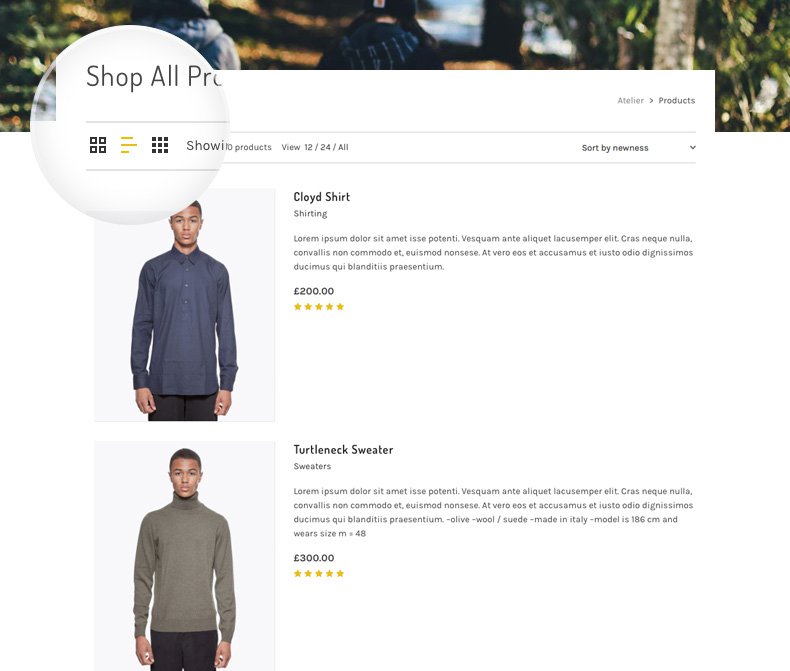
From an end user or customer perspective, Atelier tries to make the shopping experience as personalized as possible. Your visitors can switch the product layout at the touch of a button, moving between the standard view to the list view and the product grid view.
Other Features of Atelier
Atelier is fully mobile responsive, ensuring that your smartphone and tablet visitors are just as well catered to as those using large-screen computers. This theme is also retina ready, allowing you to use images optimized for the next generation of high-resolution displays. This can be especially useful for using photographs to promote your online store products.
Atelier has been built for speed. Despite its wealth of features, settings, and options, according to its promotional material, it has been used on a website that recorded an A-grade, 90+ rating on both the YSlow and Page Speed performance monitoring tools. Of course, loading times will be largely governed by the quality of your web host, but it’s still reassuring to see.
In the package, you will also find over 500 icons that can be inserted into your content as needed, a Mega Menu for creating multi-depth navigational menus with custom content, full WooCommerce support for managing your online shop, and BuddyPress and bbPress support for adding discussion forums and social networking features to your website.
If you are using this theme to build an online store, you will be pleased to know that you get access to a shortcode that can be added to your product pages to display an ‘add to cart’ button. This shortcode can be used at any point in your product description or other area of your product page. It then makes it as easy as possible for your visitors to add the item to their basket.
When creating your website, you also get 10 header styles. This includes header layouts with different logo positioning, menu styles, icons layouts, and much more. There are also two animated header effects to choose from, making it easy to apply eye catching movement to your website. The library of shortcodes on offer allows you to insert a wide range of useful elements into your pages, at the touch of a button.
Adding full screen image and video backgrounds to your pages is straightforward, as is utilizing parallax scrolling, and embedding Google Maps. As well as the aforementioned $33 Visual Composer plugin, you also get access to these premium plugins:
- Revolution Slider – $19 value
- Go Responsive Pricing Tables – $17 value
- WooCommerce Quickview – $18 value
- iLightbox jQuery – $13 value
This represents $100 worth of premium plugins, in a $63 theme package.
Live Websites Built with Atelier
Before we explore what it’s like to use the theme for your website, let’s look at some live sites that have been built using Atelier.
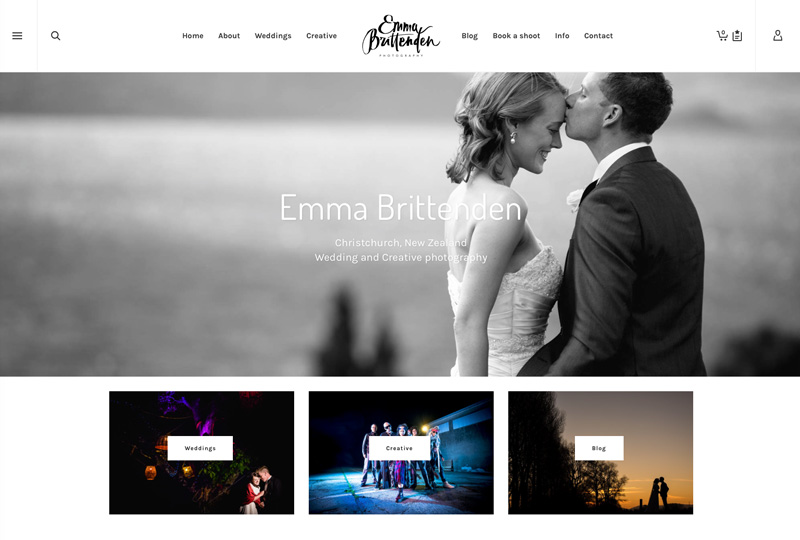
Emma Brittenden’s wedding and creative photography services website was created with Atelier. The site features a fullscreen homepage slider. This slideshow is used to showcase items from the photography portfolio.
For this project, Atelier has been configured to include a custom blog layout; a creative portfolio, complete with a lightbox viewer; and the ability to use the shopping cart feature to book a photoshoot, directly through the website.

The Join Furniture website was built with Atelier, and allows visitors to browse the contemporary coffee tables on offer with the option of making a purchase. The website uses parallax scrolling, a full screen slider, and user-switchable product listing layouts.
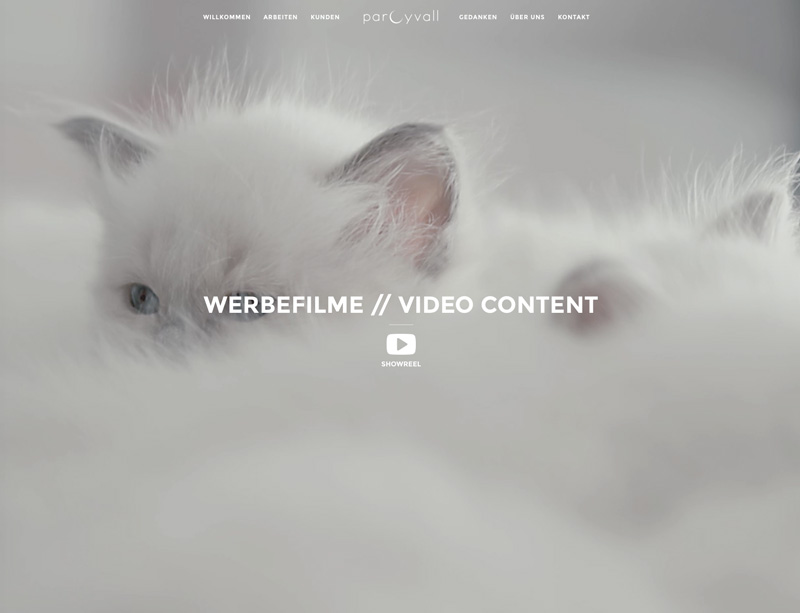
The Parcyvall website has been created with Atelier to showcase a videographer’s portfolio and services. The home page features a fullscreen video background with a link to the showreel. The website also uses the masonry portfolio layout to showcase completed projects.
Building Your WordPress Website with Atelier
Atelier has some great features and a collection of impressive page layouts and pre-built website configurations, so let’s look and see how easy it is to use.
After activating the theme on your website and installing the recommended plugins included, you can begin creating your new website. If you want to install any pre-built demos, you can do so from the Atelier Demos item on the sidebar menu.
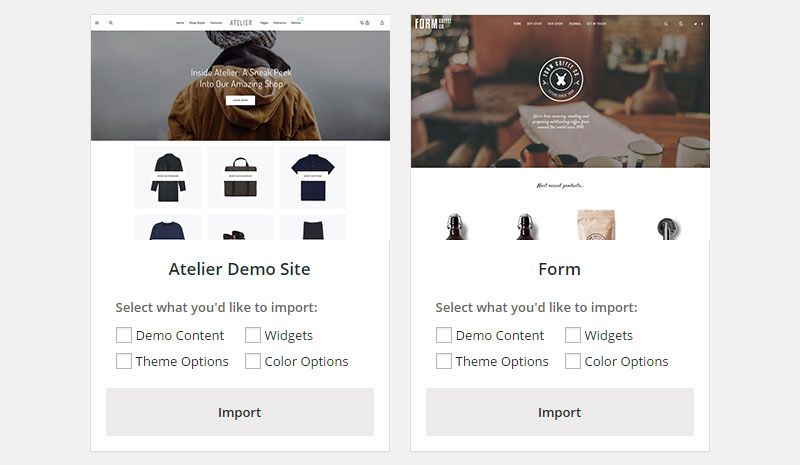
One of the really nice features of the demo importer tool is that you can choose which parts of the demo website you import. This is something that isn’t often seen elsewhere, and it gives you the option of keeping your own content or color settings, for example, while importing the theme options and widget settings.
If you choose to import the demo content, you will see a helpful status bar displaying the import progress and a completion message to let you know everything worked as intended.
The Theme Options panel gives you access to a wealth of settings for configuring your website’s look and function. These include setting the page width, choosing a site layout, enabling pre-loaders and smooth scrolling, and configuring the sliders.
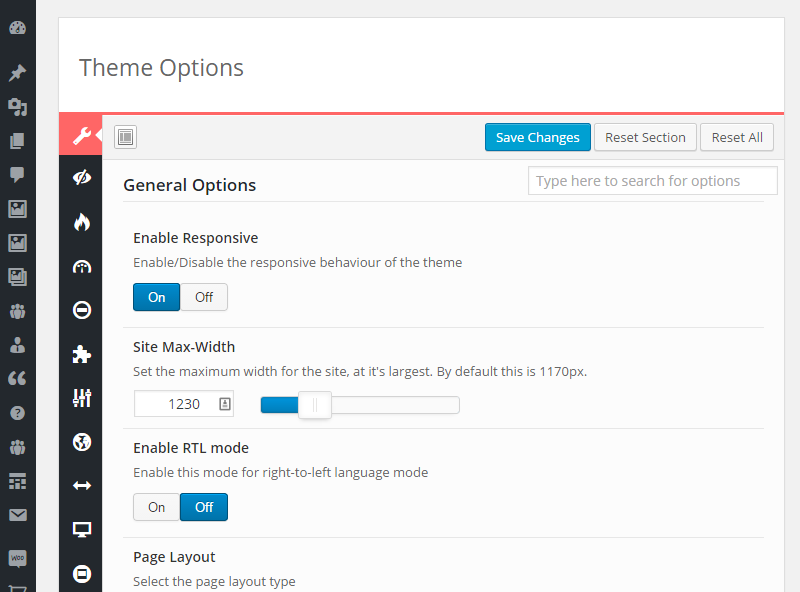
In addition to the custom theme options panel, you can personalize your website through the WordPress Customizer tool. This tool gives you a live, front-end preview of the changes you make to your website before allowing you to save them.
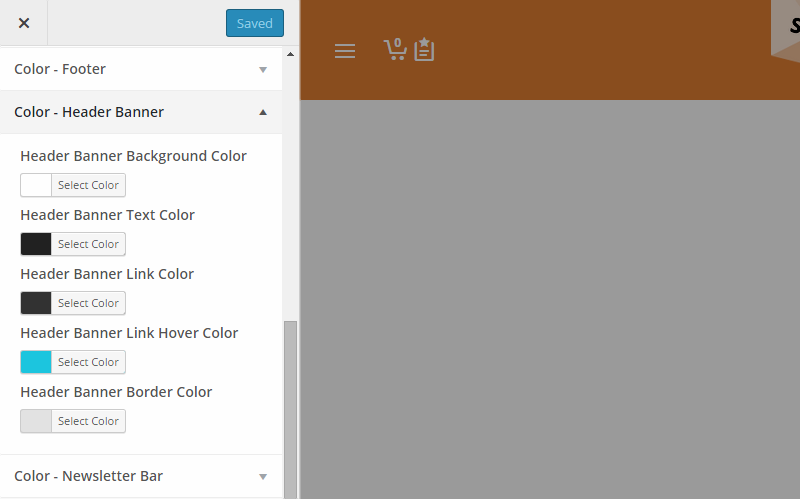
Through the customizer tool, you can modify the colors your website uses. This covers the page, breadcrumbs, top bar, header, navigation colors, and many other elements of your site. Each element can be personalized independently, giving you lots of control over the color scheme of your website.
Pages, blog posts, and products are all added to your website through the familiar WordPress back end, making adding content to your new site or store easy.
Support and Documentation
There is a good set of online documentation available to help you make the most of Atelier. This covers everything from installing the theme and demo content to using the advanced features to build your website.
Customers also get access to the premium support service, which allows them to submit questions and queries to the support team.
Conclusion
Atelier is a multi-purpose theme. As well as being ideal for anyone building an online store with WordPress, the other non-e-commerce-related pre-built configurations help make this theme a good choice for anyone building almost any website.
The multiple demo versions, as well as the ease with which they can be installed, makes Atelier a suitable option for anyone who wants to get their website up and running as quickly as possible. While the two included page builder tools are on hand for those who want to create a more personalized website, without the need to edit any code.
The other premium plugins included in the package, such as the popular Revolution Slider tool, help make this a great-value theme that can be used for a wide range of websites.
If you are looking for a highly modern theme packed with features, layouts, pre-built templates, and options, Atelier is highly recommended.
Find out more about Atelier

Related Posts




Comments (0)