
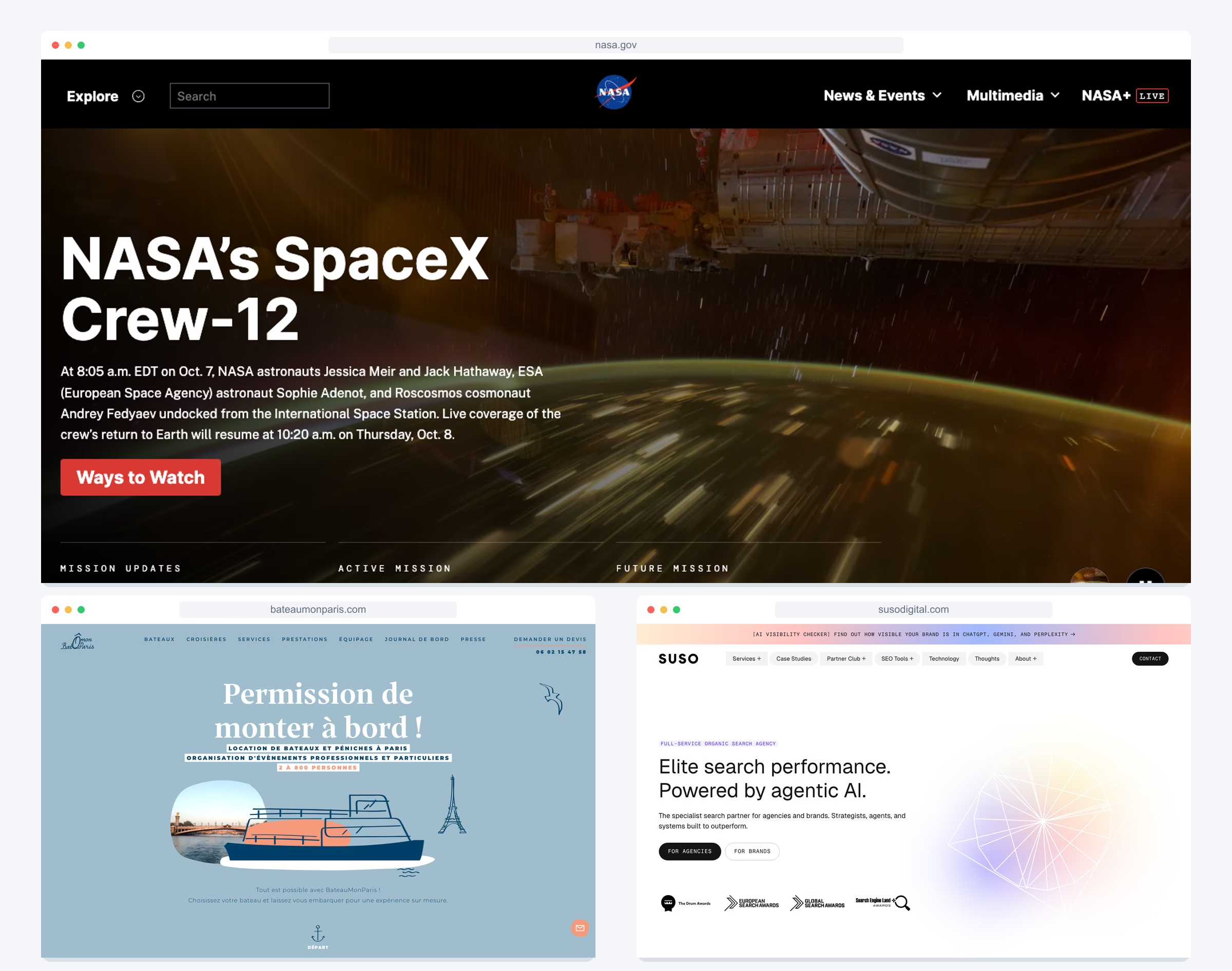
25 WordPress Website Examples: Brands & Design Ideas
Looking for WordPress website examples you can learn from? This collection brings together 25 sites, from NASA and Harvard to agencies, event organizers and independent publishers. Each example includes a screenshot, a checked platform label and a specific design idea to consider for your own project.
Start with the type of website you need. A newsroom, a service business and a personal brand have different jobs to do, even when they use the same content management system.
How we checked: We visited the linked sites and checked their public WordPress theme, plugin or core assets on 8 October 2026. Where available, we also link to the official WordPress Showcase. Screenshots show the pages at the time of review. A label applies to the exact linked website or blog; themes, plugins and other parts of a company’s web presence can differ.
Choose a WordPress example for your project
| Your project | Start with | Study this |
|---|---|---|
| Institution or information library | NASA | Topic navigation, search and content types |
| Service business or agency | SUSO | Clear audience routes and service navigation |
| Event or personal brand | Yukon 1000 | Participation information and a prominent next action |
| Product website | WooCommerce | Product explanation, examples and customer resources |
| Magazine or blog | ProBlogger | A starting point for new readers and organized archives |
| Company newsroom | Meta Newsroom | Product labels, dates and news search |
Institutions and nonprofits
1. NASA
Built with: WordPress · WordPress Showcase
Useful for: Large information library
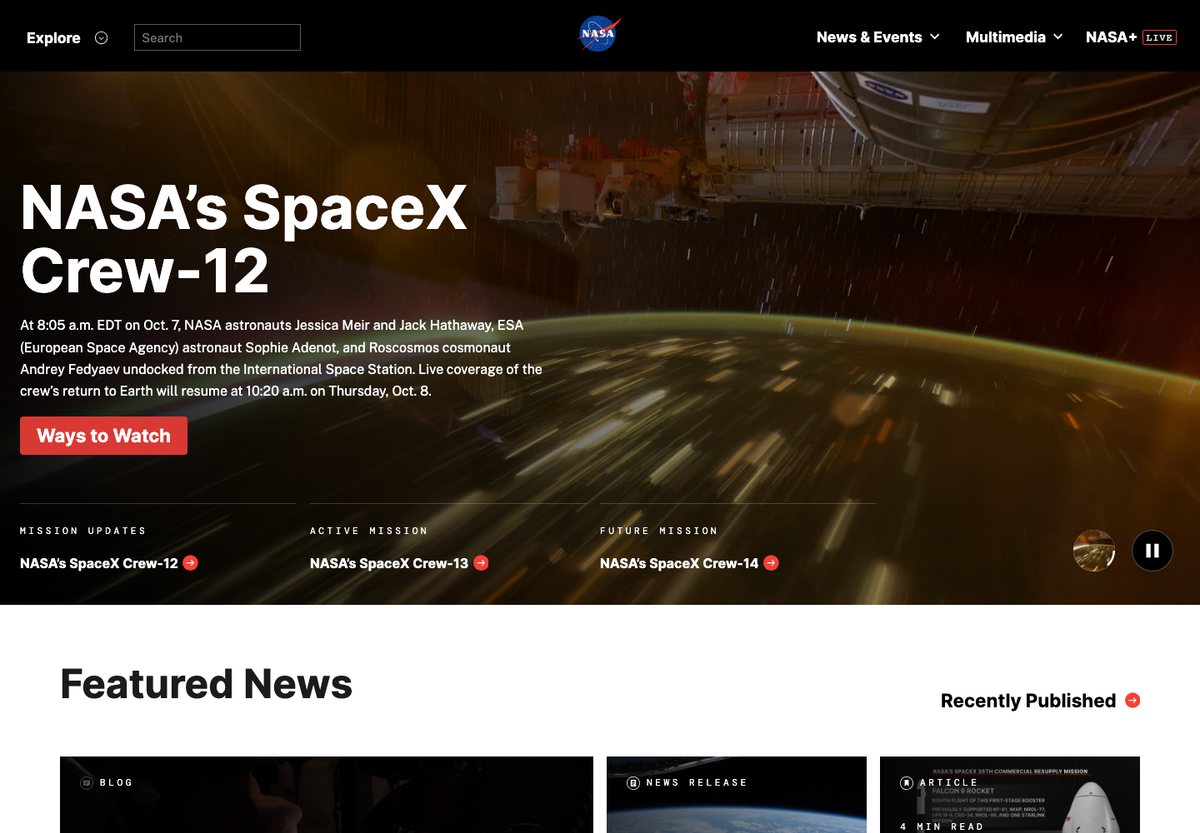
NASA combines a large mission feature with smaller news cards and clear routes to multimedia. Labels such as mission updates, article and news release explain what kind of content visitors will find before they open it.
What to borrow: Give a large archive several entry points: a current feature, recent updates, topic navigation and search. Use consistent content labels so a visitor can scan across different formats.
2. Harvard University
Built with: WordPress · WordPress Showcase
Useful for: University and research publishing
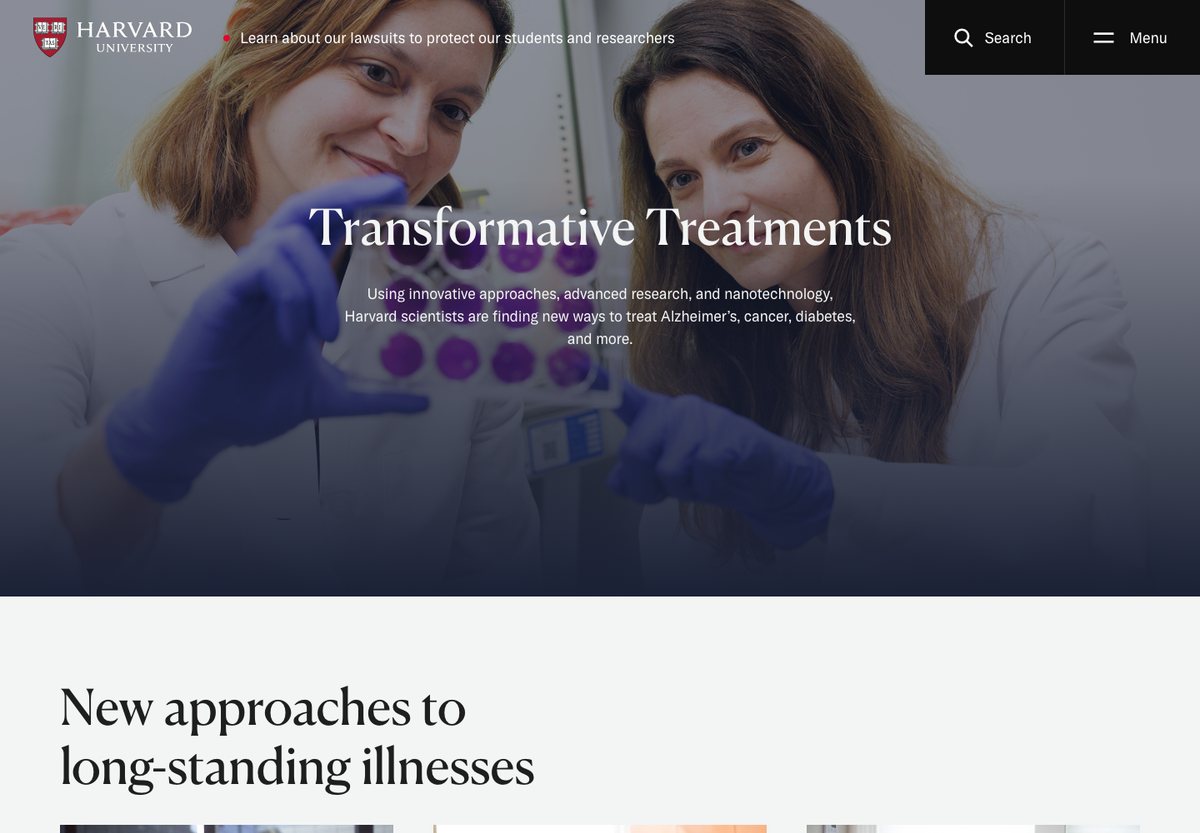
Harvard’s homepage leads with an editorial feature and a large photograph, followed by related research stories. Search and the menu stay prominent in the header, letting the main page tell a story without trying to display every department at once.
What to borrow: Pair an editorial homepage with a dependable directory or menu. A focused lead story can introduce an institution while navigation serves visitors who already know what they need.
3. The White House
Built with: WordPress · WordPress Showcase
Useful for: Official announcements and public information
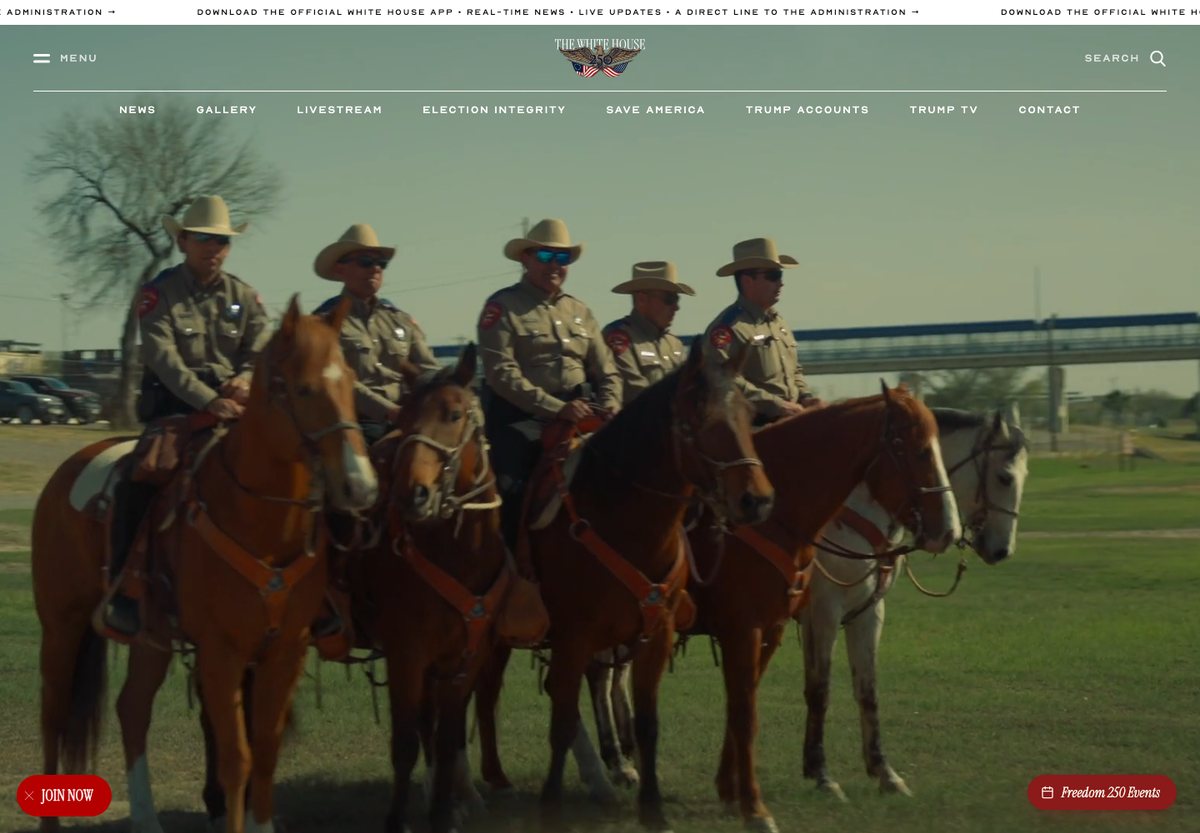
The White House uses WordPress for its public-facing website. The current homepage gives prominent space to featured announcements and links into news and government information. The CMS evidence applies to this website; it does not establish the technology used by every government service linked from it.
What to borrow: For an announcement-led site, separate the latest featured message from the permanent information visitors need to find again. Make publication dates and content categories easy to identify.
4. Invisible Children
Built with: WordPress
Useful for: Nonprofit mission and donations
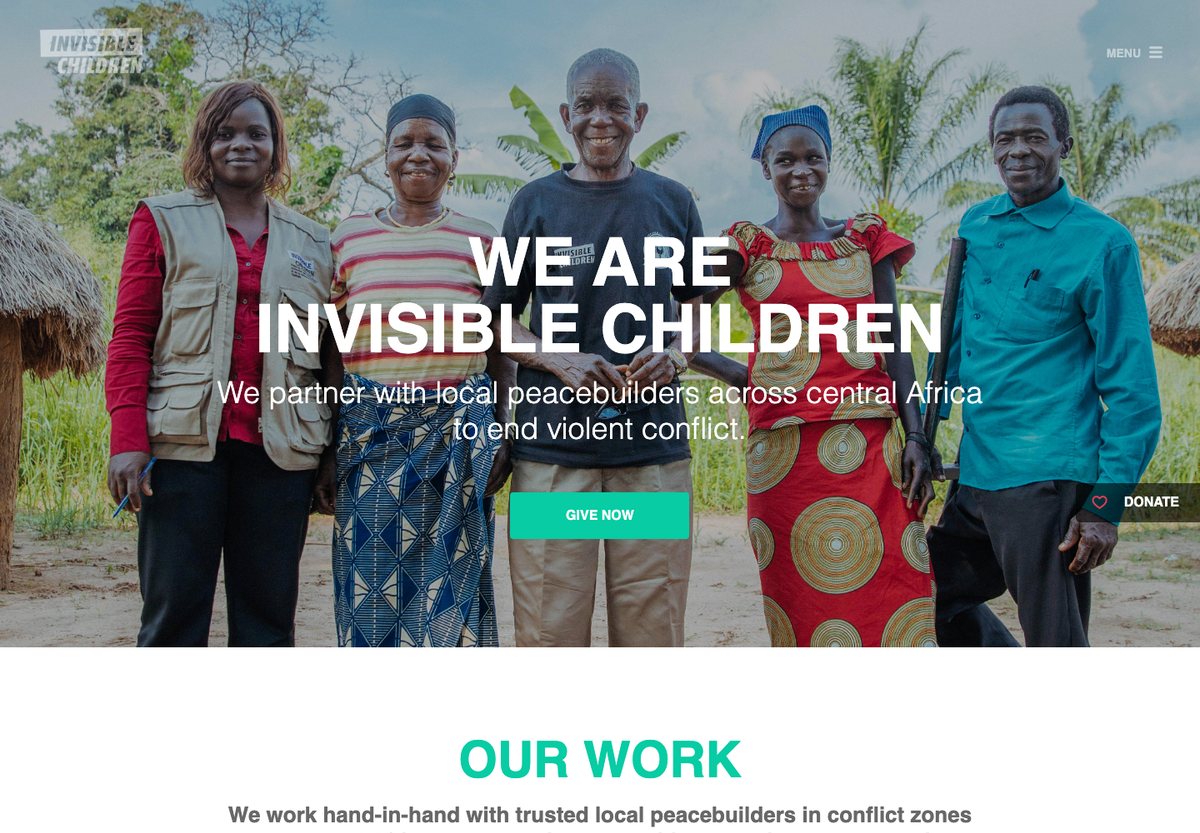
Invisible Children puts a short mission statement and a Give Now action over its opening photograph. Below that, it explains areas of work and presents news updates. The donation action and the explanation of the organization’s work have distinct roles on the page.
What to borrow: State who you help and what you do before asking visitors to explore. Keep a donation or support action visible, then give readers a clear route to programs, stories and organizational information.
Business and portfolio websites
5. 277 Fifth
Built with: WordPress
Useful for: Property presentation
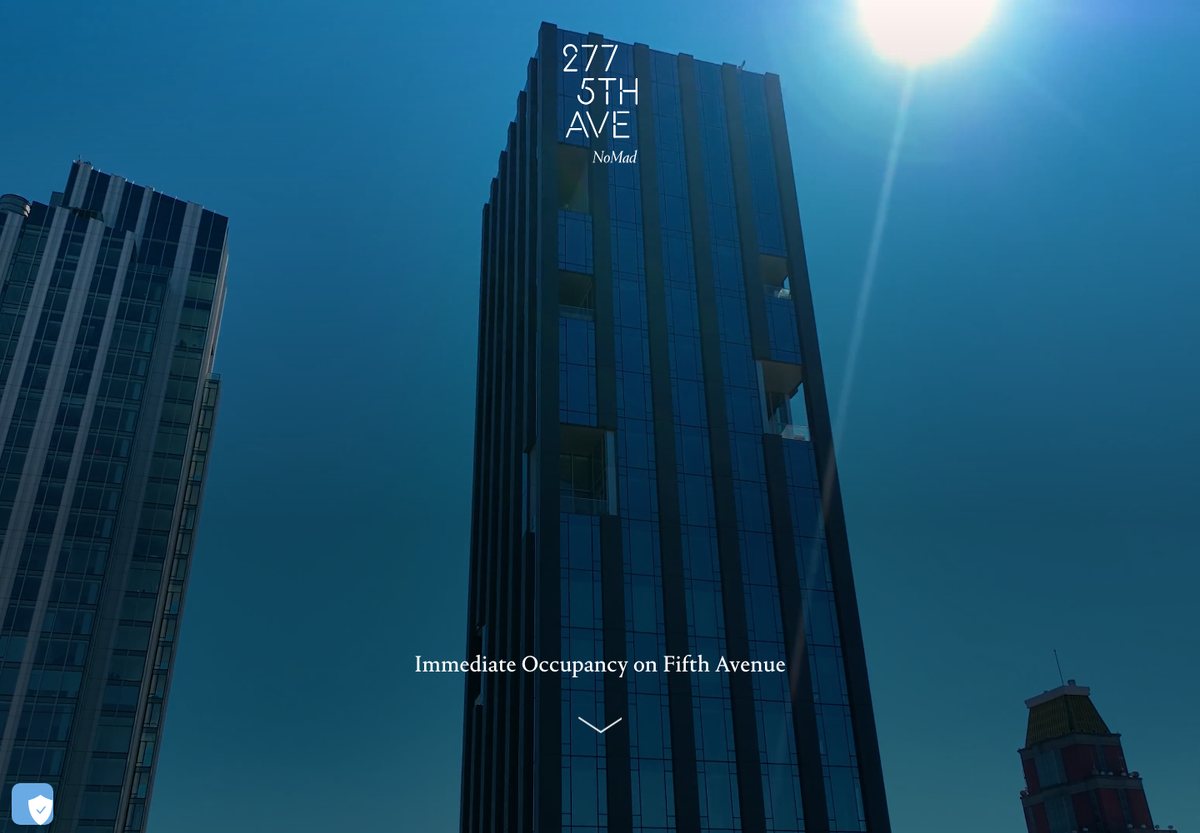
277 Fifth presents its residences through large architectural and interior photographs. Sections for living spaces, kitchens, bathrooms and loggia residences break the property into details a prospective buyer can compare.
What to borrow: For a visually driven product, organize photography around the questions a buyer has. Specific room or feature sections are more useful than an undifferentiated gallery.
6. Suso Digital
Built with: WordPress
Useful for: Agency services and enquiries
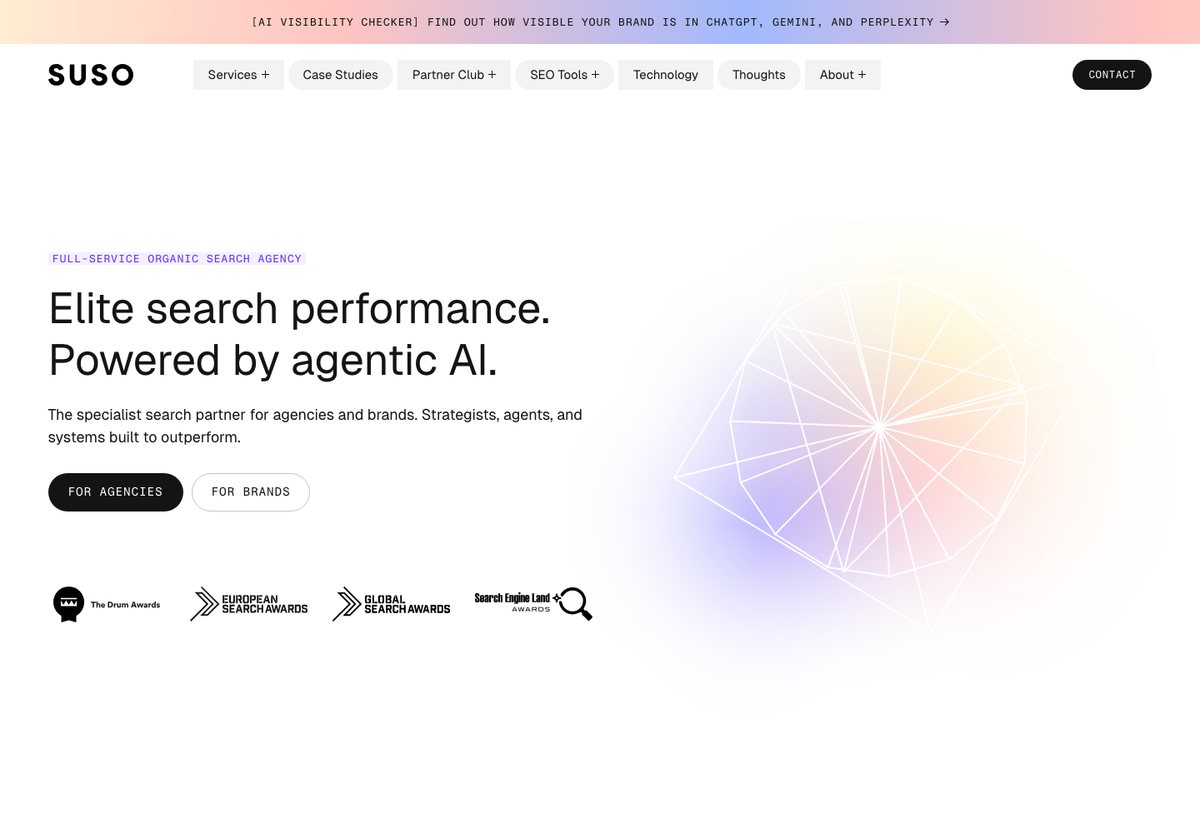
SUSO’s homepage names its service category, then gives agencies and brands separate starting points. The navigation groups services, case studies, tools and company information, while a contact action remains easy to find.
What to borrow: If you serve two different customer groups, show those routes early. Support the main pitch with case studies and a manageable service menu rather than relying on a broad slogan.
To turn these ideas into a site, browse our free WordPress themes. For more work-focused layouts, see these WordPress portfolio examples.
7. BateauMonParis
Built with: WordPress
Useful for: Hospitality and event enquiries
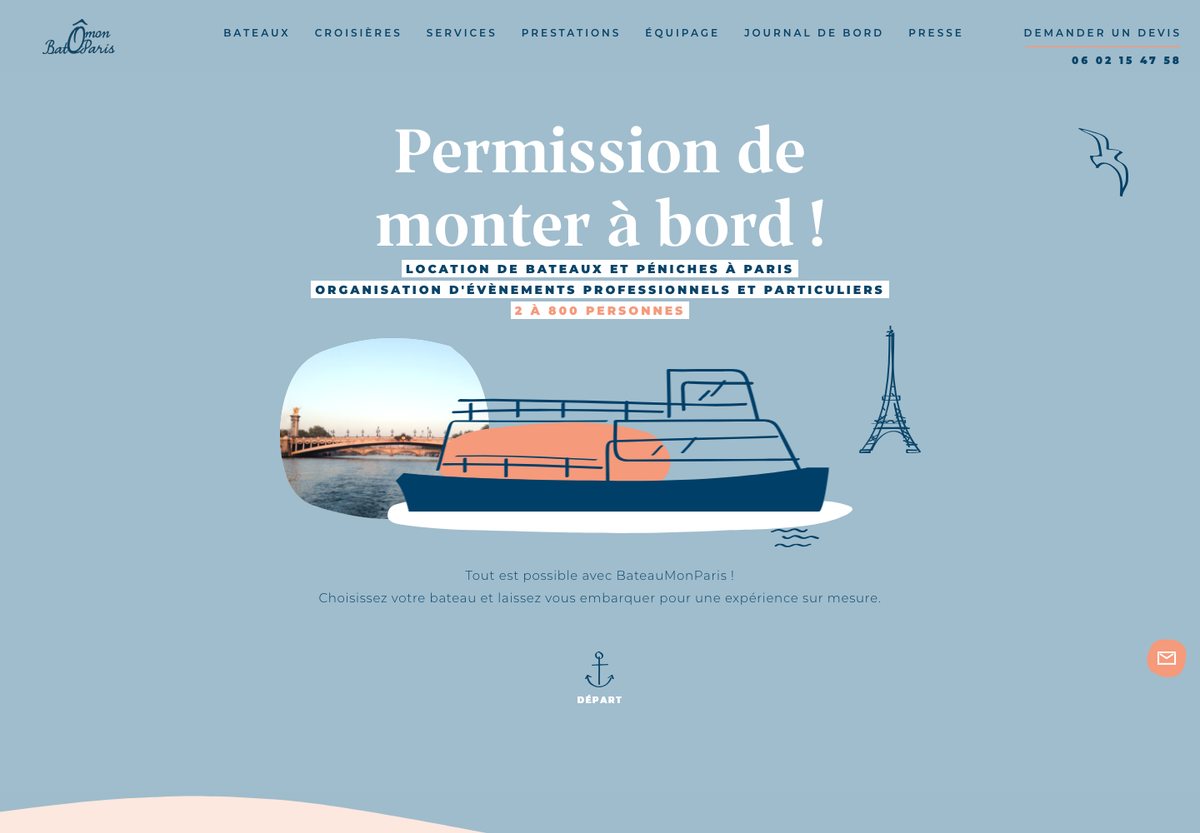
BateauMonParis combines a light blue palette, boat illustration and photography to introduce its Paris boat and event services. Its boat selection is organized by passenger capacity, and a request-a-quote link appears in the main navigation.
What to borrow: Choose a filter that matches the customer’s first decision. Guest capacity makes an event collection easier to browse than a list of boat names alone.
8. District2
Built with: WordPress
Useful for: Creative agency portfolio
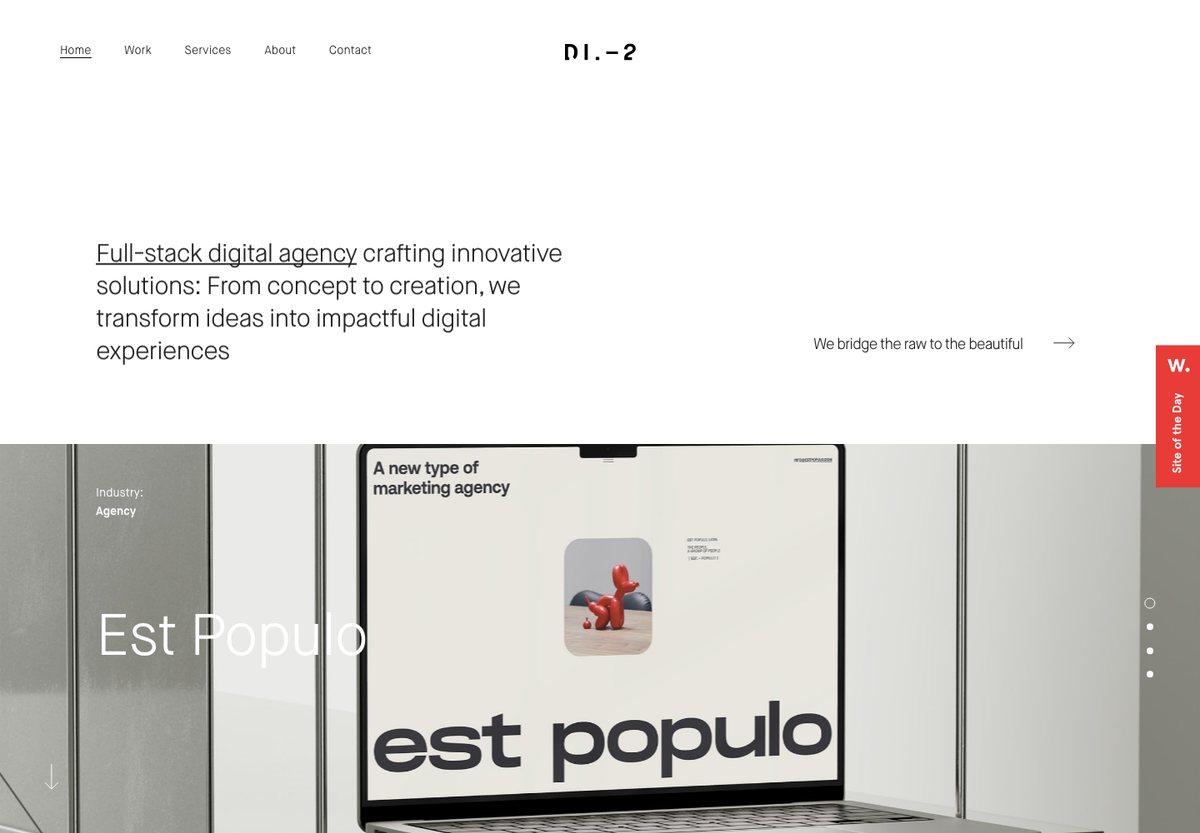
District2 uses a restrained header and a short agency introduction above a grid of project images. The work carries most of the visual weight, with industry labels helping visitors understand the range of projects.
What to borrow: Put recognizable work close to the introduction. Add enough context to each project preview that a visitor can decide which case study is relevant before clicking.
9. Tour Partner Group
Built with: WordPress
Useful for: Travel services for business customers
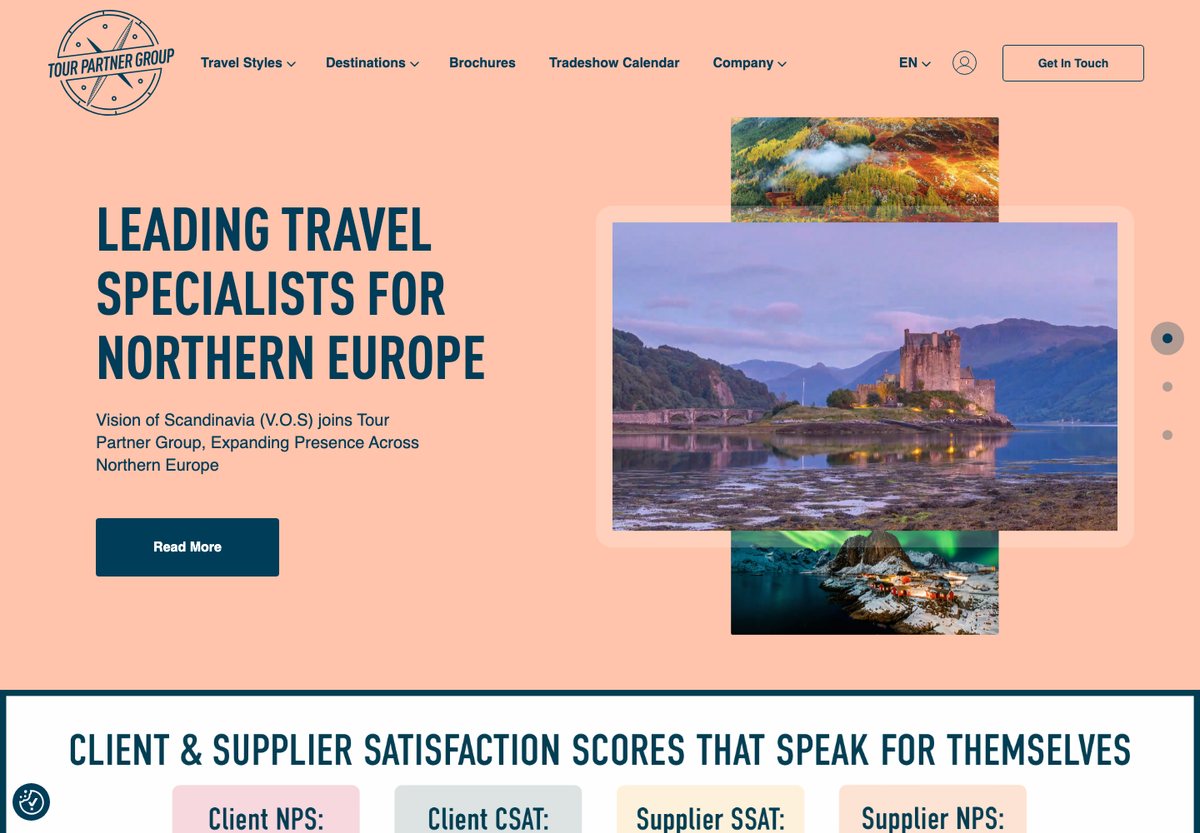
Tour Partner Group uses separate navigation routes for travel styles, destinations, brochures and company information. A colorful lead feature introduces current news, while the page explains the group’s role in planning and coordinating travel.
What to borrow: Match navigation to the way clients plan a purchase. Destination, service type and downloadable information can support different stages of a travel enquiry.
10. de Staat van Creatie
Built with: WordPress
Useful for: Design studio work and editorial content
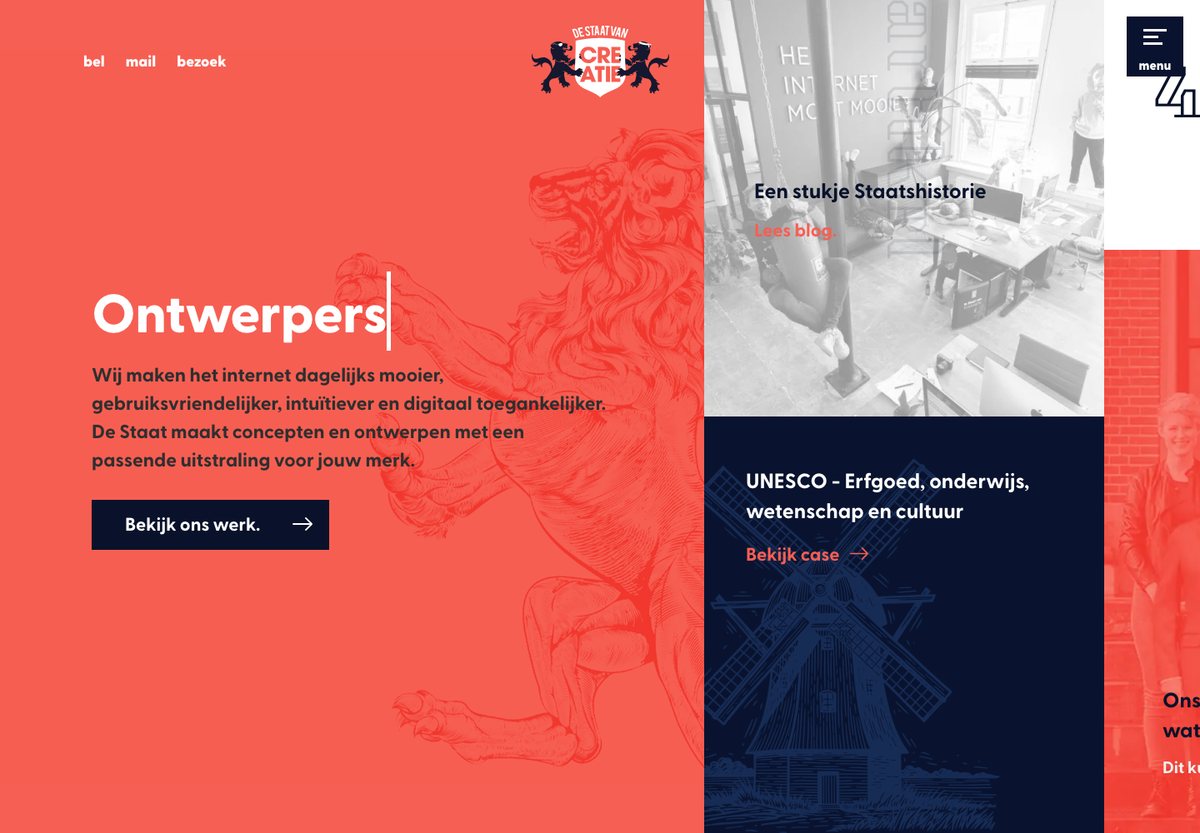
De Staat van Creatie mixes its studio introduction, project previews, articles and team content in a colorful tiled layout. Labels such as case and article distinguish the kinds of material within the same visual grid.
What to borrow: A mixed grid can work when each card tells visitors what it opens. Keep labels, text contrast and click targets consistent even when the individual tiles look different.
11. eu travel tech
Built with: WordPress
Useful for: Trade association and policy information
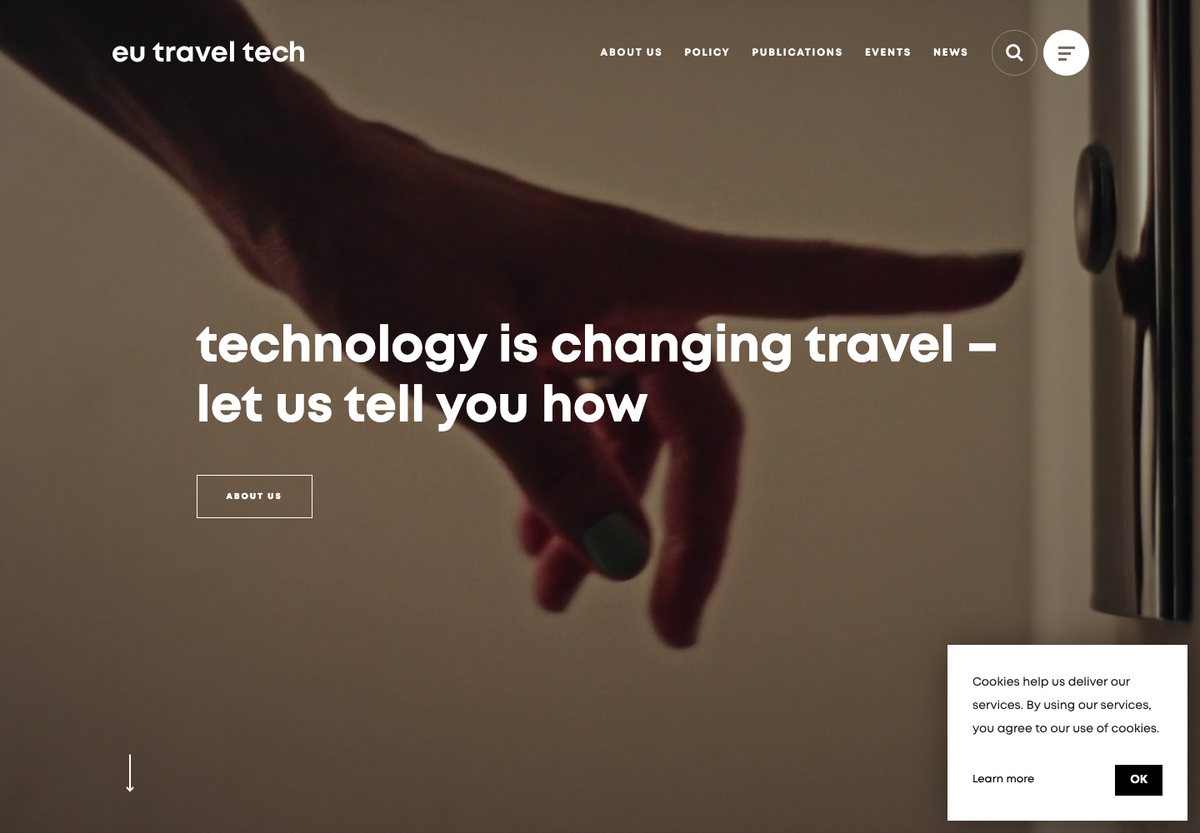
eu travel tech introduces its purpose with a short statement over a large visual. About, membership and policy content give the organization a structure beyond the homepage, while member branding helps explain whom the association represents.
What to borrow: For an association, connect the introductory statement to concrete information about members and areas of work. Use member logos as supporting context, not as a substitute for explaining the organization.
Personal brands, events and commerce
12. Yukon 1000
Built with: WordPress
Useful for: Event information and applications
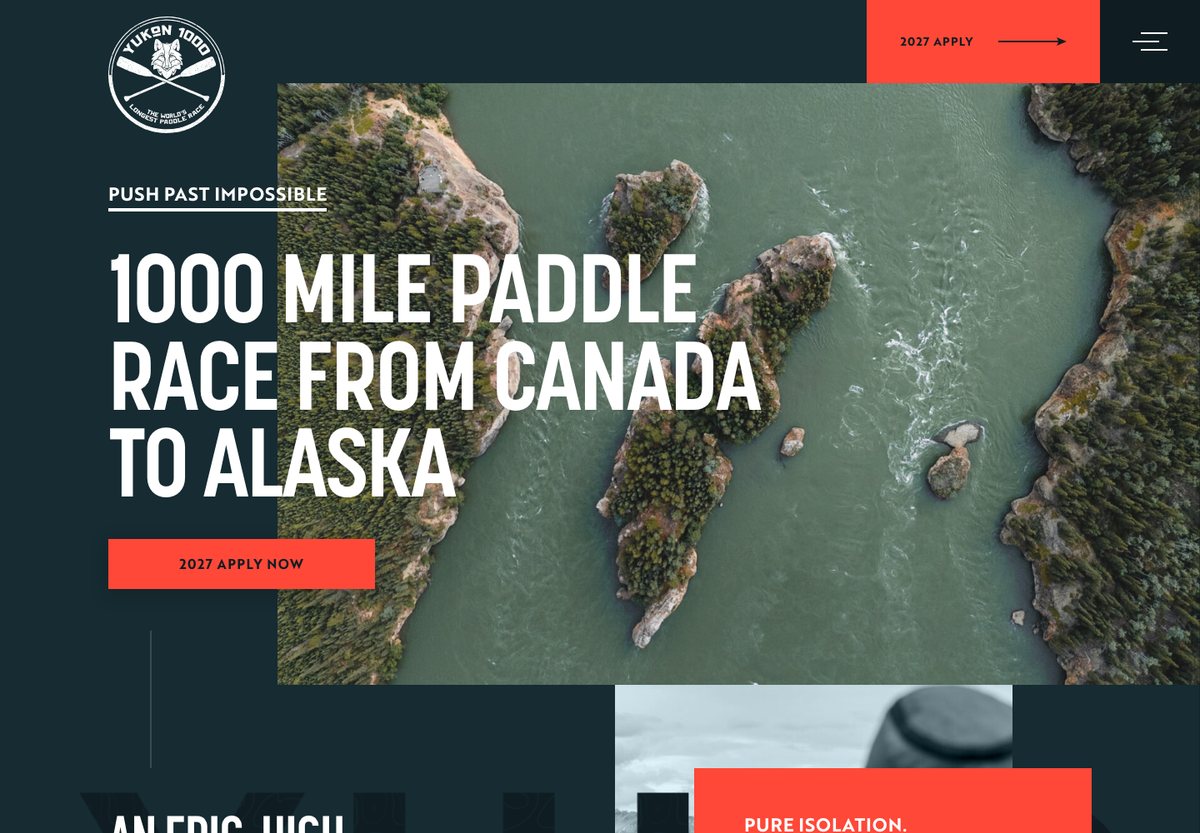
Yukon 1000 makes the nature of its event immediately clear with a large race description and an application action. Navigation covers taking part, race results, expeditions and journal content, serving both new participants and people following the event.
What to borrow: Make the next action obvious, but place eligibility and participation information within easy reach. An event homepage needs to support research as well as applications.
13. Sarah Jenks
Built with: WordPress
Useful for: Personal brand and service content
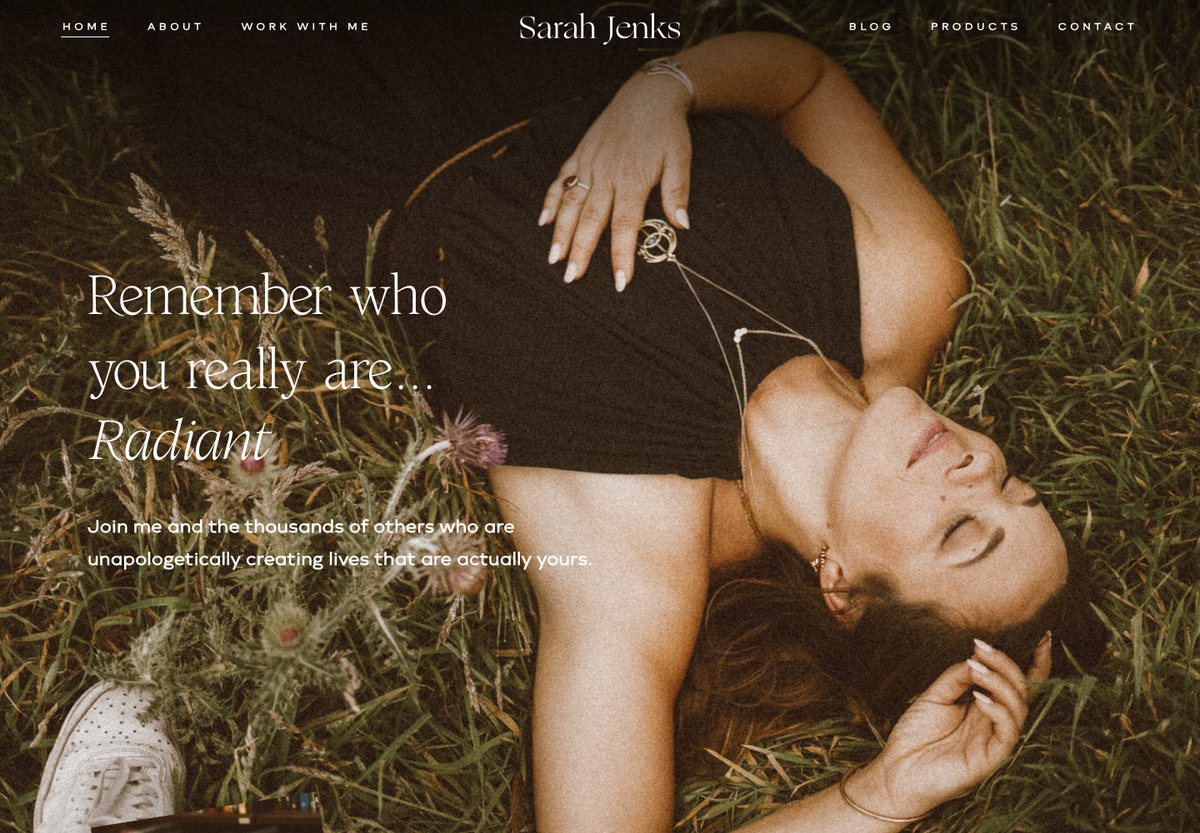
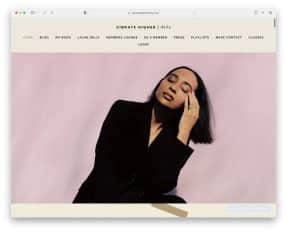
Sarah Jenks uses a full-width portrait and expressive typography to establish the site’s personality. The navigation separates background information, ways to work together, articles, products and contact details.
What to borrow: A personal brand can use a distinctive visual voice while keeping navigation familiar. Give visitors a clear path from learning about the person to understanding their services.
14. Usain Bolt
Built with: WordPress
Useful for: Public figure and personal projects
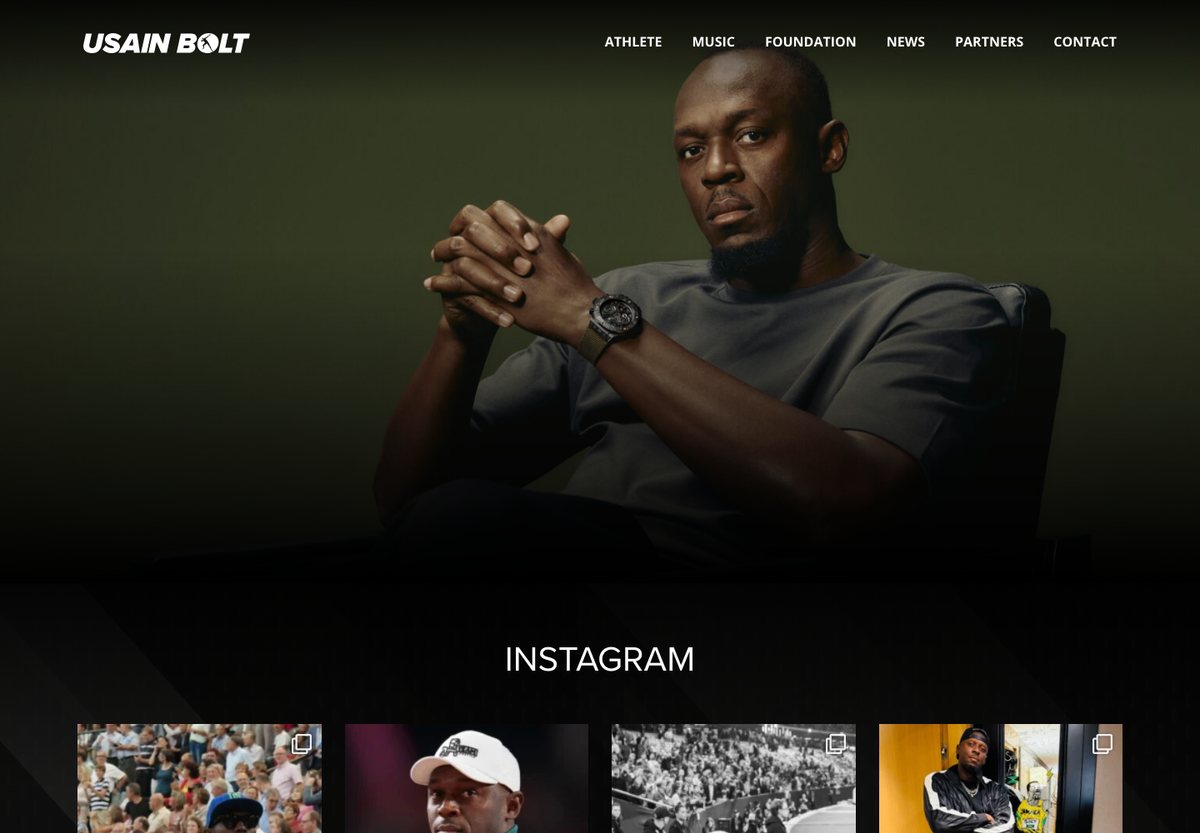
Usain Bolt’s site leads with a large portrait and a compact menu covering athletics, music, the foundation, news, partners and contact. An Instagram section brings recent social content into the homepage.
What to borrow: Use clear sections to separate the different sides of a personal brand. Keep essential biography, project and contact information available independently of embedded social feeds.
15. WooCommerce
Built with: WordPress
Useful for: Software product and extension discovery
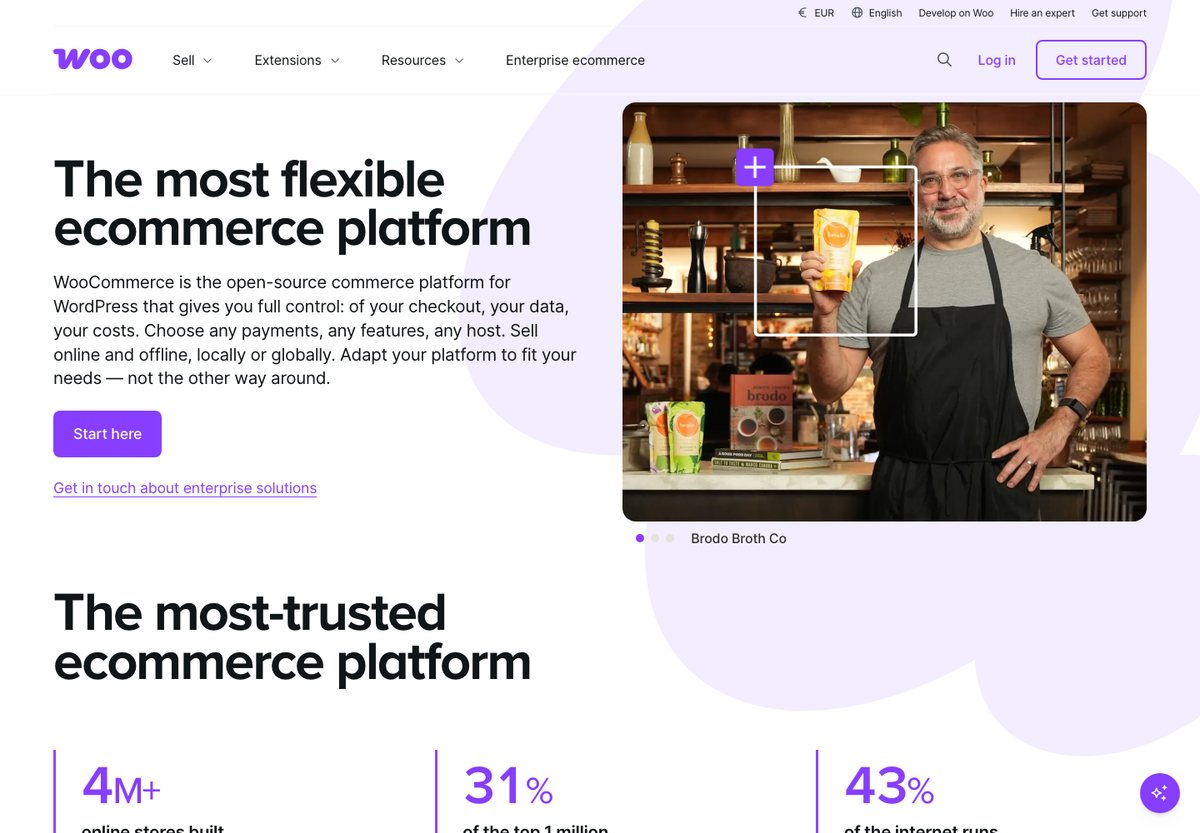
WooCommerce’s own site brings product positioning, extensions, resources and enterprise information into one navigation system. The homepage combines a short explanation of the product with merchant examples and separate starting points for different needs.
What to borrow: Organize a software website around customer tasks: understand the product, see examples, find an extension and get help. Keep the main starting action distinct from secondary routes.
Publishers and editorial websites
16. TechCrunch
Built with: WordPress · WordPress Showcase
Useful for: News publishing
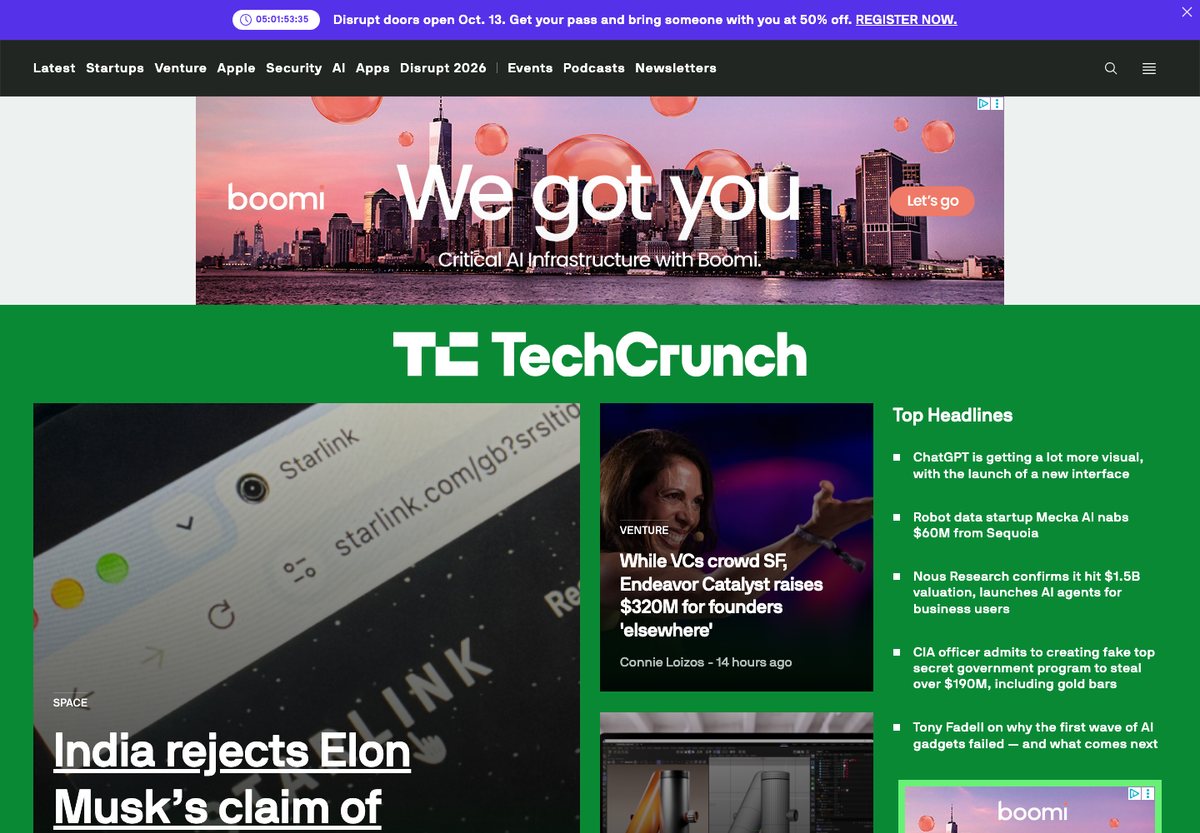
TechCrunch gives its lead story more space than supporting headlines, while topic links and a latest-news stream provide other ways to browse. The layout fits several levels of editorial priority into the same opening screen.
What to borrow: Establish a clear hierarchy between the lead story, supporting stories and the latest feed. A publication homepage becomes easier to scan when every headline does not compete at the same size.
17. Rolling Stone
Built with: WordPress · WordPress Showcase
Useful for: Culture and entertainment magazine
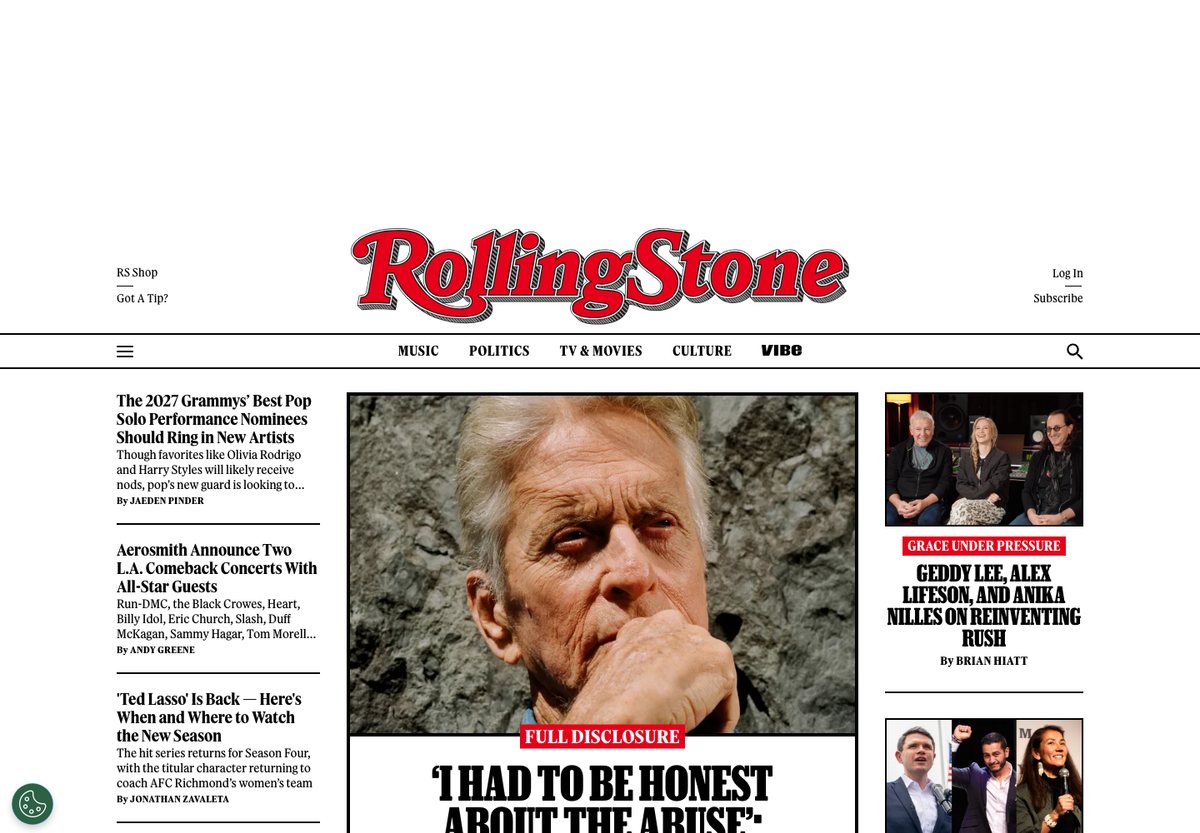
Rolling Stone combines its recognizable masthead with large editorial imagery and a dense selection of stories. Topic navigation and smaller supporting cards let readers move from the main feature to more specific interests.
What to borrow: Use typography and image scale to communicate editorial priority. A distinctive masthead can provide brand recognition while the story layout changes throughout the day.
18. Variety
Built with: WordPress
Useful for: Industry news and analysis
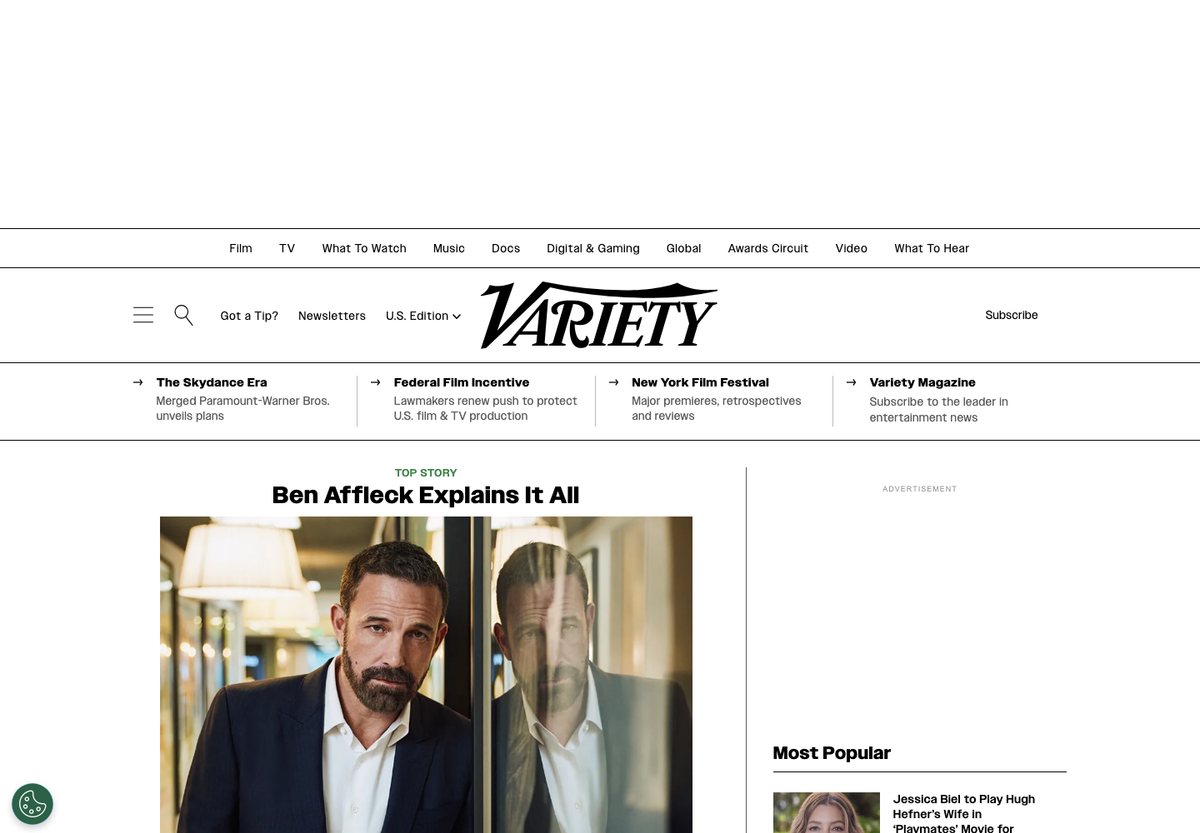
Variety places a lead entertainment story alongside supporting news and a most-popular column. Navigation divides the publication into industry topics, while the mix of large and small cards accommodates different story priorities.
What to borrow: Keep editorial selection and popular content visually distinct. Readers benefit from knowing whether a story is the publication’s main feature or one that other visitors are reading.
19. ProBlogger
Built with: WordPress
Useful for: Educational blog and resource library
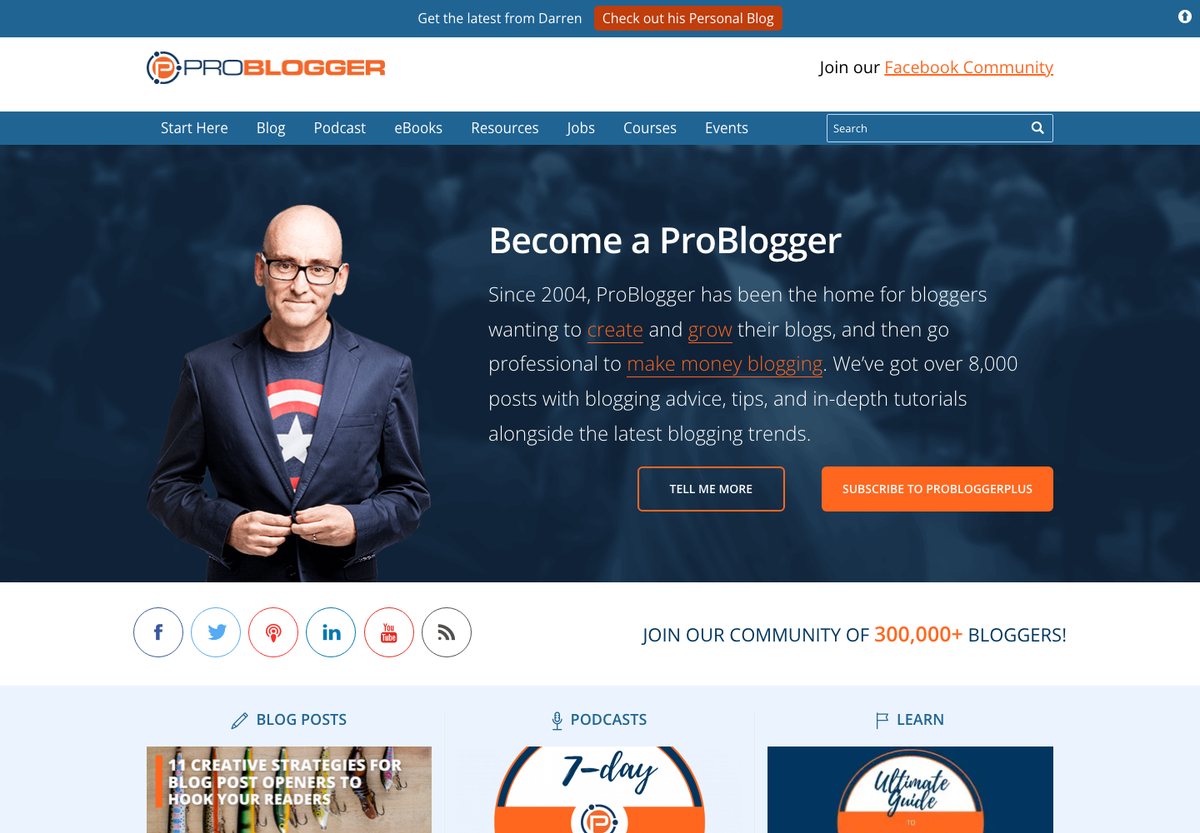
ProBlogger introduces its audience and purpose before dividing the homepage into blog posts, podcasts and learning resources. A Start Here link gives first-time visitors a route through a large content collection.
What to borrow: Give a long-running blog an entry point for newcomers. Group resources by format or reader goal so the homepage does more than display the newest posts.
Company and product blogs
20. Meta Newsroom
Built with: WordPress · WordPress Showcase
Useful for: Corporate news
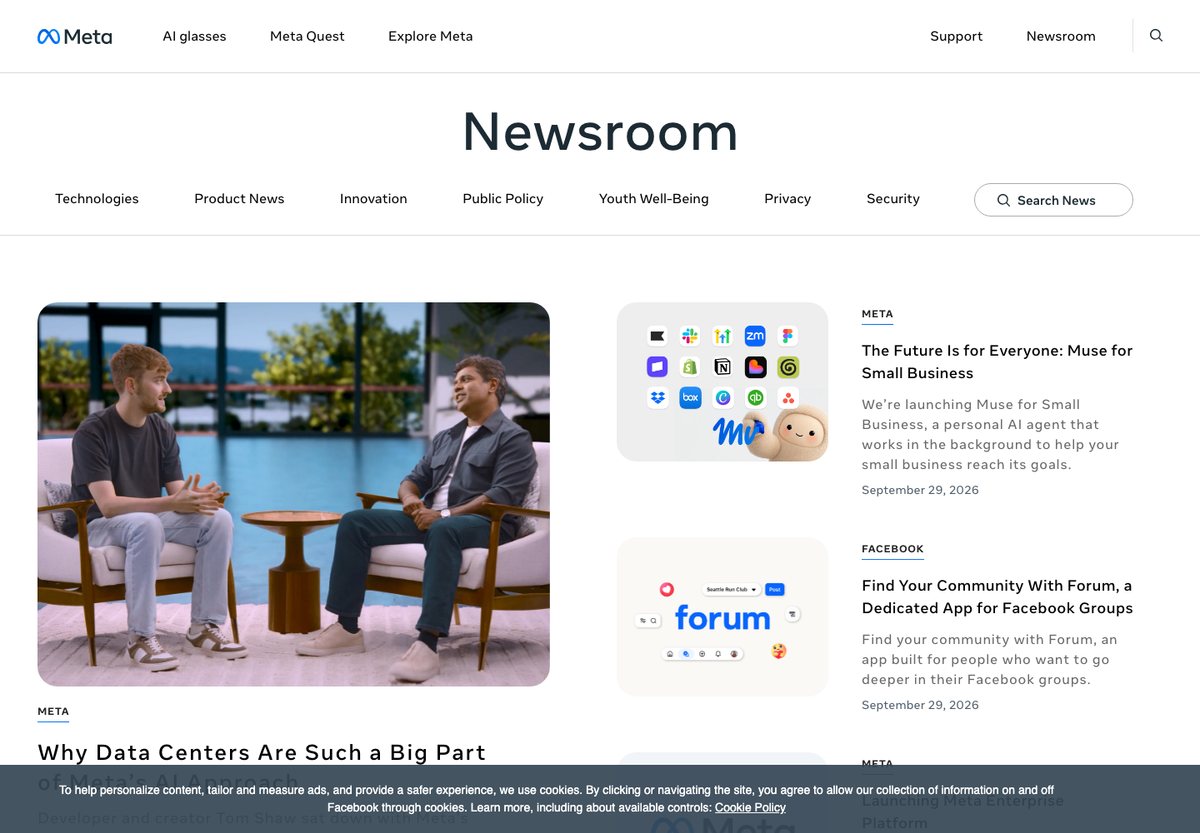
Meta Newsroom organizes announcements under topics such as product news, innovation, privacy and security. Product labels and dates provide context for each story, with a dedicated search control for the newsroom.
What to borrow: A company newsroom should let visitors find information by product and topic. This example is the newsroom at about.fb.com/news; it does not mean the Facebook or Instagram applications run on WordPress.
21. SAP News Center
Built with: WordPress
Useful for: Product announcements and press information
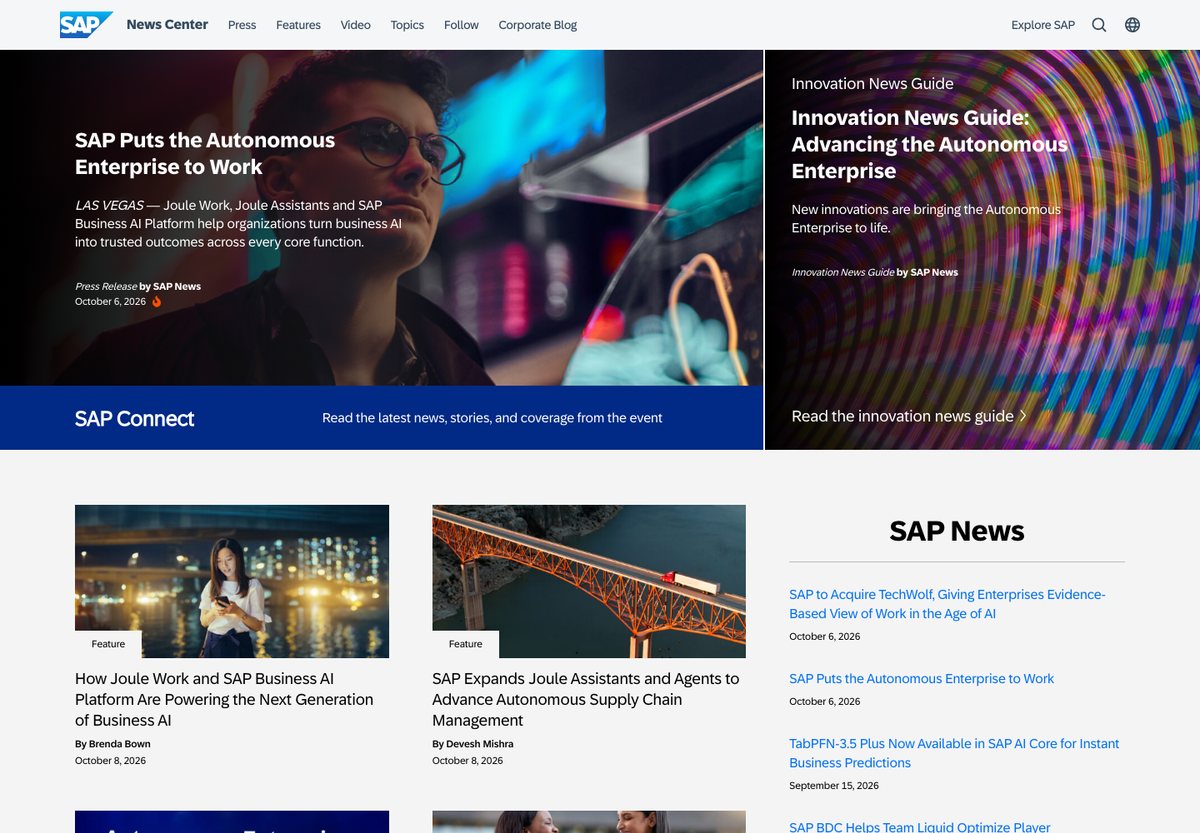
SAP News Center separates featured coverage, press releases and other company news. Headlines are accompanied by content types, author information and dates, helping visitors tell a release from an explanatory feature.
What to borrow: Label corporate content by purpose. A journalist looking for a press release and a customer looking for an explanation may arrive at the same homepage with different needs.
22. Microsoft Copilot Blog
Built with: WordPress
Useful for: Product education and updates
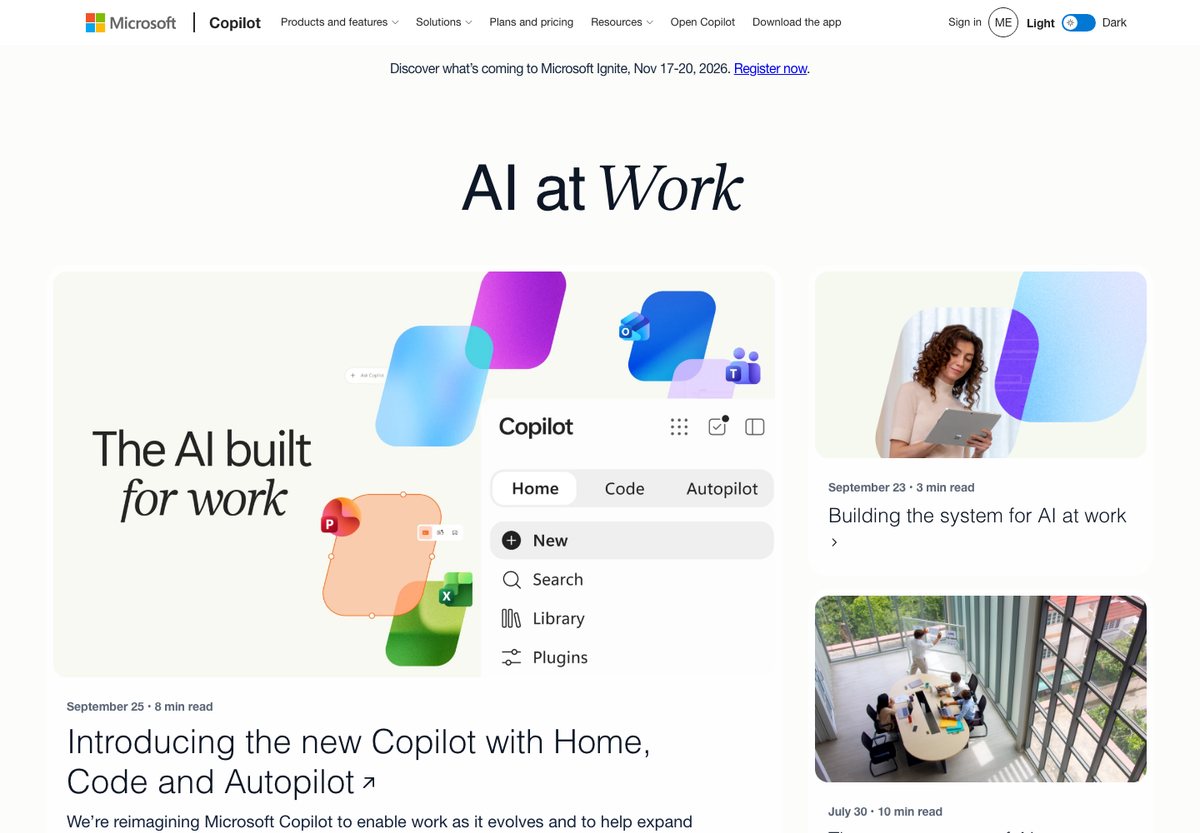
The former Microsoft 365 Blog link now leads to Microsoft’s Copilot Blog. Its current page combines a prominent product-related feature with recent articles, topic navigation and search, while retaining Microsoft’s wider site header.
What to borrow: Keep the blog’s own navigation easy to distinguish from the parent company’s navigation. Platform verification here applies to the linked blog, not every part of microsoft.com.
23. NVIDIA Developer Blog
Built with: WordPress
Useful for: Technical articles for developers
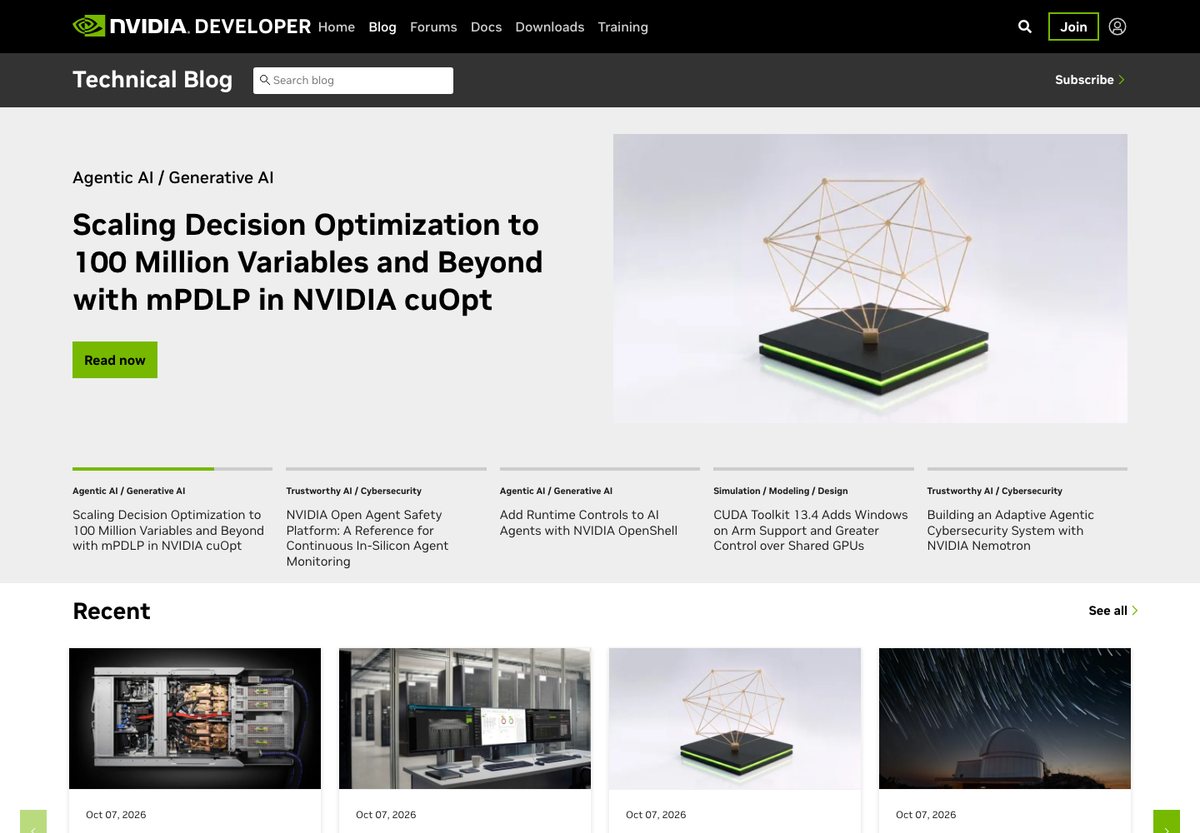
NVIDIA’s developer blog displays topic labels above article titles and uses a card layout to separate featured material from recent posts. The topic structure helps visitors browse a large collection of technical subjects.
What to borrow: Use a controlled set of topic labels and descriptive headlines. A specialist blog should help readers judge relevance before they commit to a long technical article.
24. PlayStation Blog
Built with: WordPress
Useful for: Product and community announcements
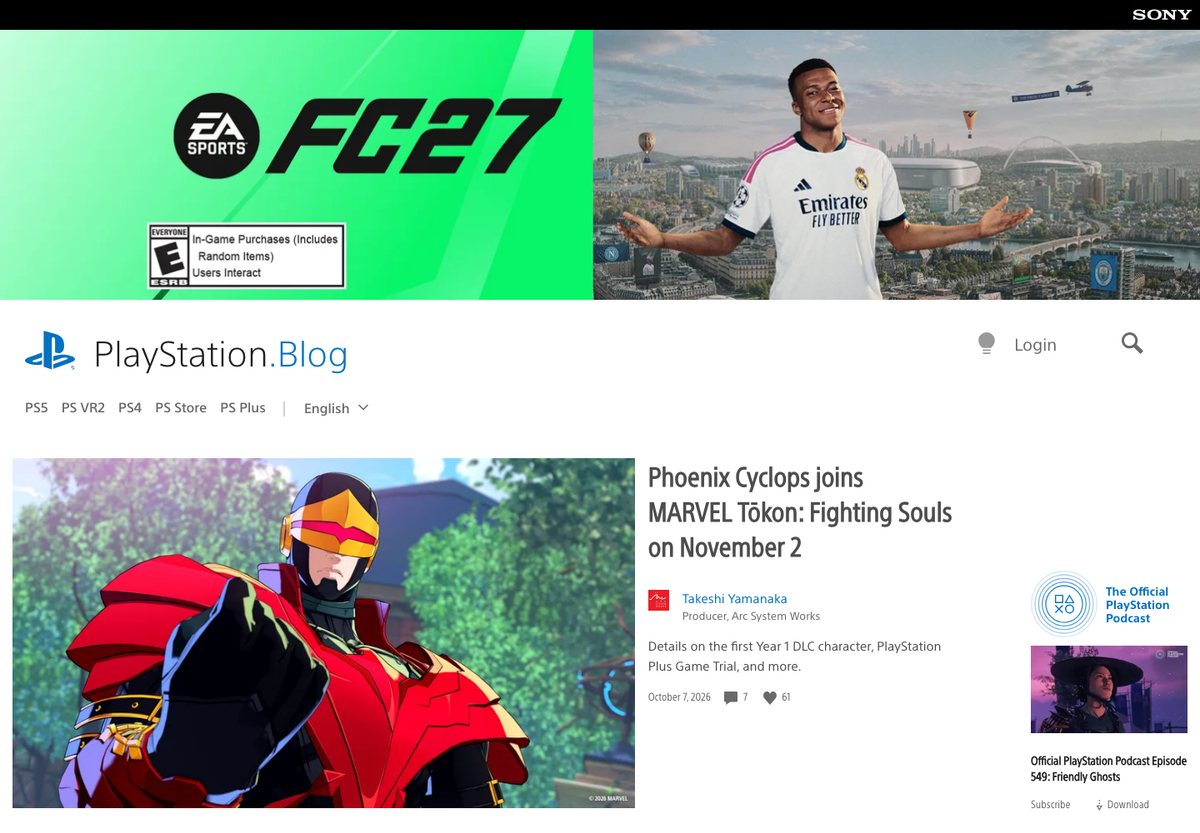
PlayStation Blog combines lead stories, trending articles and navigation by product area. Cards include author names and roles, dates and engagement information, giving announcements more context than an image and headline alone.
What to borrow: For announcements involving partners, make authorship visible. A named developer or product-team contributor helps readers understand who is explaining the update.
25. TED Blog
Built with: WordPress
Useful for: Stories around an organization’s work
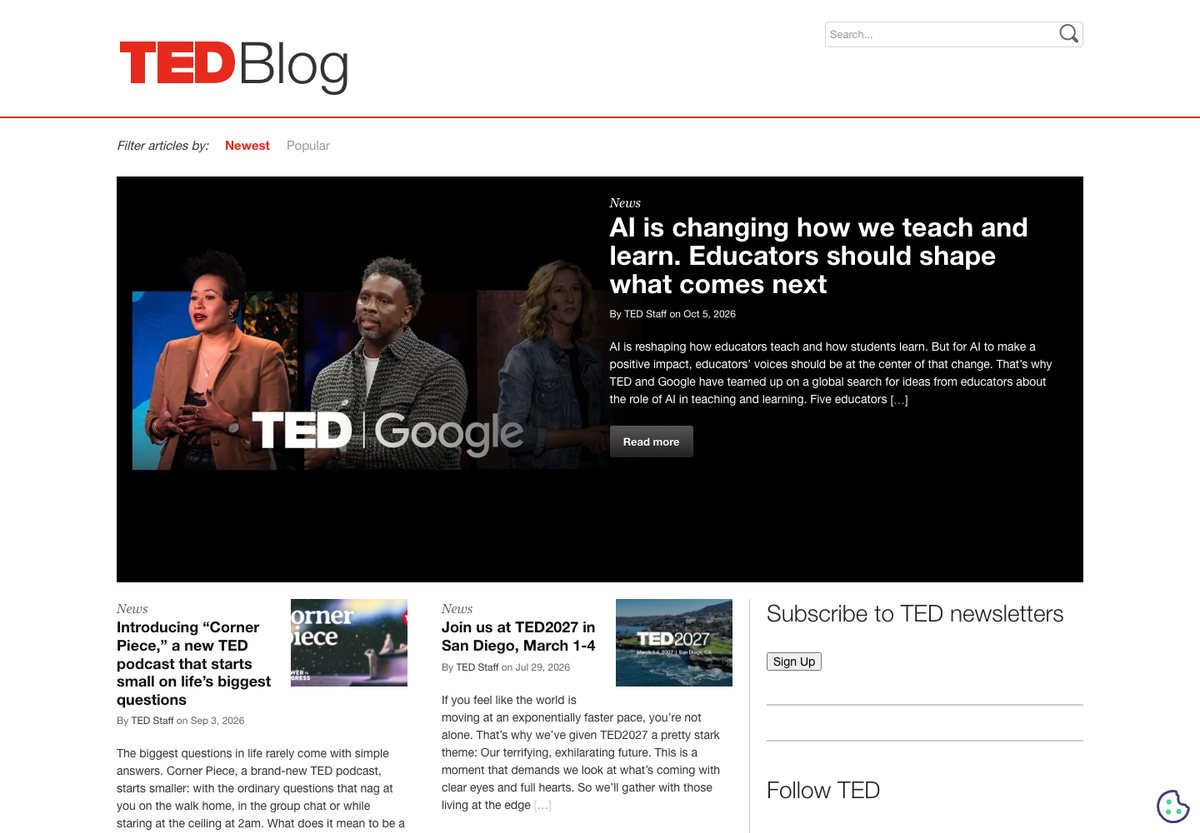
TED Blog uses a simple editorial layout with a featured story, excerpts, author details and dates. Its Newest, Popular and News controls offer a small set of ways to browse without crowding the page.
What to borrow: A useful blog can start with a modest layout: readable excerpts, clear authorship and a few meaningful browsing options. This example is TED’s blog, rather than a claim about the whole TED website.
A simple WordPress website structure to start with
For a small service business, start with five useful pages. Add more sections when you have content or a customer need to justify them.
- Home: Say what you offer, whom you help and how to take the next step. Add one or two relevant examples of your work.
- Services: Explain what is included, who each service suits and how an enquiry works.
- Work or case studies: Show the problem, your contribution and the result. Use images with enough context to make them useful.
- About: Introduce the people behind the business and relevant experience.
- Contact: Offer a clear enquiry route and explain what information you need to respond.
Use consistent headings, readable text and a mobile-friendly menu. A short, complete site gives visitors more useful information than a large collection of unfinished pages. The examples above are live websites; to build a similar structure, choose a theme and adapt its page layouts to your own content.
How to tell whether a website uses WordPress
Start with the site owner’s or developer’s published information. Official WordPress Showcase entries and detailed build case studies can establish which property uses the platform. On a live page, WordPress generator tags and active theme, plugin or core asset paths provide additional evidence.
A single old image URL containing wp-content is weaker evidence: a redesigned site can keep images from its previous CMS. A headless website can also use WordPress for content while its visible frontend uses a separate framework. Check the exact property and the date of the evidence before making a platform claim.
Frequently Asked Questions
What does “powered by WordPress” mean?
It means WordPress is used to manage or publish that website’s content. A visible footer credit is one clue, but many WordPress sites do not display one. A company may use WordPress for its newsroom or blog while using different software for its product, account area or online application.
Can you use the same theme as these sites?
A screenshot does not identify a theme or prove that it is available to download. Some sites use custom themes; others combine an existing theme with substantial design work. Borrow the information structure and interaction ideas, then choose a theme that fits your content and that you can maintain.
Does WordPress itself make a website rank better?
Choosing WordPress alone does not guarantee search rankings. Useful content, crawlable pages, clear internal links and a good visitor experience still need attention. Treat the CMS as the publishing tool, then evaluate the site you actually build. See Google’s SEO Starter Guide for the underlying practices.
Choose a starting point for your own site
For a first business website, start with the service and contact patterns above. For a publication, plan categories and an archive structure before choosing a homepage layout. For a portfolio, make project descriptions and images the priority.
Continue with our WordPress theme collection, WordPress portfolio examples or blogs using WordPress for more focused starting points.
Browse the other Built with a platform website examples (21 more collections), or see website examples for every industry.

Related Posts



Comments (0)