
14 Best Squarespace eCommerce Templates 2026
You’re in luck if you’re looking for the perfect Squarespace eCommerce templates.
We’ve spent many hours scouring the web to investigate various beautiful designs to create a collection where everyone can find something for their needs.
Whether you’re running a single-product online shop or selling many items, we have something for you here.
What’s important to note about these templates is that they all are highly versatile and adaptable.
While they can work very well out of the box, you can customize them entirely to your wants.
And it’s so easy to do – without prior coding and design skills.
So, let’s dive in and find the perfect backdrop to showcase your products and boost your sales.
Table of contents — all 14 squarespace ecommerce templates
- Spotted
- Idrah
- Jotterpress
- Alameda
- Crosby
- Hester
- Skyloop
- Hales
- Seen
- Wesley
- Aue Sobol
- Kester
- Maru
- Granger
Also on this page: How To Make An eCommerce Website With Squarespace · How To Make An Online Shop With Squarespace · FAQs About Squarespace eCommerce Templates
Best Squarespace eCommerce Templates
Are you ready to revamp your online store? Check out these top Squarespace eCommerce templates that blend functionality with design to elevate your business.
Need inspiration? Check these epic Squarespace eCommerce examples.
1. Spotted

If you’re an artist looking to sell prints, merch, or other goodies online, Spotted is the Squarespace template that will do the trick.
It has a clean and simple design to ensure your items, works and other useful information pops more.
Besides the whole online shop section, Spotted also includes pages for About, Contact and other essentials.
With that in mind, it requires very little work and effort on your end to establish an artistic eCommerce site.
2. Idrah

Idrah is a Squarespace eCommerce template with heaps of goodies for your convenience.
First, it has a top bar notification, which you can use for special announcements, new product drops, free shipping, etc.
Then there’s a clean header with social media icons, menu links, a login, and a shopping cart. On the other hand, the footer also maintains a simplistic look with quick links, social icons, and a newsletter subscription widget.
Shop category pages have a pleasant grid layout with large thumbnails, so skimming through items is easy and quick.
3. Jotterpress
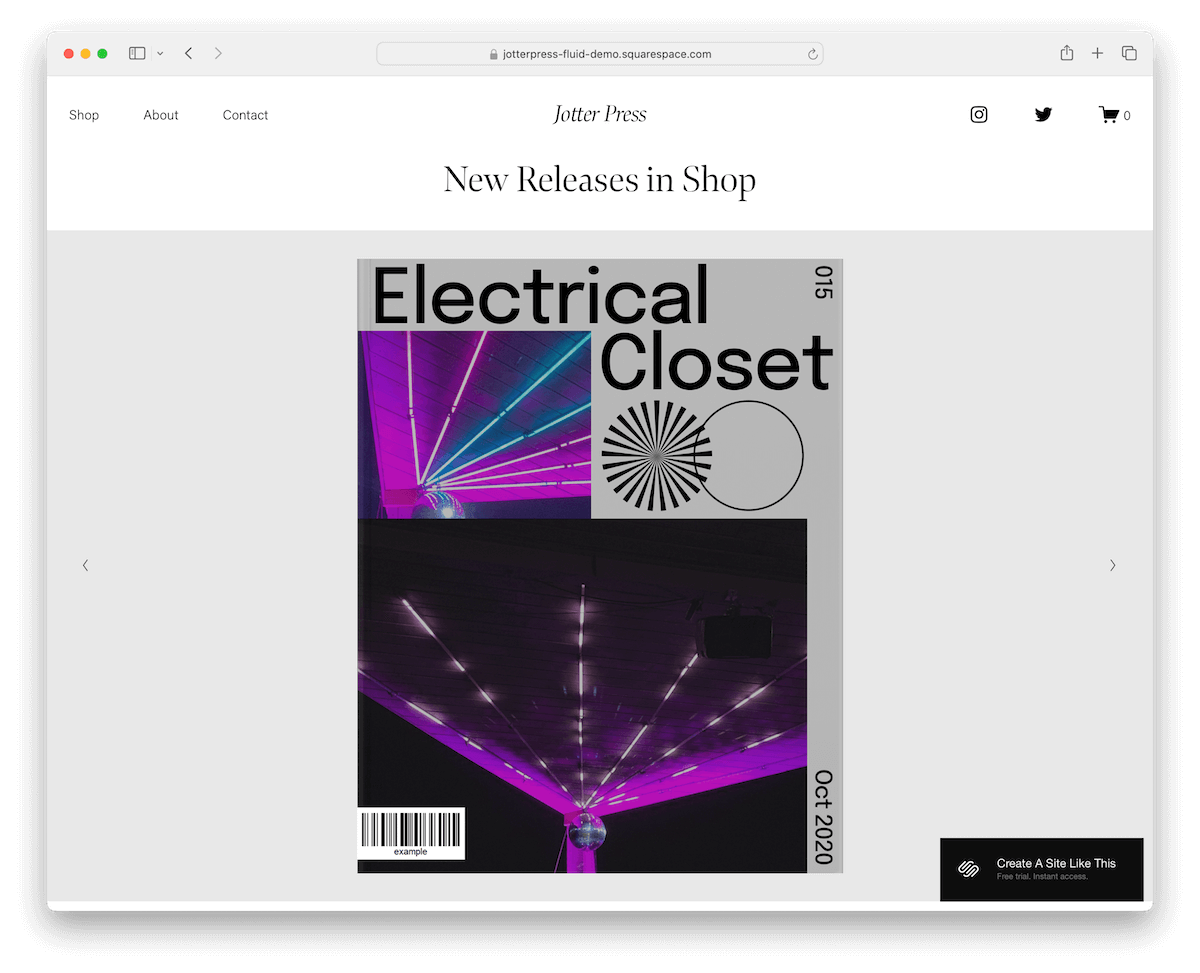
Jotterpress triggers interest with the larger image-only slideshow above the fold. (You can also make slides clickable.)
The header and base are designed in light colors, accompanied by a dark footer in contrast. This makes the additional business info, quick links, and form stand out more.
Moreover, Jotterpress also has various animations that spice up the browsing experience, a simple yet compelling About page, and a predefined FAQs section.
If you dig minimalism and are into selling books, magazines, etc., Jotterpress is an excellent Squarespace template that’ll do the trick.
4. Alameda

Alameda is a Squarespace eCommerce template that is all about simplicity and style. It sports a clean, minimalist design with a consistent white background from the header to the footer.
The homepage showcases products in a neat four-column grid, making browsing a breeze. There’s also handy secondary navigation for categories.
Plus, it includes a functional contact form, a spot for newsletter sign-ups, and social media icons in the footer.
Alameda is perfect for keeping things straightforward yet chic.
5. Crosby

Crosby’s Squarespace template stands out with its sleek, dark design. It features a cool header that vanishes and reappears as you scroll down or up.
Animated images add a dynamic touch, and there’s a prominent shopping cart icon for easy access in the navbar.
The newsletter section is large and in charge, while the footer keeps things minimal.
Last but not least, the contact page surprises with a unique popup form – a fresh twist.
Crosby is perfect for a modern, edgy online store vibe.
6. Hester

Hester is a Squarespace eCommerce template with a full-screen above-the-fold section that triggers interest immediately.
The header features a three-link menu, login links, and a shopping cart icon while remaining tidy and transparent. The footer maintains a similar vibe, with business details and social media icons.
The overall design of Hester contains lots of white space, so all your items get the necessary shine they deserve.
Utilize the About and Blog pages, fill the eCommerce section with your products and start your online business strong.
7. Skyloop

Skyloop is a Squarespace template that brings an energetic vibe to your eCommerce site. As you scroll, content and products smoothly reveal themselves, keeping engagement high.
It features animated backgrounds that add a lively touch to your browsing experience, but they can also be made static.
For user convenience, there are login and sign-up popup forms right at your fingertips. Do you need to build anything from scratch? Not really!
Plus, it includes all the essential pages you need – like sizing, shipping, and gift cards – making it practical while still looking fresh and fun.
8. Hales

The Hales Squarespace eCommerce template, with its strong focus on images, is ideal for showcasing visuals – ideal for an online flower shop.
It features a floating header that keeps menu links and a shopping cart icon always accessible. The footer is large but minimalist, equipped with quick links, social icons, and a subscription form.
Simple product pages keep the shopping experience straightforward. Furthermore, there’s a masonry-style image gallery grid and a contact form with a handy drop-down for you to benefit from.
Hales mixes beautiful with functionality extremely well.
9. Seen

Seen’s Squarespace template makes a bold statement right from the start. It kicks off with a striking image-only hero section, quickly followed by sliding text on a contrasting dark background for dramatic effect.
The template boasts a small, clean white header and a large, impactful dark footer. Perfect for social butterflies, there’s a dedicated section ready for your Instagram feed.
The shop page displays a tidy four-column product grid, while product pages feature a sticky info section alongside additional images and details.
10. Wesley

Wesley is a Squarespace template that is a winner for any online pet store. Its harmonious design features a unified background color from header to footer.
It makes shopping effortless with simple, intuitive shop pages and a product image slider that showcases items stunningly.
A slick product carousel and a testimonial slider can engage visitors and boost credibility. A handy subscription form can also grow your email list and, consequently, your business.
Wesley is all about ease and elegance in one package.
11. Aue Sobol

Aue Sobol is a minimalist Squarespace template for an online bookstore.
What’s cool about this design is that below the clean header is text and only then transitions to images, shop, and more. Use text strategically to captivate the visitor.
The shop page is, expectedly, clean, whereas item pages feature a massive slider above the fold, followed by details and a “buy” button. There’s also the related items section, which can increase conversions.
Aue Sobol is all about bringing your products to the forefront for everyone to enjoy in their full glory.
More info / Download Demo12. Kester

The Kester Squarespace template rocks a unified color scheme, top to bottom – super cohesive and original.
It starts strong with text in the hero area, then rolls into a cool two-column grid for showcasing projects.
It’s got Shop and Blog pages to explore and a simple Contact page – just email and phone, no fuss.
Kester is ideal for any artist ready to display and sell their work. Simple, artistic, and totally streamlined.
More info / Download Demo13. Maru

The Maru Squarespace template gives your shop the love it deserves right from the start with a hero background image that includes an overlaid image, text, and a catchy CTA button.
Navigation is a breeze with dedicated Shop, About, and Contact pages, each featuring a featured image and text area for a cohesive look.
Dive into product details with a slider on individual item pages for a better viewing experience. And then everything wraps up with a clean footer.
Maru is straightforward, visually engaging, and perfect for making a strong impression.
More info / Download Demo14. Granger

Granger is a breath of fresh air with its light design and loads of white space. The sticky header keeps navigation easy, no matter where you are on the site.
This Squarespace shop template is perfect for showing off multiple product categories, each in its own section, making everything super organized.
The footer keeps it minimal, staying out of the way but handy when needed.
Granger is streamlined and efficient with a Contact page that includes a functional form and a Shop page featuring sidebar navigation – ideal for a clean, modern shop.
More info / Download DemoHow To Make An eCommerce Website With Squarespace
- Sign up and select a plan: Start by creating an account on Squarespace.com and choose a plan that suits your business needs. eCommerce features are available on Business plans and higher.
- Choose your template: Browse through the eCommerce templates above and pick one that aligns with your brand and the type of products you’ll be selling.
- Customize your design: Use the drag-and-drop editor to tweak the template. You can customize everything from fonts and colors to page layouts and navigation to match your brand’s style.
- Add products: Head over to the “Commerce” section and add your products. Include high-quality images, detailed descriptions, and pricing for each item.
- Set up payments: Connect a payment processor like Stripe or PayPal to accept payments. Squarespace supports various payment methods, making it easy for customers to buy from you.
- Preview and publish: Preview your site to ensure everything looks and works smoothly. Once you’re happy with it, hit publish to go live with your brand-new eCommerce website.
How To Make An Online Shop With Squarespace
- Sign up or log in: Head to Squarespace.com and either sign up for a new account or log in to your existing one.
- Choose a template: Select a template that suits your business style and products. Squarespace offers a variety of templates specifically designed for eCommerce – but the above ones are the best.
- Customize your design: Customize your template by adding your own logo, images, and brand colors. You can also adjust layouts and fonts to match your brand’s look and feel.
- Add products: Navigate to the “Commerce” section and add your products. Include high-quality images, descriptions, prices, and any variations like size or color.
- Set up payments: Configure your payment settings by connecting to payment gateways like PayPal or Stripe. This allows you to accept payments directly on your site.
- Preview and publish: Once everything looks good, preview your site to ensure it works as expected. When ready, hit “Publish” to take your store live.
FAQs About Squarespace eCommerce Templates
Can I sell both physical and digital products on Squarespace?
Yes, you can sell both physical and digital products. Squarespace lets you easily set up different product types in your store settings.
Does Squarespace support inventory management?
Yes, Squarespace includes inventory management features that let you track stock levels, set up alerts, and manage your inventory directly from your dashboard.
Can I connect my Squarespace store to social media platforms?
Yes. You can link your store to various social media platforms like Facebook and Instagram, enabling you to sell directly through these channels.
Is there a limit to the number of products I can sell?
No, Squarespace does not limit the number of products you can list on your store. However, site performance may vary based on your plan.
Can I offer discount codes or gift cards?
Yes, you can create and manage discount codes and gift cards. These features are built into the Commerce plans, allowing you to run promotions and boost sales.
Does Squarespace provide SEO tools to help my store rank better?
Yes, Squarespace provides built-in SEO tools that help optimize your site for search engines, including customizable URLs, meta tags, and sitemaps.
Can I switch shop templates after my site is live?
Yes, you can switch Squarespace shop templates anytime. Just remember that some manual adjustments might be necessary to align your content with the new template.
Are all Squarespace shop templates responsive?
Yes. All Squarespace templates are designed to be fully responsive, ensuring your shop looks great on both desktop and mobile devices.
Can I customize Squarespace shop templates to fit my brand?
Yes, Squarespace templates are highly customizable. You can change fonts, colors, layouts, and much more to match your brand identity.
Do all Squarespace templates support eCommerce functionality?
Many templates are specifically designed for eCommerce and include features like product pages, shopping carts, and secure checkout processes.
How do I add products to my Squarespace shop?
You can add products by going to the Commerce section of your site dashboard, where you can upload product images, set prices, and write descriptions.

Related Posts






Comments (0)