

12 Best Squarespace Health Templates 2026
If you’re launching a new website that explores wellness, picking the perfect Squarespace health template can really set the tone.
We’ve scoured the Squarespace designs available online to bring you a list of the best, specifically for health and wellness sites.
Whether you’re a fitness guru, yoga instructor, nutritionist, or wellness coach, the right template makes your site visually appealing and easy to use.
But most importantly, grow your business.
Let’s break down each template, highlight its best features, and how it can serve your unique health-focused content.
Table of contents — all 12 squarespace health templates
Also on this page: How To Make A Health Website With Squarespace · How To Make A Dentist Website With Squarespace · Why Is Squarespace Great For Running A Dentist Website? · FAQs About Squarespace Health Templates
Best Squarespace Health Templates
Ready to showcase your health retreats, wellness getaways, nutrition services, etc.?
Below, you’ll find the top Squarespace templates that beautifully blend functionality with serene aesthetics, perfect for drawing in those looking for a peaceful escape.
1. Almar

Almar is a beautiful, vibrant, and modern Squarespace template that promotes professional services online. It doesn’t really matter what you specialize in; Almar will easily adapt to your needs and requirements.
It has a transparent header with a basic menu and a CTA button, and the footer sticks to the same clean vibe.
The layout is nicely sectioned with plenty of white space to ensure all the content comes front and center.
Almar also has a built-in appointment booking system and predefined sign-up and login forms for quickly accessing the user dashboard.
2. Myhra
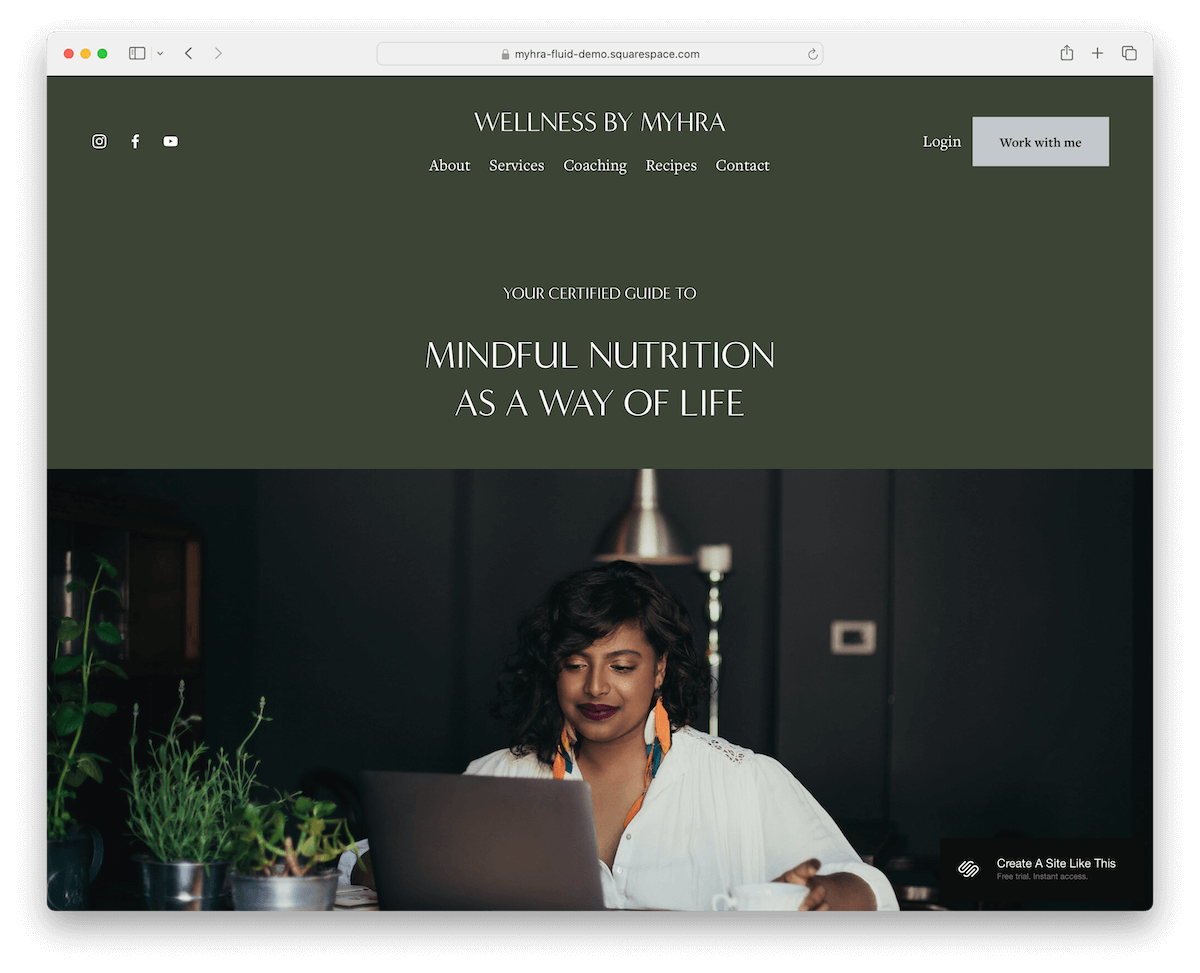
Myhra is a Squarespace health template ideal for nutritionists. Its soothing green design keeps the atmosphere pleasant.
The home page includes a little bit of everything, so potential clients can quickly learn more about you and your services.
Myhra also has pages for Services, Coaching, Recipes and more, including a contact form, so building stuff from scratch is really unnecessary.
What about an online appointment system? Myhra covers it, too!
3. Altaloma

If all the health templates so far have focused on offering professional services, let’s try a Squarespace eCommerce template.
Remember, even though Altaloma specializes in online soap shops by default, swapping things up is so easy. And because of its minimalist design, all that’s really necessary to tailor it to another niche is adding different items.
Altaloma’s simplicity spreads throughout the entire design, from the header to the footer. While the former is basic, the latter has a little more to it, with a subscription widget, quick links, and IG.
Selling health stuff online hasn’t been this easy. But wait, you can find more appropriate templates below.
4. Maca

Maca is a Squarespace template that focuses on grabbing attention. It starts with a top bar notification against a stark black background—you can’t miss it!
Both the header and top bar float as you scroll, keeping key links and a shopping cart icon handy.
Love visuals? The animated thumbnails and product carousels are a total eye-catcher.
Also, the black footer, with its multi-column layout, creates a resource hub for quick links and more.
Maca is packed with essentials: shop, Blog, About, and Contact pages, as well as pre-set forms for quick contact and subscriptions.
Super practical, right?
5. Clune

The Clune Squarespace template is a minimalist’s dream. It’s super sleek – the header vanishes when you scroll down but pops back up when you hit the top again. This simple design detail significantly improves the UX.
Need to book? A handy booking button is right in the navigation bar – always accessible.
The footer is simple, just the essentials like business info and a link to subscribe to updates – forms opens on a new page.
Finally, the contact page is all set with contact details, business hours, and Google Maps to showcase your location.
6. Alignflow

Alignflow keeps it cool and cohesive with the same background color across the header, base, and footer, making everything look super unified.
The floating header stays with you as you scroll, and those black CTA buttons pop up throughout, making engaging easy.
This Squarespace health template starts strong with a text-heavy section right at the top, which isn’t too traditional.
You’ll also find packages and pricing, a blog section, plus sign-up and login form popups. And don’t miss the newsletter signup widget in the footer.
7. Modern Wave

Modern Wave starts with smooth drop-down navigation to ensure a more organized browsing experience. The navbar also has social icons and a contact button for easy access.
Content pops up as you scroll to keep things interesting. Modern Wave also knows its way around small details that spice things up nicely.
There’s a testimonials slider to show off client praises, and the FAQ section uses neat accordion-style dropdowns.
It also features Google Maps to pin your location, and the contact form includes a handy checkbox.
8. Solema

Solema is a clean and sophisticated Squarespace template, an awesome choice for medical or doctor websites.
Its design is crisp, and content magically appears as you scroll – smooth and professional for the ultimate user experience.
It lays out packages and pricing clearly, keeping everything minimalist and straightforward, including a neat footer.
You’ll find essential pages like Services, About, and Blog, all designed for easy site-building. Additionally, there’s a contact form and Google Maps integration to help patients find you easily.
9. Typeset

Typeset is a Squarespace health template that is light and breezy with a design that catches your eye.
The header sticks with you as you scroll, featuring quick menu links, social media icons, and a handy contact button for easy access.
Highlight your happy clients with a large, original testimonial slider that stands out.
Let your visitors explore the updates with a neat blog section and show off your work with portfolio pages that include a lightbox gallery for viewing details.
Lastly, the footer is simple and uncluttered, just how you like it.
The next three suit dental practices in particular.
10. Keene

Out of all the templates we’ve found, Keene is by far the best and the only true-dentist one that will transform your online presence.
What I particularly like about it is its simplicity. This ensures all your content, practices, team, and services take center stage.
The home page is very minimalist, with a hero background image and an overlayed “hamburger” menu with essential links.
The header is pretty basic, while the footer displays clinic hours, location and contact details.
Moreover, the contact page also has an integrated contact form and Google Maps, which is very convenient. You can also use the contact form with additional fields to offer online appointment bookings.
More info / Download Demo11. Blink

As a blank Squarespace canvas, Blink rocks all the capabilities to professionally present your dental business online.
To get rock-and-rolling quickly, you can simply fill the empty space with visual content, change the text, add a custom color scheme, and add other neat details.
For your information, you’ll find fifteen predefined pages with all the additional information to ensure a smooth process. In other words, even if you’re building your first site, you’ll build it like a pro!
More info / Download Demo12. Monday
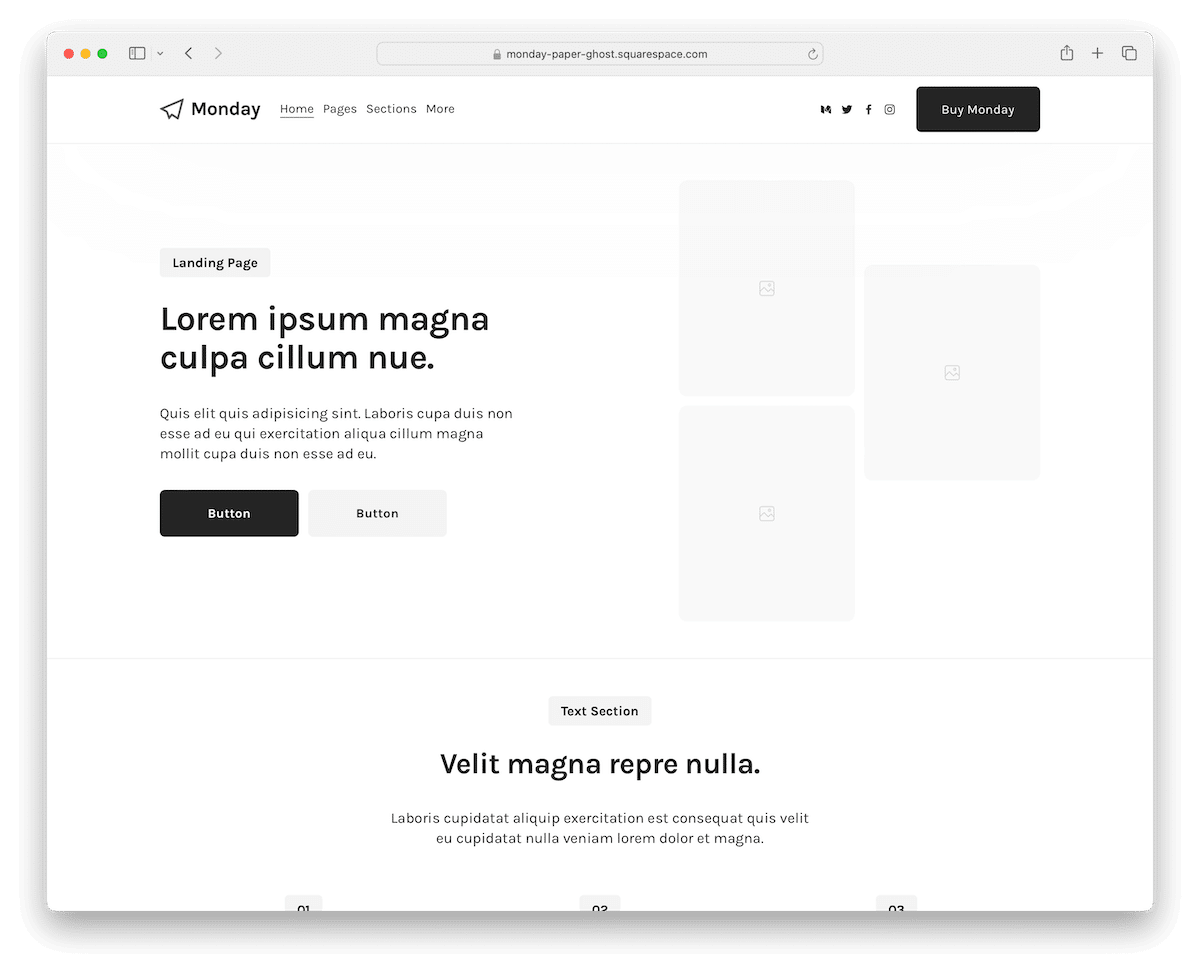
Like Blink, Monday is a fantastic blank template with a quick option to customize it exactly as you want your website to look.
From various sections and loading content on scroll to a floating header and newsletter subscription form, Monday has it all and then some.
The multi-column footer is a resource hub for quick links, social media icons, and additional information.
There are 12 page templates you can use, but you’re also welcome to create new ones tailored to your dental practice.
Enjoy the fifty adjustable sections, which you can move and remove by dragging and dropping.
More info / Download DemoHow To Make A Health Website With Squarespace
- Sign up and pick a plan: Start by visiting Squarespace.com. Sign up for an account and choose a plan that suits your needs. They often offer a free trial, so you can try before you buy.
- Select a template: Browse through the templates and select one designed for health and wellness sites. You can preview how your content will look to ensure it’s the right fit. Ideally, choose a template from the above collection.
- Customize your design: Use Squarespace’s drag-and-drop editor to customize your template. You can add your logo, change colors, adjust fonts, and tweak the layout to match your brand and the vibe you want your site to convey.
- Add your content: Create essential pages like Home, About, Services, Blog, and Contact. Upload images, write engaging copy, and add testimonials to build trust.
- Set up a booking system: If you offer appointments or classes, integrate a booking system. Squarespace has built-in tools and compatible third-party extensions that make this step easy.
- Preview and publish: Before going live, preview your site to see how it looks on different devices. Make any final adjustments, and when satisfied, hit publish to share your health website with the world.
How To Make A Dentist Website With Squarespace
- Sign up to Squarespace: Visit the Squarespace website, sign up for a new account, or log into your existing account. Choose the plan that best suits your needs; you can start with a trial to explore Squarespace’s features.
- Choose a template: Navigate to the templates section, select “Health & Beauty” from the categories, or use the search function to find dentist-specific templates. However, we recommend using the Keen template.
- Customize your Template: Squarespace’s drag-and-drop editor makes it easy to add content such as services, dentists’ bios, and contact information. Don’t forget to customize the design elements to match your brand’s colors and logo.
- Add key features: Include an appointment booking system, patient testimonials, a contact form, and an FAQ section. Squarespace offers a range of integrations and blocks that make adding these features simple.
- Preview, test and launch: Before going live, preview your website on different devices to ensure it looks great everywhere. Test the functionality, such as the appointment booking process, to ensure everything works smoothly. Once satisfied, hit the “Publish” button to launch your dentist website.
Why Is Squarespace Great For Running A Dentist Website?
Squarespace is awesome for a dentist website because:
- Super easy to use: You don’t need to be a tech whiz. It’s really user-friendly, with drag-and-drop features.
- Looks professional: The templates are sleek and modern, so your site will look high-quality and professional from the outset.
- Mobile-friendly: Everyone’s on their phone these days, right? Squarespace sites automatically look great on mobile.
- Appointment scheduling: Easily add appointment booking features to make it convenient for your patients to schedule visits.
- Great support: If you ever get stuck, Squarespace has a helpful support team and lots of tutorials.
- All-in-one: It handles everything – from hosting to domains – no need to juggle multiple services.
In short, it’s a hassle-free way to get a polished, functional website that makes you and your patients happy.
The only real con of Squarespace is its lack of dentist/dental templates.
FAQs About Squarespace Health Templates
Can I integrate booking services directly on my Squarespace health website?
Yes, you can integrate booking services using Squarespace’s built-in scheduling features or through third-party extensions available in the Squarespace Extensions marketplace.
Are Squarespace templates responsive?
Yes. All Squarespace templates are designed to be fully responsive, meaning they automatically adjust to look great on both mobile devices and desktops.
Can I sell products on my Squarespace health website?
Yes, you can sell products directly through your site using Squarespace’s eCommerce capabilities, which allow you to manage products, payments, and shipping all in one platform.
Is it possible to add a blog to my health website?
Yes. Adding a blog is straightforward with Squarespace. You can publish articles, share health tips, and integrate social media to engage with your audience.
How do I optimize my health website for search engines?
Squarespace provides built-in SEO tools that help you optimize your site content with titles, descriptions, and custom URLs. Plus, their clean HTML markup helps improve search engine recognition.
Can I customize my Squarespace template to better fit my brand?
Yes, Squarespace offers extensive customization options. You can alter colors, fonts, page configurations, and much more without needing to code, ensuring your site matches your brand identity perfectly.
Do I need to know how to code to create a dentist website with Squarespace?
No. Squarespace offers a user-friendly interface with drag-and-drop elements, eliminating the need for coding skills.
How can I showcase patient testimonials on my Squarespace website?
Squarespace lets you easily add sections to your website to showcase patient testimonials via text blocks or embedded videos.

Related Posts


Comments (0)