
20 Best Squarespace Church Websites 2026
In this article, we’re excited to showcase the best Squarespace church websites.
They stand out for their aesthetic appeal and ability to convey their message, engage visitors, and deliver a seamless user experience.
From elegant layouts and thoughtful use of multimedia to interactive features and easy navigation, these websites set the standard for what a church website can achieve.
Whether you’re looking to redesign your church’s website or seeking inspiration to create a new one, this list is the perfect starting point.
Creating a welcoming and inspiring online presence is crucial for churches that want to connect with their congregation and attract new potential members.
That’s where Squarespace, with its user-friendly platform and beautifully designed templates, comes into play.
But first, let’s boost our inspiration.
This post covers:
This post covers:
Best Squarespace Church Websites
Each example below embodies beautiful design, functionality, and a sense of community spirit, inspiring your online sanctuary.
1. Grace
Built with: Squarespace
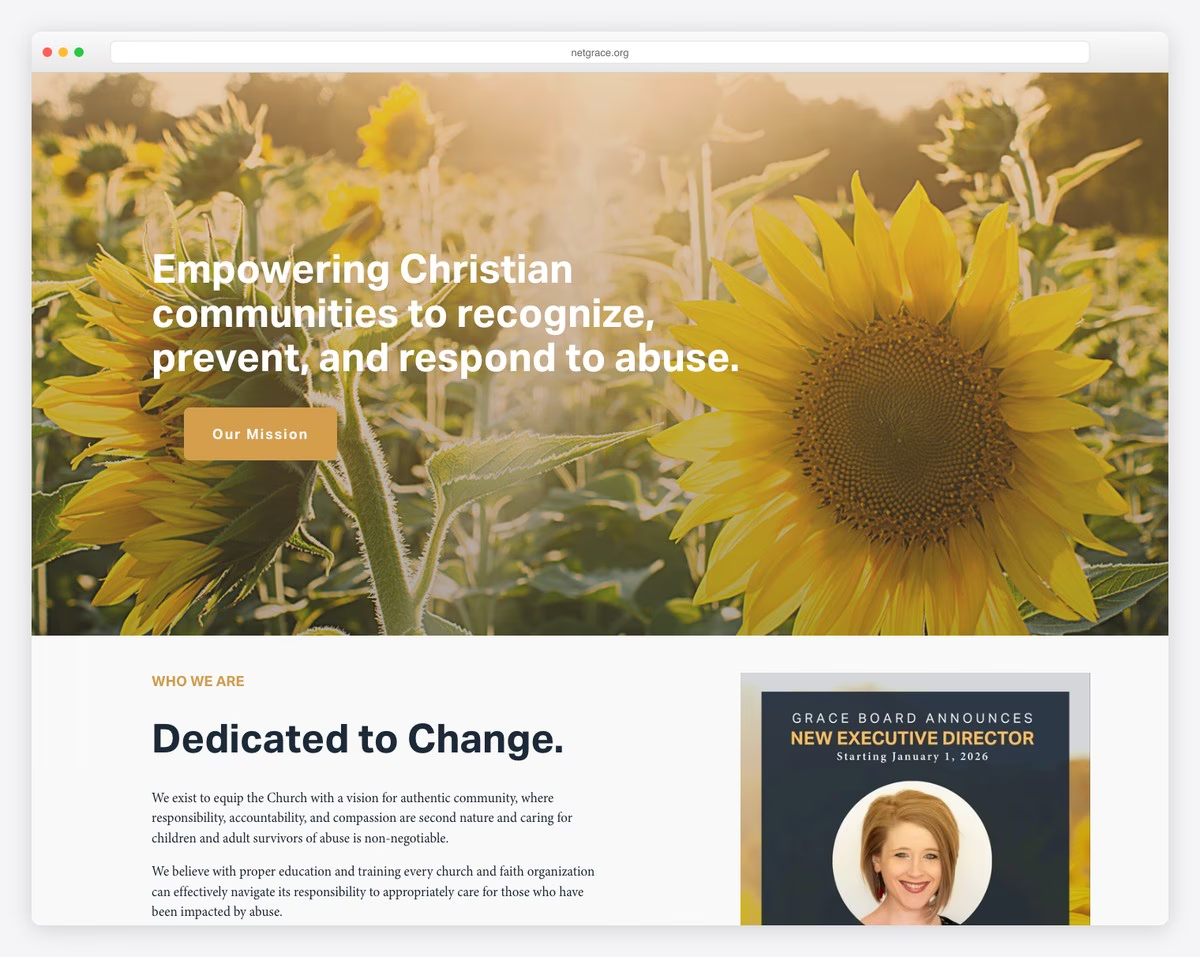
Grace Church’s Squarespace website stands out with its serene, light design. It welcomes visitors with a full-screen, parallax-effect background, enhancing the sense of spiritual upliftment.
The site cleverly engages users immediately with a newsletter popup and a top bar notification for immediate updates.
Its navigation is a breeze, thanks to a user-friendly drop-down menu.
The footer is a treasure trove of resources, featuring an organized multi-link layout, a subscription form, and social media icons, making connectivity and exploration seamless.
What stands out: Utilize the parallax effect to enhance depth and engagement on your church website.
What stands out: For its harmonious blend of aesthetic appeal and practical functionality.
2. Mosaic
Built with: Squarespace
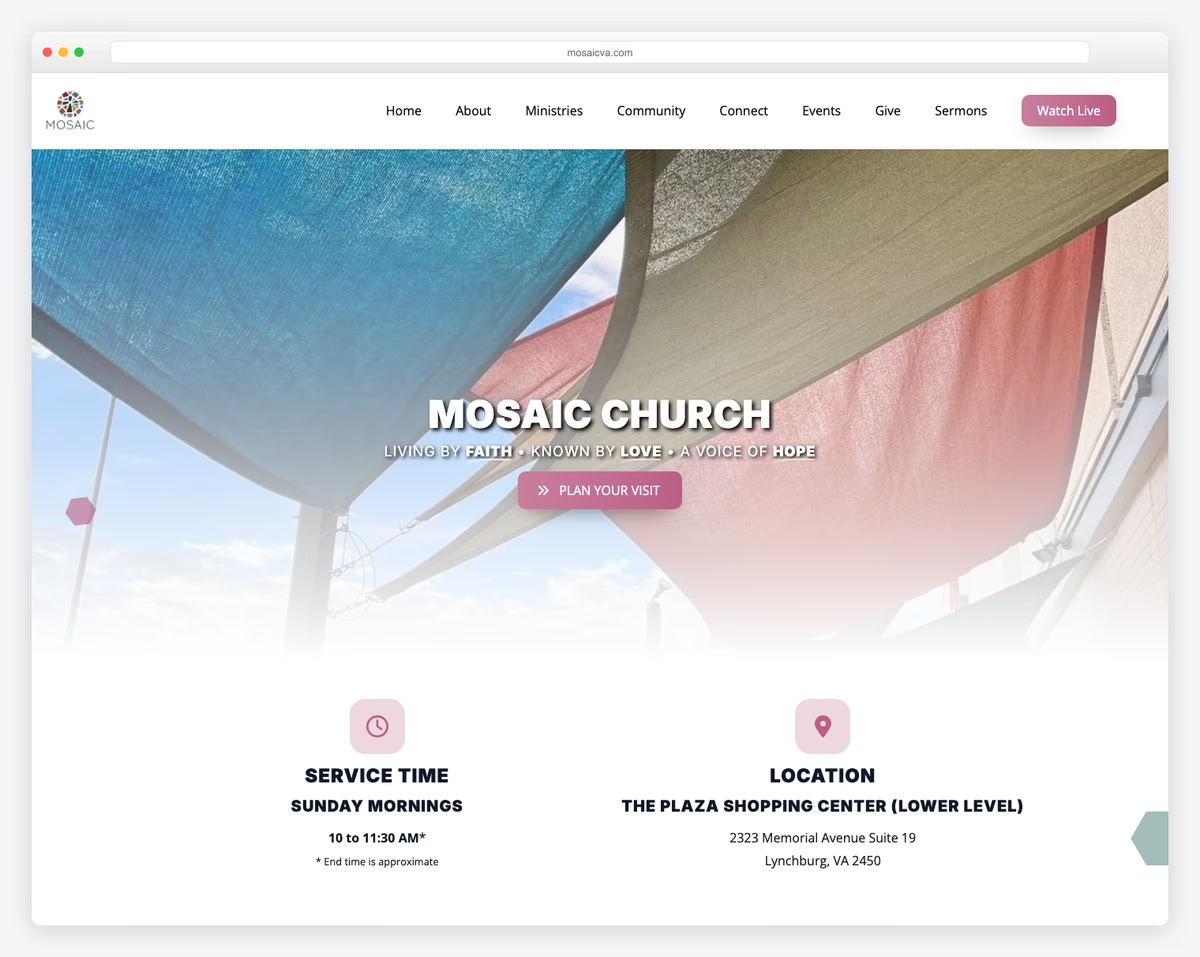
Mosaic Church’s Squarespace website is a vibrant digital hub that instantly captures attention.
It has a top bar notification and a floating header, ensuring seamless navigation through its drop-down menu.
The dynamic testimonial slider sets it apart, offering heartfelt stories that resonate with visitors.
The integration of Google Maps facilitates easy location finding, while the online donation form streamlines the giving process, making generosity just a click away.
What stands out: Don’t forget to integrate a donation form to raise funds.
What stands out: Because of its engaging user experience, which combines handiness with storytelling.
3. Knox Toronto
Built with: Squarespace
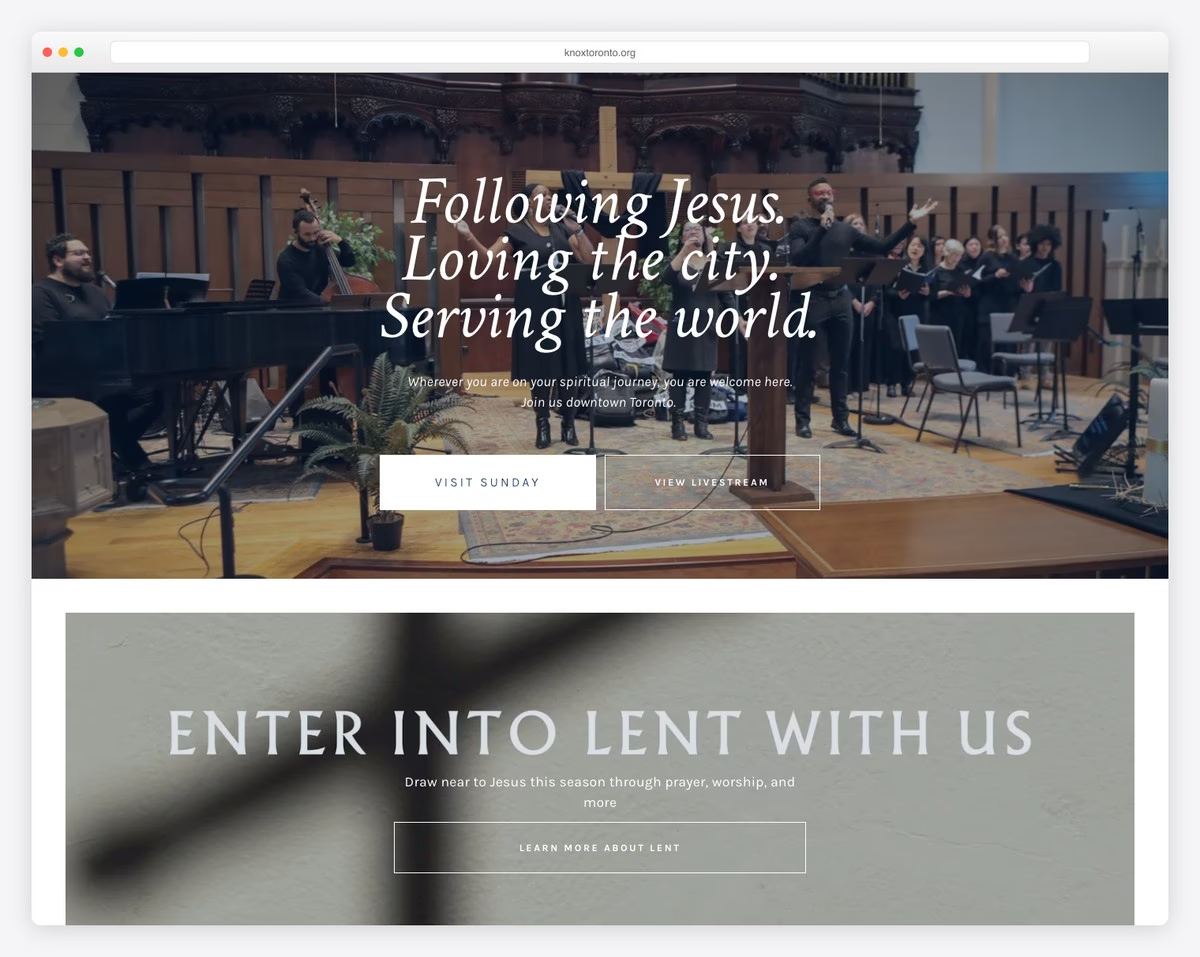
Knox Toronto’s Squarespace church website presents a clean and modern aesthetic. Its crisp white header contrasts beautifully against a calming blue footer.
Its full-width layout maximizes visual impact, drawing attention to the central “Give” button in the navbar, facilitating easy donations.
Unique to this site is the embedded SoundCloud player, allowing visitors to listen to sermons and music directly.
The contact page is also thoughtfully designed, featuring a form and integrated Google Maps, which ensure visitors can connect and find their way effortlessly.
What stands out: Utilize third-party audio platforms to host sermons and other audio content for online listening.
What stands out: For its sleek design and practical features that enhance user engagement and ease of access.
4. Centralia Community Church
Built with: Squarespace
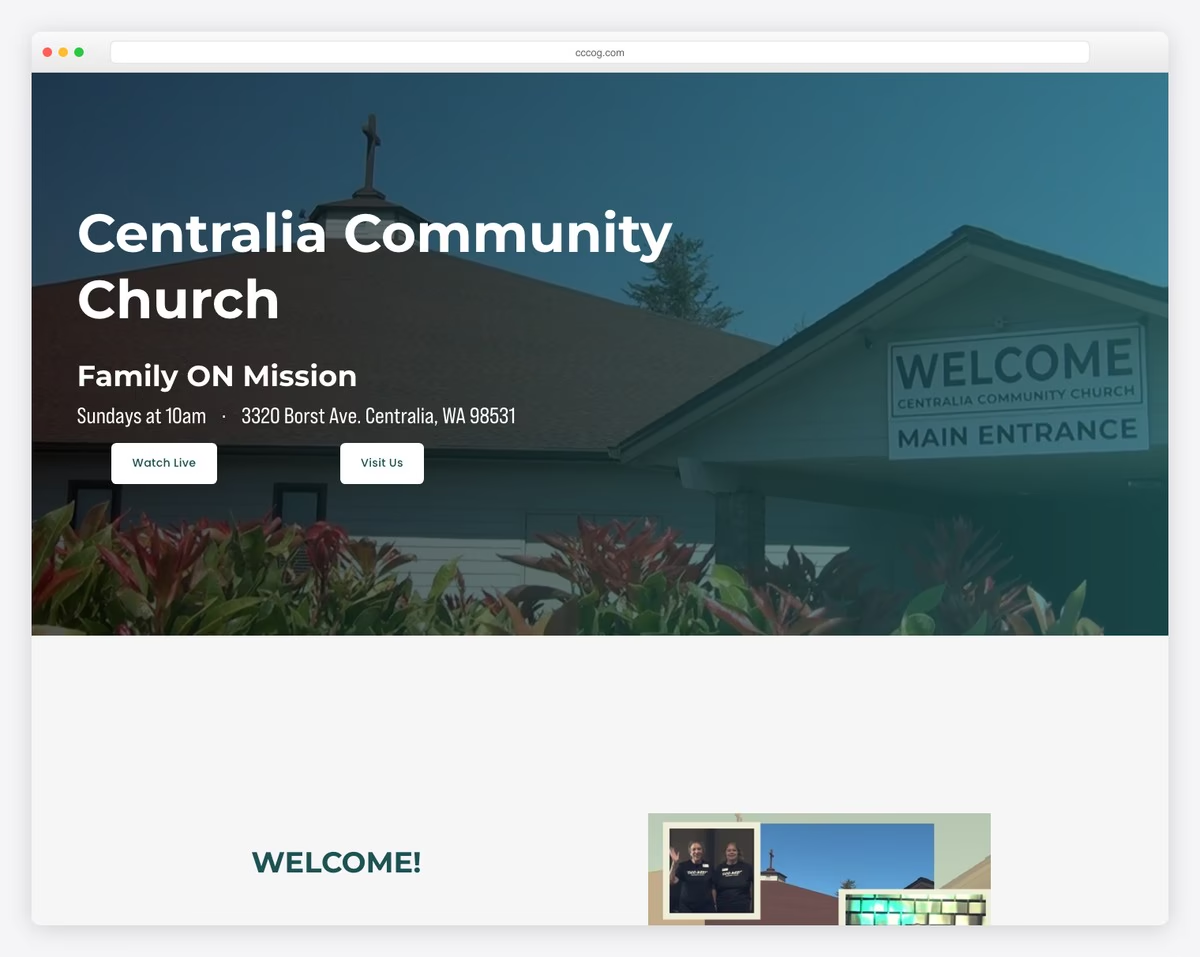
Centralia Community Church’s Squarespace website captivates with its striking dark design, punctuated by contrasting light sections that guide the visitor’s journey.
Its disappearing transparent header and top bar, which both reappear with a back-to-top scroll, add a sleek, modern touch.
The website is further enhanced with an online event calendar, allowing the community to stay informed and connected.
Embedded videos and audio bring sermons and worship sessions to life for a spiritual experience that transcends the physical boundaries of the church.
What stands out: Use a contrasting color scheme to improve your website’s user experience.
What stands out: For its unique blend of visually striking design and interactive features.
5. Apostolic Church
Built with: Squarespace
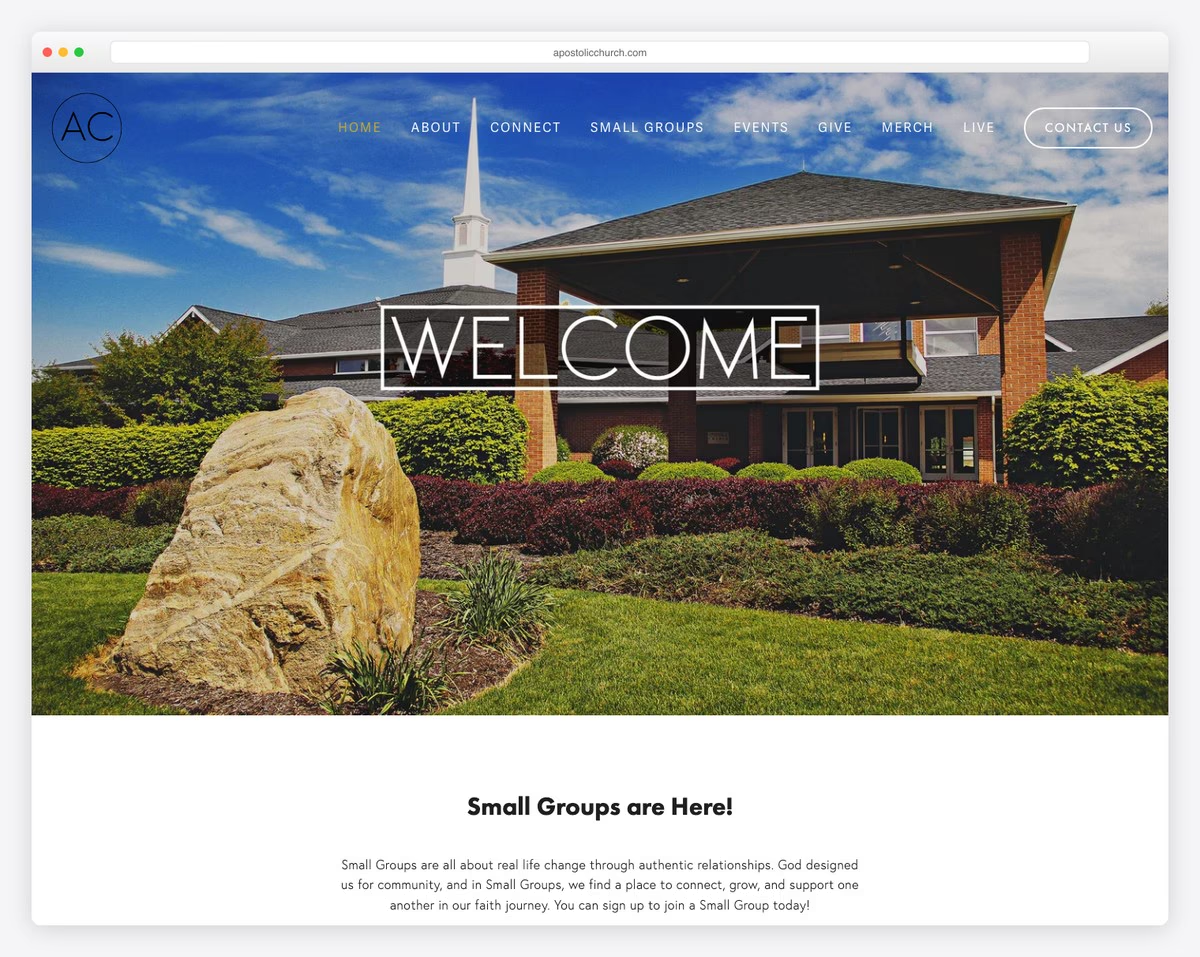
The Apostolic Church’s Squarespace website has a clean and minimalist design, embodying a sense of peace and clarity that welcomes all visitors.
A highlight is the live stream section, which allows members and newcomers alike to participate in services from anywhere, fostering a sense of unity and inclusion.
The website’s simplicity extends to the footer, which features essential information, including location, contact details, and social media icons.
What stands out: Do you offer live streams (hey, YouTube!)? Ensure to include it on your website.
What stands out: For its simplicity and focus on essential features and extras, such as live stream embed.
6. HTB Church
Built with: Squarespace
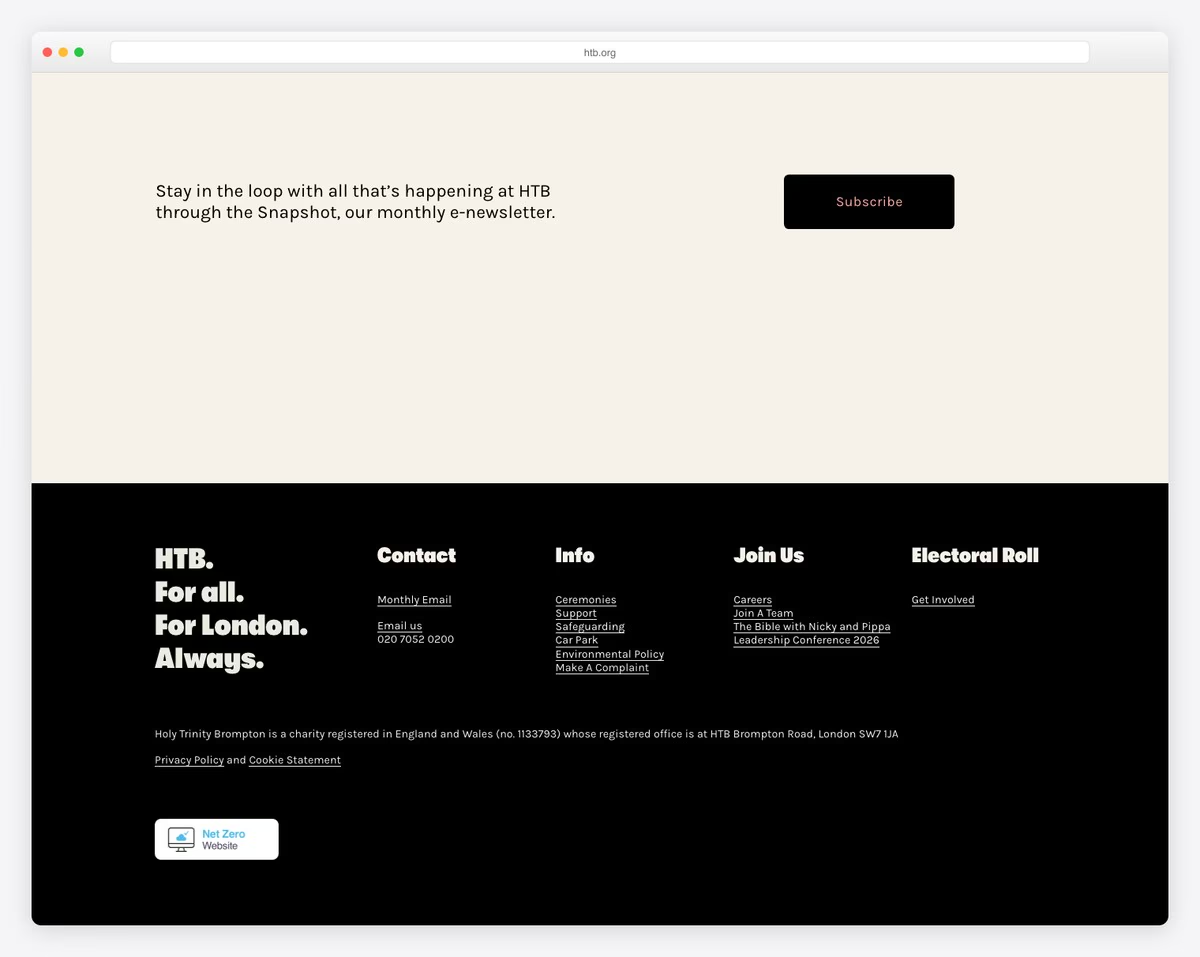
HTB Church’s Squarespace website intrigues with its dynamic video background section. The latter sets an inviting and vibrant tone right from the start.
The transparent header seamlessly integrates (mega) menu links and social icons, offering effortless navigation through the site’s rich content.
Its modern and energetic design is characterized by bold sections that convey the church’s spirit and mission.
The sleek black four-column footer anchors the design and organizes information beautifully, making it accessible and engaging.
What stands out: Make your website more grippy right from the get-go with a video background.
What stands out: For its visually captivating design and intuitive navigation, which effectively communicate the church’s vibrant spirit.
7. Declaration Church
Built with: Squarespace

Declaration Church’s website masterfully utilizes full-width sections adorned with animations and the parallax effect. These create a visually engaging experience that draws visitors.
Its design contrasts dark and light elements, evoking a sense of depth and dynamism.
The inclusion of a drop-down menu facilitates a refined search experience, allowing users to navigate the site’s content easily and quickly.
A dedicated podcast section offers spiritual nourishment on the go, making it a hub for inspiration and information.
What stands out: Use a drop-down menu if you have lots of categories and pages to make your website more organized.
What stands out: For its bold visual design and functional elegance that make it a compelling digital space.
8. One Church
Built with: Squarespace
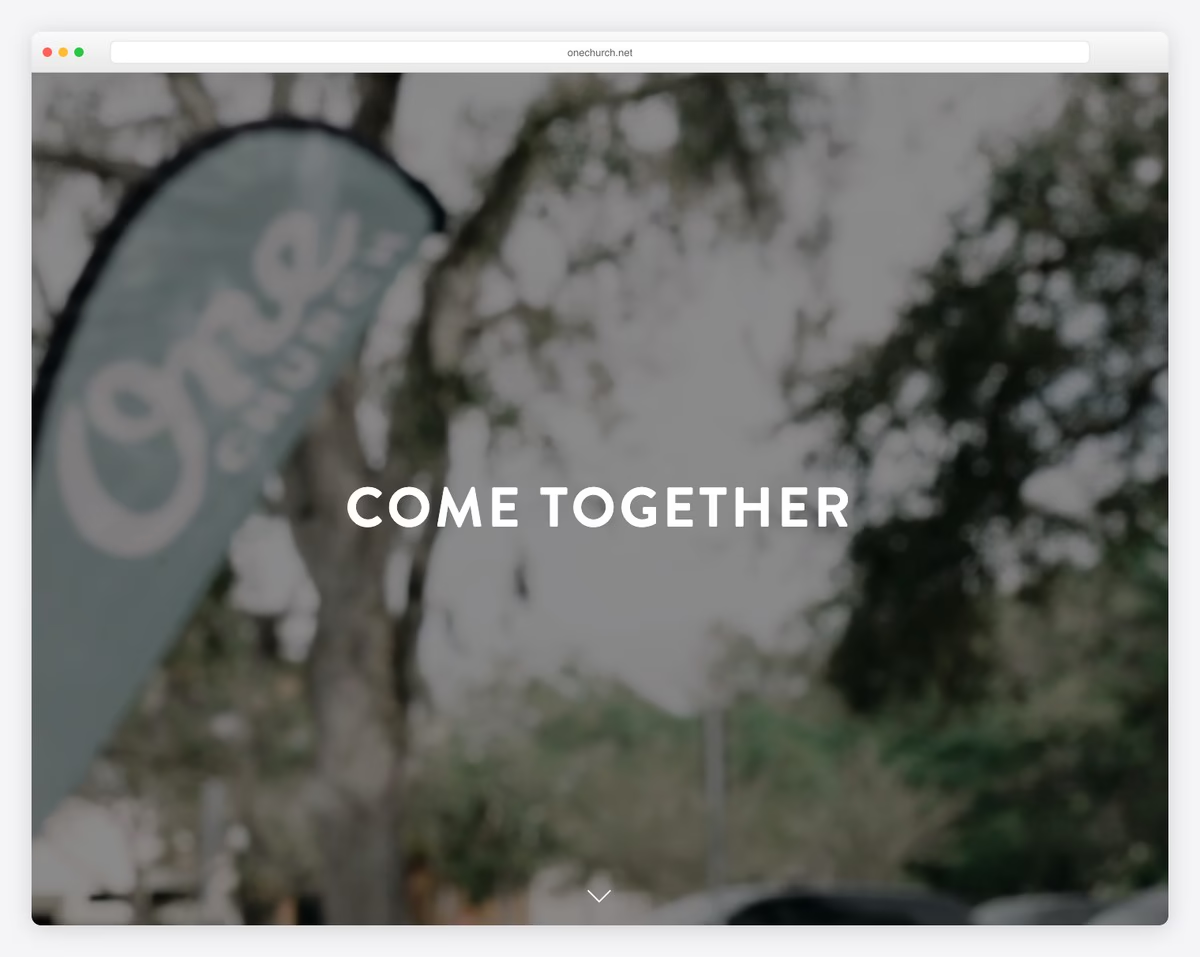
One Church’s Squarespace website greets visitors with a stunning full-screen image background overlaid by a transparent header and centered “Come together” text.
The design’s light base contrasts beautifully with a sleek black footer, creating an appealing and serene environment.
Essential for fostering community, the site features a newsletter subscription form, along with detailed location and service times at the bottom.
This thoughtful layout ensures visitors feel invited and informed, reinforcing the church’s mission to unite and inspire.
What stands out: Grow your base by collecting emails through a newsletter subscription form.
What stands out: For its inviting visual storytelling and clear presentation of essential information.
9. Radiant Church
Built with: Squarespace
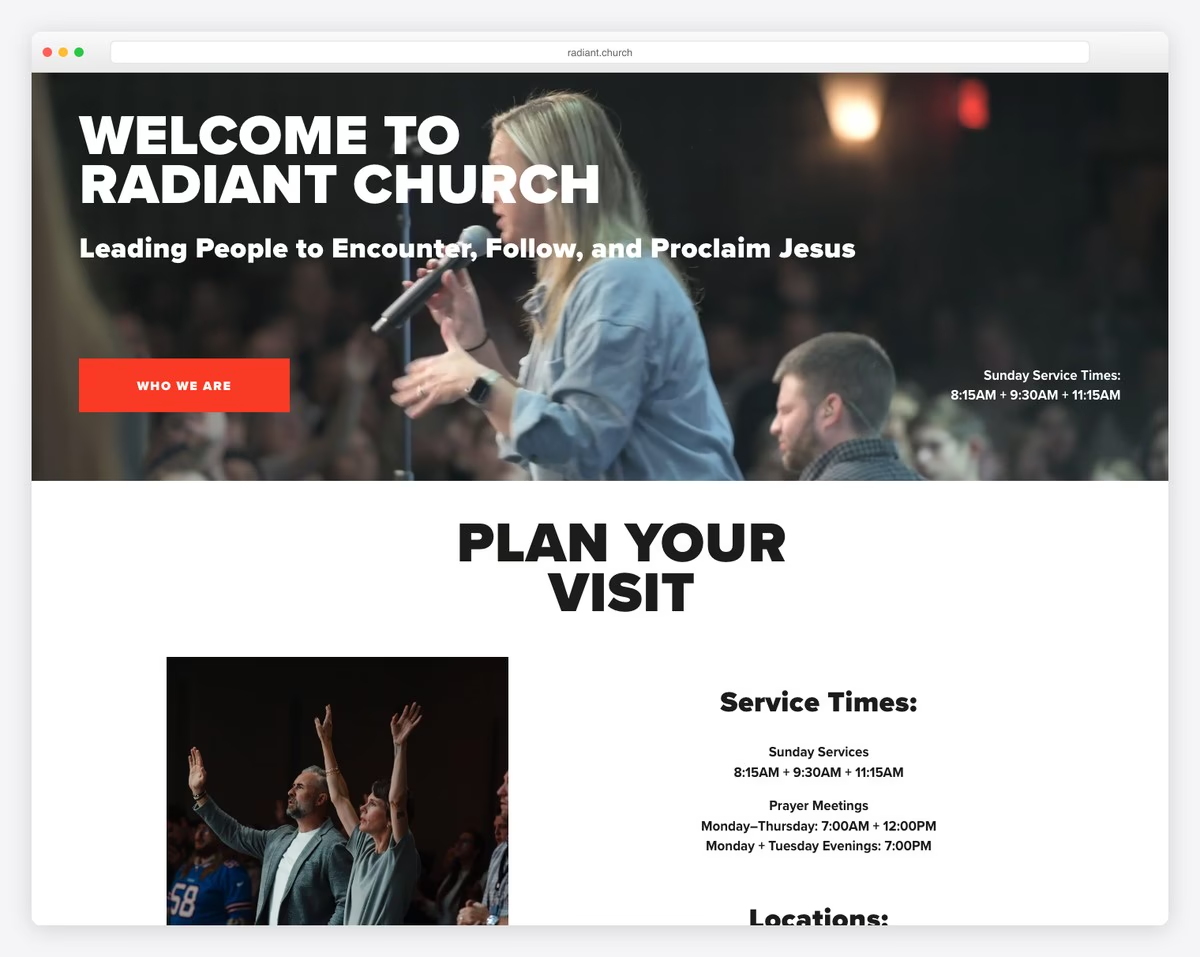
Radiant Church’s Squarespace website shines with its cohesive design.
It features a light header and base that infuse a sense of warmth and welcome, contrasted by a dark footer that grounds the site with elegance.
Strategically placed CTA buttons guide visitors toward meaningful engagement, while embedded video sermons offer spiritual insights with a single click.
The stories section personalizes the church experience, and the upcoming events segment keeps the community connected and informed about opportunities to gather and grow together.
What stands out: Use call-to-action buttons (with contrasting backgrounds) to guide visitors to take action.
What stands out: For its combination of irresistible design, interactive elements, and compelling content.
10. Northside Church
Built with: Squarespace
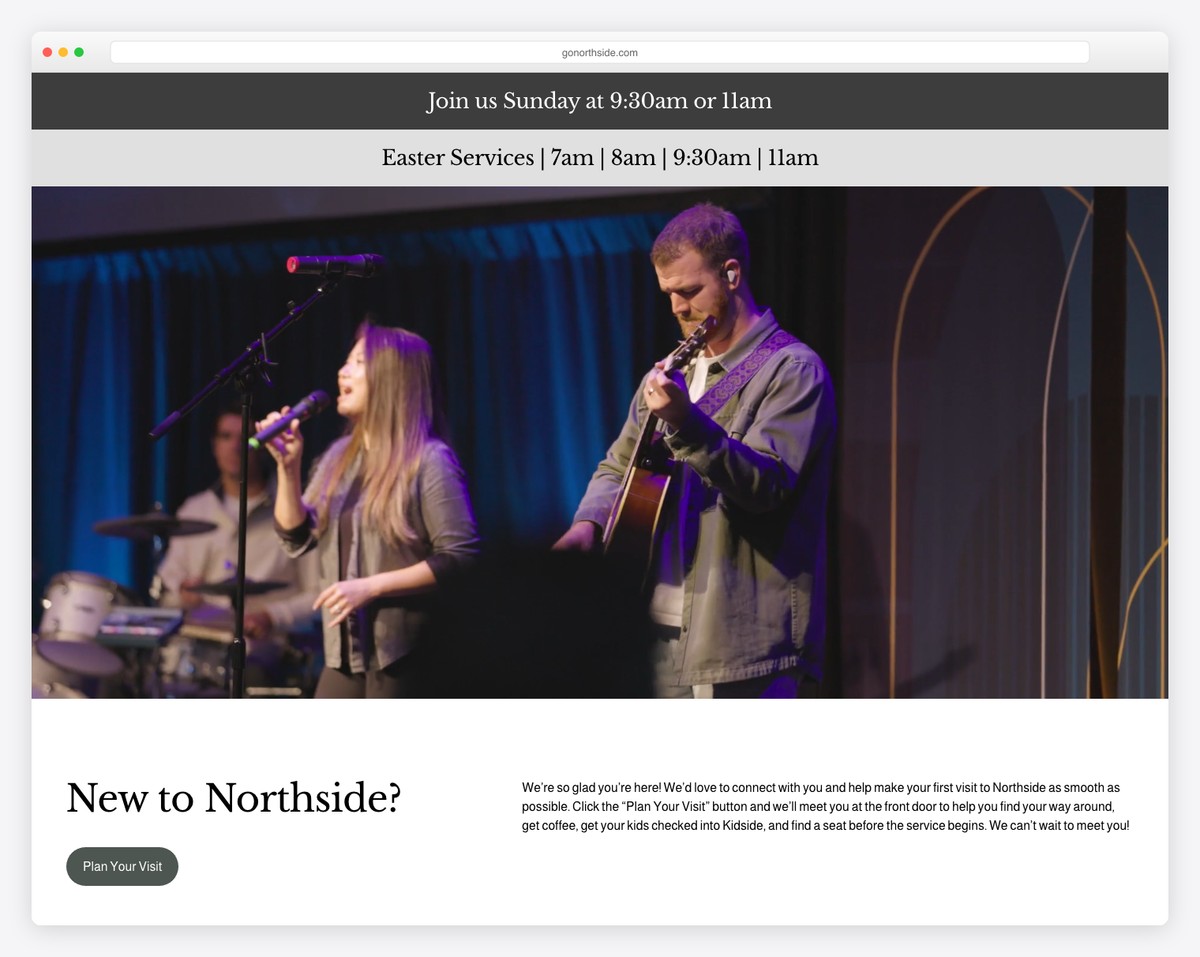
Northside Church’s website sparks interest from the moment it loads, with a full-screen video background that vividly brings the church’s atmosphere to the forefront.
Its simple header, featuring a streamlined navbar alongside a prominent “Give” button, ensures intuitive and action-oriented navigation.
The site’s design is punctuated with contrasting green CTAs that draw the eye and encourage participation.
A comprehensive footer provides easy access to social media icons, location details, service hours, and quick links.
Last but not least, the sermons grid page is meticulously organized, inviting deeper exploration.
What stands out: Add a CTA button in the navigation bar to boost conversions.
What stands out: For its immersive visuals and user-friendly design, which effectively invite and guide visitors.
11. Heritage Church
Built with: Squarespace
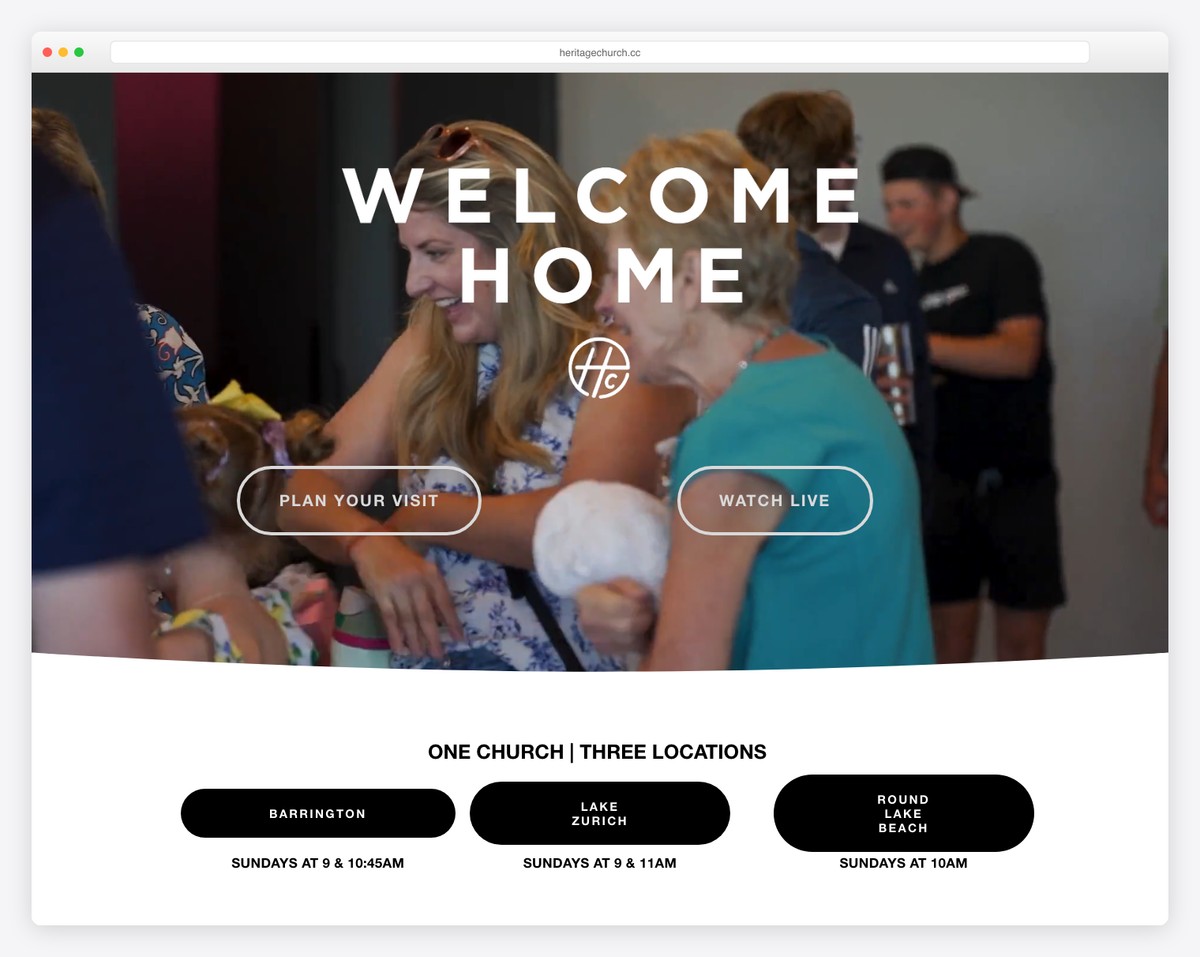
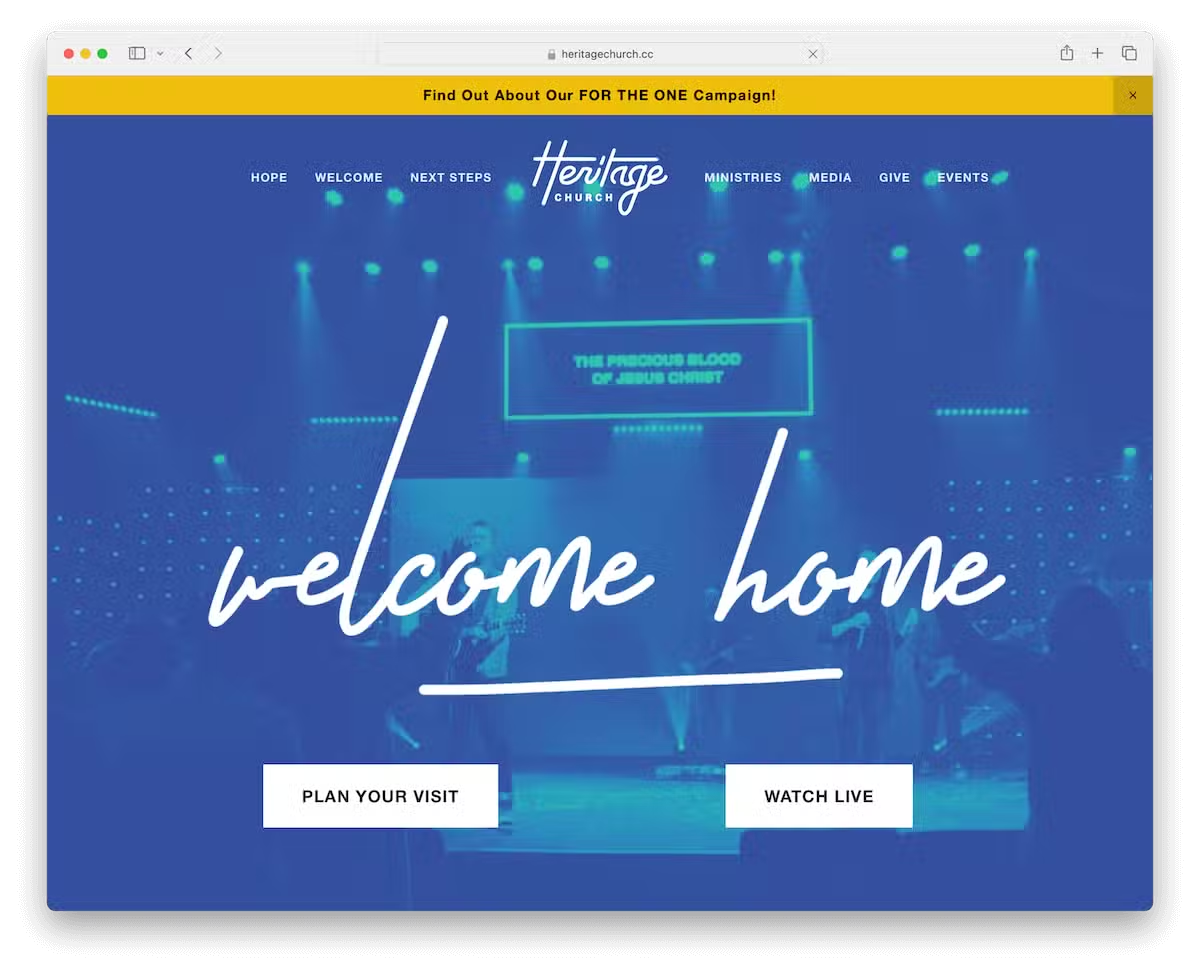
Heritage Church’s Squarespace website grabs attention with its vibrant top bar notification on a yellow background. It instantly catches the eye and ensures key messages are unmissable.
Strategically placed above the fold, two main CTAs invite immediate engagement, while animated sections add dynamic flair, drawing visitors deeper into the site’s content.
Additionally, the massive video background is sure to capture your interest.
The integration of a Facebook Messenger chat widget offers real-time interaction, and an Instagram feed seamlessly connects the digital experience with the church’s active social media presence.
What stands out: Enhance your website’s content by integrating social media feeds, such as Instagram, which can be especially effective.
What stands out: For its use of visual highlights and interactivity that foster immediate connection.
12. Five Oaks Church
Built with: Squarespace
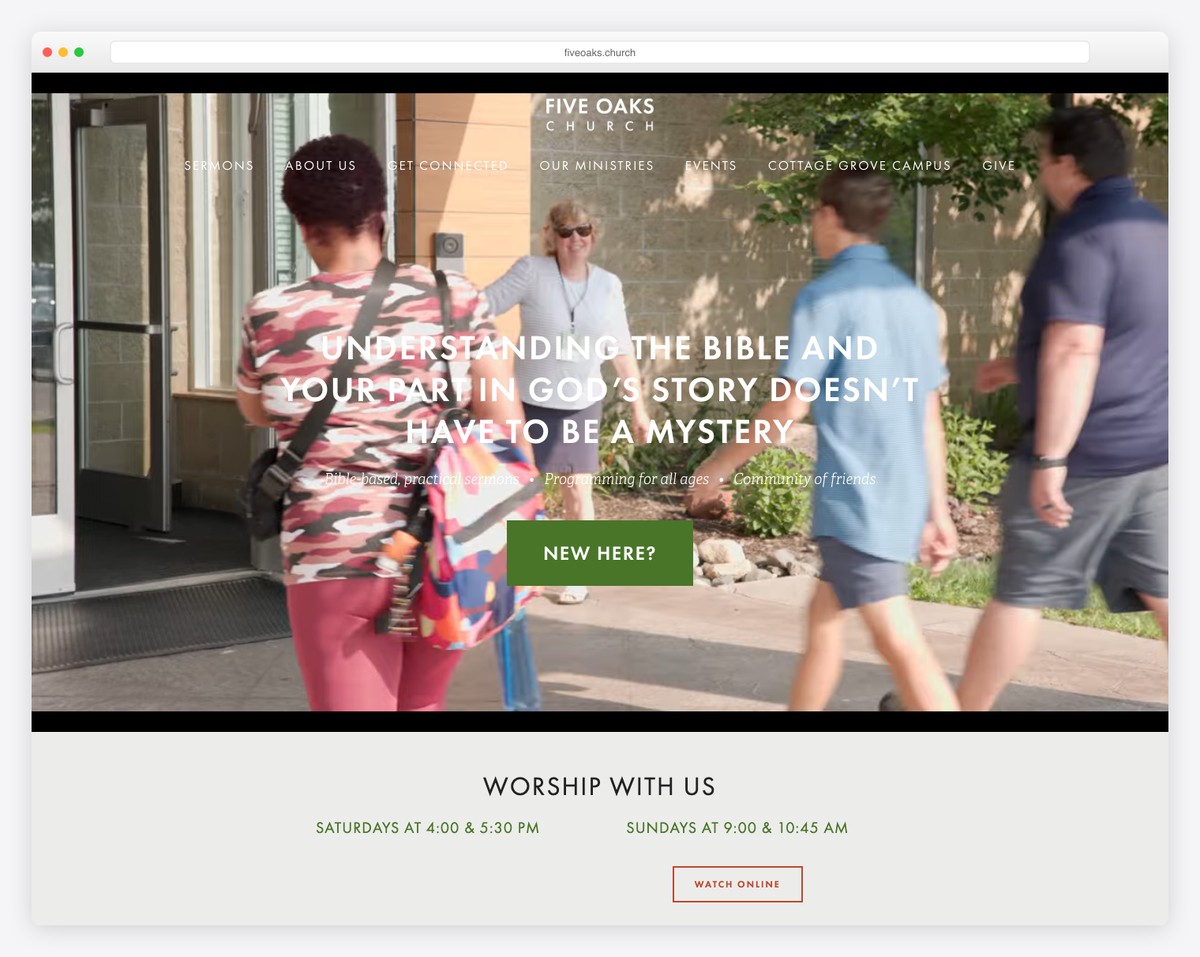
Five Oaks Church’s website centers its logo in the header, flanked by intuitively placed menu links on both sides.
The video background banner immediately engages visitors, while full-width image sections visually narrate the church’s story and mission.
Testimonials and personal stories enrich the site with authenticity and a sense of community spirit.
An online event calendar with categories ensures visitors can easily find and participate in church events.
We also find it handy to have a search bar that offers live results.
What stands out: Don’t forget to include testimonials and stories on your church website.
What stands out: For its charming and easily navigable online community experience.
13. Council Road
Built with: Squarespace
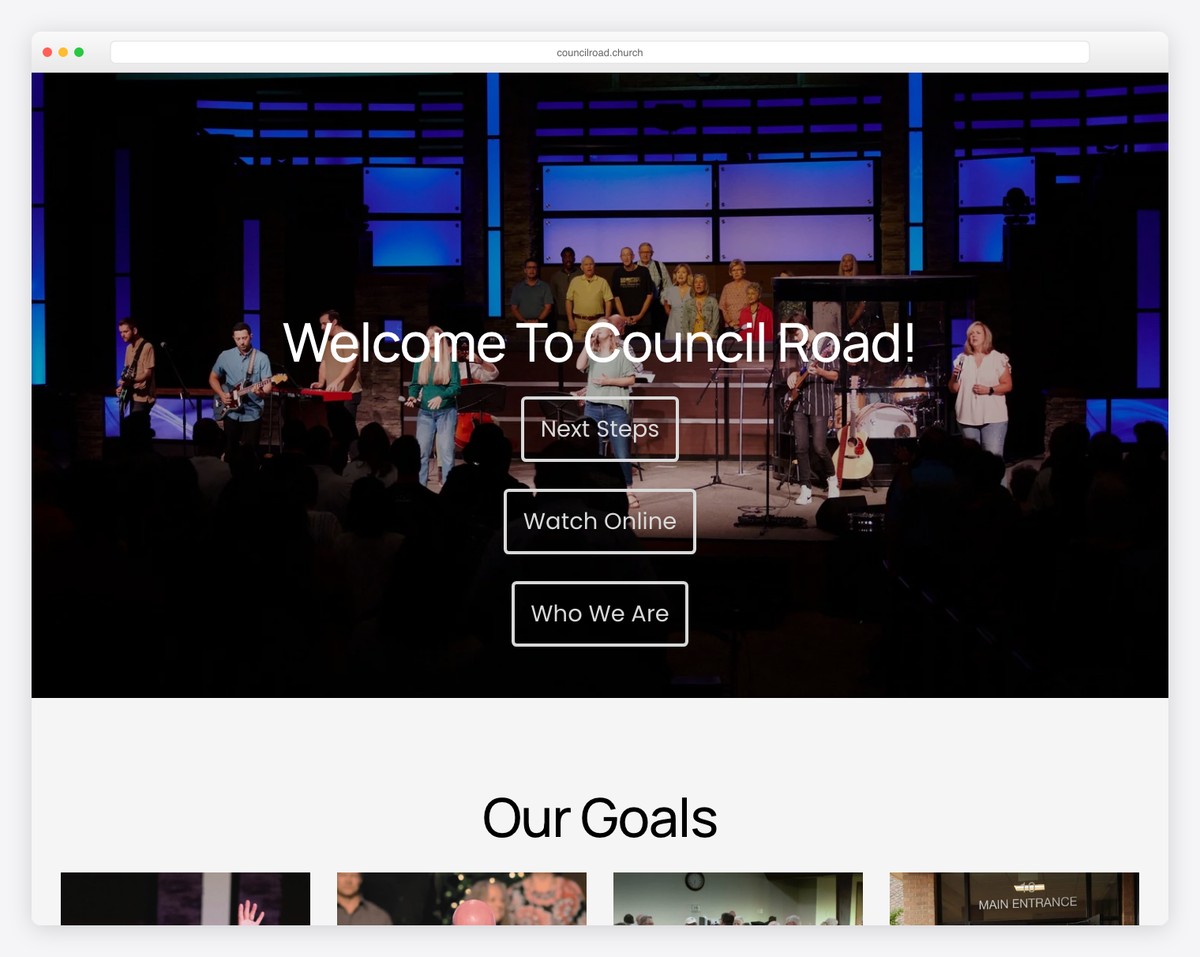
Council Road’s Squarespace church website greets visitors with a simple yet impactful homepage. It features a full-width image beneath a transparent header, accompanied by concise text and a clear call-to-action button.
A screenshot of the Google Maps location integrates seamlessly, aiding physical navigation. Moreover, its dark footer anchors the site with essential location and contact details.
Comprehensive internal pages cover connections, ministries, schedules, and more.
Additionally, a detailed calendar of events ensures the community remains informed and engaged with church activities.
What stands out: Embed Google Maps (or create a screenshot) to showcase your church’s location.
What stands out: For its clear, user-friendly layout that effortlessly guides visitors to key information.
14. Bridgetown Church
Built with: Squarespace
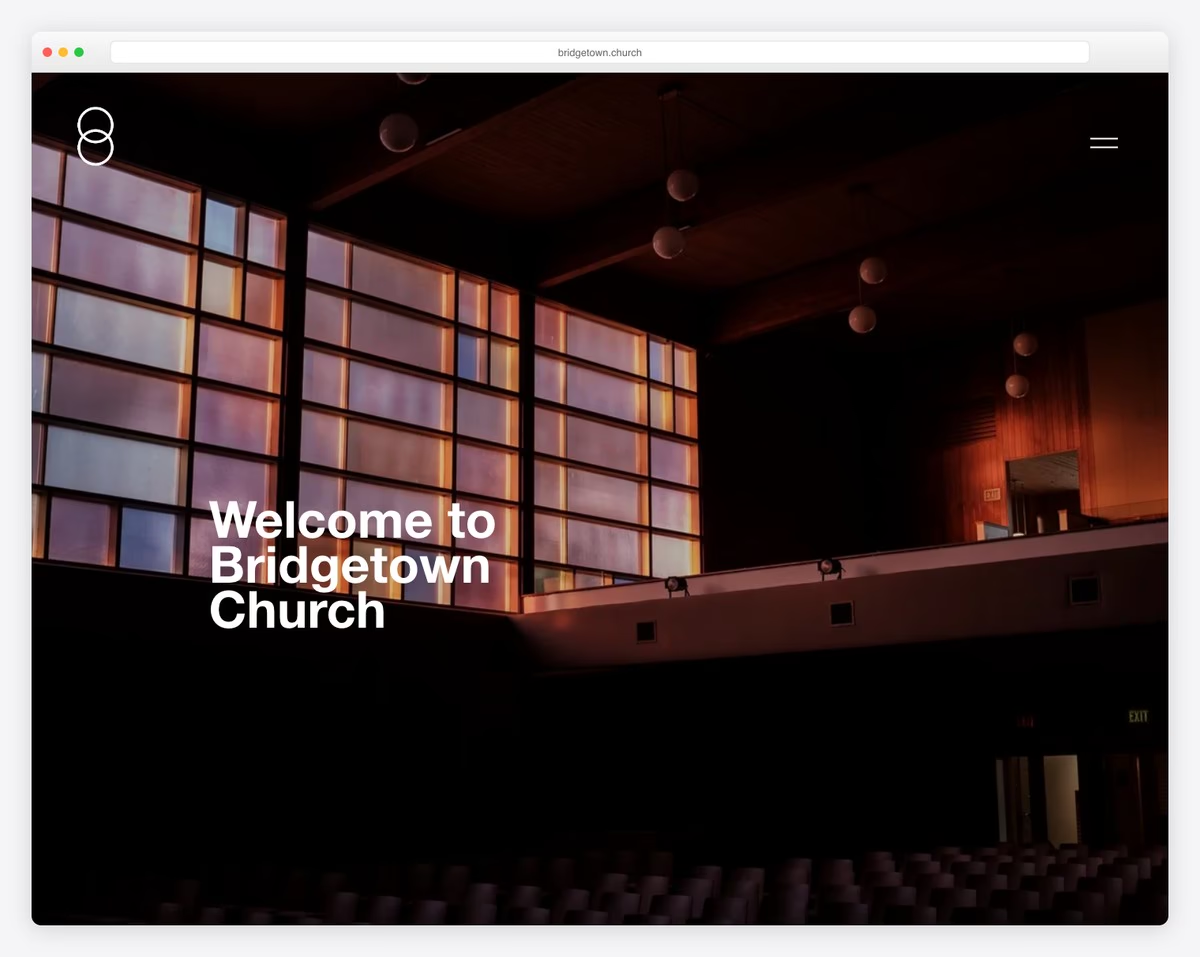
Bridgetown Church in Portland features a bold, modern Squarespace website with high-quality images and clean typography. The site prioritizes sermon access, community groups, and clear pathways for new visitors to get connected.
What stands out: Churches that lead with welcoming imagery and clear “I’m New” pathways see higher engagement from first-time visitors exploring online before attending in person.
15. Canyon Ridge
Built with: Squarespace
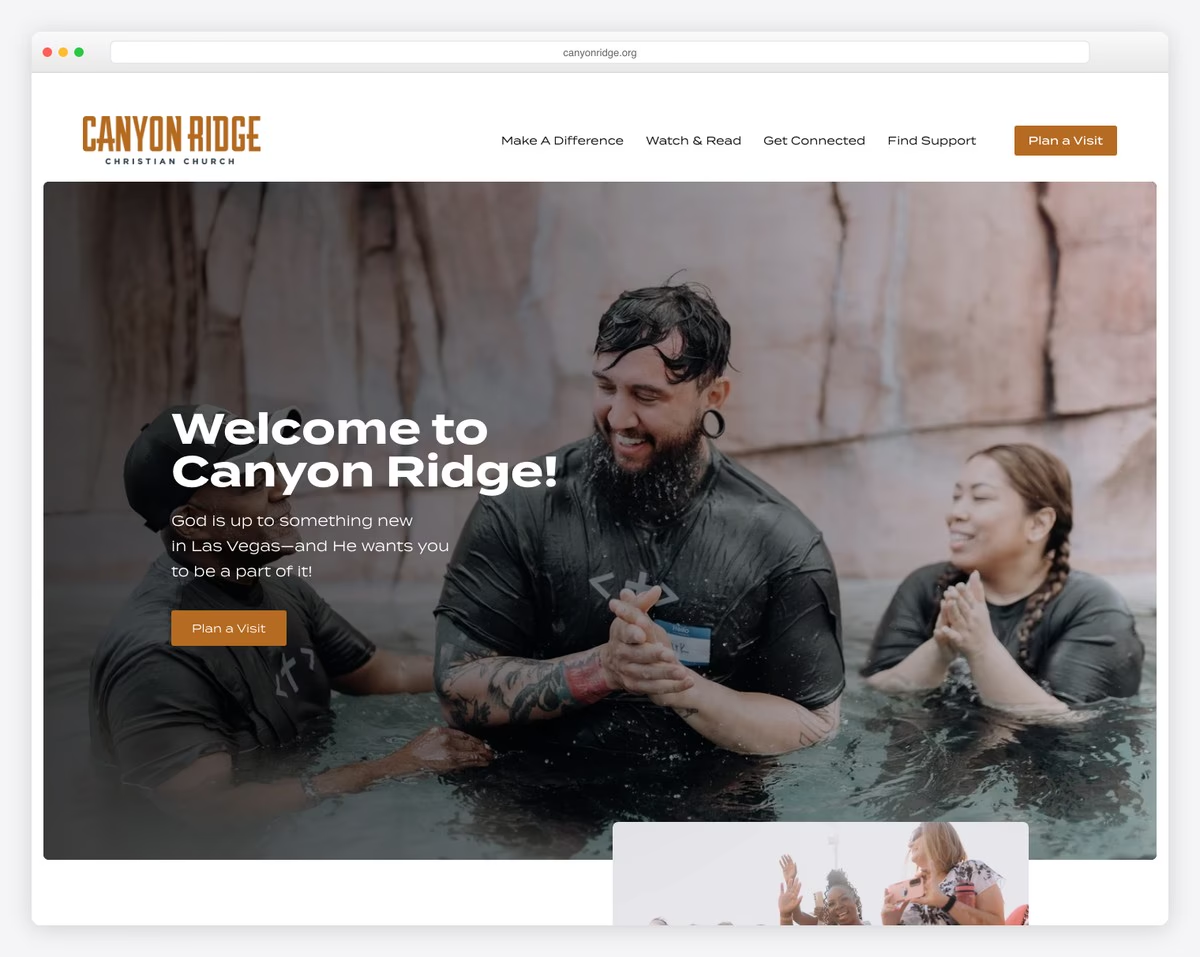
Canyon Ridge Christian Church uses Squarespace to create a welcoming digital presence with clear navigation for services, events, and ministries. The large hero images and warm color scheme reflect the community-oriented mission of this large congregation.
What stands out: Large churches benefit from clear ministry categorization on their website — visitors need to quickly find the programs relevant to their life stage.
16. Redemption Church SF
Built with: Squarespace
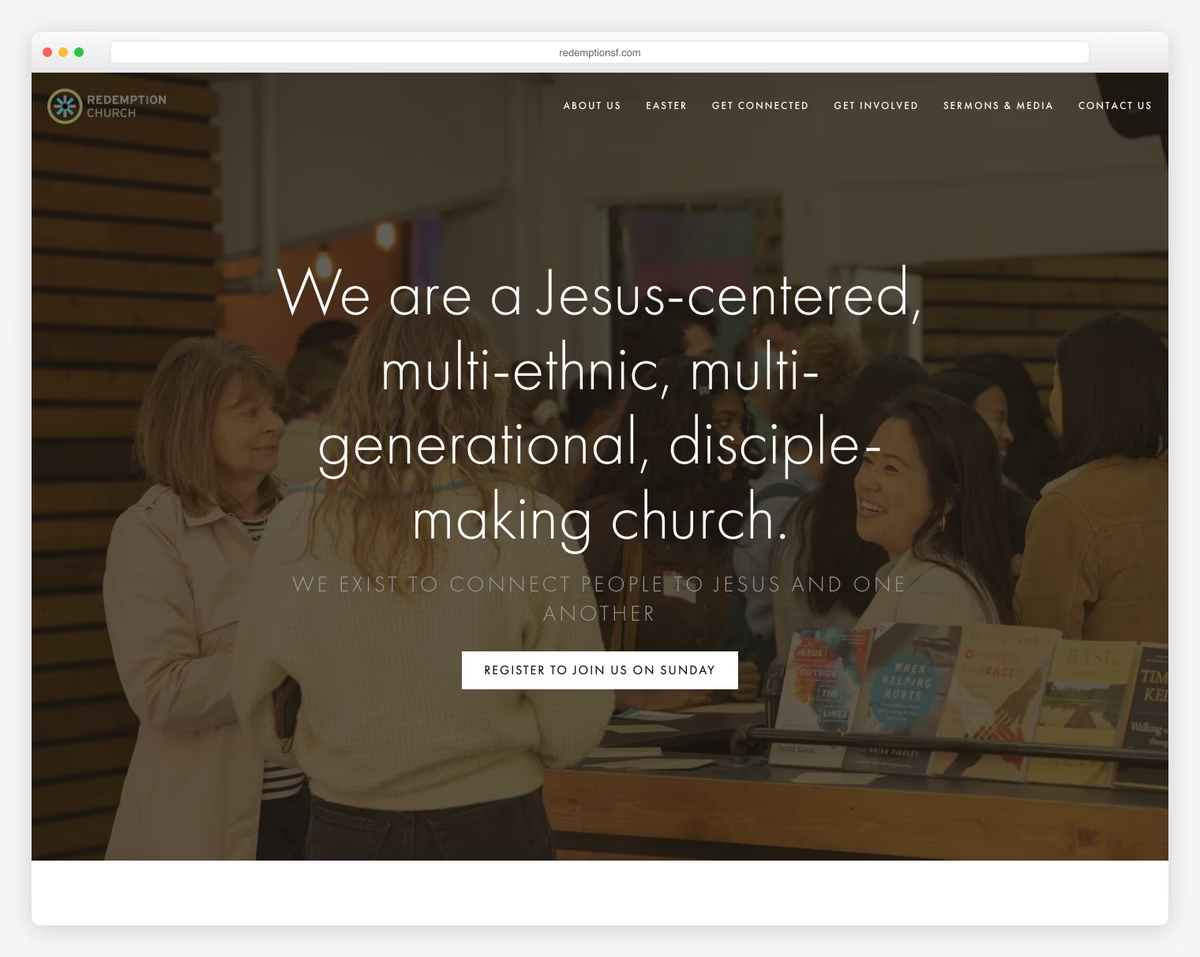
Redemption Church in San Francisco uses bright, bold header images and carousels to showcase the diverse people who make up its community. The contemporary design feels more like a creative studio than a traditional church, which appeals to younger urban audiences.
What stands out: Urban churches that design their sites to feel contemporary rather than traditional attract younger demographics who might otherwise not explore church communities.
17. Gas Street Church
Built with: Squarespace
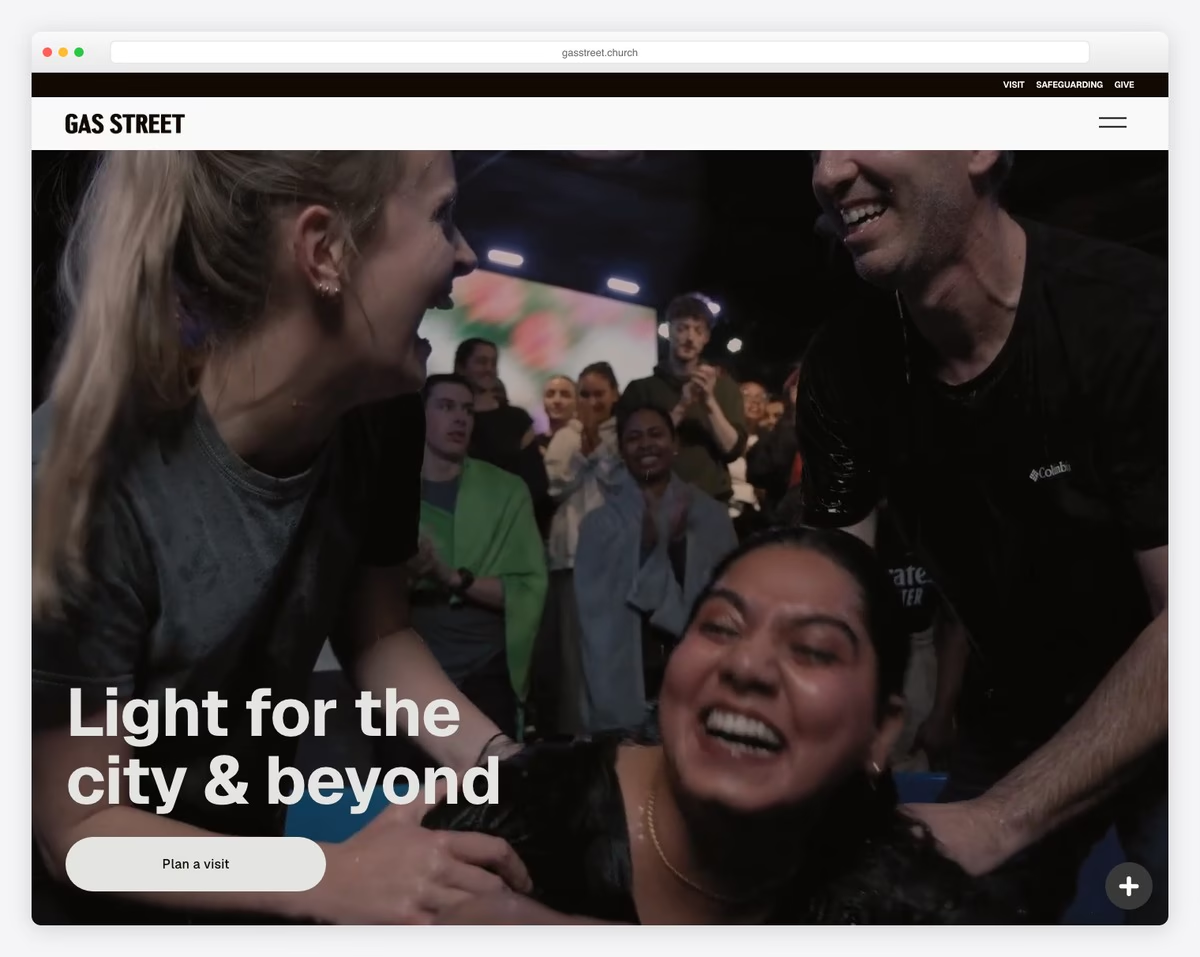
Gas Street Church in Birmingham, UK has a dynamic and modern Squarespace site designed to engage visitors and communicate its mission. The clean, image-driven layout with prominent event listings creates an inviting first impression.
What stands out: UK churches using .church domains create a professional, modern impression — the domain itself signals a forward-thinking community.
18. Hill City Church
Built with: Squarespace
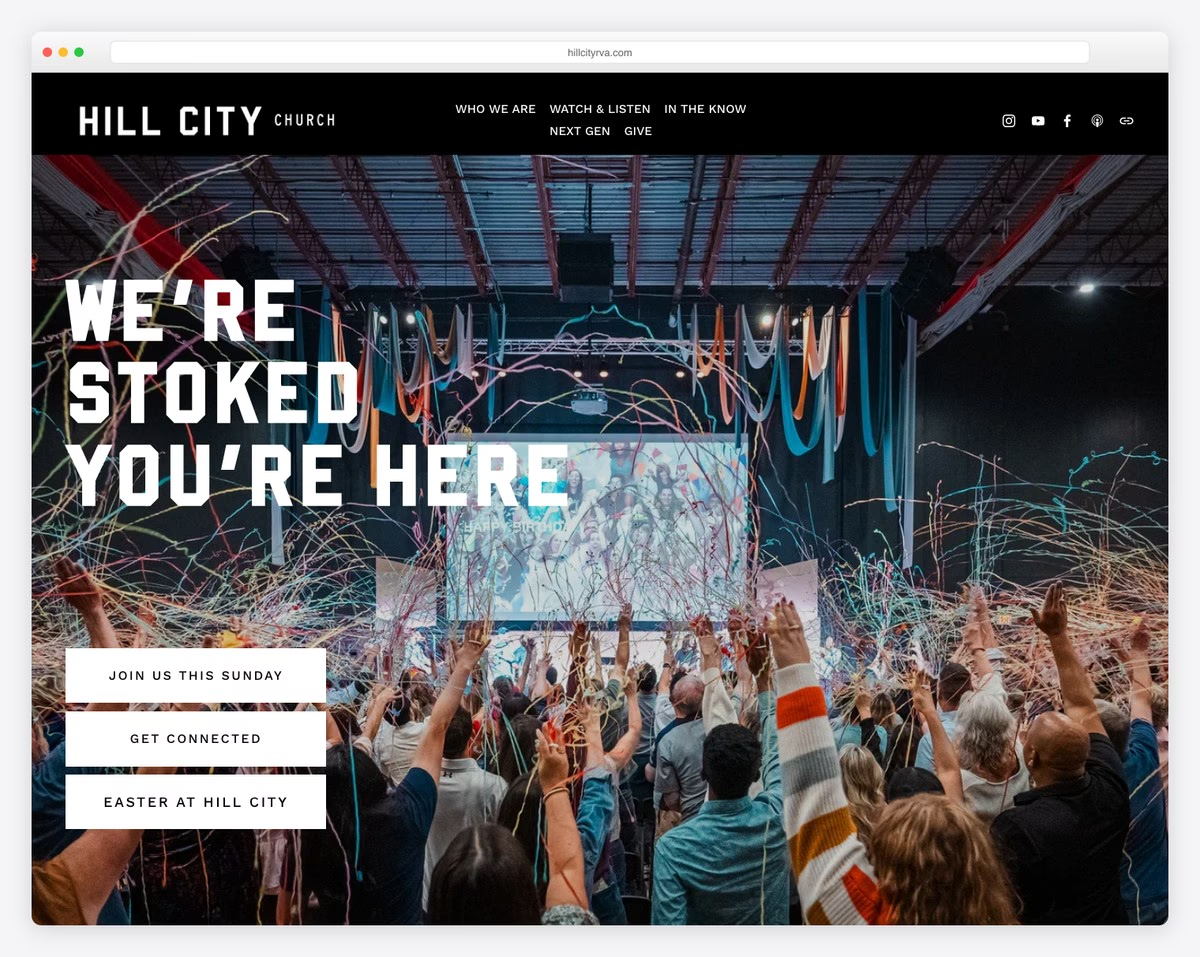
Hill City Church in Richmond, Virginia features a clean, contemporary Squarespace design reflecting its community-focused ministry. The site highlights serving opportunities, community groups, and local mission work alongside worship services.
What stands out: Churches that highlight community service alongside worship communicate that faith is lived out in action — this resonates with mission-driven visitors.
19. Westside Family Church
Built with: Squarespace
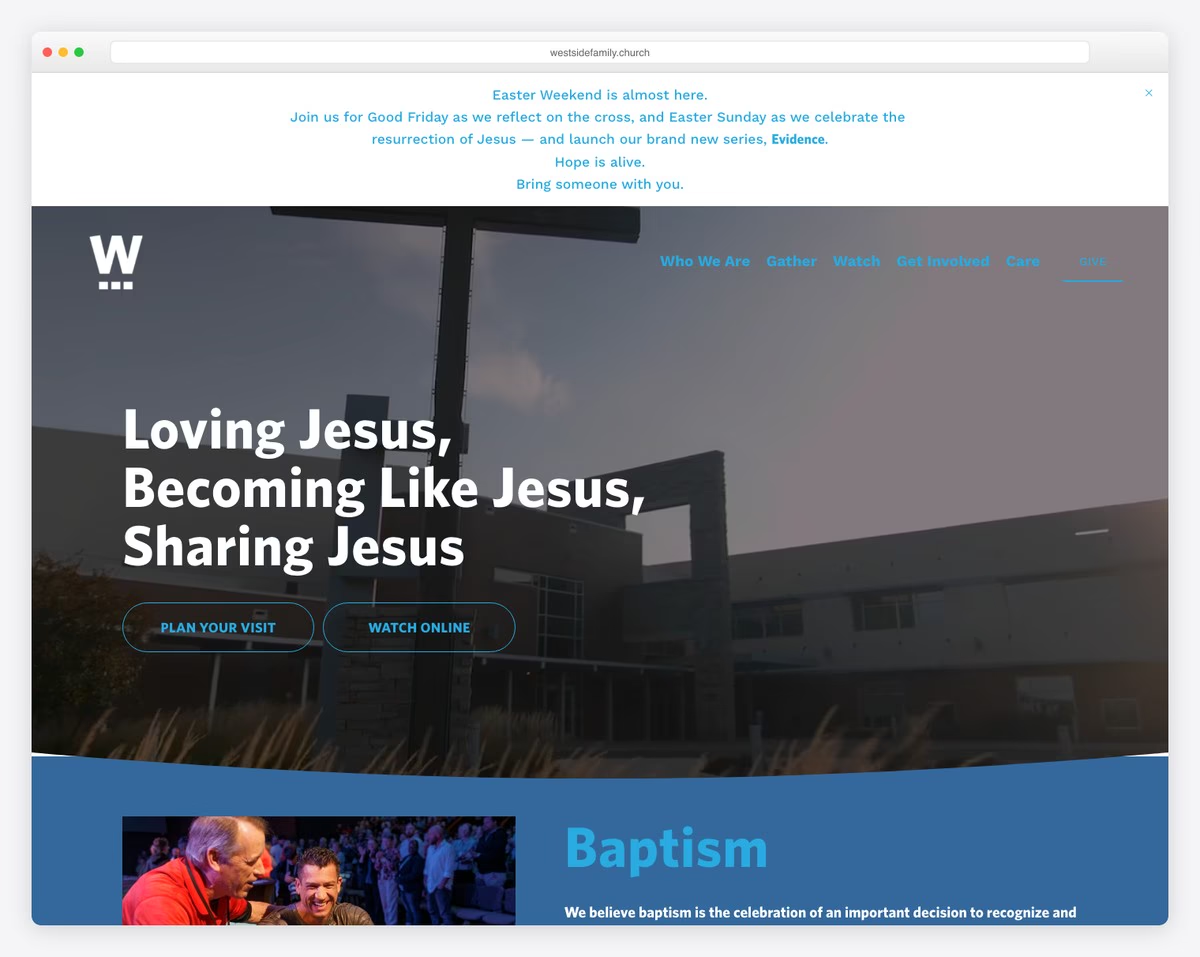
Westside Family Church uses a family-oriented Squarespace design that clearly communicates services, kids programs, and community involvement. The inviting imagery and straightforward navigation make it easy for families to find age-appropriate ministries.
What stands out: Family-oriented churches should feature kids and youth programs prominently — parents often choose a church based on children’s ministry quality.
20. Bethel Baptist Church
Built with: Squarespace
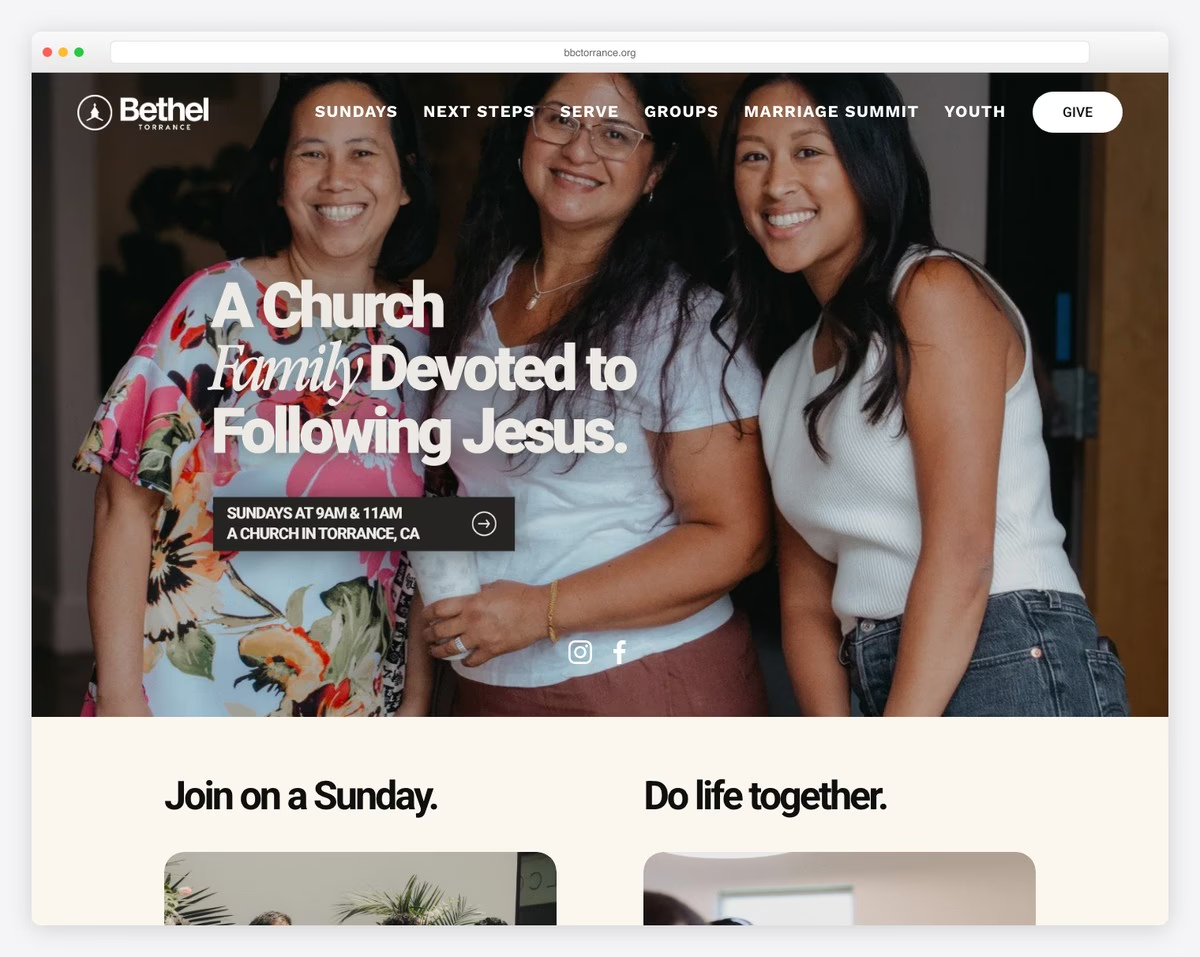
Bethel Baptist Church in Torrance, California has a well-organized Squarespace site featuring ministry information, sermon archives, and community resources. The clean layout makes decades of content accessible and easy to navigate.
What stands out: Established churches with large sermon archives benefit from good search and categorization — make it easy for visitors to find sermons by topic, not just date.
Squarespace Templates to Build a Church Site
The sites above are live churches running on Squarespace. If you want to build something similar, these are the templates worth starting from — each one handles the sections a church site needs: service times, sermons, events, and giving.
Cove
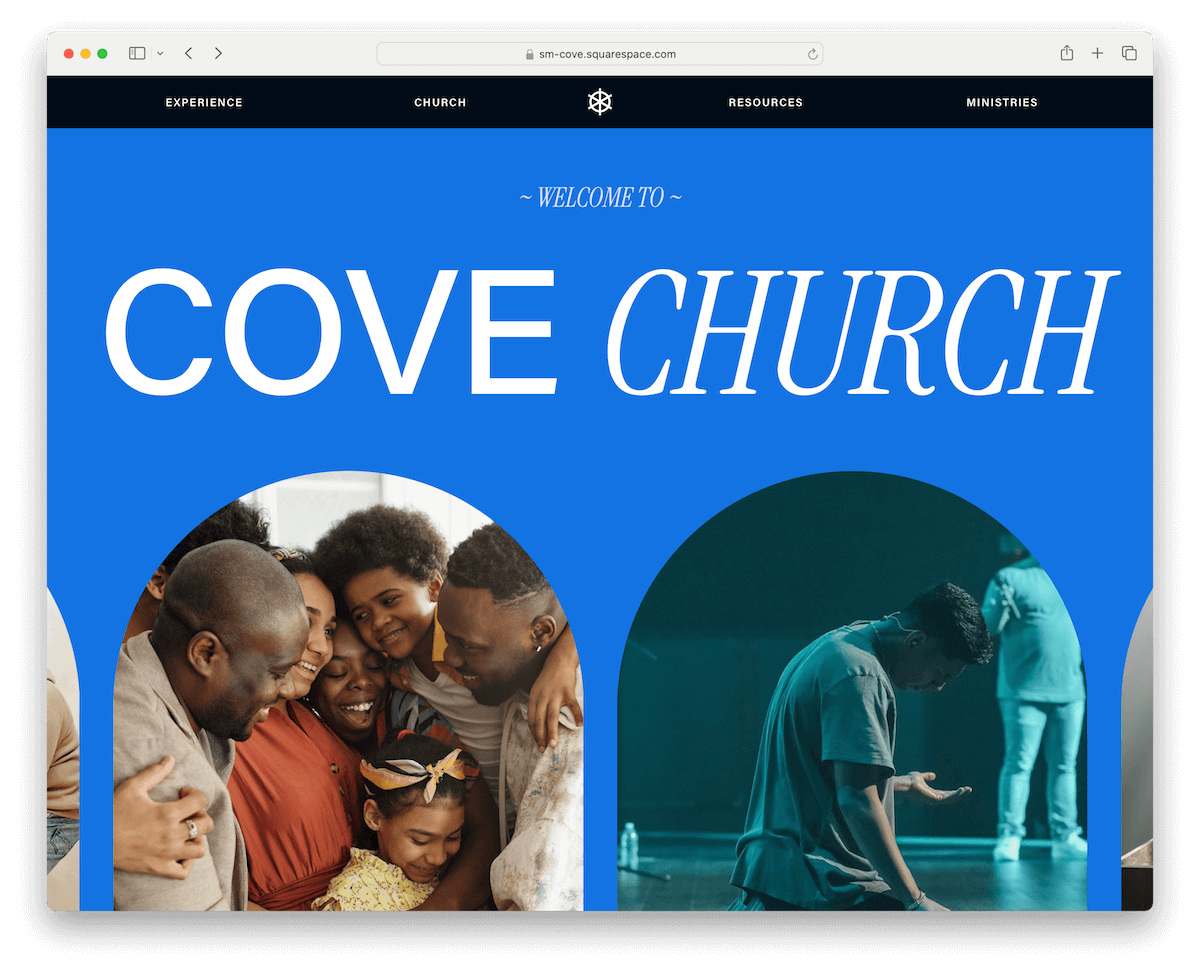
Cove is the only default Squarespace template for churches. That’s a bummer, I know, but luckily, the template is really solid and versatile, so you can easily alter it to yourneeds.
It features multiple internal pages and a pleasant homepage, ensuring an optimal experience. The header is fairly basic, featuring a drop-down menu, while the footer comprises multiple columns for links and a subscription form widget.
Moreover, you can easily embed videos, add images and integrate it with 3rd-party platforms for sermons and prayers.
You can also set up online donations to raise funds directly through your website.
If you don’t want to spend much time designing and modifying the default template, Cove is the best choice for building an amazing church site with Squarespace.
More info / DownloadAll the templates below require tweaking, but Squarespace’s drag-and-drop editor makes adjusting them easy, thanks to its no-code policy.
Lusaka

Lusaka is simple yet impactful, with clean sections and an attention-grabbing hero image with a transparent header.
I really like the “donation” button in the navbar, which can significantly boost your conversion rate. However, you can scatter more CTA buttons throughout your site to increase your chances of raising even more funds.
Moreover, the home page features a contact form and a minimalist, resourceful footer with location details and quick links.
A blog section can also work great for announcing events, sharing news, sermons, etc.
More info / Download DemoEuclid

Euclid is a beautiful Squarespace template that mixes images, text and white space smartly. If you want to create a strong and lasting first impression, you can easily do so with Euclid.
The header section, which includes menu links, social icons, and a CTA button, disappears when scrolling down but reappears when returning to the top. This creates a more pleasant, distraction-free browsing experience.
Share your mission on the dedicated ready-to-use page and enjoy the integrated donation block.
If you’re looking to create a simple online presence for a church or ministry, the Euclid template is an excellent starting point.
More info / Download DemoEmber

Ember is a flexible template for nonprofits, churches and charities. Use it to take your church or organization to the next level with a top-notch website that will spark interest in everyone who visits it.
You’ll first notice all the donation CTA buttons, which are always within reach. When you click the donation button, it directs you to a form with predefined amounts, offering options for one-time or recurring monthly donations. (You can easily modify the amounts, but feel free to keep them as-is.)
Moreover, you get ready-made internal pages for Programs, About, Blog and Contact, saving you additional time and effort.
Last but not least, the overall design is crafted with simplicity and functionality in mind, so that everyone can easily get the most out of your church site.
Here are even more stunning non-profit website templates for Squarespace for building your next website.
More info / Download DemoGood Vibes

You might wonder why I included Good Vibes in the top Squarespace church templates list.
The single reason is that it’s an amazing template (it’s actually one of my favorites) with predesigned pages and sections.
While Good Vibes requires a little more work in terms of design changes, it only asks for some clicking, choosing, dragging, and dropping. Of course, you can also add a donation button, start a blog, showcase your “team,” and more.
Feel free to go against the grain and make your church site pop more with Good Vibes.
More info / Download DemoHow To Make A Church Website With Squarespace
- Sign up: Visit Squarespace.com and sign up for an account. Select a subscription plan that fits your church’s needs, bearing in mind that you can start with any plan and adjust as necessary.
- Select a template: Browse through the template library, focusing on categories related to churches or nonprofits. Ideally, pick the one from the above collection.
- Customize your template: To customize your template, click “Edit” on the pages to add text, images, and other elements like calendars or donation buttons. Use the intuitive drag-and-drop interface to adjust layouts and explore different design options to reflect your church’s identity.
- Add essential pages: Create the essential pages for your church’s website. This typically includes a Home page, About Us (covering your mission, history, and staff), a Services or Events page, a Contact page, and a Giving or Donation page. Use the “Page”‘ menu to add and organize these sections.
- Set up domain: You can choose a domain name for your website directly through Squarespace. (If you own a domain from another provider, Squarespace offers guidance on connecting or transferring it to your new site.)
- Review and publish: Carefully review your website, checking for typos, broken links, or unfinished sections. Once everything looks good, hit the “Publish” button to make your church website live. Remember, you can always come back to edit and update your site as needed.
Why Is Squarespace Great For Running A Church Website?
Squarespace is fantastic for running a church website for several reasons.
First, it’s user-friendly. You don’t need to be tech-savvy to get your site looking pro. Use a template and then modify it with its intuitive drag-and-drop builder. (No code or advanced design skills necessary to make your church site look amazing.)
It’s also flexible. You can add pages for events, sermons, and donation forms without hassle.
Additionally, Squarespace sites are responsive, looking great on both desktop and mobile devices. This is essential for reaching everyone in your community, regardless of their location.
Security and reliability are top-notch as well. Squarespace handles hosting and keeps your site safe from threats, which is one less thing to worry about. And if you need help, their customer support is helpful and accessible.
Lastly, Squarespace makes it easy to integrate other tools and platforms. You can add social media or email newsletters, helping you stay connected with your congregation and beyond.
The only real downside is the lack of church-specific templates.
FAQs About Squarespace Church Websites
Can I customize Squarespace templates to fit my church’s needs?
Yes. Squarespace templates are highly customizable, allowing you to adjust layouts, colors, fonts, and add specific features like donation buttons, event calendars, and more to match your church’s style and requirements.
Are Squarespace templates responsive?
Yes, all Squarespace templates are designed to be fully responsive, meaning they automatically adjust to look great on both desktops and mobile devices.
Is it possible to add sermons and other media content to the website?
Yes, you can easily upload sermons, videos, podcasts, and other media content to your Squarespace site using various blocks and integrations, making it a great platform to share your messages.
Can a Squarespace church website accept donations?
Yes, Squarespace allows you to integrate donation buttons and forms on your website, making it easy for your congregation and others to contribute financially.
How can we communicate upcoming events and services on our website?
Squarespace offers calendar and event blocks that you can use to showcase upcoming events, services, and other important dates, allowing visitors to see what’s happening at a glance.
What about SEO? Can people easily find our church website online?
Squarespace has built-in SEO tools to help improve your website’s visibility in search engine results. Utilizing these tools and following best practices can enhance the likelihood of people finding your church online.
How does Squarespace handle website security for church websites?
Squarespace includes free SSL certificates for all websites, ensuring that your site and any information submitted by your congregation members (such as contact forms or donations) is encrypted and secure.

Related Posts



Comments (0)