
21 Dark Mode Admin Dashboard Templates & UI Examples 2026
Dark mode has moved from a nice-to-have toggle to a design-first approach for admin dashboards. Developers spend hours staring at admin panels — dark themes reduce eye strain, save battery on OLED screens, and frankly just look more professional for data-heavy interfaces. The best dark admin templates don’t just invert colors; they’re designed from the ground up with dark backgrounds, carefully chosen contrast ratios, and UI elements that work naturally in low-light contexts.
This roundup covers 21 dark admin dashboard templates. We open with six premium DashboardPack Next.js 16 dashboards built around production-grade dark/light theming, then move to 15 free open-source templates — led by AdminLTE and our Colorlib-maintained admin templates. Frameworks covered include Next.js, React, Vue, Angular, Bootstrap, and Tailwind CSS so you can find one that matches your stack.
Top picks at a glance
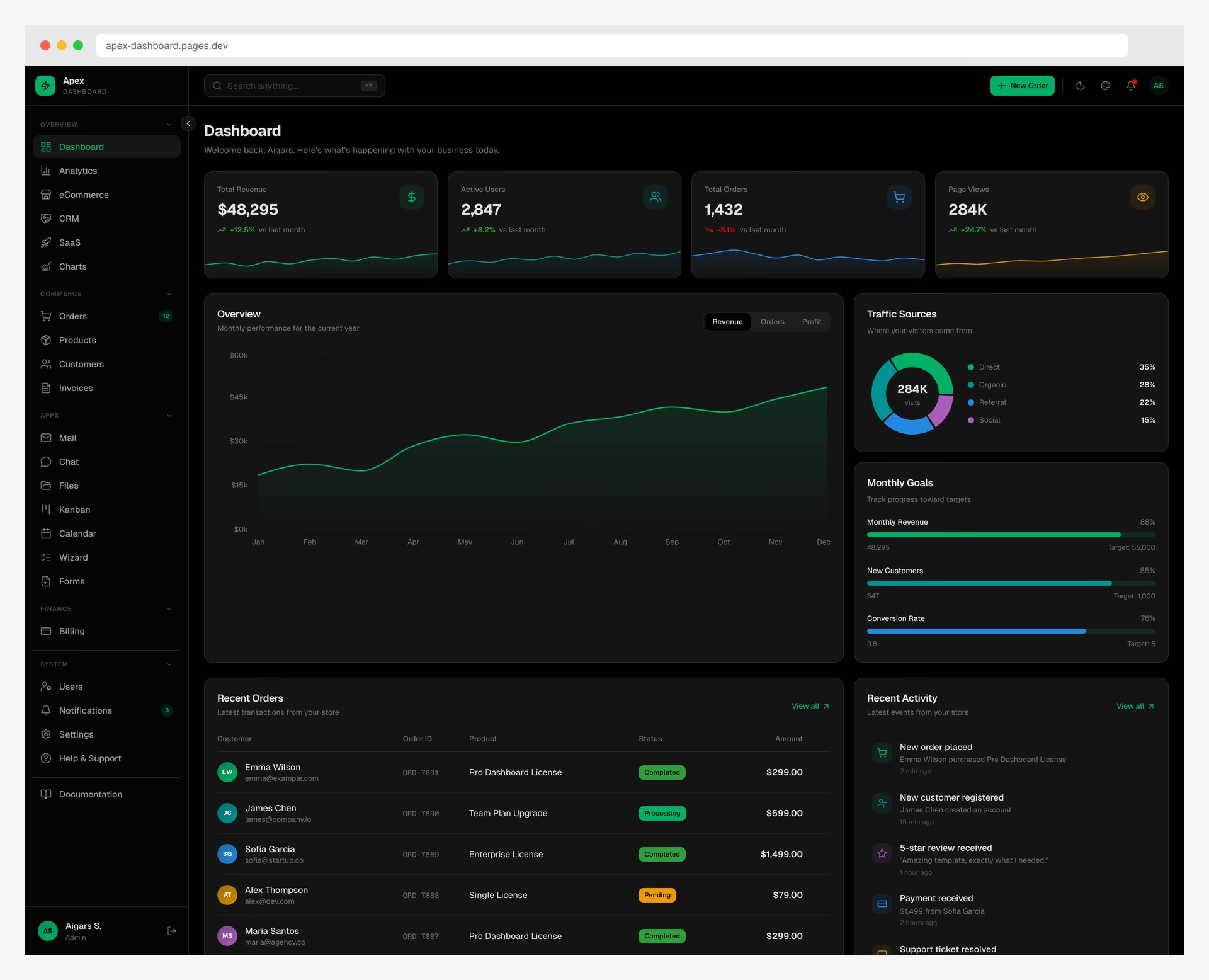 Apex Dashboard — Next.js 16Best overall — Next.js + shadcn/ui, 216 prerendered pages
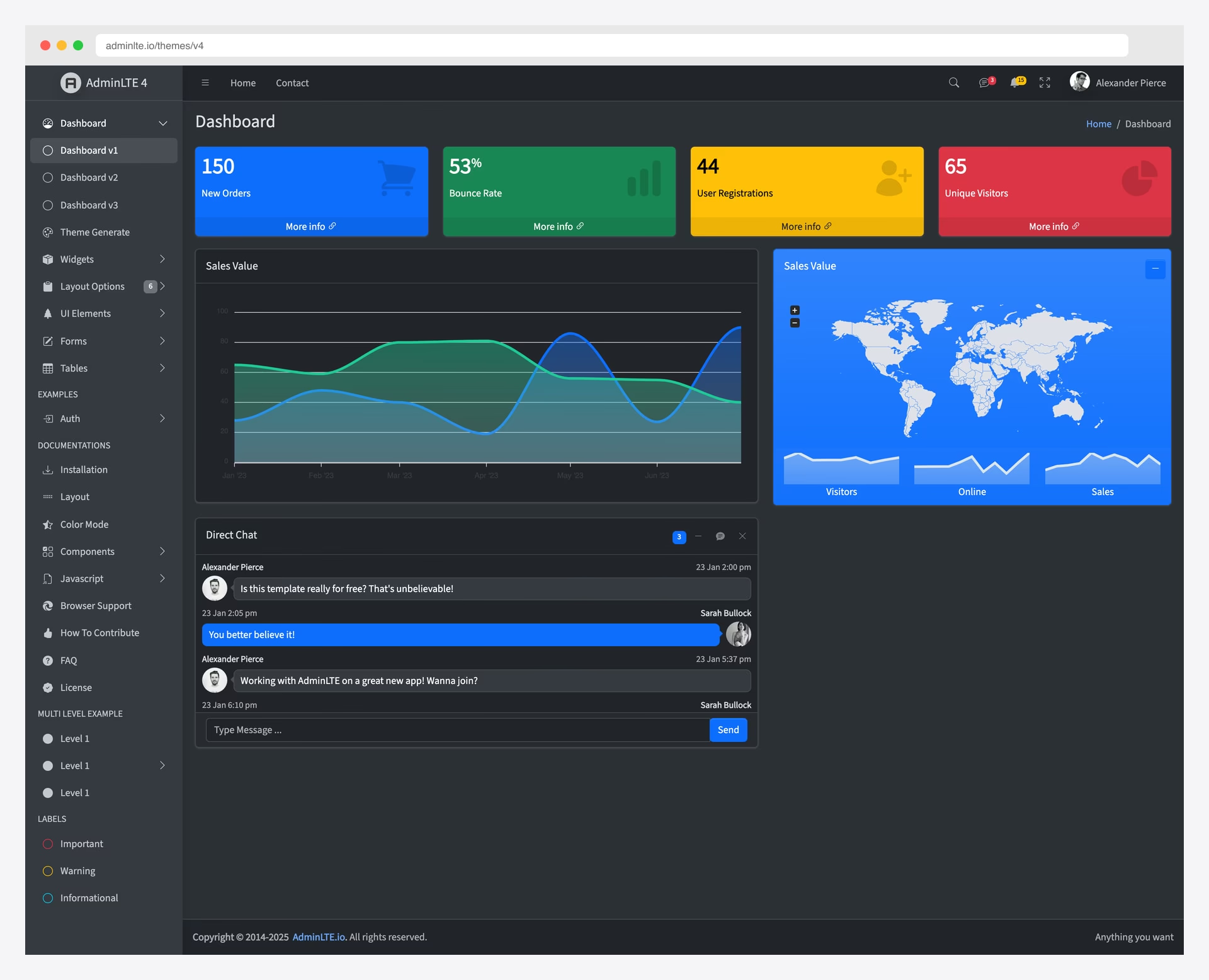 AdminLTE 4Most popular free — Bootstrap 5, 45K+ stars
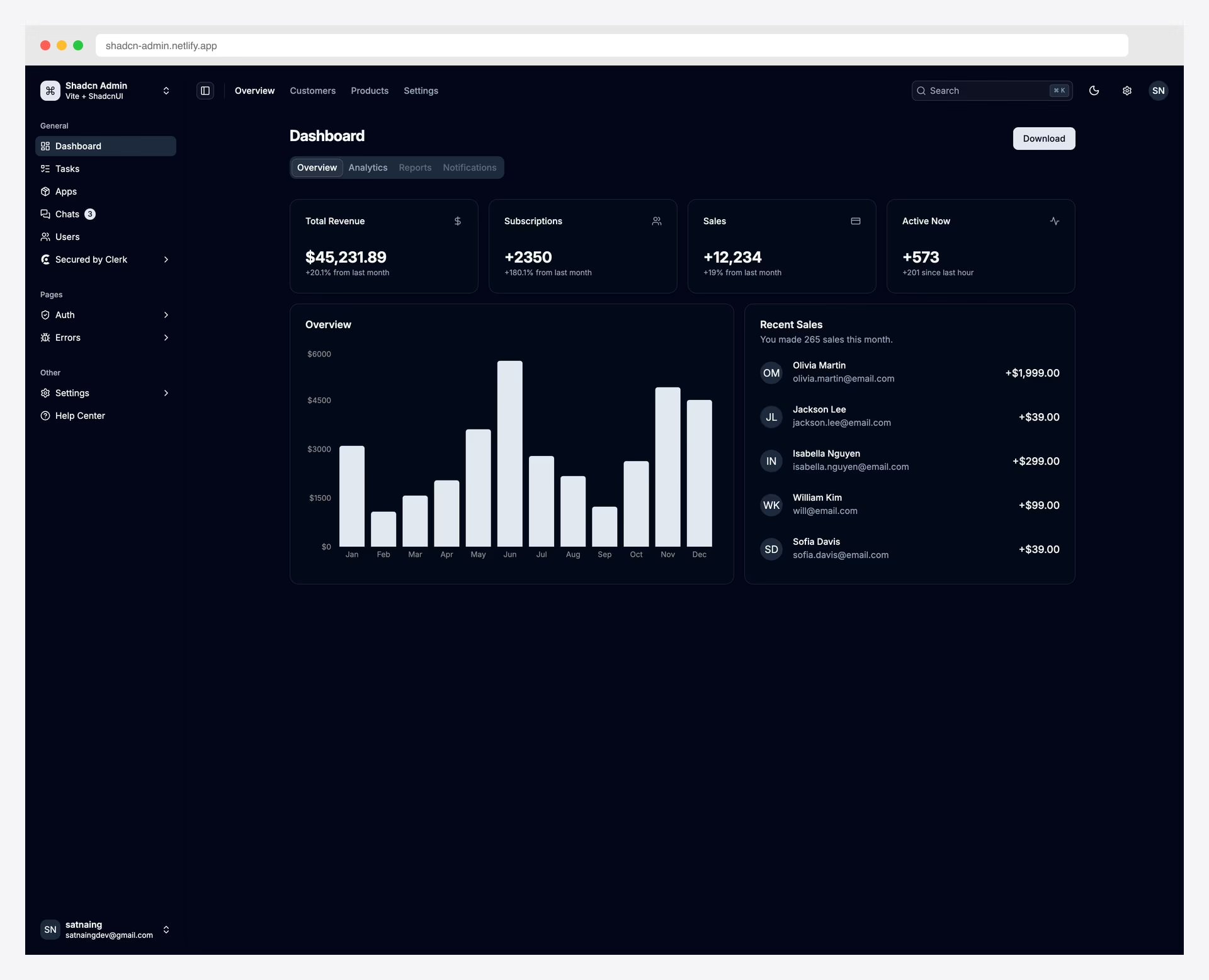 Shadcn AdminBest free React + shadcn/ui stack
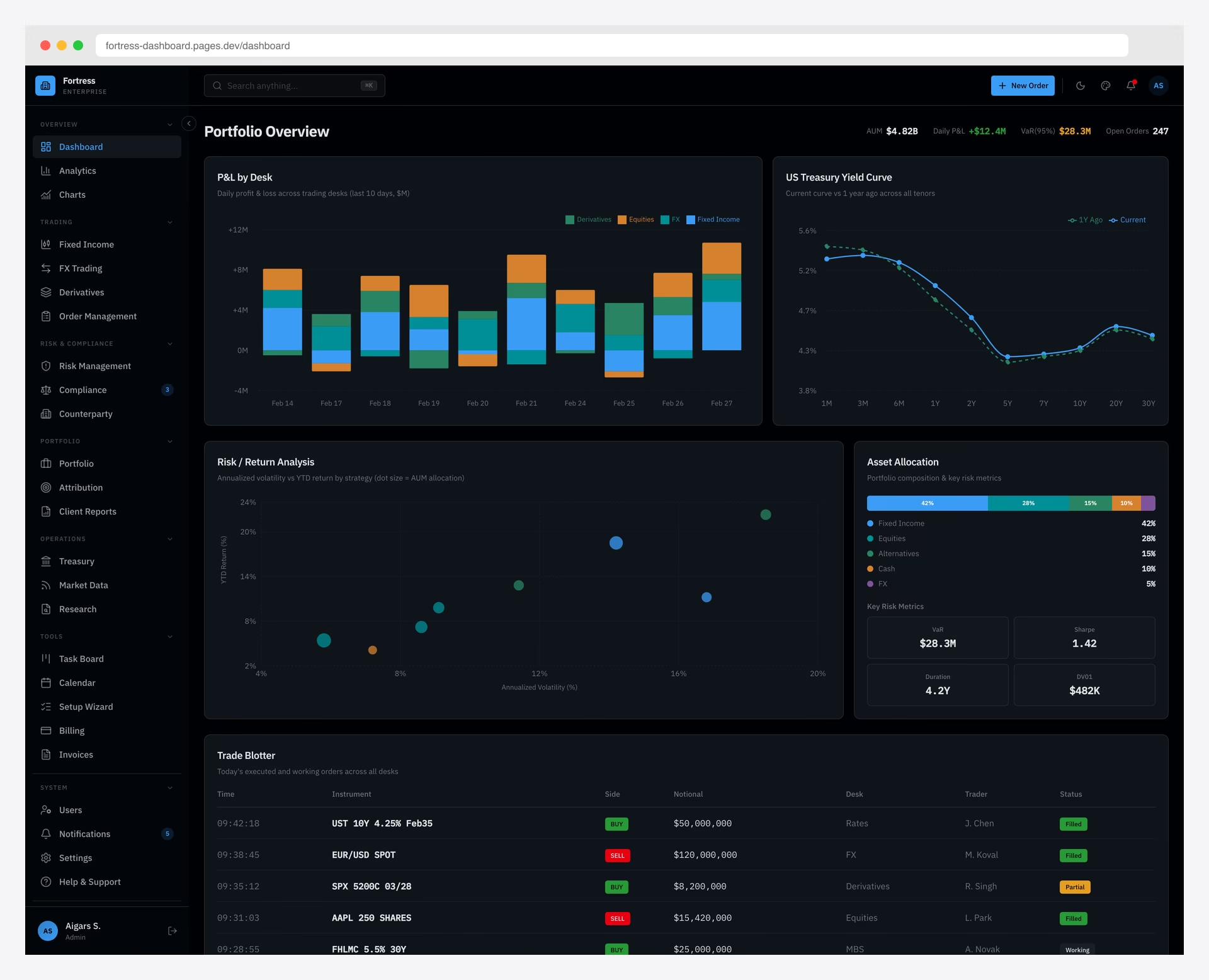 Fortress Dashboard — Bloomberg-Inspired FinanceDark-first Bloomberg-style finance UI
 Ant Design ProEnterprise React standard, 38K+ stars
 Corona Free Dark AdminFree dark-only classic
Table of contents — all 21 dark dashboard templates
- Apex Dashboard — Next.js 16
- Fortress Dashboard — Bloomberg-Inspired Finance
- Signal Dashboard — DevOps & Infrastructure
- Vault Dashboard — Investment & Trading
- Haze Dashboard — Next.js Edition
- Flux Dashboard — Animated Glassmorphism
- AdminLTE 4
- Adminator
- Nalika
- Ant Design Pro
- CoreUI Bootstrap
- Shadcn Admin
- Mosaic Lite
- Volt Bootstrap 5
- Star Admin
- Sleek Dashboard
- Black Dashboard React (Creative Tim)
- Black Dashboard (Creative Tim)
- Corona Free Dark Admin
- Muse Ant Design Dashboard (Creative Tim)
- Black Dashboard Angular (Creative Tim)
Comparison Table
| Template | Price | Framework | Dark Mode Type | GitHub Stars | Last Updated |
|---|---|---|---|---|---|
| Apex Dashboard (DashboardPack) | $69 | Next.js 16, Shadcn/ui, Tailwind v4 | Built-in toggle + theme customizer | — | Apr 2026 |
| Fortress Dashboard (DashboardPack) | $69 | Next.js 16, Shadcn/ui, Tailwind v4 | Dark-first (Bloomberg-style) | — | Apr 2026 |
| Signal Dashboard (DashboardPack) | $69 | Next.js 16, Shadcn/ui, Tailwind v4 | Dark-first (terminal/DevOps) | — | Apr 2026 |
| Vault Dashboard (DashboardPack) | $69 | Next.js 16, Shadcn/ui, Tailwind v4 | Dark/light + theme customizer | — | Apr 2026 |
| Flux Dashboard (DashboardPack) | $69 | Next.js 16, Shadcn/ui, Tailwind v4 | Dark/light + frosted glass | — | Apr 2026 |
| AdminLTE 4 | Free (MIT) | Bootstrap 5.3.8 | Built-in toggle + OS detection | 45,369 | Apr 2026 |
| Adminator | Free (MIT) | Bootstrap 5 | Full dark mode + OS detection | 4,575 | Apr 2026 |
| Nalika | Free (MIT) | Bootstrap 5 | Dark-only | 207 | Feb 2026 |
| Ant Design Pro | Free (MIT) | React, Ant Design | Built-in ConfigProvider | 38,131 | Apr 2026 |
| Shadcn Admin | Free (MIT) | React, shadcn/ui, Tailwind | CSS variables toggle | 11,857 | Apr 2026 |
| CoreUI Bootstrap | Free (MIT) | Bootstrap 5 | Seamless toggle | 12,210 | Mar 2026 |
Premium Dark Admin Dashboard Templates
The premium picks below are all from DashboardPack — our in-house Next.js 16 dashboard suite. Each is built on React 19, shadcn/ui, and Tailwind CSS v4 with production-grade dark/light theming, accessible contrast ratios, and a live theme customizer.
1. Apex Dashboard — Next.js 16
Premium Next.js React Tailwind Dark Mode · Best for: Modern Next.js apps that need a polished, multipurpose dark dashboard
Apex is the flagship in the DashboardPack lineup — a comprehensive Next.js 16 admin template with 216 prerendered pages, 12 dashboard variants, and 20+ application pages. The dark mode is wired into shadcn/ui’s CSS variable system, so every page, modal, table, and chart switches consistently with zero flash. A live theme customizer lets you tune accent color, radius, and contrast without recompiling Tailwind.
Apex ships with full CRUD examples, RTL support, i18n, Storybook, and a complete test suite — the kind of scaffolding that normally takes weeks to assemble. For teams starting a serious admin product on the modern React stack, this is the most thorough dark-capable dashboard in our catalog. Version 3.0 adds 114 copy-paste blocks across 14 categories, six layout presets, a world map built from public-domain Natural Earth data with no runtime map library, an AI assistant with tool calls and streaming citations, and role-based access control with a permission matrix.
2. Fortress Dashboard — Bloomberg-Inspired Finance
Premium Next.js React Tailwind Dark-first · Best for: Institutional finance, trading desks, capital markets dashboards
Fortress is unapologetically dark-first — its design vocabulary is borrowed from Bloomberg Terminal: dense data tables, monospace numerics, amber accents, and layouts that prioritize scanning thousands of rows without eye fatigue. 57+ pages cover order books, portfolio analytics, P&L, risk dashboards, fixed income, and 13 dedicated institutional finance modules.
Built on Next.js 16, React 19, shadcn/ui, and Tailwind CSS v4, Fortress is the right choice when your audience lives in dark mode all day. A light theme is included for accessibility, but the design decisions clearly start from dark.
3. Signal Dashboard — DevOps & Infrastructure
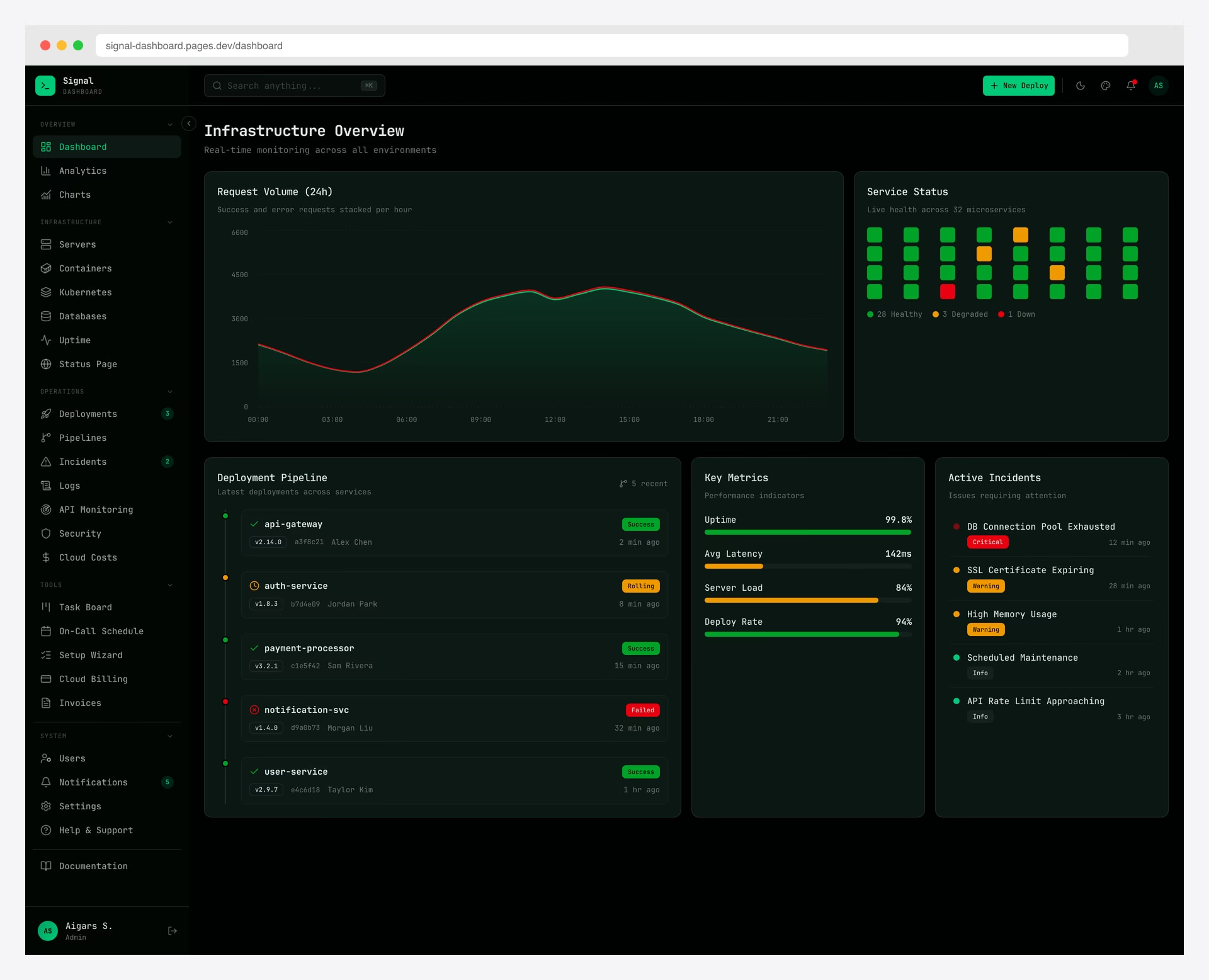
Premium Next.js React Tailwind Dark-first · Best for: SRE/DevOps tools, observability platforms, infrastructure consoles
Signal is a DevOps-first dashboard with a terminal aesthetic: JetBrains Mono typography, a near-black palette, and neon-green accent semantics that read as “healthy” in monitoring contexts. It includes 13 infrastructure-specific pages — hosts, services, deployments, log streams, incidents, alerting, and SLO dashboards — all designed to be glanced at in low-light NOCs.
Powered by Next.js 16, shadcn/ui, and Tailwind CSS v4, Signal makes the case that dark mode for DevOps tooling isn’t cosmetic — it’s functional. The color choices map directly to operational status, so you can read board state from across the room.
4. Vault Dashboard — Investment & Trading
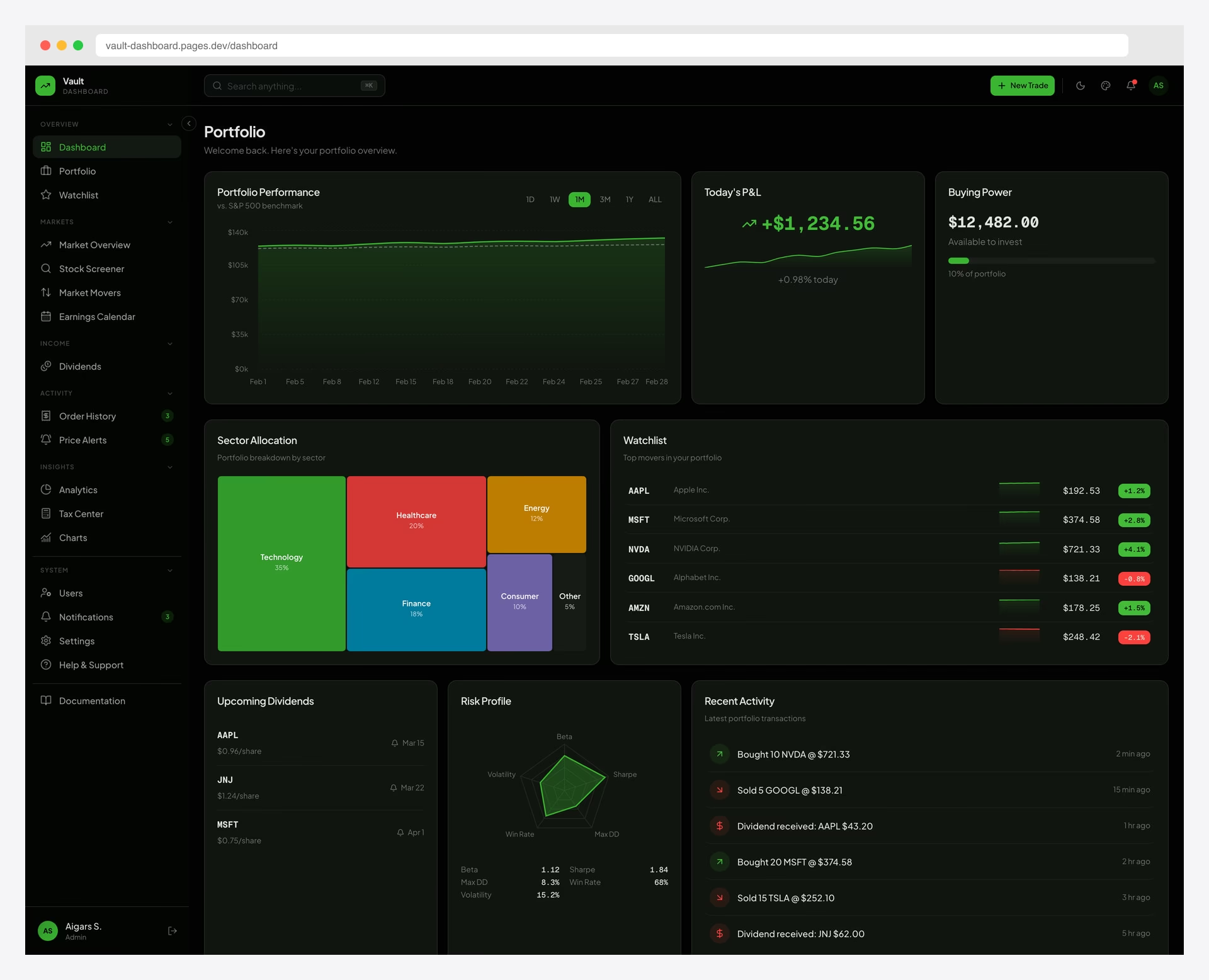
Premium Next.js React Tailwind Dark Mode · Best for: Retail brokerages, crypto wallets, personal finance dashboards
Vault takes its visual cues from Robinhood — minimalist, mobile-first, with charts that breathe and a green-on-black price ticker that pops in dark mode. 57+ pages span 13 financial modules: portfolio, watchlist, orders, transfers, statements, and tax tooling. Both dark and light themes ship out of the box, with persistent preference storage and OS-level detection.
For consumer-facing fintech where users may toggle modes based on time of day, Vault is purpose-built. Charts use gradient fills calibrated for both palettes — no need to fight a light-first template into dark submission. Built on Next.js 16, shadcn/ui, and Tailwind CSS v4.
5. Haze Dashboard — Next.js Edition
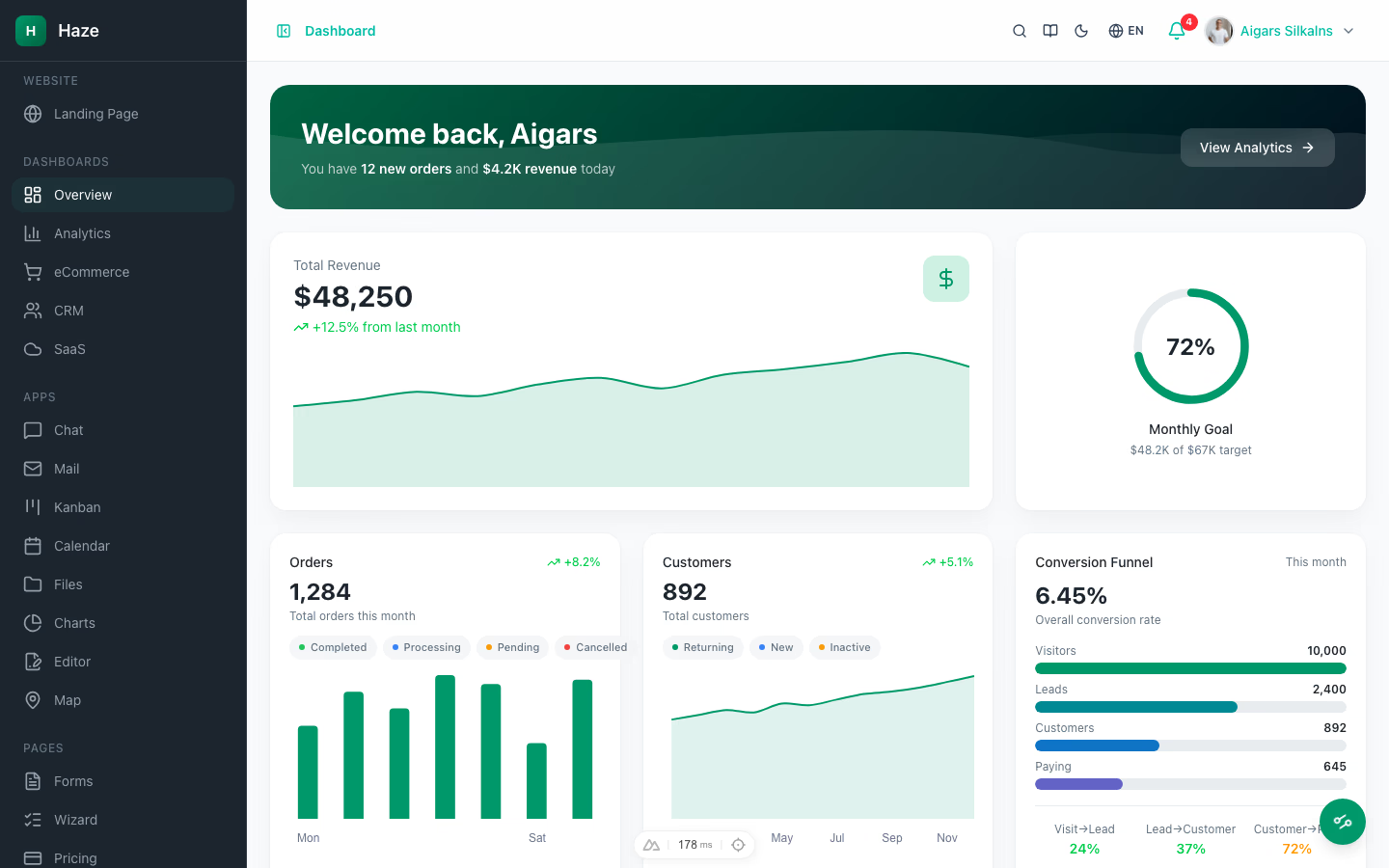
From $69 Next.js 16 Tailwind v4 shadcn/ui · Best for: Teams who want first-class dark mode wired through every component, not bolted on as an afterthought
Dark mode in Haze isn’t a theme switcher — it’s baked into Tailwind v4 OKLCh color tokens that propagate through every shadcn/ui primitive automatically. A runtime theme customizer toggles color mode, accent, density, and RTL without a rebuild, and all 96 pages render correctly in both modes from the first commit. Each of the 5 dashboard variants (Overview pictured, Analytics, eCommerce, CRM, SaaS) ships with realistic mock data designed to read well against dark backgrounds — chart contrast, badge legibility, and surface elevation all tuned.
Built on Next.js 16 App Router with Turbopack, React 19 Server Components, TypeScript 5 strict, and shadcn/ui over Radix. Eight interactive modules (chat, mail, kanban with @dnd-kit, calendar, files, recharts dashboards, Tiptap 3 editor, react-leaflet maps) sit alongside the dashboards. Six CRUD resources connect to 33 mock API routes with real pagination and filtering. next-intl ships English/German/French. Priced from $69 (Personal) to $349 (Lifetime).
6. Flux Dashboard — Animated Glassmorphism
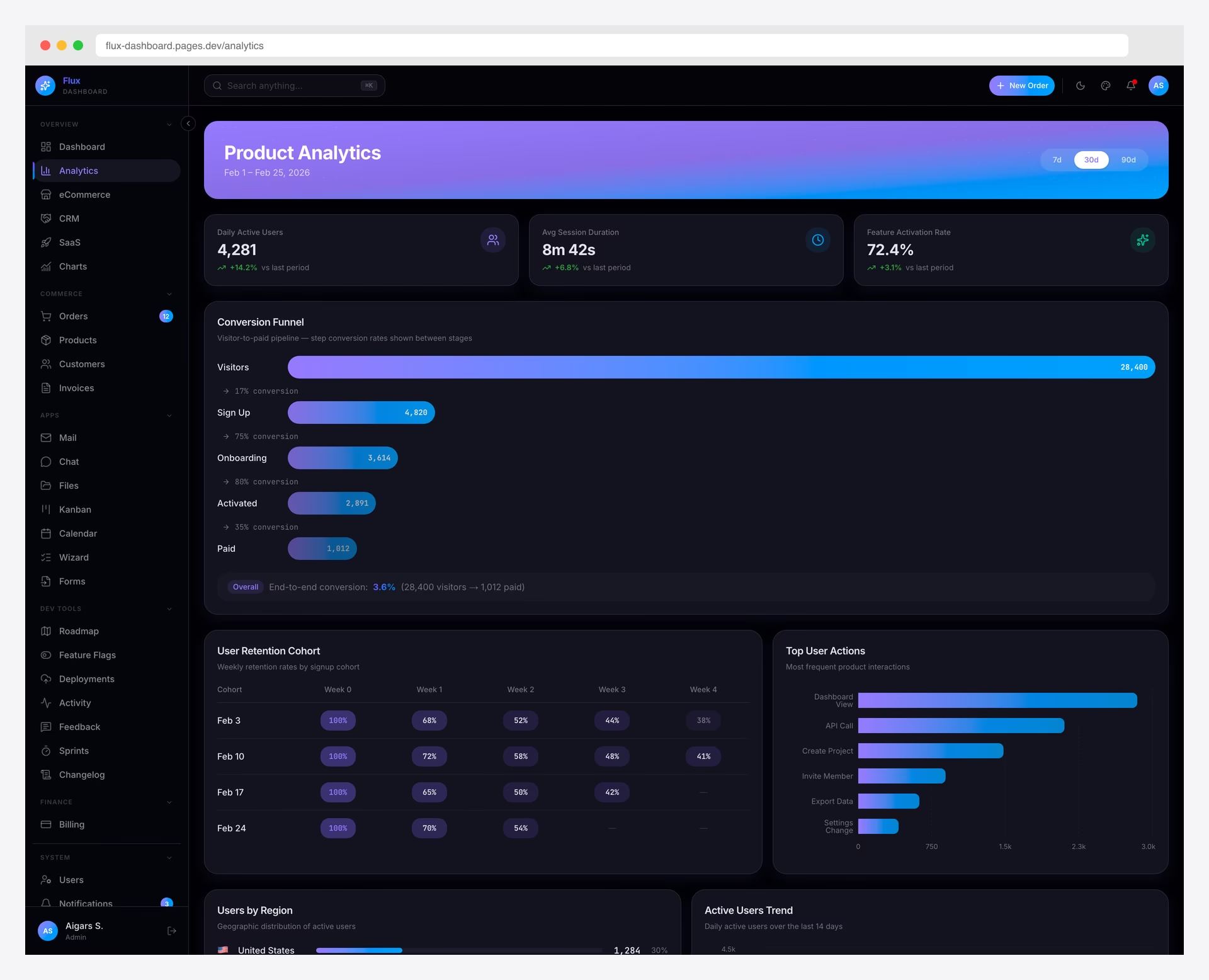
Premium Next.js React Tailwind Dark Mode · Best for: Startup admin panels, AI/SaaS dashboards, marketing-led products
Flux is the “wow factor” pick — a gradient-forward Next.js 16 template with a vivid violet design language, frosted glass panels, and Framer Motion-driven micro-animations. 64+ pages cover the standard admin surface plus 7 startup-exclusive layouts (pricing, onboarding, billing, AI assistant, integrations).
The dark mode is where Flux really earns its keep: glassmorphism reads beautifully against deep purple-black backgrounds, and the animated gradients add motion without becoming distracting. Built on Next.js 16, React 19, shadcn/ui, and Tailwind CSS v4 with RTL and i18n.
If you’re looking for more admin dashboard options, check out our roundups of the best Bootstrap admin templates, React dashboard templates, Next.js admin templates, and Tailwind CSS admin templates. We also have a guide to the best Angular admin dashboard templates for Angular-specific projects.
Free Dark Admin Dashboard Templates
7. AdminLTE 4
Free Bootstrap TypeScript Dark Mode · Best for: Internal tools, rapid prototyping, Bootstrap projects
With 45,369 GitHub stars, AdminLTE is the most popular admin dashboard template ever created — and one of our flagship open-source projects. Version 4 is a complete rewrite: pure TypeScript (zero jQuery), Bootstrap 5.3.8, and a built-in dark/light mode toggle using CSS custom properties. Dark mode detects OS preference on first visit and includes full RTL support.
The dark theme has been designed with AdminLTE’s massive user base in mind — every component, widget, and page layout is tested in dark mode. Zero-vulnerability dependencies and active maintenance (last updated April 2026) make this the safest choice for production admin panels that need dark mode.
It’s also available as official framework packages — React/Next.js, Vue/Nuxt, Angular, Laravel, Django and more — free and open-source on GitHub.
8. Adminator
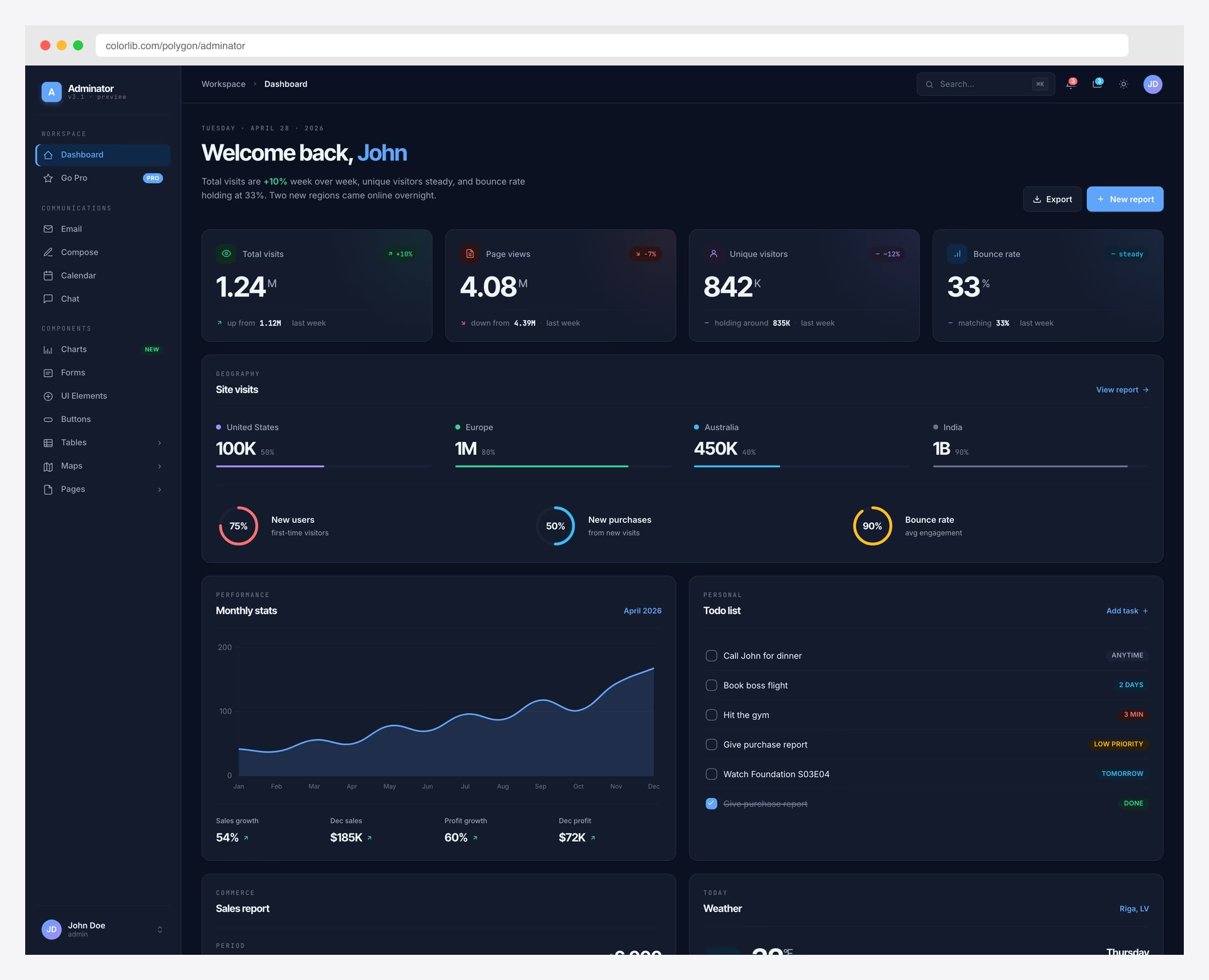
Free Bootstrap Dark Mode · Best for: Simple dark Bootstrap admin panels
Adminator is one of our most-loved open-source projects, with 4,575 GitHub stars and a clean, well-designed admin where dark mode is a core feature — not a bolt-on. The template detects OS dark mode preference on the first visit and automatically matches it. Built on Bootstrap 5 with zero jQuery (since v2.7.1), the dark mode uses CSS custom properties for easy customization.
Charts, tables, forms, and a calendar are all included and properly styled in dark mode. The Colorlib-hosted demo lets you toggle between modes to see the quality of the implementation. For a jQuery-free Bootstrap 5 dark dashboard with active 2026 maintenance (latest commit April 2026), Adminator is hard to beat at zero cost.
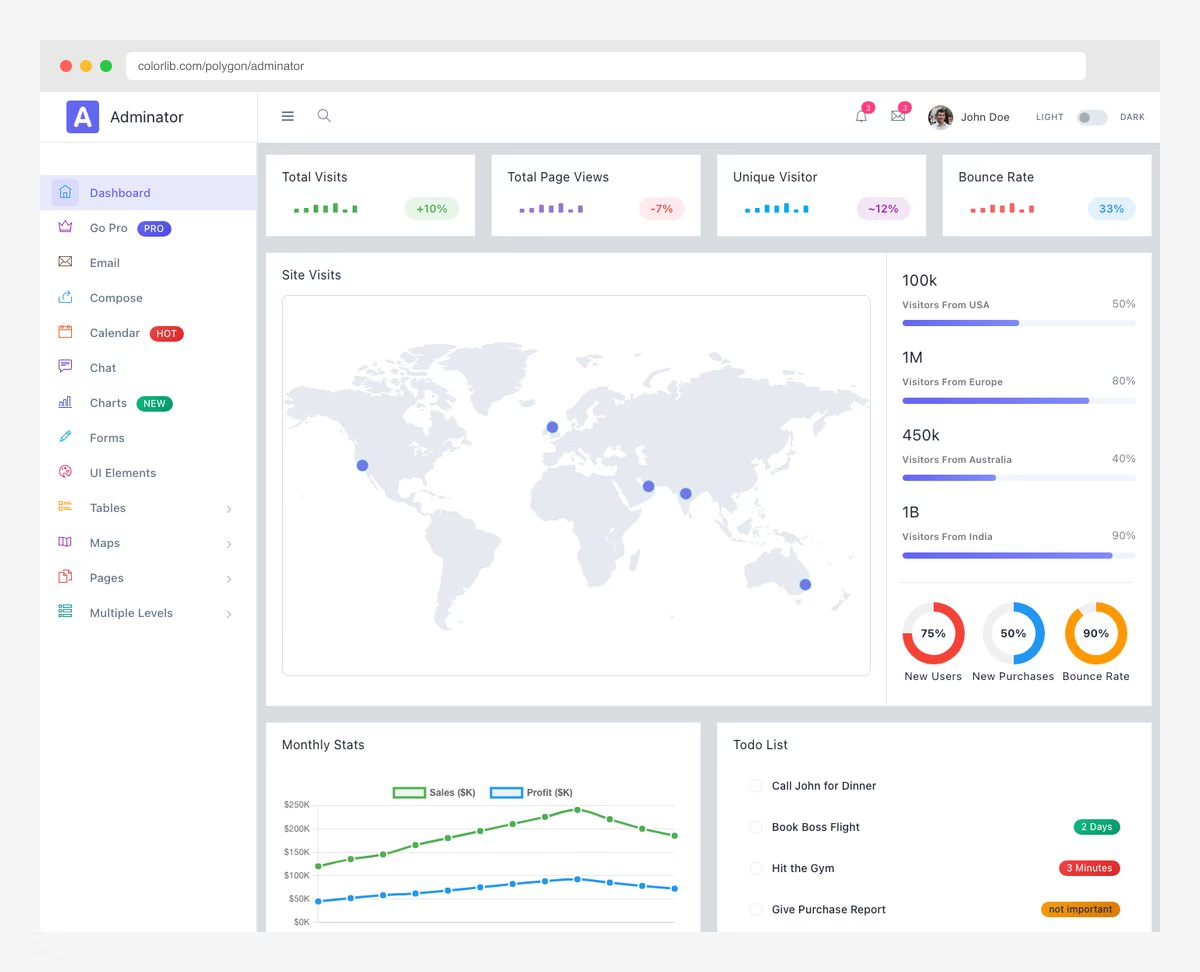
9. Nalika
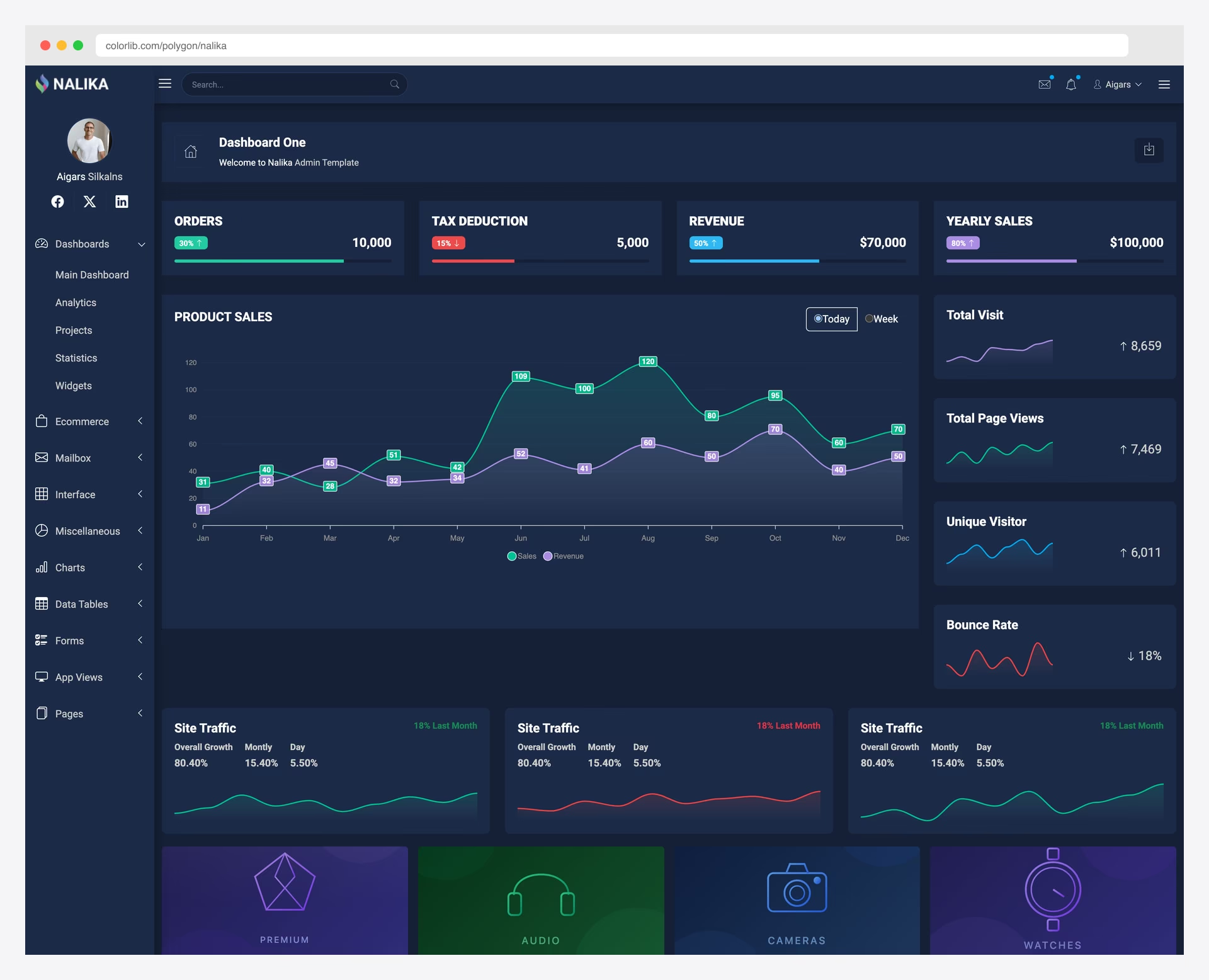
Free Bootstrap Dark Mode · Best for: Minimal dark-only Bootstrap dashboards
Nalika is another Colorlib-maintained open-source project — a dark-mode-only Bootstrap 5 admin dashboard with 207 GitHub stars and a clean, minimal aesthetic focused on data presentation. It uses a dark color scheme as the default and only theme — there’s no light mode toggle because the entire design was built for dark backgrounds.
The minimal approach makes Nalika lightweight and easy to customize. If you want a dark starting point without the bloat of components you’ll never use, Nalika provides the essentials: navigation, dashboard layout, charts, and tables in a cohesive dark design.
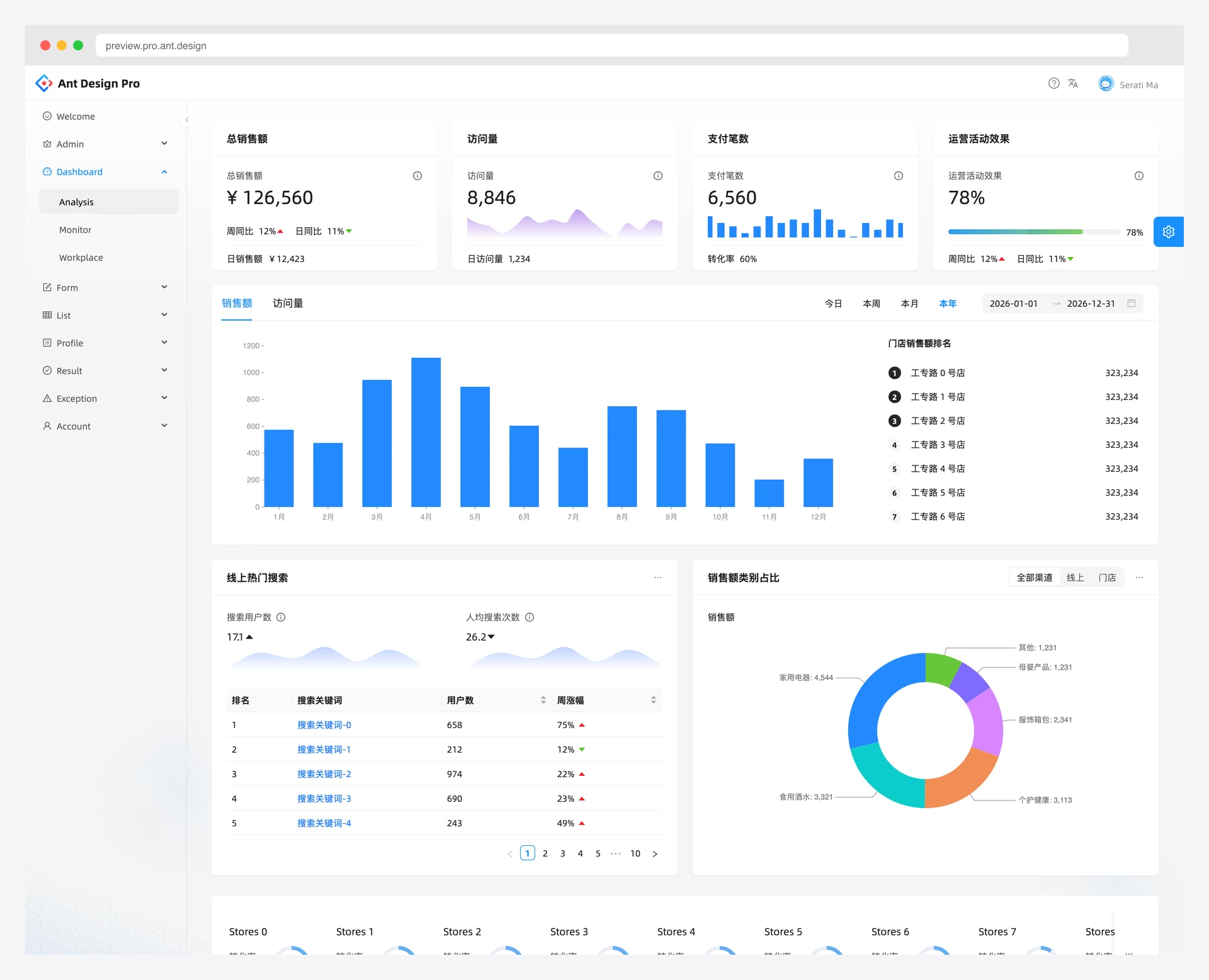
10. Ant Design Pro
Free React Dark Mode · Best for: API-driven CRUD apps, back-office tools
Ant Design Pro is the official enterprise-grade React admin scaffold from the Ant Design team, with 38,131 GitHub stars. The dark mode implementation uses Ant Design’s ConfigProvider, which means every single Ant Design component is properly themed — no half-styled edge cases. RBAC permissions and i18n are built in.
This is the template trusted by major Chinese tech companies and increasingly adopted globally. The dark theme covers data tables, form inputs, modals, menus, and all 60+ Ant Design components. If your team already uses Ant Design, this is the definitive admin scaffold. Last updated April 2026.
11. CoreUI Bootstrap
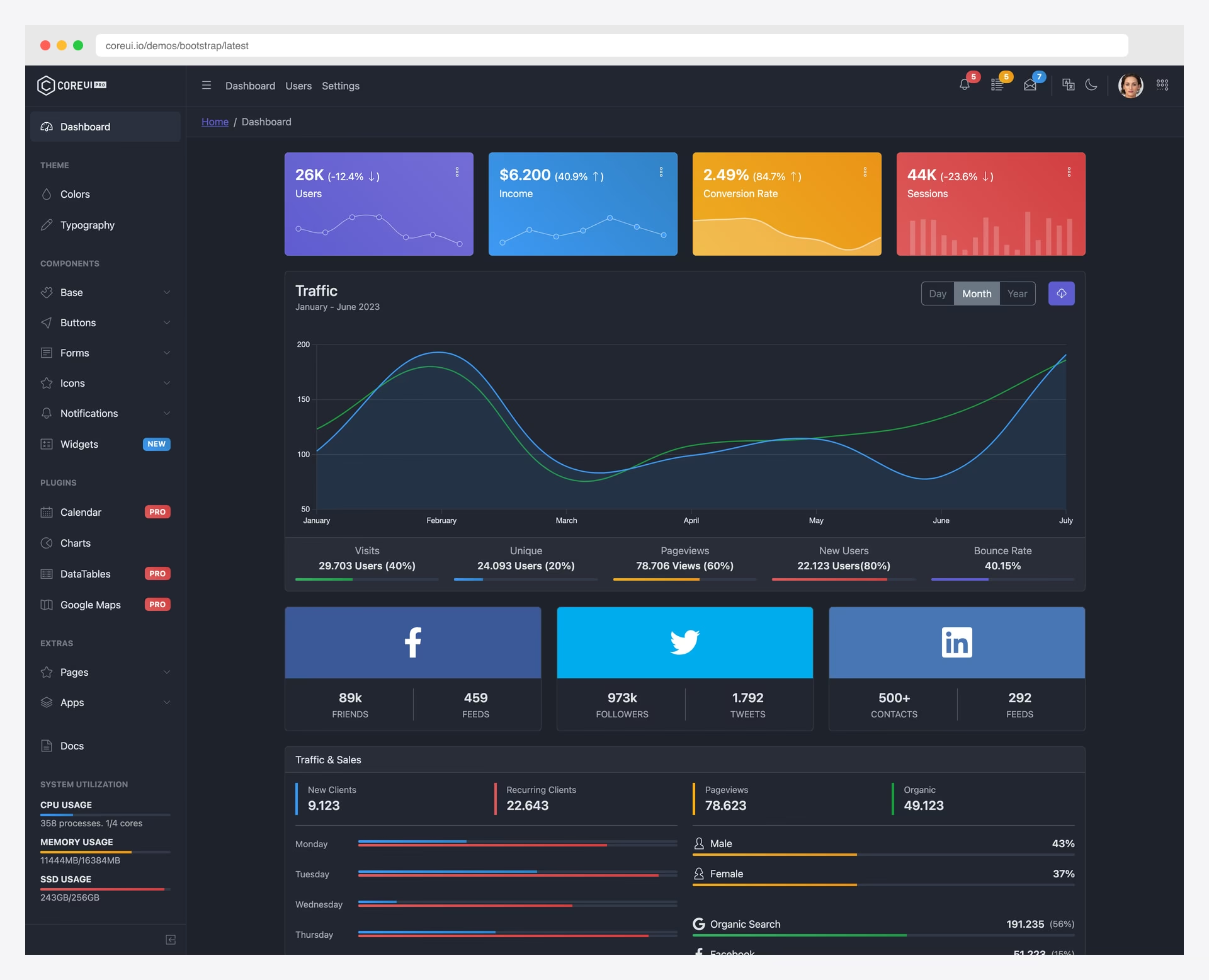
Free Bootstrap Dark Mode · Best for: Bootstrap teams migrating to React, Angular or Vue
CoreUI’s Bootstrap template ships with both dark and light themes ready to go — no setup required. The 12,210 GitHub stars and enterprise-grade quality make it a go-to for teams building production admin panels. The dark/light toggle is built into CoreUI’s CSS framework and works across all 30+ components, Chart.js visualizations, and Smart Table data grids.
The template is also available in React, Vue, and Angular variants, all sharing the same dark mode system. CoreUI is backed by a company that offers commercial support, making it suitable for enterprise projects that need a vendor behind the open-source code.
12. Shadcn Admin
Free shadcn/ui React Tailwind TypeScript Dark Mode · Best for: Modern Vite/Next.js apps, developer-centric projects
Shadcn Admin is the fastest-growing admin dashboard on GitHub with 11,857 stars, and its dark mode is first-class. Built with shadcn/ui’s CSS variable-based theming system, the dark mode toggle switches every component seamlessly. The template includes 10+ pages, a collapsible sidebar, and a global command search (cmdk).
The dark theme leverages shadcn/ui’s design tokens — background, foreground, card, popover, and border colors all switch via CSS variables with zero flash. For React developers using Vite and Tailwind CSS, this is the modern standard for dark-capable admin dashboards. Last updated April 2026.
13. Mosaic Lite
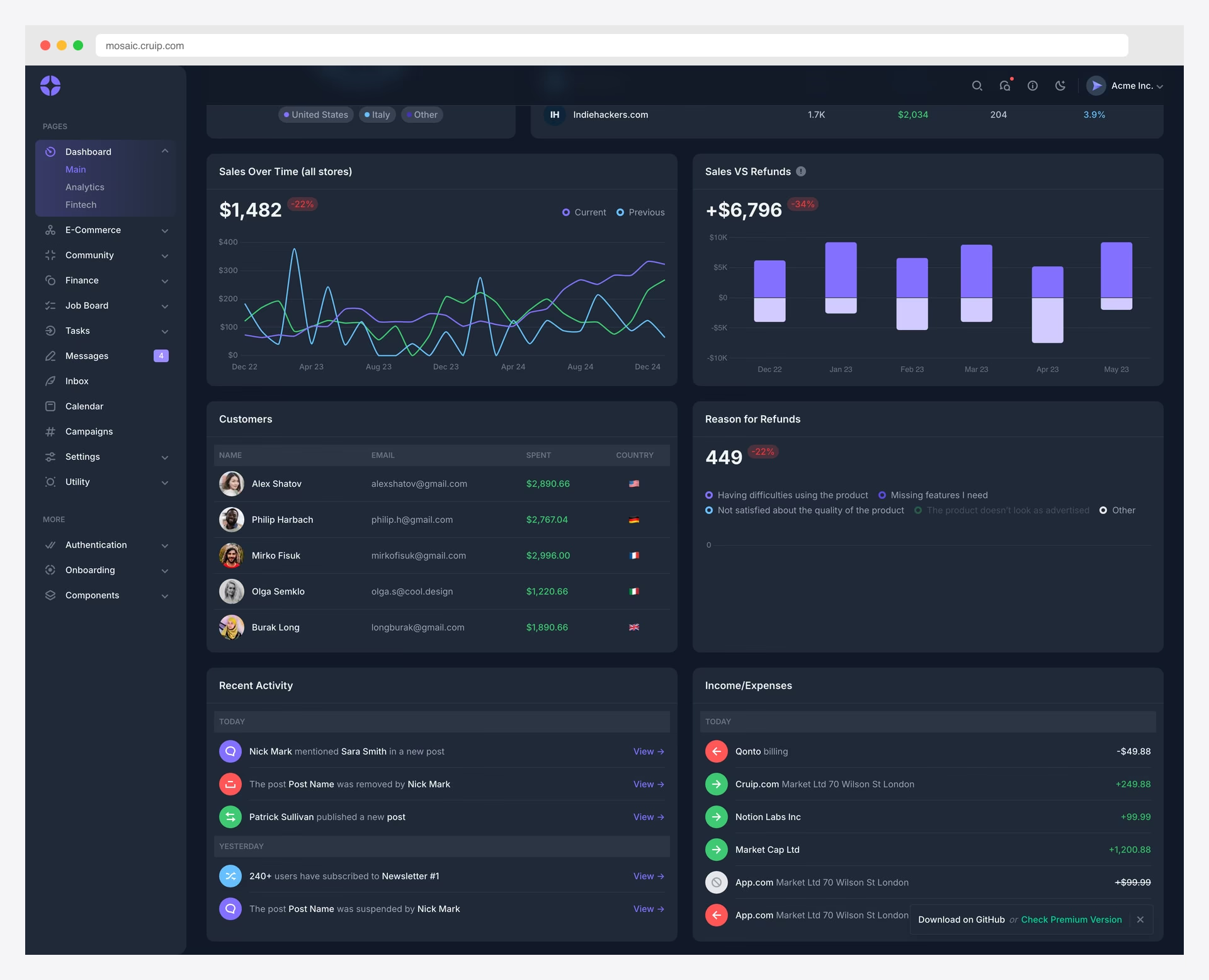
Free React Tailwind Dark Mode · Best for: FinTech dashboards, financial analytics
Mosaic Lite by Cruip is an analytics-focused dashboard with 2,779 GitHub stars and one of the best-looking dark modes in the free tier. The dark theme uses Tailwind’s native dark: variant, and the toggle switch is built into the header UI. The fintech/SaaS-oriented design features charts and data visualization widgets that look exceptional in dark mode.
Released under GPL, Mosaic Lite is ideal for SaaS dashboards, financial analytics panels, and any data-heavy admin interface where users spend extended time reviewing numbers and charts. The dark backgrounds make chart colors pop while reducing the overall screen brightness. Last updated March 2025.
14. Volt Bootstrap 5
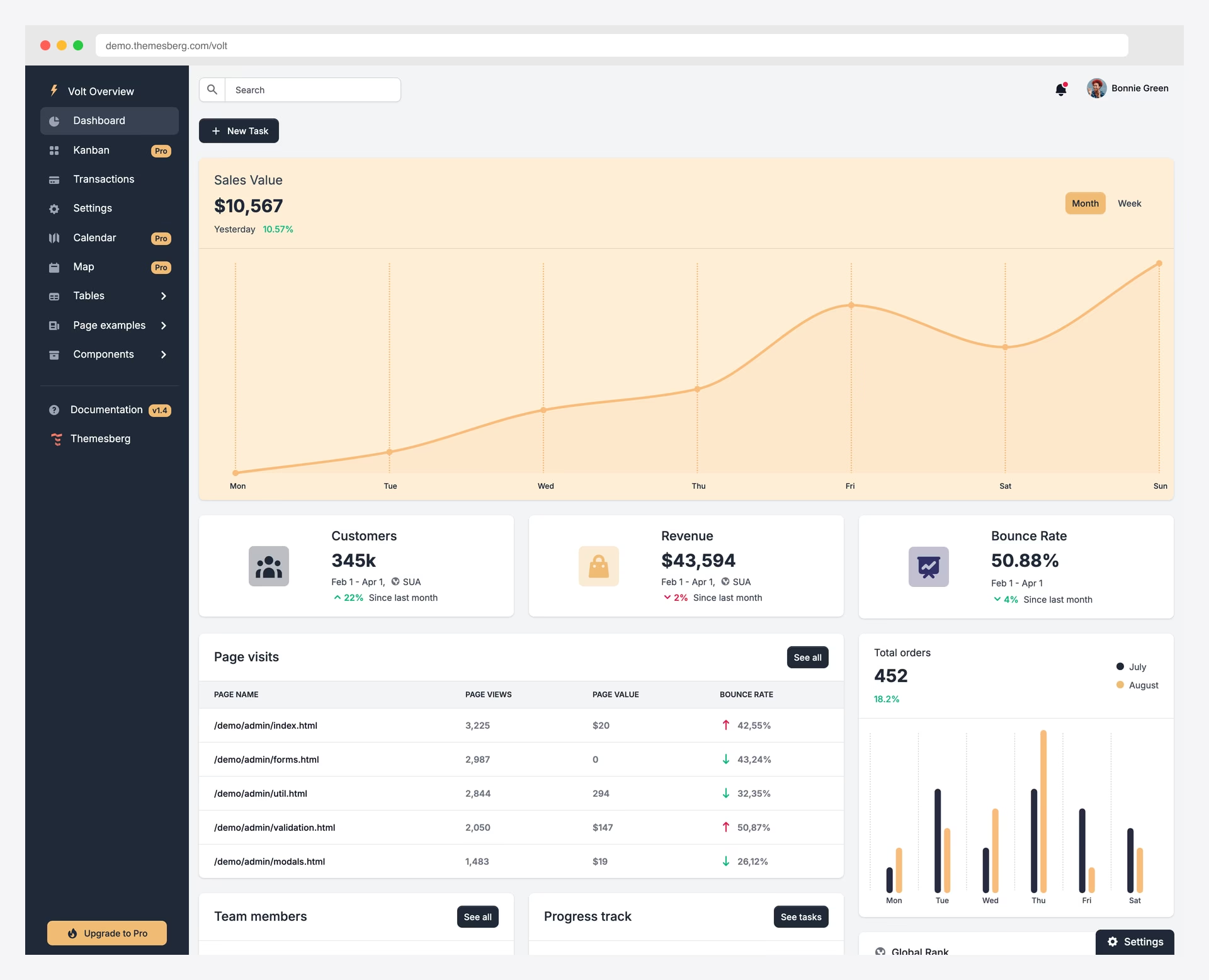
Free Bootstrap Dark Mode · Best for: Bootstrap 5 projects, Themesberg ecosystem
Volt from Themesberg implements dark mode using Bootstrap 5’s native data-bs-theme attribute system — the “right way” to do dark mode with Bootstrap. With 2,681 stars, 11 pages, 100+ components, and vanilla JavaScript (no framework dependency), Volt is clean and maintainable.
The dark/light toggle persists user preference and the transition between modes is smooth. The template hasn’t been updated since March 2023, so dependency audits are advisable before production use, but Bootstrap 5’s stability means the codebase still works with current Bootstrap releases. For teams wanting Bootstrap’s official dark mode pattern as a reference implementation, Volt fits.
15. Star Admin
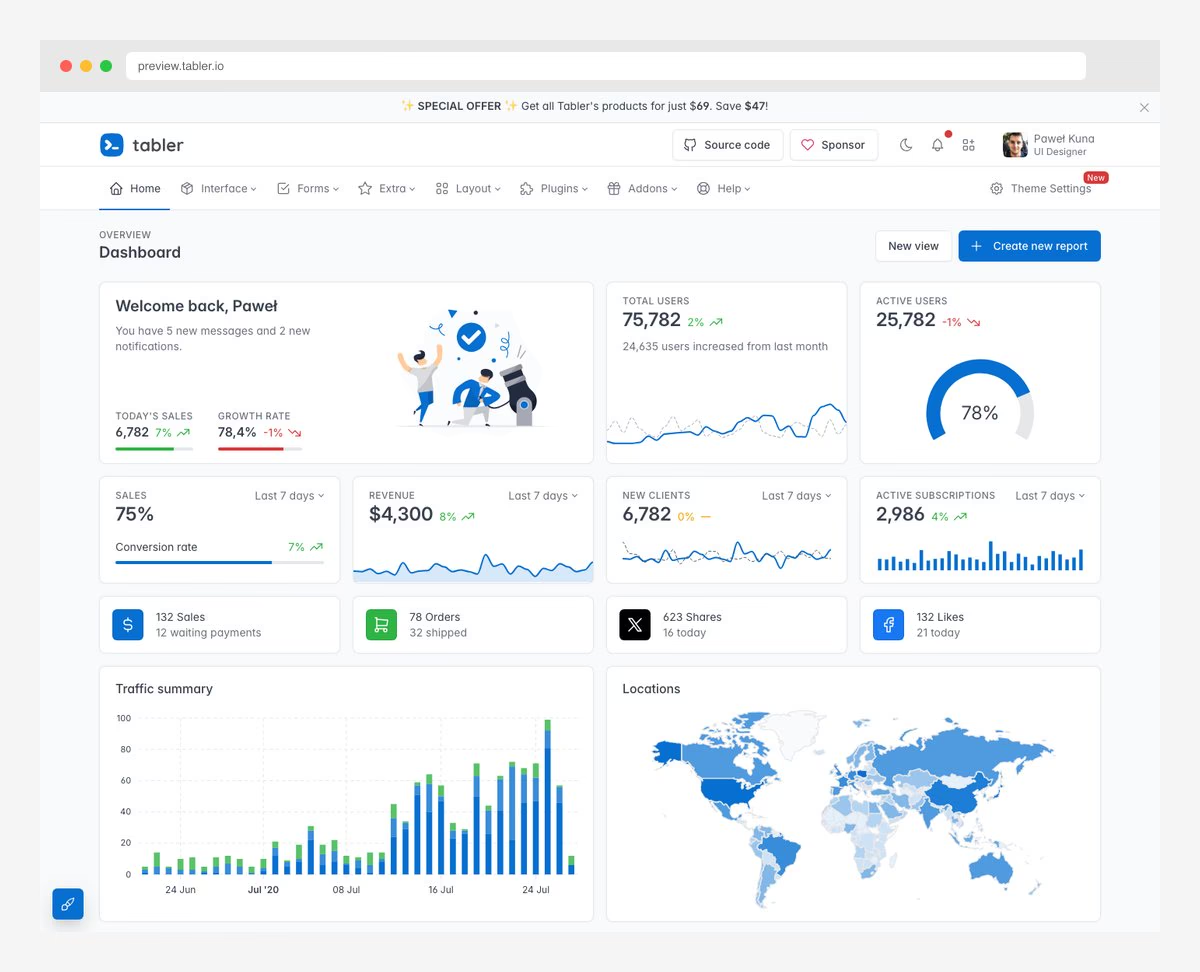
Free Bootstrap Dark Mode · Best for: Bootstrap starter dashboards
Star Admin from BootstrapDash takes a semi-dark approach — the default design pairs a dark sidebar with a light content area, with an optional fully-dark body layout. This hybrid approach works well for admin panels where the sidebar provides navigation context while the content area needs maximum readability for data.
With 1,414 GitHub stars and multiple color scheme options, Star Admin offers visual flexibility. The Bootstrap 4 foundation means it’s compatible with a wide range of existing projects. The clean, elegant design has made it one of BootstrapDash’s most popular free templates.
16. Sleek Dashboard
Free Bootstrap Dark Mode · Best for: Minimal dark dashboards
Sleek Dashboard earns its spot with a dark-first design philosophy. The default skin uses a dark sidebar, and the fully-dark layout option extends the dark aesthetic across the entire page. With 904 GitHub stars, Chart.js integration, Select2 dropdowns, and comprehensive data tables, it covers essential admin functionality.
The dark color palette uses rich dark blues and grays rather than pure black, creating a more comfortable viewing experience. Badges, status indicators, and chart colors are specifically chosen to contrast well against dark backgrounds. This is a template designed for dark mode users, not a light template with dark CSS bolted on.
17. Black Dashboard React (Creative Tim)
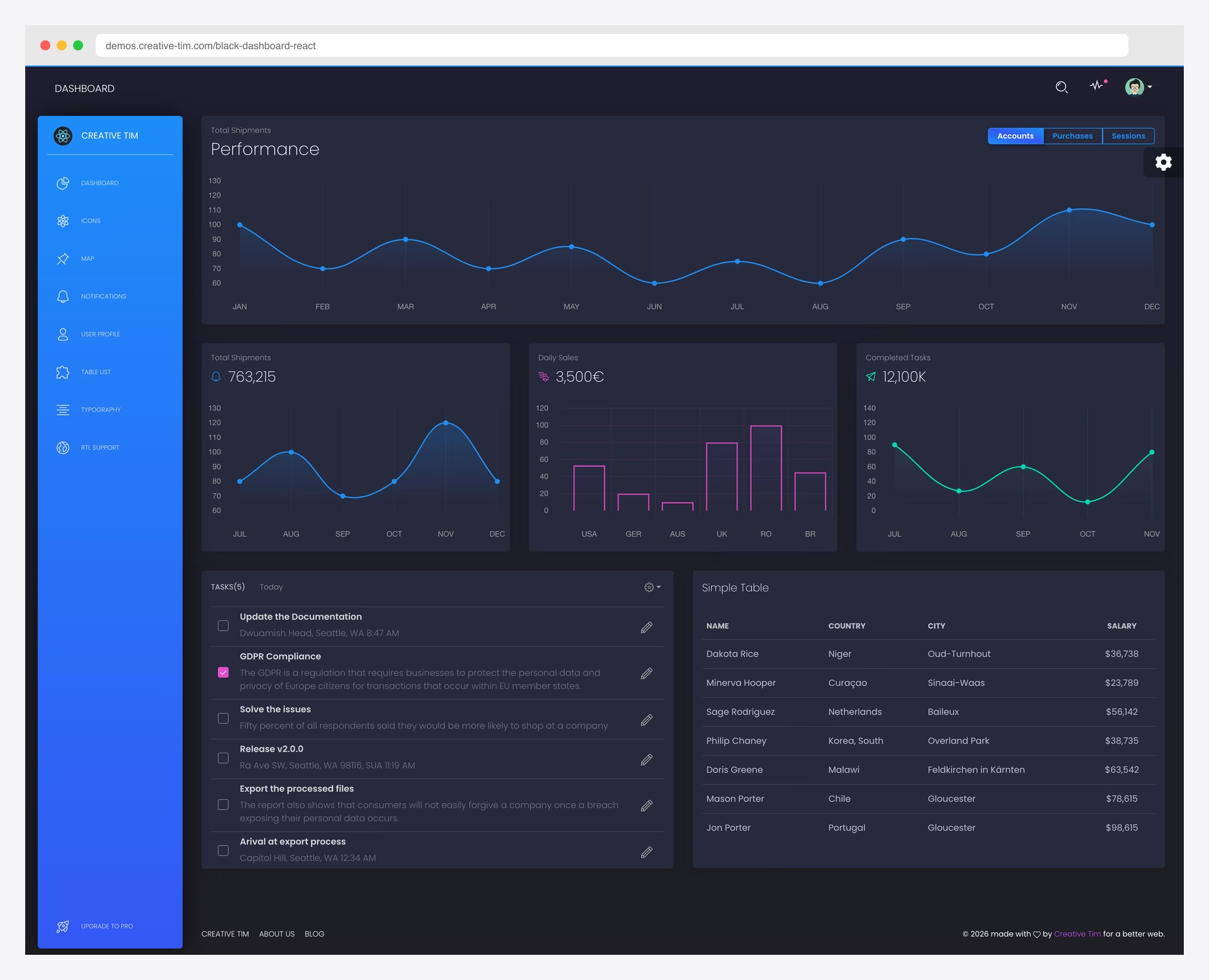
Free React Dark Mode · Best for: Dark-first projects, bold visual design
Creative Tim’s Black Dashboard React is dark-mode-first — the default and primary design is a rich dark theme with 5 color filter options (blue, green, red, yellow, black) for accent customization. With 484 GitHub stars, it uses React with Reactstrap (Bootstrap 4 React components) and features gradient charts that look stunning against the dark backgrounds.
Six example pages provide a solid starting foundation, and the responsive layout works across devices. The “Black Dashboard” name isn’t marketing fluff — this template was conceived as a dark dashboard from day one, and the design decisions reflect that commitment throughout every component.
18. Black Dashboard (Creative Tim)
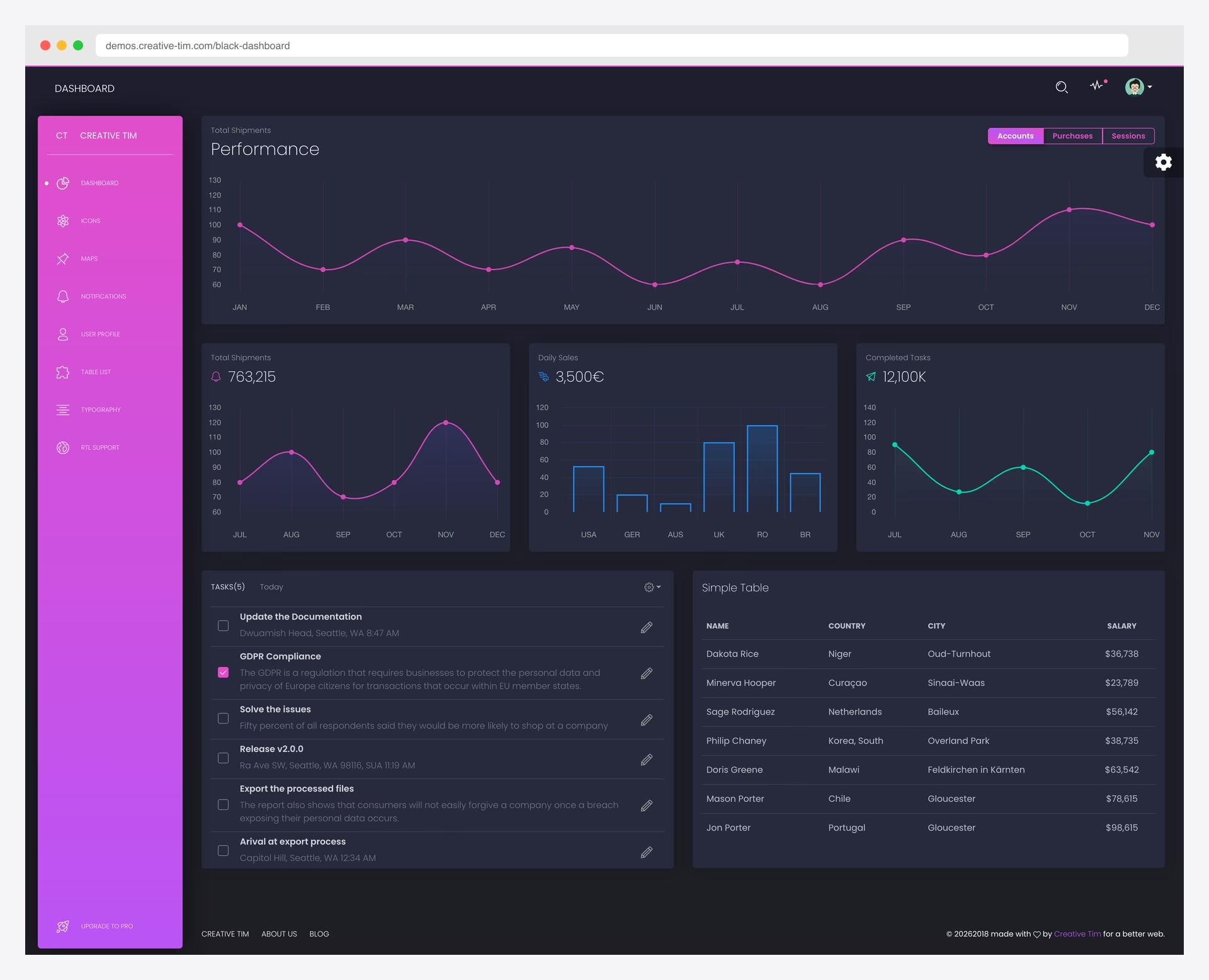
Free Bootstrap Dark Mode · Best for: Dark-first projects, bold visual design
The original Black Dashboard (346 stars) is the Bootstrap version of Creative Tim’s dark-first design. It ships with dark and light color filter options, gradient charts, and beautiful card components. The pro version ($59) extends the template with additional pages and components while maintaining the signature dark aesthetic.
Available in React (484 stars), Angular (104 stars), and this Bootstrap version, Black Dashboard covers three major frameworks. The Bootstrap version is framework-agnostic, making it compatible with any backend. It’s a proven dark dashboard design that has stood the test of time since its initial release.
19. Corona Free Dark Admin
Free Bootstrap Dark Mode · Best for: Dark-themed Bootstrap dashboards
Corona Free Dark is exactly what the name promises — a Bootstrap admin template designed from the ground up as a dark theme with no light mode at all. With 298 GitHub stars, the entire color palette is dark-oriented, which means there are no awkward light-mode artifacts or components that look better in light mode.
Built by BootstrapDash on Bootstrap 4 with jQuery, it’s suitable for CMS, CRM, and e-commerce admin panels. The dedicated dark-only approach means every design decision was made with dark backgrounds in mind, resulting in a more cohesive visual experience than templates that try to serve both modes.
20. Muse Ant Design Dashboard (Creative Tim)
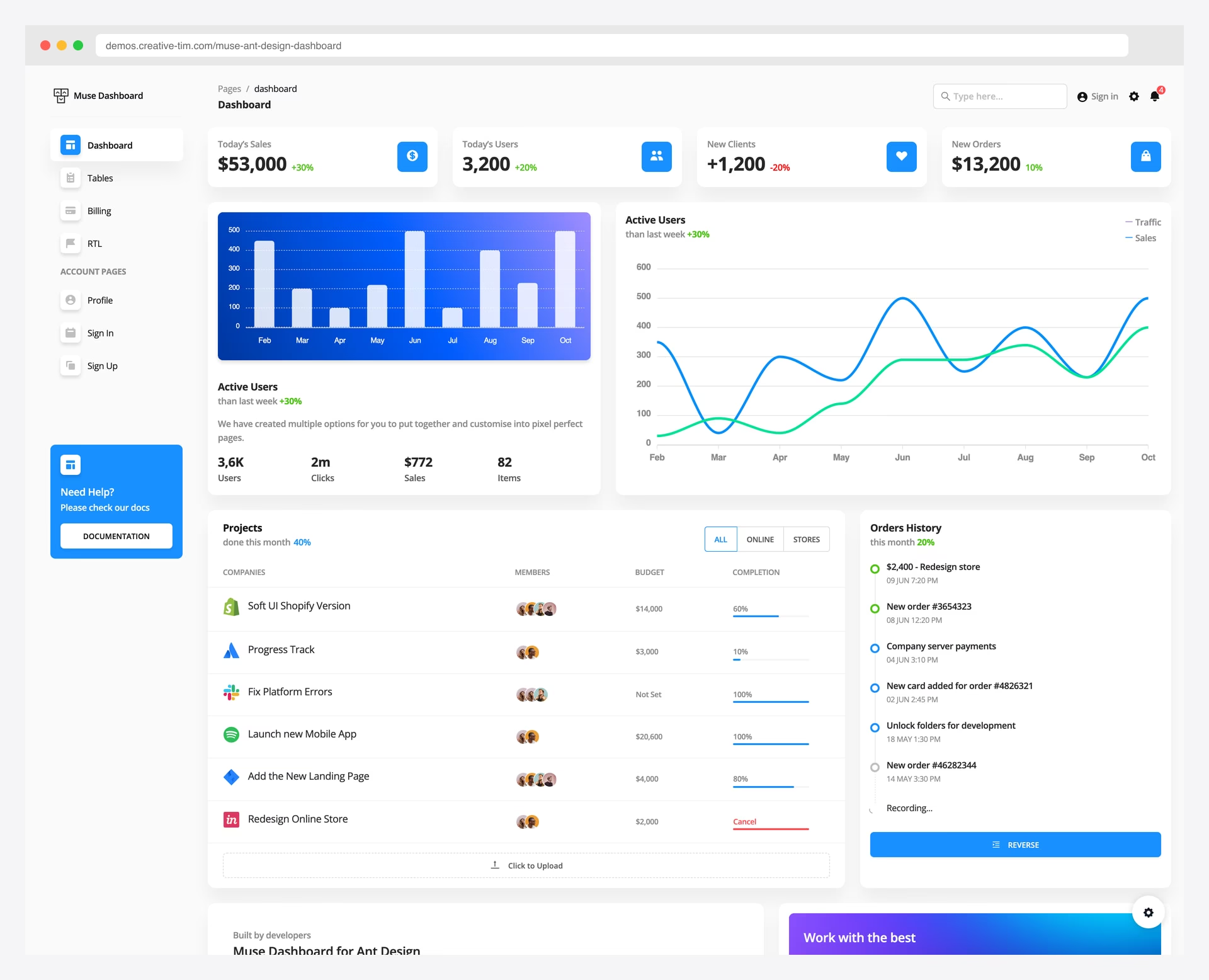
Free React Dark Mode · Best for: Enterprise dashboards, data-heavy apps
Muse brings Ant Design components together with Creative Tim’s dark sidebar design and 5 color filter choices. With 192 GitHub stars, it includes 120+ UI elements, 7 sample pages, and RTL support. The dark sidebar option creates a professional look, and the transparent/fill sidebar modes add additional visual variety.
For React developers who prefer Ant Design’s component library over MUI or Chakra UI, Muse provides a dark-capable admin dashboard without reinventing the wheel. The Ant Design ecosystem’s data-heavy components (tables, trees, cascaders) work naturally in the dark sidebar context.
21. Black Dashboard Angular (Creative Tim)
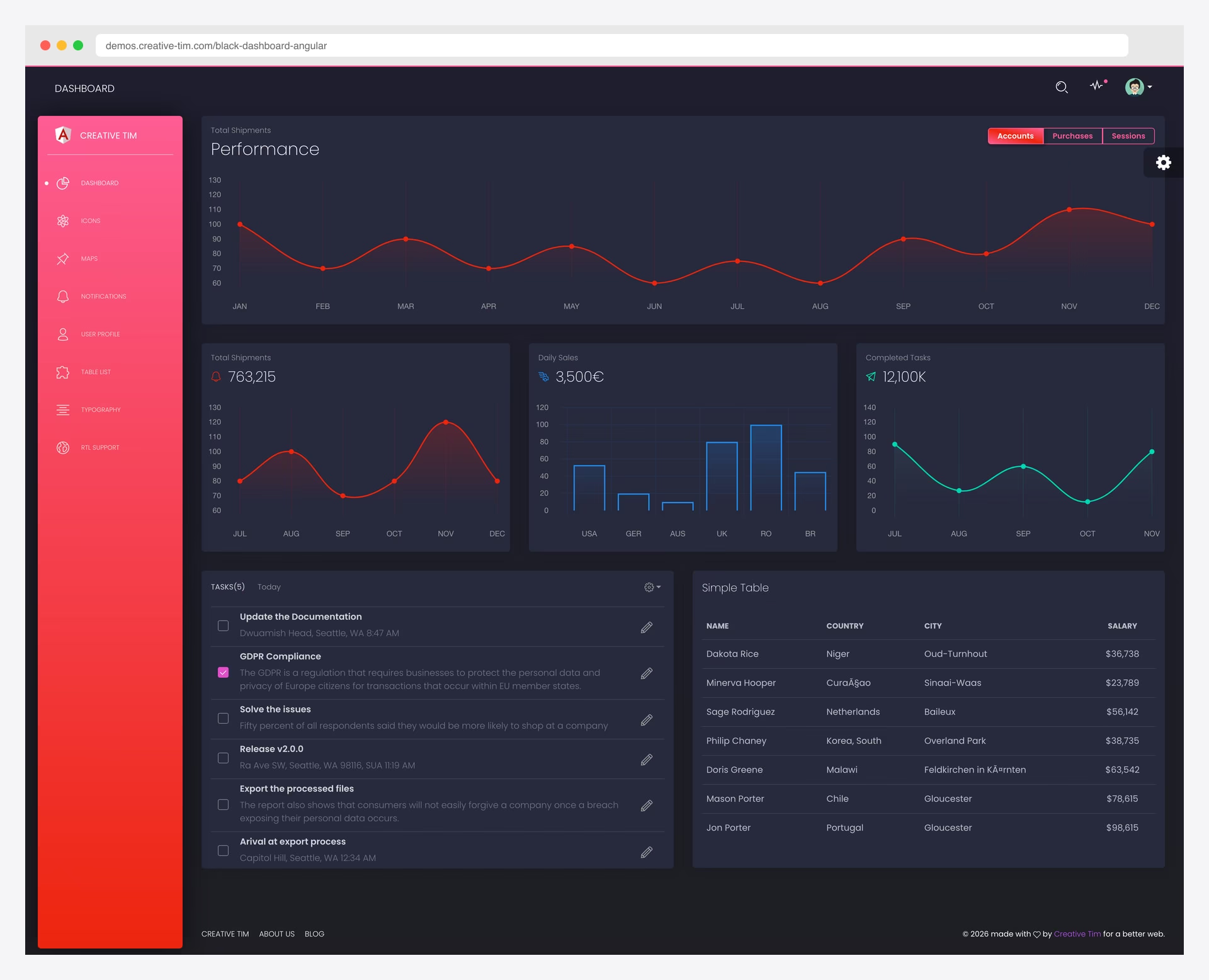
Free Angular Dark Mode · Best for: Dark-first projects, bold visual design
Black Dashboard Angular brings Creative Tim’s signature dark-first design to the Angular ecosystem. With 104 GitHub stars, it’s the same dark design language from the Bootstrap and React versions, ported to Angular with proper Angular CLI project structure and TypeScript.
The dark-mode-first approach means Angular developers get a genuine dark dashboard — not a Bootstrap template wrapped in Angular components. For Angular teams that want a dark admin panel without fighting a light-first template into dark submission, this is the most straightforward option available.
Dark Mode Implementation Tips
Use CSS custom properties: The best dark themes (AdminLTE 4, Adminator, the DashboardPack Next.js suite) use CSS custom properties for colors. This lets users customize the dark palette without touching component CSS. Set dark colors on [data-theme="dark"] or [data-bs-theme="dark"] and all components inherit them.
Detect OS preference: Use prefers-color-scheme: dark media query to match the user’s system setting on first visit. AdminLTE 4 and Adminator both implement this pattern. Store the preference in localStorage for subsequent visits.
Dark-first vs. toggle: If your audience primarily works in dark mode (developers, designers, DevOps, traders), choose a dark-first template like Fortress, Signal, Black Dashboard, or Corona. If you need to support both preferences equally, choose a toggle-based template like AdminLTE, Apex, Vault, or CoreUI.
Chart readability: Dark backgrounds require different chart color palettes than light backgrounds. Templates like Vault, Mosaic Lite, and Black Dashboard use gradient fills and brighter accent colors that read clearly on dark surfaces. Test your charts in dark mode specifically.
Frequently Asked Questions
What is the best free dark admin dashboard template?
AdminLTE 4 leads with 45,369 GitHub stars, built-in dark/light mode toggle, OS preference detection, and active 2026 maintenance. For React projects, Shadcn Admin (11,857 stars) offers the best dark mode implementation with shadcn/ui’s CSS variable system. For Bootstrap dashboards specifically, our Adminator template is the most popular open-source option.
What is the best premium dark admin dashboard template?
For Next.js teams, the DashboardPack suite covers the modern stack: Apex for general-purpose admins, Fortress for institutional finance, Signal for DevOps and infrastructure, Vault for retail fintech, and Flux for startup-style marketing-led products. All ship with production-grade dark/light theming and a live theme customizer.
What is the difference between dark-first and dark-toggle templates?
Dark-first templates (Fortress, Signal, Black Dashboard, Corona, Nalika) are designed exclusively or primarily for dark mode — every color and design decision targets dark backgrounds. Dark-toggle templates (AdminLTE, Adminator, Apex, Vault, CoreUI) support both light and dark modes equally with a user toggle. Dark-first templates look better in dark mode; toggle templates offer more flexibility.
Does dark mode reduce eye strain?
Research suggests dark mode reduces eye strain in low-light environments and can decrease headaches during extended screen time. However, in bright ambient lighting, light mode may actually be easier to read. The best approach is to offer a toggle and let users choose based on their environment.
Which framework has the best dark mode support for admin dashboards?
Tailwind CSS has the most natural dark mode support through its dark: variant classes. Bootstrap 5.3+ added native color mode support via the data-bs-theme attribute. For React component libraries, both shadcn/ui and Chakra UI handle dark mode through CSS variables with zero-flash switching.
Can I add dark mode to an existing admin template?
Yes, but it’s significantly more work than starting with a dark-capable template. You need to define dark color variables, update every component’s colors, adjust chart palettes, test form inputs and validation states, and handle the theme toggle logic. Starting with a template that includes dark mode saves 20-40 hours of work.
Do dark admin dashboards affect accessibility?
Dark mode can improve accessibility for users with light sensitivity or certain visual conditions, but it requires careful contrast ratio management. WCAG 2.1 requires a minimum 4.5:1 contrast ratio for normal text regardless of light or dark theme. Templates like AdminLTE and the DashboardPack suite are specifically tested against accessibility standards.
What is the best dark admin template for Next.js?
The DashboardPack suite — Apex, Fortress, Signal, Vault, and Flux — is built specifically on Next.js 16 with React 19, shadcn/ui, and Tailwind CSS v4. Each ships with production-grade dark/light theming, RTL, i18n, and a live theme customizer. For free Next.js options, Shadcn Admin and Ant Design Pro are strong open-source picks.
Are dark admin templates good for client-facing dashboards?
It depends on your audience. Dark themes work well for technical users (developers, DevOps, data analysts) and applications used in low-light settings (monitoring dashboards, trading platforms). For general business users, offering a toggle between dark and light modes is the safest approach.
How do I prevent dark mode flash on page load?
Add a blocking script in the <head> tag that reads the stored theme preference from localStorage and applies the theme attribute before the page renders. shadcn/ui and Tailwind CSS templates handle this with inline scripts that run before CSS is evaluated, preventing the brief white flash.
Which dark admin template has the best design?
For premium picks, Flux’s frosted-glass gradients are the most visually striking, while Fortress and Signal nail purpose-built dark aesthetics for finance and DevOps respectively. Among free templates, Adminator and Nalika offer clean, minimal dark designs without visual complexity.

Related Posts




Comments (0)