
9 Best Free WordPress Themes With Slider 2026 (Tested)
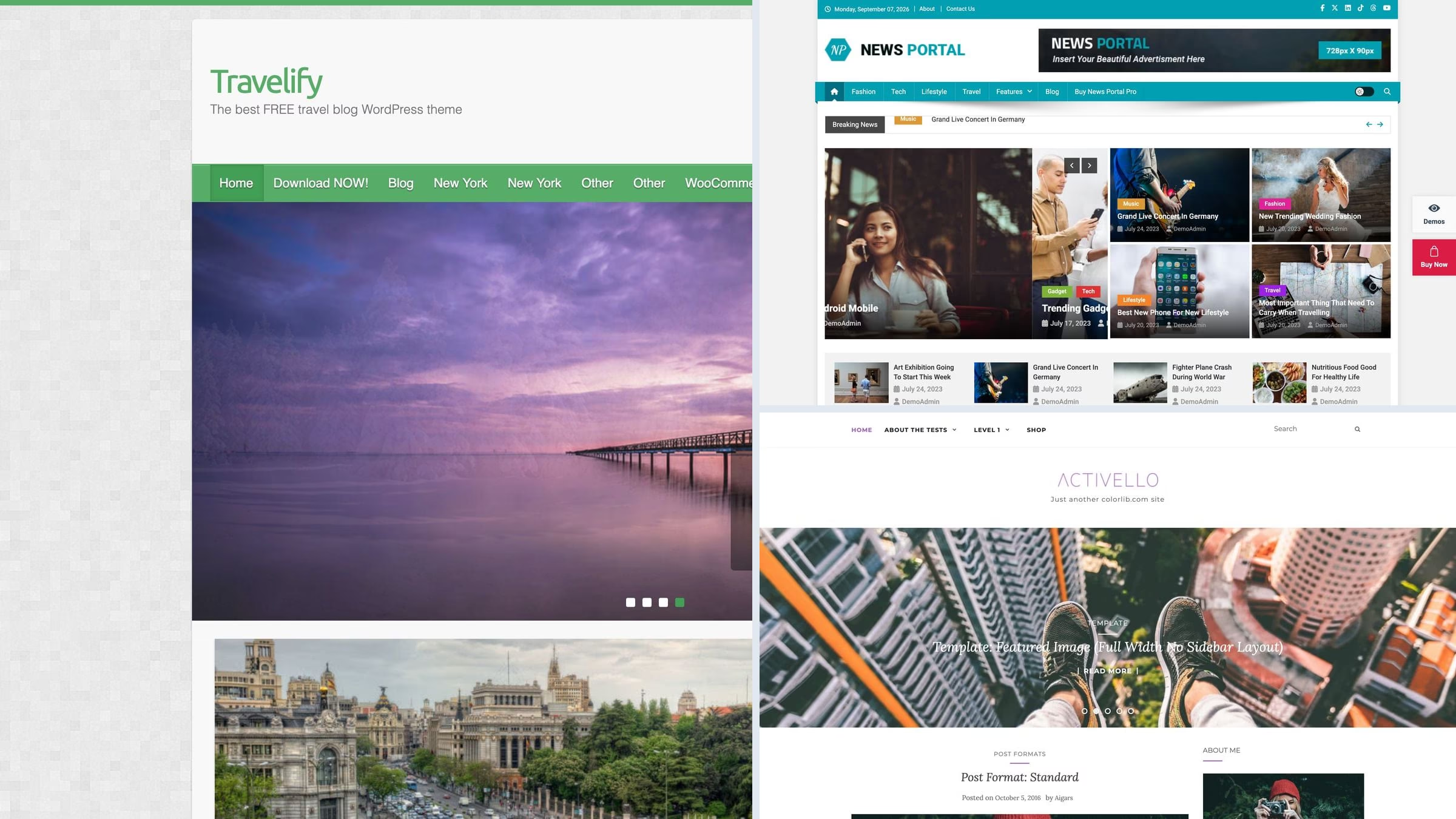
The free WordPress themes that still have a working slider are Activello, Sparkling and Travelify, which put a featured-post carousel at the top of the page with no plugin, and News Portal, whose slider comes with a breaking-news ticker beside it. This list is short on purpose. We opened the live demo of every theme that claims a slider and kept only the 9 where one is actually running, plus 3 paid themes for people who want to design slides rather than pick posts.
Here is what the research turned up, and it surprised us. Most free themes have quietly dropped their sliders. ColorMag, Newsmatic, NewspaperUp, News Magazine X, Sydney, Zakra and Total all shipped one a few years ago and now open on a static featured grid or a single hero image instead. That is a deliberate move, because a rotating carousel hurts the page-speed scores Google measures, and most visitors never see slide two. So if you specifically want a slider, the field is far smaller than the search results suggest.
Related roundups: themes with a video slider, themes with a video background, and the full free collection.
Quick picks
- Colorlib pick: Activello — a featured-post slider in the free build, no plugin needed
- Best newspaper slider: News Portal — a slider with a breaking-news ticker above it
- Best for photographs: Travelify — full-width image slides with the title laid over them
- Best slider controls: HitMag — a thumbnail strip under the slider, so readers can pick a slide
- Slider on any page: Vantage — the slider is a page-builder widget, not a homepage fixture
- Best paid option: Avada — bundles Slider Revolution, so you build slides rather than pick them
Top picks at a glance
Table of contents — all 12 themes
Quick comparison: top slider picks
| Theme | Price | Best for | Standout | Updated |
|---|---|---|---|---|
| Activello | Free | A blog with featured posts | FlexSlider built in, no plugin | Aug 2026 |
| Sparkling | Free | A blog that wants nothing else | Same slider, lighter theme | Aug 2026 |
| Travelify | Free | A travel or photo blog | Image-led slides with dots | Aug 2026 |
| News Portal | Free / Pro | A newspaper front page | Slider, ticker and ad slot together | Sep 2026 |
| HitMag | Free / Pro | Readers who pick their own slide | Thumbnail navigation strip | Dec 2025 |
| Vantage | Free | A slider on an inner page | Page Builder slider widget | Apr 2026 |
| Avada | Paid, $69 | Designing slides from scratch | Slider Revolution included | Aug 2026 |
We tested it: what a slider costs you
How we tested: we installed each free theme on the same clean WordPress site with identical content and no extra plugins, then measured the homepage with Google Lighthouse on mobile. Because the content is the same everywhere, what you see below is the theme itself. This matters more on a slider post than anywhere else: the first slide is usually the largest image on the page, so it is what Google measures as your largest contentful paint.
| Theme | Page weight | Requests | Lighthouse | LCP |
|---|---|---|---|---|
| Travelify | 365 KB | 17 | 94/100 | 2.8s |
| Cream Magazine | 569 KB | 17 | 83/100 | 3.9s |
| Sparkling | 647 KB | 24 | 74/100 | 5s |
| SuperMag | 670 KB | 28 | 81/100 | 4.1s |
| Activello | 762 KB | 25 | 77/100 | 4.4s |
| HitMag | 796 KB | 27 | 69/100 | 5.4s |
| News Portal | 813 KB | 33 | 68/100 | 5.3s |
| Vantage | 986 KB | 32 | 65/100 | 6.5s |
| Newsup | 1441 KB | 38 | 62/100 | 8.8s |
Free WordPress themes with a working slider
Every theme below is free on WordPress.org, still maintained, and its slider runs in the free build. Each screenshot is the theme’s own demo with the slider on screen, so you can see the thing you are choosing rather than take a feature list on trust.
1. Activello
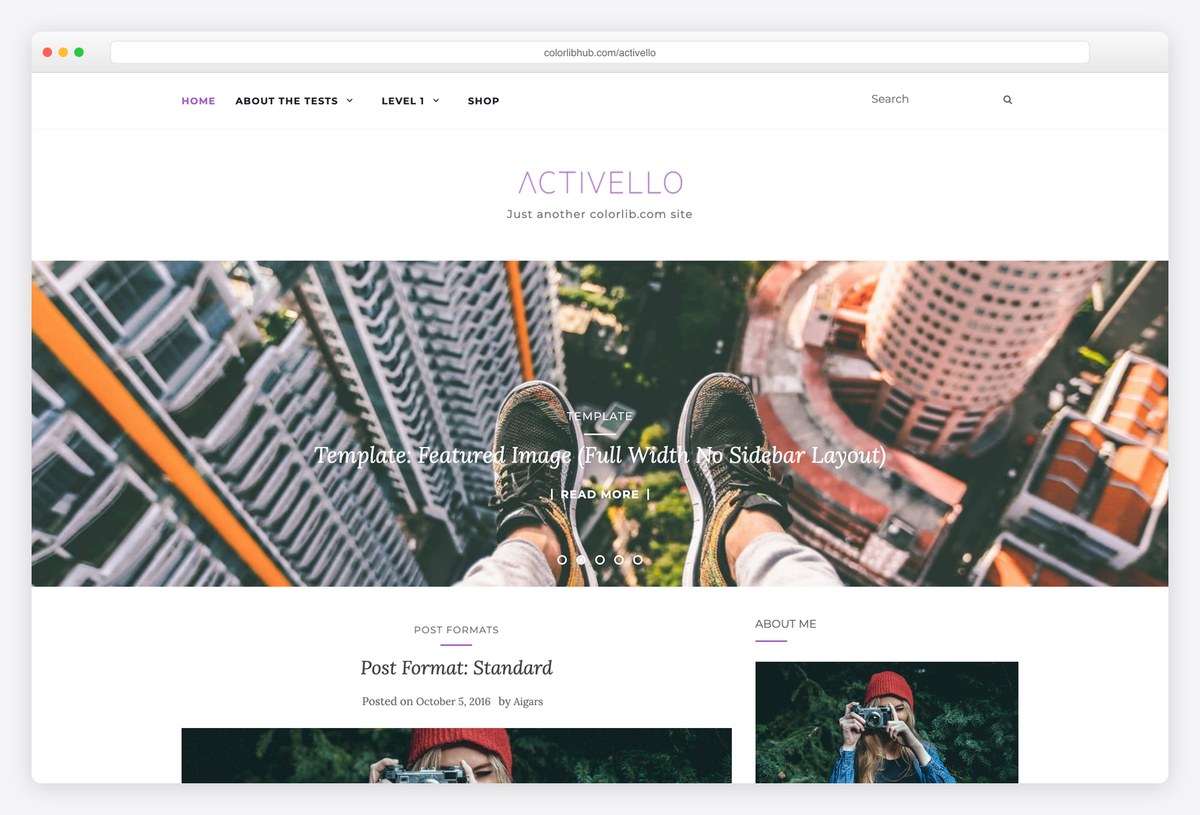
Why we like it: A featured-post slider in the free build, driven by a category you choose, with nothing to install.
Activello puts a FlexSlider carousel above the fold and fills it from whichever category you point it at, so the slider updates itself as you publish. Setting it up is one customizer field, which is the whole reason to pick a theme with a slider over a theme plus a slider plugin.
✅ Pros: slider works in the free theme, category-driven, maintained by us ⚠️ Cons: the slider pulls posts only, so you cannot design a custom slide
2. Sparkling
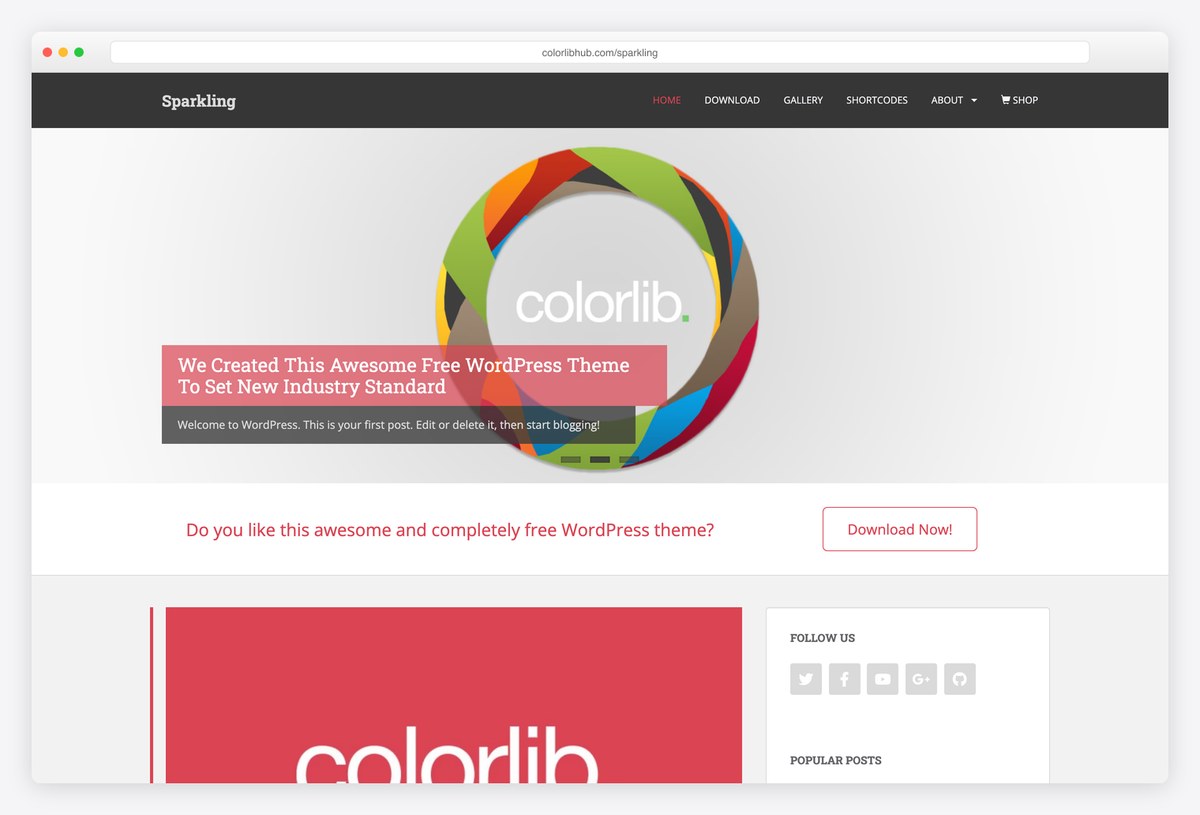
Why we like it: The same FlexSlider setup on a flatter, faster layout, and it is the lighter of the two in our test.
Sparkling gives you the featured-post slider without the rest of a magazine theme around it, so the page stays clean and quick. If you want a carousel of your best writing and a normal blog underneath, this is the smaller, tidier option.
✅ Pros: slider in the free build, clean layout, lighter than most themes here ⚠️ Cons: no news furniture at all, so a busy front page is not its job
3. Travelify
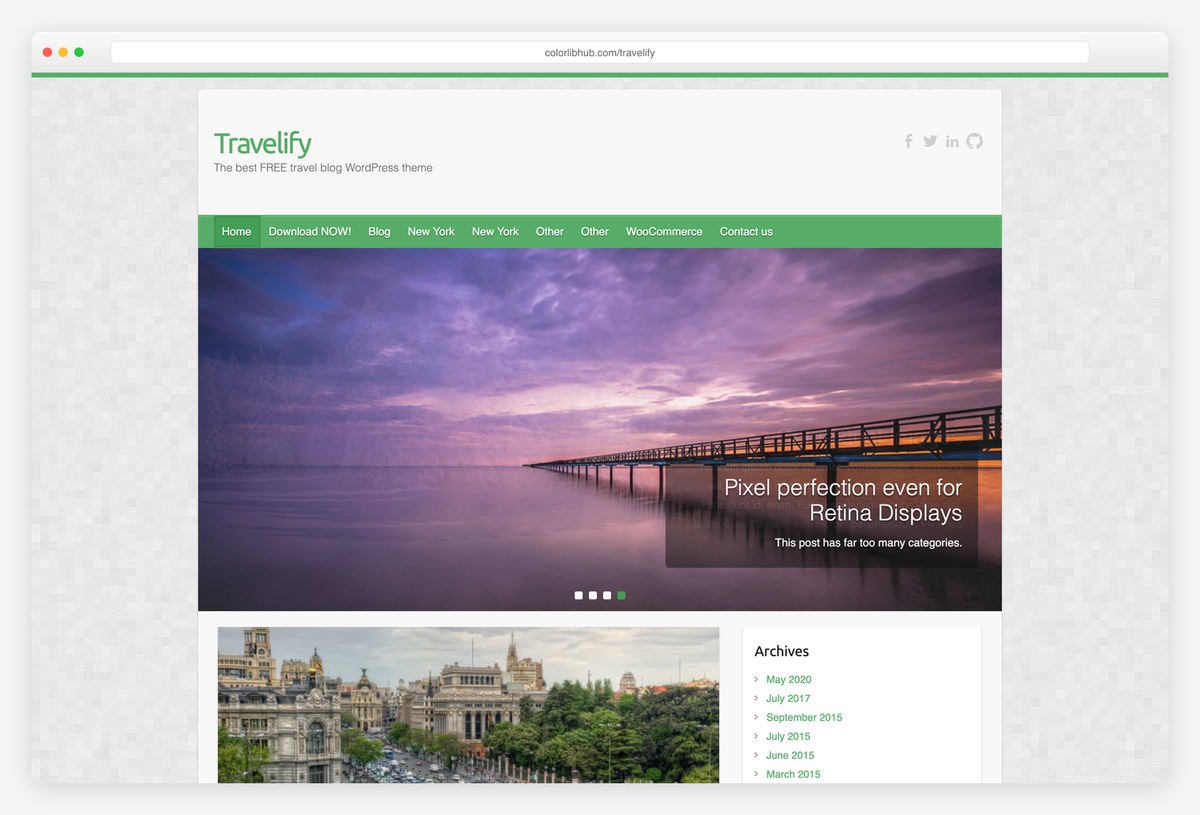
Why we like it: A wide featured slider designed for photographs rather than headlines, which suits a travel or lifestyle blog.
Travelify’s slider gives each image the full width of the content area and lays the title over it, so a strong photograph does the work. It has been maintained for over a decade and still ships releases, which is unusual for a theme of its generation.
✅ Pros: image-led slider, long maintenance record, maintained by us ⚠️ Cons: an older layout underneath the slider, and fewer options than the news themes
4. News Portal
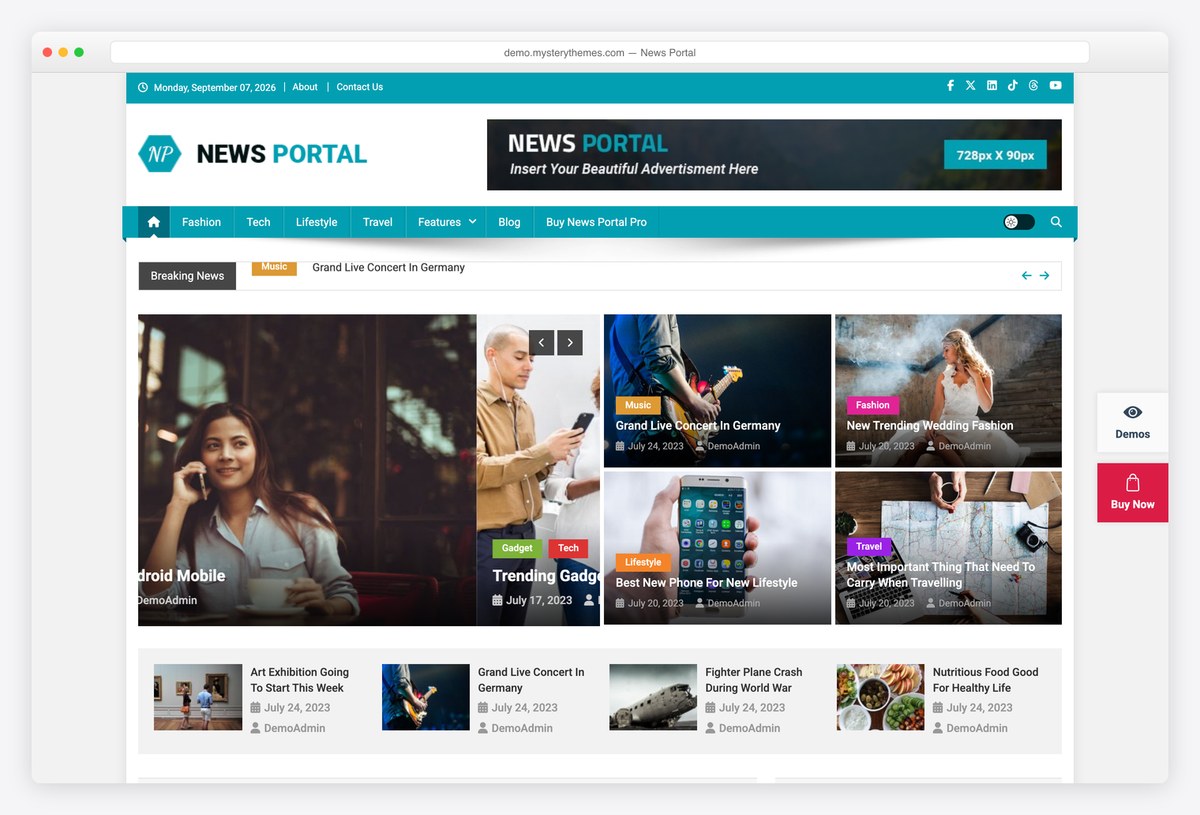
Why we like it: A perfect rating across 163 reviews, and the slider arrives with a ticker above it and an ad slot beside it.
News Portal is the most complete free front page here: a breaking-news ticker, a featured slider with arrows, small headline blocks beside it and a leaderboard ad slot in the header. Everything is configured from the customizer.
✅ Pros: flawless rating, slider plus ticker and ad slot, dense newspaper layout ⚠️ Cons: the density only works if you publish enough to fill it
5. HitMag
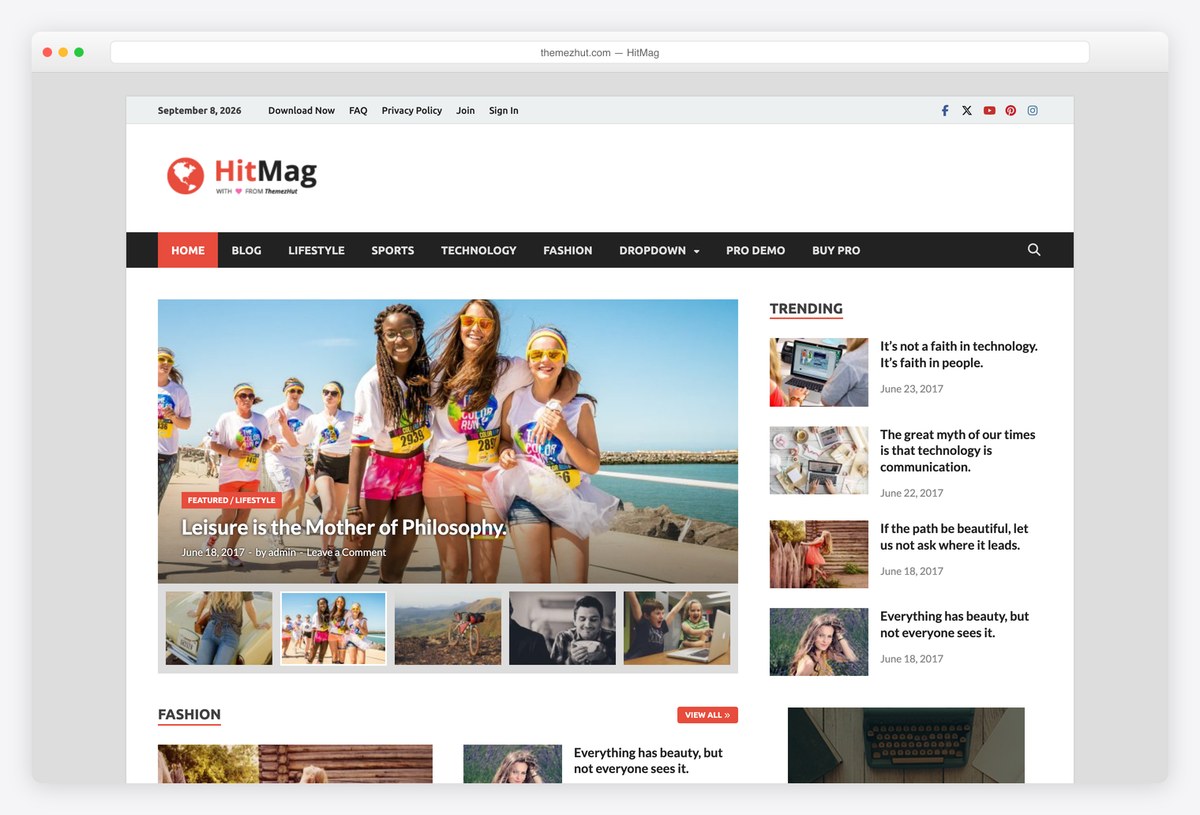
Why we like it: The slider is a widget, so you move it up or down the page by dragging rather than editing templates.
HitMag builds its whole front page from widget areas, the slider included. That makes it the easiest theme here to restructure when the shape of your site changes. It has gone longer between releases than most themes on this list, so check the update date before a large build.
✅ Pros: slider as a widget, easy to rearrange, well rated ⚠️ Cons: the longest gap between updates of anything here
6. Cream Magazine
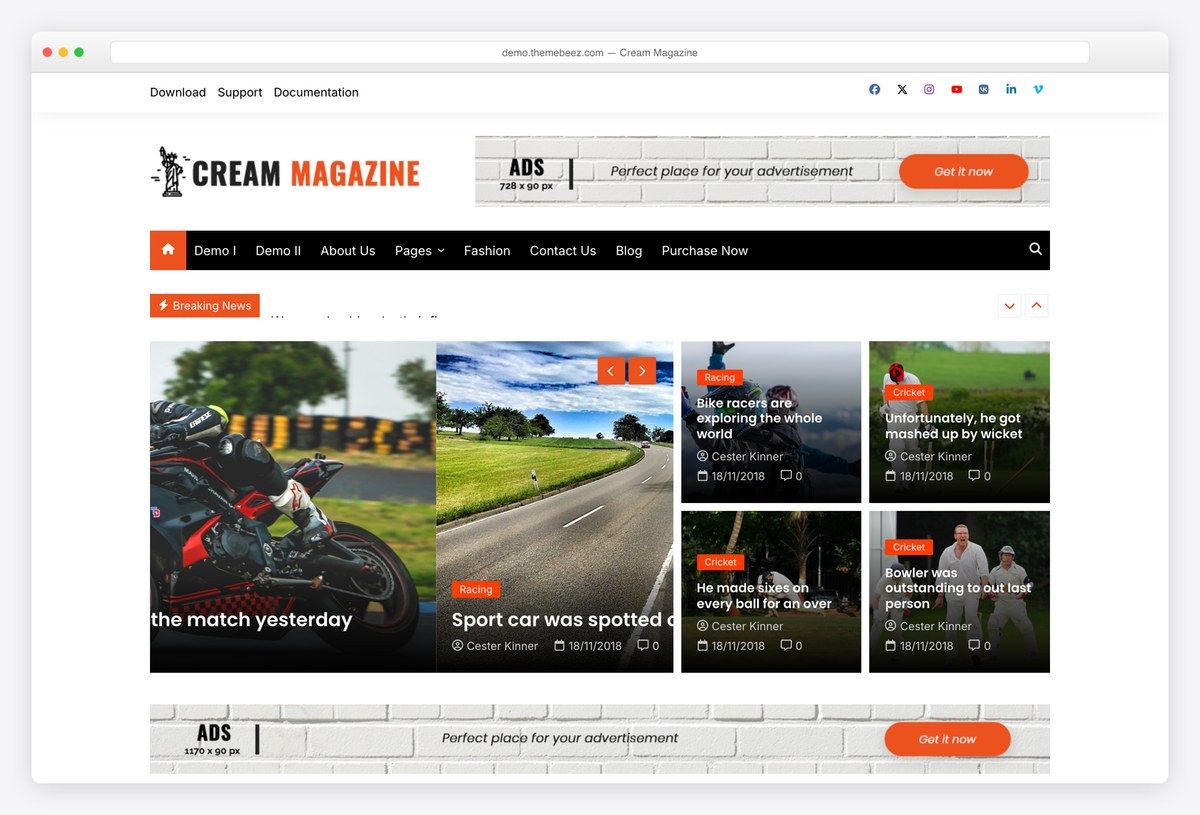
Why we like it: The slider sits between two full-width ad slots that are part of the demo, not something you retrofit.
Cream Magazine plans for advertising: a leaderboard above the masthead, the slider and breaking bar beneath it, then another leaderboard under the grid. For a site that intends to run banners, that is a much easier starting point than adding them later.
✅ Pros: ad slots designed around the slider, breaking-news bar, perfect rating so far ⚠️ Cons: only a dozen ratings, and a busy layout to tame
Want video rather than images in the slider? Our video slider roundup covers that, and the full free collection covers everything else.
7. SuperMag
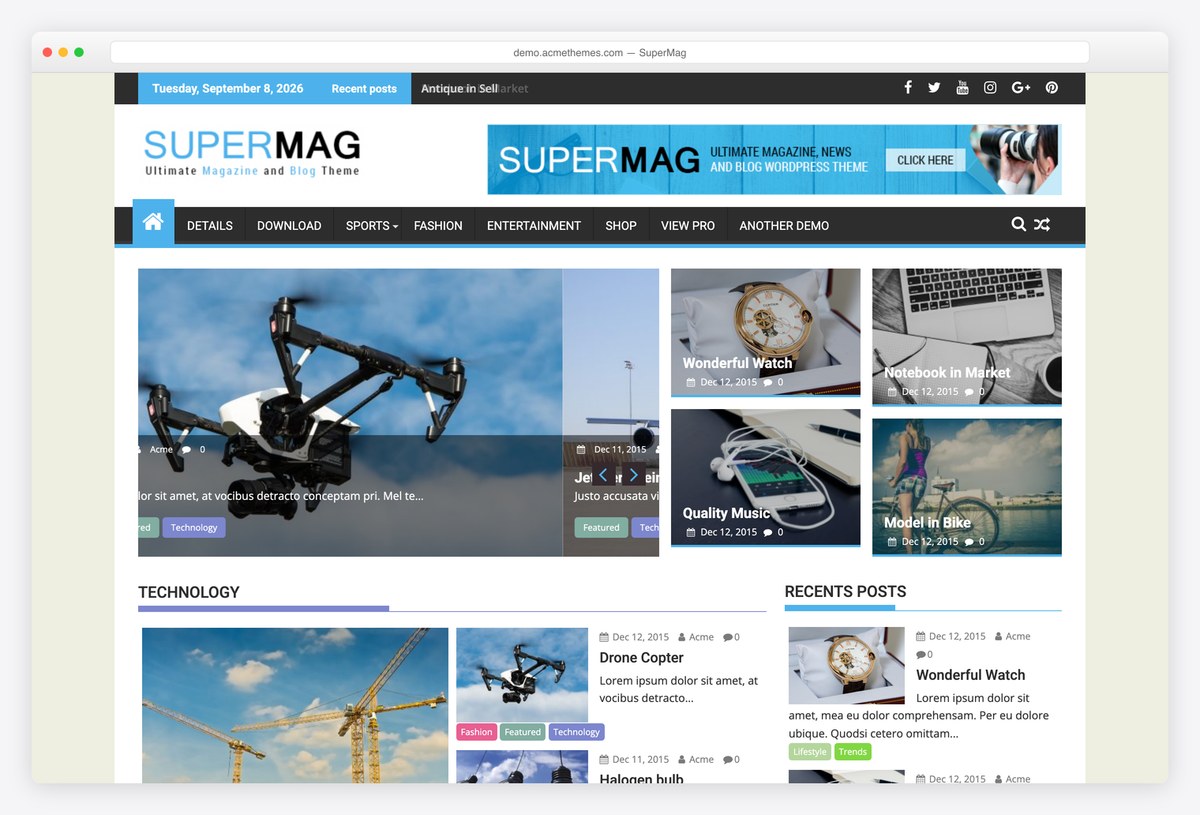
Why we like it: 142 ratings on a two-thousand-install theme, which is an unusually engaged user base for something this size.
SuperMag pairs a straightforward featured slider with a magazine grid and gets out of the way. It is the plainest theme in this section, which is a virtue if you intend to restyle it rather than accept a vendor’s look.
✅ Pros: simple slider that just works, easy to restyle, well reviewed for its size ⚠️ Cons: a small install base, and little visual personality out of the box
8. Newsup

Why we like it: The featured area rotates between stories rather than sitting still, and there are several front-page layouts to try it in.
Newsup’s lead image cycles through your featured posts, and the theme ships a set of importable front pages that arrange it differently: full width, boxed beside a headline list, or replaced by a grid. Twenty thousand sites run it and it is updated constantly.
✅ Pros: multiple free slider layouts, large user base, frequently updated ⚠️ Cons: the rotation has no visible arrows or dots, so readers may not realise there is more than one story
9. Vantage
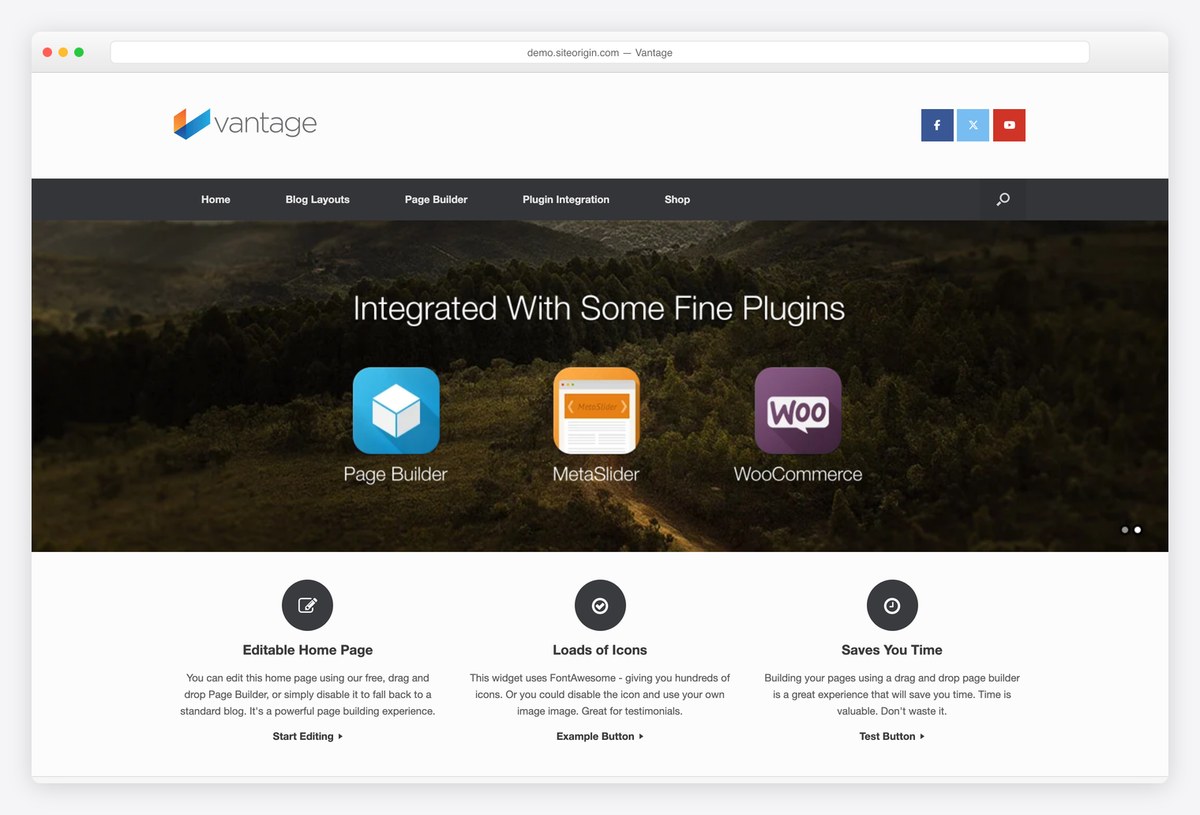
Why we like it: The slider is a Page Builder widget, so it lives in the page rather than in the theme options.
Vantage is built around SiteOrigin’s Page Builder, and its slider is one of the widgets you drop into a row. That means you can put a slider on any page, not just the homepage, and change it without touching the customizer. It is an older theme, but still updated.
✅ Pros: slider on any page, free page builder, thirty thousand installs ⚠️ Cons: an older design language, and you must learn Page Builder to use it
Paid themes with a proper slide builder
The difference at the paid end is not a better slider, it is a slide builder. Instead of choosing which posts appear, you design each slide: layered text, buttons, animation and video, saved as a template you reuse. Slider Revolution is the one most of these bundle, and buying it separately costs more than some of these themes. Sales figures and ratings come from each theme’s marketplace page.
10. Avada

Why we like it: Over a million sales, and Slider Revolution is bundled, which on its own costs more than several themes on this page.
Avada is the best-selling WordPress theme there is, and for this list the relevant part is what it includes: Slider Revolution and LayerSlider, plus its own builder. That means layered slides with animation and video, designed rather than assembled from posts.
✅ Pros: Slider Revolution and LayerSlider included, over a hundred prebuilt sites, unmatched sales record ⚠️ Cons: a heavy theme, and the bundled plugins add weight you must manage
11. Salient
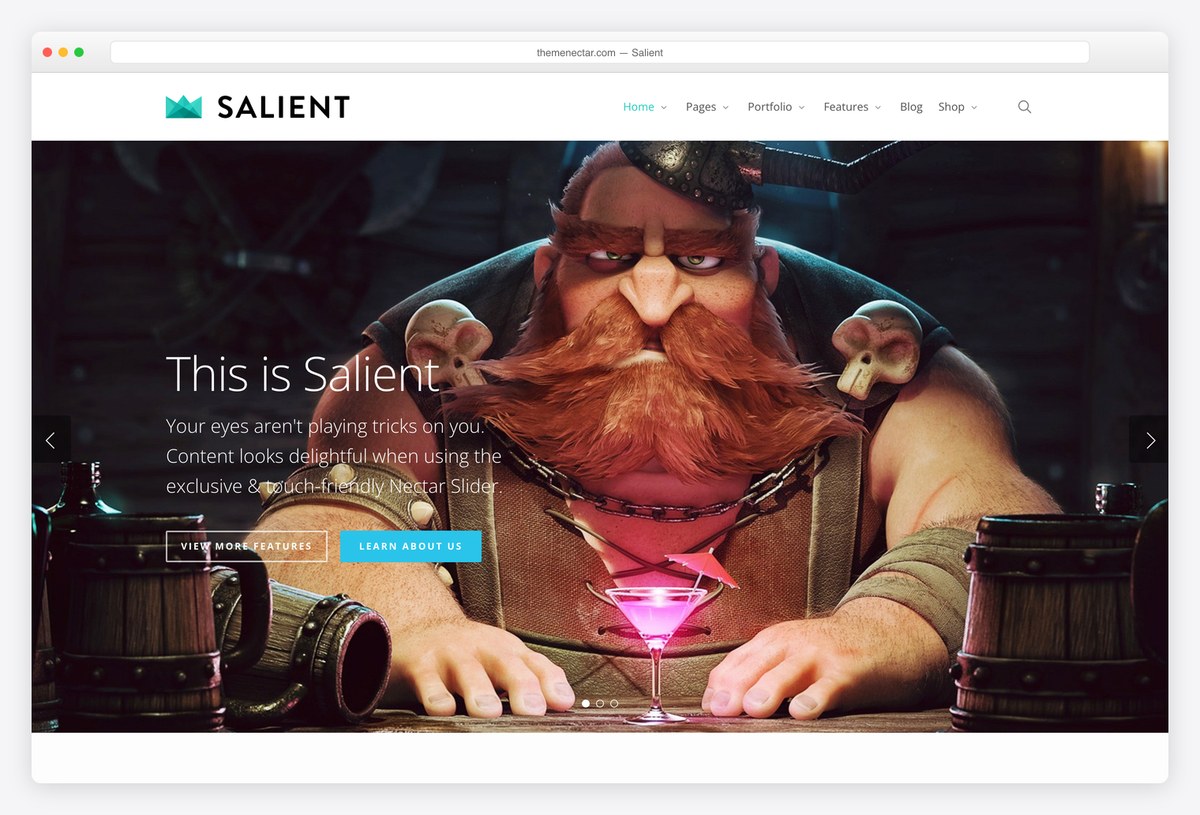
Why we like it: Its own Nectar Slider rather than a bundled plugin, which keeps the page lighter than the all-in-one themes.
Salient builds its slider into the theme instead of shipping someone else’s plugin, so there is less to load and less to keep updated. The result is more restrained than Slider Revolution and considerably easier to live with.
✅ Pros: built-in slider, no plugin to maintain, strong design defaults ⚠️ Cons: less powerful than Slider Revolution if you want complex layered slides
12. Divi
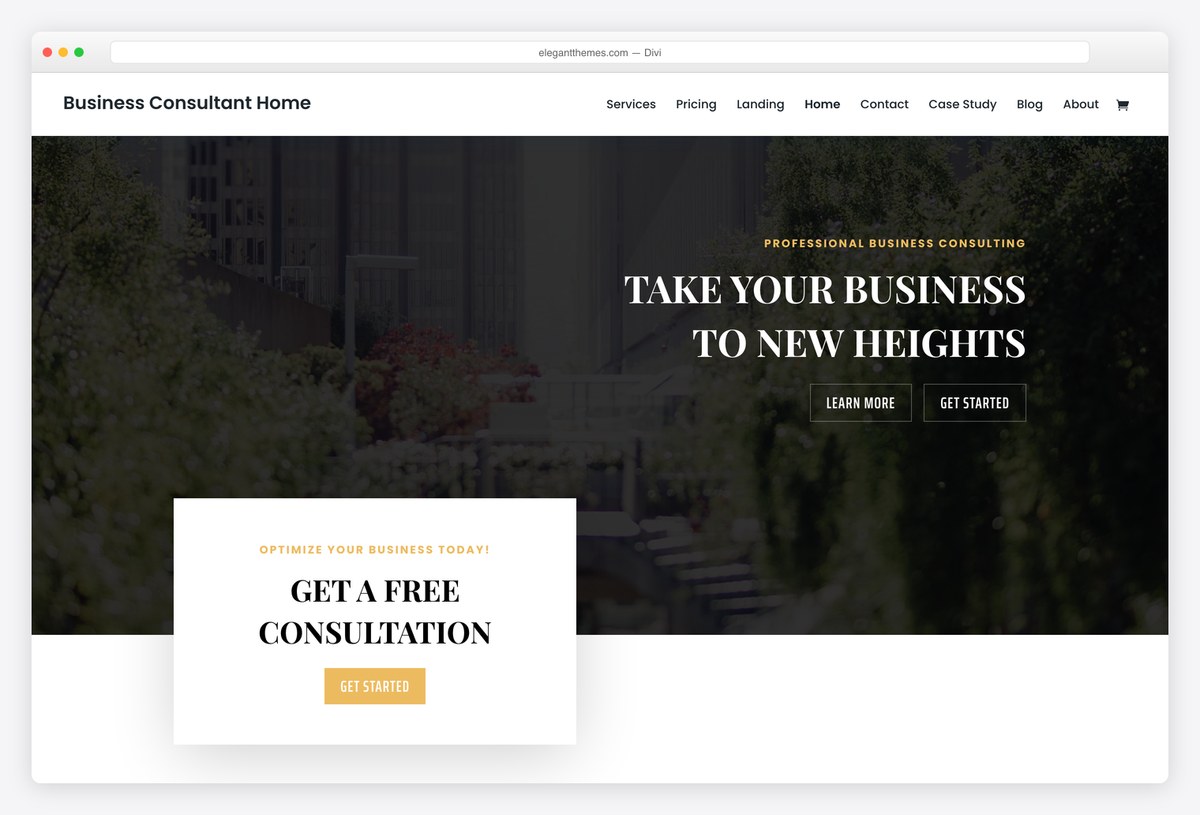
Why we like it: Slider and Fullwidth Slider are modules in the builder, so a slider can go anywhere on any page, not just the header.
Divi treats the slider as just another block you drop into a layout, which is the most flexible arrangement here. Each slide is edited visually with its own heading, text and button, and the licence covers every site you build.
✅ Pros: sliders anywhere on any page, visual editing, unlimited sites ⚠️ Cons: adds page weight, and leaving Divi later means rebuilding those pages
Theme slider or slider plugin? What to look for
- A theme slider is simpler; a plugin is more powerful. If you want your latest posts rotating at the top, the themes above do it with one setting. If you want designed slides with layered text and animation, that is a plugin’s job, and Slider Revolution is the one most paid themes bundle.
- Check the first slide’s weight, because it is your largest contentful paint. The opening image is usually the biggest thing on the page and Google measures it. Compress it properly, and be wary of sliders that load every slide up front rather than on demand.
- Autoplay is a trade, not a feature. Rotating slides move the page under a reader who is still on the first one. If you autoplay, make it slow, and make sure the arrows and dots are large enough to overrule it.
- Swipe on mobile is not automatic. Most sliders here support touch, but check on a phone rather than in a narrow browser window. A carousel you cannot swipe is a carousel most visitors will never reach the second slide of.
- Some themes need no slider at all. Astra and Hestia, both excellent, have no native slider because they lead with a static hero instead. Inspiro’s free build likewise gives you a fixed video hero rather than a rotating one. If one message is enough, that is the faster choice.
- Watch what the slider pushes down. A tall slider can push your actual content below the fold on a laptop. Check the demo at your own screen height before committing, not just on a phone.
- Confirm the slider is in the free build. Several themes advertise a slider that turns out to be a Pro feature. Every theme above has a working slider without paying, which is why some better-known names are absent.
Frequently Asked Questions
Which free WordPress theme has the best built-in slider?
Activello or Sparkling for a blog, because both put a featured-post slider at the top of the page with nothing to install and one setting to configure. News Portal is the better answer for a news site, since its slider arrives with a breaking-news ticker and an ad slot around it.
Why are there only nine themes on this list?
Because that is how many we could verify. We opened the live demo of every free theme that advertises a slider, and most of them no longer show one: ColorMag, Newsmatic, NewspaperUp, News Magazine X, Sydney, Zakra and Total have all moved to a static featured grid or a single hero image. Rather than repeat their old feature lists, we left them out.
Do sliders slow down a WordPress site?
They can, and the cost is usually the images rather than the code. The first slide is normally your largest contentful paint, so compress it, size it correctly and prefer a slider that loads later slides on demand. Our speed table above measures each theme on identical content so you can see the baseline.
Are sliders bad for SEO?
Not directly. What hurts is what a bad slider does: a heavy first image slows the page, and a tall one pushes your real content out of sight. Neither is inevitable. A single compressed image with a clear heading and one button is fine.
Should I use a theme with a slider or a slider plugin?
Use the theme’s slider if you want recent posts rotating and nothing more, since it is one setting and no extra plugin to update. Use a plugin such as Slider Revolution, Smart Slider or MetaSlider when you need designed slides with layered text, video or animation.
Can I put a slider on a page other than the homepage?
With most themes here, no: the slider belongs to the front page. Vantage is the exception among the free themes, because its slider is a Page Builder widget, and Divi does it too since its slider is a builder module. Otherwise use a slider plugin and its shortcode.
Are these sliders mobile-friendly?
All of them are responsive and most support swiping, but test on a real phone before launch. Two things to check: whether the slide text is still readable at that width, and whether the arrows are big enough to tap. Some themes hide the slider on mobile entirely, which is often the right call.
Can I have more than one slider on a site?
With a theme slider, usually one, on the front page. With a slider plugin you can create as many as you like and place each with a shortcode or a block. That flexibility is the main reason to use a plugin instead.
Do I need to know how to code to set up a slider?
No. Every theme on this list configures its slider from the WordPress customizer, usually by choosing a category or picking a handful of posts. If you can write a post, you can set up these sliders.
Which one should you use?
For a blog, install our own Activello or Sparkling, point the slider at a category and you are finished in a minute. For a news site, News Portal gives you the slider with a ticker and an ad slot around it. If you need a slider somewhere other than the homepage, Vantage is the only free theme here that manages it. And if none of these fits, that is your signal to pick any modern theme you like and add a slider plugin, which is what most of the industry now does.

Related Posts





Comments (0)