WebMag
Template Details
Author: Colorlib
Updated: October 2026 · v3.0.1
Credits: Images from Unsplash
Description
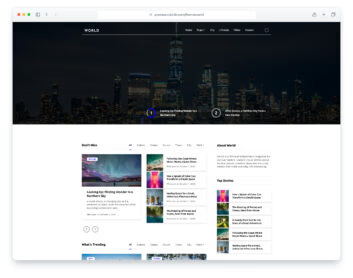
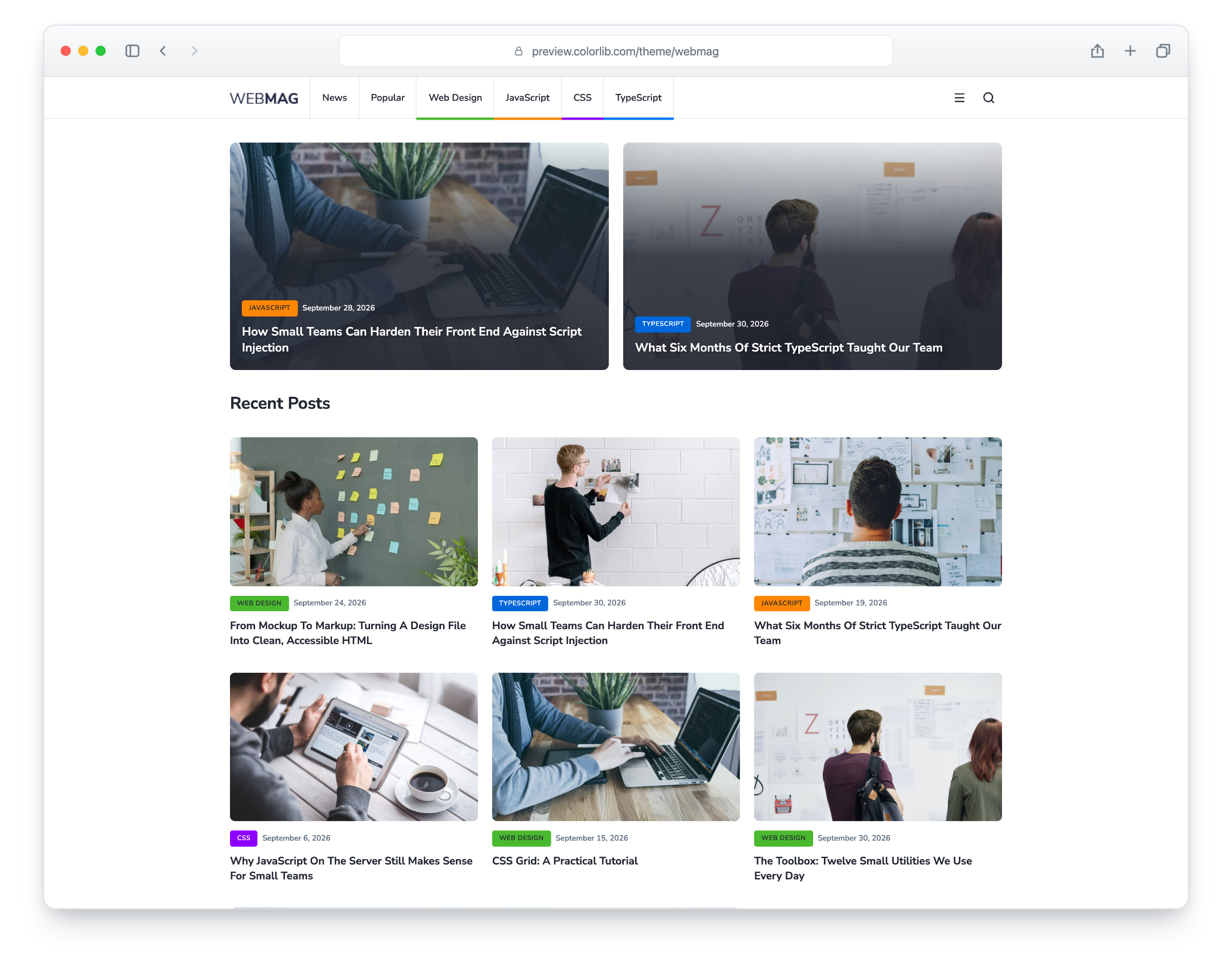
WebMag is a magazine and blog website template, built on Bootstrap 5, with a clean, minimal design. The demo is set up as a web design and development magazine, and the layout also suits technology, travel, lifestyle, food, sports or general news. The layout is responsive and mobile-ready and works in modern web browsers. There are six pages: home, article, category archive, about, contact and a blank page.
The home page has featured stories, a grid of recent posts, Most Read and Featured Posts lists, categories, tags and ad spaces. The article page has a header photo with the title, share buttons, an author box, comments and a comment form, and the category page a featured post, a post grid and a post list with a sidebar. You will also find an about page, a contact page with a working contact form, and a blank page with the header, sidebar and footer to start your own. Every page has a header with a search field and a slide-out side menu, and a footer with a newsletter form. WebMag gives you a ready-made site for an online magazine or blog.
Please note: This is a simple HTML template with no CMS. If you need a drag and drop user interface, these news WordPress themes will be a perfect fit.
What’s new in 3.0
- Bootstrap 5.3.8 and plain JavaScript with no jQuery, as in 2.x. Bootstrap is now compiled from Sass with only the parts the pages use (the stylesheet went from 180 KB to 66 KB), the unused Bootstrap script bundle is gone, and Lucide SVG icons and a 1.5 KB social-logo subset replace the full Font Awesome 7.1 kit. npm run build (Dart Sass and esbuild) compiles one minified stylesheet and one script.
- Lighter pages: the home page went from 804 KB to 300 KB, and the download from 2.6 MB to 1.4 MB. Every photo keeps its AVIF version with the JPEG or PNG as the fallback and now has real dimensions and lazy loading below the first screen, the article page preloads its header photo, and the WebP copies, an unused Font Awesome 4 font folder and a leftover stylesheet from the first release are gone.
- No third-party requests: Nunito and Nunito Sans are self-hosted, and a Google Analytics 4 snippet stays commented out until you add your own ID. Before, every page loaded its web fonts from Google Fonts.
- Working forms: the contact form, the article’s comment form and the footer newsletter form send through php/send-email.php, with validation, a spam trap and an in-page message, and the header search opens the archive page. Before, the forms had no action, so they reloaded the page with the fields in the address bar and nothing was sent.
- Accessibility: one h1 per page with no skipped heading levels (the home page had none), a side menu that keeps keyboard focus inside while open, closes with Esc and returns focus to the menu button (before, its links could be reached with Tab while it was closed), and WCAG AA text contrast, with dark text on the green and orange category labels (white text there was about 2.5:1), a darker blue for the TypeScript labels, a stronger shade behind dates and titles over photos, and darker hover colours.
- Fixed: post photos showed only their top-left corner inside smaller cards and the hover zoom did nothing (they now fill their cards); the article’s title and date were hidden under the header photo (they now show over a darker shade); on phones the home and category pages scrolled sideways and the share buttons covered the article’s first heading (the rows now stack, nothing overflows the screen and the buttons sit after the article); links and form fields had no keyboard focus outline (it is back); the contact form showed each field name twice; and the “Catagories” typo is corrected.
- Demo content: web design and development magazine copy with fictional headlines, an article that matches its title, and a fictional author, commenters and contact details, and photos that showed brand logos on a laptop screen and a computer are replaced with Unsplash photos without brand markings.
Pricing WebMag
Single
$19
- Premium support
- Template updates
- For 1 year
- Access all templates
Membership
$129
- Premium support
- Template updates
- For 1 year
- For 1 year
Lifetime
$349
- Premium support
- Template updates
- For life
- For life
Featured in: 36 Best Free Bootstrap Blog Templates 2026
Similar Magazine & News Templates View all 36 magazine & news templates →