Edustage

Template Details
Author: Colorlib
Updated: October 2026 · v3.0.1
Credits: Images from Unsplash
Description
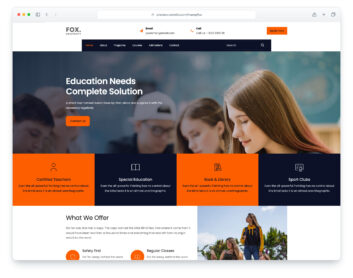
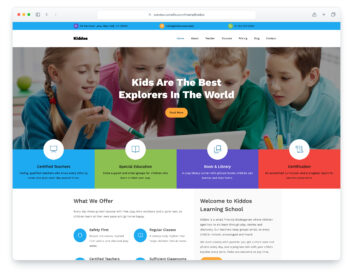
Edustage is a website template for schools, academies, training centres and online course providers, built on Bootstrap 5. It opens with a full-height hero, a short introduction and two buttons, and the layout is responsive and mobile-ready. There are eight pages: home, about, courses, course details, blog, a single blog post, contact and an elements page.
The home page has a features row, a popular courses slider with prices, a registration band with a countdown and a booking form, tutor cards, upcoming events and a graduate reviews slider. The course details page lists objectives, eligibility, the course outline, fee, schedule and student reviews with a feedback form. You will also find a blog with sidebar search, categories, tags and a newsletter box, a blog post with comments and a comment form, and a contact page with a working contact form and a map that loads on click.
What’s new in 3.0
- Bootstrap 5.3.8 (the earlier release used Bootstrap 4.1.3 and jQuery), compiled from Sass with the Bootstrap 4 proportions the design was drawn with, and plain JavaScript with no jQuery. Swiper 14 replaces Owl Carousel on the course and review sliders, and native selects replace Nice Select. npm run build (Dart Sass and esbuild) compiles one minified stylesheet and one script.
- Lighter pages: the eight pages together went from 15.0 MB and 319 requests to 6.2 MB and 214 requests, and the home page from 2.5 MB to 1.5 MB. Every photo has an AVIF version with the JPEG as the fallback, and the home hero has a portrait crop for phones.
- No third-party requests: Roboto and Rubik are self-hosted, the icon fonts are replaced by Lucide SVG icons and a small social-logo subset, and the contact map is an OpenStreetMap map (no API key needed) that loads only when a visitor clicks it.
- Working forms: the registration, contact, comment, course feedback and newsletter forms send email through included PHP handlers, with validation and success and error messages; the header and sidebar searches go to the blog.
- Accessibility: a skip link, a main landmark, one main heading per page, labelled links and form fields, submenus that open from the keyboard, visible keyboard focus and text contrast that meets WCAG AA (a darker yellow for text on white, darker body text, a navy phone menu bar).
- New, sharper study and library photos, fictional tutors, reviews, events and contact details, education copy in place of the placeholder text, and footer links that point to real pages.
Pricing Edustage
Single
$19
- Premium support
- Template updates
- For 1 year
- Access all templates
Membership
$129
- Premium support
- Template updates
- For 1 year
- For 1 year
Lifetime
$349
- Premium support
- Template updates
- For life
- For life
Similar Education Templates View all 44 education templates →