Educature
Template Details
Author: Colorlib
Updated: October 2026 · v3.0.0
Credits: Images from Unsplash
Description
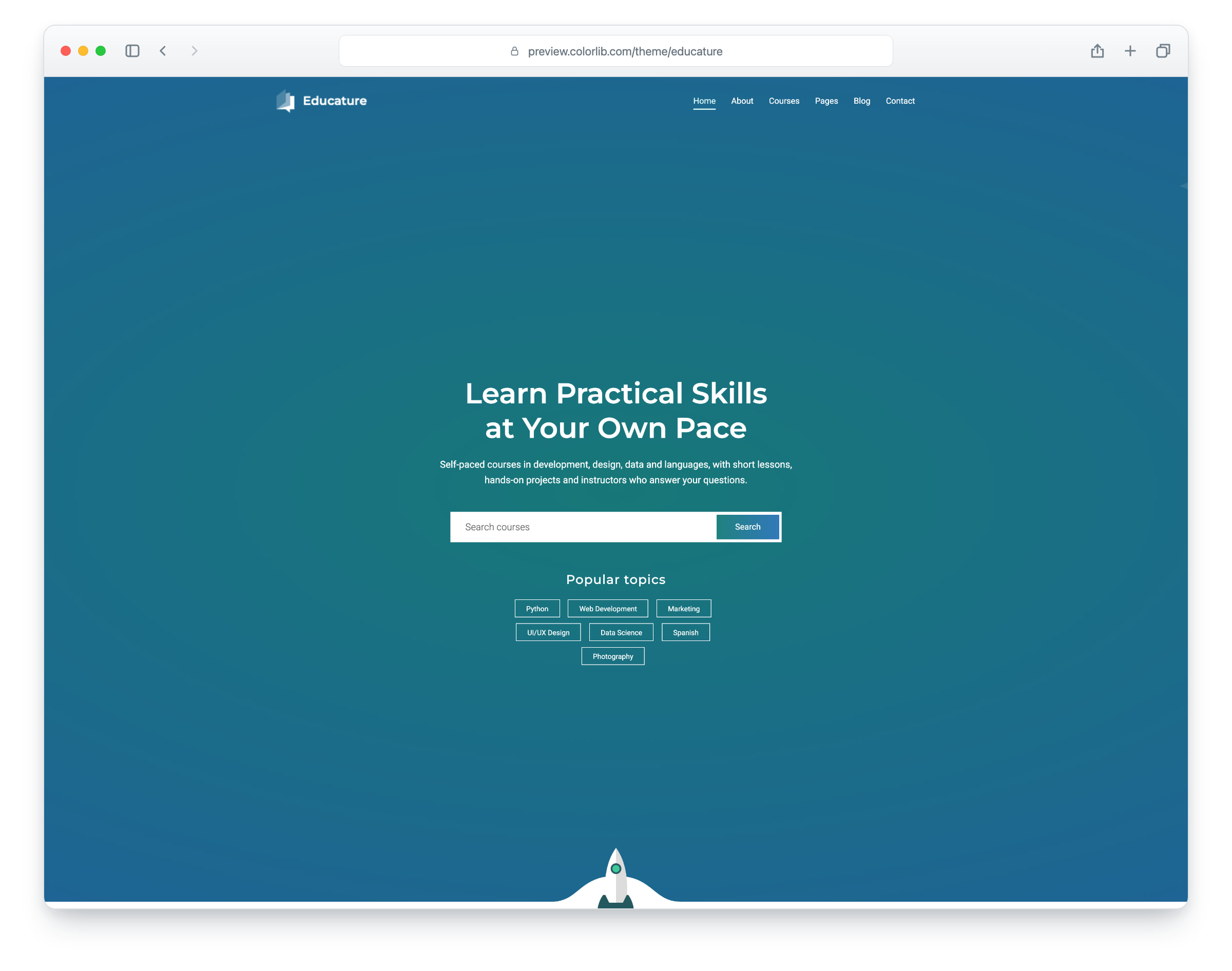
Educature is a website template for online schools, course platforms and tutoring brands, built on Bootstrap 5 with a teal-to-blue gradient design. The layout is responsive and works on phones, tablets and desktops. It comes with seven pages: home, about, courses, blog, blog post, contact and elements.
The home page has a full-screen hero with a course search and popular topics, an about block, a subject list, a features grid, instructor profiles and a review slider with reviewer thumbnails. The blog has a list page and a post page with comments, a comment form and a sidebar with search, author, popular posts, categories, newsletter and tags, and the contact page has a contact form and a map that loads on click. Use Educature as it is or adapt it to your own school’s brand.
What’s new in 3.0
- Bootstrap 5.3.8 compiled from Sass with only the parts the pages use, and plain JavaScript with no jQuery. Swiper 14 replaces Owl Carousel, PhotoSwipe replaces Magnific Popup in the elements gallery, native selects replace Nice Select, an accessible menu panel replaces the cloned mobile menu, and Lucide SVG icons replace three icon fonts. npm run build (Dart Sass and esbuild) compiles the minified stylesheets and one script.
- Lighter pages: across all seven pages the total went from 9.48 MB and 359 requests to 3.86 MB and 203 requests, and the home page from 1.49 MB and 50 requests to 648 KB and 32 requests. Every photo has an AVIF version with the JPEG as the fallback, real dimensions and lazy loading below the first screen, and unused plugins such as WOW, CounterUp and Waypoints are gone.
- No third-party requests: Montserrat and Roboto are self-hosted, the social logos come from a small Font Awesome Brands subset (the Twitter bird is now the X logo), the contact map is OpenStreetMap, loaded only when a visitor clicks “Show map”, and a Google Analytics 4 snippet stays commented out until you add your own ID. Before, every page loaded fonts, icons and scripts from other sites and the contact page loaded a maps script.
- Working forms: the contact form, the blog comment form and the newsletter forms in the footer and the blog sidebar send through their own PHP handlers, with validation, a spam trap and an in-page message. Before, the comment and sidebar forms posted nowhere and the contact form used an unsafe mailer.
- Accessibility: a skip link and landmarks on every page, one h1 per page, labelled form fields, names on icon-only links, visible focus rings, a menu and submenus that work from the keyboard, reduced-motion support and WCAG AA text contrast, with a deeper teal behind white text.
- Fixed and refreshed: each page has its own title, the menu marks the current page, the placeholder ad banner and dead links are gone, and the demo content is rewritten for an online school with fictional instructors, reviewers and contact details and new on-topic photos.
Pricing Educature
Single
$19
- Premium support
- Template updates
- For 1 year
- Access all templates
Membership
$129
- Premium support
- Template updates
- For 1 year
- For 1 year
Lifetime
$349
- Premium support
- Template updates
- For life
- For life
Featured in: 61 Best Free Bootstrap Landing Page Templates 2026
Similar Education Templates View all 44 education templates →