
10 Free Newsletter Signup Form Templates 2026 (HTML)
A newsletter form is small, but where it sits and what it promises decide whether anyone signs up. These 10 free newsletter signup form templates are ones we designed and built at Colorlib in 2026 for the places sign-ups actually happen: a hero section, a footer band, a topic preference card, a popup, a slide-in box, a double opt-in flow, a blog sidebar, a multi-field form, an illustrated signup and a minimal editorial line.
All are plain HTML, CSS and vanilla JavaScript with no jQuery, no Bootstrap file and no plugin, and each looks the same on its own or inside a Bootstrap 4, 5 or 6 project.
Free Newsletter Signup Form Templates
Every form below works in its demo: email validation explains what is wrong, preferences and frequencies are real inputs, popups and slide-ins can be dismissed and remember it, and a success state appears on submit. Each is a free download.
Newsletter Form V01: Hero email capture with benefits list and sample issue preview
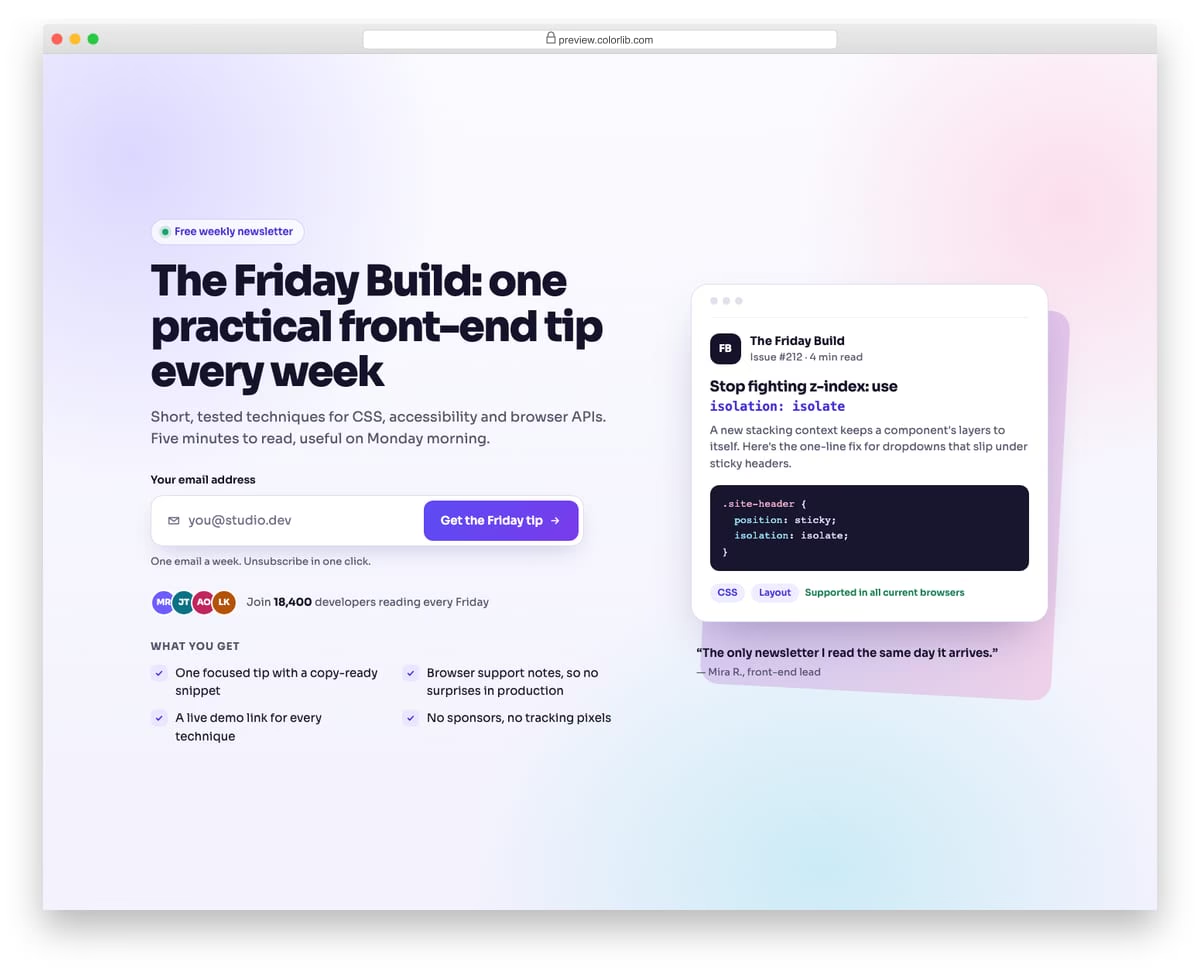
A full-width newsletter hero for a weekly front-end tips letter, with an eyebrow, large headline, inline email field and button, a subscriber count and a two-column benefits list with check icons. A mock of a sample issue sits on the right so visitors can see what they will receive. On phones the field and button stack and the preview moves below the copy.
Best for: newsletter landing pages and blog homepages. Plain HTML and CSS with a few lines of vanilla JavaScript, a 193 KB download, and it works on its own or inside a Bootstrap 4, 5 or 6 project.
Newsletter Form V02: Dark site footer with a prominent newsletter band
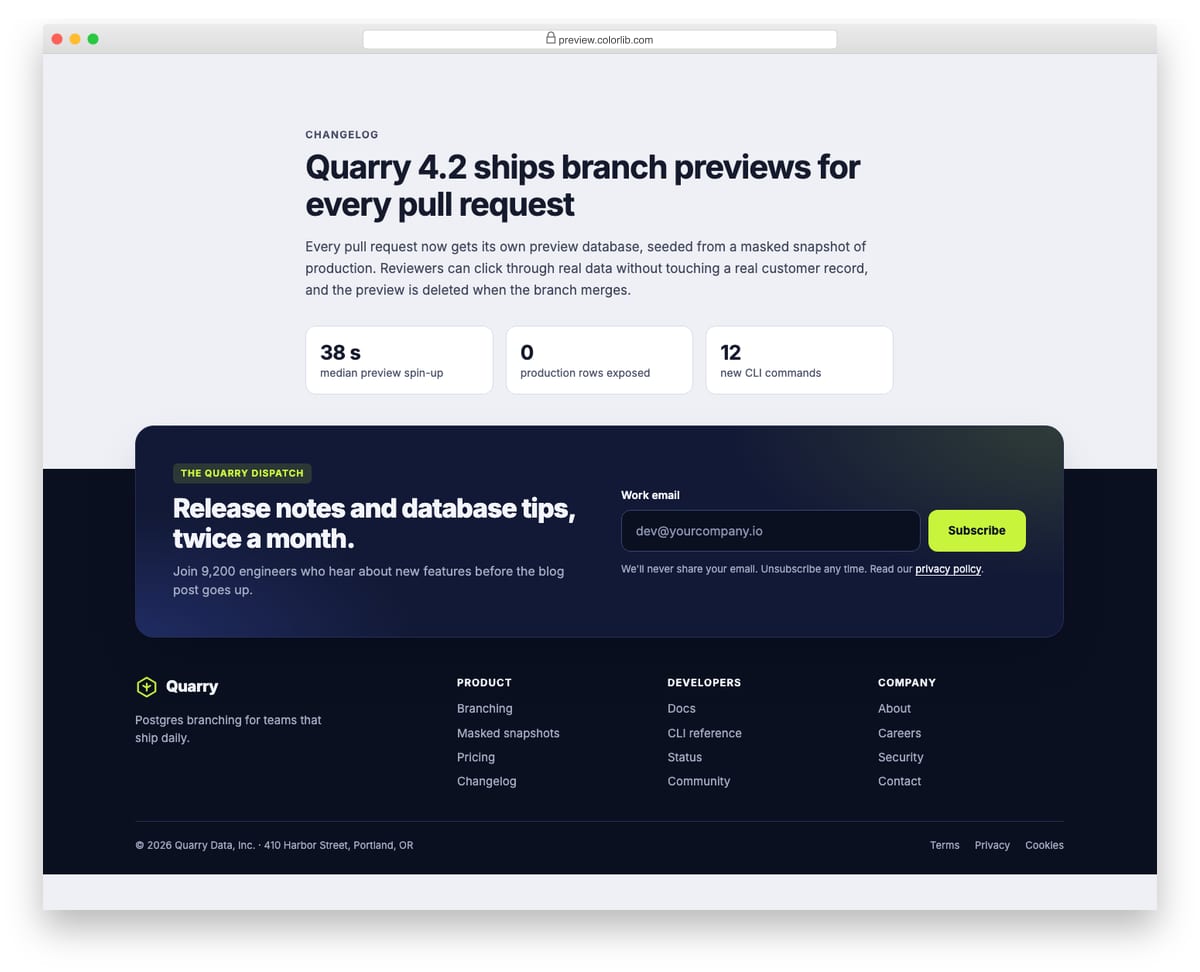
A dark navy site footer that opens with a raised newsletter band: headline, subscriber count, email field with a lime subscribe button and a privacy note with a policy link. Below it sit the logo, three labelled link columns and a copyright row. Subscribing swaps the form for an inline confirmation inside the band.
Best for: site footers on SaaS, product and developer sites. Plain HTML and CSS with a few lines of vanilla JavaScript, a 663 KB download, and it works on its own or inside a Bootstrap 4, 5 or 6 project.
Newsletter Form V03: Subscribe card with topic preference tiles
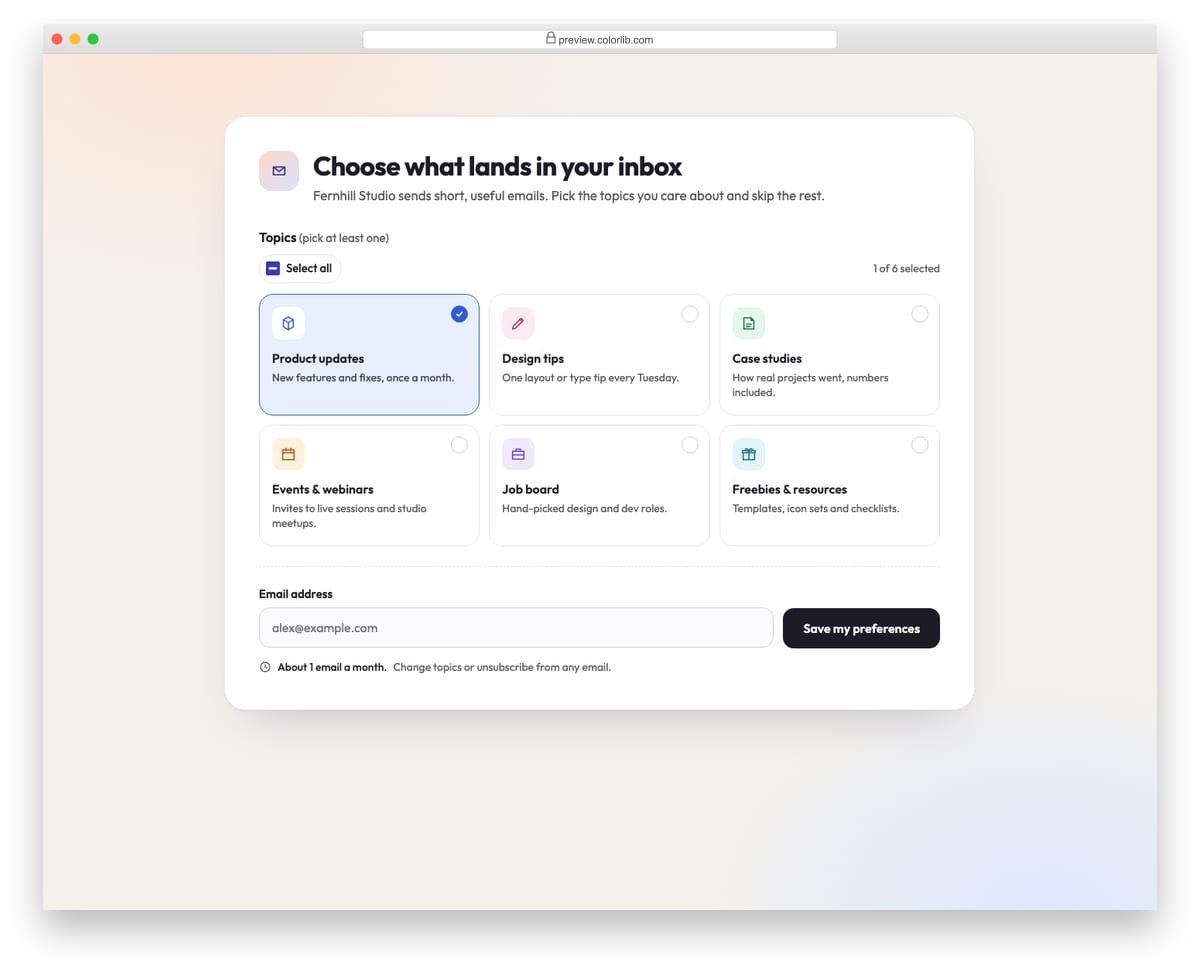
A light subscription card where readers pick which emails they want from six topic tiles, each a real checkbox with an icon, title and short description. A Select all toggle, a live selected count and an estimated emails-per-month hint update as topics change. At least one topic and a valid email are required, and the success state lists the chosen topics.
Best for: email preference centres and newsletter sign-up pages. Plain HTML and CSS with a few lines of vanilla JavaScript, a 194 KB download, and it works on its own or inside a Bootstrap 4, 5 or 6 project.
Newsletter Form V04: Promo subscribe popup built on the native dialog element
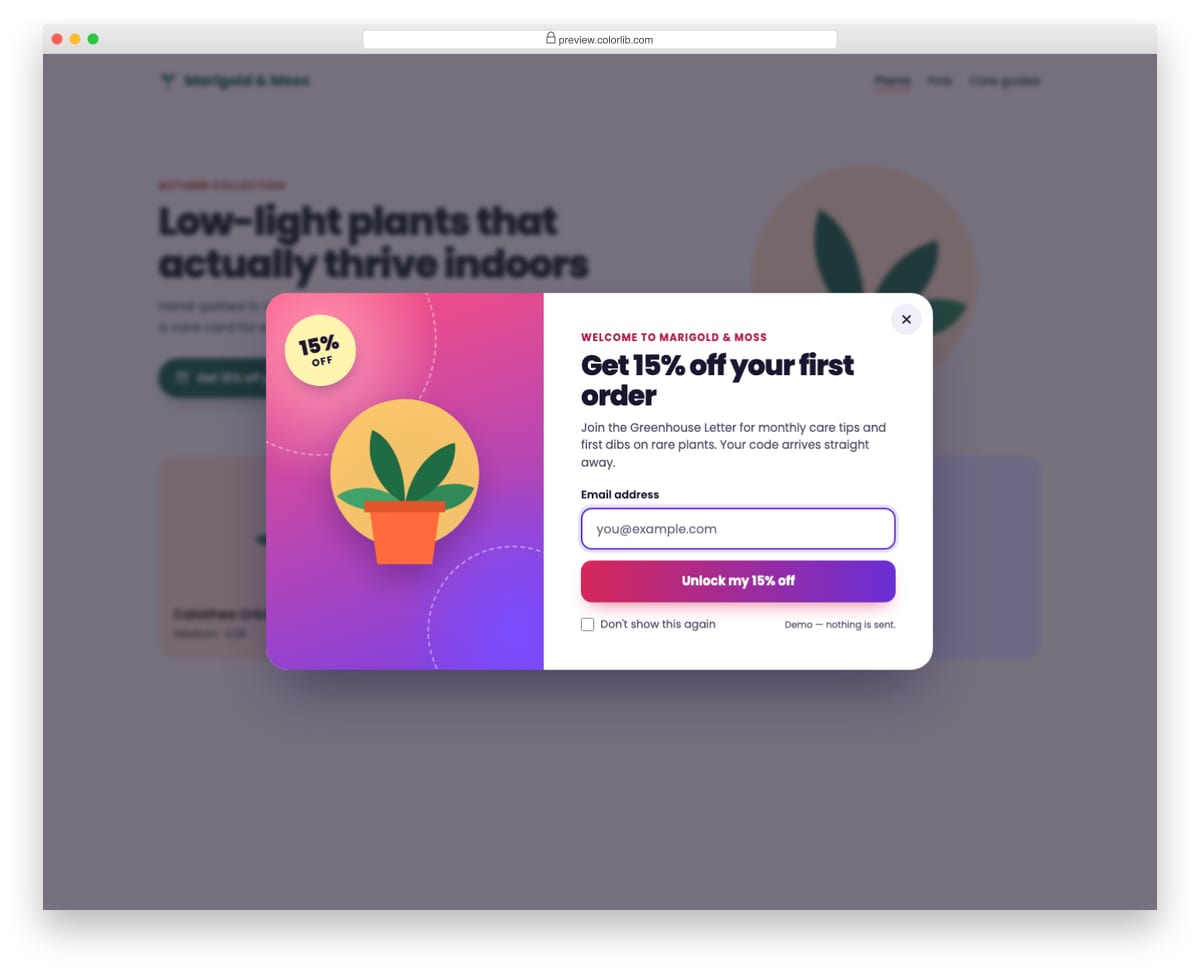
A colourful subscribe popup for a plant shop that offers 15% off the first order, built on the native dialog element with showModal(). It opens from a button and also by itself after a delay set in a data-delay attribute, and a Don't show this again checkbox stores a flag in localStorage so the automatic open is skipped on later visits. Focus moves to the email field on open and returns to the opener on close, and Esc, the close button and a backdrop click all close it.
Best for: online shops and content sites that offer a sign-up incentive. Plain HTML and CSS with a few lines of vanilla JavaScript, a 77 KB download, and it works on its own or inside a Bootstrap 4, 5 or 6 project.
Newsletter Form V05: Slide-in corner subscribe box that appears after half the article
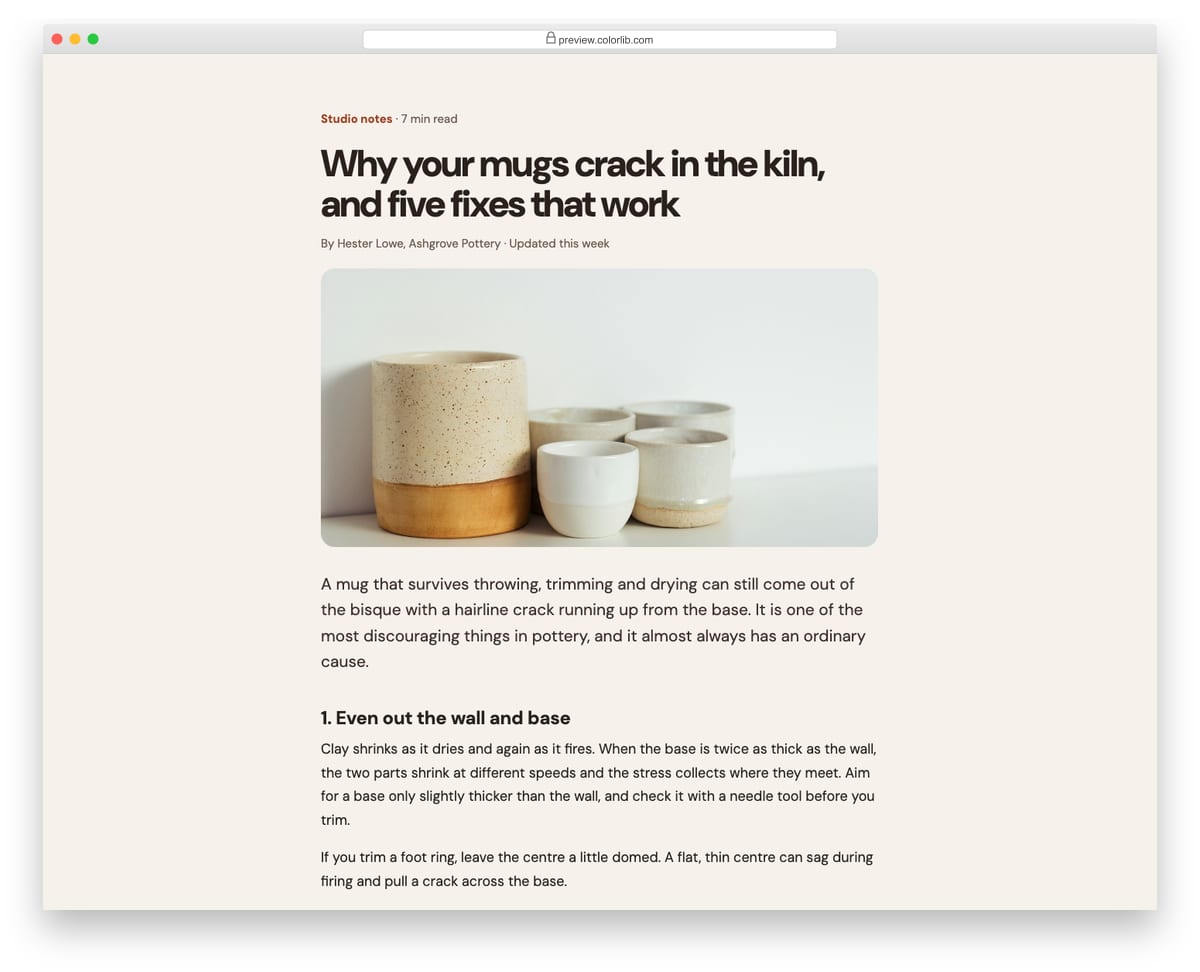
A compact subscribe box with a thumbnail that slides into the bottom-right corner once the reader has scrolled half of a blog article. It is a labelled complementary region rather than a modal, so it never takes focus, and it can be dismissed with the close button or Esc, with the dismissal remembered for the session in sessionStorage. On phones it becomes a full-width bottom sheet, and with reduced motion it appears without sliding.
Best for: blog posts, long-form articles and documentation pages. Plain HTML and CSS with a few lines of vanilla JavaScript, a 352 KB download, and it works on its own or inside a Bootstrap 4, 5 or 6 project.
Newsletter Form V06: Double opt-in signup card with a check-your-inbox confirmation state
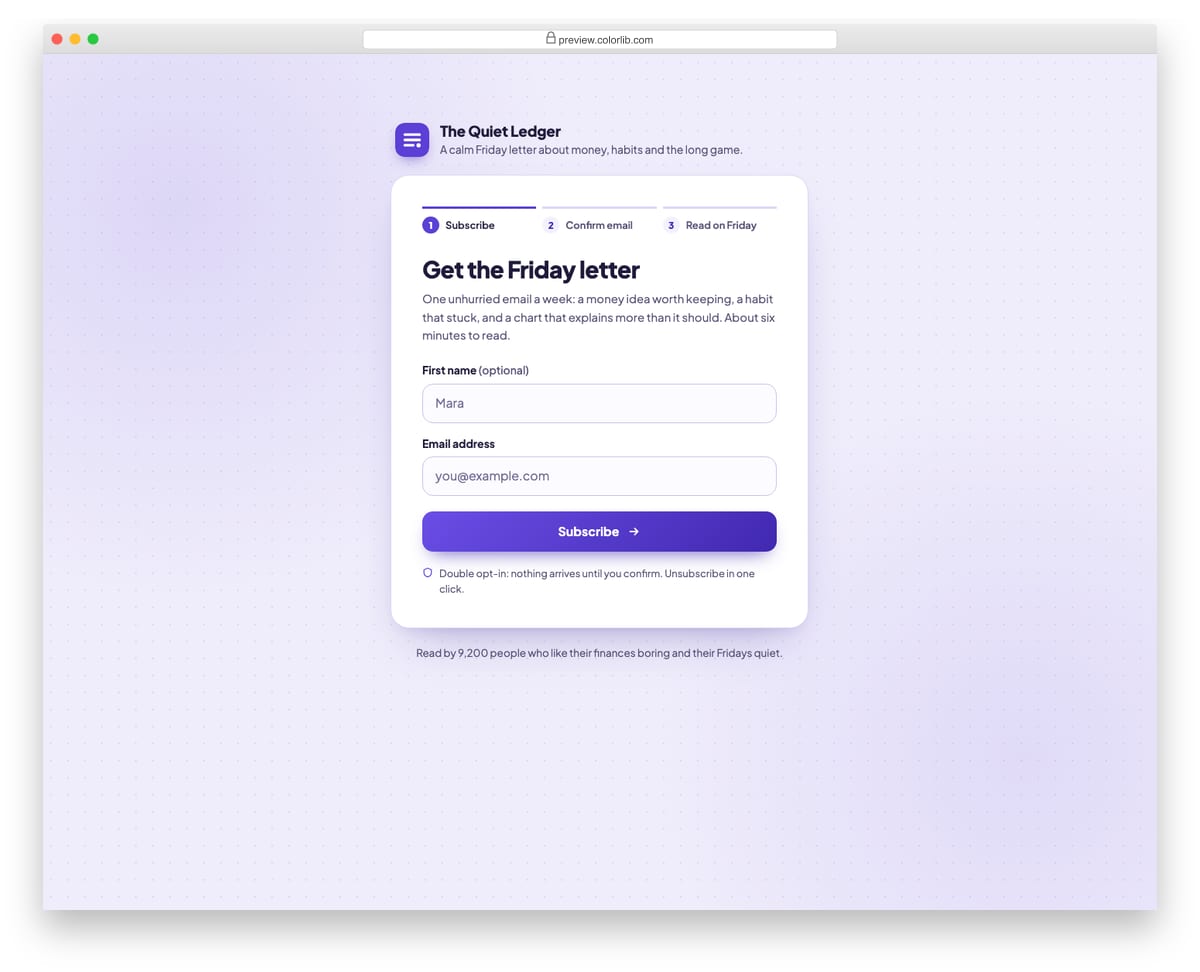
A centred signup card for a weekly newsletter with an optional first name and a required email field, topped by a three-step progress bar. After submitting, the card switches to a check-your-inbox state with an envelope illustration, the email echoed back and numbered instructions for confirming. A resend button waits out a configurable cooldown with a visible countdown, and a change-email link returns to the form with the address pre-filled.
Best for: newsletters and SaaS products that use double opt-in. Plain HTML and CSS with a few lines of vanilla JavaScript, a 251 KB download, and it works on its own or inside a Bootstrap 4, 5 or 6 project.
Newsletter Form V07: Blog sidebar newsletter widget with reader count and avatar stack
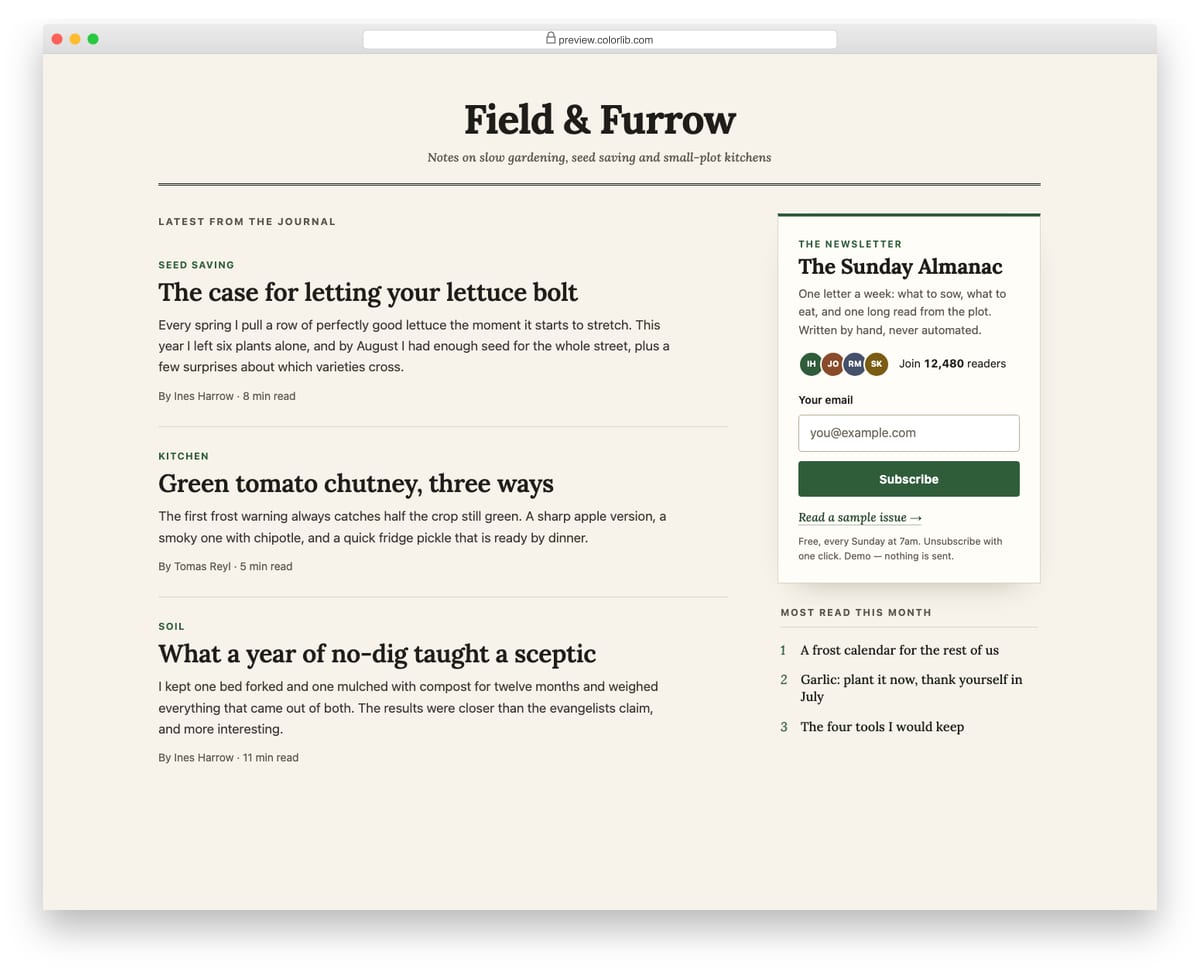
A newsletter signup widget placed in the sidebar of an editorial blog layout, next to a column of article teasers. The widget shows the newsletter name, a short pitch, a subscriber count with an overlapping stack of initial avatars, an email field, a link to a sample issue and small print. Subscribing shows a confirmation inside the widget and adds one to the reader count; on phones the sidebar drops below the articles.
Best for: blogs, magazines and personal journals. Plain HTML and CSS with a few lines of vanilla JavaScript, a 215 KB download, and it works on its own or inside a Bootstrap 4, 5 or 6 project.
Newsletter Form V08: Split-card newsletter signup with name, email and frequency choice
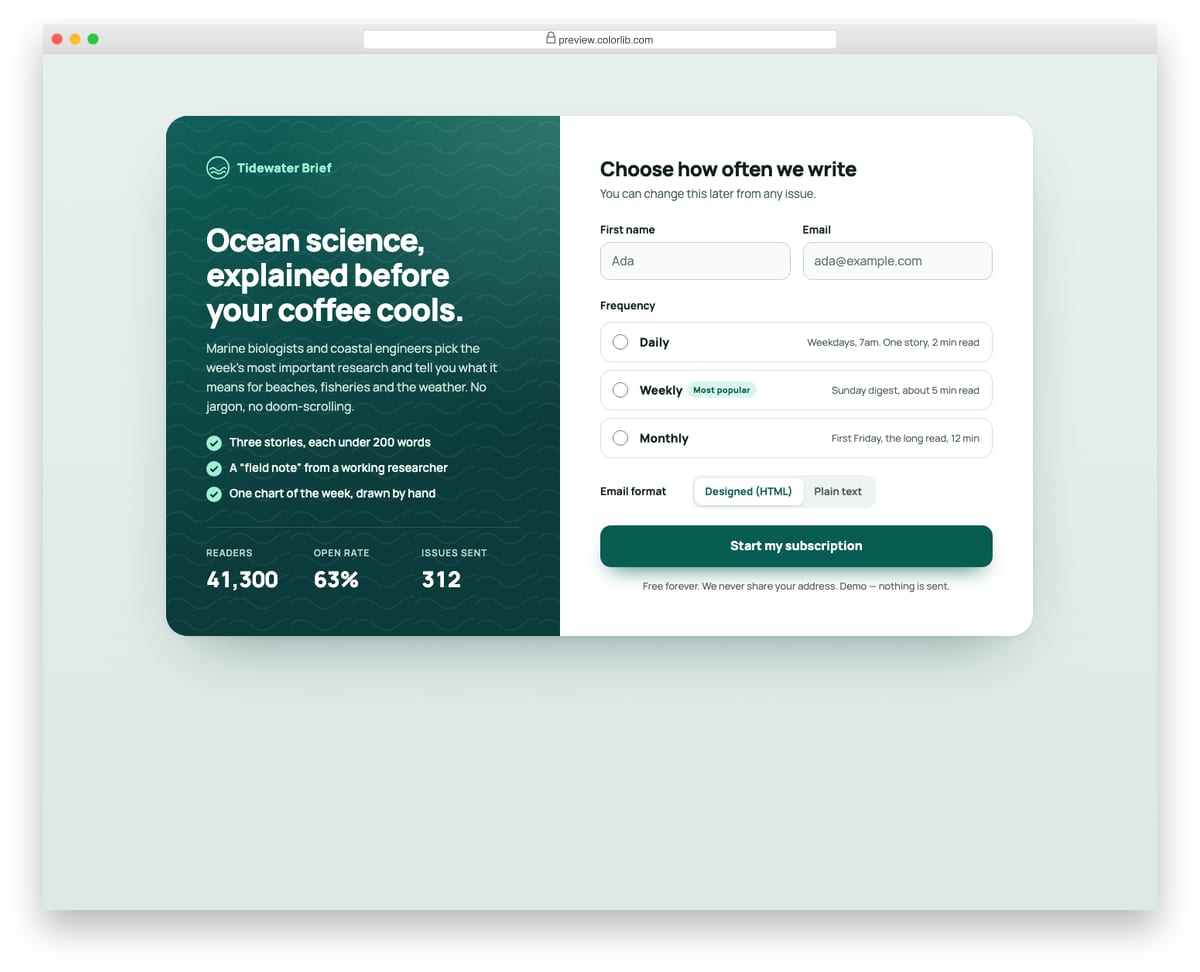
A two-panel newsletter card: a deep teal panel with a wave pattern holds the pitch, bullet points and reader stats, and the right side holds the form. Readers enter a first name and email, pick Daily, Weekly or Monthly from radio cards that describe each option, and choose HTML or plain-text email. The success view echoes the name, email, frequency and format, and the panels stack on phones.
Best for: media newsletters that offer several sending frequencies. Plain HTML and CSS with a few lines of vanilla JavaScript, a 206 KB download, and it works on its own or inside a Bootstrap 4, 5 or 6 project.
Newsletter Form V09: Playful illustrated newsletter signup with a mailbox success animation
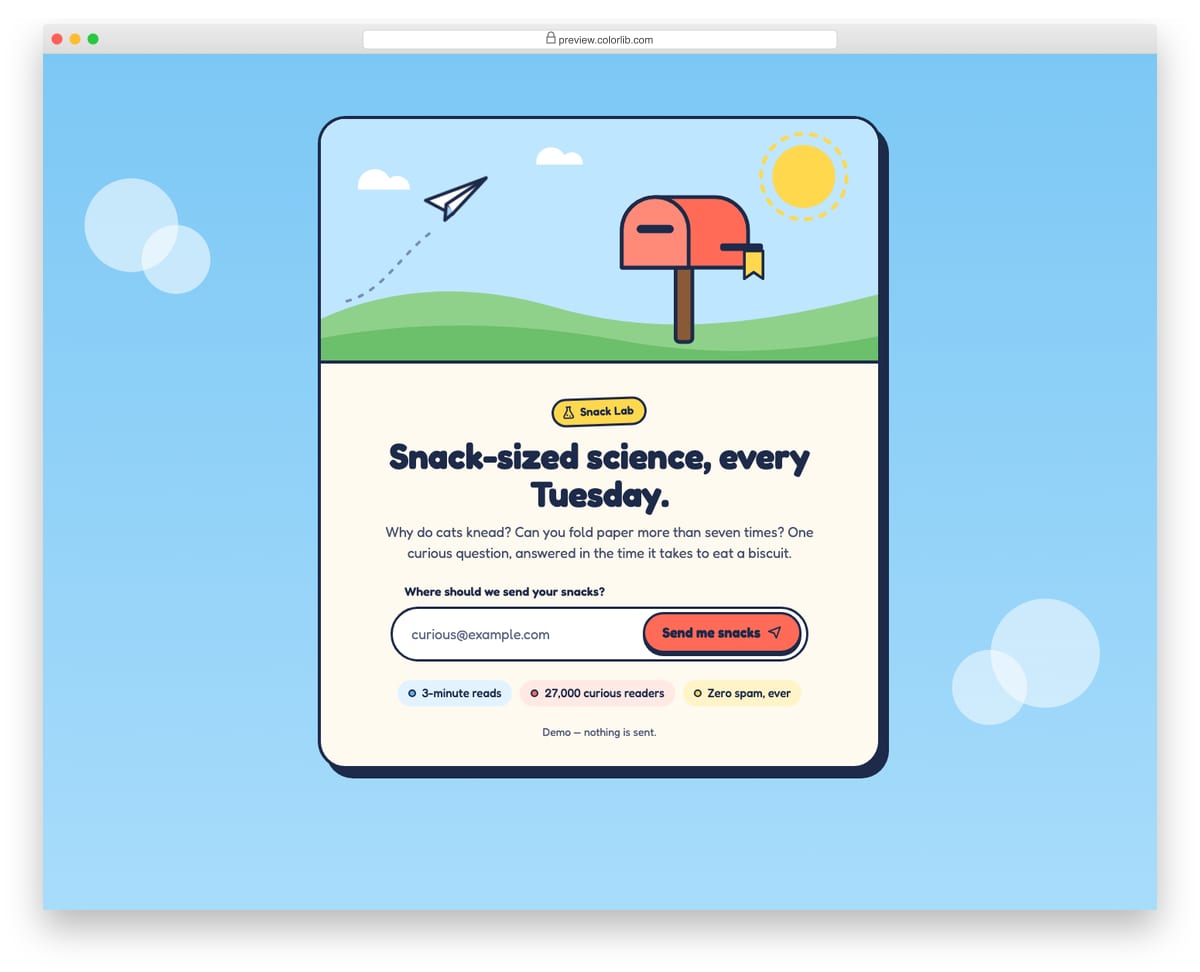
A bright, chunky signup card for a light-hearted science newsletter, topped by an inline SVG scene with a mailbox, hills and a paper plane. The rounded email field and button sit in one pill, with friendly inline errors. On success the paper plane flies into the mailbox and the flag goes up, drawn with CSS keyframes and transitions; with reduced motion the final state is shown straight away.
Best for: consumer newsletters, kids' and hobby brands. Plain HTML and CSS with a few lines of vanilla JavaScript, a 144 KB download, and it works on its own or inside a Bootstrap 4, 5 or 6 project.
Newsletter Form V10: Minimal editorial magazine signup with an underline input
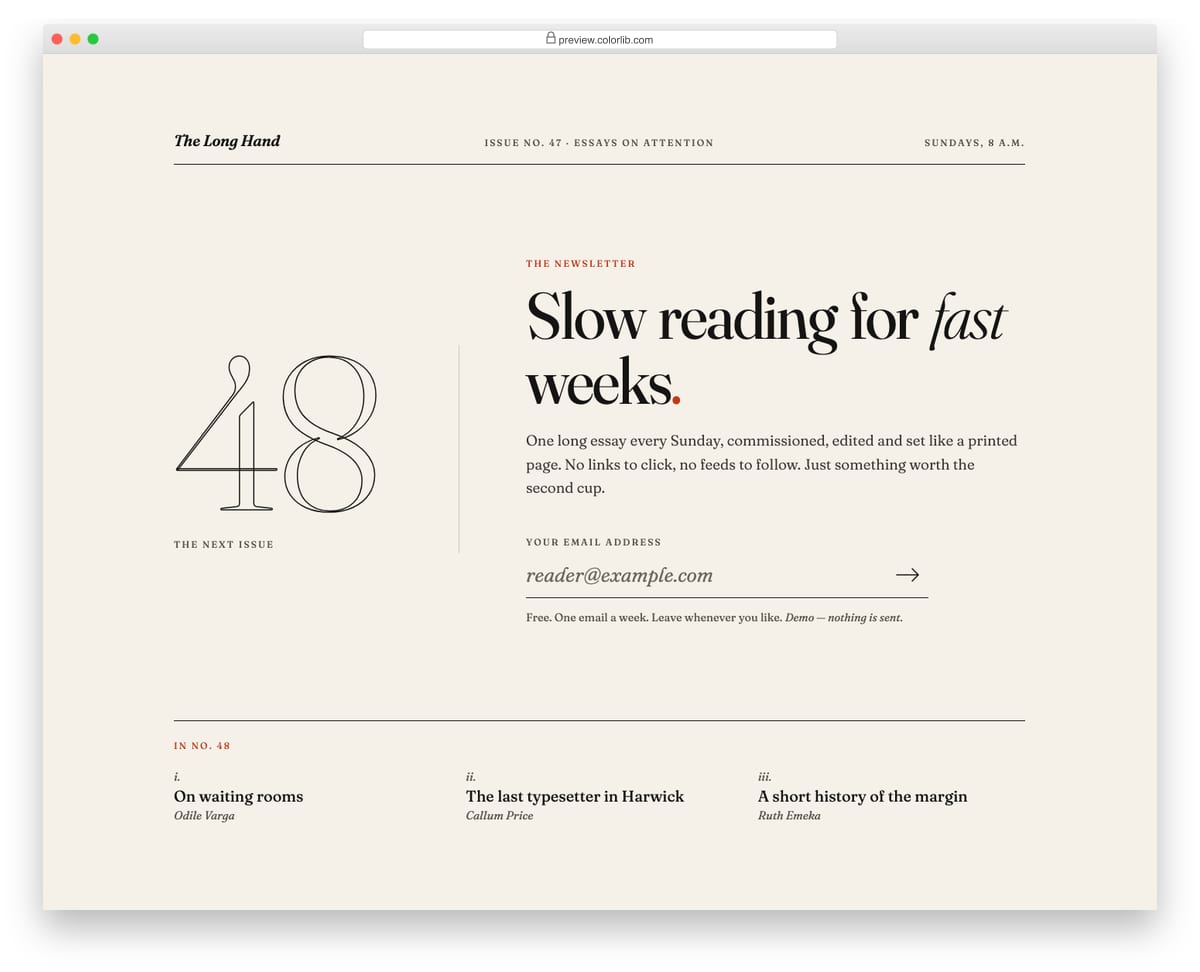
A magazine-style newsletter signup set on off-white paper with near-black ink: a masthead rule, a large outlined issue numeral, a big serif headline and a single underline email field with an arrow button. The underline thickens on focus and turns red with a small italic message when the address is invalid. After subscribing, the field is replaced by a line confirming that the next issue arrives on the coming Sunday, with the date worked out from today.
Best for: magazines, essay newsletters and editorial sites. Plain HTML and CSS with a few lines of vanilla JavaScript, a 282 KB download, and it works on its own or inside a Bootstrap 4, 5 or 6 project.
Getting more sign-ups without annoying readers
Say what arrives and how often, next to the field. “One short email every Friday” does more than “Subscribe to our newsletter”.
If you use a popup, open it late and let people close it for good. Newsletter Form V04 remembers “don’t show again” and returns focus where it was; the slide-in box (V05) waits until the reader is halfway through the page.
Use double opt-in and tell people what to do next. V06 shows a “check your inbox” step with a resend button on a cooldown.
Connecting a form to your email service
The templates are front end only; nothing is sent. Point the form at your email service’s signup endpoint or your own backend, and keep the confirmation email on the server side.
Frequently asked questions
Do these signup forms need Bootstrap or jQuery? No. They carry their own styles and a few lines of plain JavaScript, and they drop into Bootstrap 4, 5 or 6 pages without being restyled.
Can I use them on a commercial site? Yes. They are free under the same licence as our other snippets (CC BY 3.0): use them in personal and commercial projects and keep the credit link.
Do they work with my email provider? Yes, once connected: each is a normal HTML form with an email field, so it can post to any email service’s signup endpoint or to your own backend.

Related Posts
Comments (0)