

Divi Theme Review – Is It The Best Multipurpose WordPress Theme?
Are you considering using Divi theme for your website?
This review will help you decide if Divi is the right WordPress theme for your website.
Divi is an exceptional theme in many ways. Few themes are as multifaceted as Divi, making it an excellent theme for any purpose. Coupled with its great graphics and powerful page builder, it is a worthy contender for the title of the best multipurpose theme.
Great graphics, multipurpose orientation, and a powerful page builder; this in and of itself is a potent combination. But having used Divi on a test site, I can tell you that it is indeed a theme that a non-developer uses to create a functional and elegant website with the least effort. And I believe the best themes should always voice any online entrepreneur’s creative intent without distinguishing those who can and can not code. And Divi certainly goes a long way in that regard as well. Please read our detailed Divi theme review to find out more.
Let’s have a closer inspection of Divi before heaping further praise.
Table of contents
- What is Divi?
- A Preview Of Divi’s Appearance
- Divi ePanel
- Divi Appearance Customization Panel
- Divi Builder – A Powerful Drag & Drop Tool
- How Does It Look?
- Easy To Create With Builder For A WP Newbie?
- Other Theme Options – Languages & RTL
- Support And Documentation
- Security
- Websites using Divi WordPress Theme
- Pricing
- Divi Theme Pros
- Divi Theme Cons
- Divi Alternatives
- Divi Theme Review FAQ
- Final Thoughts
What is Divi?
Divi is a very popular premium WordPress theme developed by Elegant Themes. Over 800,000 professionals use it worldwide to create countless websites.
A Preview Of Divi’s Appearance
Let’s have a first-hand look at how a Divi-run website looks. A theme is a cloak that adorns your website’s content, your content is only as attractive as its theme allows it to be. Using Divi, your content can be placed on the most visually impressive pedestals for your readership to enjoy.
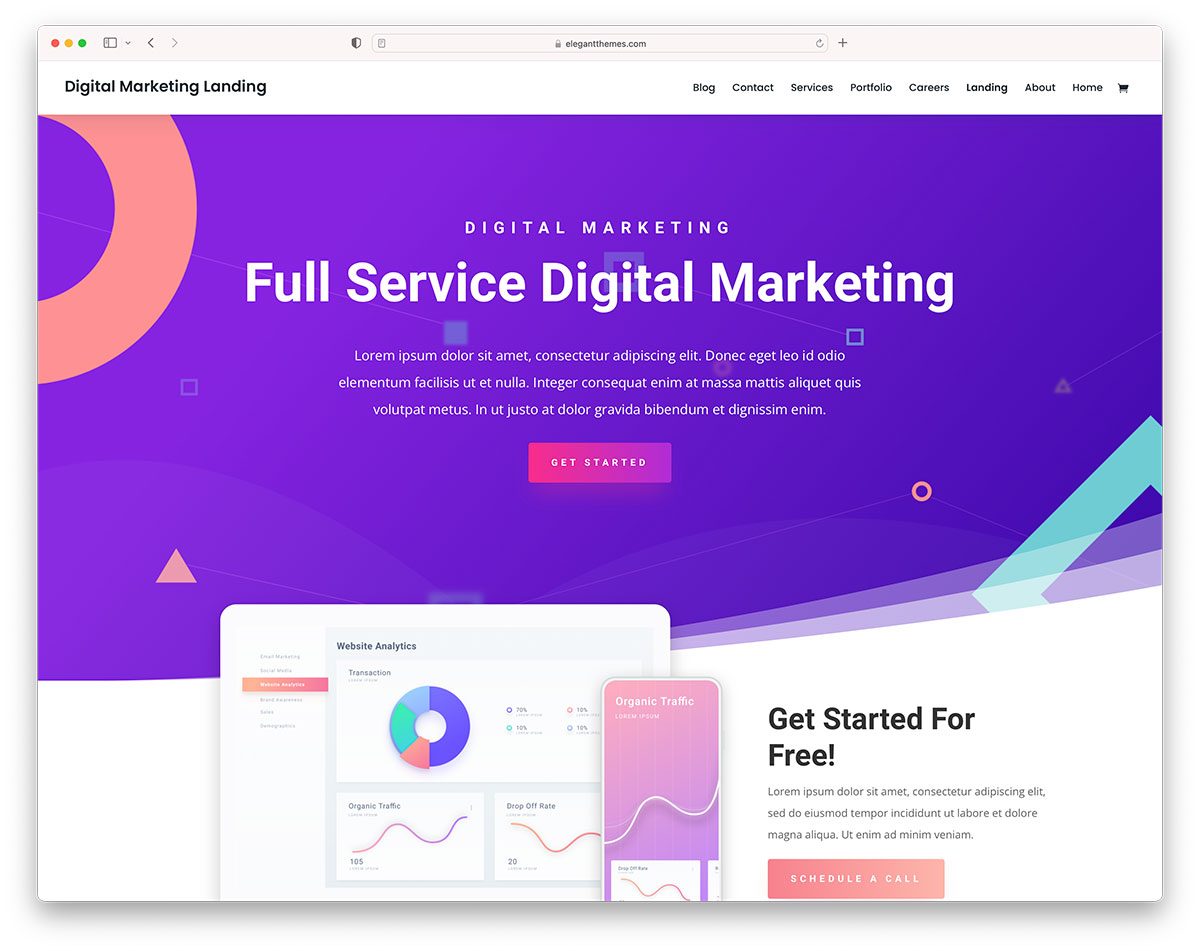
Creating a website like the one shown in the preview above requires some ability and prior programming knowledge without a page builder.
However, with Divi page builder, the process is easy enough for those who aren’t technically savvy enough to build their websites. Enough about the Divi builder; we’ll get to that in greater detail later in the Divi review.
View Full PreviewDivi ePanel
From the ePanel, you can access some pretty important stuff relevant to any website. Under General Settings, you can manage your site’s logo, favicon, navigation bar, MailChimp API, your AWeber authorization code, and display social media accounts on your site.
Accessing the navigation tab in ePanel will help create the right navigation for your websites and modify the number and choice of pages and categories. Ad Management permits easy handling of your site’s display advertisement and the sizes of the banners. Apart from that, you can read the documentation for your theme, add any additional code with integration, achieve the desired level of search engine optimization and manage your layout settings—pretty normal stuff on any excellent theme.
Divi Appearance Customization Panel
Divi comes to you with the customization options under Appearance > Customize. And from here, you can change your site’s color schemes, navigation, fonts, background image, widgets, and opt for a static front page. The developers added quite many new features in the recent version. The new things done on the customization panel will surely catch your eye.
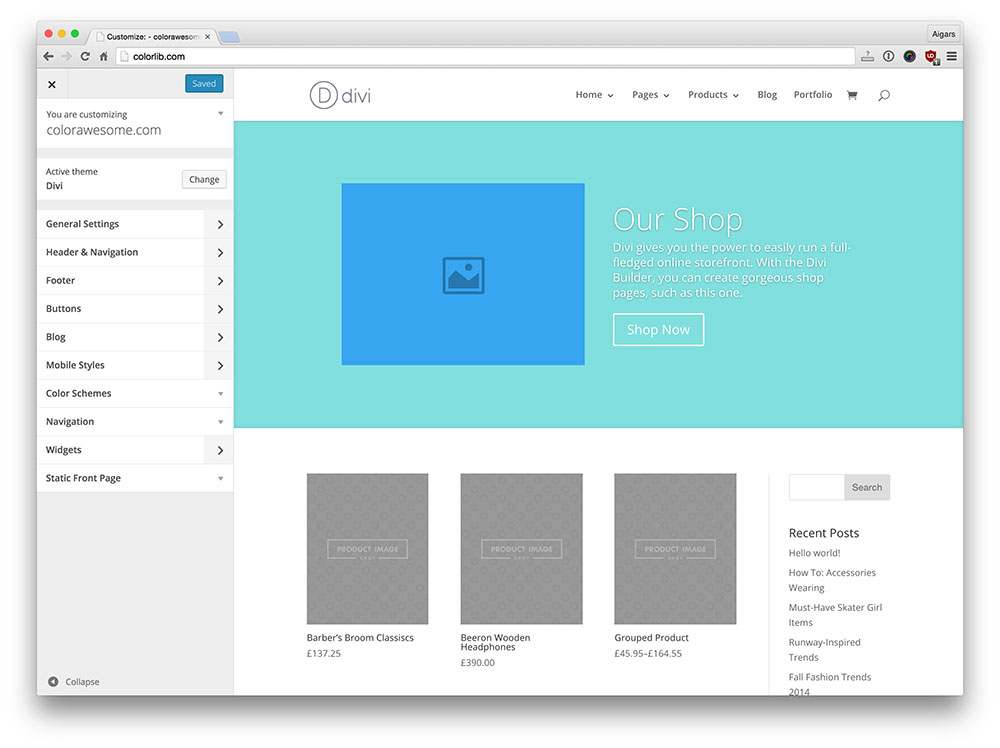
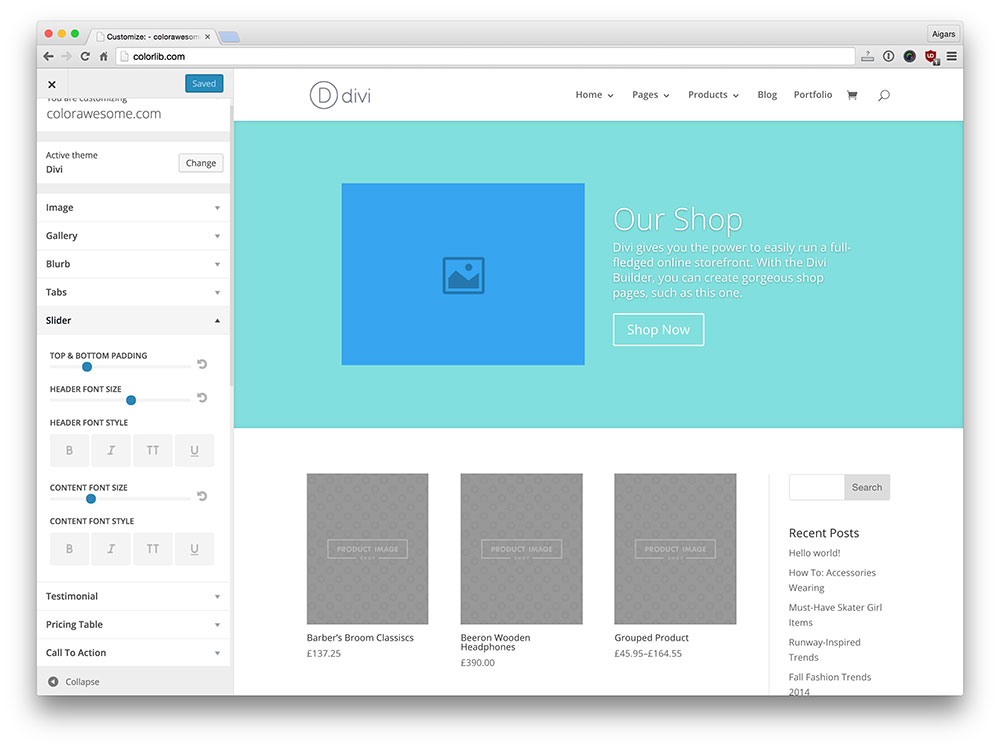
Since version 2.5 Divi theme now supports Module Customizer via the familiar WordPress Theme Customizer live preview. It brings many useful features that will help you create personalized modules easily. To get an idea of how it looks we have prepared a screenshot:
Divi Builder – A Powerful Drag & Drop Tool
If you ask someone to identify the ultimate selling point of this theme, it has to be the page builder capabilities.
Once you open Pages > Add New, you’ll notice a use “Page Builder” button under the standard add new page title bar. Click on the button, and this is what awaits you.
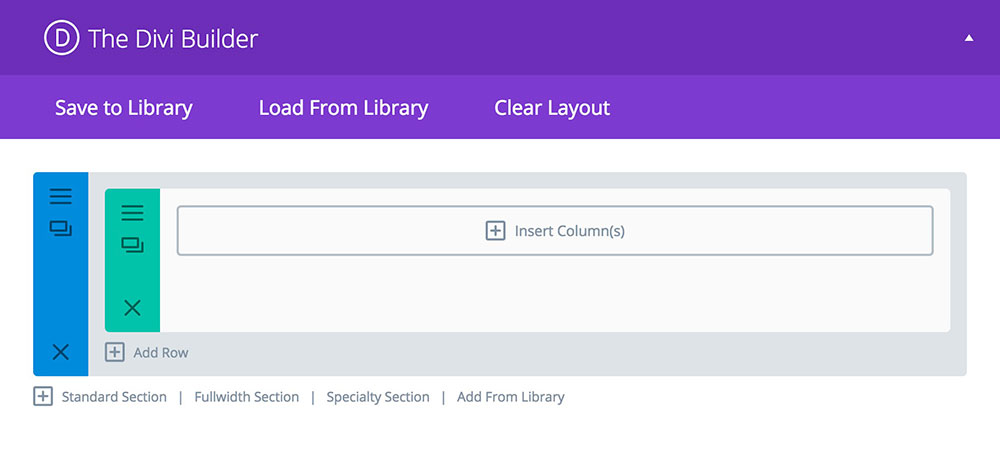
Upon initial inspection, it does not look like much. But when you proceed to use it further, you realize there is much more to it than meets the eye.
Now you can load one of the 32 premade layouts or create your own. But the list of premade layouts is pretty extensive, and it encompasses the appropriate page layouts for multiple purposes, at least one of which should be the right fit for your website.
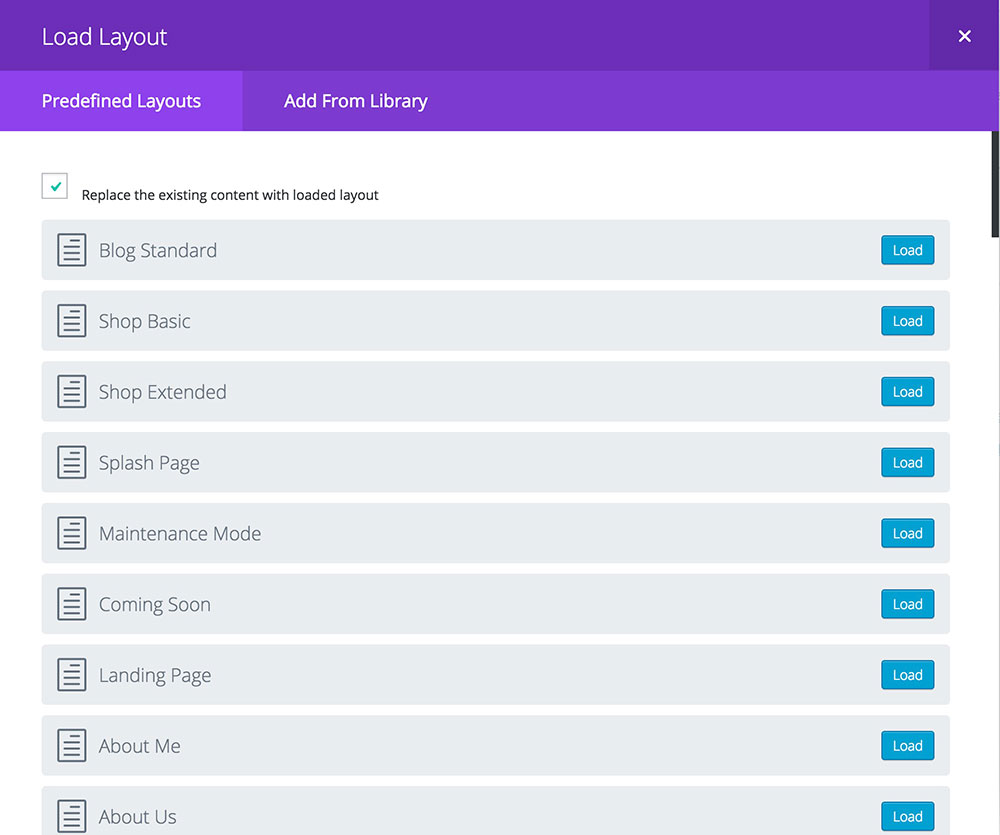
I tried to create a layout, but I found it rather difficult to conceptualize the site I am looking for. The easier option would be to use a premade layout and then edit it according to my needs.
If you were to load the Homepage Shop layout, the builder would automatically load a complete schematic of the ideal shopping website.

As you might have guessed by now, it is good to start with a premade layout, it saves a great deal of time. But if you intend to create your site with numerous new pages, Divi builder is a pretty handy tool. You can add sections, full-width sections, specialty sections and modules for functionality.
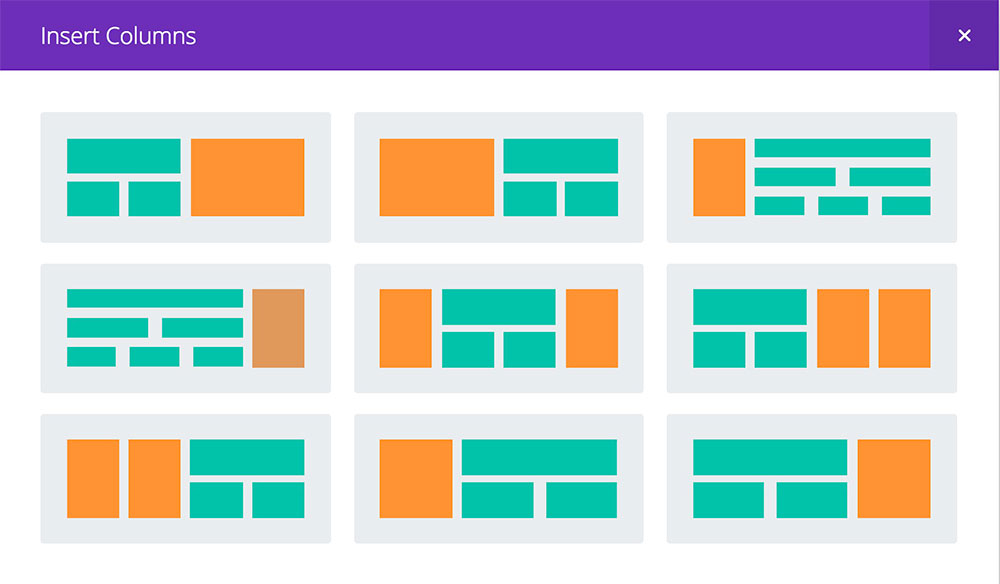
Modules are an easy way to add functionality to your new page’s various sections. You can not start adding modules when you add a new section because the particular section hasn’t been divided into columns yet. Columns are a way of splitting your sections into different widths as a ratio of the site’s width. With full-width sections, you jump right to adding modules.
If you’d rather not select columns manually, add a specialty section and you’ll get several column choices dividing the section into multiple blocks of differing sizes.
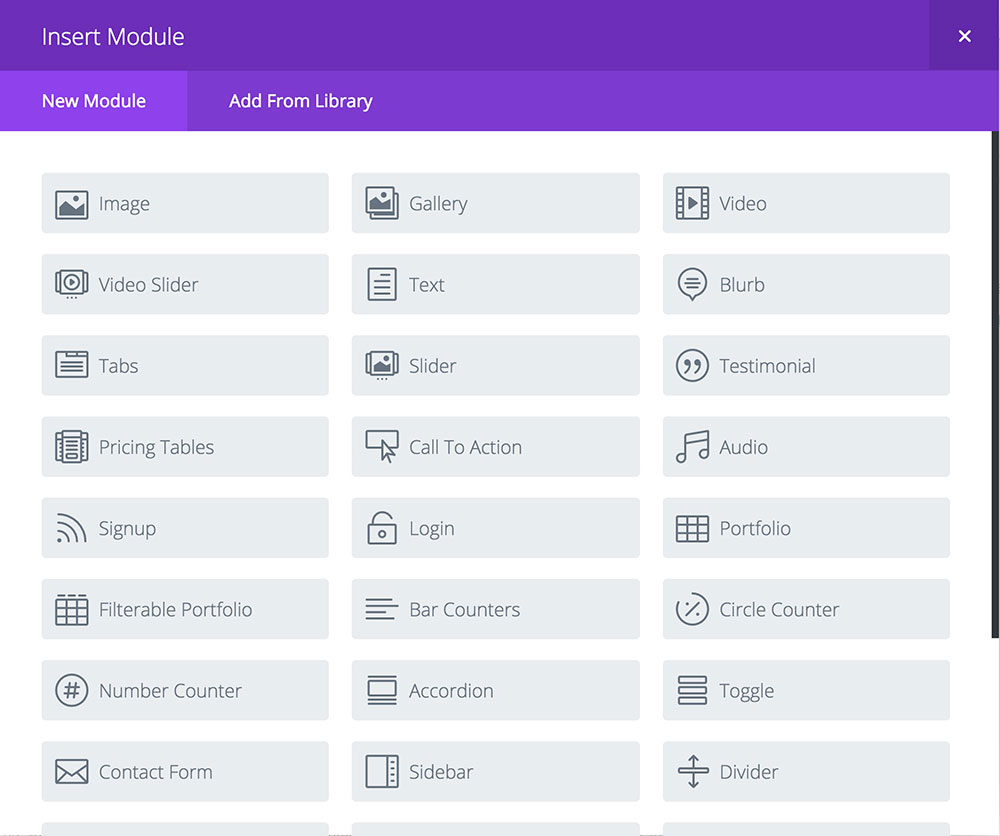
After adding the appropriate sections and columns, we finally add the necessary modules to make your page whole. The developers packed Divi builder with tons of options at your disposal.
Apart from adding modules, you can add your personal touch and CSS to modify the module’s Appearance. You can add a custom background for each section and enable custom CSS with a CSS ID.
Sections, columns and modules make up the building blocks of your custom page. You can move sections and modules easily and switch positions to meet your requirements.
If Divi page builder is the first drag and drop builder you’ve ever used, the page builder may be a bit difficult to handle at first. But once you see the page builder, it will take a few minutes to familiarize yourself with the builder’s options.
Another thing that will come in handy permits you to add layouts from your previous themes and websites. That way, you do not have to create pages from scratch.
How Does It Look?
Now, if you were to construct something simple and do so in under an hour, wondering what it would look like?
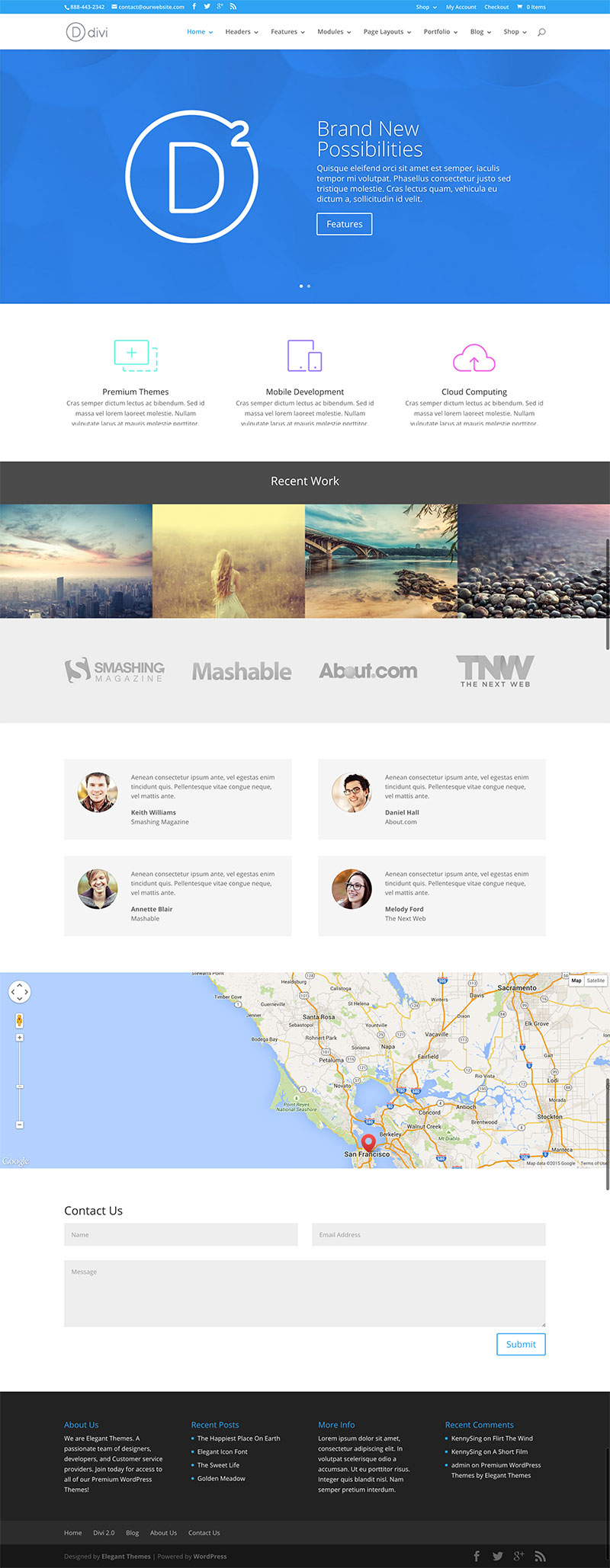
It doesn’t take a great deal of effort to create a simple and yet highly effective clean homepage for your website.
Easy To Create With Builder For A WP Newbie?
When using the Divi builder, you may be confused by the number of options in front of you. But if you stick with it for a while and use the premade layouts to help get you started, then using the builder to create a complex web page shouldn’t be a challenging task.
The developers designed it for the non-tech savvy folks looking for the right tool to give voice to their creative imaginations in the manner of a creative, elegant web page.
Other Theme Options – Languages & RTL
This theme has 32 built-in translations. In addition, it’s fully translatable and comes with full RTL support as well.
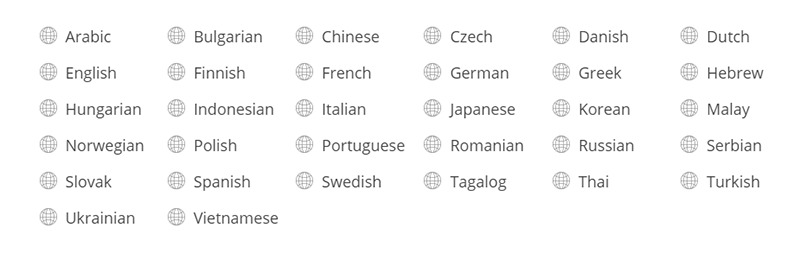
So your website doesn’t need to be limited to any region because of language.
Support And Documentation
From what I’ve heard and read, most customers have found the support responsive and sufficient. But with the documentation they provide, it is unlikely that you’ll need to avail of their support.
Elegant themes provide quite extensive documentation about their themes generally. Divi aims its documentation at helping the non-tech savvy to familiarize themselves with the theme and its features.
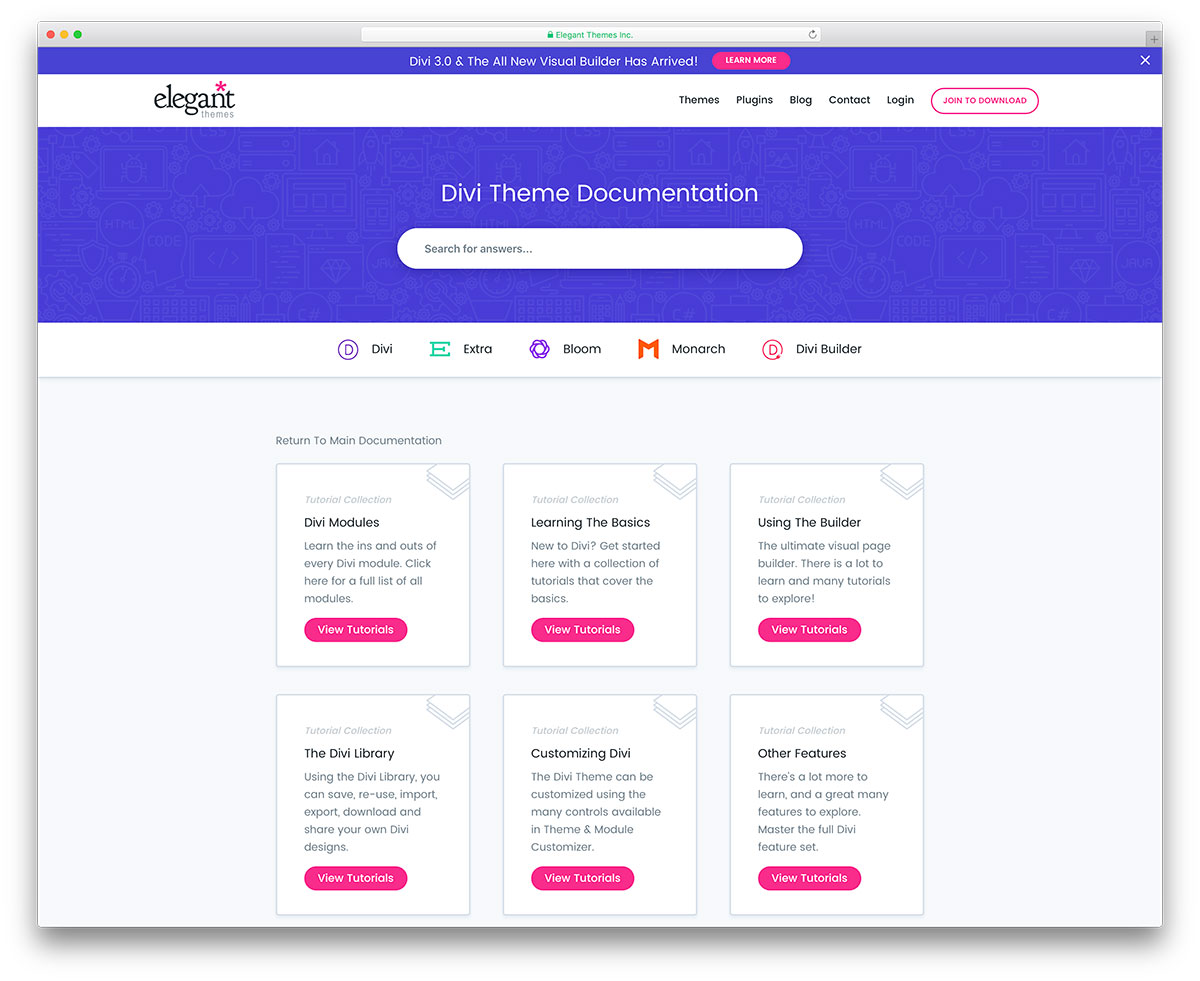
If you are concerned about your ability to use this theme to the fullest, I suggest you look at the documentation provided.
View DocumentationSecurity
Any revenue-generating website or high-traffic website needs to be genuinely concerned with security. WordPress is a secure platform. There aren’t more than a few vulnerabilities exposed in the last few years. That being said, you can look for excellent security features from your theme. And Divi does not disappoint.
The engineers at Elegant Themes have made it a point to make their themes as secure as possible. Sucuri is one of the best providers of security solutions for websites using the WordPress platform. A code audit by Sucuri, having gone through Divi’s code, confirmed that it’s a secure platform for your site.
Websites using Divi WordPress Theme
Divi theme has powered thousands and thousands of websites on the web. We created another article showcasing over 30 awesome websites to keep this review shorter. You can find these Divi theme examples here.
Pricing
Divi, along with 86 other themes and 6 other plugins, is $89 per year. Paying $89 for a single theme may be considered pricey by some. But, for 86 themes and 6 plugins, it is excellent value for money. But, for 86 themes and 6 plugins, it is excellent value for money. And you shouldn’t discount the value of their other themes and plugins, they are equally well-engineered. A good example would be Monarch. Elegant Theme’s social sharing plugin is one of WordPress site’s best social sharing plugins.
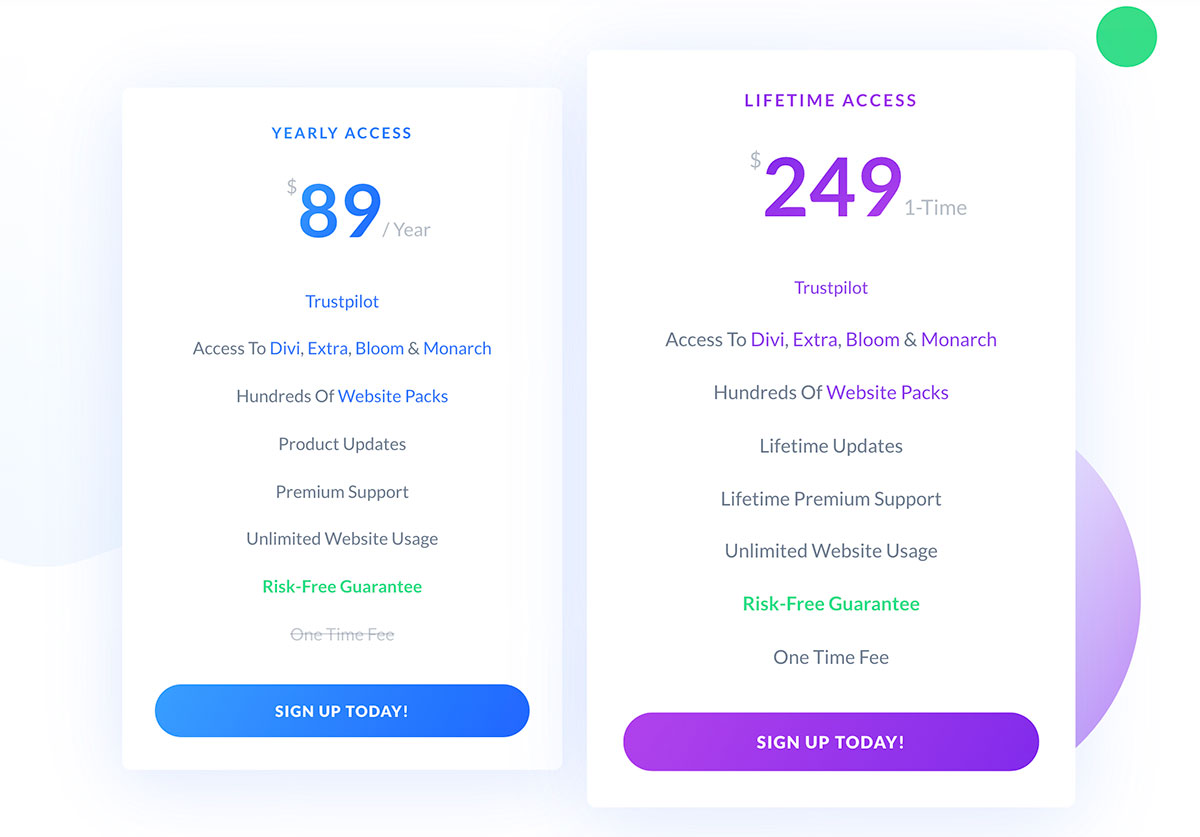
The personal package costs $89 per year but comes without the plugins. Do you like the plugins and themes and have already paid for the personal package? You can upgrade it to Lifetime Access with a one-time payment of $249. The purchase also comes with a 30-day money-back guarantee if you decide that Divi isn’t for you. These are the main things you should know about this theme. We would like to say some things to conclude our Divi review.
Divi Theme Pros
- Ideal for the non-tech-savvy online entrepreneur
- Truly multi-purpose, designed for freelancers, small agencies/businesses, magazines and online stores
- The ability to craft powerful landing pages for any website without any knowledge of HTML/CSS
- One of the best drag & drop page builders with multiple premade layouts, modules and sections
- Aesthetic design & great graphics
- Compatible with WooCommerce, Aweber, MailChimp and Google Maps
- Useful documentation for people new to the WordPress platform
- Lifetime updates
- Very good value for the money
Divi Theme Cons
- The number of options can potentially overwhelm you
- Not the best option for experienced developers
- There is a certain lock-in making it hard to migrate to a new theme
- The main Theme Options panel looks outdated
- It can be heavy on cheap shared hosting.
Divi Alternatives
1. Astra
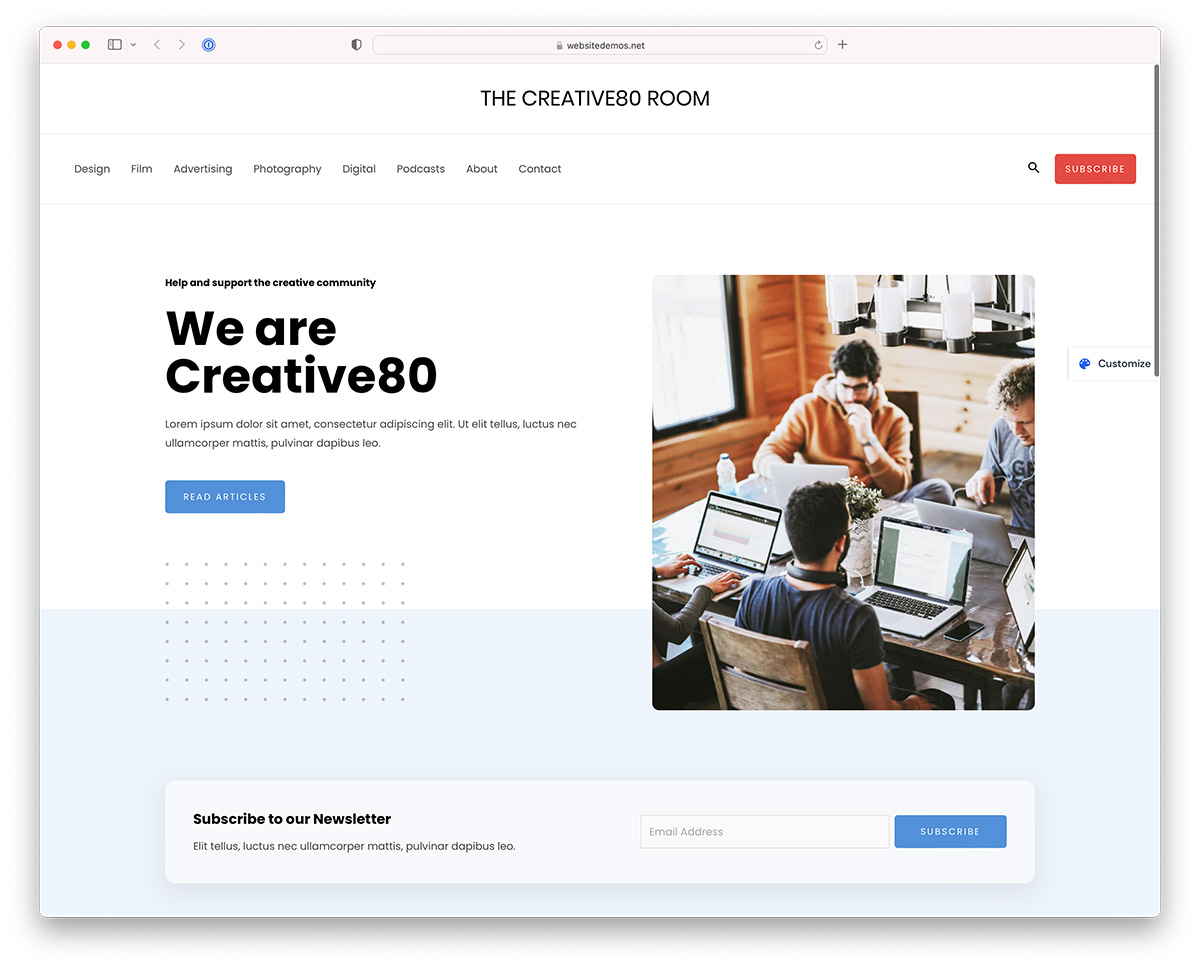
Astra is the number one Divi alternative with an estimated 1.6M active users. Unlike Divi, it doesn’t have its own page builder, but the theme works with Elementor, Beaver Builder and Gutenberg. Astra is as customizable as Divi theme, and it all comes down to your preference to choose the one best for you.
Download Astra2. Avada
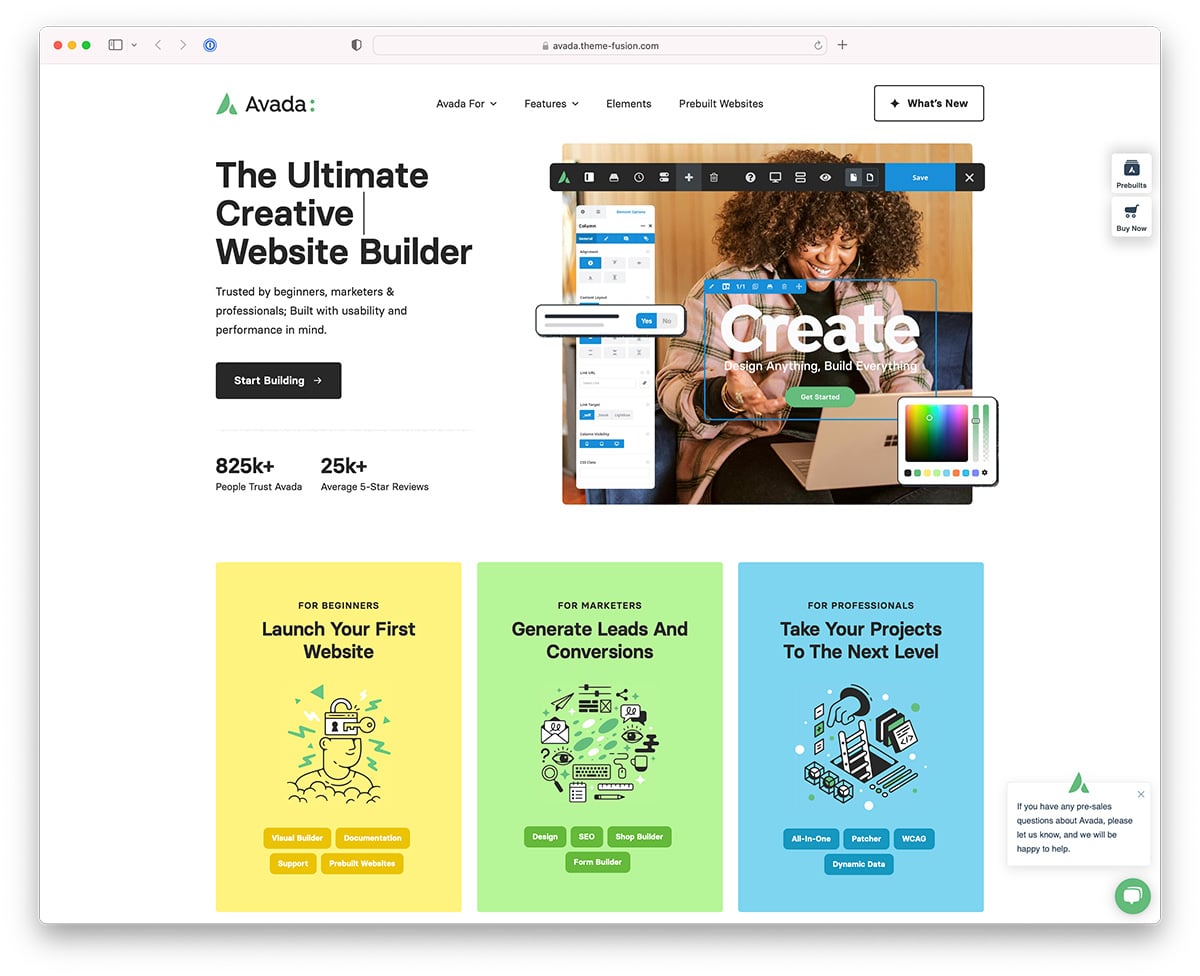
Avada is another very popular WordPress theme and a good alternative to Divi. It is trusted by over 825k users worldwide. It employs a custom drag-and-drop page builder with hundreds of beautiful elements. Avada has over 80 ready-made starter templates you can use as a foundation. Avada is a cheaper alternative if you want to build a single website since its license is for a single site while Divi is more expensive, but you can use it for unlimited websites.
Download Avada3. Elementor
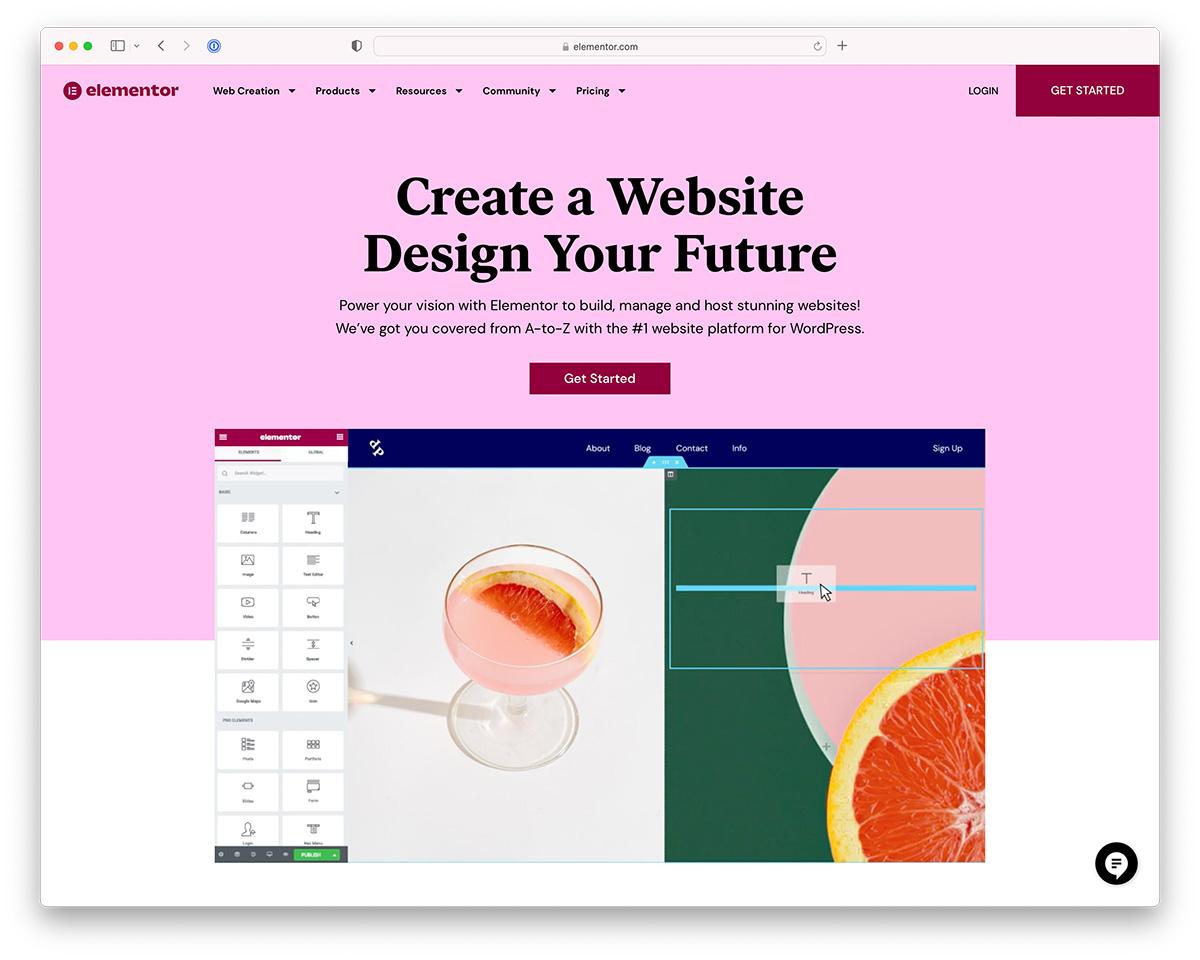
Elementor is the most popular WordPress page builder that has evolved into a full website builder package that offers hosting, domain and even theme in a single package. It is the easiest way to build a drag-and-drop website using WordPress since it removes all the technicalities allowing you to focus on your content.
Download ElementorDivi Theme Review FAQ
I would like to finish by answering common questions about the Divi theme.
Divi is an excellent theme for beginners because it has loads of pre-designed templates you can modify using a visual drag-and-drop page builder. It comes with extensive documentation and outstanding customer support as well.
It depends on your personal preference and the website you are working on. I like this theme, but it might be too much for someone looking to make a simple WordPress blog.
Yes, you can! The Divi Builder is a standalone plugin with any WordPress theme. In a plugin form, it will offer all the great website building benefits just like it would with the Divi theme.
It is not the fastest premium WordPress theme, but it is not terrible either. Any other popular multipurpose theme will offer similar performance and there isn’t any tradeoff if you choose Divi over others. Make sure to use the cache plugin and CDN to make the most out of it.
Divi is part of Elegant Themes membership, which starts at $89/year, or you can get lifetime access for $249.
Yes, it is! It follows all the best SEO practices to rank your website well in Google and other search engines. We still recommend using any free SEO WordPress plugins to optimize it further.
Divi used lock-in users by scattering shortcodes all over your website once you disabled the theme or Divi Builder plugin. However, it is no longer the case, and you can easily move away to any other WordPress theme or page builder plugin.
Maybe. There aren’t any such this as the best WordPress theme. Each use case and project might require a different theme. Divi is a great theme for many cases but it is not a theme for everyone.
It has the highest review score on Trustpilot for any WordPress theme. One of the highest for any product I have seen. 97% of customers have given them a 5-star rating. That’s a remarkable achievement.
Both offer outstanding flexibility to build a custom design website using WordPress. You can’t go wrong by choosing one or the other. It all comes down to your preference and the design you like more. The functionality for both are the same.
Final Thoughts
Should you use the Divi WordPress theme?
Div offers amazing flexibility that only a few other themes can match. Divi is a great theme to build a custom design website using WordPress without any previous technical knowledge or experience.
If any, few themes offer so much in the way of choice to a WordPress newbie. The creators designed this theme very well and used all of its features in a pretty intuitive way. It caters to the needs of all possible niches. The page builder is a powerful ally for any online entrepreneur. You can use it to create landing pages for specific purposes. This theme helps with adding your CSS code into the theme with little effort. You can do this even when you have a little bit of design skill.
I am leery of calling any theme the best. Divi is a multipurpose theme with a powerful page builder for an online entrepreneur in any niche. This is certainly a theme that anyone interested in creating a WordPress site should look at. Are you a current/past user of Divi or Elegant Themes? Then, let us know what you think of the updates in the comments below! And if you have any other questions, fire away! That’s it on our Divi theme review!
Purchase Divi/ More Info
Related Posts



do you think the new version of divi has addressed the speed issues. i am caught between divi and enfold but as speed it key i am thinking of plumping for enfold but feel like i could do more with divi?
thanks in advance
Neil,
Themes are rarely what slows a website down. WordPress can be slow out of the box, but WordPress-specific server-side caching can cut page load times dramatically. WP Engine offers this, and you might also consider its cheaper alternative, SiteGround, which has a similar caching platform meant for smaller websites.
With a hosting provider like that, you can use Divi, Enfold or any other premium multipurpose theme without worrying about performance. Both themes are comparable when it comes to the scripts and styles they load, so the hosting is what makes the difference.
If I go with the annual option does this mean at the end of one year I will not be able to update the theme anymore.
Does that include security vulnerabilities etc.?
I am assuming the answer would be to go with the lifetime or renew it annually if I am looking to be up to date correct?
Mark,
With Divi you need either a yearly subscription or lifetime access. Otherwise, once your one-year subscription expires, you won’t get any updates (not even security fixes) or support.
Personally, I would go with Lifetime Access, because you get access to all Elegant Themes products, including ones that are not released yet, plus their plugins such as the Bloom email opt-in plugin.
Thanks for the great article. Can you please tell me what you prefer and why: Divi builder or Avada builder. And this is also important to me: is Site Origin visual editor (free plugin) comparable to these two?
Alex,
The free SiteOrigin page builder isn’t really comparable to Divi or Avada. It covers basic elements such as buttons, columns and tabs, while Divi and Avada come with visual drag & drop builders for portfolios, parallax sections, sliders, online stores, service sections, galleries and much more.
If we put Divi and Avada side by side, there is no clear winner. Both do the same job with similar technology and design, so it comes down to personal preference.
“If you switch from Divi to any other theme, then there is a disaster waiting to happen..”
Can you expand on this warning?
I see that Divi mentions saving and exporting *layouts* but not *content*. What if I want to switch to another theme/company down the road? What if I want to export my WP site to an e-book?
(FYI: all of my WP sites were hacked (using free themes) so am looking for a secure, flexible, reliable paid option with good support if needed.)
Doug,
I need to revise what I wrote about switching away from Divi. The Divi Builder is now also available as a plugin, so you can switch from one theme to another and keep what you have built with the page builder, as long as you keep the plugin.
As for exporting to an e-book, WordPress can export your content as an XML file, but that is quite different from a plain text or image-based e-book. No theme offers anything close to this by default, so it needs separate research regardless of the theme.
Free themes from WordPress.org are well tested and safe to use. Here are our top recommendations. Sites usually get hacked when people use premium themes or plugins distributed for free on shady websites, or when they use weak passwords. Your code, hosting and passwords matter much more than the theme.
If you have any questions about Divi or WordPress security, feel free to ask.
I’m looking for a directory theme for medical companys. To show clinics AND docters. I like Divi but I am not sure if it is a good choice for this web site. Maybe you have a suggestion?
Peter,
Divi isn’t the best choice for a directory website unless you already have a plugin in mind to manage the listings. Divi is very flexible, but a dedicated directory theme will make your life easier thanks to custom fields, search filters, star ratings and more. You can add these things to Divi, but you would end up installing loads of plugins, and I don’t think it’s worth it.
Here is a list of the best directory themes for WordPress.
Hi. I’m looking to move from Weebly to WordPress and really like the design flexibility and the page builder offered by Divi. I’m completely new to WP but don’t mind a learning curve. However, I’ve been reading about the problems caused by updates? If i make lots of design and layout decisions building my Divi site, is there a possibility they’ll be lost in Divi theme or WP updates?
I’ve read that it’s wise to use a ‘child’ theme but this sound too complex for me. If i could be sure my site wouldn’t lose modifications I’d definitely go for the Divi framework.
Thanks in advance for any advice.
Theresa,
Theme and WordPress updates overwrite changes made directly inside the theme’s PHP, JavaScript, CSS and other files. Everything you create through the WordPress dashboard, such as posts, pages, category pages and landing pages, stays in place after any update. Child themes are for people who want to modify theme files, and I don’t think that’s what you are planning to do.
I have been using Divi on just one site. It is indeed very powerful and amazingly flexible. It has some downsides. The first is that your content is buried within the Divi Builder. That is not a problem if you are managing your own website but it is a problem if you are creating a website for a client who will want to manage their own content. They will need to learn to use the Divi Builder and if they are up to that they do not really need me!
My bigger worry is about getting support – there is no route direct to Divi themselves. When something goes wrong you have to post an item on the Divi Support Forum and hope it gets picked up. So far there are a number of users with the same issue which seems to be a bug in the latest update. After 4 days I have still got any reaction from Elegant Themes themselves. I had planned to buy a lifetime developer licence from them but I am not sure I have much confidence with them now.
I’ve been using Divi for over a year now and I’m still impressed with the current features and the frequency with which the development team launches new features. Not everything about it is perfect; the visual editor has always been buggy and slow, migration would be a pain, and it’s not the fastest theme out there. But for someone with close to zero coding skills Divi is by far the best way to build a great looking site.
Sir Aigars, you know another theme that allows me to work with several clients, like the Divi?
Only a few premium WordPress themes let you use one license on as many websites as you want. Most are licensed so that you need to purchase a separate license for every site you build. That makes Divi stand out from the competition if you build websites for several clients.