
Invest
Template Details
Author: Colorlib
Updated: November 2026 · v3.0.0
Credits: Images from Unsplash
Description
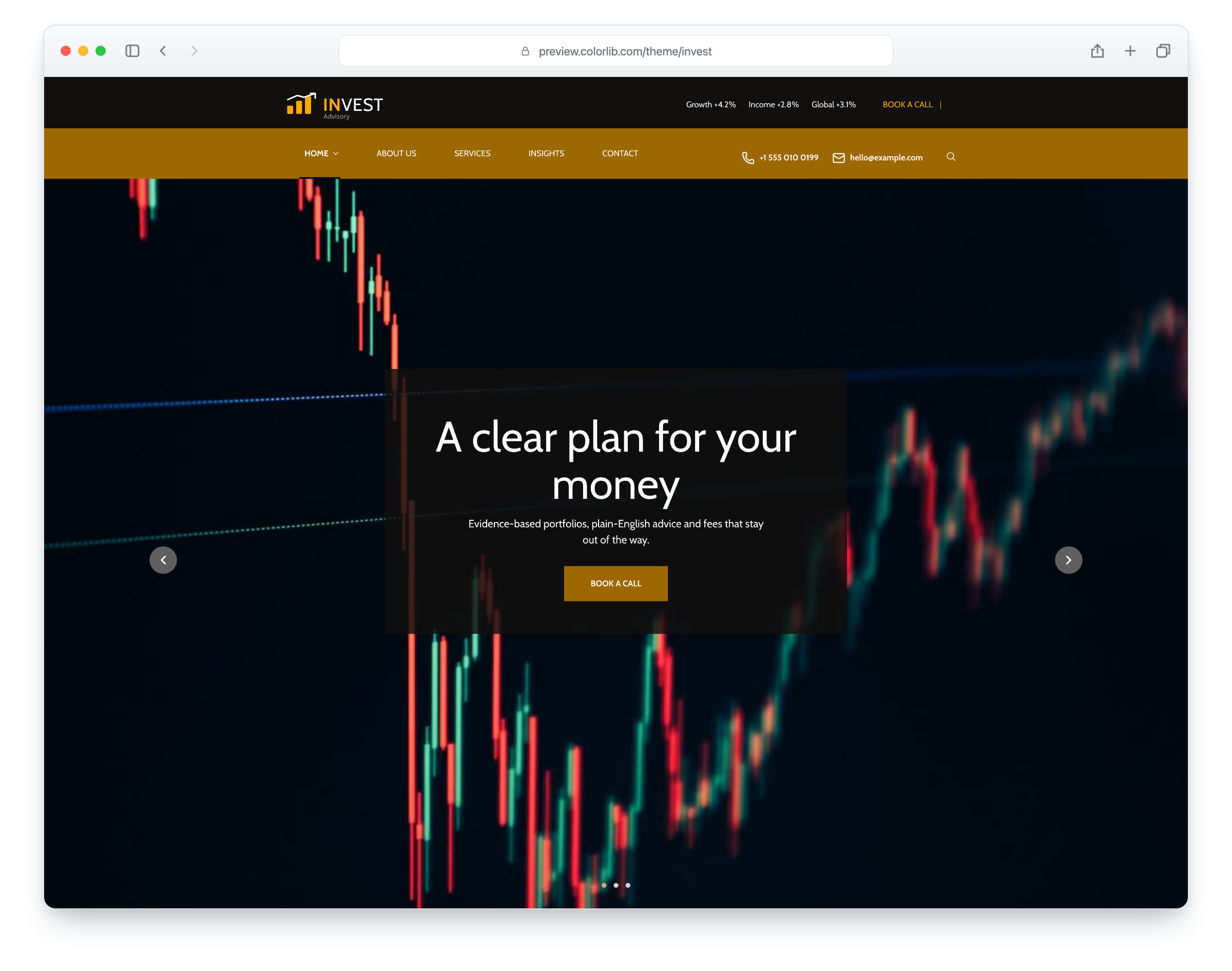
Invest is a website template for wealth advisers, financial planners and investment consultants, built on Bootstrap 5 with a clean blue and amber design. The layout is responsive and mobile-ready and works in all popular web browsers. It comes with seven pages: home, advisory overview, about, services, insights (blog), contact and components.
The home page has a three-slide hero, an introduction, a service slider, a savings growth calculator, a three-step process and the latest insights. The advisory overview adds feature cards, six planning services, a portfolio section and a map, the about page has counters, testimonials and an FAQ accordion, and the services page adds a call-back form. The insights page is a searchable blog with paging, and the components page shows the buttons, tabs, progress rings and icon boxes. Invest gives you a ready-made site to present your firm, its services and its advice.
What’s new in 3.0
- Bootstrap 5.3.8 (the earlier release used Bootstrap 4.0.0 and jQuery), compiled from Sass with the original proportions, and plain JavaScript with no jQuery. Swiper 14 replaces Owl Carousel, Jarallax replaces the parallax plugin, and small built-in scripts replace GSAP and ScrollMagic for the counters and progress rings. npm run build compiles the stylesheets and one script.
- Lighter pages: all seven pages together went from 11.0 MB and 381 requests to 3.8 MB and 183 requests, and the download from 4.4 MB to 3.9 MB. Every photo has an AVIF version with the JPEG as the fallback, real dimensions, lazy loading below the first screen and separate portrait crops for the home and advisory heroes on phones.
- No third-party requests: Open Sans and Cabin are self-hosted, the Font Awesome icon font is replaced by Lucide SVG icons and a small social-logo subset, the map loads from OpenStreetMap only after a click, and a Google Analytics 4 snippet stays commented out until you add your own ID.
- New content for an advisory firm: every placeholder text, photo and illustration was replaced, and the page now includes a savings growth calculator, a searchable blog with paging and an FAQ accordion with keyboard support.
- Working forms: the contact, call-back and newsletter forms have visible labels, required fields, success and error messages and a PHP handler that you point at your own address.
- Accessibility: one h1 per page, a skip link, a main landmark, visible keyboard focus, a mobile menu that works with the keyboard, and darker amber and grey tones so text and buttons stay readable.
Pricing Invest
Single
$19
- Premium support
- Template updates
- For 1 year
- Access all templates
Membership
$129
- Premium support
- Template updates
- For 1 year
- For 1 year
Lifetime
$349
- Premium support
- Template updates
- For life
- For life
Similar Finance Templates View all 26 finance templates →