Itkol
Template Details
Author: Colorlib
Updated: October 2026 · v3.0.0
Credits: Photos from Unsplash; illustration and icons from the original design
Description
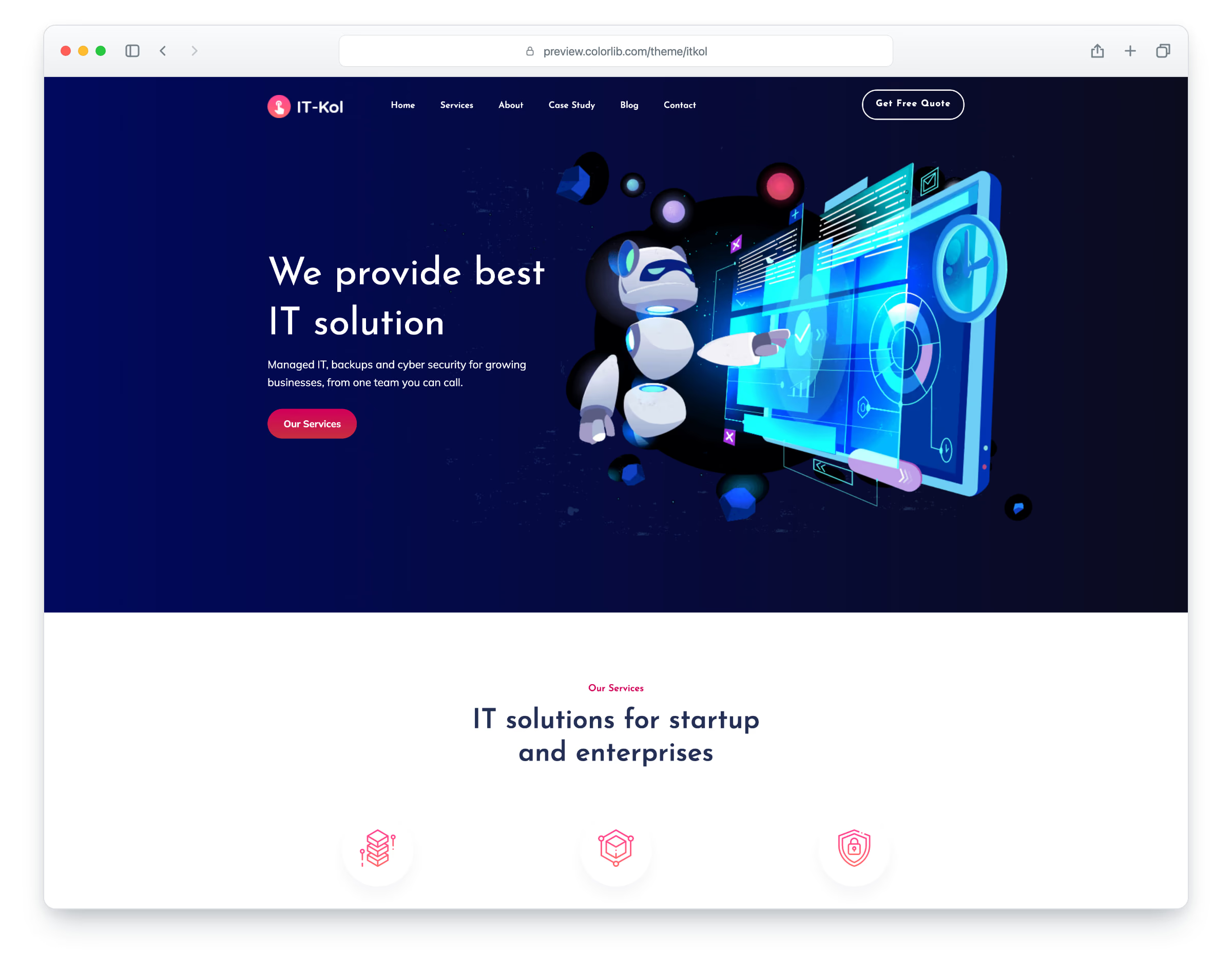
Itkol is a website template for IT services companies, managed service providers and tech support teams, built on Bootstrap 5. It has a dark navy hero with an illustration, pink accents and a sticky header with a drop-down menu. The layout is responsive and mobile-ready. There are eight pages: home, services, about, case study, blog, blog post, contact and elements.
The home page has service cards, a section with a photo and a notification card, an industries band, counters, recent work and a video call-to-action. You will also find a services page with six service cards, an about page, a case study page with six project cards, a blog with a sidebar, a blog post with an author box, comments and a comment form, and a contact page with a working contact form and a map that loads on click. Itkol gives you a ready-made site for an IT support or cyber security business.
What’s new in 3.0
- Bootstrap 5.3.8 (the earlier release used Bootstrap 4.1.3 and jQuery), compiled from Sass together with the theme and the Bootstrap 4 proportions the design was drawn with, and plain JavaScript with no jQuery. A dialog menu replaces SlickNav, PhotoSwipe replaces Magnific Popup on the gallery, a video dialog plays the YouTube clip, and small built-in modules replace WOW, CounterUp and Nice Select. npm run build (Dart Sass and esbuild) compiles one minified stylesheet and one script.
- Lighter pages: all nine pages together went from 11.0 MB and 432 requests to 5.6 MB and 214 requests; the home page from 1.5 MB and 55 requests to 0.8 MB and 31 requests. Every photo has an AVIF version with the JPEG or PNG as the fallback, real dimensions and lazy loading below the first screen.
- No third-party requests: Josefin Sans and Mulish are self-hosted, the Font Awesome and Themify icon fonts are replaced by Lucide SVG icons and a small social-logo subset, and the contact page map is an OpenStreetMap map (no API key needed) that loads only when a visitor clicks it.
- Accessibility: a skip link, one main heading per page, labelled form fields and icon buttons, visible keyboard focus, a keyboard-friendly menu, and text and button colours that meet WCAG AA contrast.
- Working forms: the contact form sends email through an included PHP handler with spam protection and shows its status without reloading the page; the newsletter and comment forms check their fields and thank the visitor.
- New photos for the case studies, about section, blog and elements gallery, IT services copy in place of placeholder text, links that lead to real pages, and a title, description and sharing tags on every page.
Pricing Itkol
Single
$19
- Premium support
- Template updates
- For 1 year
- Access all templates
Membership
$129
- Premium support
- Template updates
- For 1 year
- For 1 year
Lifetime
$349
- Premium support
- Template updates
- For life
- For life
Similar App Landing Page Templates View all 37 app landing page templates →