
Educrown

Template Details
Author: Colorlib
Updated: November 2026 · v3.0.0
Credits: Images from Unsplash
Description
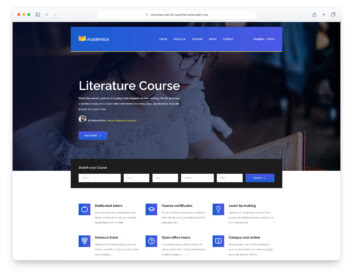
Educrown is a one-page HTML template for schools, colleges and online course providers, built on Bootstrap 5. The page has a hero slider with a course search, three feature boxes, animated figures, a catalogue of four course cards, a classroom video, a testimonials slider, a blog teaser, six FAQs, a contact form with a map that loads on click, a partner-school row, an admissions banner and a newsletter footer. The layout is responsive and works on phones and tablets.
The course search filters the cards as you type and shows how many courses match. Educrown gives you a ready-made starting point for a training centre, tutoring service or short-course site.
What’s new in 3.0
- Bootstrap 5.3.8 (the earlier release used Bootstrap 3.3.7 and jQuery) and plain JavaScript with no jQuery. Swiper 14 runs the hero and testimonial sliders, and small built-in modules handle the mobile menu, counters, scroll reveals and the video dialog. npm run build (Dart Sass and esbuild) compiles one minified stylesheet and one script.
- Lighter page: the home page went from 4.5 MB and 113 requests to 1.1 MB and 21 requests. Every photo has an AVIF version with the JPEG as the fallback, real dimensions, lazy loading below the first screen and separate phone crops for the hero.
- No third-party requests: Poppins is self-hosted, the six icon fonts are replaced by Lucide SVG icons, and the map is an OpenStreetMap embed (no API key) that loads only when a visitor clicks “Show map”. A Google Analytics 4 snippet stays commented out until you add your own ID.
- Working forms: the contact form and the newsletter form send through a PHP handler with a spam trap and in-page messages (set your address in php/send-email.php), and every field has a visible label.
- A course search that works: it filters the cards, shows a count, a no-results message and a reset link, and reads ?q= from the address.
- Accessibility: skip link, one h1, keyboard-operable menu and slider arrows, a visible focus ring, reduced-motion support and text contrast of at least 4.5:1 (the mint green was darkened under white button labels).
- Fixes: new course, testimonial, blog and FAQ copy with fictional names, no repeated placeholder text, corrected typos, new photos and a text logo, and a README with a documentation page.
Pricing Educrown
Single
$19
- Premium support
- Template updates
- For 1 year
- Access all templates
Membership
$129
- Premium support
- Template updates
- For 1 year
- For 1 year
Lifetime
$349
- Premium support
- Template updates
- For life
- For life
Similar Education Templates View all 44 education templates →