
Amplify
Template Details
Author: Colorlib
Updated: October 2026 · v3.0.0
Credits: Photos from Unsplash (photographers are credited in the README), icons from Lucide
Description
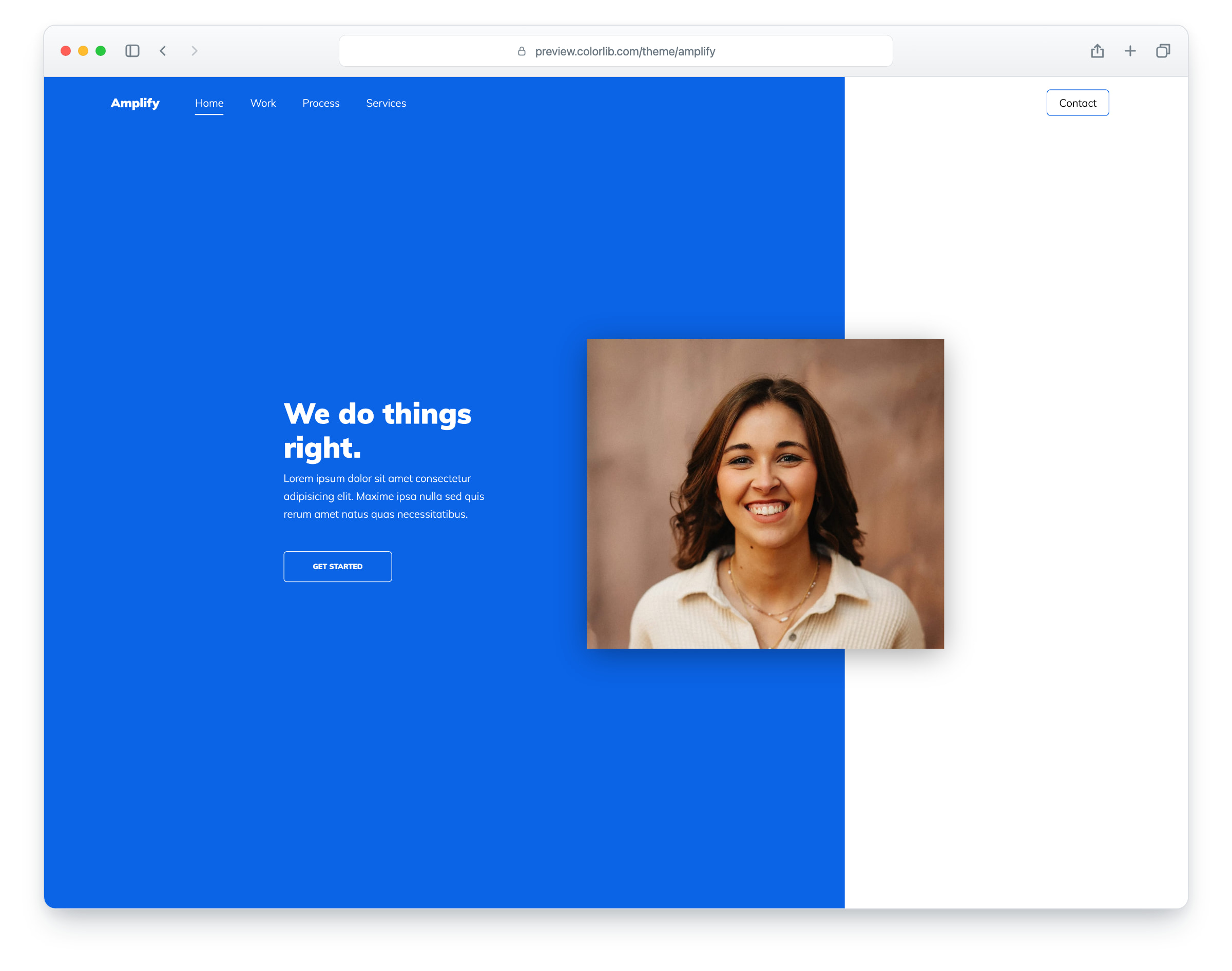
Amplify is a one-page website template for creative agencies, studios and freelancers, built on Bootstrap 5 with a bold blue design. The layout is responsive and works in all popular web browsers. It is a single page with a sticky menu and six sections.
The page opens with a blue intro and a portrait, followed by an about block with four figures, a full-width work slider whose photos open in a lightbox, three process steps, a row of service cards, a contact form and a newsletter signup.
What’s new in 3.0
- Bootstrap 5.3.8 (the earlier release used Bootstrap 4 and jQuery), compiled from Sass with the original proportions, and plain JavaScript with no jQuery. Swiper 14 replaces Owl Carousel, PhotoSwipe replaces Fancybox in the work gallery, and small built-in modules replace the jQuery sticky header, AOS and the off-canvas menu. npm run build (Dart Sass and esbuild) compiles one minified stylesheet and one script.
- Lighter page: the page went from 1.83 MB and 35 requests to 0.85 MB and 18 requests. Every photo has an AVIF version with the JPEG as the fallback and real dimensions, and unused plugins such as jQuery, jQuery UI, Owl Carousel, Fancybox, Stellar and MediaElement are gone.
- No third-party requests: Muli is self-hosted, the icon fonts are replaced by Lucide SVG icons, and a Google Analytics 4 snippet stays commented out until you add your own ID. Before, the page loaded Google Fonts.
- Working forms: the contact form and the newsletter form send through php/send-email.php, with validation, a spam trap, visible labels and an in-page message. Before, neither form had a target or named fields.
- Accessibility: a skip link and a main landmark, one h1, a menu button that opens a dialog menu and closes with Esc, labels on every form field, visible focus rings (the work captions also show on keyboard focus), reduced-motion support and WCAG AA text contrast, with a deeper blue and lighter text on the blue boxes.
- Fixed: the Process and Services sections have their own kickers, the work captions have project names, every menu and footer link goes to a real section, and all photos are new.
Pricing Amplify
Single
$19
- Premium support
- Template updates
- For 1 year
- Access all templates
Membership
$129
- Premium support
- Template updates
- For 1 year
- For 1 year
Lifetime
$349
- Premium support
- Template updates
- For life
- For life
Similar Agency Templates View all 60 agency templates →