Skip to content
Our free WordPress themes are downloaded over 7 MILLION times. Get them now!

Thirteen websites. One free theme.

Unapp is a WordPress block theme built entirely for the Site Editor. Pick a starter, answer three questions, and you have a finished site — pages, menu, palette and typeface — that you can take apart in the editor without touching code.

Free for any number of sites · Version 2.5.10, tested with WordPress 7.1

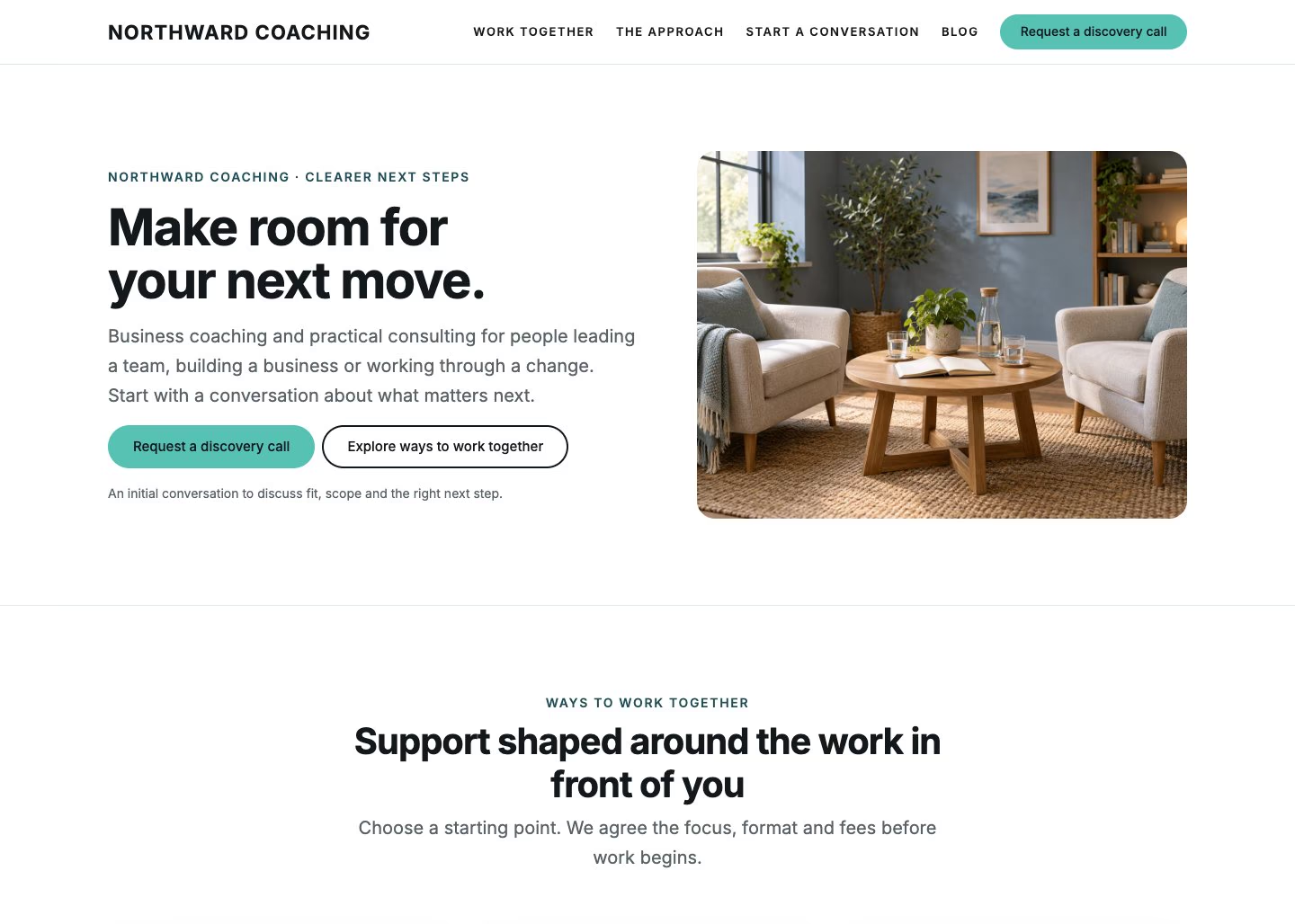
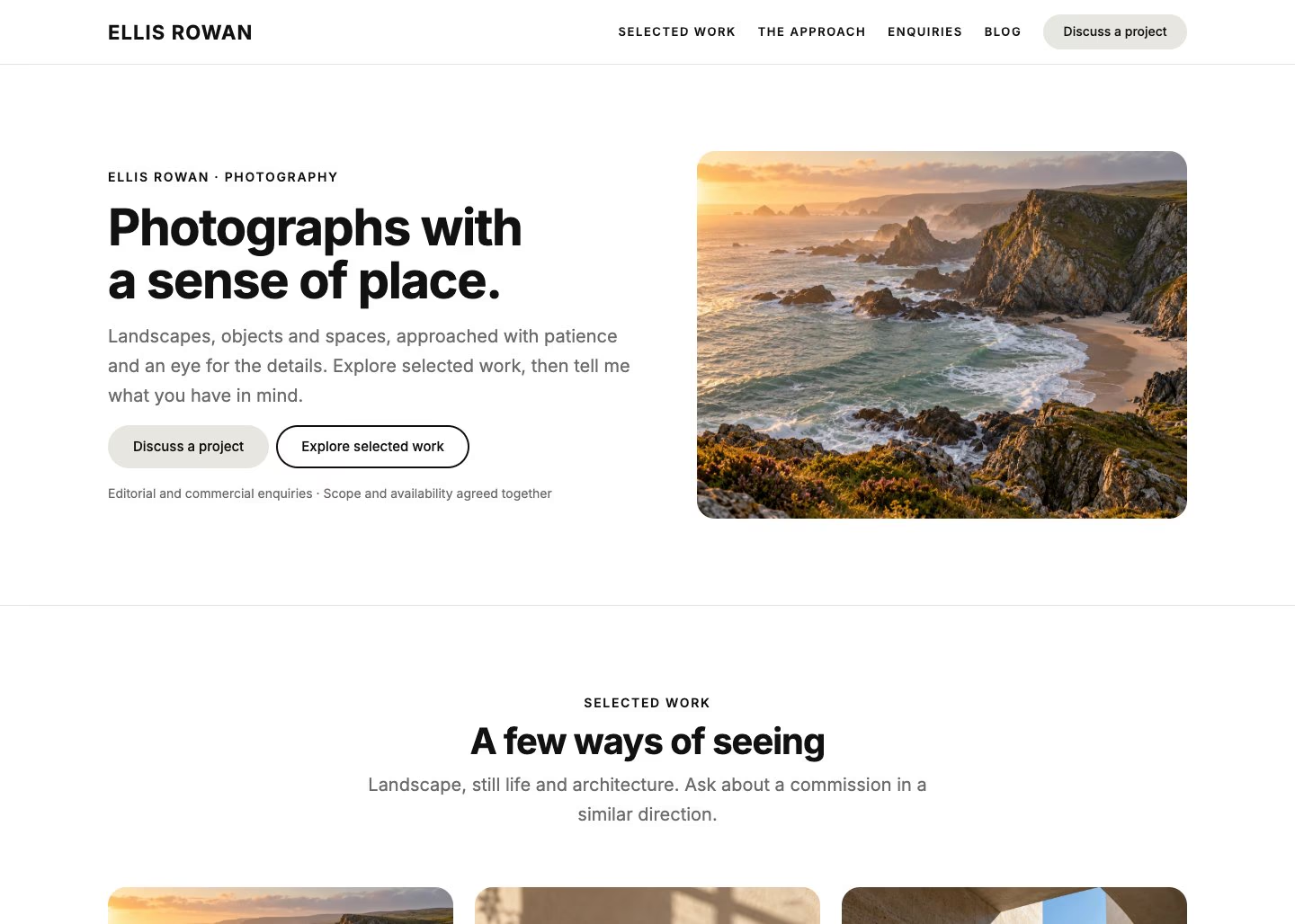
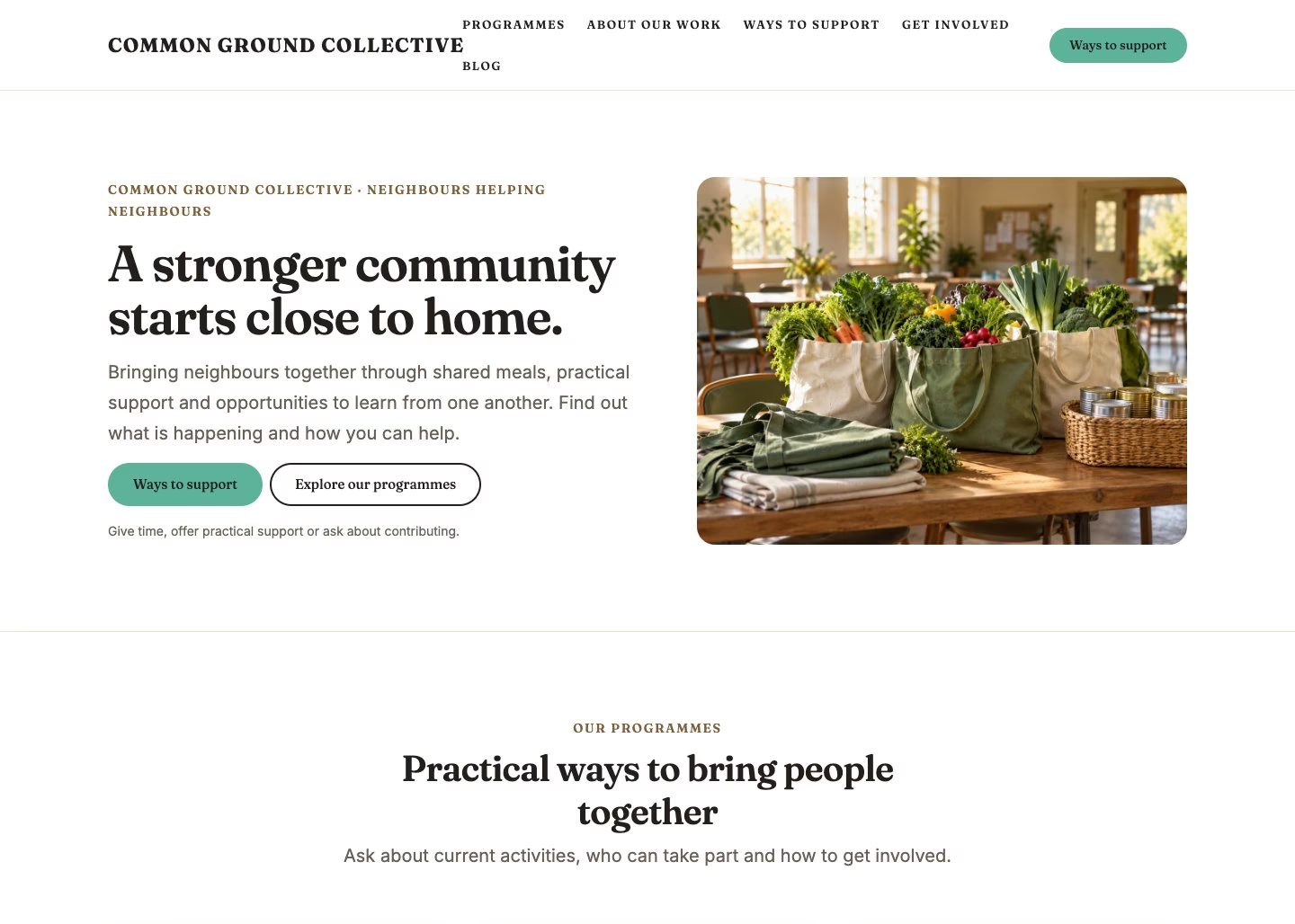
Four Unapp starter sites: church, restaurant, gym and portfolio
13
Starter sites
184
Section patterns
60
Palette & type combinations
0
Page builders required

Thirteen starter sites

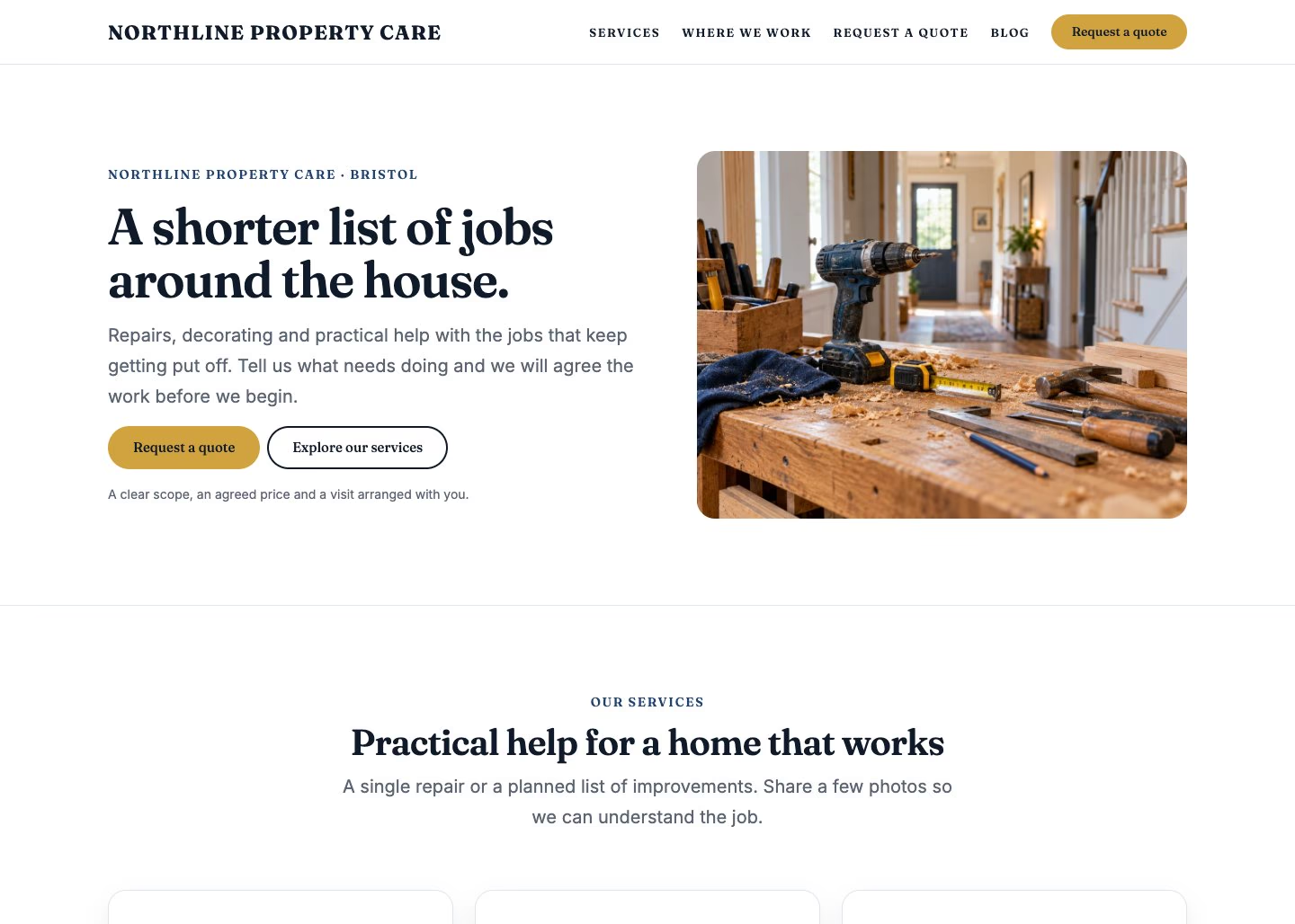
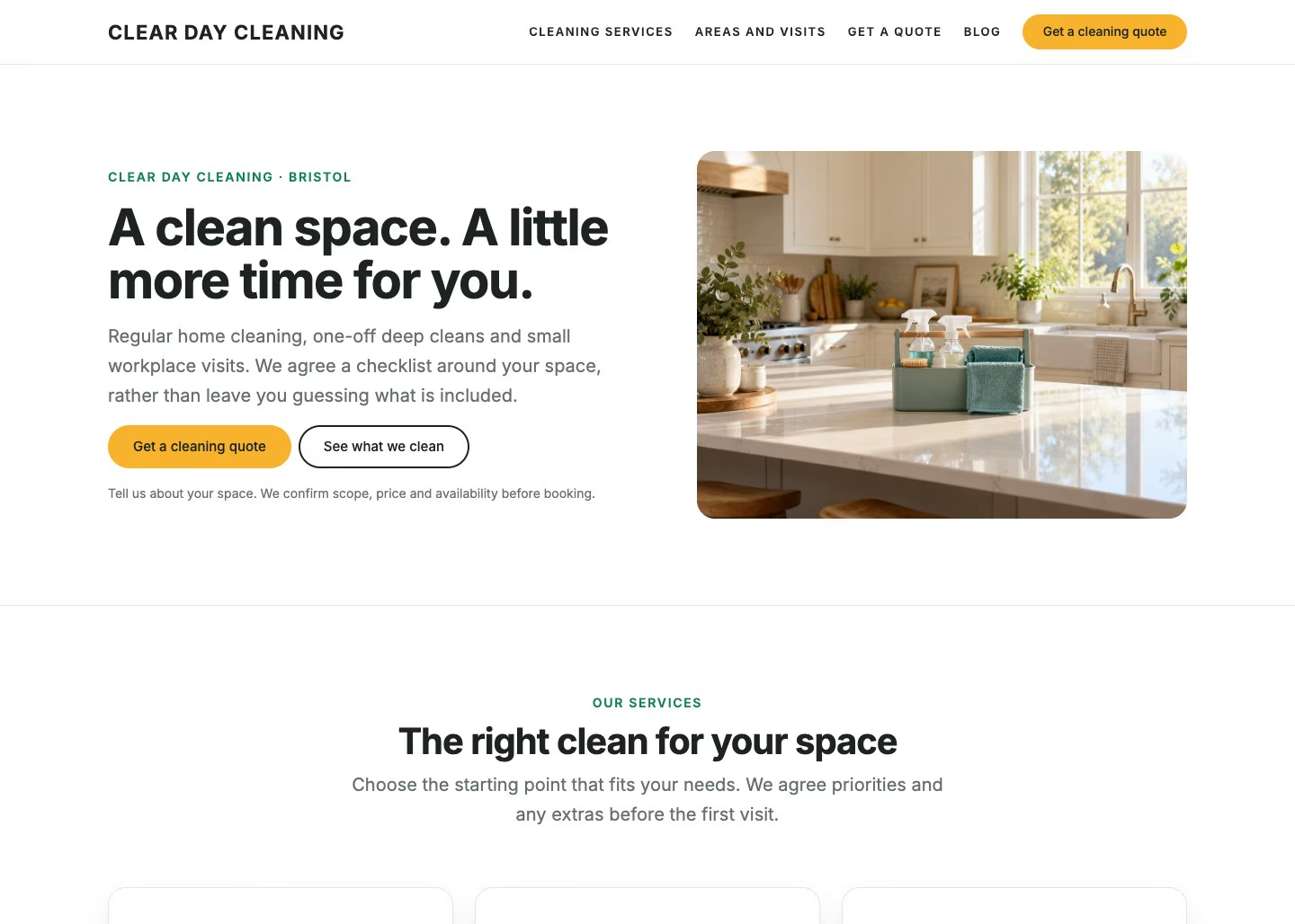
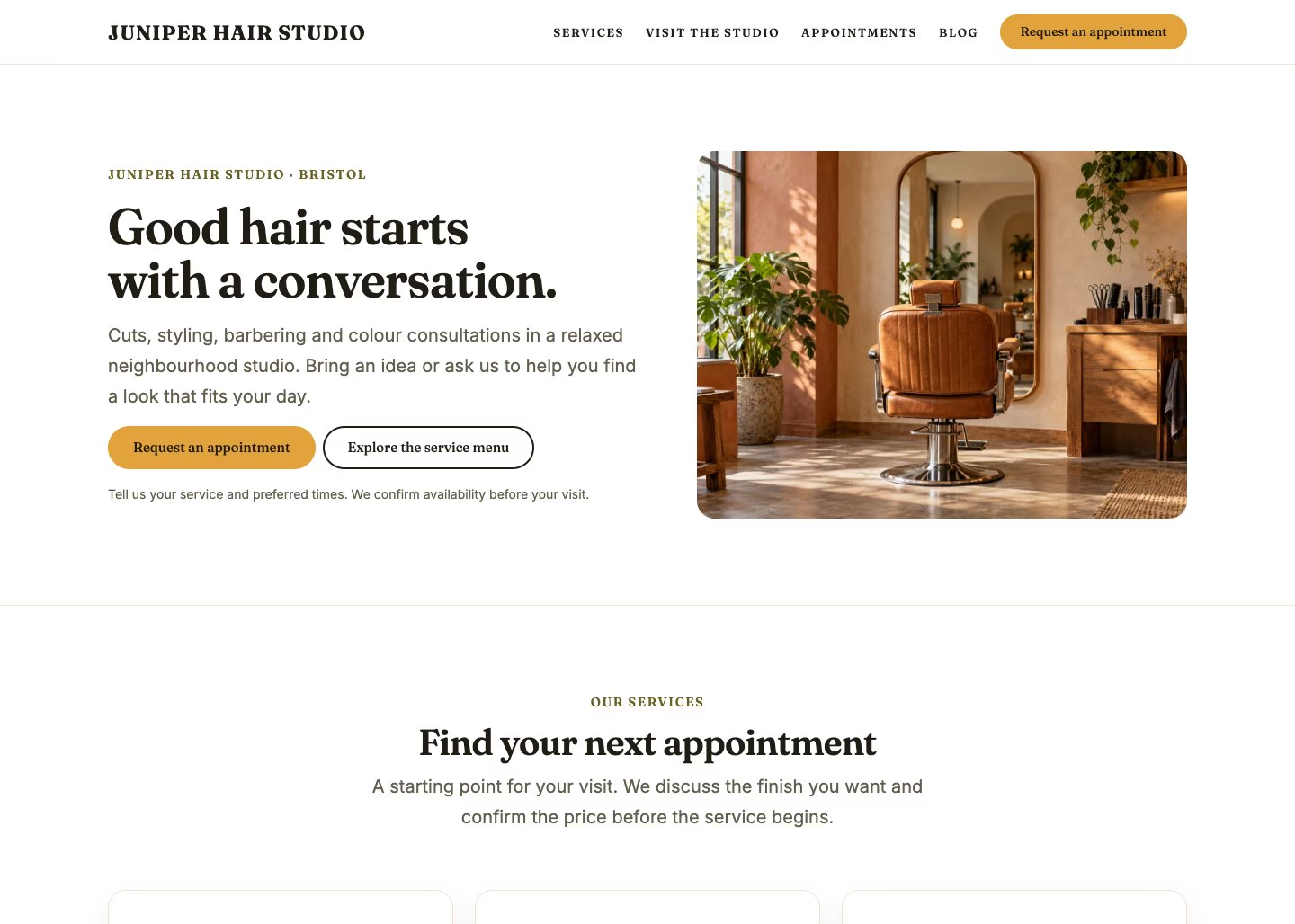
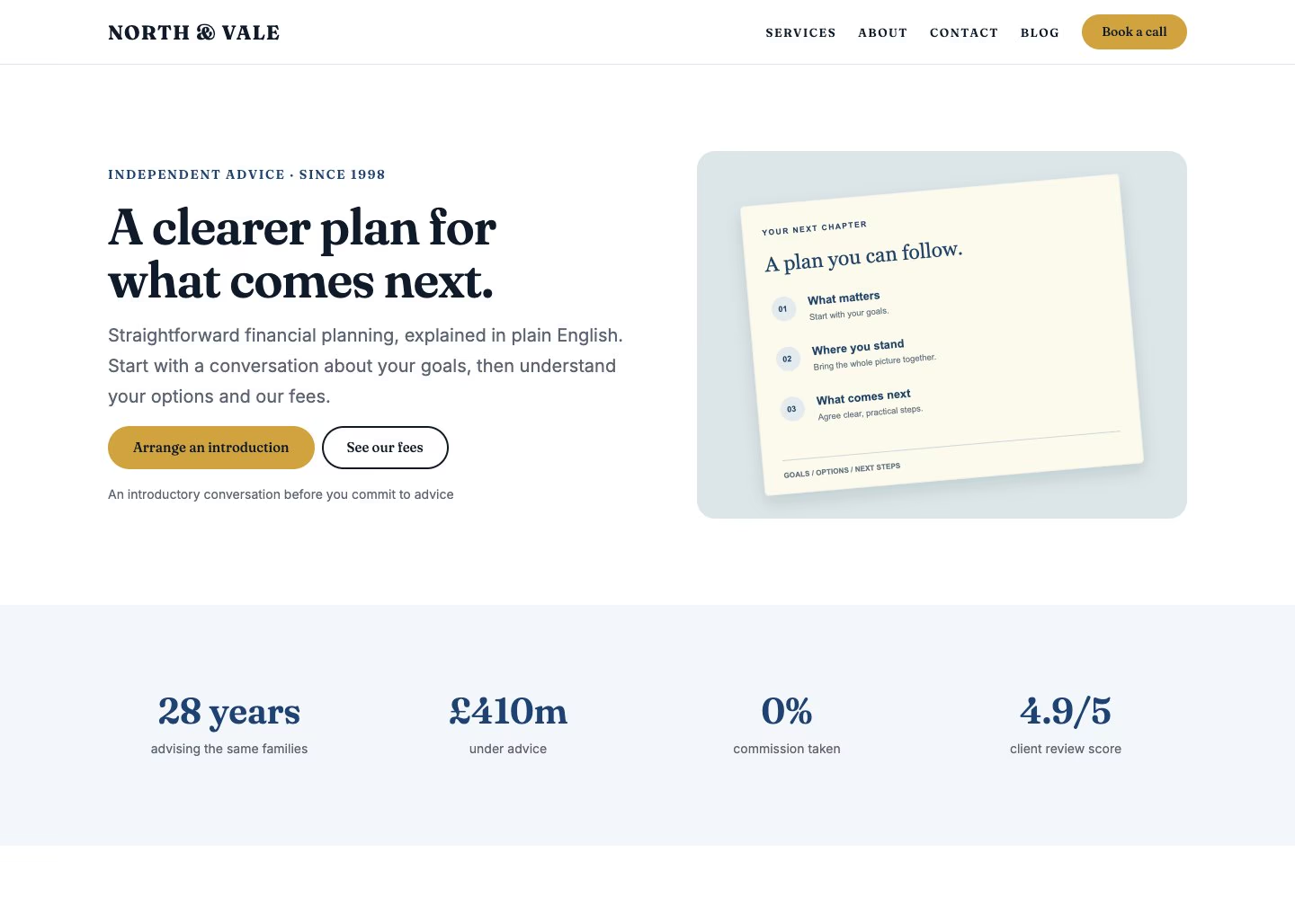
Each one is a complete design with its own palette, typeface, home page, supporting pages, menu and footer. Applying one adds its pages and sets your front page; your posts, pages and media are never deleted. Every preview below is a real website running Unapp. The demo photographs are from Unsplash and are not part of the download: a starter arrives with illustrations in their place, ready for your own pictures.

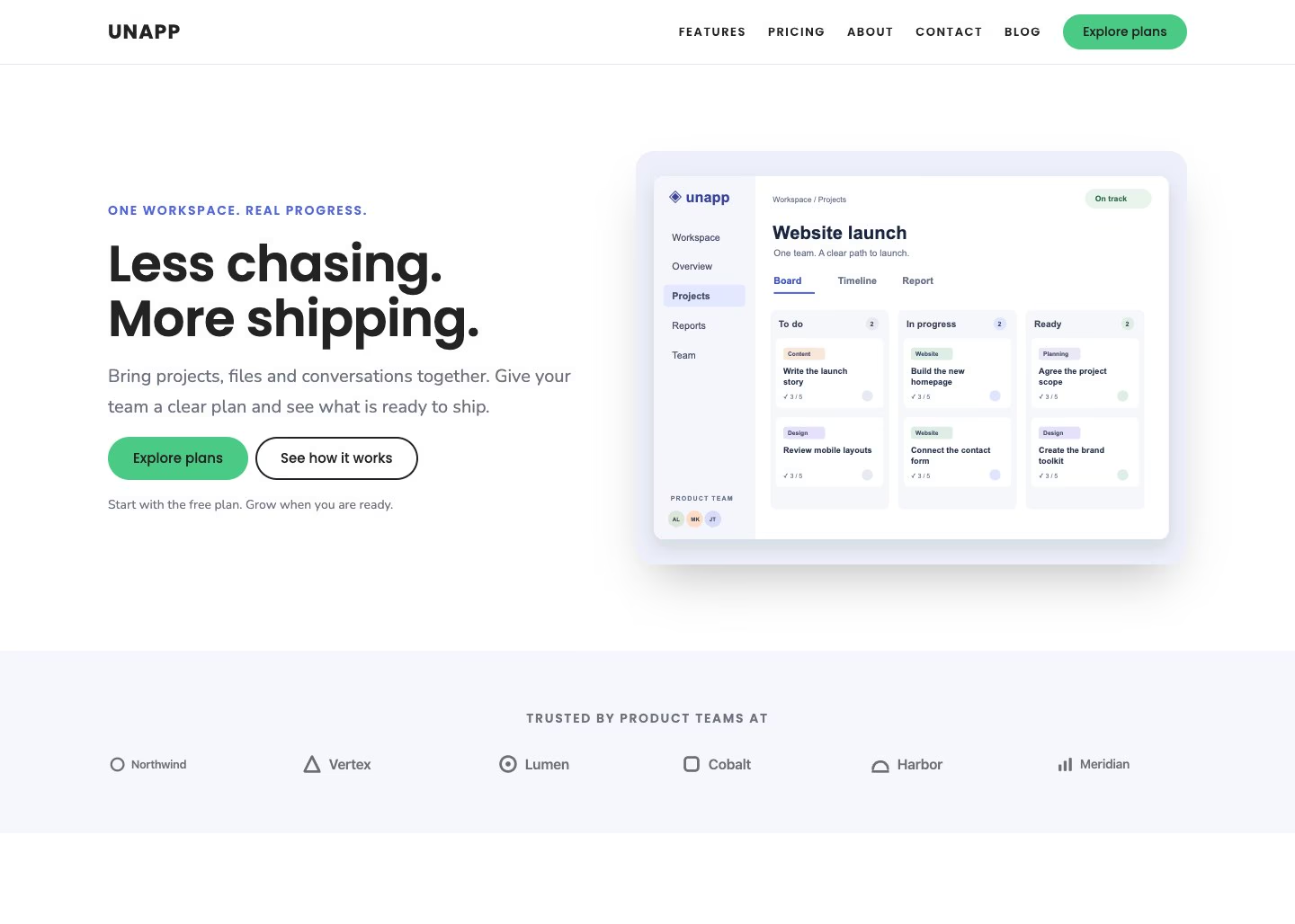
The SaaS and app starter site

SaaS & app

The default starter: a product landing page with a feature grid, social proof, three-tier pricing and a free-trial call to action. Five pages, the Indigo palette and the Product typeface.

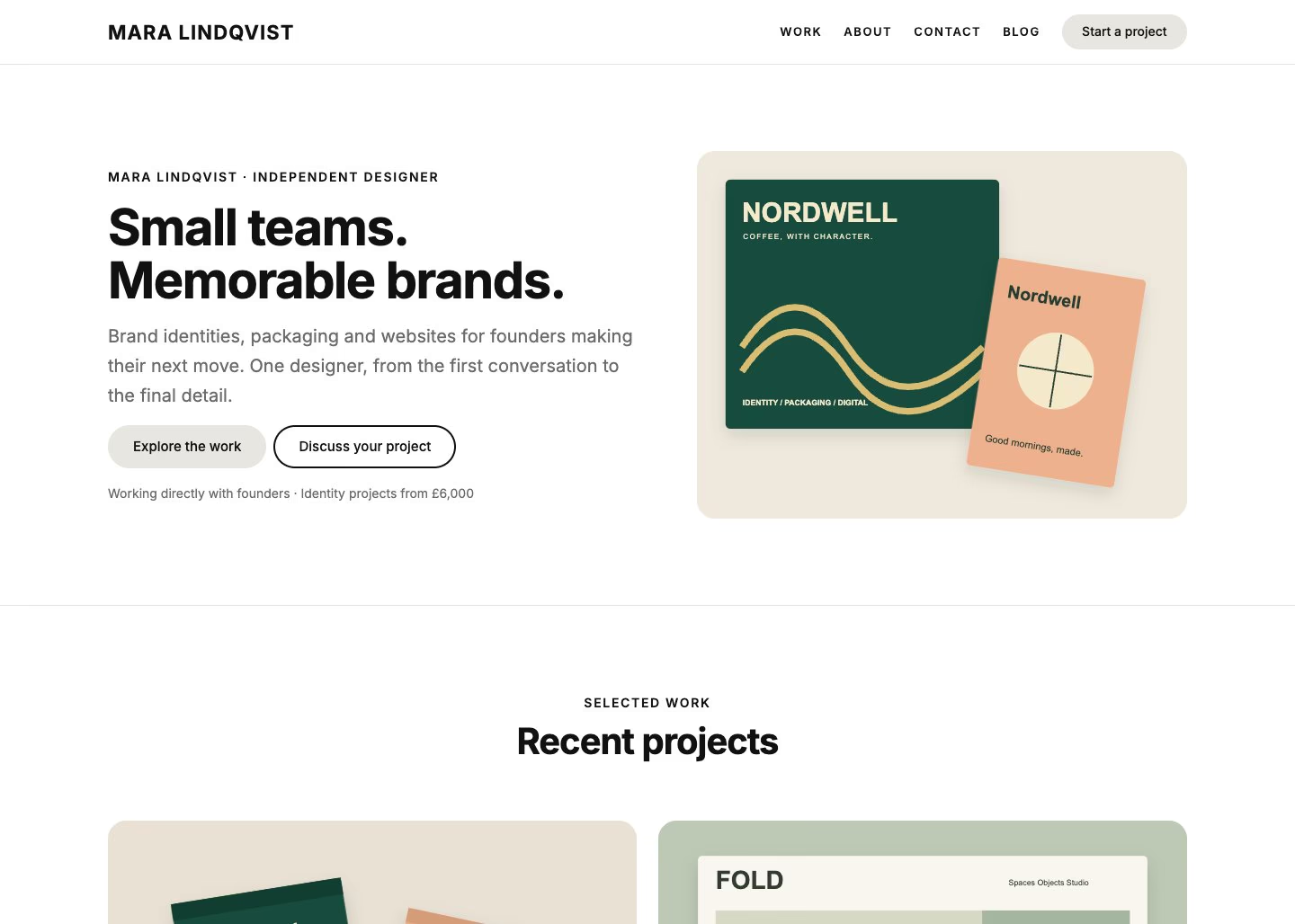
The Portfolio starter site

Portfolio

Work first: a project grid, how you run a job, rates and a client quote.

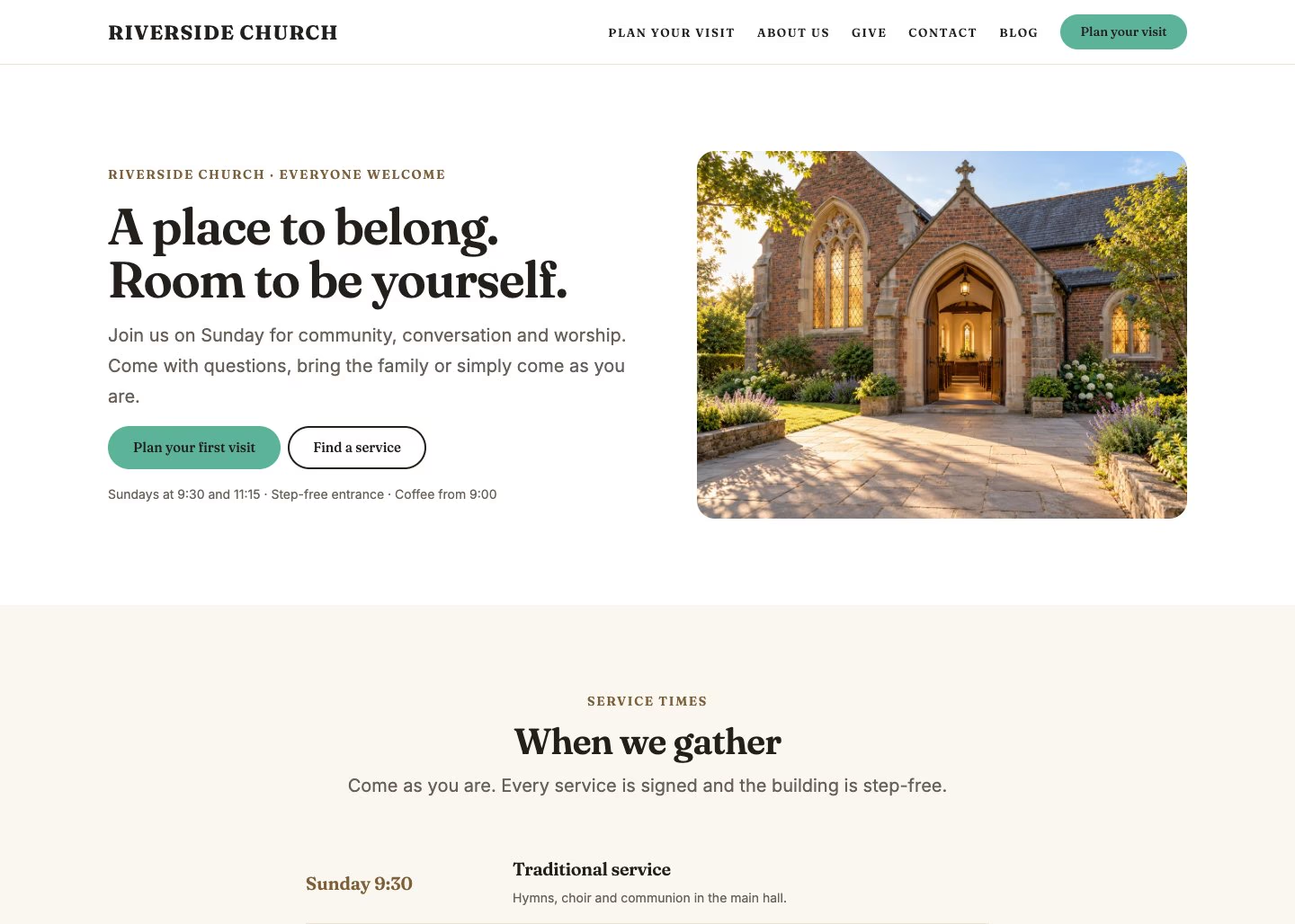
The Church starter site

Church

Service times, what to expect on a first visit, staff, events and giving.

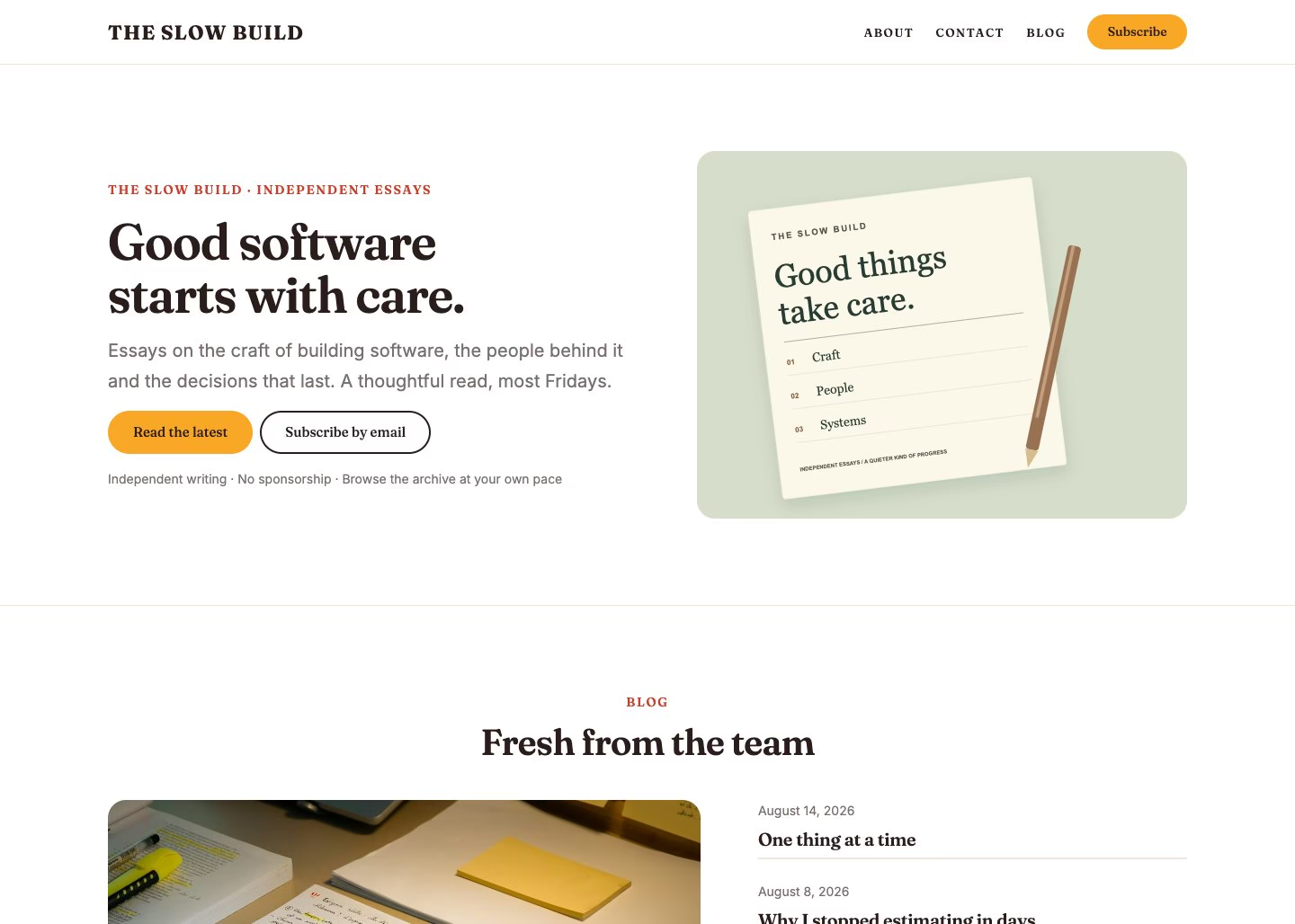
The Blog starter site

Blog & magazine

A masthead, a featured essay, category tiles and a subscribe band.

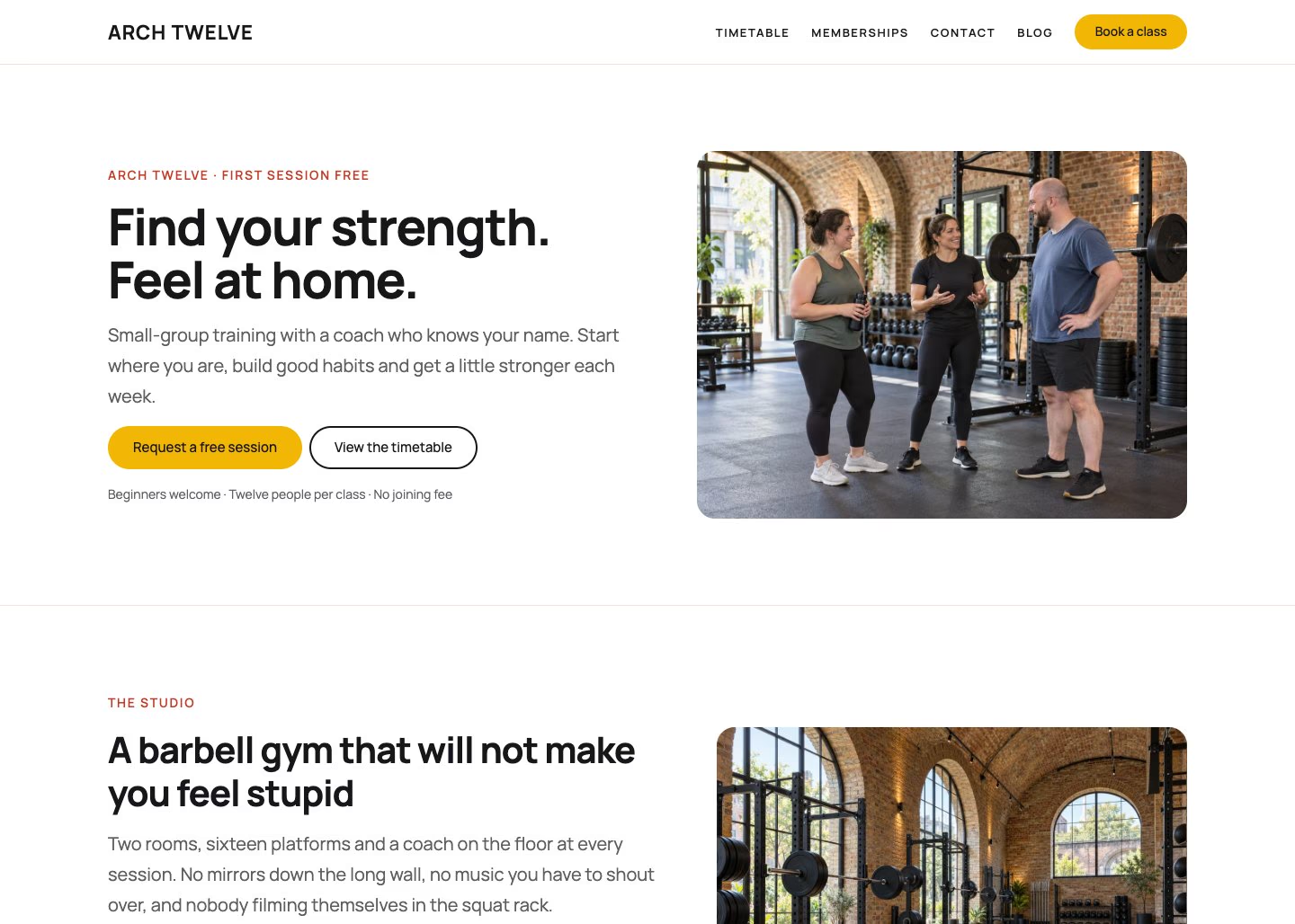
The Fitness studio starter site

Fitness studio

A class timetable, coaches, membership prices and a free first session.

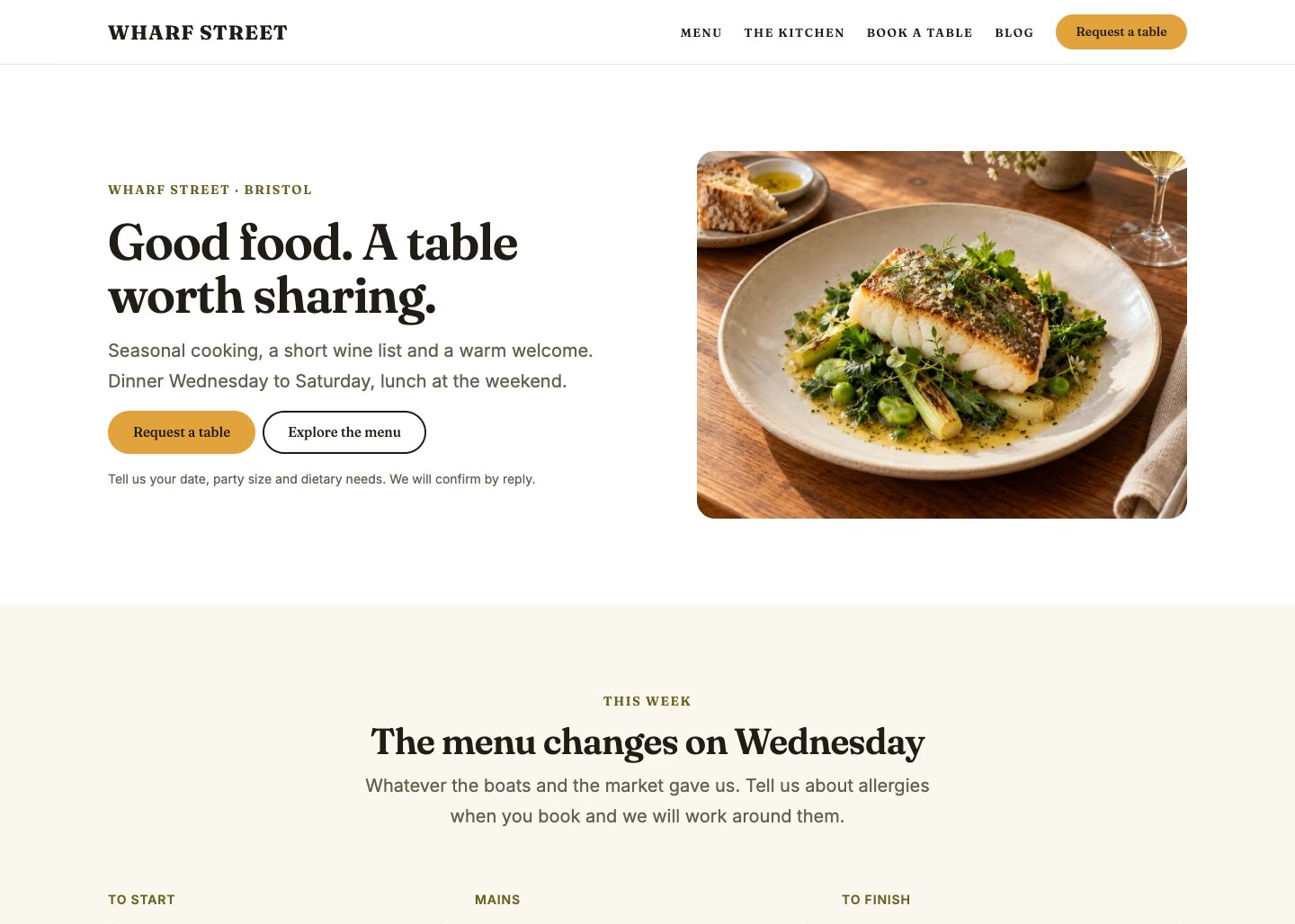
The Restaurant starter site

Restaurant

A cover hero, the menu, the kitchen, reviews and a booking band.

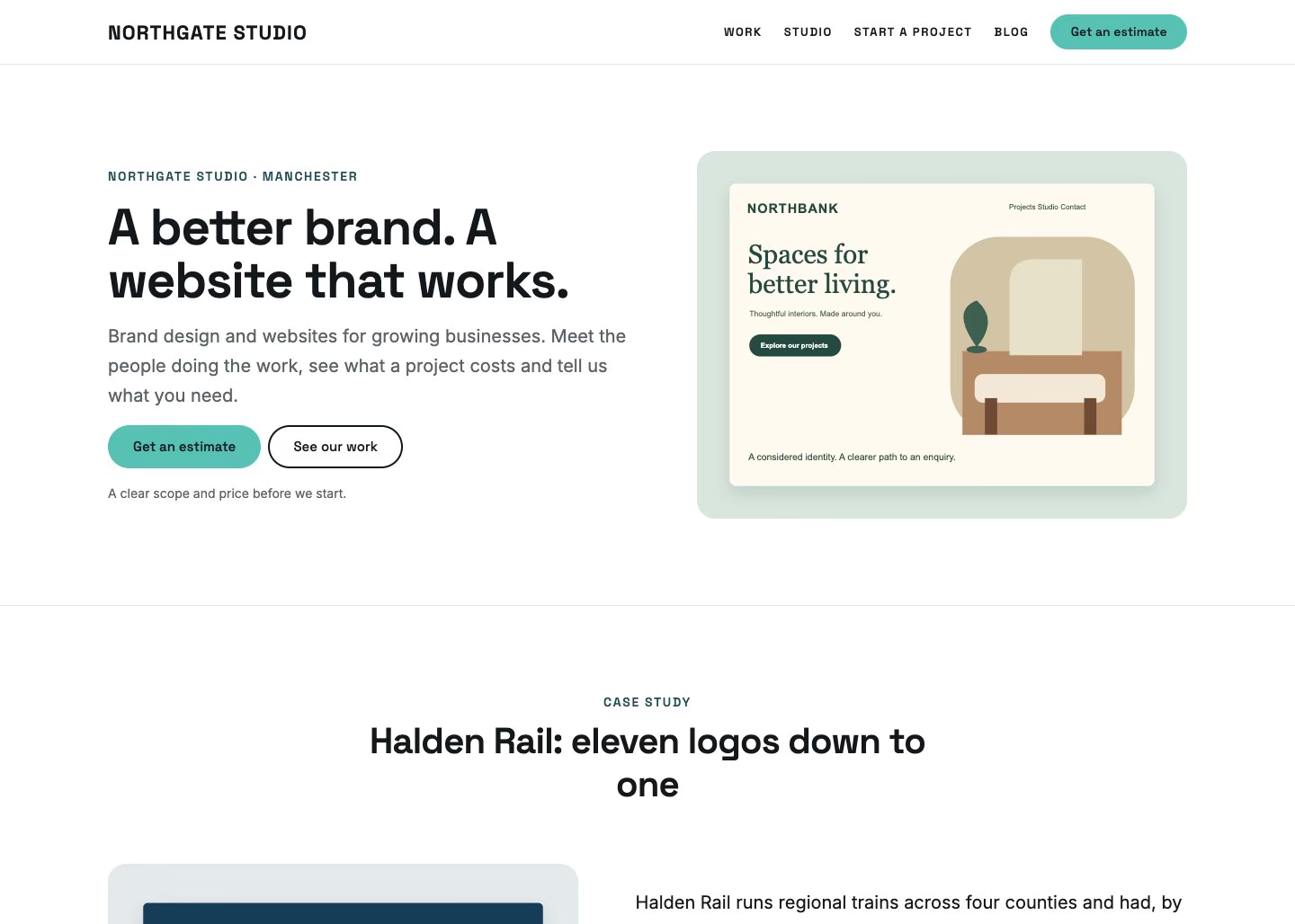
The Agency starter site

Agency

A studio introduction, capabilities, a client list and published rates.

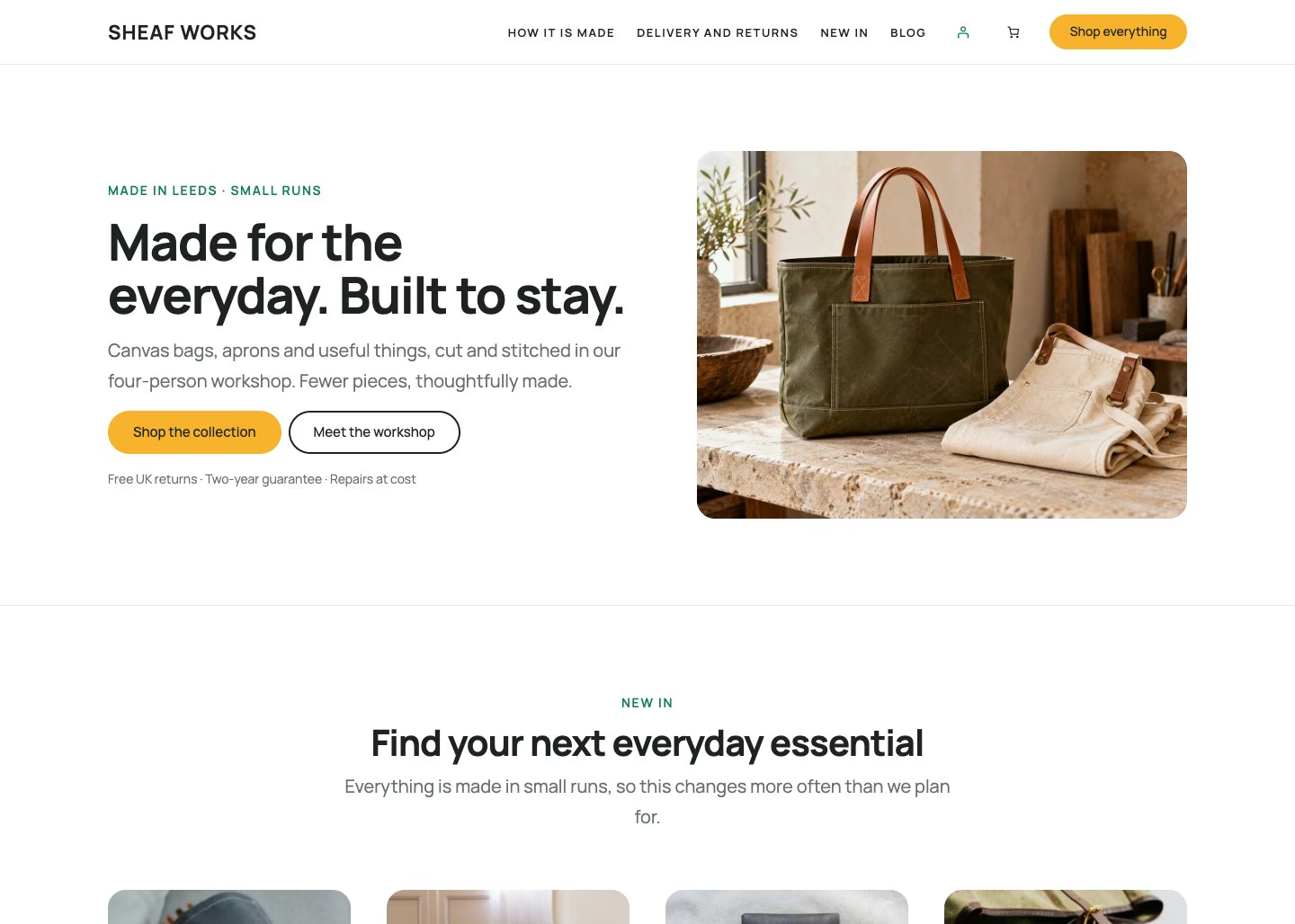
The Shop starter site

Shop

A storefront: hero, newest products, how it is made and delivery answers.

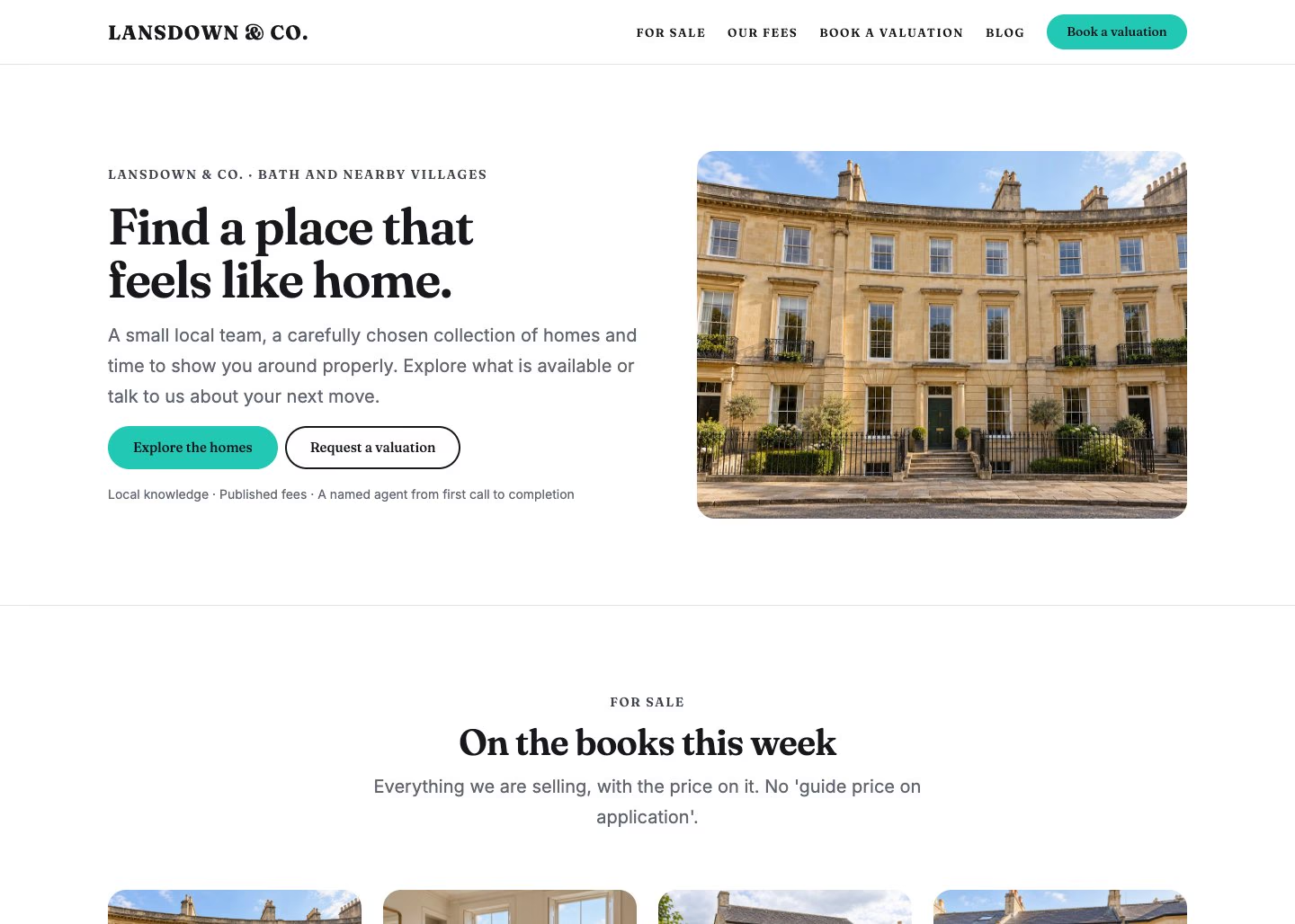
The Property starter site

Property

Current listings with prices, published fees and a valuation enquiry.

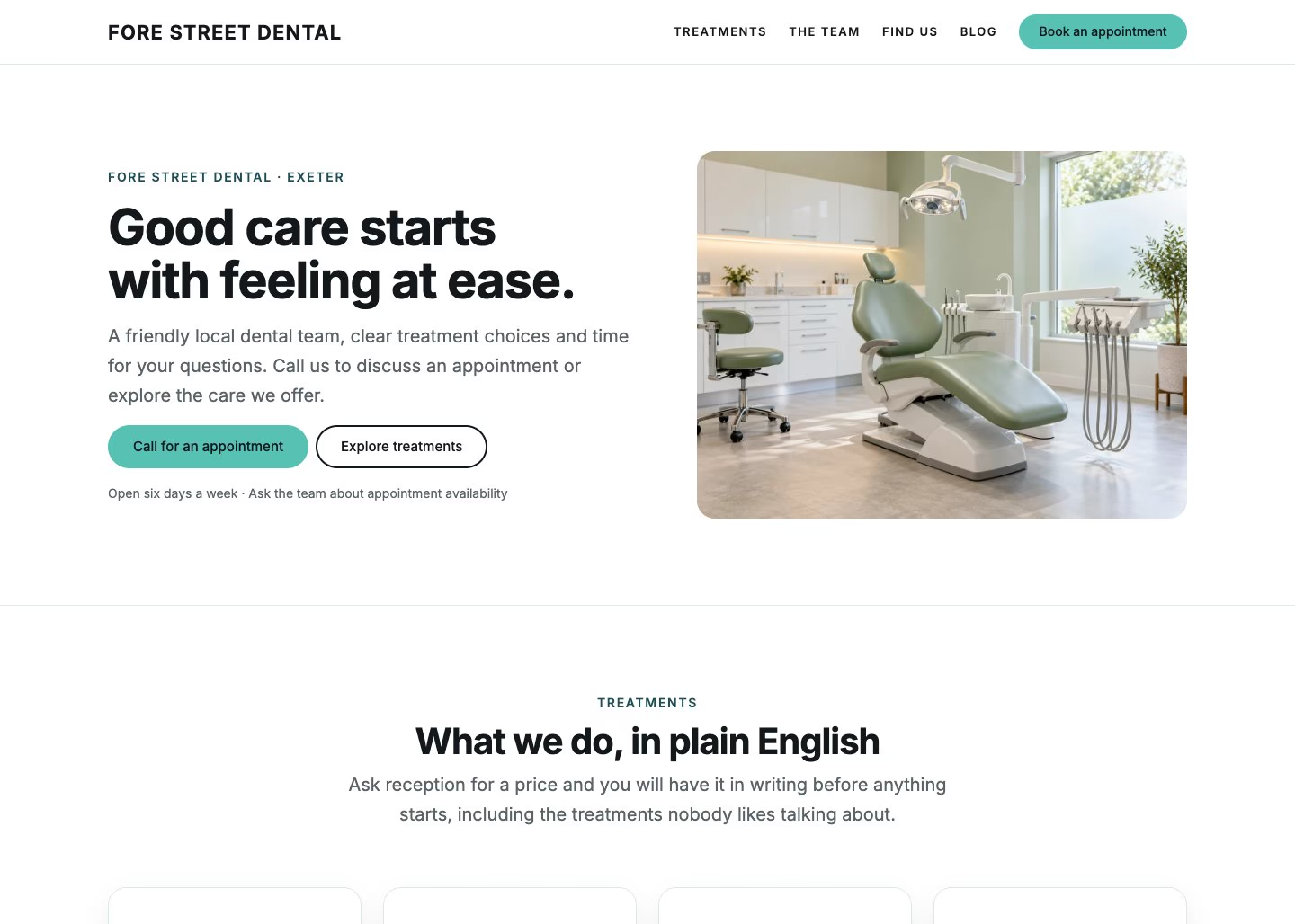
The Practice starter site

Practice

Treatments in plain English, clinicians, patient questions and hours.

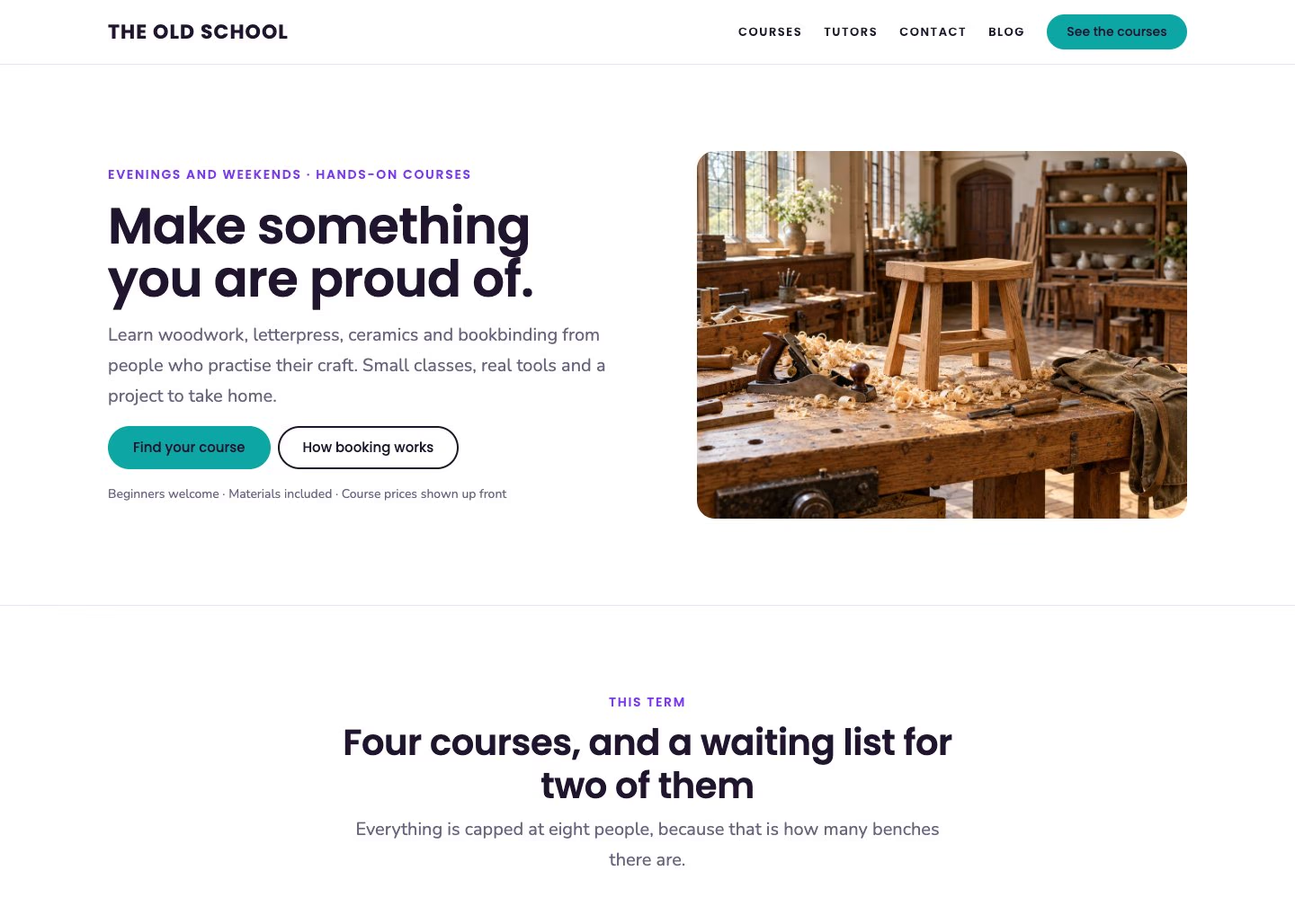
The Courses starter site

Courses

The term timetable with prices, the tutors and how booking works.

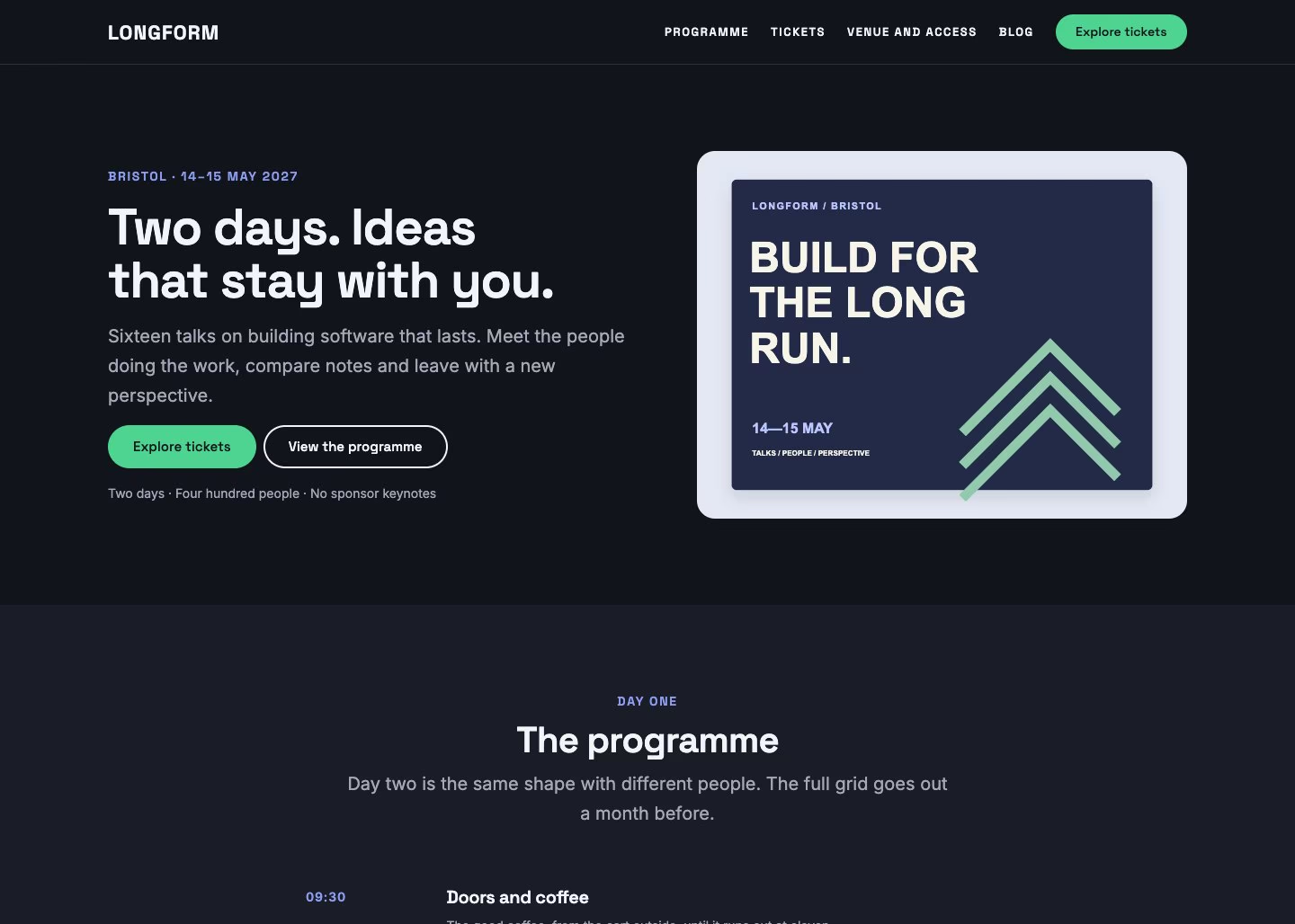
The Conference starter site

Conference

A two-day programme, speakers, three ticket tiers and the venue.

The Finance starter site

Finance & advisory

Services, credentials, fees explained plainly and a first meeting.

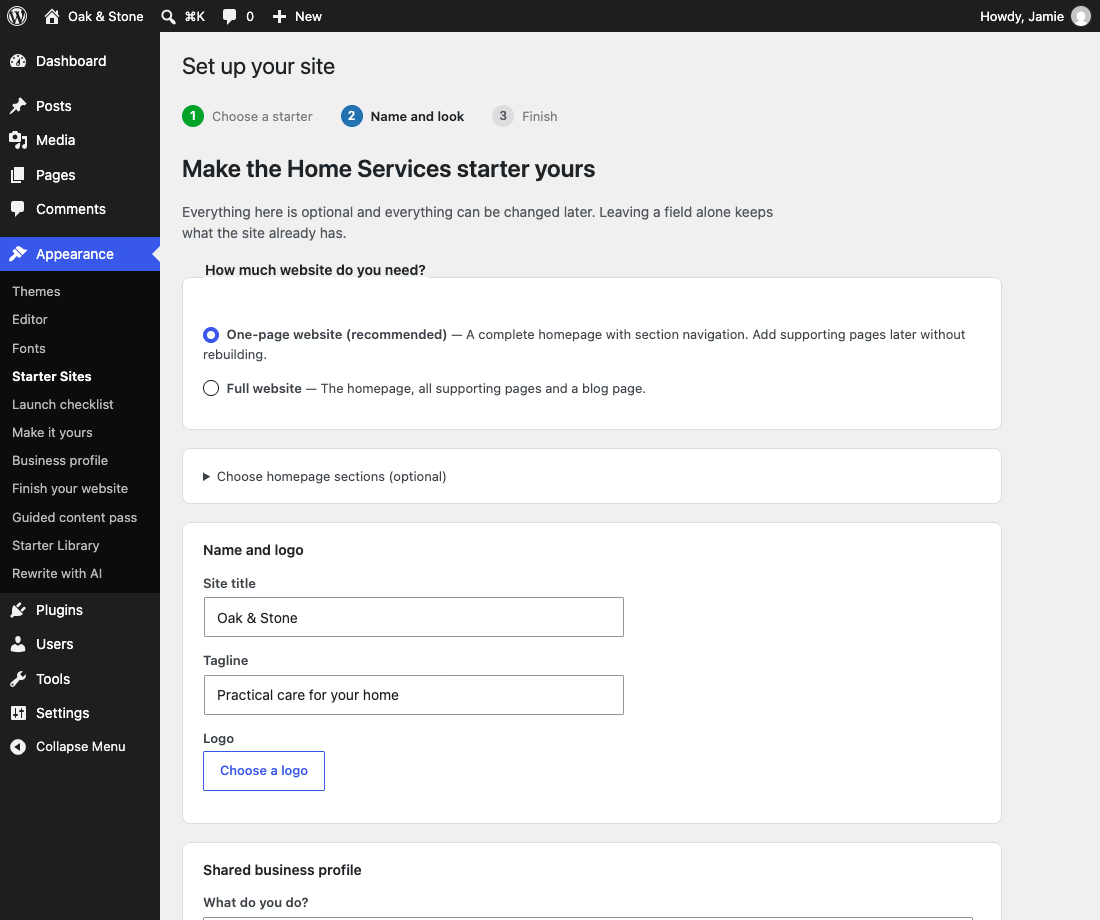
Set up in three steps

Appearance → Starter Sites walks you through it. The whole thing takes a few seconds, and every choice can be changed afterwards in the Site Editor.

1
Choose a starter

Thirteen complete designs, each showing its palette and what it builds.

2
Set your name and look

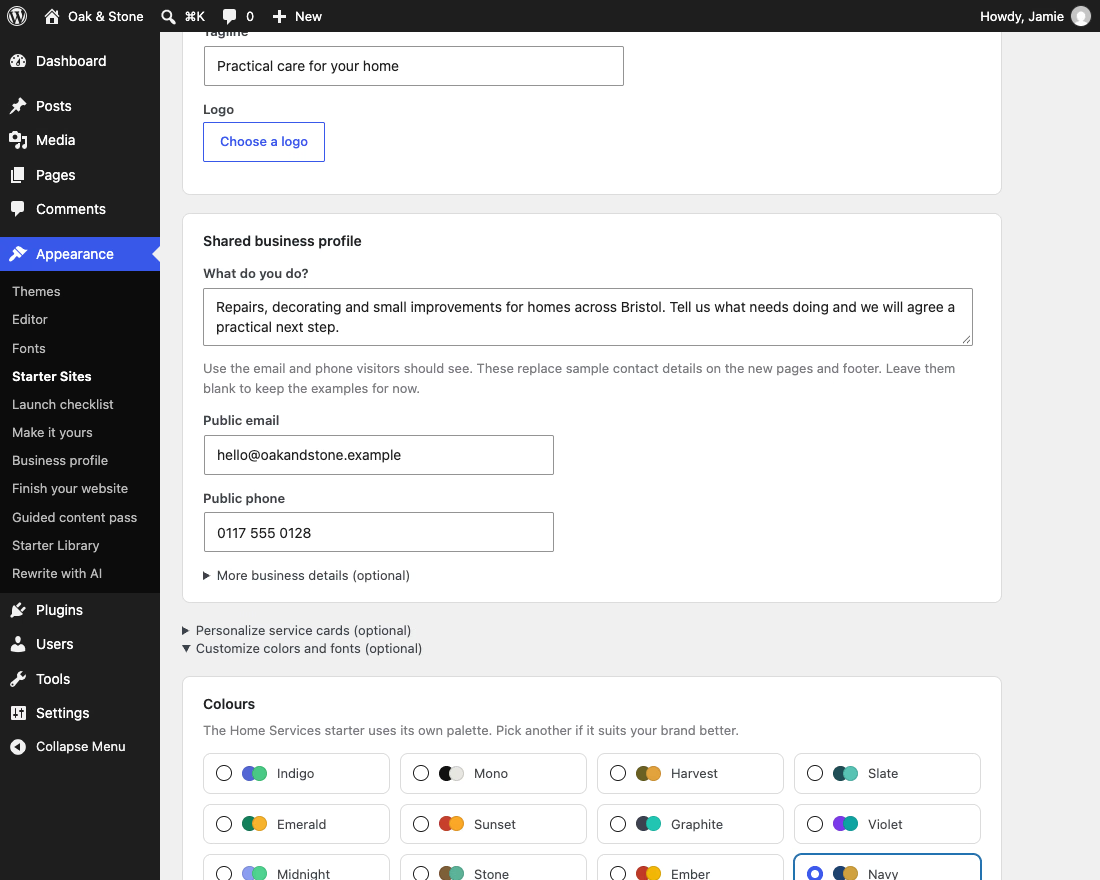
Site title, tagline, logo, and any of the twelve palettes with any of the five typefaces.

3
Install what it needs

If a starter benefits from a plugin you do not have, the wizard links to WordPress's own installer. It never installs anything itself.

Step two: twelve palettes and five typefaces, mixable in any combination. The starter picks a pairing; you can take any other.

184 sections, in the inserter

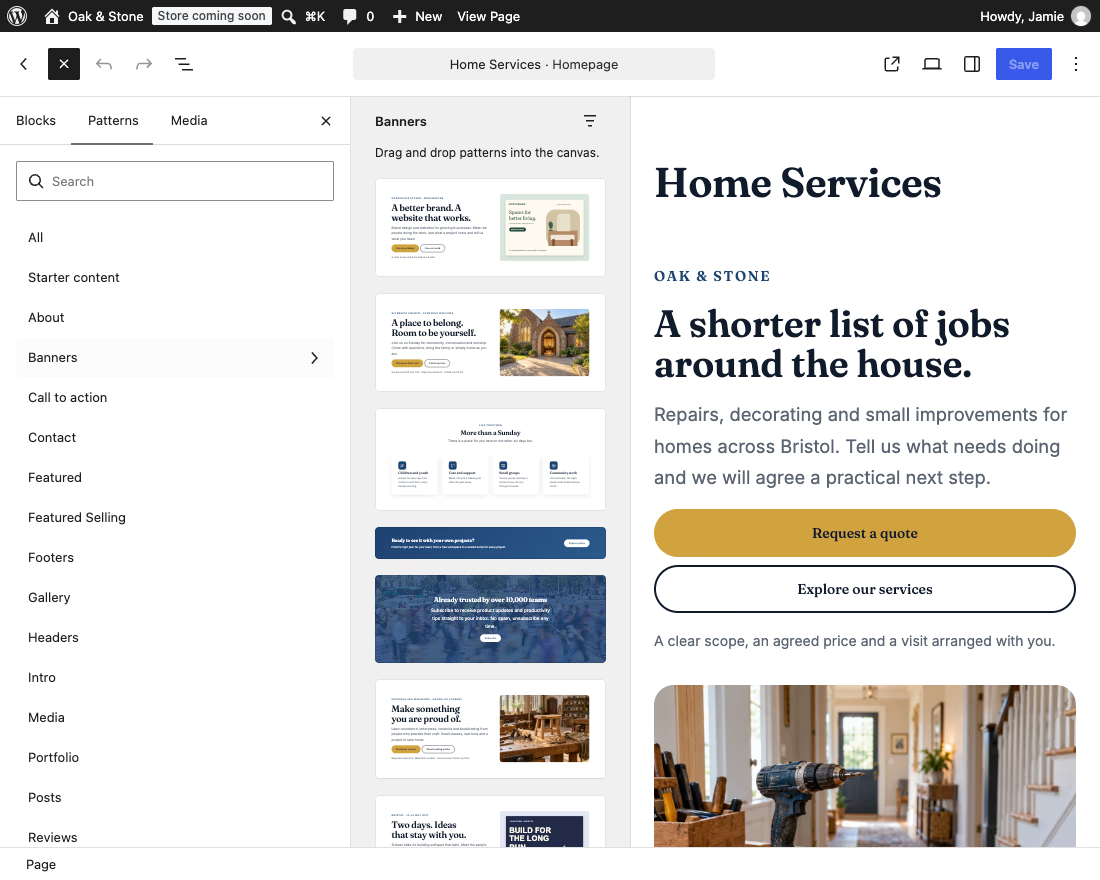
Patterns are the pieces the starters are assembled from. Open any page, click the inserter and drop one in — it arrives as ordinary core blocks you edit like anything else. There is no demo importer and no sample content to delete afterwards. The niche libraries are written for their niche: the church sections talk about services and giving, not free trials.
Twelve palettes, five typefaces

Colour and typography are separate style variations, so you can mix any palette with any typeface — all sixty combinations are valid. The five typefaces are Poppins & Nunito, Inter, Fraunces & Inter, Space Grotesk & Inter and Manrope, all self-hosted. Every colour in every pattern is a palette slug rather than a fixed hex, which is why switching palette restyles the whole site at once.

What else is in it

No framework

No page builder, no jQuery, no icon fonts, no build step. Every section is core blocks configured through theme.json.

WooCommerce templates

Shop, product, cart, checkout, order confirmation and product search, in the theme’s own rhythm rather than the plugin’s defaults.

Real contact forms

The theme detects whichever form plugin you already use — ten are recognised — and styles its fields to your palette.

Dark mode for visitors

An optional toggle that lifts your palette rather than replacing it, so a dark site still looks like your site.

Self-hosted fonts

All six families — Poppins, Nunito, Inter, Fraunces, Space Grotesk and Manrope — ship inside the theme. No request to Google Fonts, and no GDPR question to answer.

Updates like any theme

Updates arrive through Dashboard → Updates, the same as a theme from the WordPress.org directory.

Questions

Yes. Unapp is licensed GPL v3 with no paid tier, no locked patterns and no upsell inside the theme. Use it on as many sites as you like, including client work.

No, and you should not use one. Unapp is built for the Site Editor with core blocks only. A page builder brings its own layout engine, which will fight the theme’s.

They stay. Applying a starter, or switching to a different one later, adds pages and never deletes a post, page or image. It does replace your navigation menu, header, footer and global styles with the starter’s own, so if you have already customised those in the Site Editor, apply the starter first and make your changes afterwards.

Yes. Text, images and buttons stay fully editable; the groups and columns holding them together are locked so you cannot drag a layout apart by accident. Select a section and choose Modify to unlock it completely.

Not in place. Version 2.0 was a complete rewrite, from a classic Bootstrap 3 theme to a block theme, and the old homepage settings have no equivalent. Install 2.x on a staging site, apply a starter and move your text across. Your posts and pages are untouched either way.

The one closest to what your site does. Each starter’s pages and wording are written for its niche, while its palette and typeface can be swapped for any other in one click. If none fits exactly, take the closest and swap sections in from the inserter: all 184 are available whichever starter you applied.

No, Colorlib distributes it directly. Download the zip from this page and upload it under Appearance → Themes → Add New Theme → Upload Theme. Updates still arrive through Dashboard → Updates, the same as a theme from the directory.

Yes. Unapp 2 is a ground-up rewrite first released in August 2026, and fixes, including security fixes, reach your site through Dashboard → Updates like any other theme update. The old 1.x theme no longer receives updates, so a site still running it should move to 2.x.

Download Unapp

Version 2.5.10, tested with WordPress 7.1. Requires WordPress 6.6 or newer and PHP 7.4 or newer. GPL v3, no licence key and no limit on sites.

Back To Top

Get this WordPress theme

Confirm your email and we will send the download link. We will also let you know when we release a new free WordPress theme.

If you wish to withdraw your consent and stop hearing from us, simply click the unsubscribe link at the bottom of every email we send or contact us at [email protected]. We value and respect your personal data and privacy. To view our privacy policy, please visit our website. By submitting this form, you agree that we may process your information in accordance with these terms.