
A shop you can actually edit
Tyche is a free WooCommerce block theme for WordPress. Every store page is designed — shop, product, cart drawer, a focused checkout, the order confirmation — and every one of them is edited in the Site Editor, with no page builder and no framework to learn.
Download TycheSee the demoTry it in your browserDocumentation
Six shops, one theme
Import a complete store in about thirty seconds: 119 products between them, real options, pages, journal posts and 186 photographs. Each starter is a different kind of shop, because a demo that only sells T-shirts teaches you nothing about selling coffee by the kilo — or furniture that takes six weeks to make.
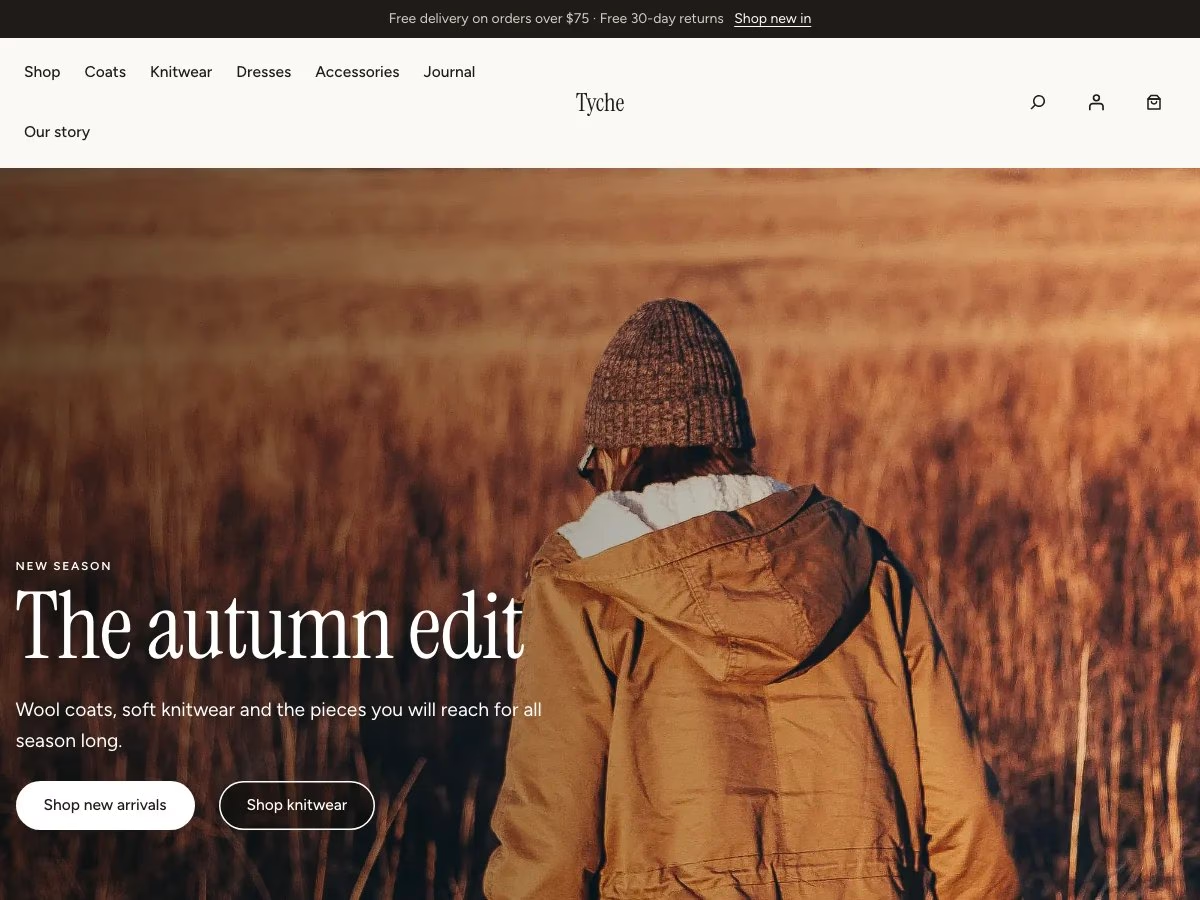
Tyche
Knitwear and basics. Nineteen products, a seasonal edit and a size guide.
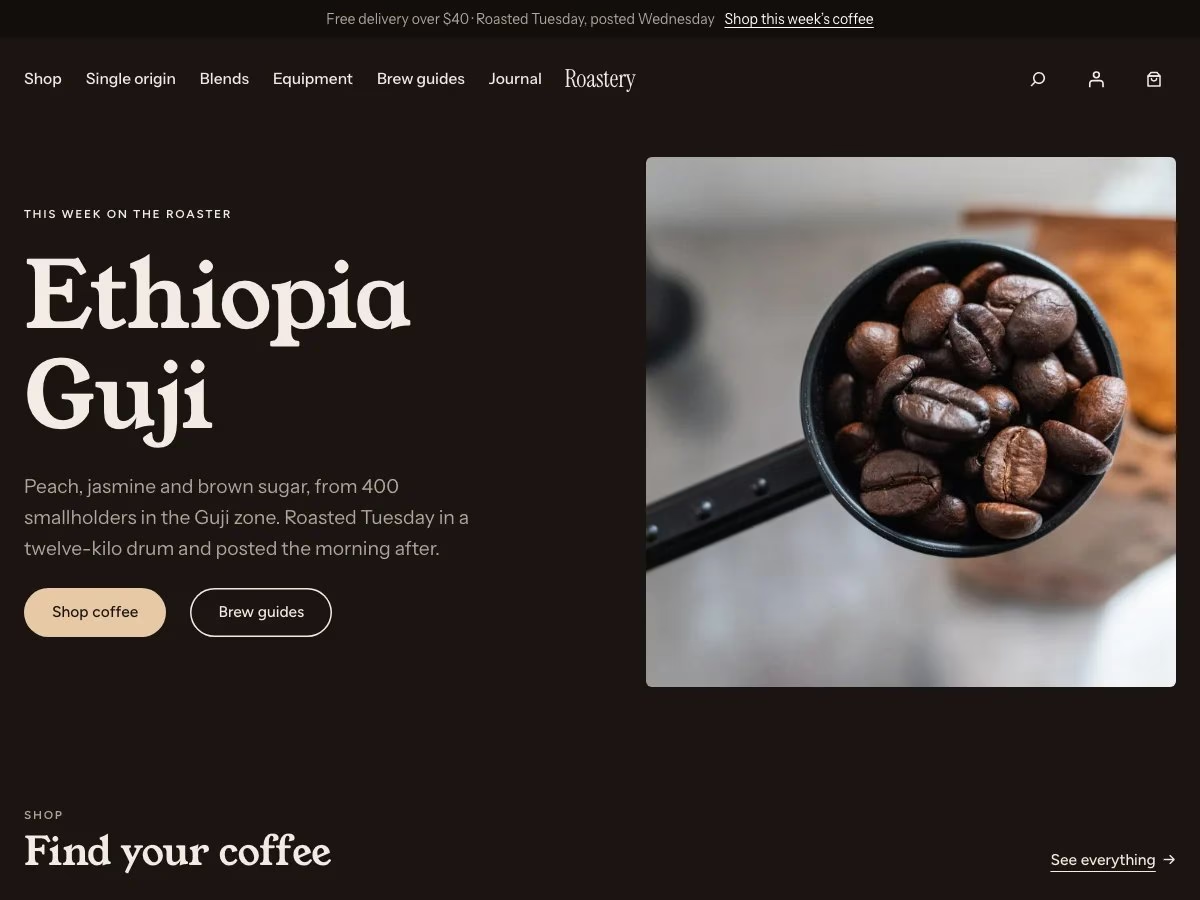
Roastery
Coffee. Sixty variations from two bag sizes and three grinds, plus brew guides.
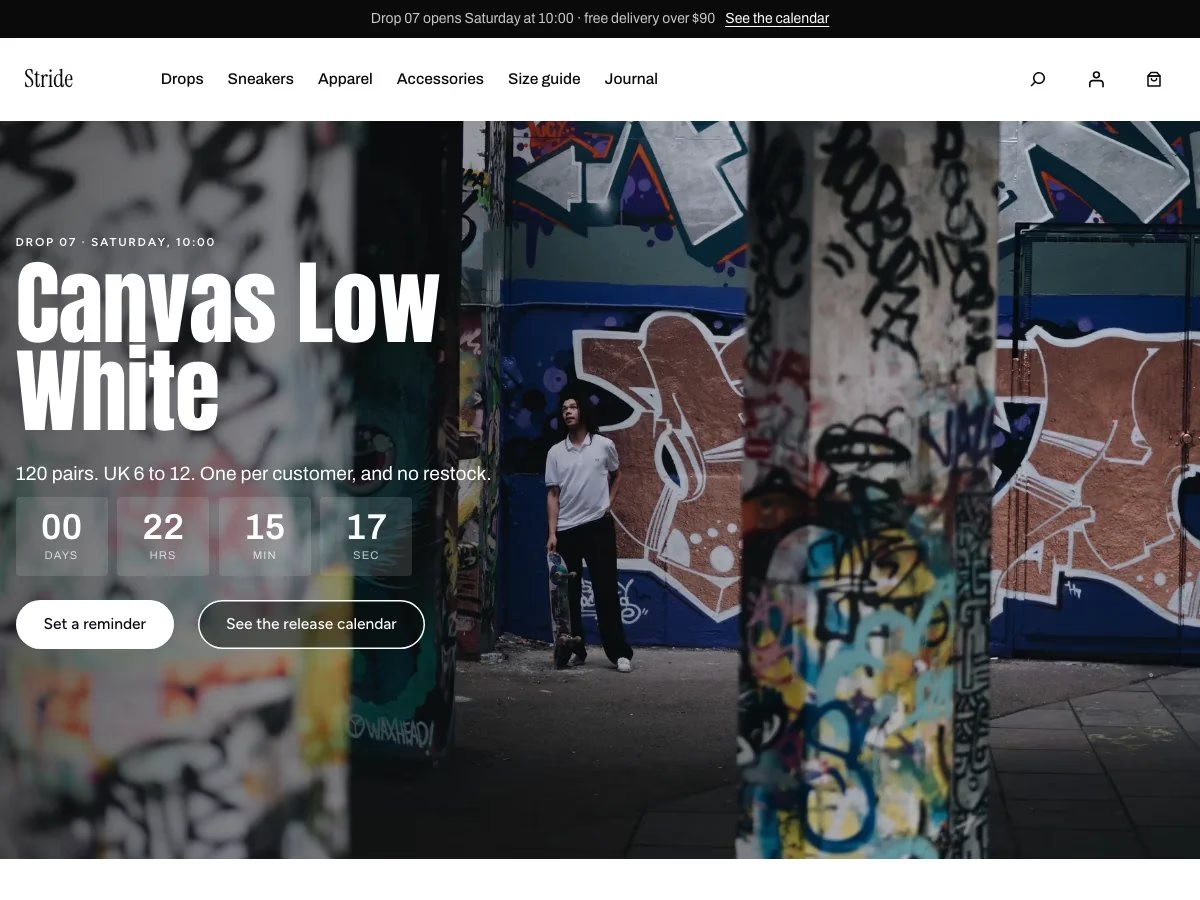
Stride
Sneakers, sold in drops: a countdown, a release calendar, sizes already sold out.
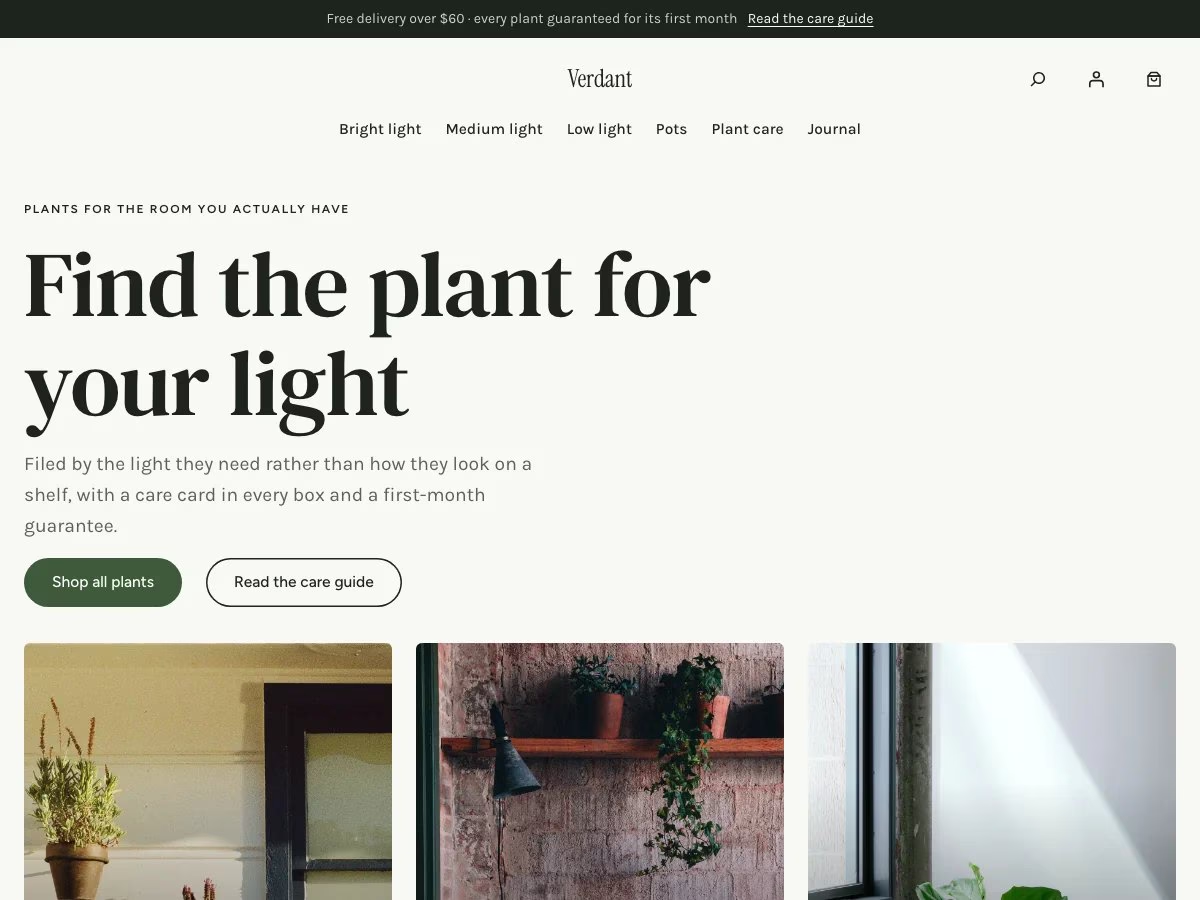
Verdant
Houseplants filed by the light a room has, with pet safety as a filter.
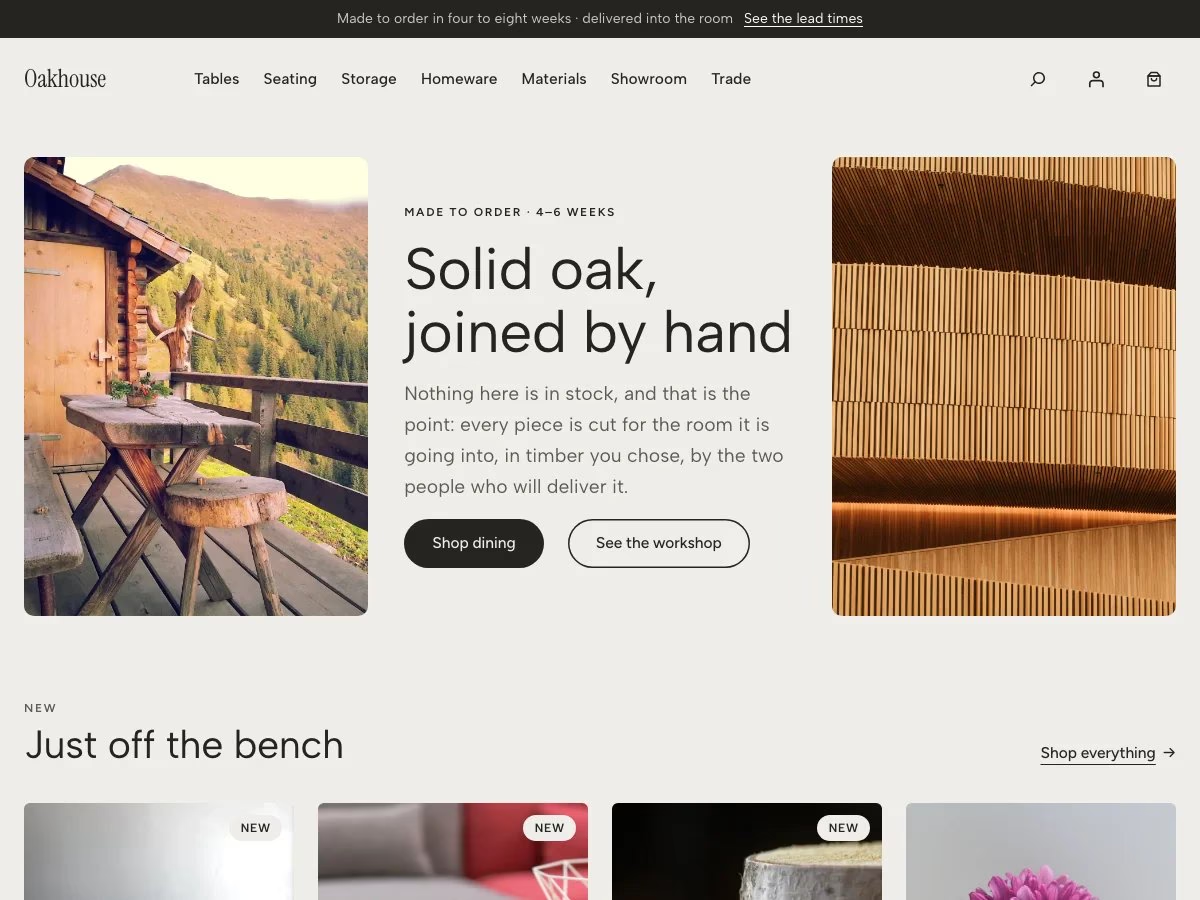
Oakhouse
Furniture made to order in three finishes, with dimensions on every page.
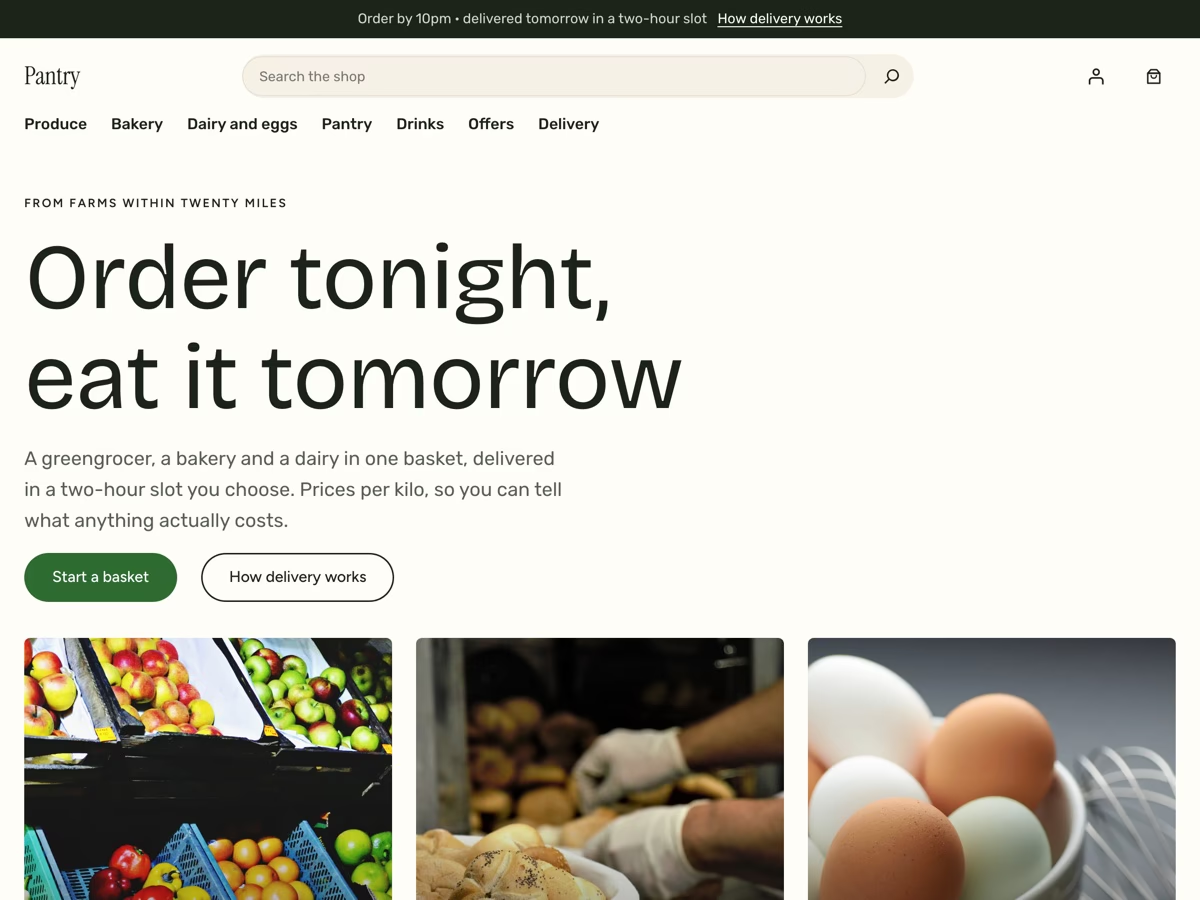
Pantry
Groceries sold by weight, ordered by ten at night, delivered in a slot tomorrow.
Every WooCommerce page, already designed
Not just a homepage. The pages that usually look unfinished in a free theme are the ones that decide whether anybody buys.
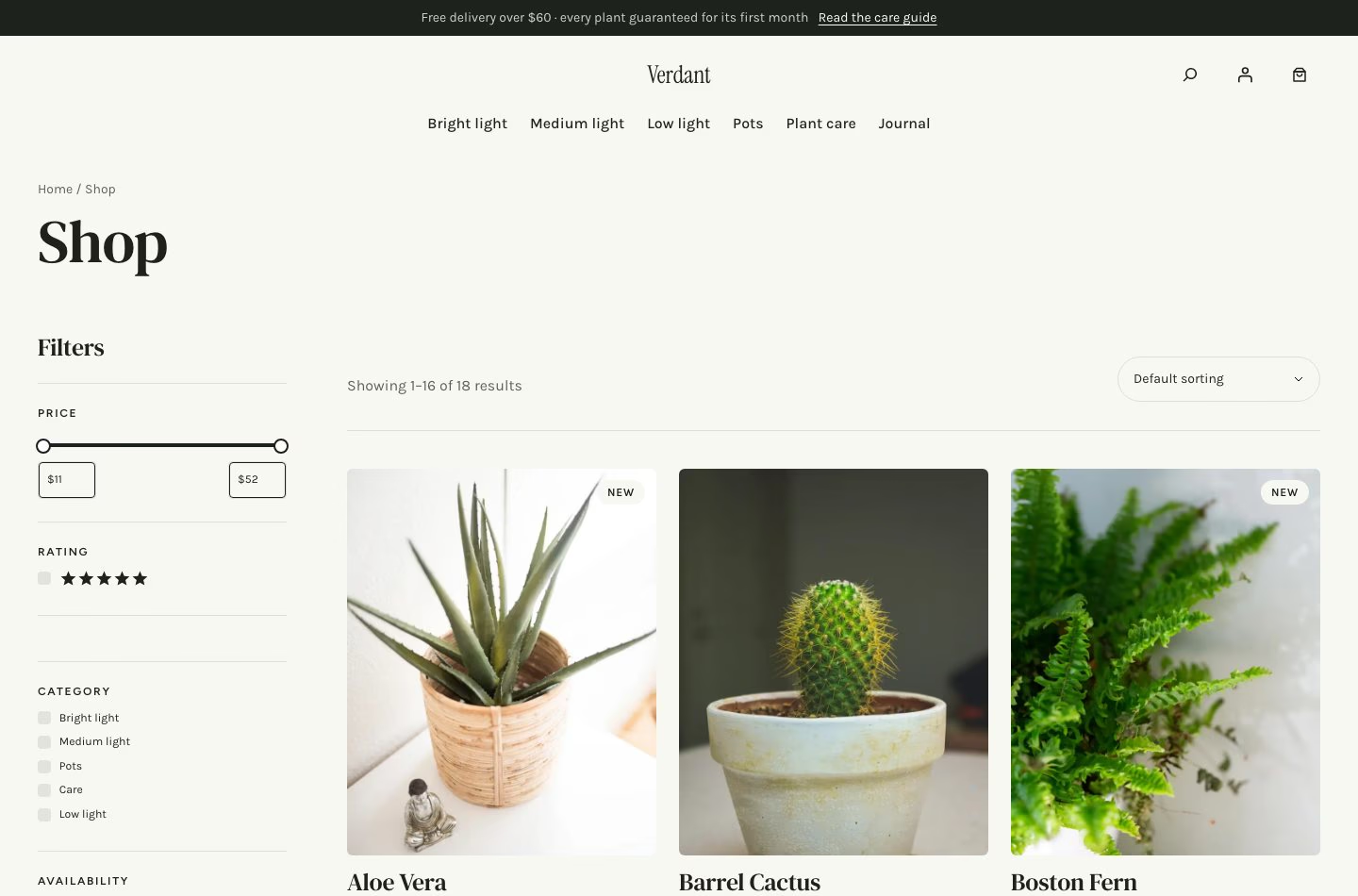
Shop and category
Filters in a drawer on a phone and beside the grid on a desk. Sale badges show the percentage, not the word, and a second photograph appears on hover.
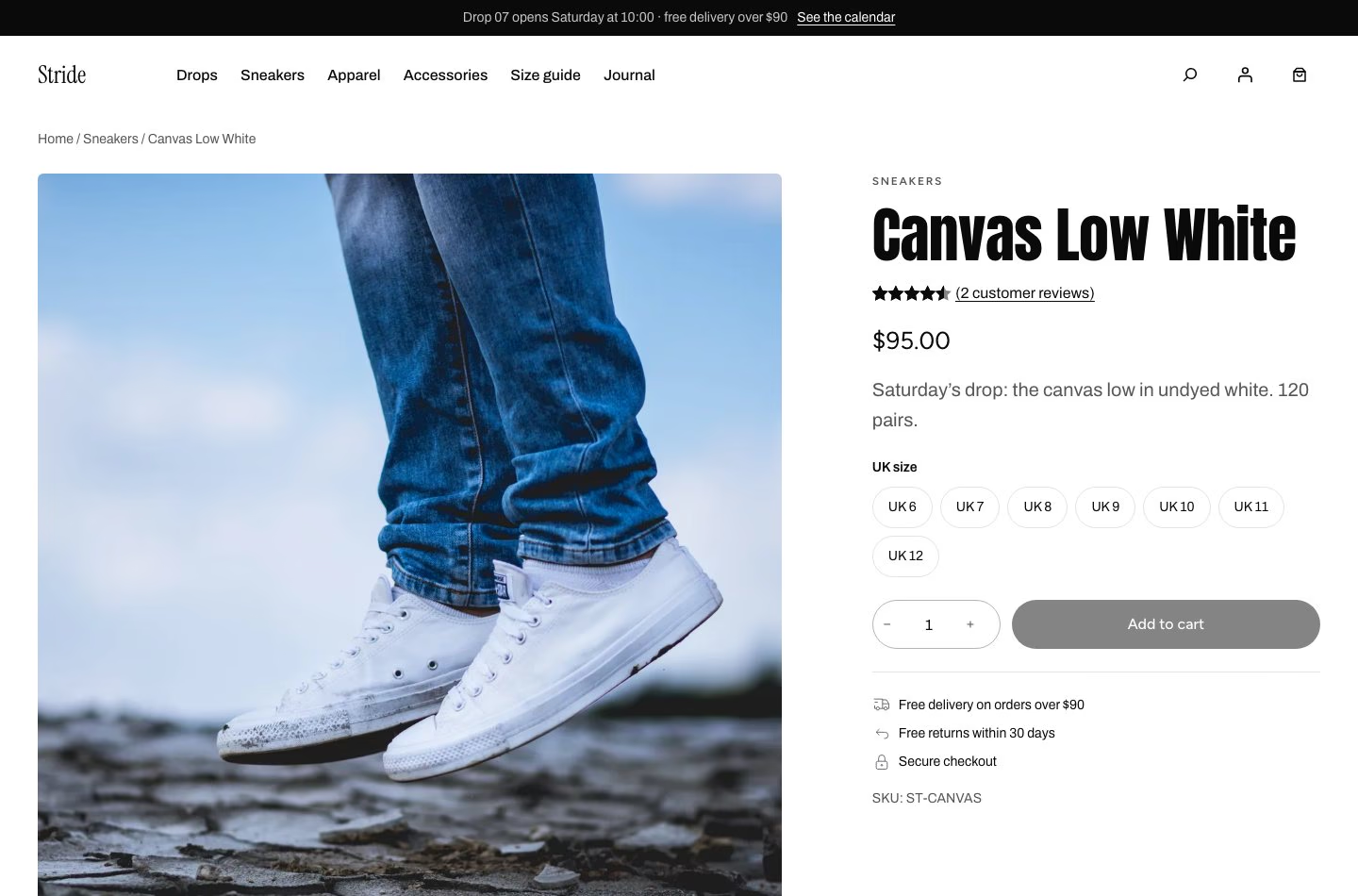
Product
A gallery, options as buttons rather than a dropdown, reviews, delivery promises, and a sticky add-to-cart bar once the real button scrolls away.
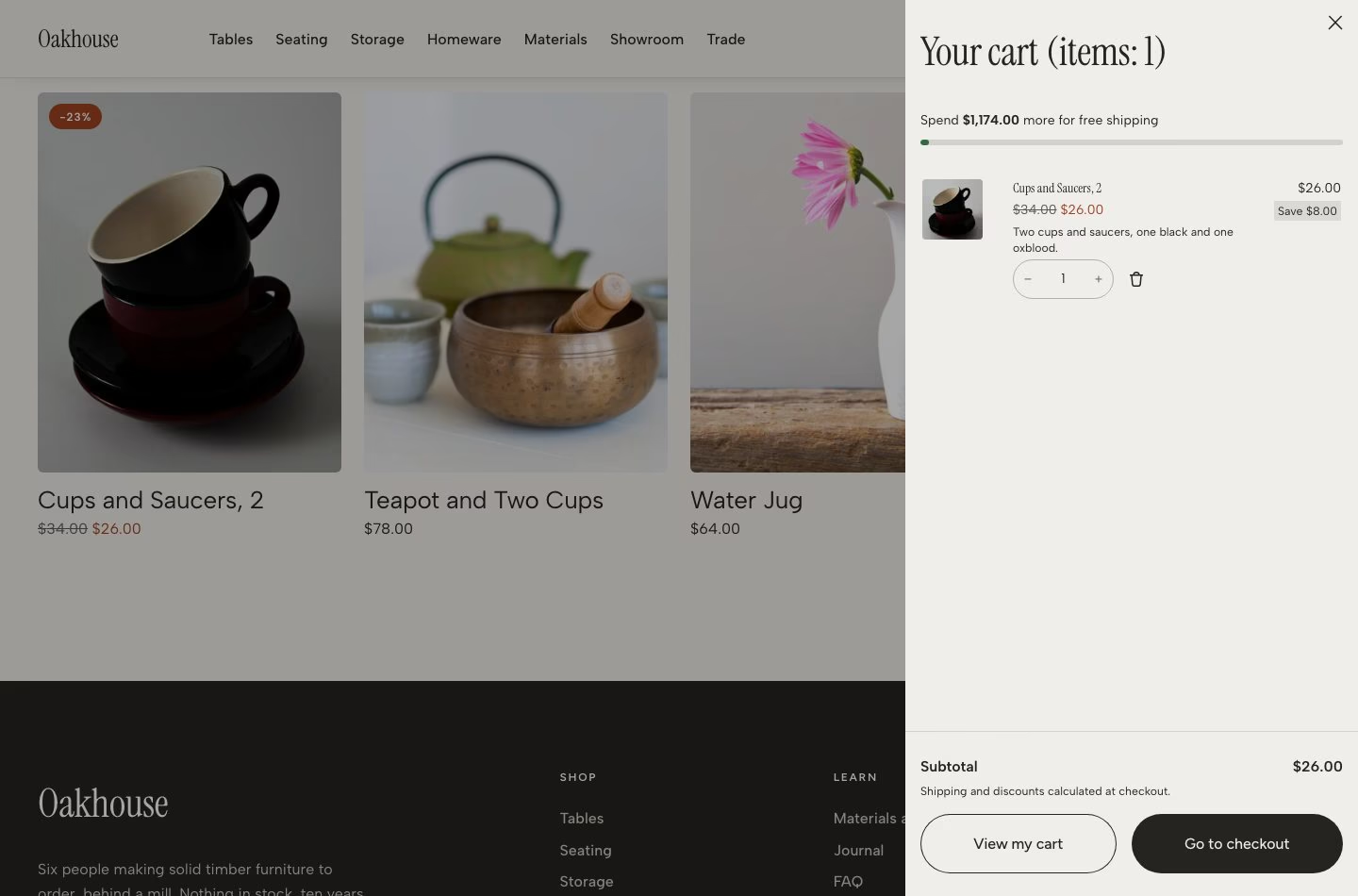
Cart drawer
Adding something slides the cart out rather than throwing the shopper onto another page, with a bar counting down to free delivery as the cart changes.
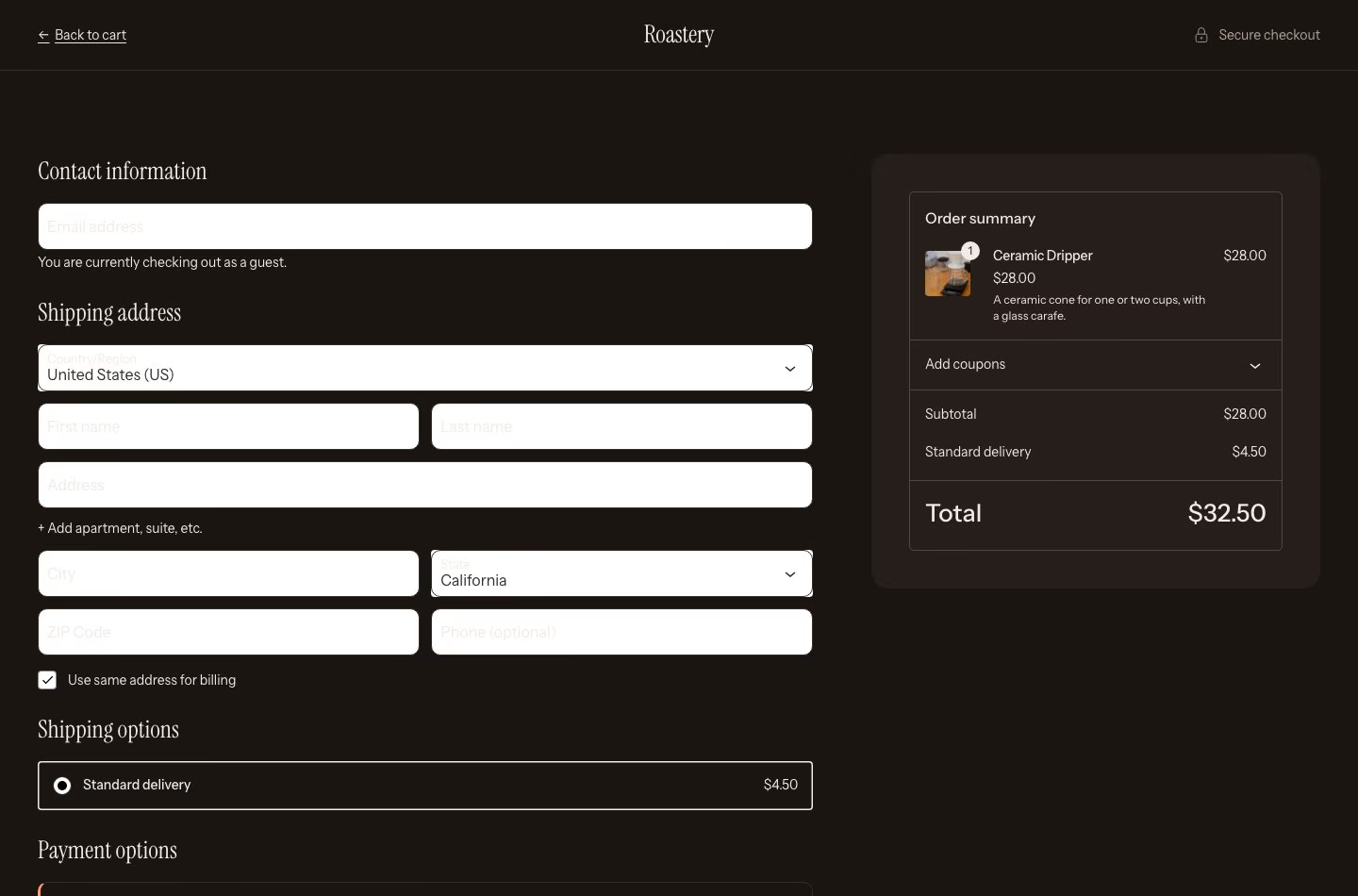
Checkout
The block checkout with nothing else on the page: no menu to wander into, no footer to read, and the order summary beside the form.
And the rest of it
Account, order confirmation, search results, 404, blog and single post, plus ready-made pages for about, contact, FAQ, delivery and returns and a size guide.
Made for a phone first
Filters become a drawer, the menu becomes a button, tables keep their labels, and nothing scrolls sideways — checked at every width down to 390 px.
Accessible by measurement
Text, buttons and badges are tested against the surfaces they sit on, including text over photographs, and meet WCAG AA contrast.
The store features a theme is not allowed to have
These come from the free Tyche Companion plugin. They are in a plugin on purpose: WordPress.org does not let a theme add shop functionality, and anything a theme did add would disappear the day you changed themes.
| Free delivery bar | “Spend $21.00 more for free delivery”, above the cart and inside the drawer, updating as the cart changes. The figure is read from your own free-shipping method, so it always matches what checkout charges. |
|---|---|
| Sticky add to cart | Follows the shopper once the real button scrolls away, and submits the page’s own form, so quantities and other plugins keep working. |
| Badges | Sale as a percentage rather than the word, plus New and Sold out. How many days count as new is a setting. |
| Second photo on hover | Product cards show the first gallery image when a pointer is over them. |
| Countdown block | For a drop or the end of an offer, and it says so when the moment passes. Screen readers get the date rather than ticking numbers. |
| Starter sites | Import a whole store, or only its look, and remove it again cleanly. |
Ten palettes, seven type pairings
Swap the whole look from Appearance › Editor › Styles, or start from one of the starter looks. Every palette is measured rather than eyeballed, and the fonts ship with the theme, so nothing is fetched from Google when a page loads.
Linen (default)
Oak
Noir
Sage
Blush
Cobalt
Market
Midnight
Espresso
Stride
Set up in three steps
- Install Tyche and WooCommerceBoth free, both from your dashboard.
- Add Tyche CompanionThe starter sites, the free-delivery bar, the sticky add-to-cart bar and the badges live there. The theme works without it.
- Import a starter, or start emptyEither way, what you get afterwards is ordinary WordPress content: pages in the Site Editor, products in WooCommerce.
The details
| Requires | WordPress 7.0 or newer, PHP 7.4 or newer. WooCommerce for the shop; without it Tyche is still a blog and a set of pages. |
|---|---|
| Licence | GPL v2 or later. Free for personal and commercial use, with no locked half. |
| Editing | The Site Editor. No page builder, no options framework, no theme-specific settings screen to learn. |
| Fonts | Bundled and self-hosted, split by character set so only what a page needs is downloaded. |
| Translation | Every string is translatable, and a POT file ships in the theme. |
| Right to left | Supported, using logical properties rather than a separate stylesheet. |
| Photographs | CC0, credited to each photographer, and yours to keep or replace. |
Questions
Only if you are selling. Without it Tyche works as an ordinary blog and page theme, and the shop, product, cart and checkout templates simply have nothing to render. WooCommerce is free, and it is the one plugin Tyche expects.
No, and the theme is complete without it. The plugin adds the parts WordPress.org does not allow a theme to add: the starter sites, the free-delivery bar, the sticky add-to-cart bar, the badges and the countdown block. It is free, and because those things live in a plugin they stay when you change theme.
Yes. GPL v2 or later, the same licence as WordPress. No attribution, no licence key, no seat limit, and no paid tier holding features back.
A complete shop in a file: products with real options, categories, pages, journal posts, menus, a look, and photographs. Importing one takes about thirty seconds and leaves you with ordinary WordPress content you can edit, not a locked demo.
Yes, with Look only. It brings the design, the header, the footer and the homepage layout, and leaves your products and pages exactly where they are. The starter’s own pages arrive as drafts so you can look at them before publishing any.
The importer records everything it creates, so removing takes out exactly that. Anything you have since used or edited is kept — a category you have put your own products in stays — and your site title, home page and permalink settings go back to what they were.
No. Orders, customers, and your payment, tax and account settings are never changed by an import. On a store that is already selling, WooCommerce’s coming-soon setting is left alone too.
No. Every photograph is CC0 and credited to its photographer inside the package, so you may keep them, but they are meant to be replaced. The layouts do not depend on any particular picture: swap them in the media library and the pages follow.
Appearance › Editor › Styles. Ten palettes and seven type pairings, plus a named look for each starter site. Every palette is measured rather than eyeballed, so text, buttons and badges meet WCAG AA contrast on the surfaces they sit on.
Yes. Tyche ships five header layouts — centred logo, logo on the left, minimal with a menu button, a stacked one with the menu under the brand, and versions without the announcement bar. Select the header in the Site Editor and use Replace.
No, and there is no options framework either. Everything is edited in the Site Editor that ships with WordPress, which means what you learn here works on the next block theme you use.
The fonts are bundled and self-hosted, split by character set so a page downloads only what it needs, and nothing is fetched from Google. There is no framework loading on every page, and the shop pages are WooCommerce’s own blocks rather than a layer on top of them.
Yes. Every string is translatable and a POT file ships inside the theme. Right-to-left languages are supported with logical properties rather than a separate stylesheet.
Tyche 2.0 is a rebuild as a block theme, so the Customizer is replaced by the Site Editor and the old theme options do not carry across. It is a new design rather than a facelift, so try it on a staging copy before you switch a live shop.
The documentation covers installing, importing and the things that usually go wrong. After that, the support forum, or GitHub at github.com/ColorlibHQ/tyche, where the theme is developed in the open.
Try it before you install anything. The “try it in your browser” links open a real WordPress with the theme, the plugin and a starter already imported, running entirely in your browser. Nothing is installed and nothing is signed up for.