
A charity theme with causes, volunteers and a Donate button built in
Nonprofit is a free block theme for charities, nonprofits and community groups. A full-height photograph under a deep red veil, causes with a goal, an amount raised and a progress bar, an impact page, a volunteer team and sign-up form, and a pledge form that takes no payment — with a Donate button you can point at your own giving page, eight colour palettes and full site editing throughout.
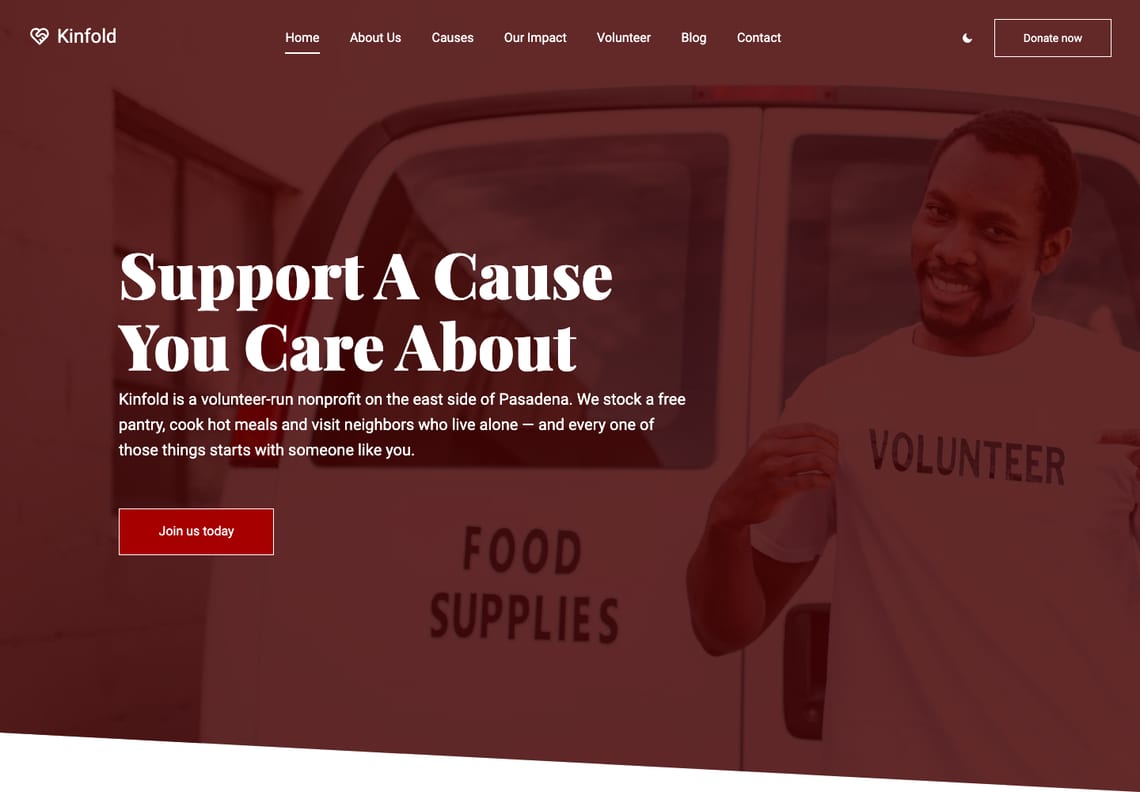
Two versions of Nonprofit
The same design, built two ways. Both are free.
Recommended for new sites
Block theme
This download. Everything is edited in WordPress’s own Site Editor, with no plugins: the sections are patterns, a cause’s progress bar follows the figures you type, the Donate buttons follow one setting, and the pledge, volunteer, contact and newsletter forms and dark mode are built in.
For sites built with Elementor
Elementor edition
The same design built for Elementor, with its own widgets for the hero, causes, about, services, volunteers and contact sections. It needs the free Elementor plugin and the Nonprofit Companion plugin, which carries those widgets, and its contact form uses Contact Form 7. The source is free on GitHub.
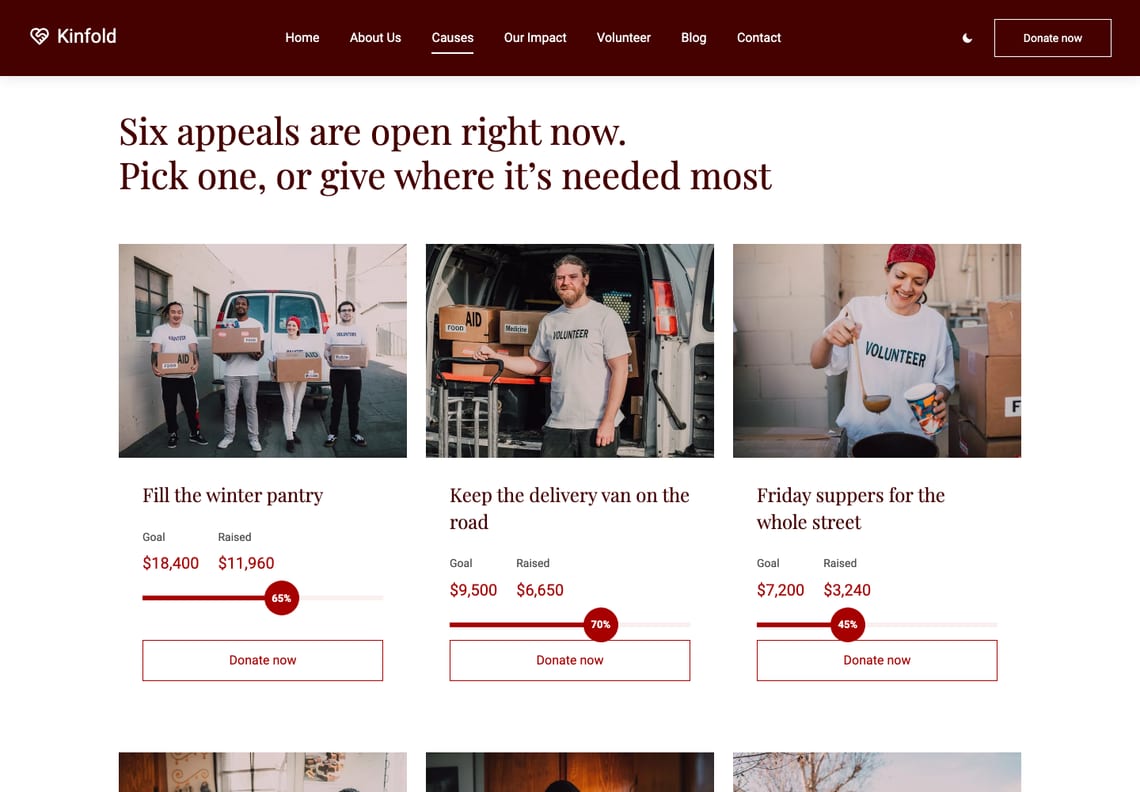
Causes with a goal, and a bar that agrees with it
Each cause card has a photograph, a title, the goal and the amount raised, and a progress bar. You type the two figures; the theme draws the bar and its percentage from them every time the page is shown, so the bar can never disagree with the numbers beside it.
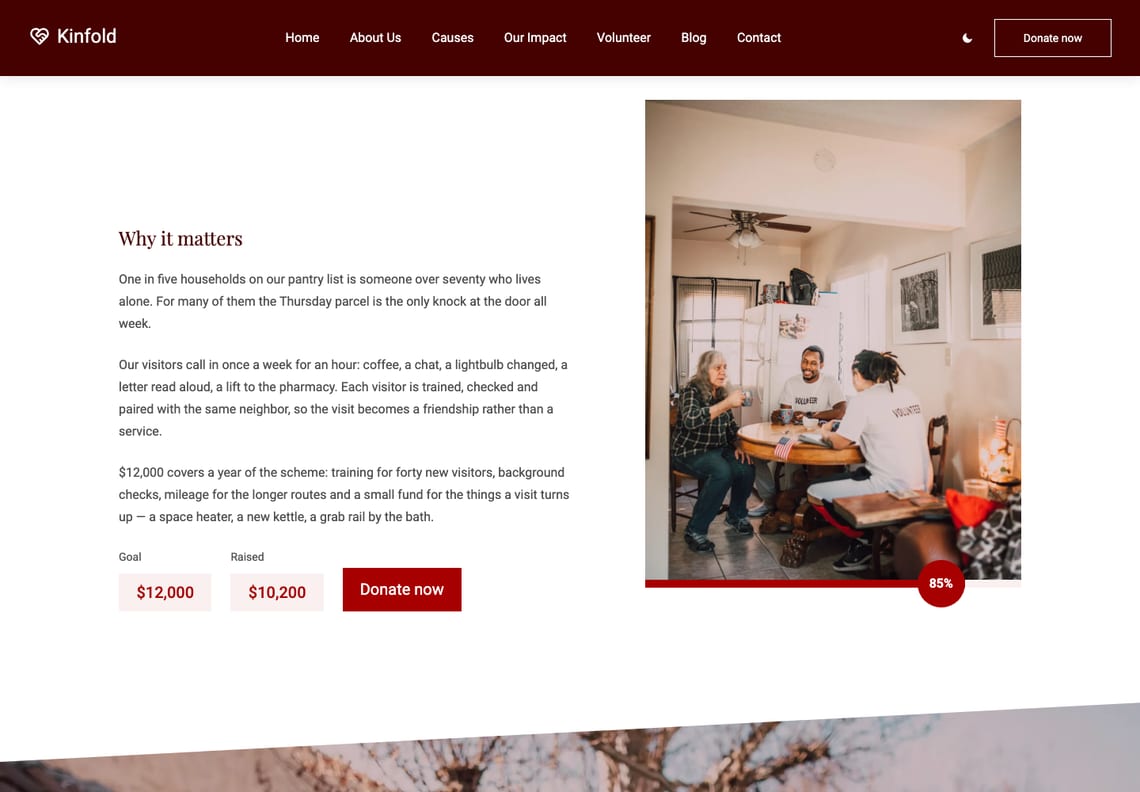
A page for every appeal
The appeal’s story beside a tall photograph with the progress bar along its foot, its goal and amount raised in pale boxes, and a Donate button. One appeal ships as a page under Causes; add another from the same pattern.
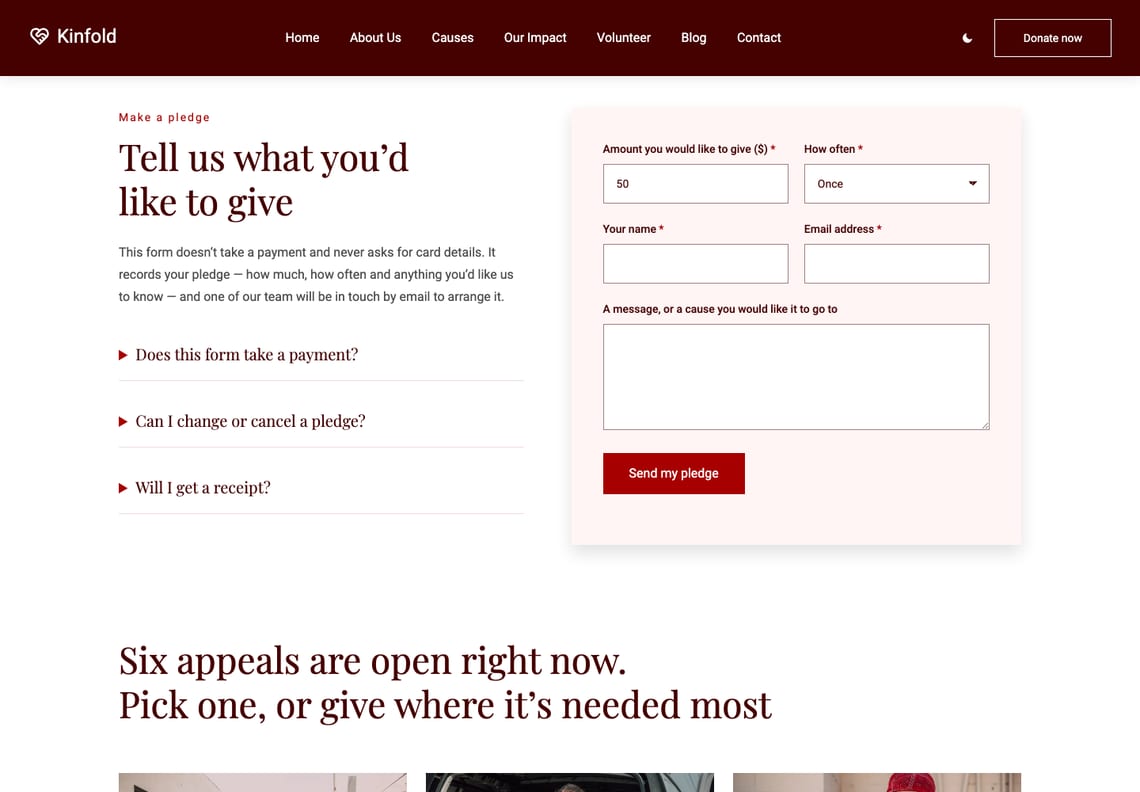
A pledge form, not a checkout
The Donate page asks how much, how often, a name, an email and a message — and nothing else: no card and no bank details. It records the pledge and tells the donor you will be in touch. Take donations elsewhere? Point every Donate button at your own page in Appearance → Customize → Donations.
Volunteers, and a way to join them
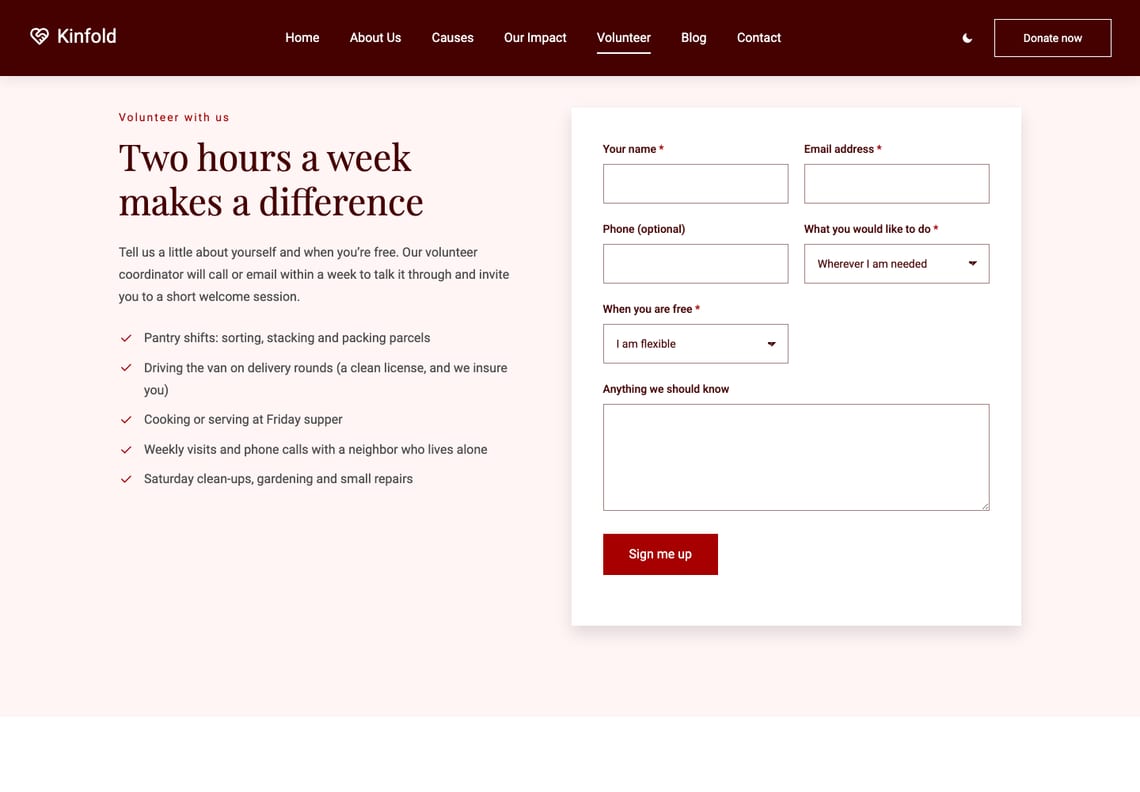
What volunteering involves beside a sign-up form: name, email, phone, what they would like to do and when they are free. Below it, the team: portraits whose links slide up under the pointer, and sit in the open on a phone.
An impact page with the figures up front
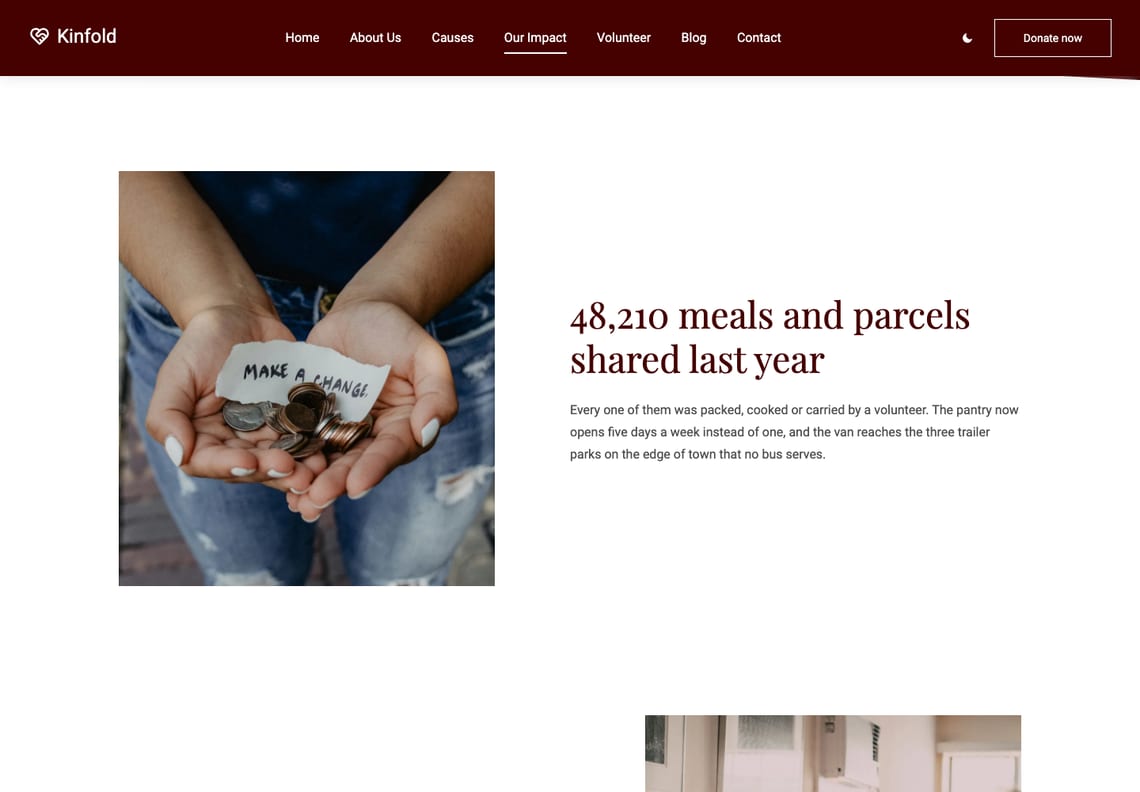
Two stories, each led by one figure as its headline, then what you do and a row of four numbers. Every figure is text you type, not a live total.
What you get
Eight palettes, checked before release
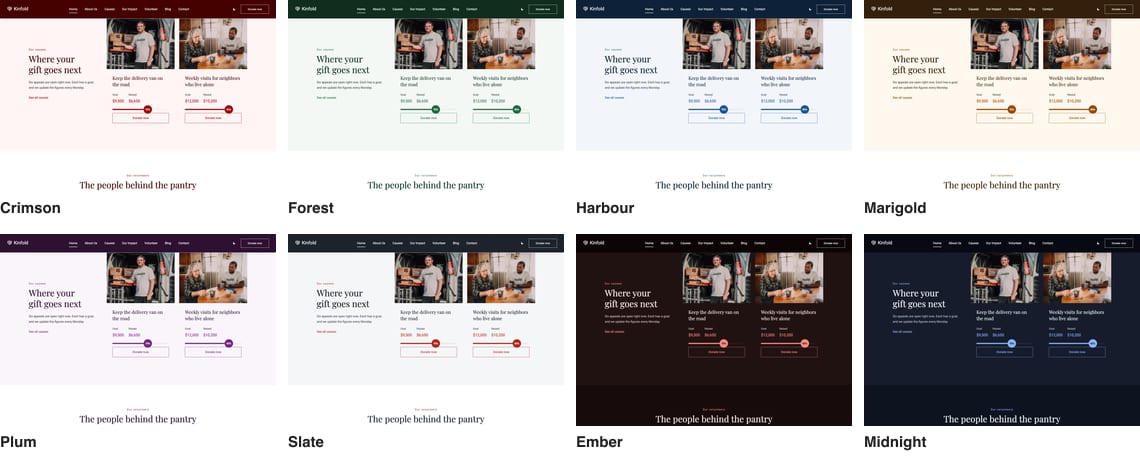
Crimson, the template’s own, then Forest, Harbour, Marigold, Plum and Slate, and two dark palettes, Ember and Midnight. Each is measured against WCAG AA before the theme is built — headings, figures, buttons and the text on every red box — and a palette that fails is not written.
Dark mode the visitor controls
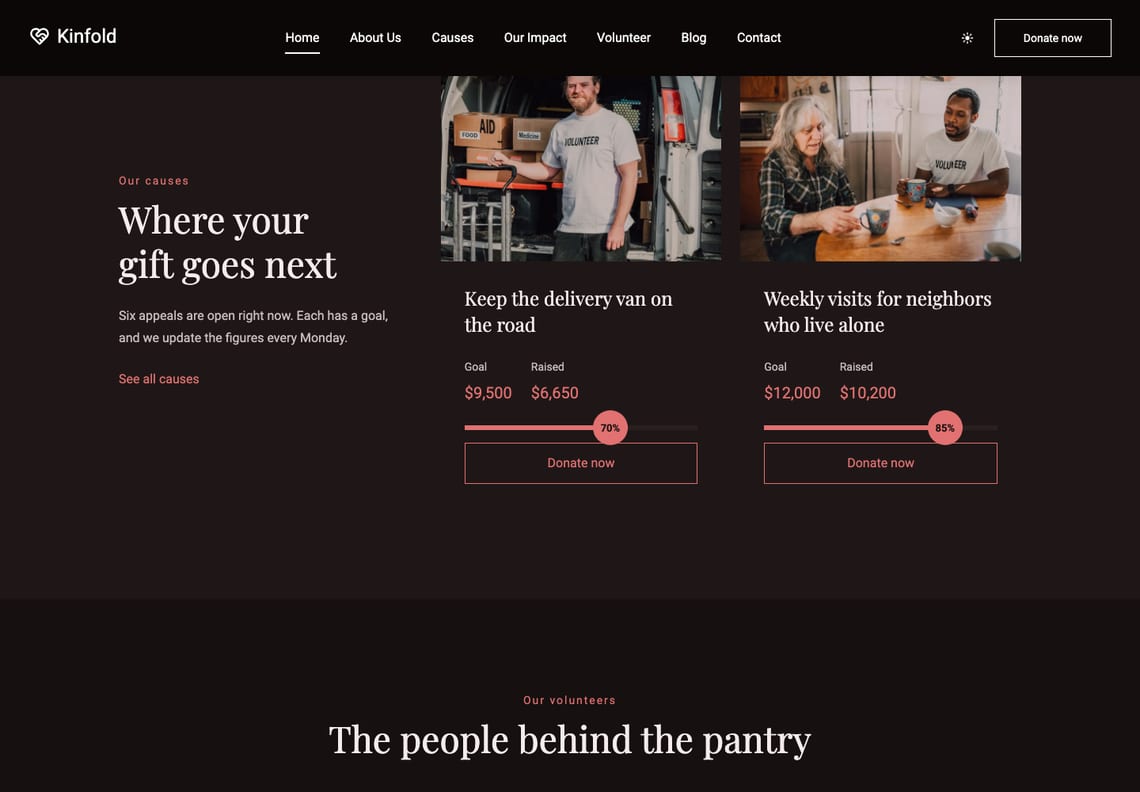
The switch in the header is the visitor’s, separate from the palette you chose. It follows the reader’s system setting until they decide for themselves, and the red lifts to stay readable on the dark page.
It has a blog, too
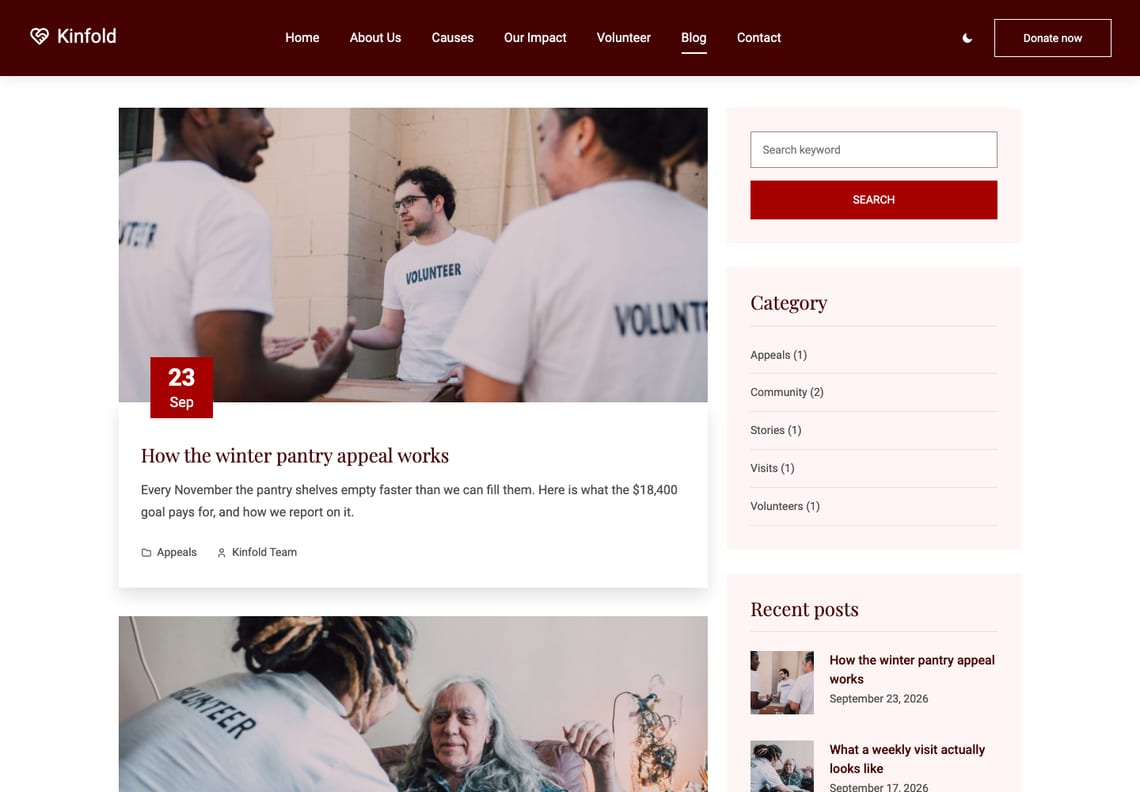
News from the pantry, appeals, stories. Archives, single posts with an author box, categories, tags, search and a 404 are all designed, with a sidebar that carries search, categories, recent posts, tags and the newsletter sign-up.
Questions
Not with a payment: the theme takes no money and asks for no card or bank details. Its Donate page carries a pledge form — how much, how often, a name, an email and a message — that records what someone would like to give and tells them you will be in touch to arrange it. If you take donations on a giving platform or a fundraising plugin, point the Donate buttons there (next question).
Edit the Goal and Raised text on the cause, as you would any paragraph. The progress bar and its percentage are worked out from those two figures when the page is shown, so there is nothing else to change. Nothing is counted automatically: the figures are what you last typed.
To the site’s admin email address, sent with WordPress’s own wp_mail(). If your host cannot send mail, any SMTP plugin fixes it. To send them somewhere else — a CRM, a webhook, a mailing-list plugin — the nonprofit_form_handlers filter takes them over and Nonprofit sends nothing of its own. The volunteer roles and pledge frequencies are filters too.
Duplicate a cause card and change its photograph, title and figures. For an appeal with its own page, add a page under Causes and insert the “Cause: the story of one appeal” pattern.
No. The nine starter pages are built only on a site that has no pages of its own yet, and only once. Activating Nonprofit over an existing site leaves your pages alone.
Yes. Add add_filter( 'nonprofit_enable_dark_mode', '__return_false' ); or add_filter( 'nonprofit_enable_scroll_animations', '__return_false' ); to a child theme or a small plugin. With the animations off, the progress bars are simply drawn full instead of filling as they scroll in.
The block theme is edited in WordPress’s own Site Editor and needs no plugins. The Elementor edition is the same design built for the Elementor page builder; it needs the free Elementor plugin and the Nonprofit Companion plugin, which carries its widgets, and is available on GitHub. For a new site we recommend the block theme.
Yes. Every string is translatable and languages/nonprofit.pot is included.
Yes, twice a day, because it is distributed outside the WordPress.org theme directory. It sends the theme, WordPress and PHP versions, the locale, whether the site is a multisite, and an identifier derived from the site’s address with the site’s own secret key, so it cannot be turned back into the address. No personal data and no site name. The nonprofit_check_for_updates filter switches it off.
The details
| Requires | WordPress 6.6 or newer |
|---|---|
| PHP | 7.4 or newer |
| Tested up to | WordPress 7.1 |
| Licence | GNU General Public License v2 or later |
| Patterns | 25 to insert (17 sections, 8 page layouts), plus 13 the templates use |
| Templates | 10, plus 3 template parts |
| Starter pages | 9, built on activation, with a menu |
| Styles | 8 colour palettes × 5 type pairings |
| Donations | No payments taken. Donate buttons open your Donate page, or any address you set in Appearance → Customize → Donations (filter nonprofit_donate_url) |
| Forms | Donation pledge, volunteer sign-up, contact and newsletter, no plugin; filter nonprofit_form_handlers |
| Fonts | Playfair Display and Roboto, self-hosted |
| Icons | Tabler Icons (MIT), drawn in the palette’s colours |
| Form plugins | Contact Form 7, WPForms, Gravity Forms, Fluent Forms, Forminator, Ninja Forms |
| Build step | None — no npm, no SCSS |