
Fashe is a free Shopify theme for fashion, apparel and accessory stores. It ships three homepage layouts, a filterable product catalogue, a full product page with variant swatches, a blog, and complete customer account pages.
In 2026 it was rebuilt from scratch. Version 2.0 is a full rewrite on Shopify’s current theme architecture — Online Store 2.0 with theme blocks — so you can add, reorder and nest content in the theme editor, including on the product page, without touching a line of Liquid.
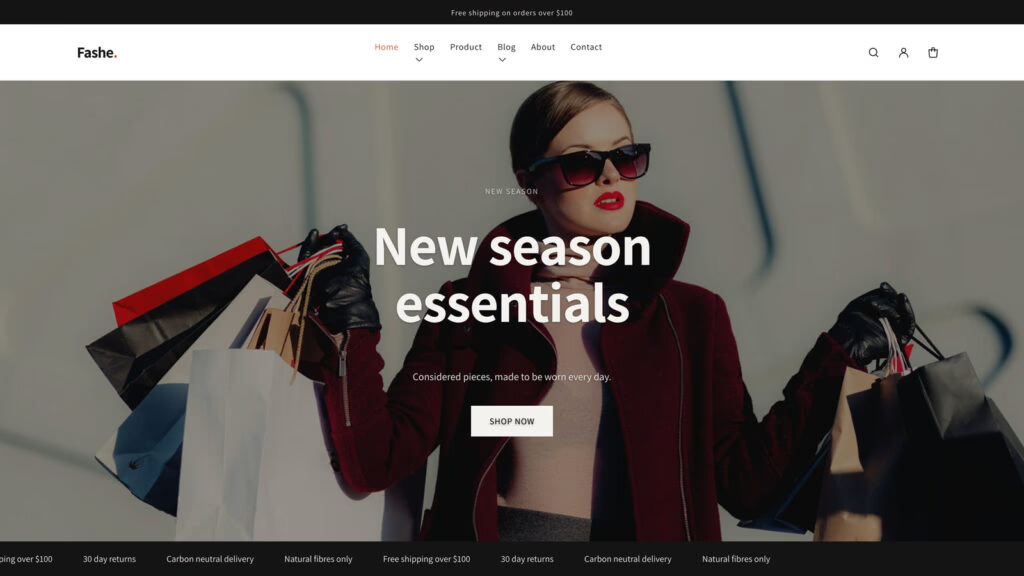
What you get
- Three homepage layouts — a full-width hero, a promotional layout, and a split layout with fixed side navigation.
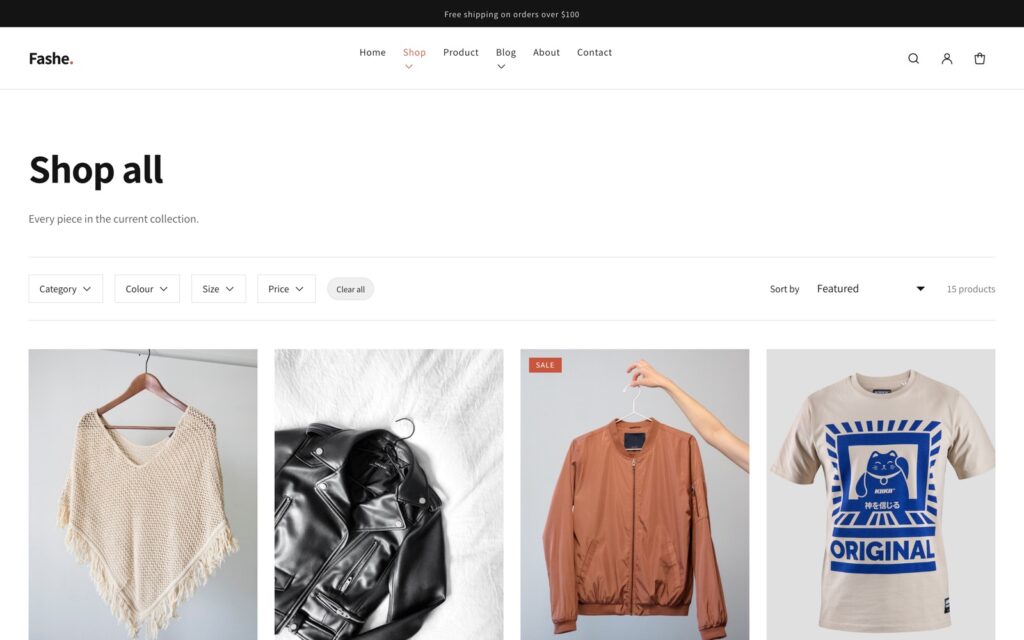
- Filterable catalogue — filter by category, colour, price and size, with sorting, powered by Shopify’s Search & Discovery app.
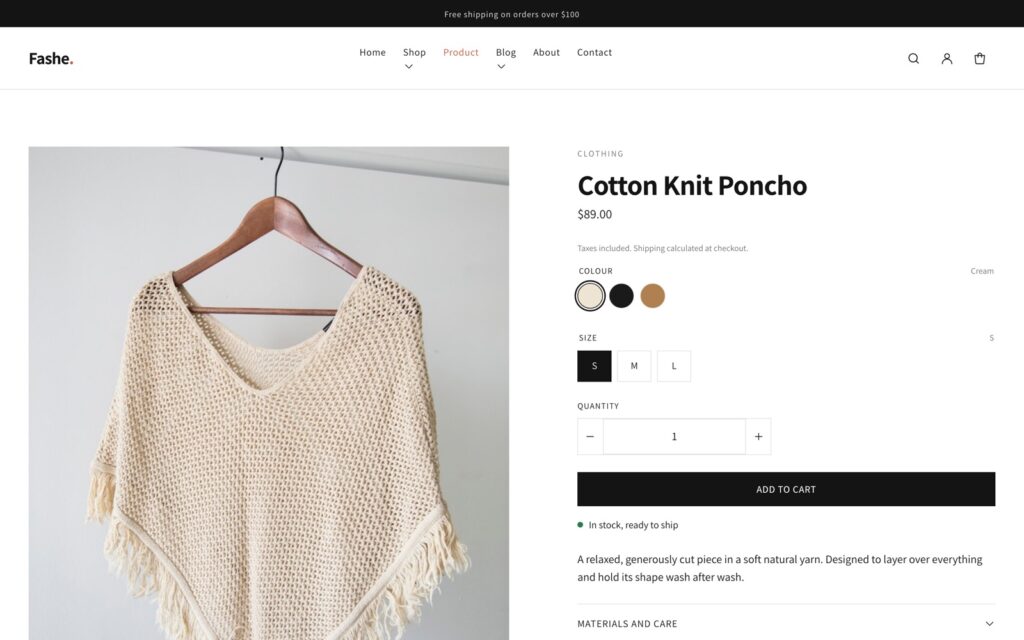
- Product pages built from blocks — title, price, variant picker, quantity, buy buttons, stock status, description and collapsible rows, each one movable in the editor.
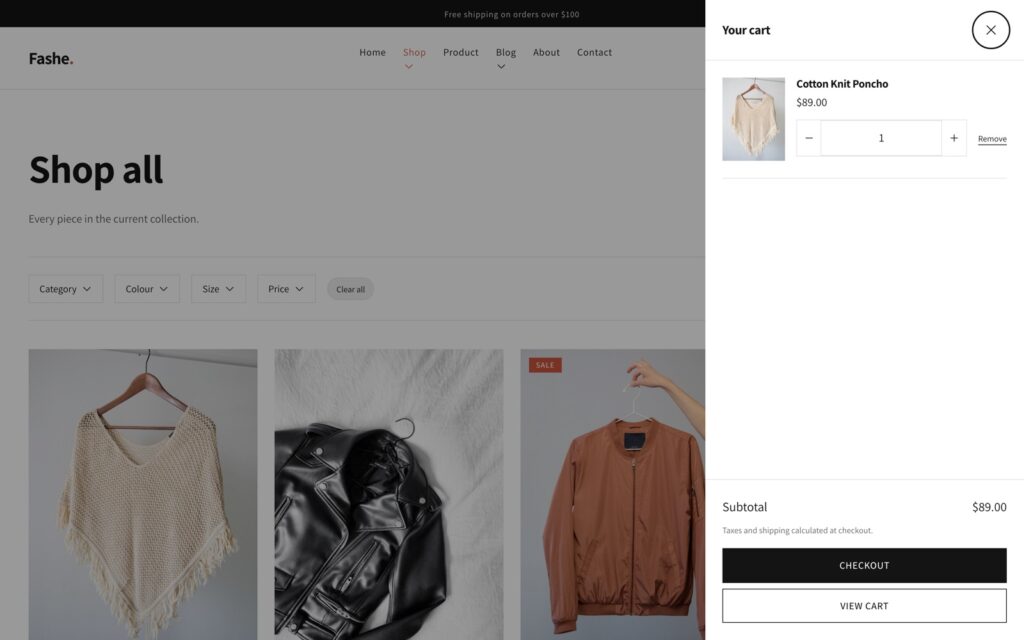
- Ajax cart drawer — add to cart without a page reload, plus quick add straight from the product grid.
- Predictive search — product, collection, article and page suggestions as the customer types.
- Colour and image swatches pulled from your own Shopify product options.
- Multi-currency and multi-language through Shopify Markets.
- Blog, about, contact and the full set of customer account pages.
- Four editable colour schemes you can apply per section, plus font pickers and layout controls.
Who Fashe is for
The design is editorial and image-led, with generous white space and large product photography, which suits stores where the product has to sell itself: clothing and streetwear labels, accessories and bags, jewellery, footwear, and small independent boutiques. If your catalogue is photography-led and you want the pictures to carry the page, it will feel at home. If you sell hundreds of near-identical SKUs where dense listings matter more than art direction, a more compact theme will serve you better.
Rebuilt for Shopify in 2026
The original Fashe was released in 2018, and Shopify has changed a great deal since. Version 2.0 was rewritten rather than patched, because the things holding the old build back were structural: a vintage, pre–Online Store 2.0 theme could only be edited on the homepage, and it leaned on libraries Shopify no longer permits in a theme.
Here is what actually changed:
| Fashe 1.x (2018) | Fashe 2.0 (2026) | |
|---|---|---|
| Architecture | Vintage, pre Online Store 2.0 | Theme blocks, JSON templates, section groups |
| Editable in the theme editor | Homepage only | Every template |
| Stylesheets on the homepage | 19 | 1 |
| Scripts on the homepage | 34 | 1 |
| jQuery | Yes (3.2.1) | None |
| CSS framework | Bootstrap 4 | None |
| Third-party CDN requests | 4 | 0 |
| Theme file size | 2.9 MB | 98 KB |
| Shopify Theme Check | 48 errors, 21 warnings | 0 |
The whole theme now ships as one stylesheet and one JavaScript module, with carousels built on native CSS scroll-snap and drawers built on the browser’s own dialog element. Nothing is fetched from a third-party CDN, which means fewer requests, no external dependency to break, and no library to patch when the next advisory lands.
The source is public on GitHub, so you can read exactly what you are installing, follow changes, or open an issue.
Every page your store needs
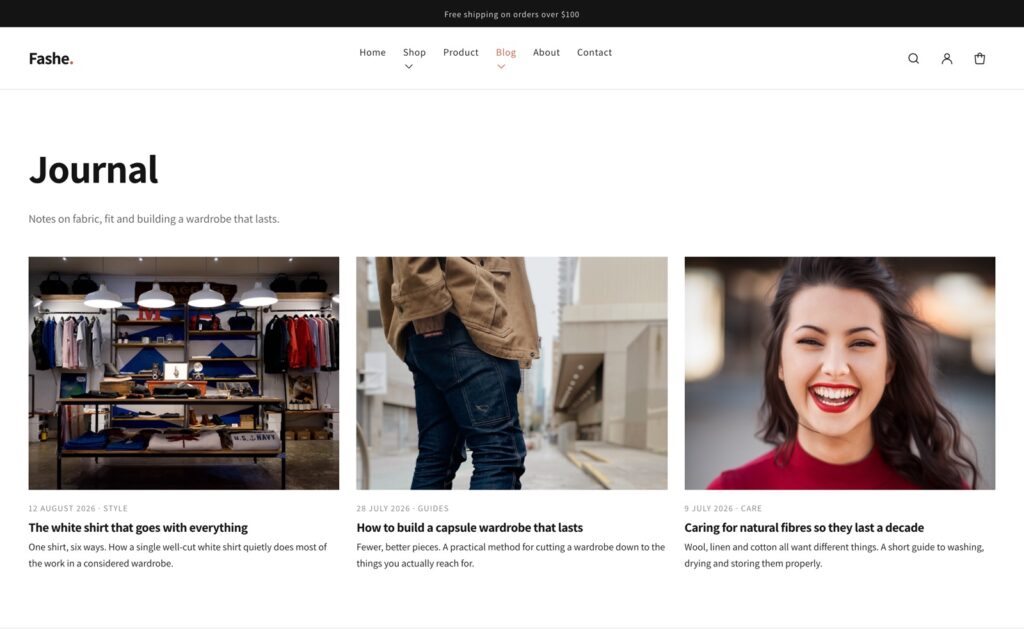
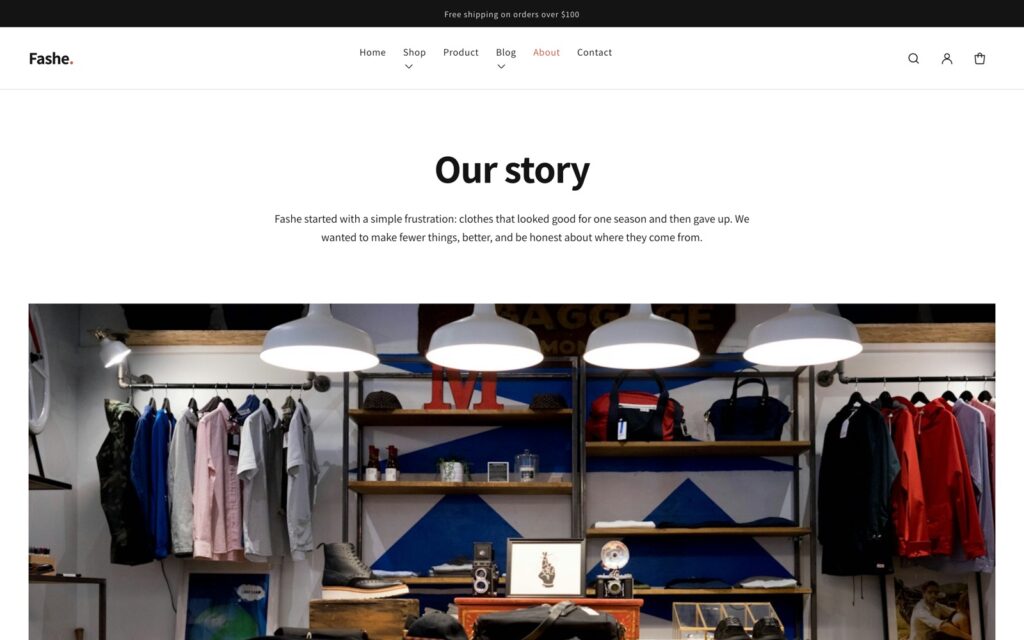
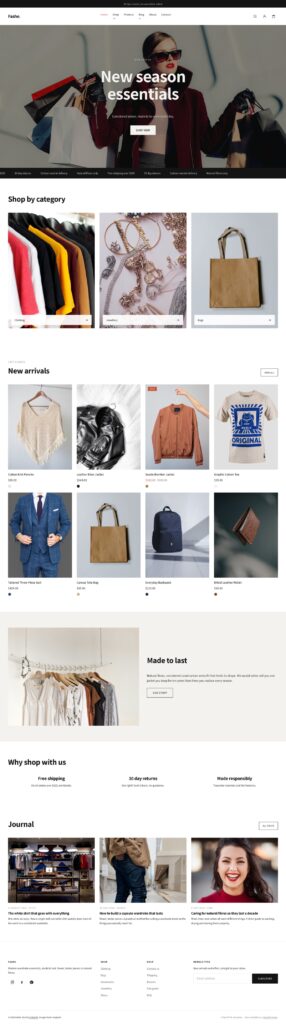
Fashe covers the full storefront, not just a pretty homepage. Every screenshot below is from the live preview.
Designed mobile-first
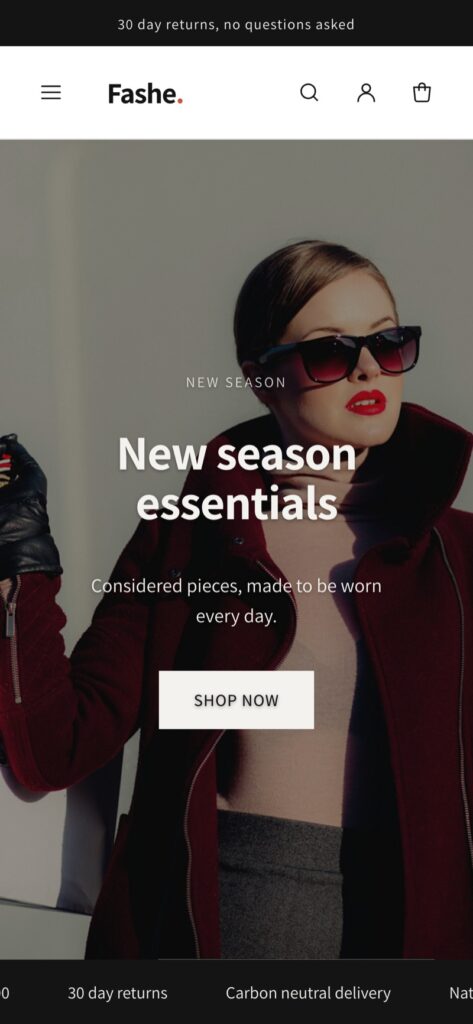
Most fashion traffic arrives on a phone, so the layouts are built to work there first: a slide-in navigation drawer, scroll-snap product carousels that behave like native swipes, tap targets sized for thumbs, and images served responsively so a phone never downloads a desktop-sized file.
How to install Fashe
Installing a free Shopify theme from a zip file takes about a minute:
- Download the theme zip using the button above.
- In your Shopify admin, go to Online Store → Themes.
- Under Theme library, choose Add theme → Upload zip file.
- Select
fashe-shopify-theme.zipand upload it. Do not unzip it first — Shopify expects the archive. - Click Customize to set your logo, colours and menus, then Publish when you are happy.
Because Fashe 2.0 uses theme blocks, almost everything after that is drag-and-drop inside the theme editor. Add a section, drop blocks into it, reorder them, and set a colour scheme per section.
Frequently asked questions
Yes. Fashe is free to download and free to use, with no purchase, no subscription and no trial. There is no footer credit you have to pay to remove, and nothing is held back for a paid tier — the complete source is public on GitHub, so you can read exactly what you are installing before you install it.
You need an active Shopify plan to publish any theme on a live store, Fashe included — that is Shopify’s charge, not ours. You can upload and preview it during a Shopify trial or on a development store at no cost, and everything the theme does works on Shopify’s entry-level plans.
No. Sections, blocks, colours, fonts, menus, images and layout are all set from Shopify’s theme editor. Because version 2.0 is built on theme blocks, you can add, reorder and nest content on every template — including the product page — which older free themes only allowed on the homepage. Touching Liquid is optional, not a prerequisite.
Download the zip with the button on this page, then in your Shopify admin go to Online Store → Themes, and under Theme library choose Add theme → Upload zip file. Select fashe-shopify-theme.zip and upload it without unzipping it first, because Shopify expects the archive. Preview it, click Customize to set your logo, colours and menus, then Publish when you are happy. The whole thing takes about a minute.
Yes. Version 2.0 is built on theme blocks, Shopify’s newest theme architecture, with JSON templates and header and footer section groups, and it passes Shopify’s own Theme Check with zero errors and zero warnings. The 2018 release did not: it was a vintage, pre–Online Store 2.0 theme that failed Theme Check with 48 errors and 21 warnings.
None to run. Product filtering on collection pages uses Shopify’s free first-party Search & Discovery app, and multi-currency uses Shopify Markets. Both are made by Shopify, both are optional, and there is no paid third-party app the theme depends on to function.
Yes. Collection pages filter by category, colour, price and size, with sorting, and the header carries predictive search that suggests products, collections, articles and pages as the customer types. Colour and image swatches are pulled from your own Shopify product options, so they follow your catalogue rather than a hardcoded list.
The whole theme ships as one stylesheet and one JavaScript module. The homepage went from 19 stylesheets and 34 scripts in the old version to one of each, the theme file is under 100 KB rather than 2.9 MB, and nothing is fetched from a third-party CDN. Carousels are built on native CSS scroll-snap and drawers on the browser’s own dialog element, so there is no jQuery and no CSS framework loading before your products can appear.
Fashe outputs Product and BlogPosting structured data, keeps a clean heading order, sizes every image responsively and takes alt text from your product data. Dropping the render-blocking library stack that most free themes carry also means Core Web Vitals start in a much better place. The theme cannot do the rest for you — your product copy, images and apps still decide the final result — but it does not work against you.
It is built mobile-first, because most fashion traffic arrives on a phone. Navigation is a slide-in drawer, product carousels use scroll-snap so they behave like native swipes rather than a laggy script, tap targets are sized for thumbs, and images are served responsively so a phone never downloads a desktop-sized file.
Yes, through Shopify Markets. The country and language selectors are already in the header and footer, so once you have configured Markets in your admin, customers can switch currency and language without any theme edits.
Yes. Use Fashe on as many Shopify stores as you like, including stores you build for clients, and modify it as much as you need to. The one thing we ask is that you do not repackage and resell the theme itself as your own product.
Releases are published on GitHub, so you can watch the repository to hear about them. Shopify does not auto-update a theme you uploaded from a zip, which cuts both ways: nothing can change your live store behind your back, and updating means uploading the new version as a separate theme, re-applying your settings, previewing it and then publishing.
Yes, and it is designed to be readable. There are exactly two asset files — base.css and theme.js — with no build step, no minification and no Sass to compile, so what you see in Shopify’s code editor is what runs. You can work in the admin code editor or locally with the Shopify CLI.
Treat 2.0 as a new theme rather than an update. Upload it alongside your current live theme, set it up in the editor, preview it, and publish when it looks right. There is no automatic migration of 1.x settings, because the two versions have completely different section and block structures — that rewrite is the reason 2.0 can be edited on every template instead of just the homepage.
Same design, different platform. This is a Shopify theme written in Liquid that runs on a Shopify store with real products, a cart and checkout. The HTML template is a plain static site you can host anywhere, and it is the better starting point if you want to port the design to WooCommerce, a static site generator or a JavaScript framework.
Open an issue on the GitHub repository. That is where the source, the changelog and the release history live, and where bugs actually get fixed. Fashe is a free theme, so there is no private support desk behind it — but issues are public, which means an answer helps the next person too.
Looking for something else?
If Fashe is not quite right for your store, browse our roundup of the best free Shopify themes. Fashe is also available as a plain HTML template if you would rather port the design to WooCommerce, a static site, or another platform.