
A clinic theme with appointments built in
Docmed is a free block theme for family clinics, medical centres and doctors’ practices. A doctor-led hero, six department cards, a doctors carousel and team page, patient reviews, tabs about how the practice works, and an appointment request form that opens from the header — department, doctor, date and time — with no plugin, eight colour palettes and full site editing throughout.

Two versions of Docmed
The same design, built two ways. Both are free.
Recommended for new sites
Block theme
This download. Everything is edited in WordPress’s own Site Editor, with no plugins: the sections are patterns, with eight colour palettes, a dark mode and the appointment, contact and newsletter forms built in.
For sites built with Elementor
Elementor edition
The same design built for Elementor, with its widgets in the free Docmed Companion plugin. It needs Elementor and Docmed Companion, and its demo’s forms use Contact Form 7. The source is free on GitHub.
An appointment form patients can find
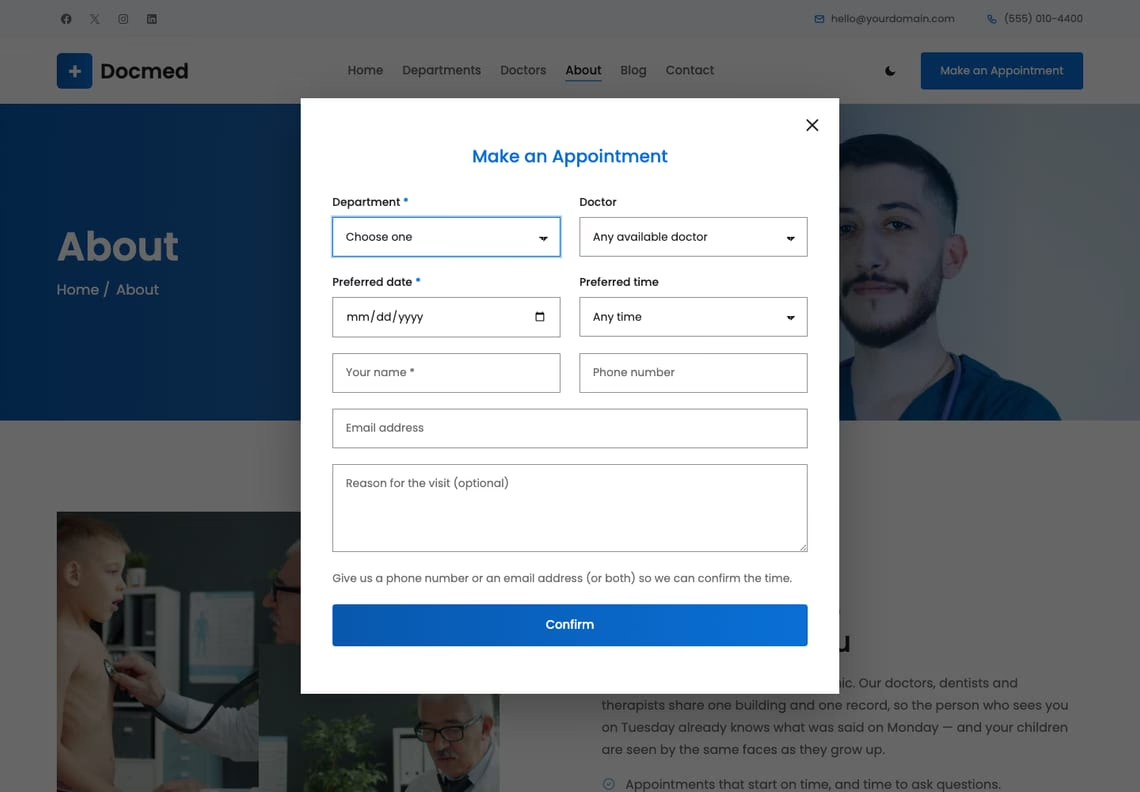
“Make an Appointment” sits in the header of every page and opens the form in a dialog: department, doctor, preferred date and time, name, phone or email and a note. It works on its own page too, and with JavaScript turned off. Requests go to your inbox, or to your practice software through one filter.
Six departments, one building
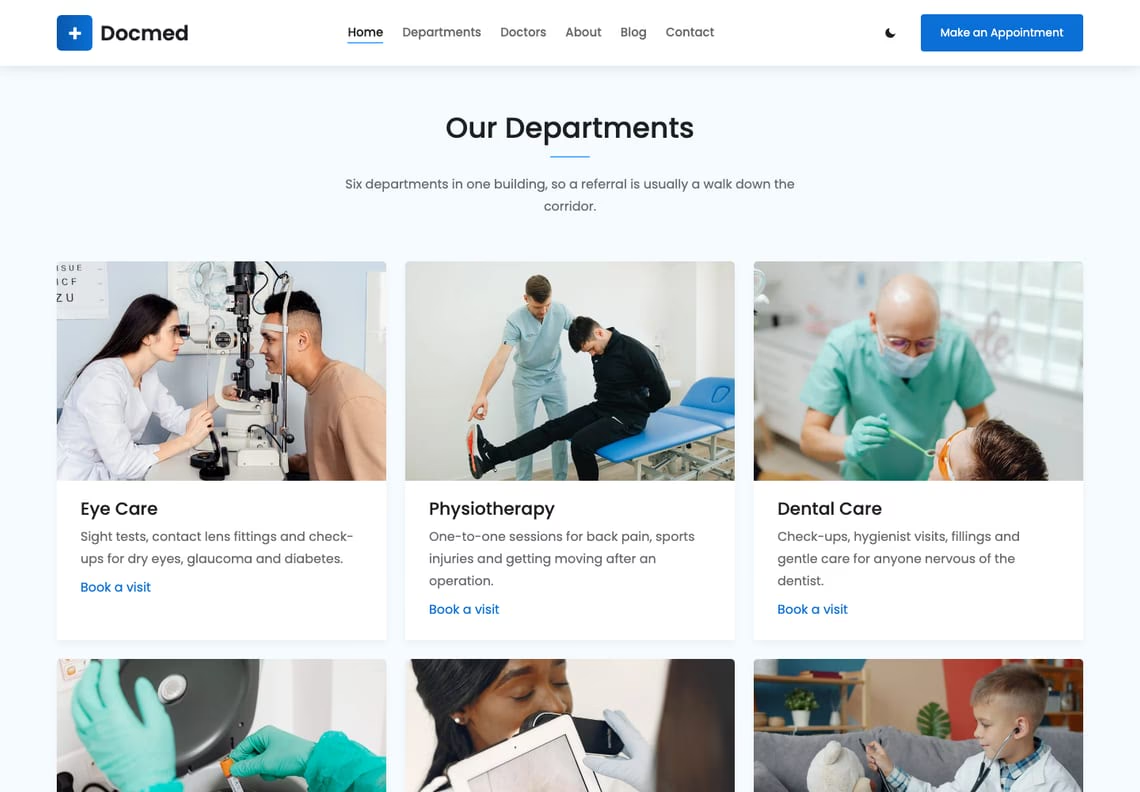
Department cards with a photograph, a line of copy and a “Book a visit” link that opens the appointment form with that department already chosen.
The people patients will meet
Eight doctors in a row that slides with arrows on the home page, and all of them in two rows on the Doctors page, each with a name, a specialty and the template’s blue hover.

Reviews, and how the practice works
Patients’ words in a slider over a consultation photograph, then three tabs — family medicine, the team, same-day care — each with an icon, a paragraph and a photograph. The tabs work with the keyboard, and without JavaScript all three simply show.

Eight palettes, checked before release
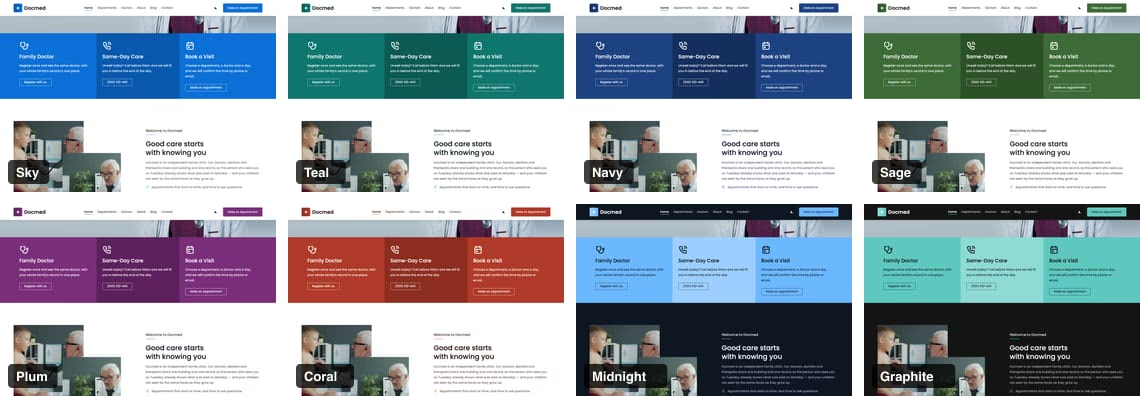
Sky, the template’s own blues, then Teal, Navy, Sage, Plum and Coral, and two dark palettes, Midnight and Graphite. Each is measured against WCAG AA before the theme is built — text, links, button labels and the words on photographs, in light mode and in dark — and a palette that fails is not written.
Dark mode the visitor controls
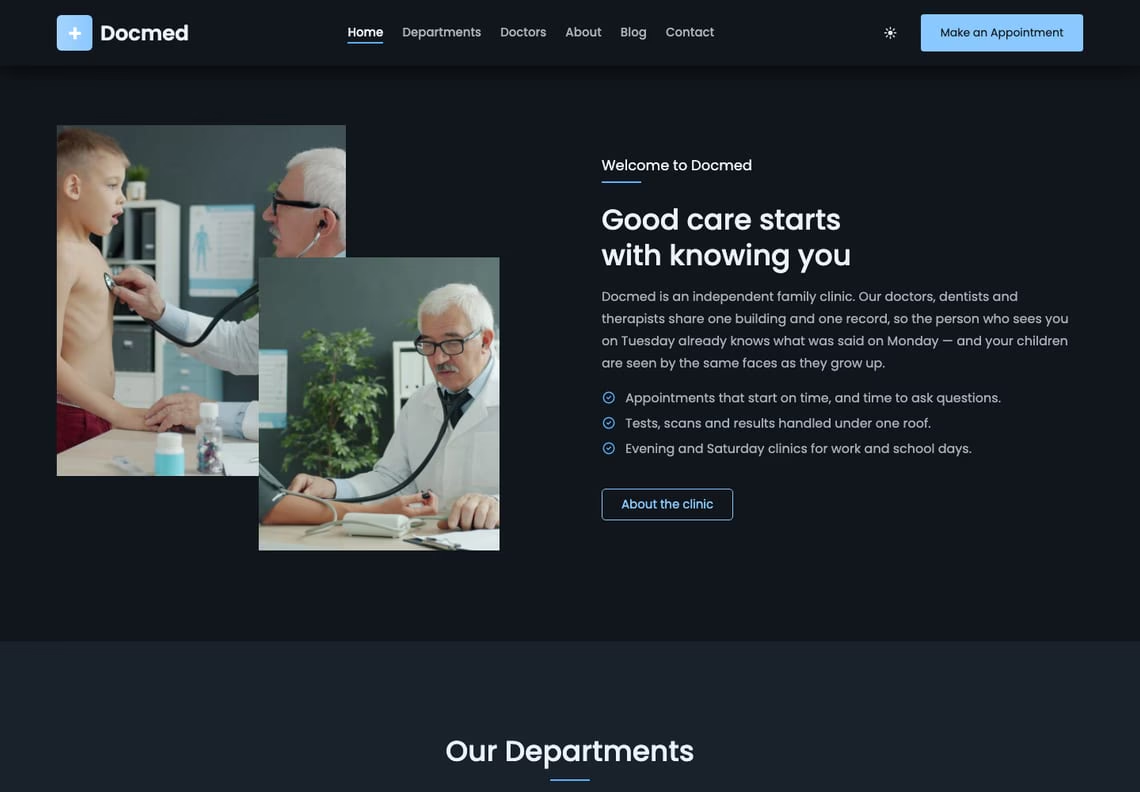
The switch in the header is the visitor’s, separate from the palette you chose. It follows the reader’s system setting until they decide for themselves.
What you get
It has a blog, too
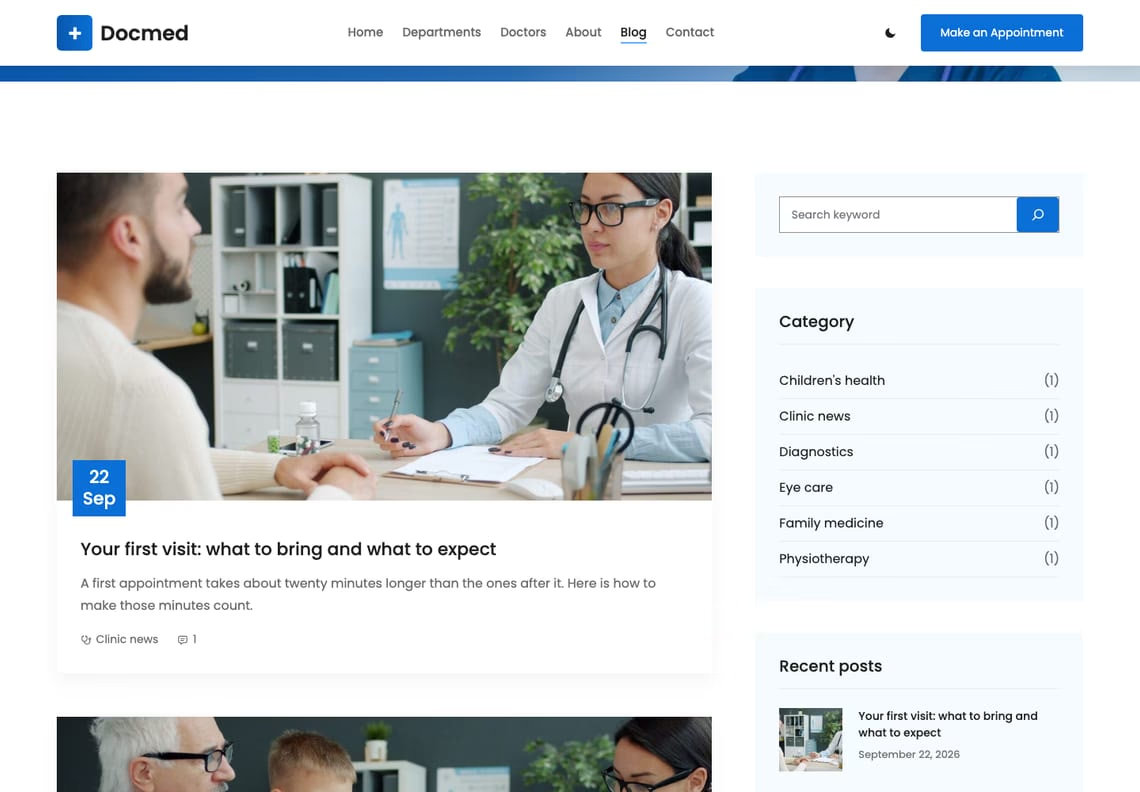
Health notes, clinic news, seasonal advice. Post cards carry the template’s blue date badge; archives, single posts, categories, tags, search and a 404 are all designed, with a sidebar of search, categories, recent posts, tags and a newsletter sign-up.
Questions
No. The appointment form, the contact form, the newsletter sign-up and dark mode are part of the theme, and so are the starter pages. WooCommerce is supported if you add it, and is not required.
To the site’s admin email address, sent with WordPress’s own wp_mail(). If your host cannot send mail, any SMTP plugin fixes it. To send requests somewhere else — practice software, a webhook — the docmed_form_handlers filter takes them over, and Docmed sends nothing of its own. The theme stores nothing in the database.
No. It is a request: the patient chooses a department, a doctor and a preferred day and time, and someone at the practice confirms. For online booking with live availability, hook your booking system into docmed_form_handlers or use its own plugin, which Docmed will style.
Yes, with the docmed_appointment_departments and docmed_appointment_doctors filters. The department cards link to the form with ?department=, which preselects the choice.
No. The seven starter pages are built only on a site that has no pages of its own yet, and only once. Activating Docmed over an existing site leaves your pages alone.
Eight palettes — Sky (the original), Teal, Navy, Sage, Plum, Coral, and the dark Midnight and Graphite — and five type pairings are one click each in the Site Editor under Styles. Each palette restyles every section.
So the words stay readable. The template’s blue is 2.9:1 against white and its light blue 2.3:1, below the 4.5:1 that WCAG AA asks for. The light blue stays for the bars under titles and the ticks; deeper blues carry links, buttons and the bands.
Yes. Add add_filter( 'docmed_enable_dark_mode', '__return_false' ); or add_filter( 'docmed_enable_scroll_animations', '__return_false' ); to a child theme or a small plugin. With the animations off, the reviews slider, the doctors carousel, the tabs and the dialog keep working.
The block theme is edited in WordPress’s own Site Editor and needs no plugins. The Elementor edition is the same design built for the Elementor page builder; it needs Elementor and the free Docmed Companion plugin, which provides its widgets, and is available on GitHub. For a new site we recommend the block theme.
Yes. Every string is translatable and languages/docmed.pot is included.
Yes, twice a day, because it is distributed outside the WordPress.org theme directory. It sends the theme’s name and version, the WordPress and PHP versions, the locale, whether the site is a multisite, and an identifier derived from the site’s address with the site’s own secret key, so it cannot be turned back into the address. No personal data, no site name and no address. The docmed_check_for_updates filter switches it off.
The details
| Requires | WordPress 6.6 or newer |
|---|---|
| PHP | 7.4 or newer |
| Tested up to | WordPress 7.1 |
| Licence | GNU General Public License v2 or later |
| Patterns | 20 to insert (12 sections, 6 page layouts, the header and the footer), plus 11 the templates use |
| Templates | 14, plus 3 template parts |
| Starter pages | 7, built on activation, with a menu |
| Styles | 8 colour palettes × 5 type pairings |
| Fonts | Poppins and Lora, self-hosted |
| Icons | Tabler Icons (MIT), drawn in the palette’s colours |
| Forms | Appointment request, contact and newsletter, built in; Contact Form 7, WPForms, Gravity Forms, Fluent Forms, Forminator and Ninja Forms styled |
| Build step | None — no npm, no SCSS |