
A conference theme with the countdown, the schedule and the tickets built in
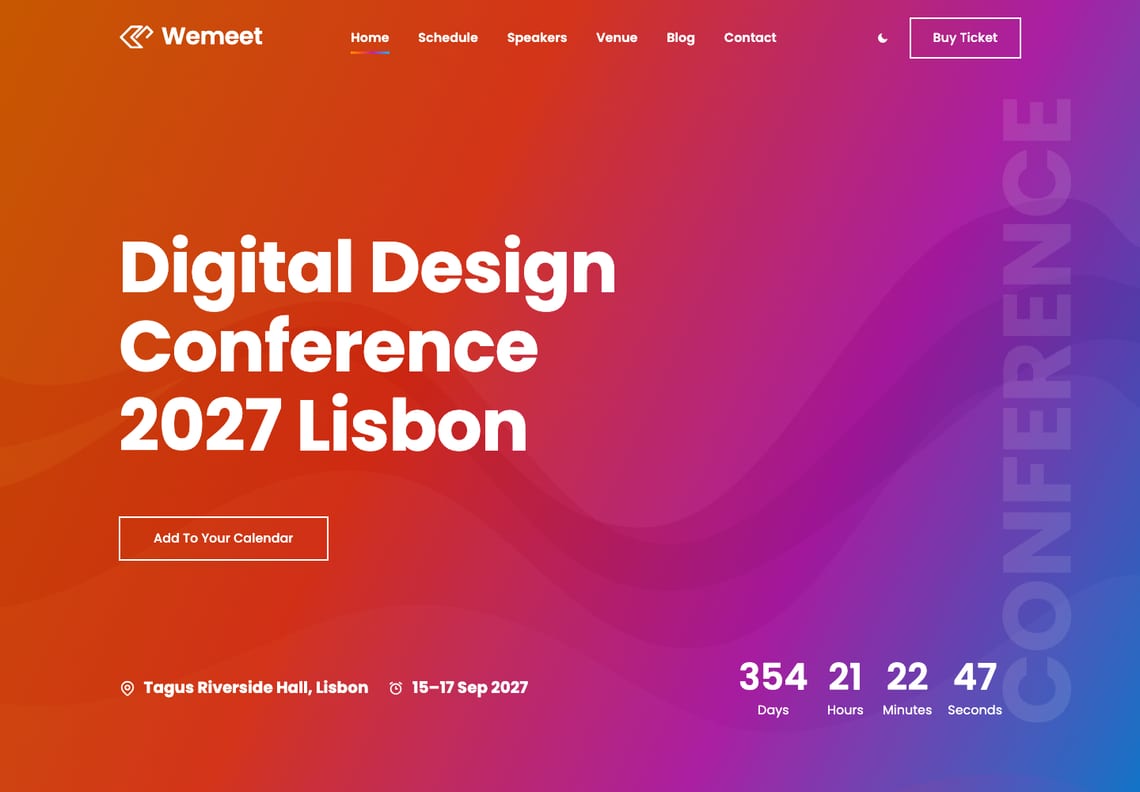
Wemeet is a free block theme for conferences, summits and meetups. A bold gradient hero with a live countdown and an “Add to your calendar” file, speakers, a multi-day schedule in tabs, a venue page with a map, ticket cards and an enquiry form that needs no plugin — with eight colour palettes and full site editing throughout.
Two versions of Wemeet
The same design, built two ways. Both are free.
Recommended for new sites
Block theme
This download. Everything is edited in WordPress’s own Site Editor, with no plugins: the sections are patterns, the event’s date lives in one setting, and the countdown, dark mode and the ticket, contact and newsletter forms are built in.
For sites built with Elementor
Elementor edition
The same design built for Elementor, with its own widgets for the hero, speakers, events, FAQ and booking band. It needs the free Elementor plugin and the Wemeet Companion plugin, which carries those widgets. The source is free on GitHub.
Speakers, with their links a hover away
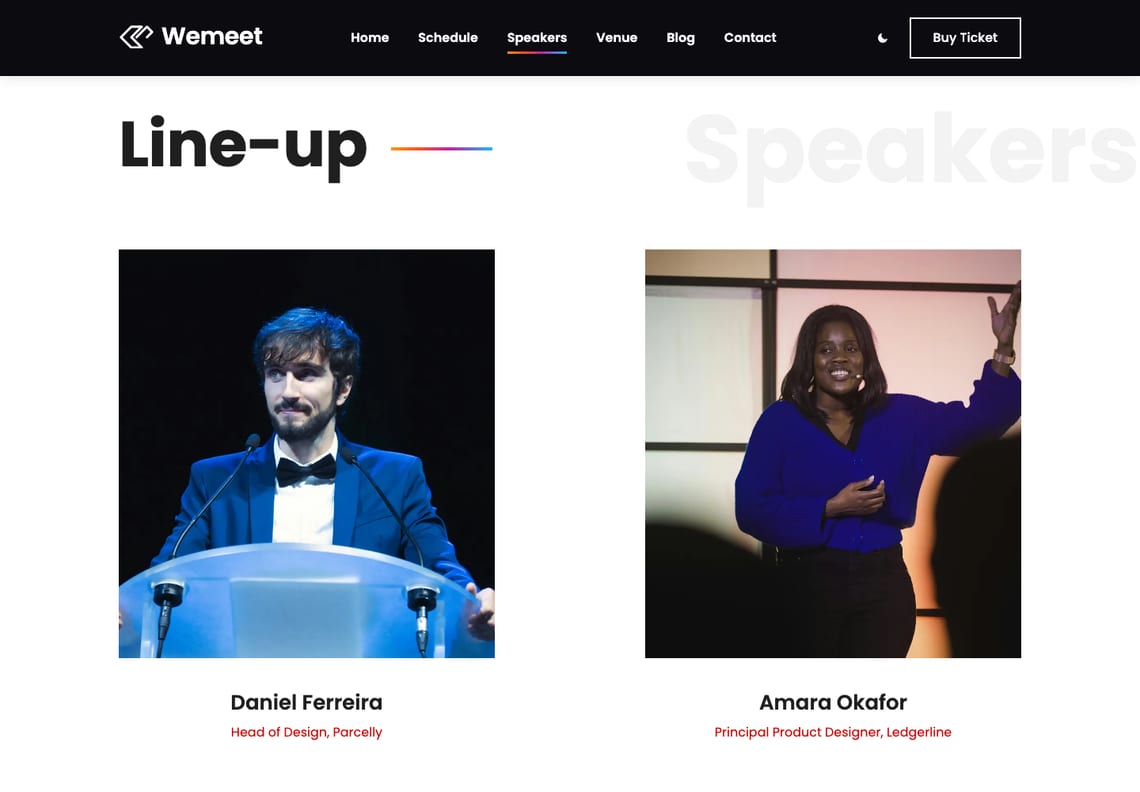
Portraits in two columns, each with a name and role. Point at one and a red veil slides up with the speaker’s links; on a phone the links simply sit under the portrait. The Speakers page carries the whole line-up.
A schedule with a tab for every day
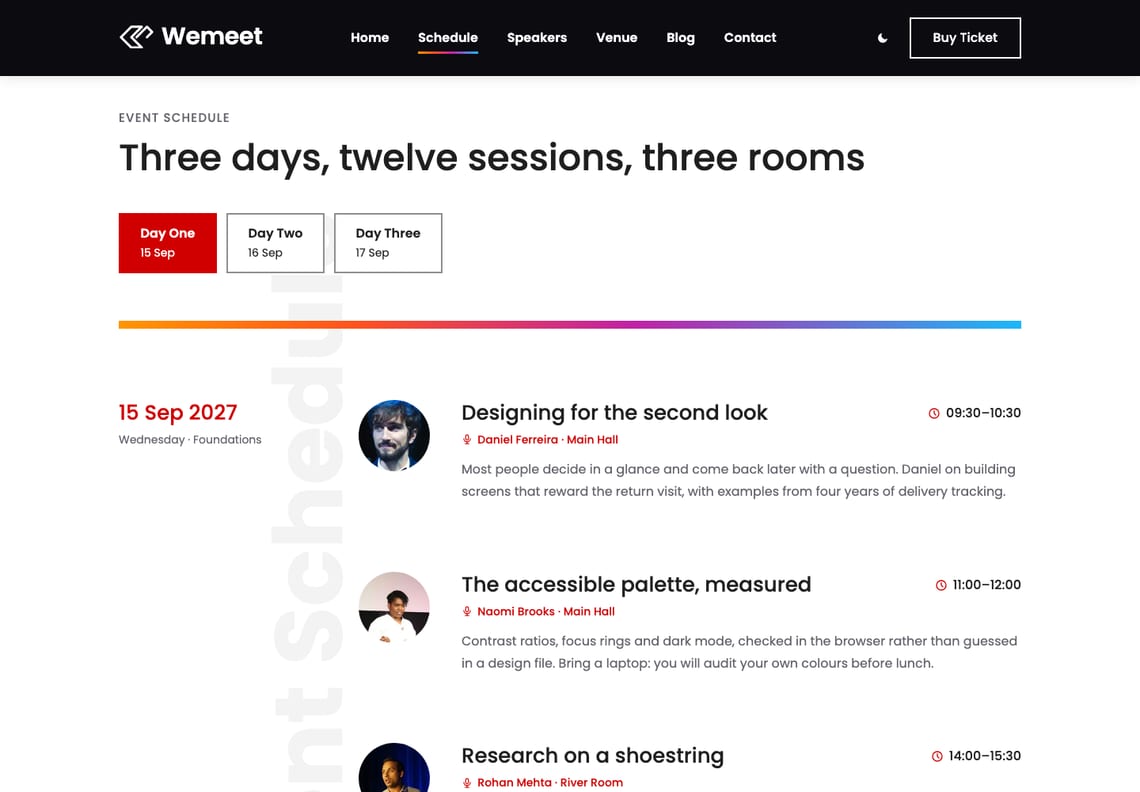
Each day is a group of blocks and each session shows its time, title, speaker, room and a line about it. Tabs move between the days with the mouse or the arrow keys; add a day by duplicating one and pointing a new tab at it.
A countdown you set once
The venue, the dates and a live countdown sit under every banner. The date is one setting in Appearance → Customize → Event, the countdown stops at zero, and the “Add to your calendar” button hands visitors a calendar file built from the same setting.
The venue, on a map
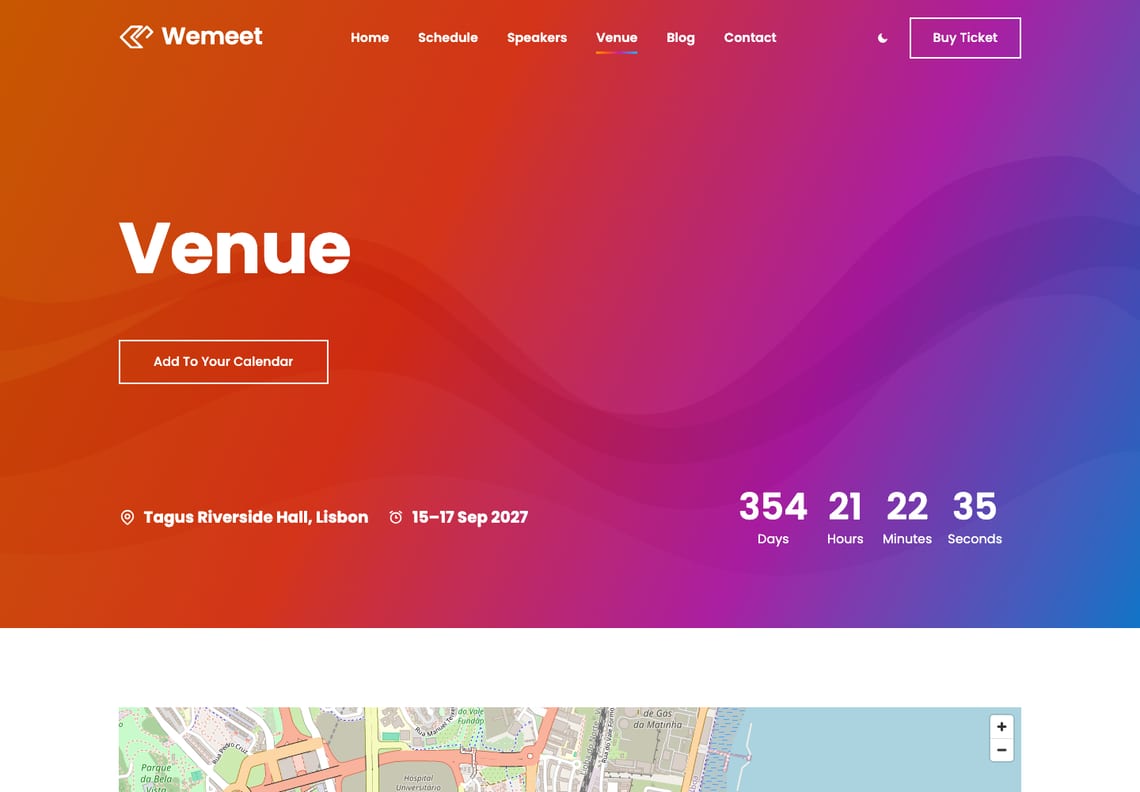
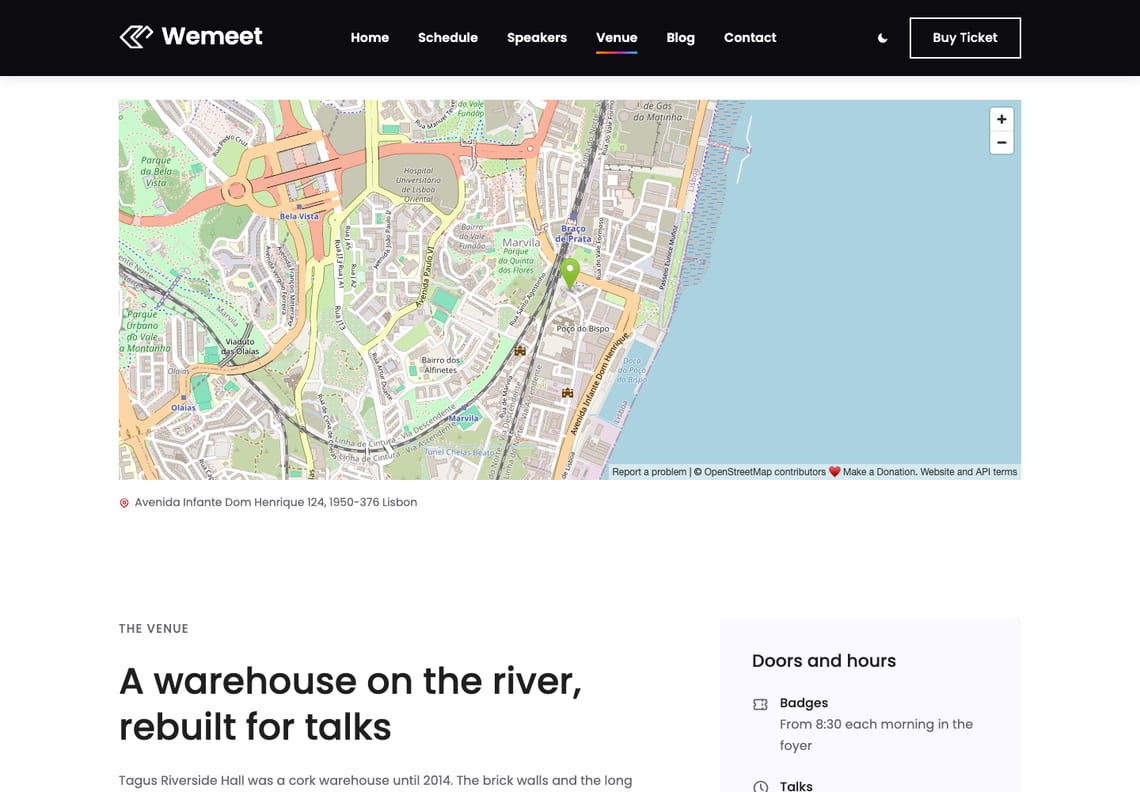
An OpenStreetMap of the venue, no API key needed, with a description, the rooms and access beside a panel of doors and hours, and four travel notes: by air, by train, by bus and bike, and where to stay.
Tickets and an enquiry form, without a plugin
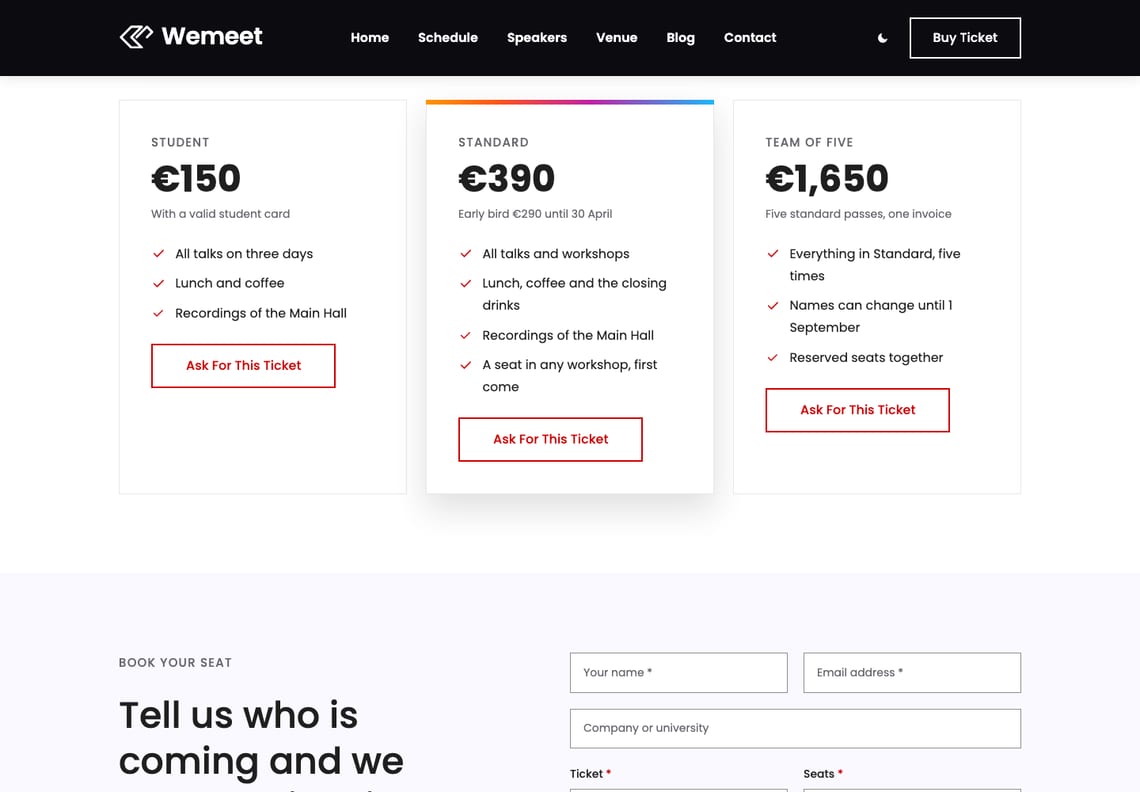
Three ticket cards with what each includes, then an enquiry form for name, email, company, ticket and seats. It takes no payment: the enquiry reaches your inbox, or with one filter a ticketing system, and you reply with the invoice.
What you get
Eight palettes, checked before release
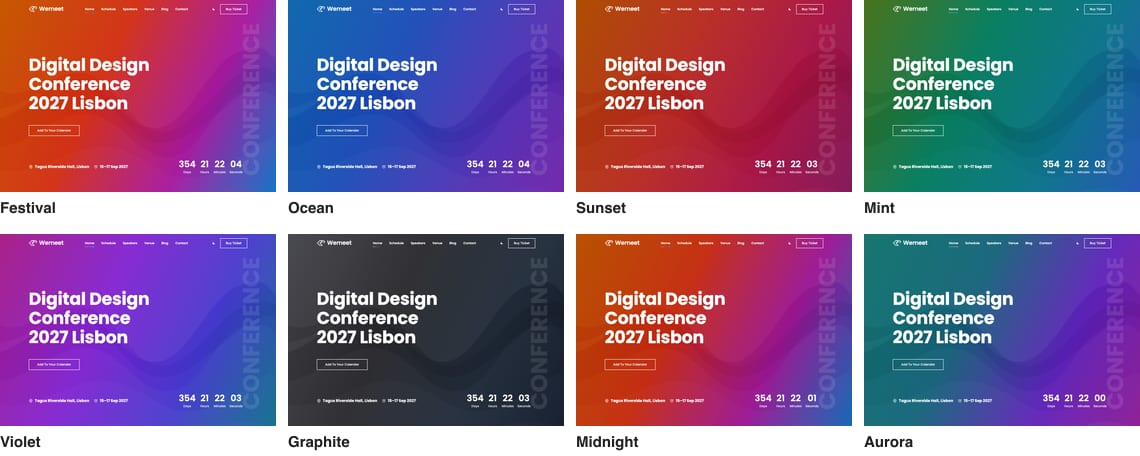
Festival, the template’s own, then Ocean, Sunset, Mint, Violet and Graphite, and two dark palettes, Midnight and Aurora. Each carries its own gradients, and each is measured against WCAG AA before the theme is built — white type on every stop of the banner gradient included — and a palette that fails is not written.
Dark mode the visitor controls
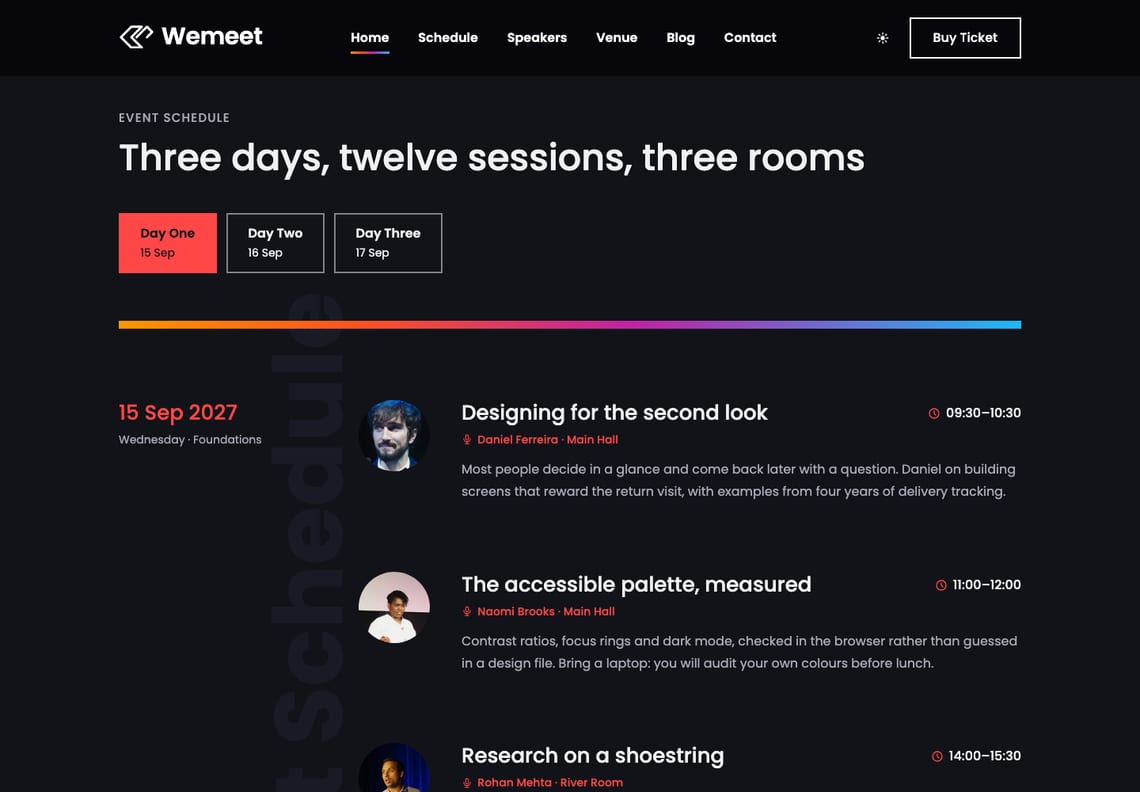
The switch in the header is the visitor’s, separate from the palette you chose. It follows the reader’s system setting until they decide for themselves, and the schedule reads as well at night as by day.
It has a blog, too
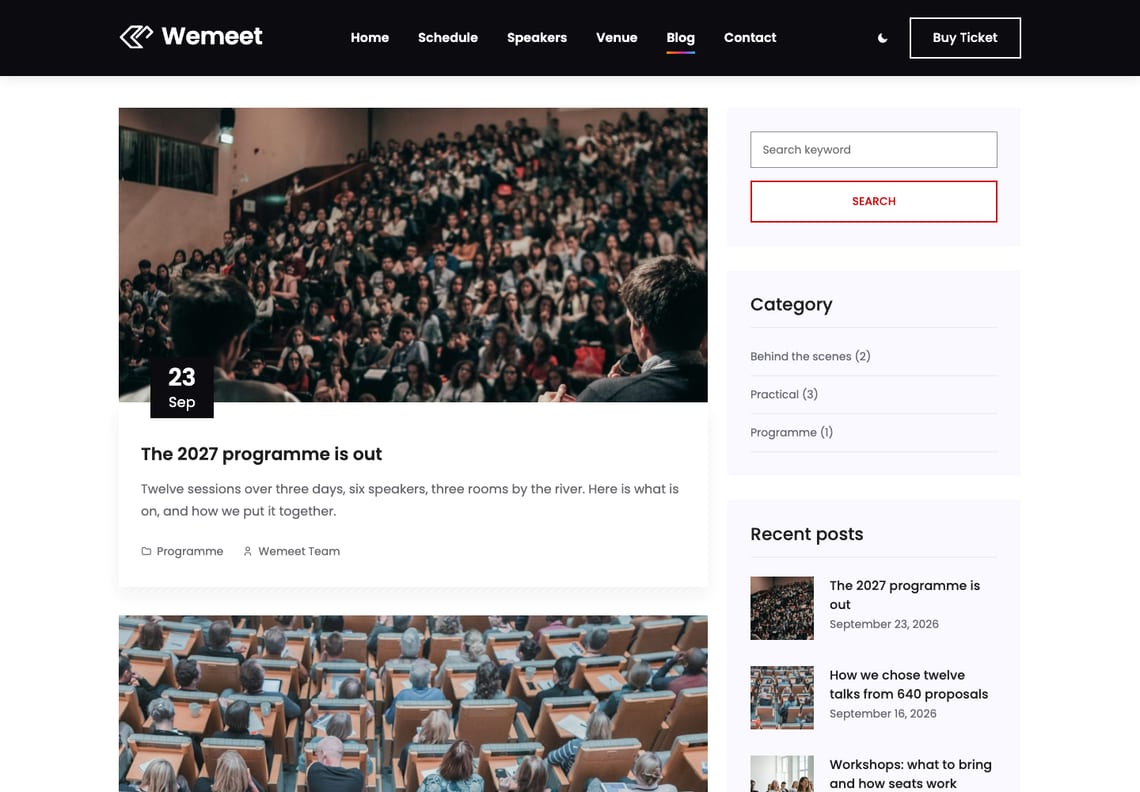
Programme news, travel tips, notes from behind the scenes. Archives, single posts with an author box, categories, tags, search and a 404 are all designed, with a sidebar that carries search, categories, recent posts, tags and the newsletter sign-up.
Questions
No. The ticket enquiry, contact and newsletter forms, the countdown, the calendar file and dark mode are part of the theme, and so are the starter pages. WooCommerce is supported if you add it, and is not required.
Not through the theme: the ticket form is an enquiry, and the organiser replies with an invoice. To sell tickets online, install a shop or ticketing plugin — WooCommerce is styled to match — or hand the form to your ticketing system with the wemeet_form_handlers filter.
To the site’s admin email address, sent with WordPress’s own wp_mail(). If your host cannot send mail, any SMTP plugin fixes it. To send them somewhere else — a CRM, a webhook, a mailing-list plugin — the wemeet_form_handlers filter takes them over and Wemeet sends nothing of its own. The ticket types the form offers come from wemeet_ticket_options.
Appearance → Customize → Event: the event’s name, the venue’s address, and the opening and closing times with the venue’s UTC offset, for example 2027-09-15T09:30+01:00. Every countdown and the calendar file follow it. Developers can set it in code with the wemeet_event filter.
A day is a group block with an anchor such as day-4, and its tab is a button that links to #day-4. Duplicate a day and a tab, change the anchor and the link, and the new tab works. A session is a group too: duplicate one and change its time, title, speaker, room and portrait.
No. The seven starter pages are built only on a site that has no pages of its own yet, and only once. Activating Wemeet over an existing site leaves your pages alone.
So the headlines stay readable. The template sets white 90px type on bright yellow and orange, which is 2.2:1. Wemeet keeps that bright ribbon for the rules, spheres and icons, and sets the text on the same hues taken deep enough that white clears 4.5:1 on every part of the gradient, in every palette.
Yes. Add add_filter( 'wemeet_enable_dark_mode', '__return_false' ); or add_filter( 'wemeet_enable_scroll_animations', '__return_false' ); to a child theme or a small plugin. With the animations off, the schedule tabs keep working and the countdown updates once a minute.
The block theme is edited in WordPress’s own Site Editor and needs no plugins. The Elementor edition is the same design built for the Elementor page builder; it needs the free Elementor plugin and the Wemeet Companion plugin, which carries its widgets, and is available on GitHub. For a new site we recommend the block theme.
Yes. Every string is translatable and languages/wemeet.pot is included.
Yes, twice a day, because it is distributed outside the WordPress.org theme directory. It sends the theme, WordPress and PHP versions, the locale, whether the site is a multisite, and an identifier derived from the site’s address with the site’s own secret key, so it cannot be turned back into the address. No personal data and no site name. The wemeet_check_for_updates filter switches it off.
The details
| Requires | WordPress 6.6 or newer |
|---|---|
| PHP | 7.4 or newer |
| Tested up to | WordPress 7.1 |
| Licence | GNU General Public License v2 or later |
| Patterns | 21 to insert (15 sections, 6 page layouts), plus 13 the templates use |
| Templates | 10, plus 3 template parts |
| Starter pages | 7, built on activation, with a menu |
| Styles | 8 colour palettes × 5 type pairings |
| Event settings | Name, venue, opening and closing time in Appearance → Customize → Event |
| Forms | Ticket enquiry, contact and newsletter, no plugin; filter wemeet_form_handlers |
| Fonts | Poppins and Open Sans, self-hosted |
| Icons | Tabler Icons (MIT), drawn in the palette’s colours |
| Form plugins | Contact Form 7, WPForms, Gravity Forms, Fluent Forms, Forminator, Ninja Forms |
| Build step | None — no npm, no SCSS |