
A journal theme where the posts lay out the page
Daren is a free block theme for a personal blog or magazine about art, design and colour. Its home page is a set of story layouts — a tall photograph beside a wide one, a checkerboard, category cards and a long list — that fill themselves from what you publish. It comes with a contact form and a newsletter sign-up that need no plugin, eight colour palettes, dark mode, and full site editing throughout.
Two versions of Daren
The same design, built two ways. Both are free.
Recommended for new sites
Block theme
This download. Everything is edited in WordPress’s own Site Editor, with no plugins to install: the story layouts are patterns you insert and rearrange, with eight colour palettes, five type pairings and a dark mode for your readers.
For sites built with Elementor
Elementor edition
The same design built for Elementor. Its post sections and contact block are Elementor widgets built into the theme, so it needs the free Elementor plugin. The source is free on GitHub.
Story layouts that fill themselves
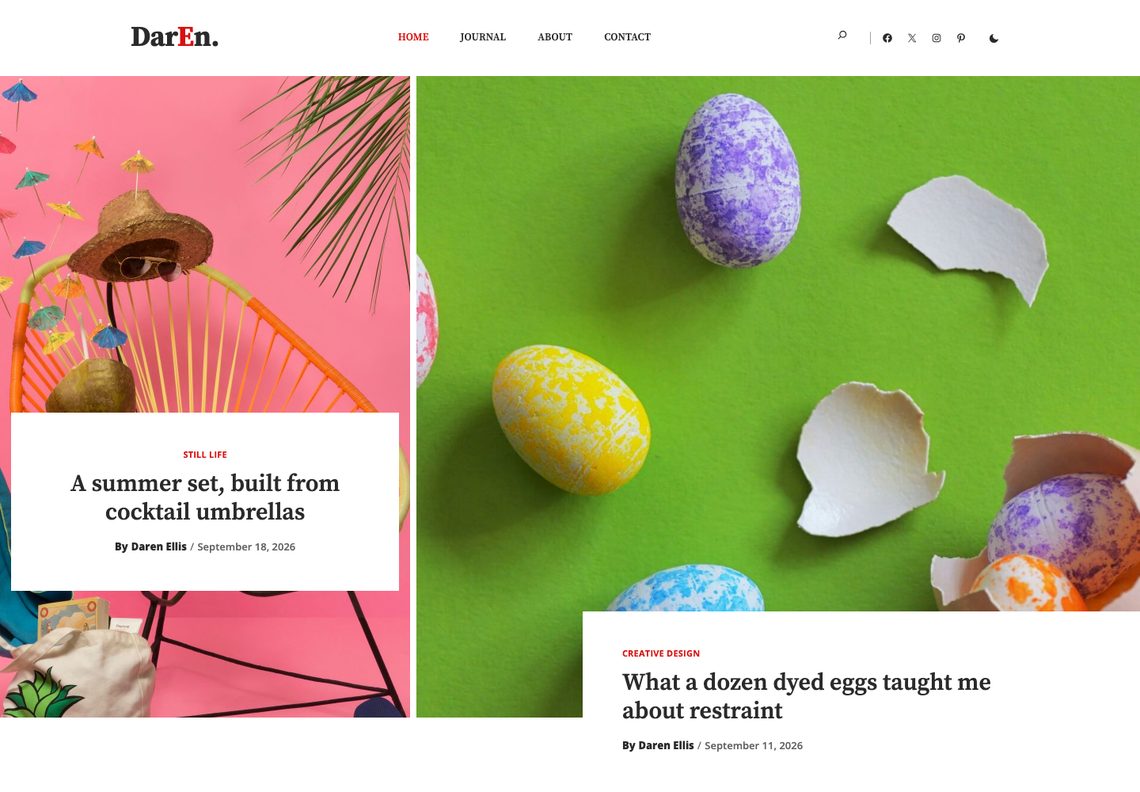
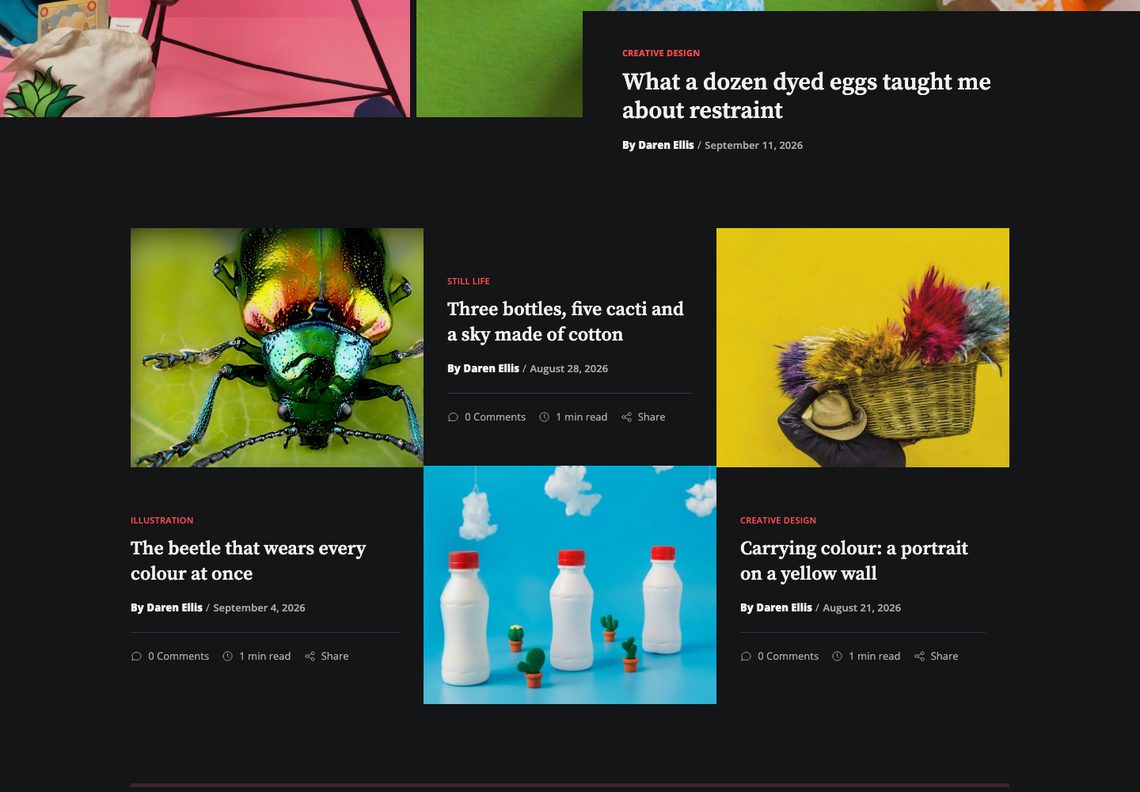
Every section of the home page is a query. The two newest posts open it, the next three sit in a checkerboard of photographs and words, three more carry their category on a tab, and the rest run as a list beside the sidebar. Publish a post with a featured image and it finds its place; move or remove a section in the editor like any other block.
Eight palettes, checked before release
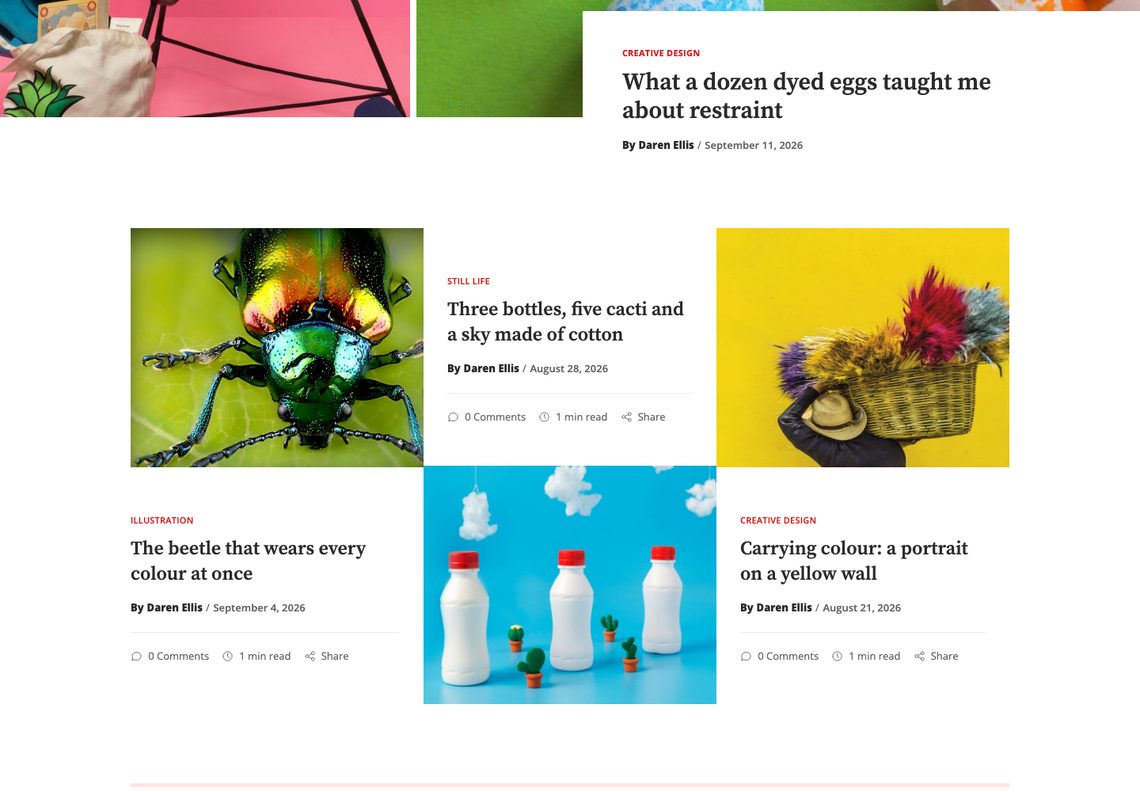
Scarlet, Cobalt, Jade, Tangerine, Orchid and Ink, and two dark palettes, Midnight and Graphite. Every one is measured against WCAG AA before the theme is built — text, links and button labels, in light mode and in dark — and a palette that fails is not written.
Dark mode the reader controls
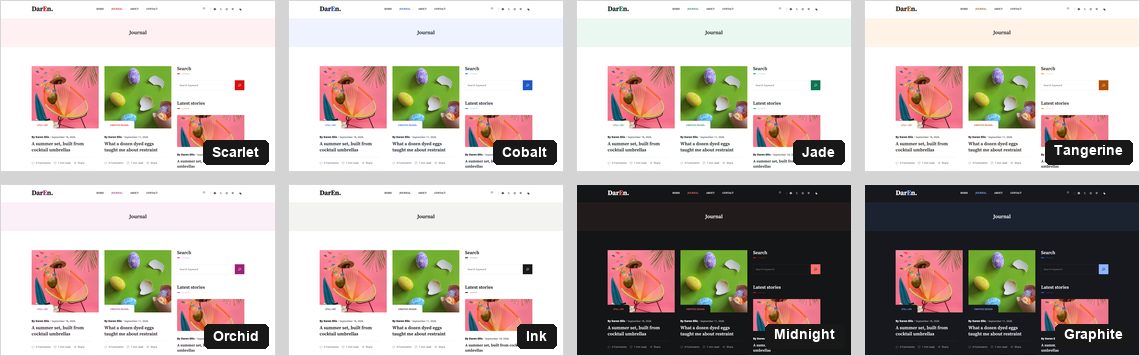
The switch in the header is the reader’s, separate from the palette you chose. It follows their system setting until they decide for themselves, and it lifts your palette rather than replacing it.
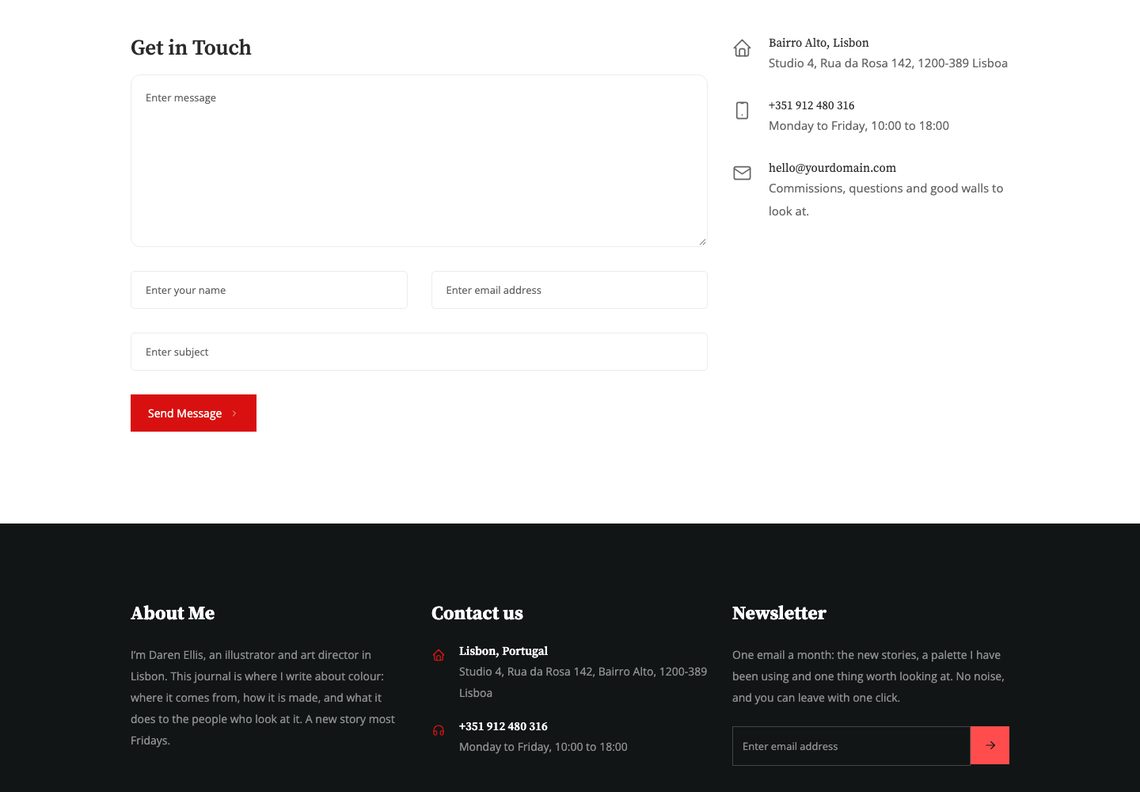
A contact form and a newsletter, without a plugin
The contact page’s form checks every message on the server, carries a nonce and a honeypot, and works with JavaScript turned off. Messages go to the site’s admin address; the footer’s newsletter sign-up does the same with each new address. One filter each hands them to a CRM or a mailing list instead.
What you get
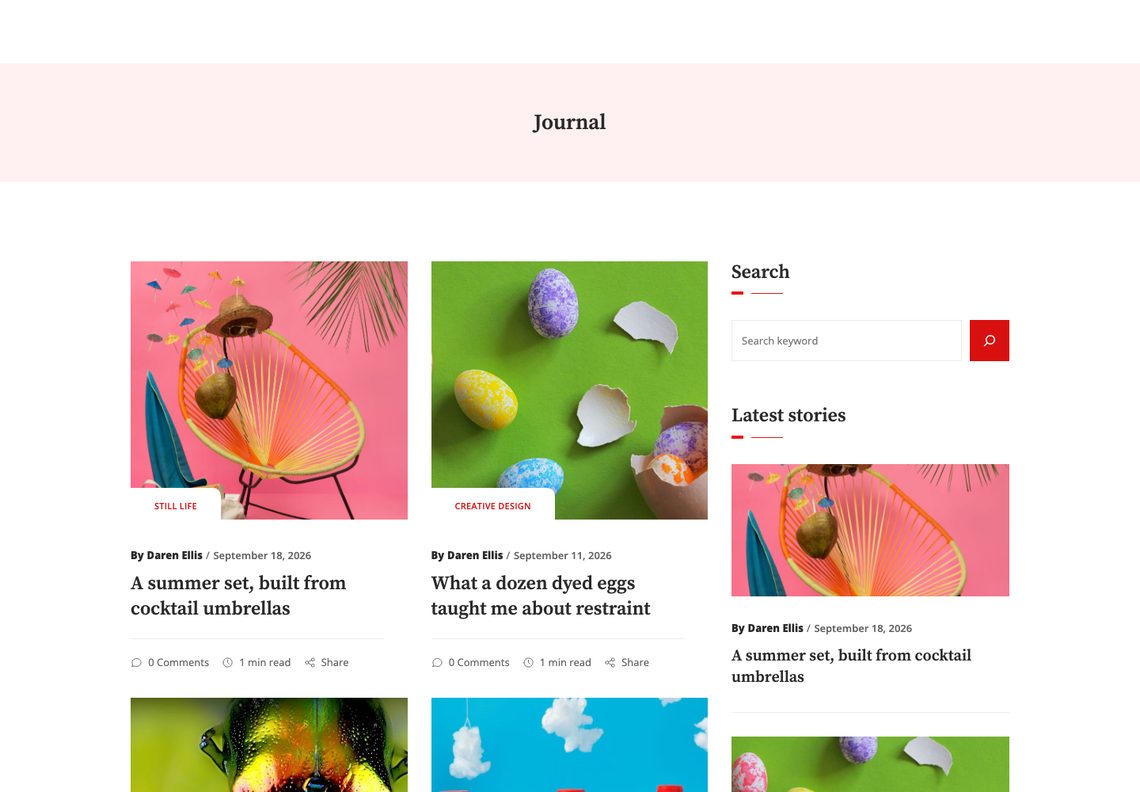
A journal, categories and search, each laid out
The journal runs two stories to a row beside the sidebar; categories and search results use the list. Tag, author and date archives, a 404 and the comments are designed rather than inherited.
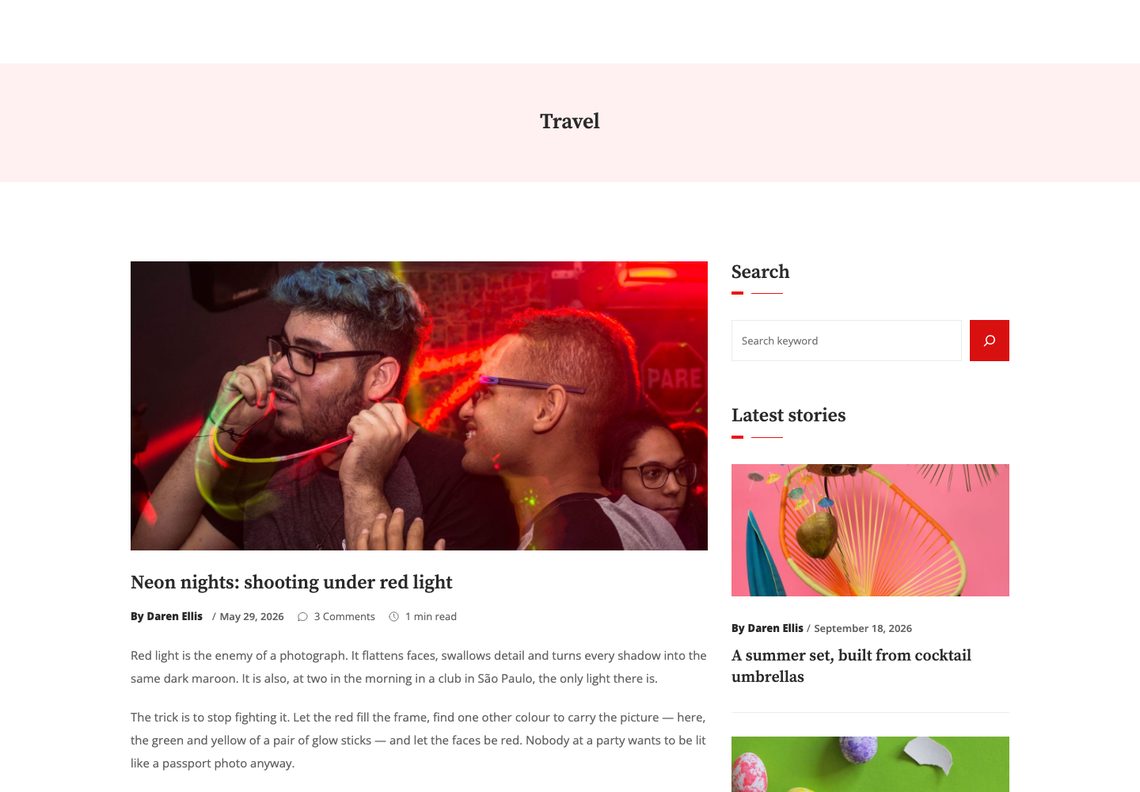
A single post with room to read
The band above the story carries its category, the title sits under the photograph as in the original design, and the row under it gives the byline, the date, the comment count and the reading time. Quotations, lists and headings are styled for long reading, with the author and the comments below.
Questions
No. The contact form, the newsletter sign-up and dark mode are part of the theme. WooCommerce is styled if you add it, and is not required.
The home page lists your posts: the two newest in the opening banner, the next three in the checkerboard, three more as cards and the rest in the list beside the sidebar. Publish posts with featured images and it fills itself; with sixteen or more, no story appears twice.
To the site’s admin email address by default. If you use a CRM, a helpdesk or a webhook, the daren_contact_handlers filter hands each message to it instead, and Daren sends nothing of its own.
If the site title is written in camel case — a capital straight after a lower-case letter, as in DarEn. — that capital is set in the brand colour. A title without one is left as it is. To switch it off, add add_filter( 'daren_title_accent', '__return_false' ); to a child theme or a small plugin.
Contact Form 7, WPForms, Gravity Forms, Fluent Forms, Forminator and Ninja Forms are mapped onto the theme’s own colours and spacing, so a form block does not look like a different website.
Eight palettes and five type pairings ship with the theme, each a one-click choice in the Site Editor under Styles. Beyond that, every colour in the theme is a palette entry you can edit there.
Yes. Add add_filter( 'daren_enable_dark_mode', '__return_false' ); to a child theme or a small plugin.
For a new site, the block theme: everything is edited in WordPress’s own Site Editor and no plugin is needed. The Elementor edition is the same design built for the free Elementor plugin; it remains free on GitHub for sites already built with it.
Yes. Every string is translatable and languages/daren.pot is included.
Yes, twice a day, because it is distributed outside the WordPress.org theme directory. It sends the theme, WordPress and PHP versions, the locale, whether the site is a multisite, and an identifier derived from the site’s address with the site’s own secret key, so it cannot be turned back into the address. The daren_check_for_updates filter switches it off.
The details
| Requires | WordPress 6.6 or newer |
|---|---|
| PHP | 7.4 or newer |
| Tested up to | WordPress 7.1 |
| Licence | GNU General Public License v2 or later |
| Patterns | 14 to insert, plus 12 the templates use |
| Templates | 14, plus 3 template parts |
| Styles | 8 colour palettes × 5 type pairings |
| Fonts | Source Serif Pro and Open Sans, self-hosted |
| Icons | Tabler Icons (MIT), drawn in the palette’s colours |
| Form plugins | Contact Form 7, WPForms, Gravity Forms, Fluent Forms, Forminator, Ninja Forms |
| Build step | None — no npm, no SCSS |