
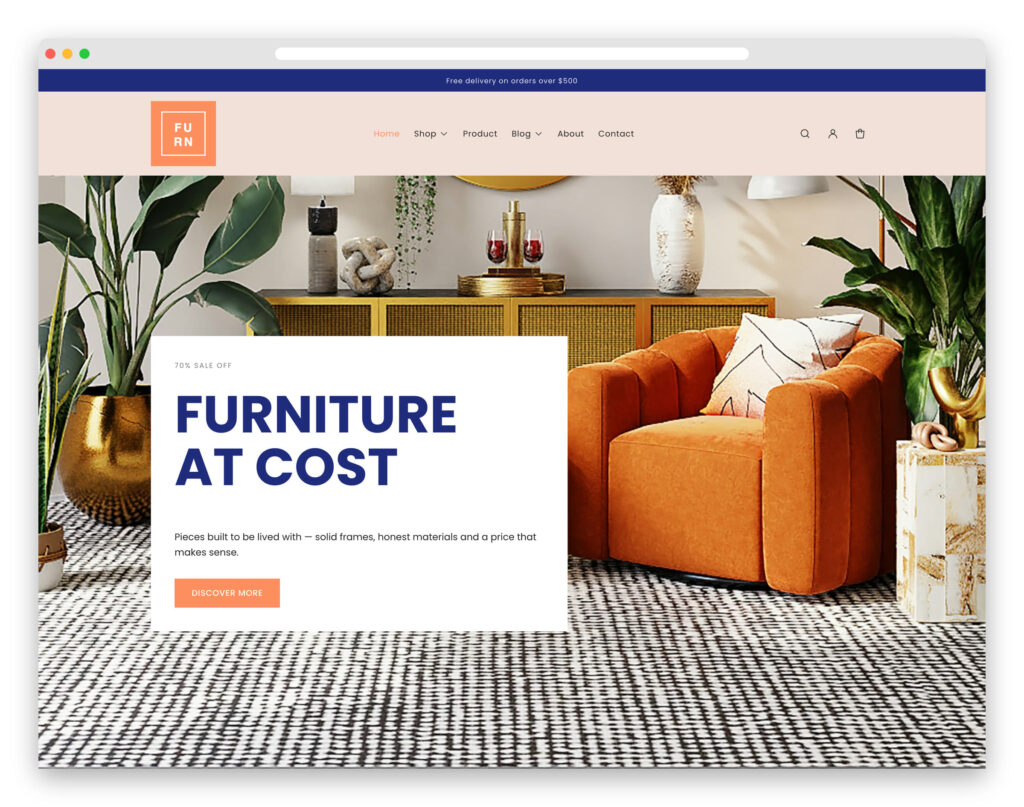
Furn is a free Shopify theme for furniture, homeware and interiors stores. It ships a tabbed product grid, filterable collection pages, a full product page with finish and size options, a blog, and the complete set of customer account pages.
It is built on Shopify’s current theme architecture — Online Store 2.0 with theme blocks — so you can add, reorder and nest content in the theme editor on every template, including the product page, without touching a line of Liquid.
What you get
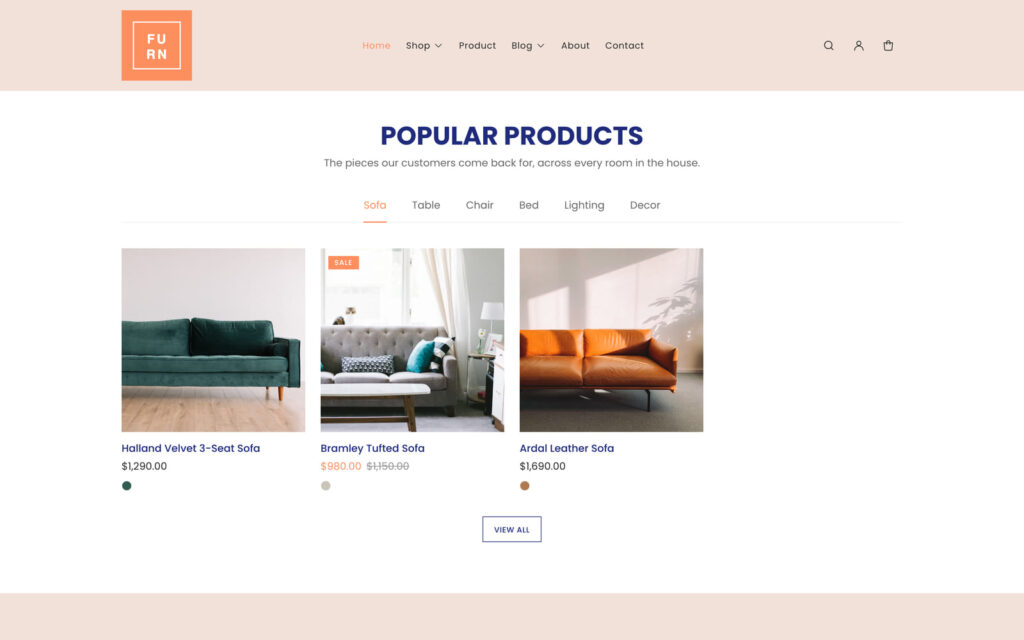
- Tabbed product grid — a homepage section where each tab is one of your collections. Every tab renders with the page, so switching is instant and works without JavaScript.
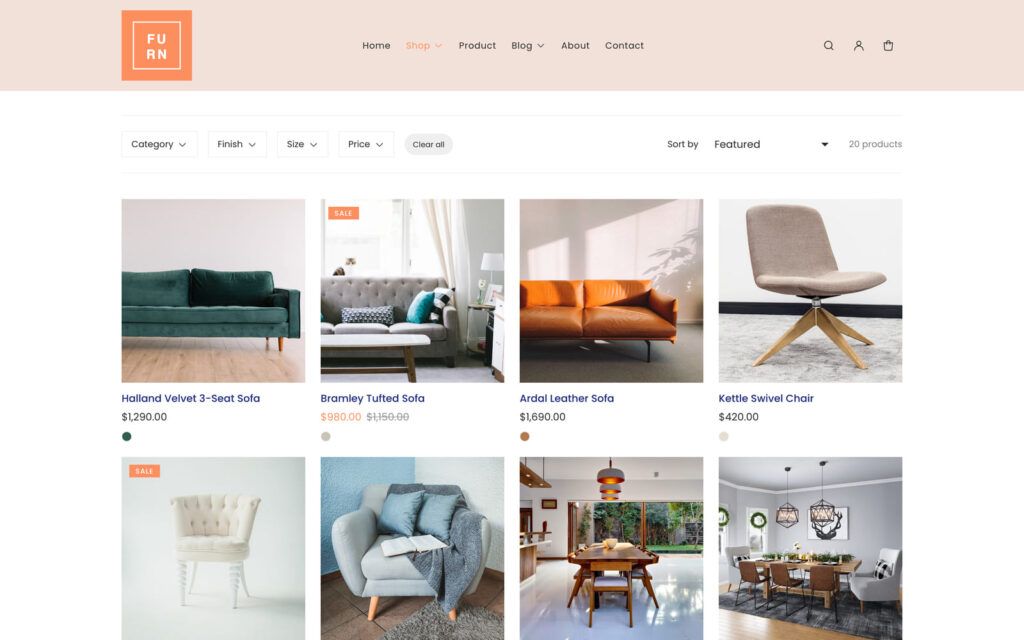
- Filterable collections — filter and sort on collection pages, powered by Shopify’s free Search & Discovery app.
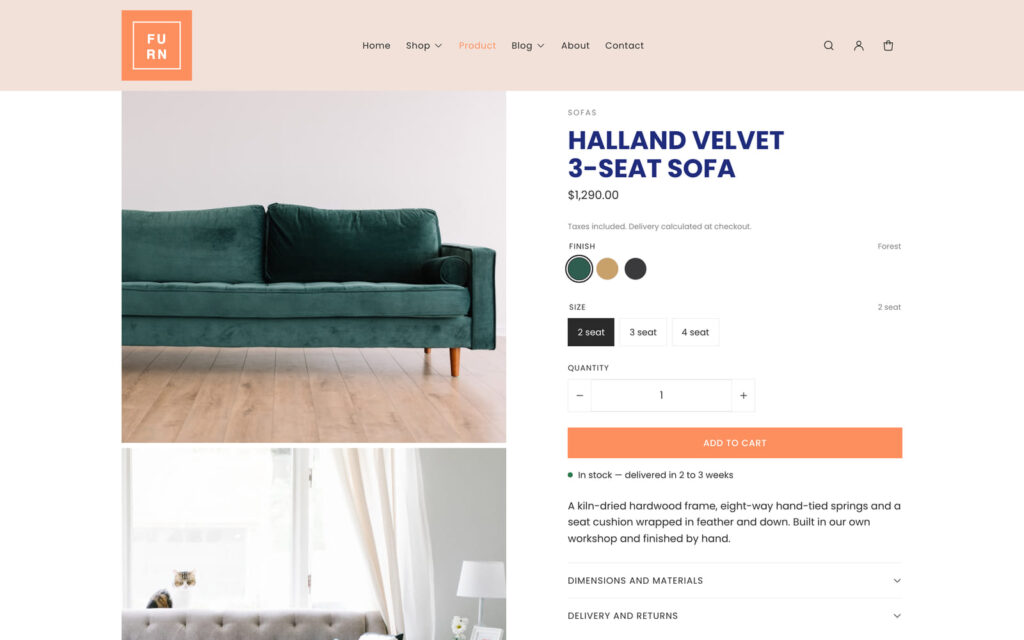
- Product pages built from blocks — title, price, variant picker, quantity, buy buttons, stock status, description and collapsible rows, each one movable in the editor.
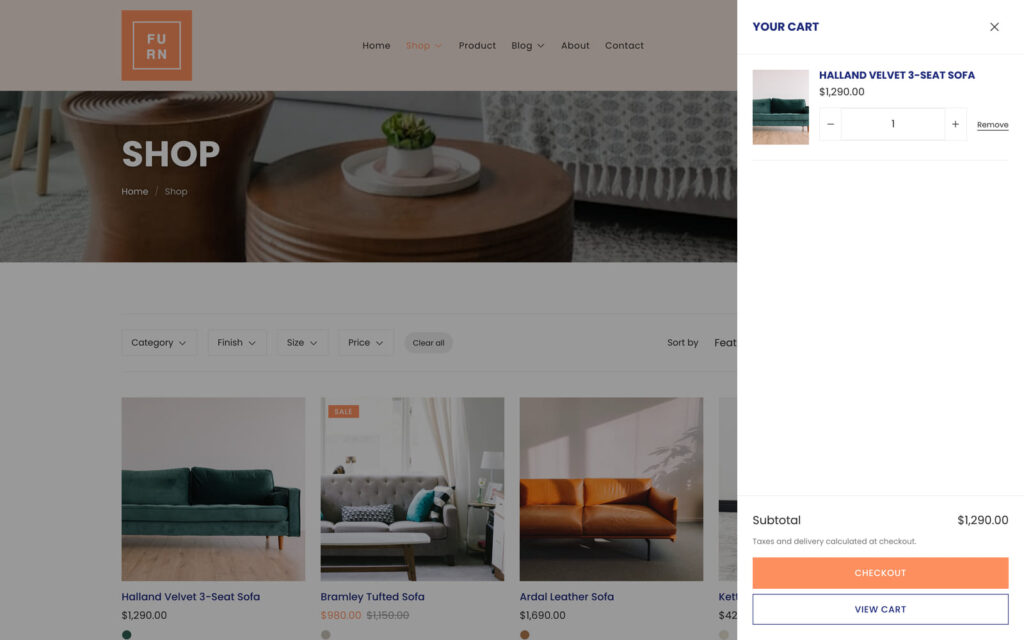
- Ajax cart drawer — add to cart without a page reload, plus quick add straight from the product grid.
- Predictive search — product, collection, article and page suggestions as the customer types.
- Page banners with breadcrumbs on every inner page, marked up as BreadcrumbList so the trail can appear in search results.
- Colour and image swatches pulled from your own Shopify product options.
- Multi-currency and multi-language through Shopify Markets.
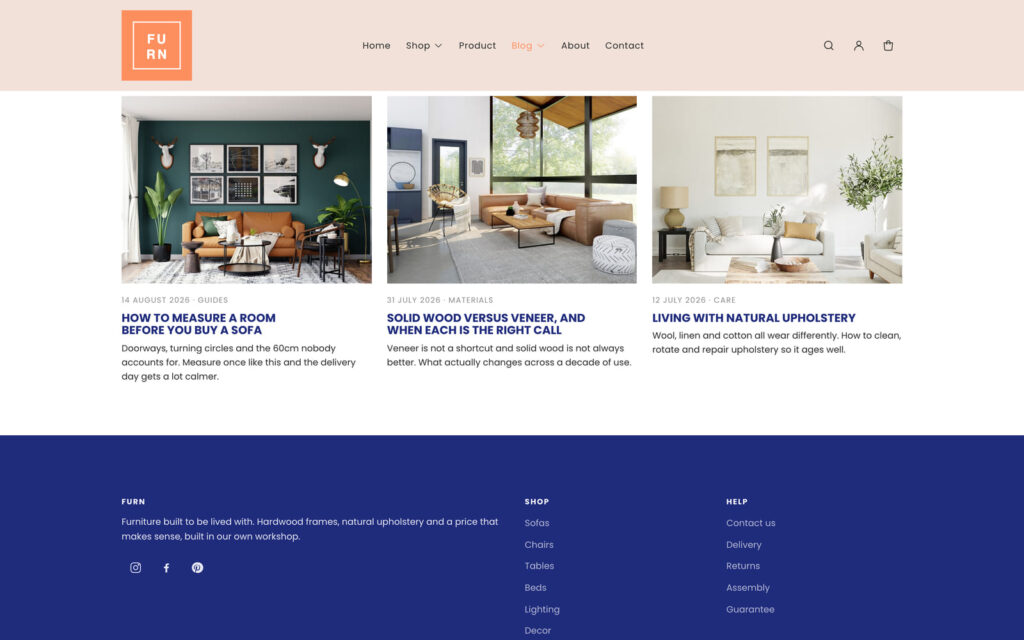
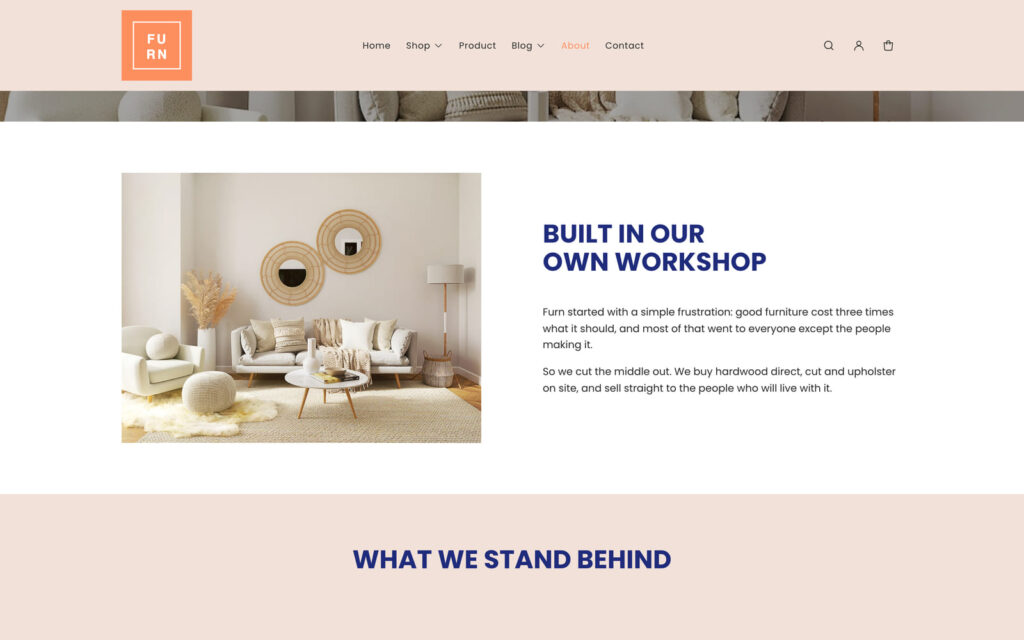
- Blog, about, contact and the full set of customer account pages.
- Four editable colour schemes you can apply per section, plus font pickers and layout controls.
Who Furn is for
The design is warm and product-led, with a coral accent against deep navy and generous white space, which suits stores where people need to picture a piece in their own room: furniture makers and retailers, homeware and interiors, lighting, rugs and soft furnishings, and independent showrooms. Larger items get the room they need — big photography, clear finish and size options, and space for the dimensions and delivery detail that decide a furniture purchase. If you sell hundreds of small, near-identical SKUs where dense listings matter more than photography, a more compact theme will serve you better.
Built for how furniture is sold
Furniture is a considered purchase. People measure a room, compare finishes, worry about the stairs and come back three times before they buy — usually on a different device each time. Furn is arranged around that, rather than around impulse checkout:
- Finish and size live where the decision happens. Variant swatches are pulled from your own Shopify product options, so oak against walnut, or double against super king, is a single tap rather than a dropdown.
- Dimensions and delivery are on the product page, not buried. Collapsible rows hold the measurements, materials and delivery windows that decide a furniture order, without pushing the price and buy button below the fold.
- Room-first browsing. The homepage grid gives each collection its own tab — sofas, tables, chairs, beds — so a customer who came for one room is one tap from the rest. Every tab is rendered with the page, so switching is instant.
- Big, honest photography. Square product media and responsive images give large pieces the room they need without making a phone download a desktop-sized file.
- Breadcrumbs on every inner page, marked up as BreadcrumbList, which matters once a catalogue is deep enough that people arrive from search on a product rather than the homepage.
- Stock and lead time up front. Inventory status sits next to the buy button, so a twelve-week wait is not a surprise at checkout.
None of that comes at the cost of speed. The theme ships as one stylesheet and one JavaScript module, with carousels built on native CSS scroll-snap and drawers built on the browser’s own dialog element. There is no jQuery, no CSS framework and nothing fetched from a third-party CDN — fewer requests, no external dependency to break, and no library to patch when the next advisory lands. The source is public on GitHub, so you can read exactly what you are installing, follow changes, or open an issue.
Every page your store needs
Furn covers the full storefront, not just a pretty homepage. Every screenshot below is from the live demo.
Designed mobile-first
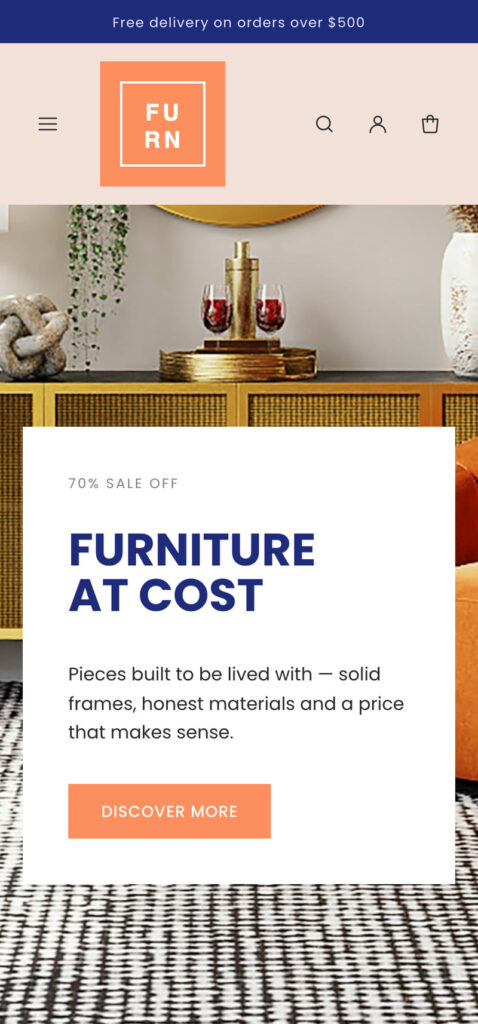
Furniture research starts on a phone and finishes on a laptop, so the layouts are built to work on both. Navigation is a slide-in drawer, product carousels use scroll-snap so they behave like native swipes, tap targets are sized for thumbs, and images are served responsively so a phone never downloads a desktop-sized file.
How to install Furn
Installing a free Shopify theme from a zip file takes about a minute:
- Download the theme zip using the button above.
- In your Shopify admin, go to Online Store → Themes.
- Under Theme library, choose Add theme → Upload zip file.
- Select
furn-shopify-theme.zipand upload it. Do not unzip it first — Shopify expects the archive. - Click Customize to set your logo, colours and menus, then Publish when you are happy.
Because Furn uses theme blocks, almost everything after that is drag-and-drop inside the theme editor. Add a section, drop blocks into it, reorder them, and set a colour scheme per section.
Frequently asked questions
Yes. Furn is free to download and free to use, with no purchase, no subscription and no trial. There is no footer credit you have to pay to remove, and nothing is held back for a paid tier — the complete source is public on GitHub, so you can read exactly what you are installing before you install it. Use it on as many Shopify stores as you like, including client stores, and modify it as much as you need to — the only thing we ask is that you do not repackage and resell the theme itself.
You need an active Shopify plan to publish any theme on a live store, Furn included — that is Shopify’s charge, not ours. You can upload and preview it during a Shopify trial or on a development store at no cost, and everything the theme does works on Shopify’s entry-level plans.
No. Sections, blocks, colours, fonts, menus, images and layout are all set from Shopify’s theme editor. Furn is built on theme blocks, so you can add, reorder and nest content on every template — including the product page — which older free themes only allowed on the homepage. Touching Liquid is optional, not a prerequisite.
Download the zip with the button on this page, then in your Shopify admin go to Online Store → Themes, and under Theme library choose Add theme → Upload zip file. Select furn-shopify-theme.zip and upload it without unzipping it first, because Shopify expects the archive. Preview it, click Customize to set your logo, colours and menus, then Publish when you are happy.
Yes. Furn uses theme blocks, Shopify’s newest theme architecture, with JSON templates and header and footer section groups, and it passes Shopify’s own Theme Check with zero errors and zero warnings across all 98 files. Nothing in it relies on the vintage, pre–Online Store 2.0 patterns that limit most older free themes to editing the homepage.
None to run. Product filtering on collection pages uses Shopify’s free first-party Search & Discovery app, and multi-currency uses Shopify Markets. Both are made by Shopify, both are optional, and there is no paid third-party app the theme depends on to function.
Yes. Collection pages filter and sort, and the header carries predictive search that suggests products, collections, articles and pages as the customer types. The homepage also has a tabbed product grid where each tab is one of your collections — every tab is rendered with the page, so switching between them is instant and works even with JavaScript disabled.
The whole theme ships as one stylesheet and one JavaScript module — base.css at 41 KB and theme.js at 24 KB, unminified. There is no jQuery, no CSS framework and no third-party CDN request. Carousels are built on native CSS scroll-snap and drawers on the browser’s own dialog element. The download is a 103 KB zip.
Furn outputs Product, BlogPosting and BreadcrumbList structured data, keeps a clean heading order with exactly one H1 per page, sizes every image responsively and takes alt text from your product data. Breadcrumbs appear on every inner page and are marked up so they can show in search results. The theme cannot do the rest for you — your product copy, images and apps still decide the final result — but it does not work against you.
It is built mobile-first. Navigation is a slide-in drawer, product carousels use scroll-snap so they behave like native swipes rather than a laggy script, tap targets are sized for thumbs, and images are served responsively so a phone never downloads a desktop-sized file.
Yes, through Shopify Markets. The country and language selectors are already in the header and footer, so once you have configured Markets in your admin, customers can switch currency and language without any theme edits.
Yes. Use Furn on as many Shopify stores as you like, including stores you build for clients, and modify it as much as you need to. The one thing we ask is that you do not repackage and resell the theme itself as your own product.
Yes, and it is designed to be readable. There are exactly two asset files — base.css and theme.js — with no build step, no minification and no Sass to compile, so what you see in Shopify’s code editor is what runs. You can work in the admin code editor or locally with the Shopify CLI.
Releases are published on GitHub, so you can watch the repository to hear about them. Shopify does not auto-update a theme you uploaded from a zip, which cuts both ways: nothing can change your live store behind your back, and updating means uploading the new version as a separate theme and moving your settings across. Your customisations are never overwritten without you doing it.
Same design, different platform. This is a Shopify theme written in Liquid that runs on a Shopify store with real products, a cart and checkout. The HTML template is a paid, plain static site you can host anywhere, and it is the better starting point if you want to port the design to WooCommerce, a static site generator or a JavaScript framework. Both are built from the same stylesheet, so they look identical. This Shopify theme is the free one.
Open an issue on the GitHub repository. That is where the source, the changelog and the release history live, and where bugs actually get fixed. Furn is a free theme, so there is no private support desk behind it — but issues are public, which means an answer helps the next person with the same problem too. For anything that is not about the theme itself, use the Colorlib support page.
Looking for something else?
If Furn is not quite right for your store, browse our roundup of the best free Shopify themes. The same design is also sold as a plain HTML template if you would rather port it to WooCommerce, a static site, or another platform.